2 layers34 × 29 mm
Perch dock
danieltyukov/owltunes
Owl-shaped Spotify remote for your desk and pocket: ESP32-S3 firmware, LVGL UI, KiCad PCB, 3D-printed enclosure, and owl v0 on the Waveshare AMOLED kit
22 partsMIT

 danieltyukov/owltunes
Owl-shaped Spotify remote for your desk and pocket: ESP32-S3 firmware, LVGL UI, KiCad PCB, 3D-printed enclosure, and owl v0 on the Waveshare AMOLED kit
Owl mainboard is an open-source printed circuit board by danieltyukov, from the danieltyukov/owltunes repository on GitHub, published under the MIT licence. It is a 4-layer board of 61.8 × 79.8 mm with 107 parts on 78 nets, routed with 1,066 tracks and 262 vias.
It is built around the ESP32-S3-WROOM-1-N16R8, OPT3001DNPR and TPS63802DLAR, with the BQ24073RGTR, LIS2DW12TR-MS and MAX17048G+T10 among its other parts. Its parts include 30 capacitors, 30 resistors, 10 ICs, 6 connectors and 5 diodes. It belongs with the computers and single-board computers boards and the ESP32 boards of this library.


Your music, one turn away.
A Spotify remote with a round AMOLED face and a rotating ring. It charges on your desk and goes
with you in your pocket.
Website | Setup guide | System design | Hardware
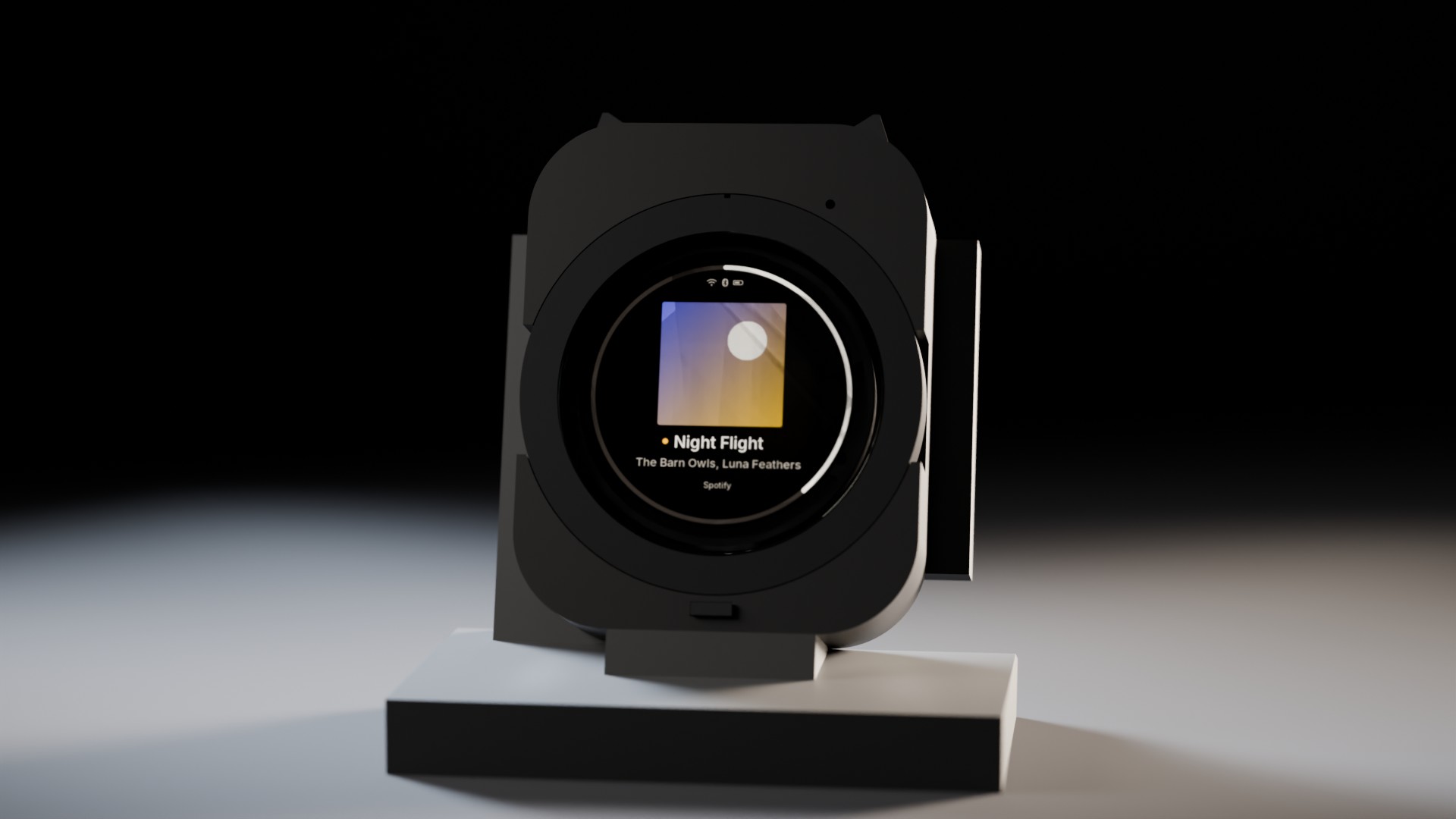
OwlTunes controls the music that is already playing on your phone, laptop or speakers. Turn the ring to change the volume, tap the cover to pause, press an ear to skip. Drop it on its perch and it becomes a desk display that charges while it shows what is playing.
Spotify switched off every Car Thing in December 2024. Nobody can do that to OwlTunes: the firmware, boards and enclosure are open source, it talks to Spotify's Web API directly over Wi-Fi, and Bluetooth media keys keep working when there is no internet.
| On the desk | In your pocket |
|---|---|
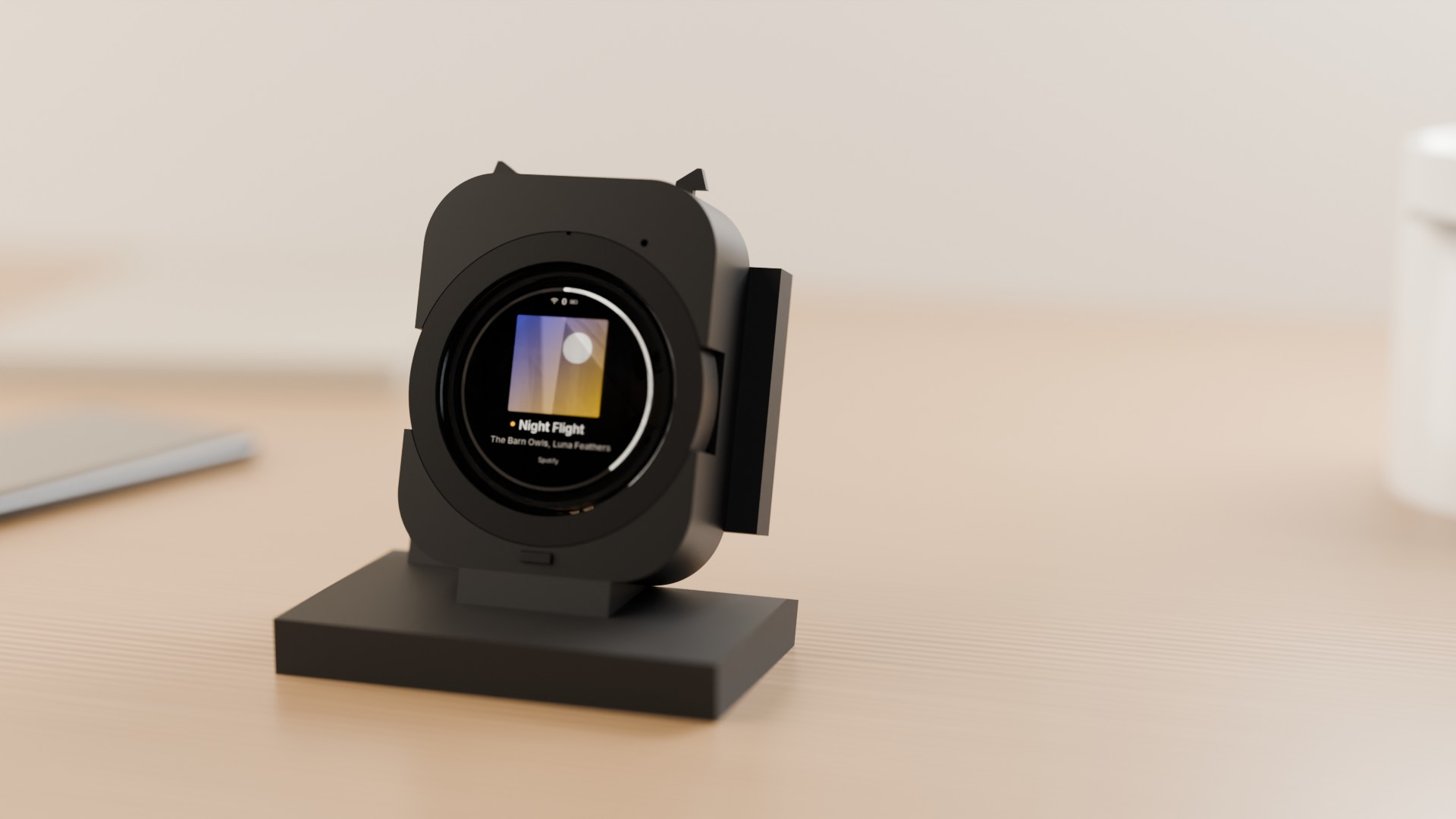 | 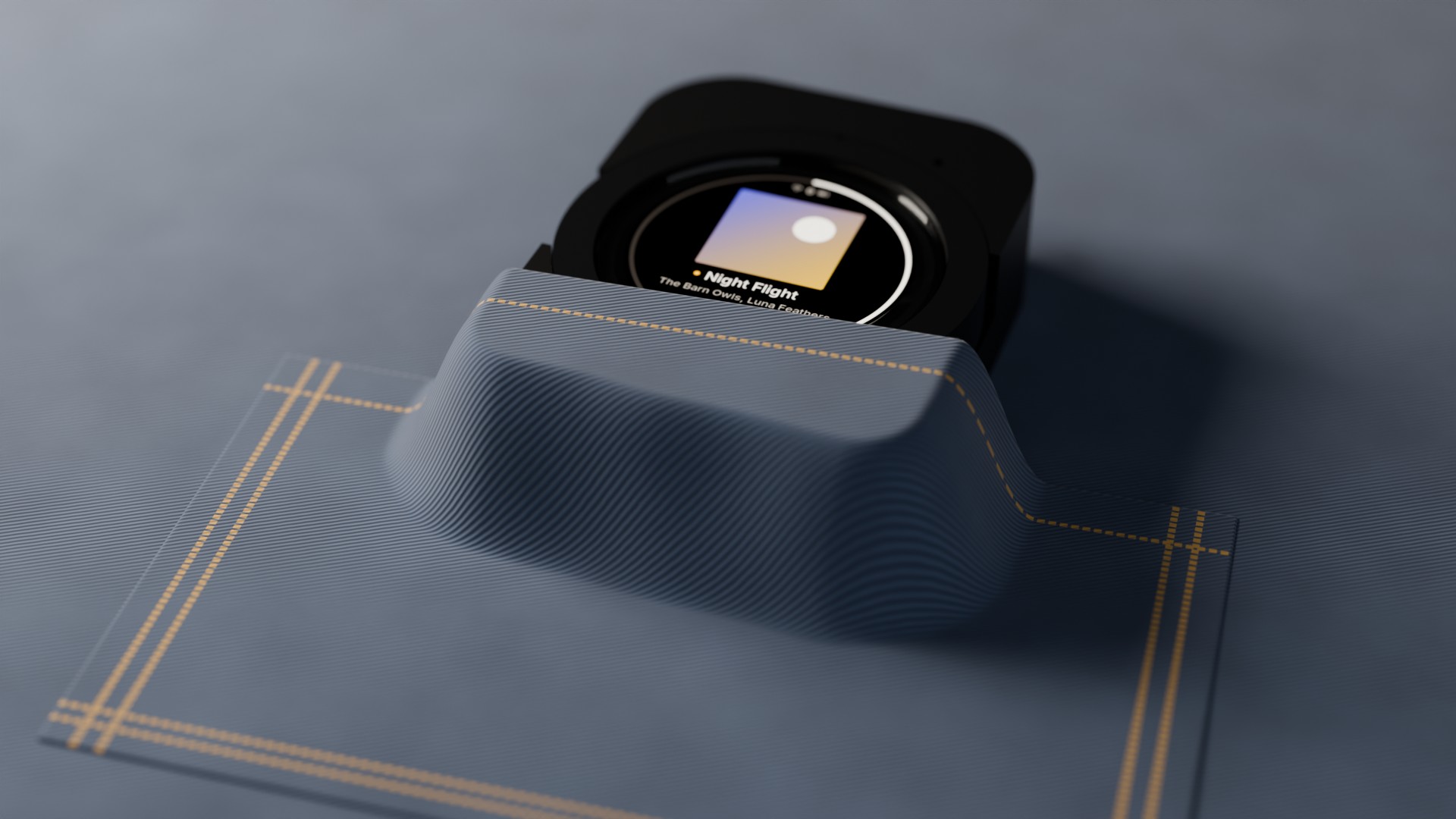 |
| Display | 1.75 inch round AMOLED, 466 x 466, capacitive touch, behind 1.1 mm cover glass |
| Controls | Rotating ring with haptic detents, two ear buttons, a beak button, touch and swipe |
| Brain | ESP32-S3 with 16 MB flash and 8 MB PSRAM |
| Connectivity | Wi-Fi to the Spotify Web API (home network or phone hotspot); Bluetooth LE media keys offline |
| Sensors | Hall sensor for the ring, accelerometer (pick up to wake), ambient light |
| Power | Single-cell LiPo, USB-C, and spring-contact charging on the perch |
| Size | 66 x 84 x 24 mm |
| Perch | Weighted magnetic desk dock that holds the owl at 17.5 degrees |
| Control | Action |
|---|---|
| Ring | Volume on Now Playing; scroll in lists, one haptic tick per item |
| Tap the cover | Play or pause |
| Swipe left or right | Next or previous track |
| Left or right ear | Previous or next track |
| Hold the left ear, turn the ring | Pick one of 8 presets, release to play |
| Hold the right ear | Like the current track |
| Beak | Back; hold for Now Playing |
It also browses your playlists and library, searches, manages the queue and moves playback between your Spotify Connect devices.
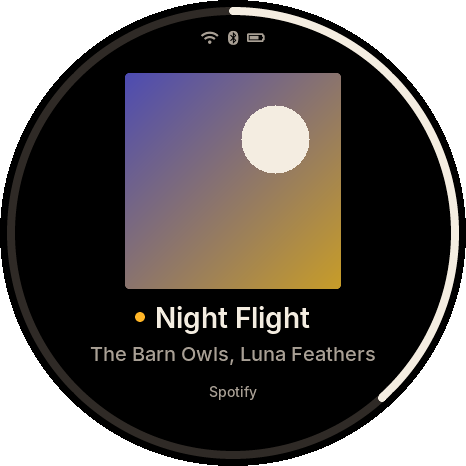
The screens below come from the desktop simulator, which runs the same UI code as the firmware.
| Now playing | Playlists | Preset wheel | Looking for your phone |
|---|---|---|---|
 | 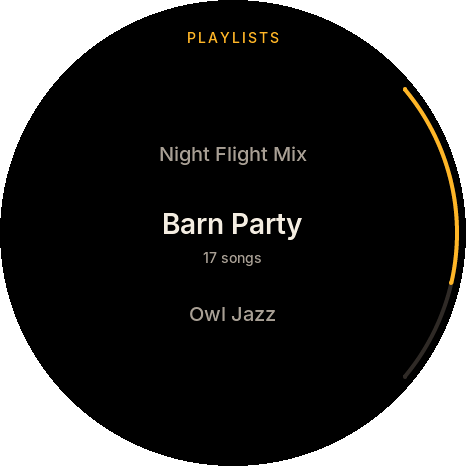 | 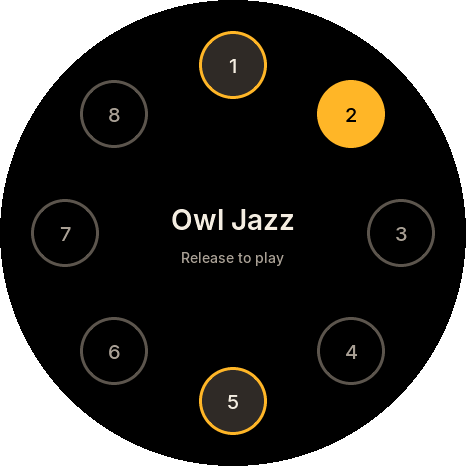 | 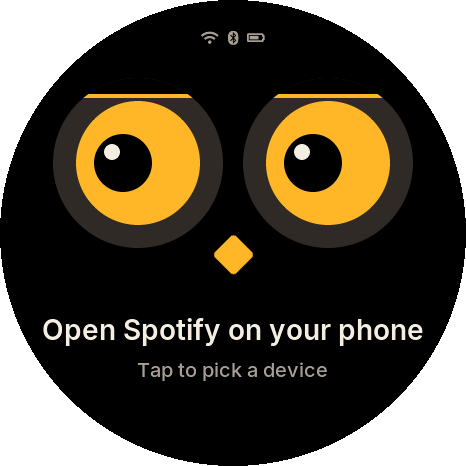 |
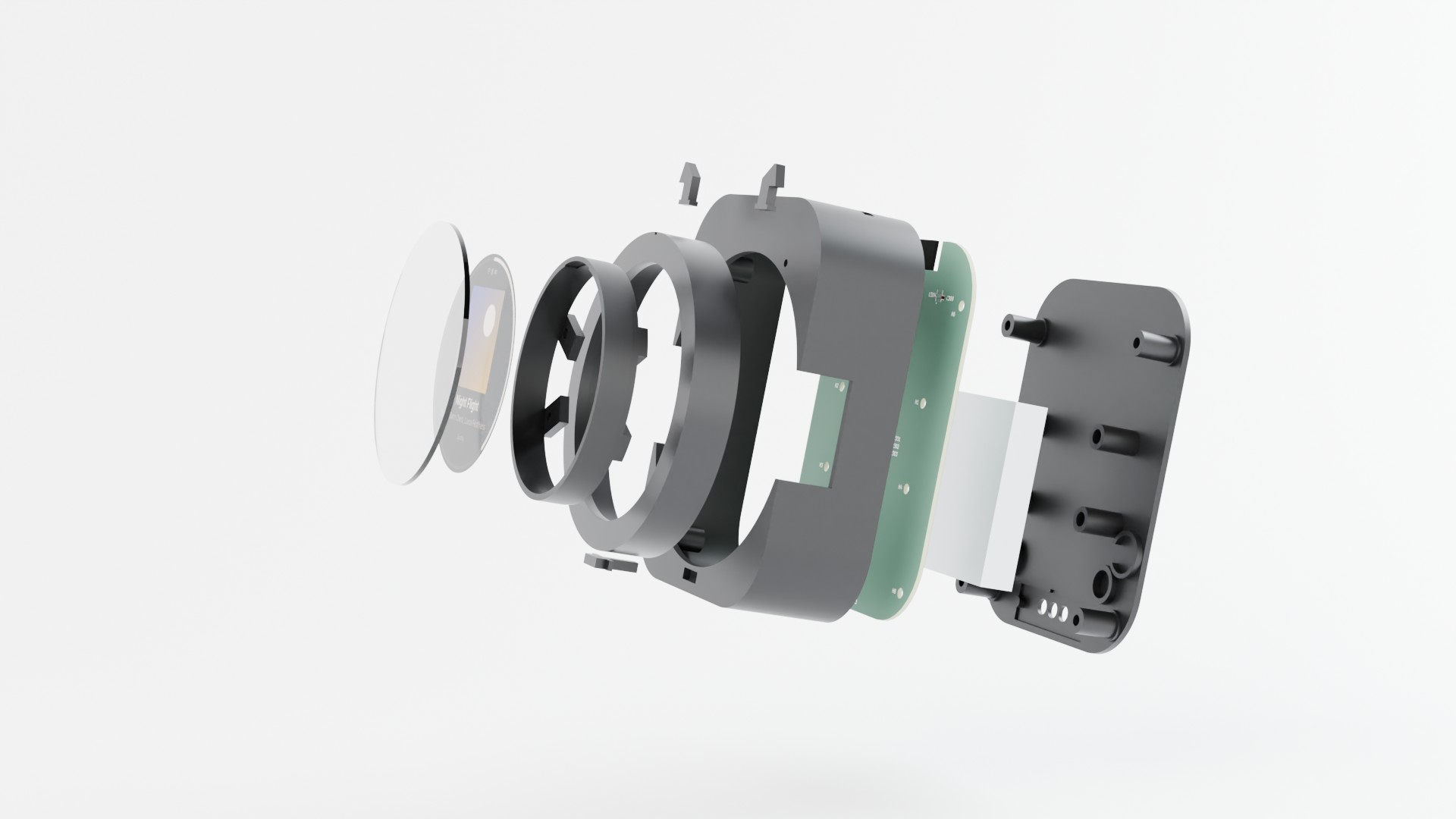
A 4-layer main board (KiCad 10, assembled by JLCPCB) inside a printed nylon enclosure (build123d, MJF PA12). The ring carries magnets that a Hall sensor on the board reads, and a small linear motor gives each detent its click. Every board passes ERC, DRC and a check against the enclosure's mechanical contract in CI.
The renders on this page are made from the same files: the enclosure and board meshes go into
Blender with tools/render.sh, and the screen shows the simulator's output. The album art is a
generated placeholder. The renders were computed on the DelftBlue supercomputer of the Delft High
Performance Computing Centre (DHPC, https://www.tudelft.nl/dhpc), and the owl v0 renders on a TU
Delft EWI compute server.
| Owl v0 | Inside owl v0 |
|---|---|
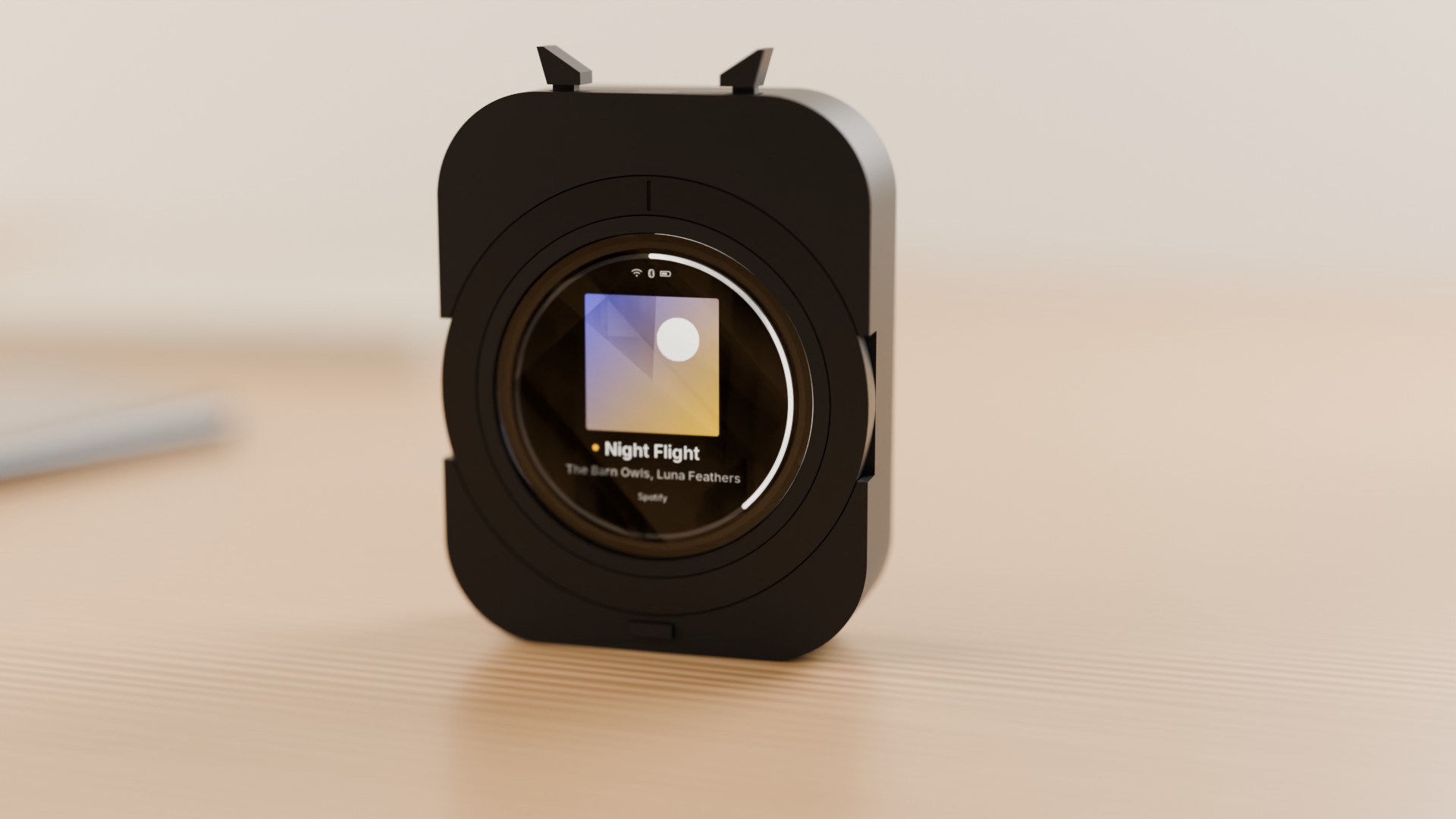 | 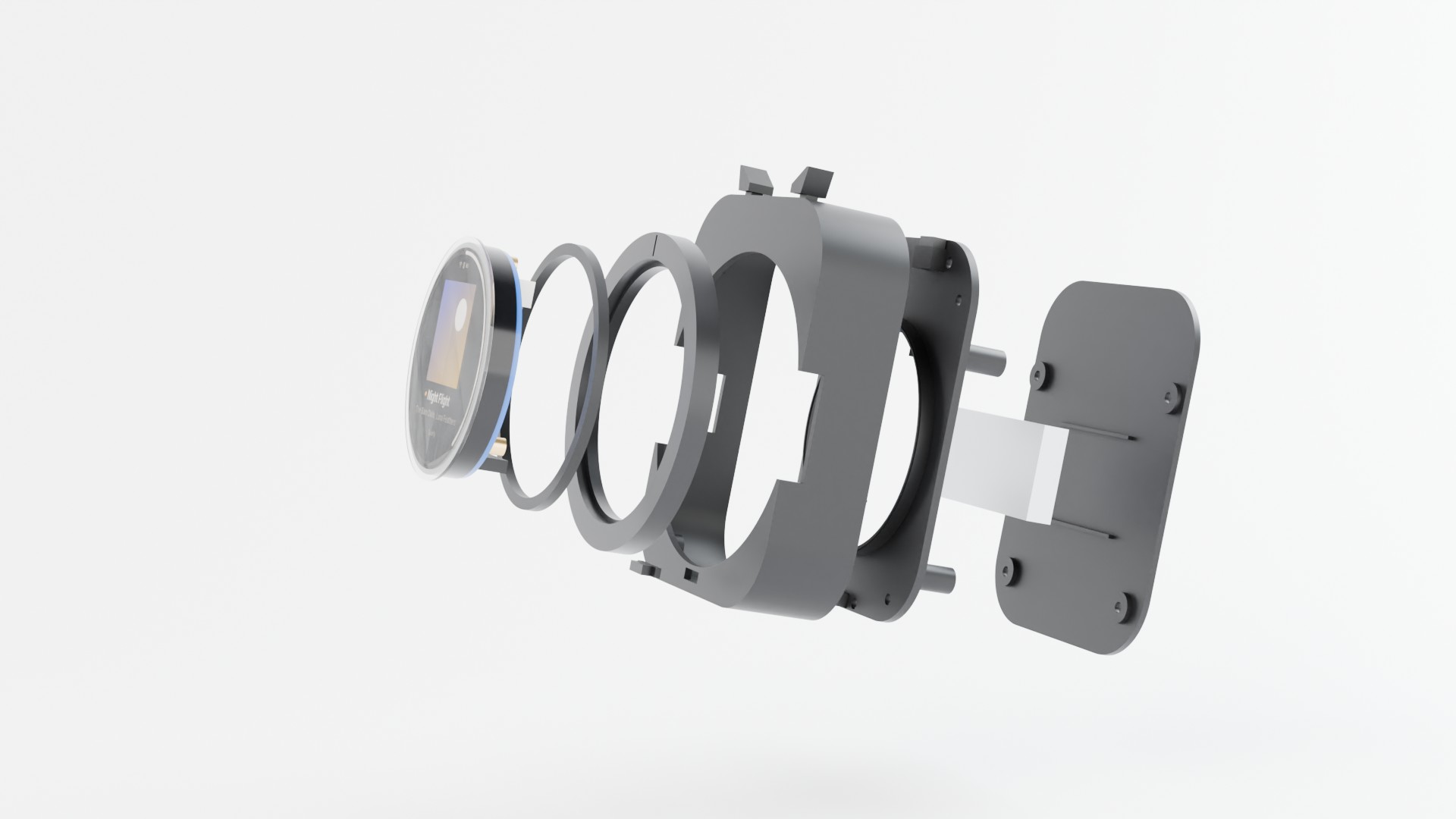 |
The first owl to be built is owl v0: the same face, ring, ears and beak, built round Waveshare's ESP32-S3-Touch-AMOLED-1.75 kit, which brings the display, the ESP32-S3, USB-C and the battery charger, so there is no board to order. Six nylon prints hold it, a Hall sensor module reads the ring's magnets, and tact switches sit under the ears and the beak. It has no perch, haptics or light sensor yet, and it is 19.7 mm deep. kit-owl.md has the parts, wiring and assembly.
Read the system design for the full picture and docs/hardware for the boards.
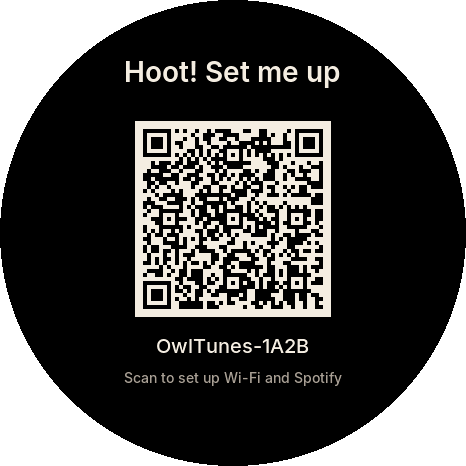
OwlTunes needs Spotify Premium and your own free Spotify developer app (client ID). It uses the Authorization Code flow with PKCE, so no client secret is stored on the device or in this repository. Open the setup page in Chrome or Edge, connect the owl over USB, add your Wi-Fi networks and client ID, and log in with Spotify. The setup guide walks through every step.
| What | Command |
|---|---|
| Unit tests (with sanitizers) | tools/test_host.sh |
| Simulator screenshot tests | tools/sim.sh |
Interactive simulator (needs libsdl2-dev) | cmake -S sim -B build/sim-sdl -G Ninja -DOWL_SIM_SDL=ON && cmake --build build/sim-sdl && build/sim-sdl/owl_sim sdl |
| Firmware (ESP-IDF v6.1 activated) | tools/firmware.sh build |
| Firmware for the Arduino Nano ESP32, and flashing it | tools/firmware.sh build nano_esp32, then tools/firmware.sh flash nano_esp32 |
| Firmware for the owl's rev A board or the Waveshare ESP32-S3-Touch-AMOLED-1.75 kit (display and touch; not yet run on hardware) | tools/firmware.sh build owltunes_reva or tools/firmware.sh build waveshare_amoled_175, then flash with the same board name |
| Hardware tests on the Nano ESP32 (board on USB) | tools/hil_nano.py --wifi; with a linked board and your consent, tools/hil_spotify.py --real-account |
| Firmware in the QEMU emulator | tools/qemu_smoke.sh |
| Setup protocol in QEMU, including a real HTTPS call to Spotify | tools/qemu_prov_test.py |
| Setup site: unit and browser tests (Node.js 22) | cd web && npm ci && npm test && npm run e2e |
| Setup site: local development server | cd web && npm run dev |
| Enclosure tests and exports | see enclosure/README.md |
| Hardware checks (KiCad 10) | tools/hw/check_all.sh |
| Product renders (Blender 5.2, kicad-cli, uv) | tools/render.sh |
| Regenerate the UI fonts (needs Node.js) | tools/gen_fonts.sh |
| Path | Contents |
|---|---|
firmware/ | ESP-IDF firmware; shared C code in firmware/components/, board support in firmware/boards/ |
sim/ | Desktop simulator and golden screenshots |
web/ | The setup site (TypeScript and Vite), published on GitHub Pages |
enclosure/ | build123d sources for the owl, owl v0 on the Waveshare kit, the ring and the perch |
hardware/ | KiCad 10 projects for the owl main board and the perch board |
docs/ | Design documents, hardware notes, setup and protocol guides |
tools/ | Build, test, style, render and font scripts |
The UI font is Inter (SIL Open Font License, see
firmware/components/owl_ui/fonts/LICENSE-Inter.txt).
OwlTunes is an independent, non-commercial project. It is not affiliated with, endorsed by or sponsored by Spotify. Spotify is a trademark of Spotify AB.
| Qty | Value | Footprint | References |
|---|---|---|---|
| 10 | 100k | Resistor_SMD:R_0402_1005Metric | R103, R104, R105, R106, R108, R109, R207, R208, R209, R308 |
| 10 | 100nF | Capacitor_SMD:C_0402_1005Metric | C106, C109, C112, C202, C302, C305, C306, C307, C309, C310 |
| 5 | 10k | Resistor_SMD:R_0402_1005Metric | R206, R210, R211, R303, R309 |
| 5 | 4.7k | Resistor_SMD:R_0402_1005Metric | R212, R301, R302, R305, R306 |
| 4 | 1uF | Capacitor_SMD:C_0402_1005Metric | C104, C303, C304, C308 |
| 4 | 22uF | Capacitor_SMD:C_0603_1608Metric | C102, C107, C108, C201 |
| 4 | M2 bezel | MountingHole:MountingHole_2.2mm_M2 | H1, H2, H3, H4 |
| 4 | M2 body | MountingHole:MountingHole_2.2mm_M2 | H5, H6, H7, H8 |
| 3 | 10nF | Capacitor_SMD:C_0402_1005Metric | C206, C207, C208 |
| 3 | 10uF | Capacitor_SMD:C_0603_1608Metric | C103, C105, C111 |
| 2 | 18pF | Capacitor_SMD:C_0402_1005Metric | C204, C205 |
| 2 | 22 | Resistor_SMD:R_0402_1005Metric | R203, R204 |
| 2 | 47k | Resistor_SMD:R_0402_1005Metric | R205, R304 |
| 2 | 5.1k | Resistor_SMD:R_0402_1005Metric | R201, R202 |
| 2 | PMEG2020EH | Diode_SMD:D_SOD-123F | D101, D102 |
| 2 | SMF5.0A | Diode_SMD:D_SOD-123F | D201, D301 |
| 1 | +3V3 | TestPoint:TestPoint_Pad_D1.0mm | TP104 |
| 1 | 0.47uH | owltunes:L_Murata_DFE201612E | L101 |
| 1 | 10k NTC B3950 | Resistor_SMD:R_0402_1005Metric | RT101 |
| 1 | 1k | Resistor_SMD:R_0402_1005Metric | R307 |
| 1 | 1nF | Capacitor_SMD:C_0402_1005Metric | C110 |
| 1 | 220nF | Capacitor_SMD:C_0402_1005Metric | C203 |
| 1 | 3.3k | Resistor_SMD:R_0402_1005Metric | R101 |
| 1 | 3.6k | Resistor_SMD:R_0402_1005Metric | R102 |
| 1 | 32.768kHz 12.5pF | Crystal:Crystal_SMD_3215-2Pin_3.2x1.5mm | Y201 |
| 1 | 4.7uF | Capacitor_SMD:C_0402_1005Metric | C301 |
| 1 | 4.7uF | Capacitor_SMD:C_0603_1608Metric | C101 |
| 1 | 560k | Resistor_SMD:R_0402_1005Metric | R107 |
| 1 | AMOLED FPC | owltunes:Hirose_FH26W-31S-0.3SHW_1x31-1MP_P0.30mm_Horizontal | J301 |
| 1 | BOOT | TestPoint:TestPoint_Pad_D1.5mm | TP202 |
| 1 | BQ24073RGTR | owltunes:VQFN-16-1EP_3x3mm_P0.5mm_EP1.6x1.6mm_ThermalVias_Drill0.3 | U101 |
| 1 | Battery +, - | Connector_JST:JST_PH_S2B-PH-SM4-TB_1x02-1MP_P2.00mm_Horizontal | J101 |
| 1 | Beak | Button_Switch_SMD:SW_SPST_TS-1088-xR020 | SW203 |
| 1 | DISP_3V3 | TestPoint:TestPoint_Pad_D1.0mm | TP105 |
| 1 | DOCK: GND, VBUS, DET, GND | Connector_JST:JST_SH_SM04B-SRSS-TB_1x04-1MP_P1.00mm_Horizontal | J303 |
| 1 | DRV2605LDGSR | Package_SO:TSSOP-10_3x3mm_P0.5mm | U301 |
| 1 | ESP32-S3-WROOM-1-N16R8 | owltunes:ESP32-S3-WROOM-1_Drill0.3 | U201 |
| 1 | EXP: GND, 3V3, A, B | Connector_JST:JST_SH_SM04B-SRSS-TB_1x04-1MP_P1.00mm_Horizontal | J202 |
| 1 | Ear left | Button_Switch_SMD:SW_SPST_EVQP7A | SW201 |
| 1 | Ear right | Button_Switch_SMD:SW_SPST_EVQP7A | SW202 |
| 1 | GAUGE_ALRT | TestPoint:TestPoint_Pad_D1.0mm | TP107 |
| 1 | GND | TestPoint:TestPoint_Pad_D1.5mm | TP203 |
| 1 | GND | TestPoint:TestPoint_Pad_D1.0mm | TP106 |
| 1 | LESD5D5.0CT1G | Diode_SMD:D_SOD-523 | D302 |
| 1 | LIS2DW12TR | Package_LGA:LGA-12_2x2mm_P0.5mm | U303 |
| 1 | LRA | Connector_JST:JST_SH_SM02B-SRSS-TB_1x02-1MP_P1.00mm_Horizontal | J302 |
| 1 | MAX17048G+T10 | owltunes:Maxim_TDFN-8-1EP_2x2mm_P0.5mm | U102 |
| 1 | OPT3001DNPR | owltunes:TI_DNP_USON-6-1EP_2x2mm_P0.65mm | U304 |
| 1 | RESET | TestPoint:TestPoint_Pad_D1.5mm | TP201 |
| 1 | RX | TestPoint:TestPoint_Pad_D1.0mm | TP205 |
| 1 | TMAG5273A2QDBVR | Package_TO_SOT_SMD:SOT-23-6 | U302 |
| 1 | TPS22917DBVR | Package_TO_SOT_SMD:SOT-23-6 | U104 |
| 1 | TPS63802DLAR | owltunes:TI_DLA_VSON-10_2x3mm_P0.5mm | U103 |
| 1 | TX | TestPoint:TestPoint_Pad_D1.0mm | TP204 |
| 1 | USB-C | Connector_USB:USB_C_Receptacle_HRO_TYPE-C-31-M-12 | J201 |
| 1 | USBLC6-2SC6 | Package_TO_SOT_SMD:SOT-23-6 | U202 |
| 1 | VBAT | TestPoint:TestPoint_Pad_D1.0mm | TP103 |
| 1 | VIN_CHG | TestPoint:TestPoint_Pad_D1.0mm | TP101 |
| 1 | VSYS | TestPoint:TestPoint_Pad_D1.0mm | TP102 |
danieltyukov/owltunes
Owl-shaped Spotify remote for your desk and pocket: ESP32-S3 firmware, LVGL UI, KiCad PCB, 3D-printed enclosure, and owl v0 on the Waveshare AMOLED kit

theohg/PD240W
PD240W is a complete hardware and firmware project converting USB-C Power Delivery into a programmable 240W (48V 5A) bench power supply, featuring C++ code for Raspberry Pi Pico, custom PCB Gerbers, and a 3D-printable…

CopperPilot/tablet
An 8.4-inch tablet around a chip-down RK3566 + LPDDR4X: 8-layer 0.8 mm mainboard, USB-C daughter board, 1600x2560 dual-DSI display, CNC aluminium shell. Designed end to end by CopperPilot, open for review.


marcoallegretti/Teresina-Rack
The goal is an open, self-fabricatable Daisy Patch SM-compatible Eurorack submodule: the same carrier interface and libDaisy application compatibility through a small Teresina firmware variant.

LeeSpo/portable-display-epass-EVT1-minboot-r1
当前自研硬件为 38 × 64 mm、四层 split-power 工程候选,尚未放行生产。

tyevco/dial-me-spinner
A Bluetooth dial spinner about 70 mm across, built on the nRF52840. A heavy, balanced stainless flywheel ring spins around a stationary centre that holds a colour OLED and a ring of 48 addressable RGB LEDs.

sequoia-hope/ultraroute
PCB autorouting experiments around copperroute: route jobs, leaderboards, board morphing

aliaksei-lameyka/ENKU-Base-reader
Open enku-mainboard-r0.1.kicadpro with KiCad10.0.7. Matching PCB/root schematic and power.kicadsch, mcuio.kicadsch, epdhv.kicadsch, connectors.kicadsch are canonical.
It measures 61.8 × 79.8 mm and has 4 copper layers, 1 mm thick.
107 parts, built around the ESP32-S3-WROOM-1-N16R8, OPT3001DNPR, TPS63802DLAR and BQ24073RGTR. The full list of its parts is on this page, with links to each part's symbol and footprint where PCBKit's library has them.
From the danieltyukov/owltunes repository on GitHub, at the commit this page was made from: the board is hardware/owl-mainboard/owl-mainboard.kicad_pcb and its schematic hardware/owl-mainboard/mcu_usb.kicad_sch. PCBKit opens the board in the browser, with nothing to install.
Its repository publishes it under the MIT licence: you may reuse it on that licence's terms (keep the author's notice, and for a copyleft licence share your changes alike).