
2 layers65 × 49 mm

 oberlab/jeanCloud2
Small alarm clock/wakeup light
JeanCloud pcb regular is an open-source printed circuit board by oberlab, from the oberlab/jeanCloud repository on GitHub, published under the CERN-OHL-P-2.0 licence. It is a 2-layer board of 65 × 49 mm with 19 parts on 34 nets, routed with 92 tracks and 1 via.
It is built around the 10118193-0001LF. Its parts include 6 connectors, 1 capacitor and 1 resistor. It belongs with the lEDs and displays boards and the ESP32 boards of this library.
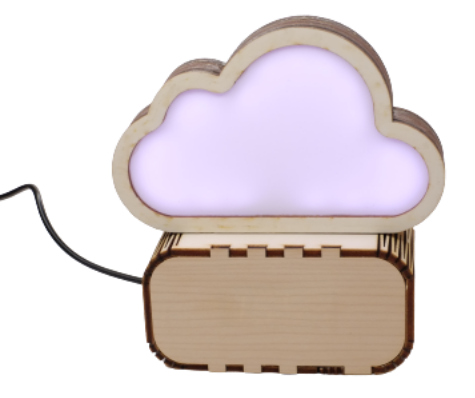
Display: CLK to pin 18, DIO to pin 5, 5V to 3V3, GND to GND LED-Strip: Data to pin 14, 5V to 5V or Vin, GND to GND Buzzer: one leg to pin 32, one leg to GND (use the one of the display)
| Qty | Value | Footprint | References |
|---|---|---|---|
| 7 | LOGO | LOGO | G***, G***, G***, G***, G***, G***, G*** |
| 3 | Conn_01x02_Male | Connector_PinHeader_2.54mm:PinHeader_1x02_P2.54mm_Vertical | J4, J5, J6 |
| 3 | MountingHole_3.2mm_M3_Pad | MountingHole:MountingHole_3.2mm_M3_Pad | , , |
| 1 | 10118193-0001LF | digikey-footprints:USB_Micro_B_Female_10118193-0001LF | J1 |
| 1 | CP | Capacitor_THT:CP_Radial_D6.3mm_P2.50mm | C1 |
| 1 | Conn_01x03_Male | Connector_PinHeader_2.54mm:PinHeader_1x03_P2.54mm_Vertical | J3 |
| 1 | Conn_01x04_Male | Connector_PinHeader_2.54mm:PinHeader_1x04_P2.54mm_Vertical | J2 |
| 1 | ESP32_DevKit_V1_DOIT | esp32_devkit_v1_doit:esp32_devkit_v1_doit | |
| 1 | R | Resistor_SMD:R_0805_2012Metric_Pad1.20x1.40mm_HandSolder | R1 |


ShawnHymel/rpi-pico-debugger-shoe
Stackable debugger board for the Raspberry Pi Pico. Solder long headers to this debugger board in order to connect the Pico to it.

ranzbak/qmtech_minimig
KiCad design for a minimig compatible board for the QM_XC7A100T_DDR3 board.


uw-x/clearbuds-hw
Errata: The design contains some errors that can be addressed in future revisions. The errors do not affect function, but do affect robustness. 1. Add 0.1uF decoupling capacitor to PDM mic (ICS-41350) Vcc. 2.

rishivg/IO-SDR
Open-Source software-defined FPGA radio hardware platform

RocketryVT/active-drag-system
Eigen Library, cmake, and arm-none-eabi-gcc tooling required for successful build.
It measures 65 × 49 mm and has 2 copper layers, 1.6 mm thick.
19 parts, built around the 10118193-0001LF. The full list of its parts is on this page, with links to each part's symbol and footprint where PCBKit's library has them.
From the oberlab/jeanCloud repository on GitHub, at the commit this page was made from: the board is hardware/pcb/regular/JeanCloud_pcb_regular.kicad_pcb. PCBKit opens the board in the browser, with nothing to install.
Its repository publishes it under the CERN-OHL-P-2.0 licence: you may reuse it on that licence's terms (keep the author's notice, and for a copyleft licence share your changes alike).