Blog ·
Doom, real Arduino and boards on any page: what changed this week
Sergey Alekseev
This was kind of a crazy week for PCBKit, so here is everything in one place, with links to the long posts where the numbers and the failures are.
Doom on eleven boards
The question was simple: if PCBKit simulates the chips on a board, can it run something real? So we designed eleven Doom handhelds, from a CH32V003 with 2 KB of RAM (which emulates a bigger RISC-V computer out of serial flash and PSRAM) to a Teensy 4.1. Press Run in the app and the page builds the firmware with the game linked in and plays it on models of the board’s own chips, the same image you would flash onto the board when it arrives. Every one of them is routed, checked and ready to order.
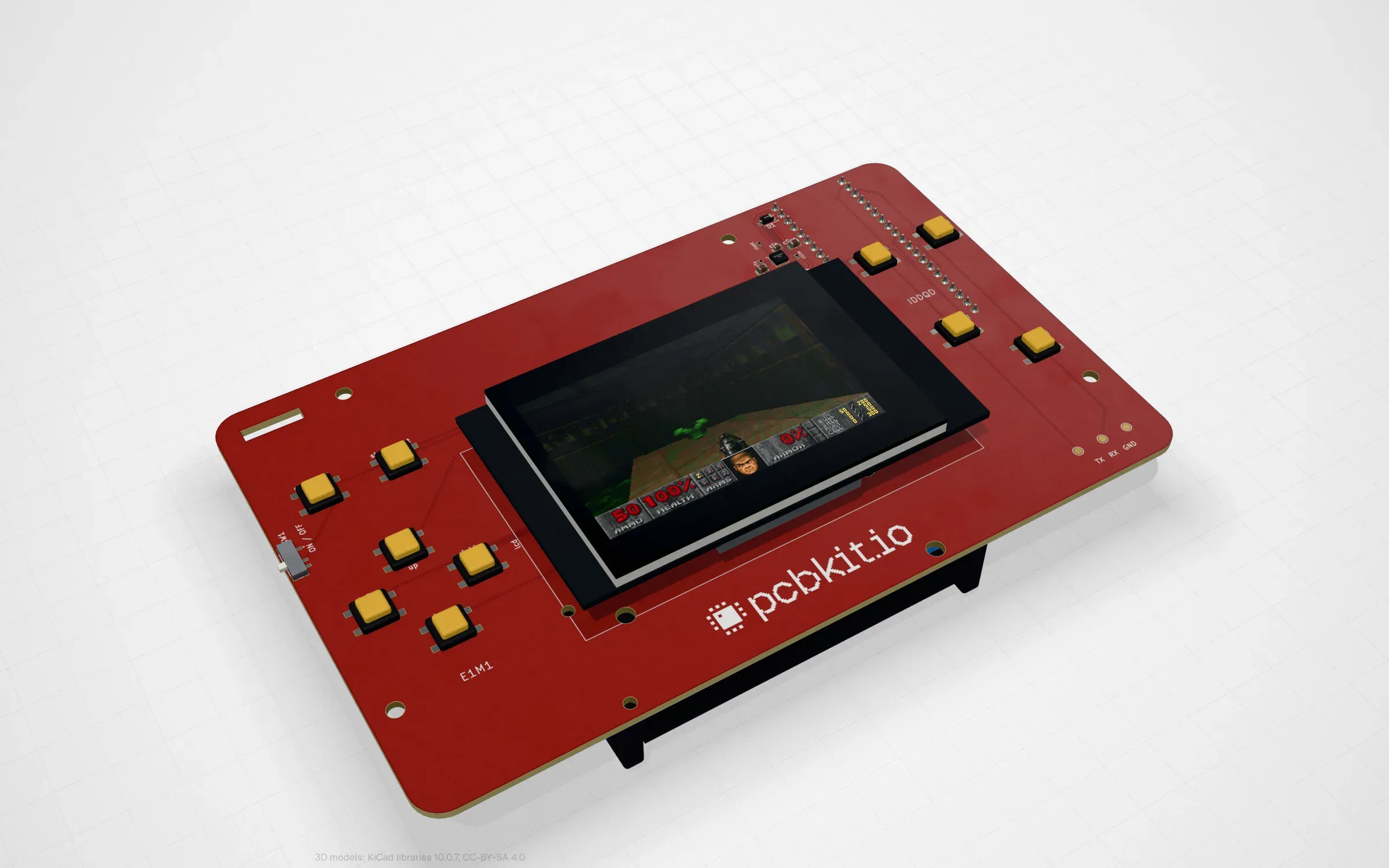
The reference handheld: an RP2350 under a 2.8” screen, ten buttons, on a red board.
The long posts: Doom on eleven boards, a compiler in a browser tab (Espressif’s LLVM in WebAssembly for the ESP32-S3 and C3) and Doom on a 2 KB chip.
Real Arduino
Twelve boards with an Arduino Nano on each: a weather station, a CO₂ monitor, a thermostat with a servo valve, a character LCD with a running dinosaur, six games on a pocket console, Simon and a drawing screen. The sketches use the libraries everyone uses (Adafruit’s SSD1306 and SHT31, Sensirion’s SCD4x, LiquidCrystal, Servo, Wire, EEPROM) and the page builds them exactly as the Arduino IDE does, then runs them on a whole simulated ATmega328P. The same sketch builds in the Arduino IDE for the ordered board. Real sketches found real bugs, in our models and in the sketches: Arduino’s 115200 baud is actually 117647 and the weather station ran out of RAM exactly like a real Nano would.
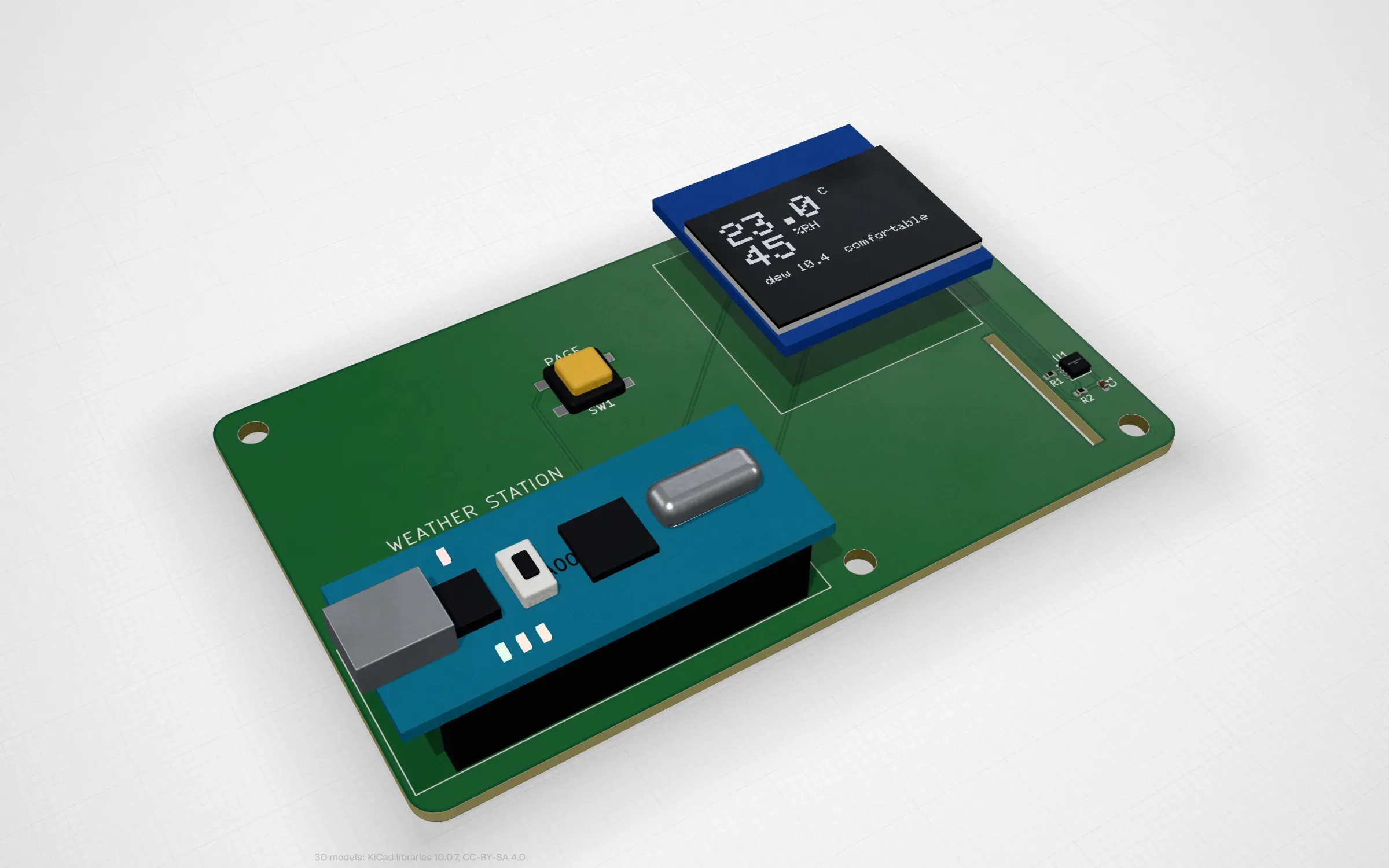
The weather station: change the weather in the lab and the sketch redraws the OLED.
The long posts: real Arduino in your browser, the whole ATmega328P (and where it disagrees with simavr) and an open toolchain repository.
Open toolchains
The compilers the page runs live in their own open repository, github.com/pcbkit-io/toolchain: avr-gcc 15.2.0 with binutils, avr-libc and ArduinoCore-avr, built to WebAssembly from pinned published sources with every licence kept; Clang and LLD 19 for RISC-V and Arm Cortex-M; Espressif’s Clang 22 for the ESP32. An Arduino sketch builds in the page in a second or two.
One registry of boards, honest about what you can order
All of PCBKit’s own boards now live in one repository, github.com/pcbkit-io/boards, with a registry the app and this site read. Every board says whether it is ready to order and reflash as it is or (for now) a board for the simulation only. The rule from here on: a board we show as interactive has to run in the browser and be ready to order. The lab boards are moving to real parts one by one.
Your board on any page
And the newest one: any public GitHub repository with a KiCad or PCBKit board can be shown on any web page, as a live frame you can turn in 3D, or as a picture for a README or a slide, from the same address. There is a builder for it at pcbkit.io/widget and a badge for READMEs. Every board picture on this site is drawn that way now, from the board’s repository at a pinned commit.
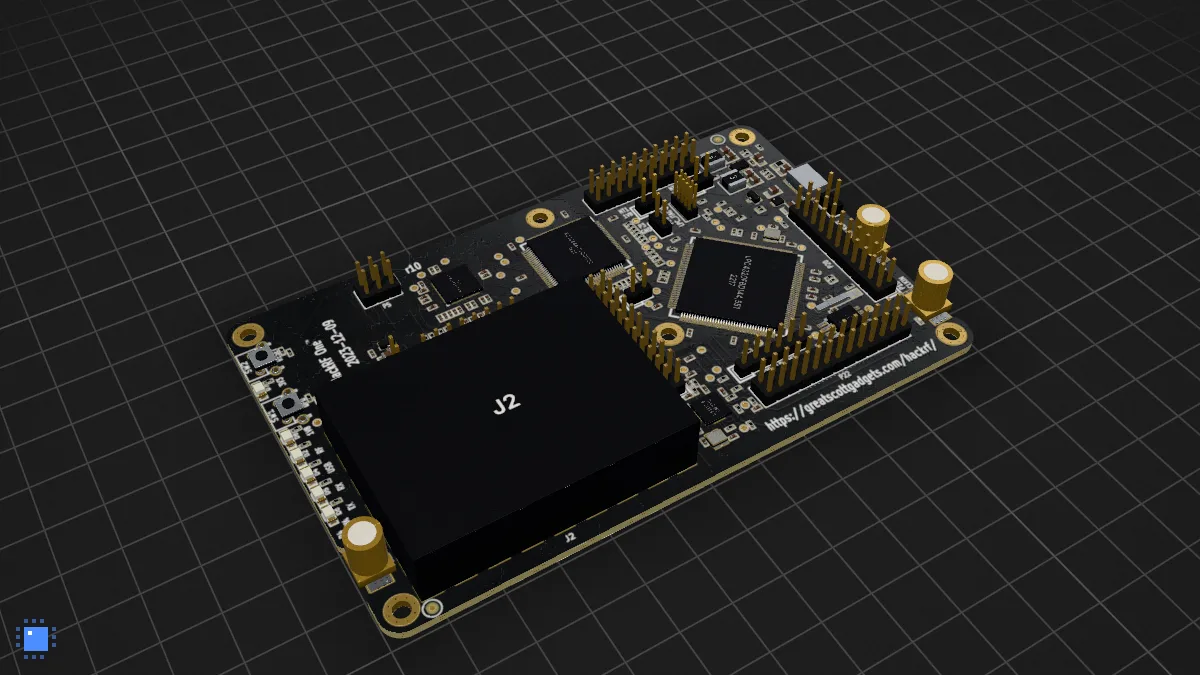
HackRF One by Great Scott Gadgets (GPL-2.0), straight from its repository. It is a picture until you press the button.
The long post: put your board on any web page.
And the site
pcbkit.io got a new look along the way: black and white bands, the lab and Arduino first, boards you can open from every section and a live board on the home page that loads the app only when you ask for it. Next is the obvious part: order some of these boards, flash them and find out what the simulation got wrong.