Blog ·
Doom on eleven boards you can order, built and played in the browser
Sergey Alekseev
The test we set for PCBKit’s device simulation was simple to say: design a board, write its program, order the board, flash the program, and it works. The same image, on the same parts, as in the simulation. Doom is the program everybody uses for that kind of test, so we used it too.
Before this, Doom already ran in PCBKit on a machine that exists only in PCBKit. It played on the 3D board, but ordered as drawn that board would not have worked: its processor and screen had no real part behind them, and its firmware talked to registers no chip has. So we started again from orderable parts.
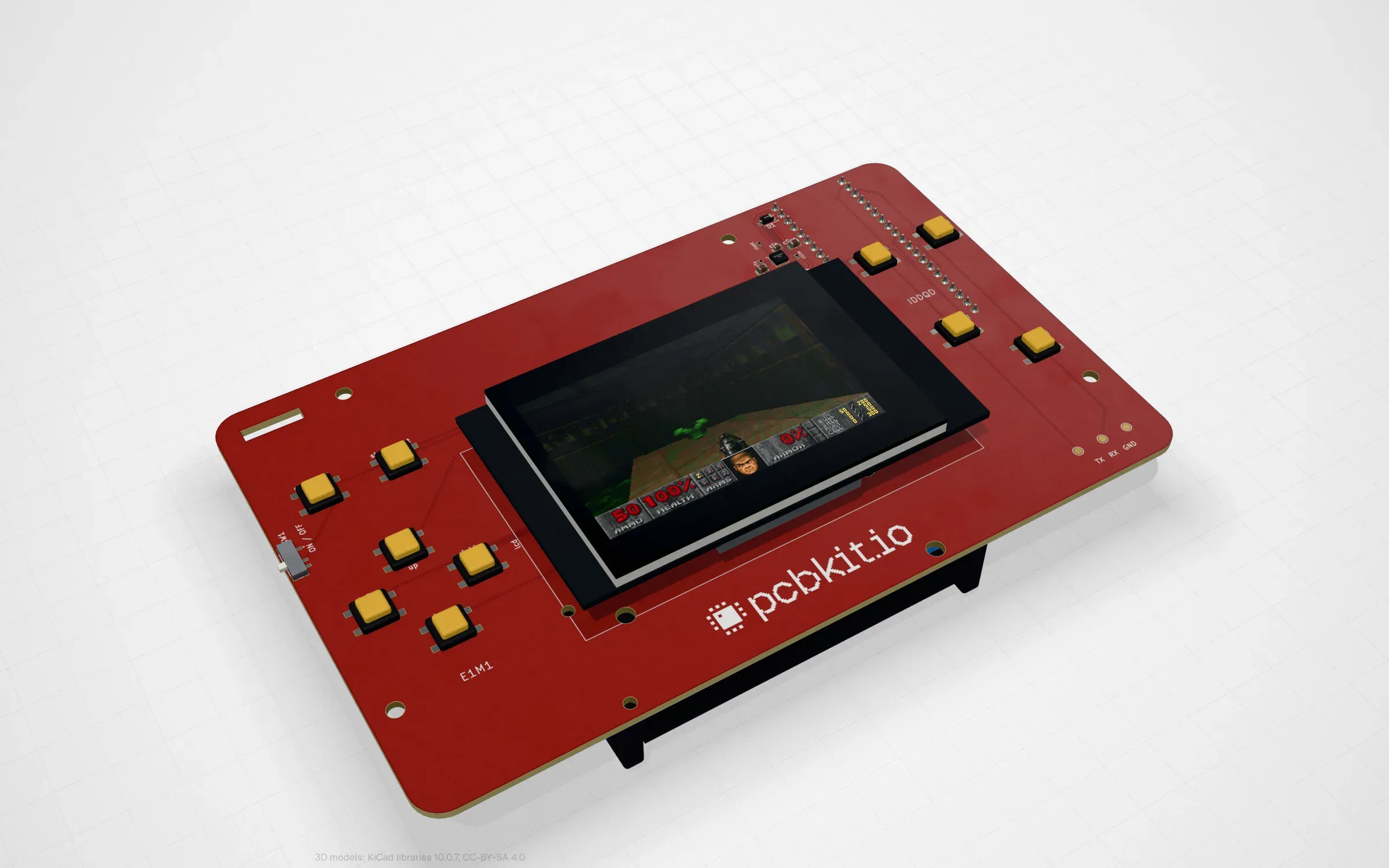
The reference board, rp2350-handheld: an RP2350 module under a 2.8″ ILI9341 screen, ten buttons.
Eleven boards, one game
There is one reference board and ten variants. The variants were chosen to cover the range: from the cheapest chip that can run Doom at all (by emulating a bigger computer) to a Cortex-M7 at 600 MHz. Every board is routed, passes PCBKit’s check and has an LCSC code on every assembled part for JLCPCB’s assembly (screens and modules plug into sockets it solders). All of them run from two 18650 cells charged over USB.
Each one opens in the app. Press Run, and the page builds the firmware and plays it on a model of the board’s chips. The table has the numbers from one browser test that opened all eleven boards by their GitHub links, built each program in the page and played 40 frames (a headless Chromium on our dev host, the core in a dev-profile WebAssembly build).
| Board | Processor | Screen | Layers | Parts | Build in the page | Speed vs. the real chip |
|---|---|---|---|---|---|---|
| rp2350-handheld | RP2350 (Pico Plus 2) | 2.8″ ILI9341 | 2 | 42 | 6.4 s | 0.29x |
| v003-emu | CH32V003, emulating RISC-V | Nokia 5110, 84 × 48 | 2 | 67 | 5.9 s | 0.27x |
| pico-oled | RP2040 (Pico) | 2.42″ OLED, 128 × 64 | 2 | 43 | 7.7 s | 0.26x |
| c3-pocket | ESP32-C3 | 1.3″ IPS, 240 × 240 | 2 | 58 | 8.3 s | 0.28x |
| rp2040-tft | RP2040 chip | 1.8″ TFT | 4 | 92 | 7.9 s | 0.19x |
| f411-psram | STM32F411, emulating RISC-V | 2.0″ IPS | 4 | 79 | 6.1 s | 0.21x |
| pico2-carrier | RP2350 (Pico Plus 2) | 2.8″ ILI9341, touch | 2 | 62 | 5.0 s | 0.28x |
| rp2350-psram | RP2350A chip | 2.0″ IPS | 4 | 100 | 5.1 s | 0.21x |
| s3-handheld | ESP32-S3 | 2.8″ ILI9341, touch | 4 | 75 | 5.7 s | 0.26x |
| s3-rgb | ESP32-S3 | 4.3″ RGB, 480 × 272 | 4 | 97 | 5.0 s | 0.22x |
| teensy41 | i.MX RT1062, 600 MHz | 3.5″ IPS, 320 × 480, touch | 4 | 88 | 5.4 s | 0.14x |
“Speed” is simulated device time divided by wall time: at 0.29x, one second on the real chip takes about three and a half seconds in the page. That is a dev build; we have not measured the optimised one in the same test yet.
The boards, their designs, KiCad files and programs are in github.com/pcbkit-io/boards.
What “the same image” means
A chip model in PCBKit has the chip’s own memory map and boot. For the RP2350 that means the boot ROM’s search for an image header in the first 4 KiB of flash, and the state the ROM leaves behind: the system clock on the ring oscillator, peripherals in reset, pads isolated. Firmware has to bring up clocks, PLLs, pads and peripherals at their datasheet offsets, as it would on silicon. If it does something that would misbehave on the real chip (touches a peripheral still in reset, switches to a clock that isn’t running), the model stops and says why. If it touches something we have not modelled, that is also a stop with a reason, never a guess.
The program is built into the bytes that go into flash, and the same bytes become the UF2 file a
person copies onto the chip’s USB drive. The game data is declared, not stored: each design names
id Software’s shareware DOOM1.WAD by where it is published and its SHA-256, and the build
downloads it, checks it and links it into flash. The repository stays text, and a file whose
licence allows sharing but not relicensing never gets copied into it.
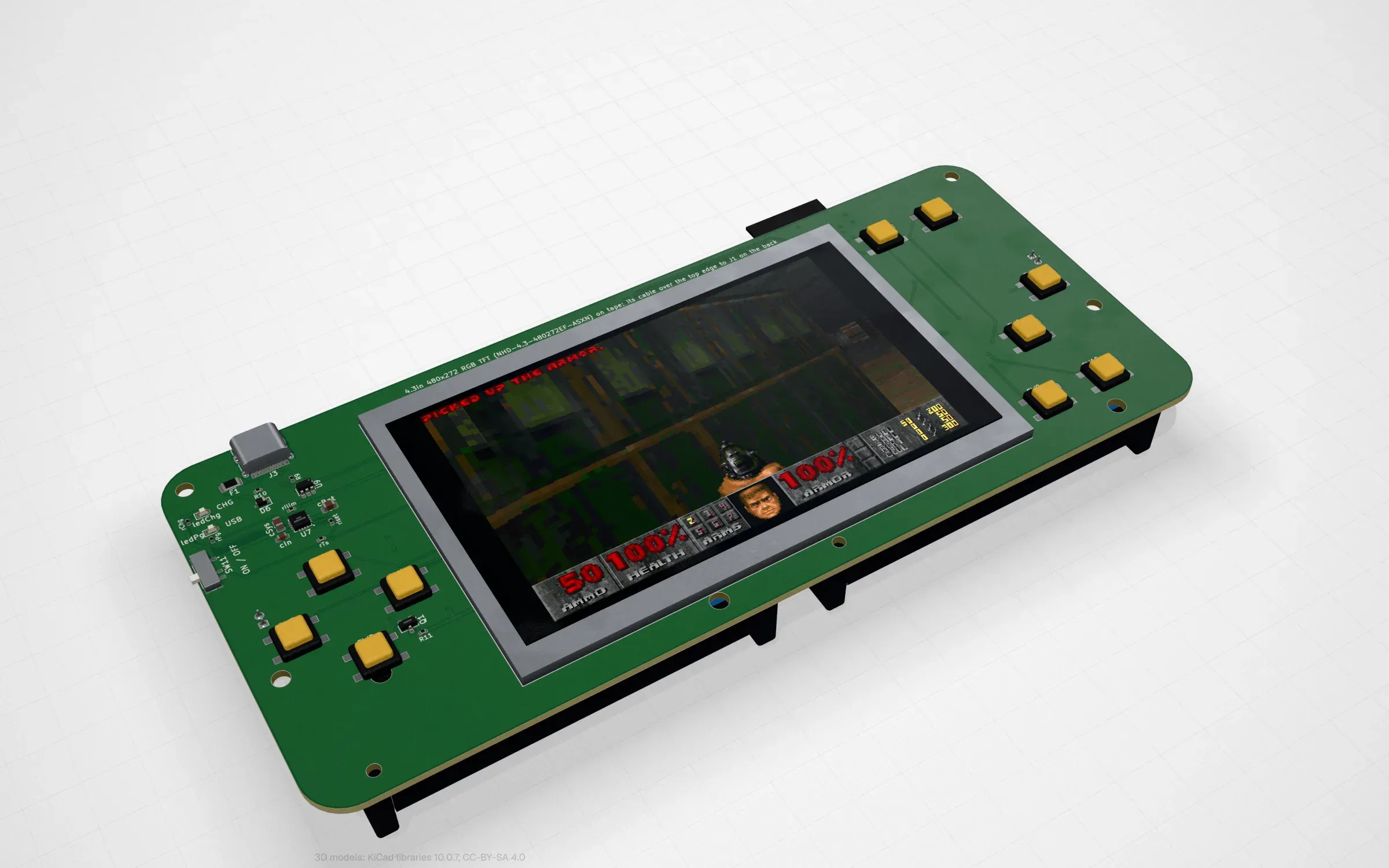
s3-rgb: the ESP32-S3 scans a raw 480 × 272 panel out of a frame buffer in its PSRAM by DMA.
Routing: the class decided, not the layers
When the boards were first designed, routing each on the dev host took from 0.4 s (pico-oled) to 46 s (rp2040-tft). The two-layer boards with modules routed at once; the boards with a bare QFN processor needed four layers.
The bare RP2350A board was the hard one. Flash and PSRAM share one QSPI bus, and everything sits on the back. With the default net class (0.25 mm tracks, 0.2 mm clearance, 0.6/0.3 mm vias) it stayed at 9 to 17 unrouted nets whatever else we changed: an inner plane, more rounds, a 1200 s budget, six layers. PCBKit’s diagnosis showed every failure at the chip’s own pins. A class of 0.15 mm tracks and gaps with 0.45/0.2 mm vias (standard four-layer fab capabilities) routed it completely in one run. For 0.4 mm-pitch QFNs the net class decides, not the layer count, and PCBKit didn’t tell us so. That hint is on the list.
How fast it really plays
Honestly, this is the weakest part today.
- In the browser the simulation runs at 0.14x to 0.29x of the real chip, as in the table.
- Natively it is better but not uniform. The ESP32-S3 board ran 16 simulated seconds in 11.8 s (1.36x real time), the ESP32-C3 board 12 s in 7.4 s (1.6x). The RP2350 handheld went from the title screen into the first level in 22 simulated seconds: 3.3 billion instructions, 67 s on one dev-host core.
- On silicon we don’t know yet. Timing in the models is functional: one instruction per clock cycle, and the latency of executing from flash or reading PSRAM is not charged. So the frame rate on a real board can be lower than in the simulation. What should be the same is correctness.
The two emulator boards are slow by design. In the simulator, v003-emu shows Doom’s start-up messages from the first second, the title screen at about 200 s of device time and then a frame every several seconds. It is a demonstration board, not a game console. f411-psram gets to the title in about 40 s and then plays a few frames a second. There is a separate post on how those two work.
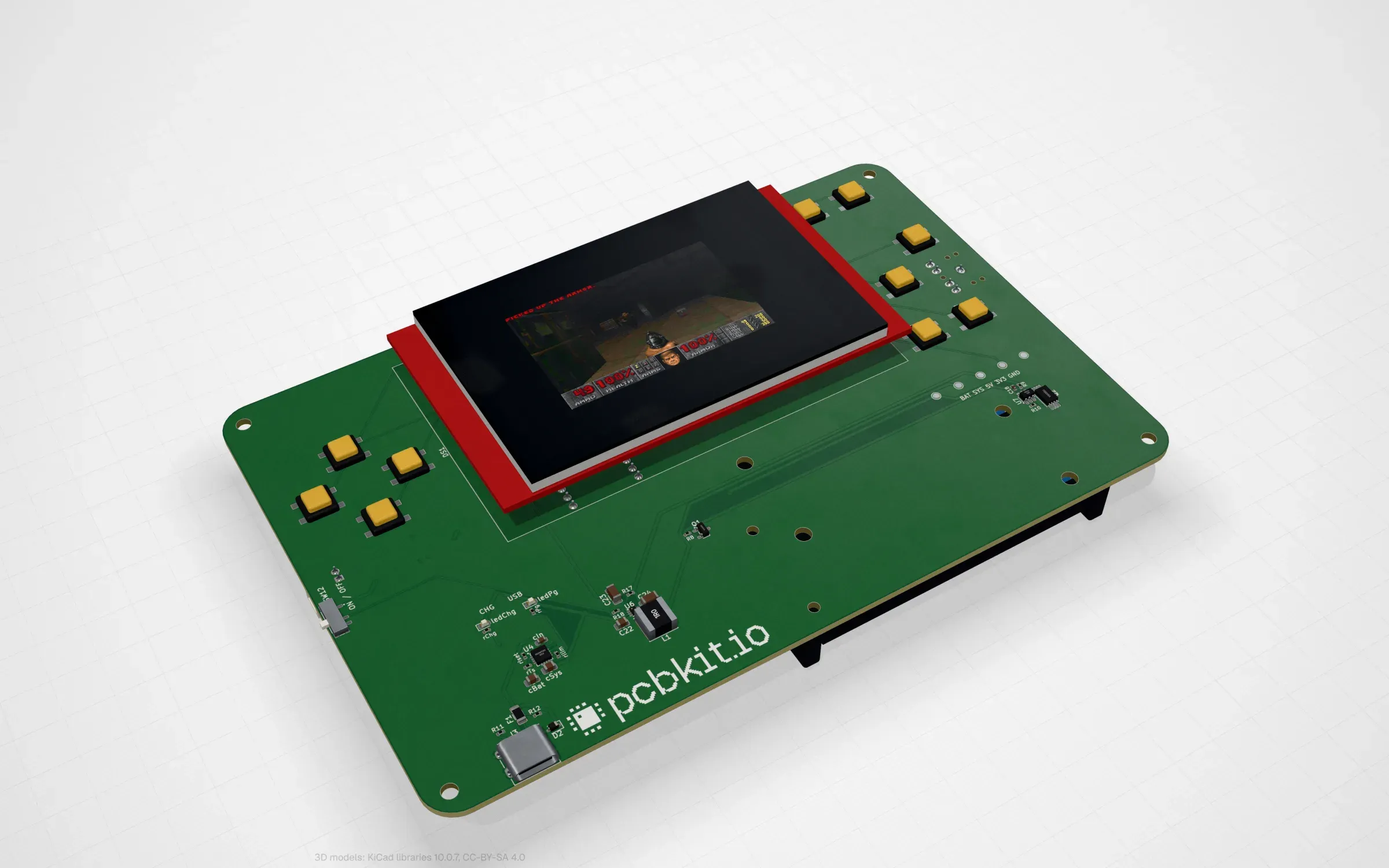
teensy41: an i.MX RT1062 at 600 MHz behind a 3.5″ touch screen, the slowest board to simulate.
What it took
Each new chip family is a SoC model plus a software kit (start-up code, link layout, register header and the C library layer), the same in the browser compiler and in any native toolchain. Along the way the engine got an RV32 core, an ARMv6-M core, an Xtensa core, register models of the RP2040, RP2350, ESP32-C3 and ESP32-S3, and component models of the screens, memories and I/O expanders on these boards. The browser compiler is Clang and LLD in WebAssembly; the ESP32-S3 boards use Espressif’s LLVM compiled to WebAssembly, which is a story of its own.
Designing the boards also found bugs in PCBKit itself. A block placed on the bottom side mirrors its frame, so a position override lands at minus x. The placer put a capacitor inside a module’s antenna keepout. The electrical rules flagged a battery divider on an ADC pin as an over-voltage, because they don’t compute the divider’s output. All of these are things a person would hit too.
Licences
The game engine in each board’s doom/ folder is id Software’s Linux Doom source, released under
the GNU GPL v2:
sysprog21/doom_riscv on most boards and
kilograham/rp2040-doom on pico-oled, rp2040-tft and
c3-pocket. Because of that the boards live in their own repository, and everything in it (designs,
KiCad files, platform layers, simulation scripts) is GPL-2.0 too. The game data is not in the
repository at all.
What is not done
- No board has been built yet. They are designed, routed, checked and ready to order, and no firmware has run on any of them. The ESP32-S3’s octal PSRAM start-up, for example, is checked only against Espressif’s own source; the first real board is its test.
- No sound. Most boards have an I2S amplifier or DAC on them, but the models have no audio device yet and the game’s sound calls are stubs.
- Speed. Translating hot guest code into WebAssembly instead of interpreting it is the next big step for the browser.
The next thing is the obvious one: order some of these, flash them, and find out what the simulation got wrong.