Blog ·
Real Arduino in your browser
Sergey Alekseev
Until this week the AVR side of PCBKit’s lab compiled C with a homemade kit: our own start-up code and our own small copy of the Arduino API. It ran and honestly it was kind of fake. A sketch from the internet didn’t build there and a sketch that built there was not guaranteed to build in the Arduino IDE, which is the one thing that matters when the board is real. So the homemade kit is gone. The page now builds a sketch the way the Arduino IDE builds it for a Nano, with Arduino’s own core and the libraries people actually use. The program then runs on a model of the whole ATmega328P (that one has its own post).
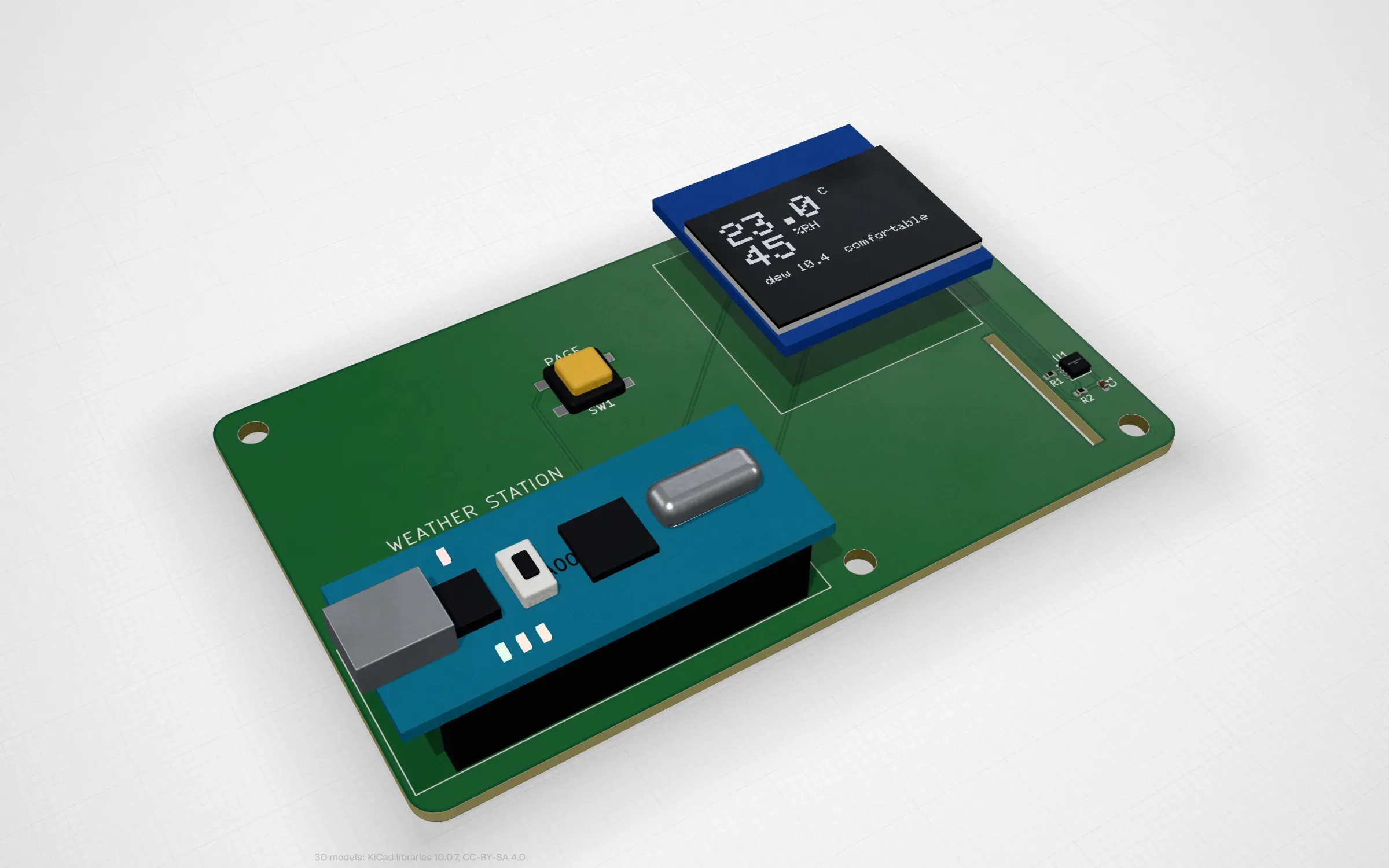
weather-station: an Arduino Nano, an SHT31 sensor and an OLED, the sketch running in the lab.
The toolchain
The compiler profile is called avr-gcc-15.2.0-pcbkit-2. It is GCC 15.2.0 (cc1 for C and
cc1plus for C++), binutils 2.45 (as, ld and objcopy) and avr-libc 2.2.1, all compiled to
WebAssembly in a pinned Emscripten 4.0.22 image from the sources their projects publish. On top of
that sits the Arduino platform: ArduinoCore-avr 1.8.8 and fourteen libraries (Wire, SPI, EEPROM,
SoftwareSerial, Servo, LiquidCrystal, Adafruit GFX, BusIO, SSD1306, SHT31, NeoPixel, Sensirion
Core and SCD4x, LedControl), plus Arduino’s own ctags 5.8-arduino11. The whole thing is 1391 files.
The core and the libraries are compiled once, ahead of time, with the flags of the IDE’s
platform.txt for a Nano (F_CPU 16 MHz, ARDUINO=10819, ARDUINO_AVR_NANO), for the
ATmega328P and the ATmega168P. A browser can’t fork() and exec(), so GCC’s driver is not there:
the page itself chains cc1plus, as and ld the way the driver would. Everything is built by a
public recipe in github.com/pcbkit-io/toolchain and its
releases carry the exact source archives next to the files the app loads. I wrote about that
repository separately.
A sketch is not C++
The part people forget about Arduino is that a .ino file is not valid C++. You can call
drawGraph() in loop() and define it fifty lines below and in C++ that’s an error. The IDE
hides it: before compiling, arduino-cli rewrites the sketch. We do the same thing, in the same
order, in our own code (packages/firmware-compiler/arduino.ts):
- The sketch’s
.inofiles are merged into one file: the one named after the folder first, the others by name, each after a#linedirective so errors point at the right file and line.#include <Arduino.h>goes on top unless the sketch already has it. cc1pluspreprocesses the merged file and everything the includes brought in is thrown away: only lines that belong to the sketch’s own files stay.- Arduino’s ctags (in WebAssembly too) tags those lines with the same flags arduino-cli passes.
- A prototype for every function the sketch defines is inserted before the first function of the main file (or before the first place that takes a function’s address).
Step 4 is where arduino-cli has a pile of small rules and we follow each: a function already declared gets no second prototype, static stays static, functions
inside extern "C" keep their linkage, templates get their whole head even when template<…> is
on an earlier line and a tag that is really a macro or a function pointer gets no prototype at
all. Other .c, .cpp and .S files in the folder are compiled with the sketch, as in the IDE.
After linking, the page prints the IDE’s memory report (“Global variables use … bytes”) and warns when less than 512 bytes are left for the stack.
How fast is it? Measured in Node on our dev host (AWS Graviton, 32 threads) with the page’s own
compile(): a plain C lab program takes 1.0 to 1.7 s, a sketch with Servo, SSD1306 and SHT31 takes
1.3 s and the weather station takes 1.7 s over its 11 stages. These are not
browser numbers, a browser adds its own overhead.
Twelve boards
To have something real to run we made twelve Arduino boards. Each is a board placed and routed by PCBKit, CC0, with a sketch that builds and runs in the browser. They are listed together at app.pcbkit.io/?category=arduino and the boards with their sketches are in github.com/pcbkit-io/boards.
- Weather station: an SHT31 and an OLED with the temperature and humidity, the dew point, the day’s lowest and highest and a graph of the last two minutes. You change the weather in the lab; the button turns the pages.
- CO₂ monitor: Sensirion’s SCD40 every five seconds, a ten-minute graph and a traffic light that turns red when you raise the CO₂ the way a full room does.
- Thermostat: a PI controller turns a radiator valve (a servo) from an SHT31, − and + set the target and the EEPROM keeps it.
- LCD runner: a dinosaur made of custom characters on the classic 16 × 2 LCD, wired as LiquidCrystal’s examples wire it, with a trimmer for the contrast.
- Six games on a pocket console (a Nano behind a 0.96” OLED with a D-pad and two buttons): Snake, Pong, Flappy bird, Breakout, Falling blocks and Dice. The best scores stay in the EEPROM.
- Simon: a round board with four coloured lights and their buttons, one more step every round.
- Magic drawing screen: two knobs draw on an OLED like the toy, the button wipes it.
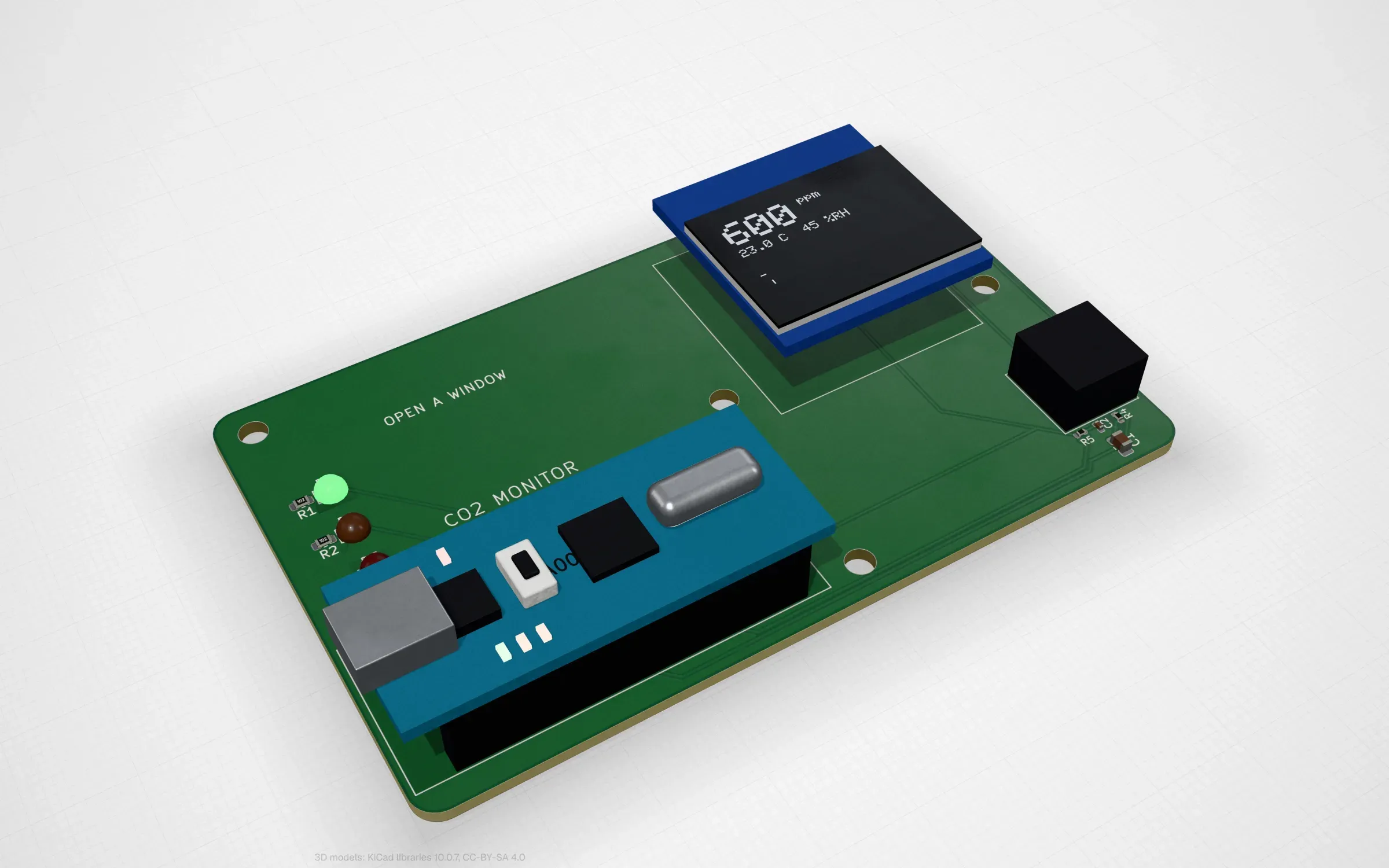
co2-monitor: Sensirion’s SCD40 and the library Sensirion publishes for it, at its tagged release.
The point of all twelve: the sketch is a normal sketch. It builds in the Arduino IDE for the real board as it is, so a board that runs in the browser is a board that is ready to order and reflash with the same code.
What real sketches found
This is the part I like most. Our models were written against data sheets and tested with our own small programs and they passed. Then real libraries and real sketches ran on them and found five problems.
115200 baud is not 115200. At 16 MHz the closest the ATmega328P’s USART gets to 115200 is 117647, which is 2.1% fast. The lab’s serial terminal checked the baud rate to ±2% and refused it. A real UART receiver holds to about ±4% (the data sheet’s Table 19-2), so that is the check now. A real Nano has run at 117647 all along, which is kind of the point of a ±4% receiver.
The weather station ran out of RAM, like a real Nano would. It crashed after 4 s, reading
SRAM at 0x4000. Its globals took 810 bytes, the SSD1306 library allocates a 1 KB frame buffer and
that left about 200 bytes of stack out of the chip’s 2 KB. On a real Nano it would crash too,
probably more mysteriously. The fix is the old Arduino one, strings in flash with F() (565 bytes of them). That’s where the IDE-style memory report and the 512-byte warning came from.
The SCD40 refused a wake-up. Sensirion’s library has a wakeUp() that sends 0x36F6 to the sensor. An SCD40 that is already awake doesn’t acknowledge it. Our model went further: it didn’t know the command at all and refused it as unknown.
The SHT31 had no status register. Adafruit’s library reads it in begin() and our model
didn’t have it. Both sensor models now have their whole command sets, not only the commands our
own programs used.
LiquidCrystal’s wiring needed two new things. The classic wiring ties the LCD’s R/W pin to ground and its V0 (contrast) to a trimmer. The lab had no way to say “this optional input sits on a rail” or to run an analog voltage from one component to another. Now it has both and the LCD’s contrast follows V0: turn the trimmer and the characters fade as on the real module.
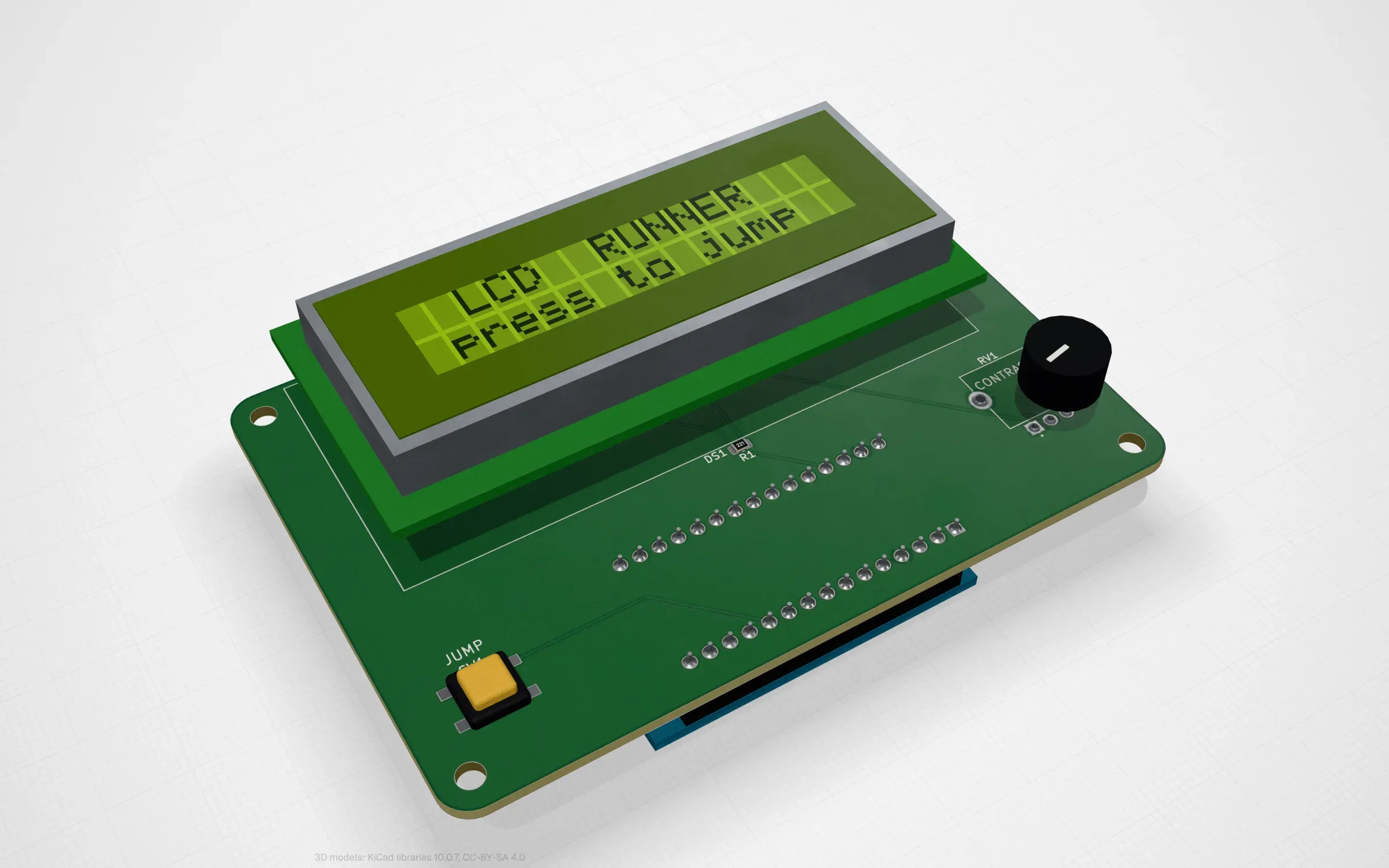
lcd-runner: R/W tied to ground and a trimmer on V0, the wiring from LiquidCrystal’s own examples.
What failed on the way
- The first
cc1plusimported__syscall_socket, because GCC’s C++ modules mapper (libcody) can talk over sockets and the page’s import guard refused to load it. Building with-DCODY_NETWORKING=0removes it. - The SDK the page downloads (
sdk.bin) was 61 MB, with avr-libc’s headers and libraries for every AVR. Keeping only the ATmega328P’s and 168P’s, plus the Arduino tree, made it 9.75 MB. - Arduino links with
-fltoand the browser links withldalone, so there is no LTO here. The code is a little larger and behaves the same.
What is not done
Only the ATmega328P and ATmega168P are in the SDK, so the Uno, the Nano and the Pro Mini: no Mega, no Leonardo. The libraries are the fourteen above, compiled into the toolchain, so a sketch that includes anything else doesn’t build in the page yet. The chip model leaves out a few things on purpose (Timer2’s asynchronous clock, synchronous USART, SPI and TWI as a slave, debugWIRE) and stops with an error if a program asks for them.
Open the weather station, change the weather in the lab and watch the graph follow. It’s a real sketch, it would do the same on your desk.