Blog ·
Put your board on any web page
Sergey Alekseev
Open hardware has a funny problem. The design is right there in the repository, every track and every pad and still the README shows a screenshot somebody took two revisions ago (or a photo of the board on a desk, or nothing). To actually look at the board you clone the repo, install KiCad, open the project and wait. Most people don’t and honestly I wouldn’t either.
So now there are two things for it, both from one address. Any public GitHub repository with a KiCad or PCBKit board and you get either the board live on your page or a picture of it.
A live board, one line of HTML
<iframe src="https://app.pcbkit.io/embed/github/foostan/crkbd?explode" title="Corne in PCBKit"
  width="100%" height="480" style="border:0;border-radius:12px" allow="fullscreen" loading="lazy"></iframe>
That’s Corne by foostan, the split keyboard you see on a lot of desks, with its layers lifted apart. Below is its picture; press the button and the picture turns into the real frame, so you can turn it.
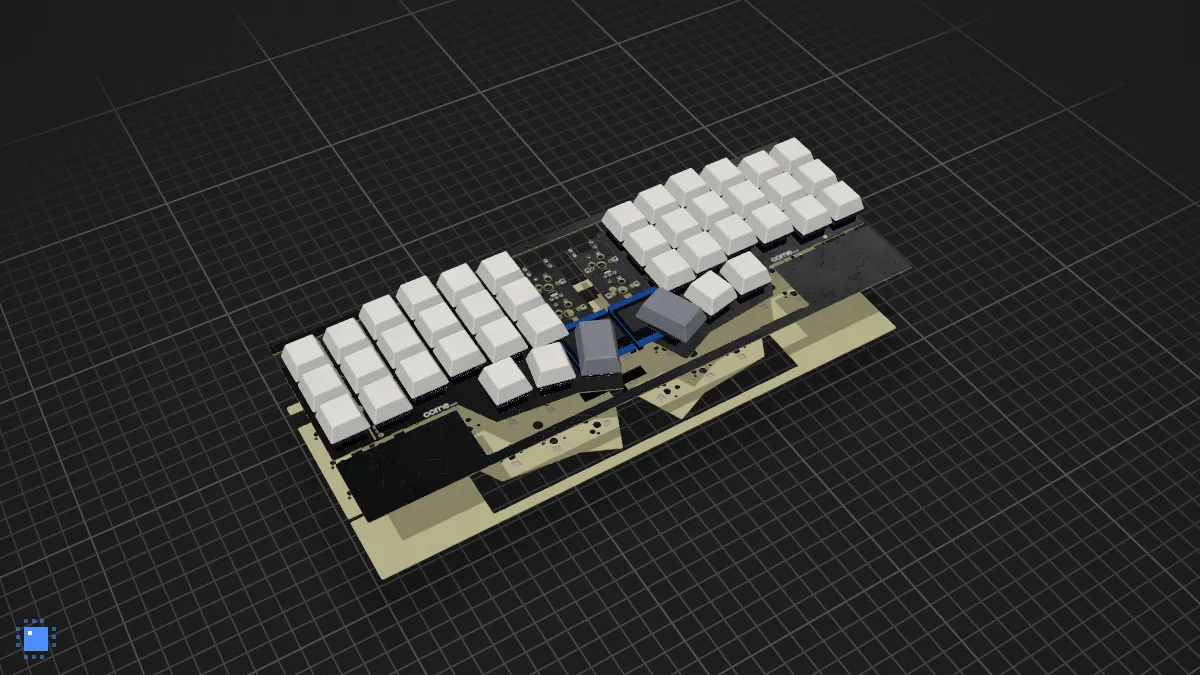
The frame is the real app, drawn by the same renderer as app.pcbkit.io: the board in 3D as it would come from the factory, a button to lift the layers apart like panes of glass, 2D, fullscreen and the AI tour, where the camera flies from part to part and a guide says in plain words what each one does. The board’s name in the corner opens it in the full app in a new tab, where anyone can change it and route it again (in their own browser, the original stays as it is).
Options go in the address: ?explode for the layers apart, ?tour to play the tour as soon as the
board opens, ?view=2d for the flat view, ?ui=minimal (just the name and Tour) or ?ui=none (just
the name) when you want less over the board, ?mask=red for another solder mask colour and
?theme=light for a light ground. A folder of a repository works too, with the same link GitHub gives
you: /embed/github/owner/repo/tree/main/hardware. That one is important for monorepos like ours,
where one repository holds dozens of boards.
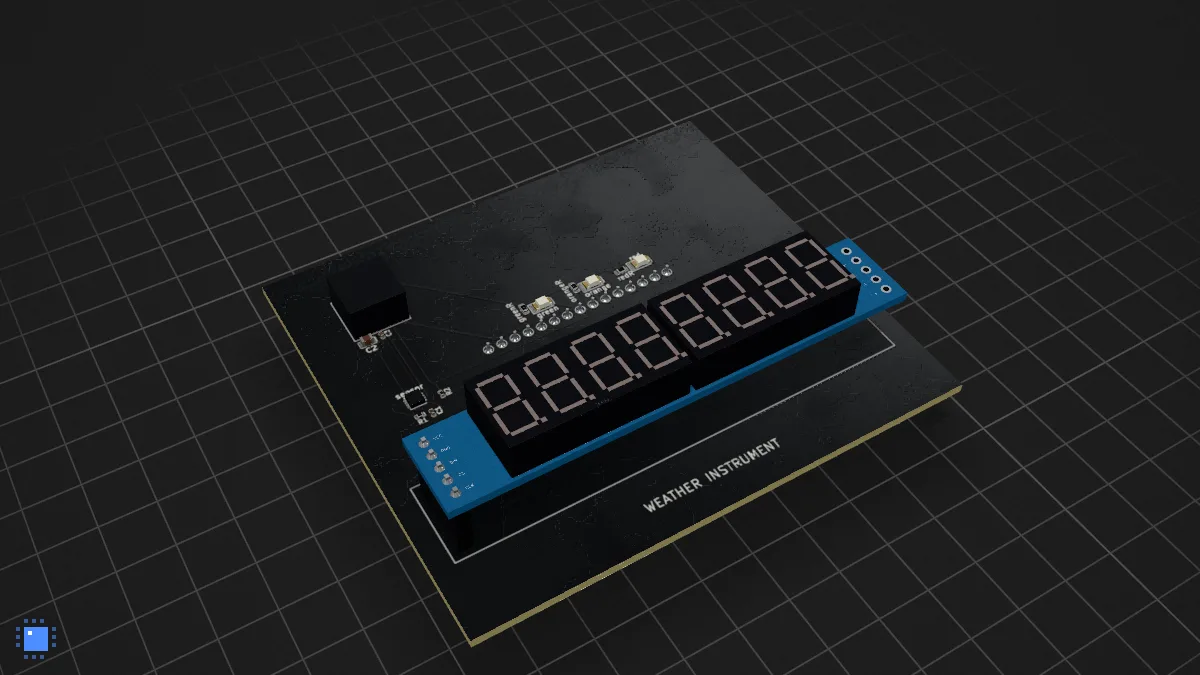
And a board with firmware brings its firmware. This is the air quality meter from our boards repository, an ATmega328P with its C program running in the simulator inside the frame:
A picture of any board
Sometimes you don’t want an app in your page at all: a README, a forum post, a slide, a social card.
Put .webp or .png at the end of the same address and you get a picture of the board, drawn by the
same renderer on our side:
[](https://app.pcbkit.io/github/foostan/crkbd)?size=s, m or l gives 480, 1200 or 2400 pixels wide (1200 by default), ?shape=wide is 16:9,
square and social (1.91:1, the size of a link preview) are there too, 4:3 by default, and
?explode=1, ?mask=… and ?theme=light work as in the frame. Pin a commit (/tree/<sha>) and the
picture is drawn once and kept for good. The first time it takes a while, about twenty seconds (the
board is read from GitHub, opened and drawn in a real browser), and after that it is instant.
Every board picture on this site is one of these now: the Doom handhelds, the Arduino boards, the library, all drawn from their repositories at the commit they were last changed in.
The defaults
I picked one look and made it the default: frames and pictures show a black board on a dark ground
with a grid under it, in 3D. Everything you change goes in the address and everything you don’t is left
out of it: mask=board brings back the board’s own colour, grid=0 hides the grid.
How it works (and what it costs you)
Nothing, which was kind of the point. The frame reads the board straight from GitHub in the reader’s own browser, the same way Open from GitHub does in the app and opens it in memory, read only. Nothing is uploaded, nothing is stored and nothing goes through our servers except the page of the app itself. There is no account on either side.
Two things to know. GitHub allows 60 reads an hour per reader without a sign-in and a frame takes three, so a reader who opens twenty boards in an hour will hit the limit (a normal visitor of your page won’t). And private repositories don’t open, which is what you want anyway.
The frame brings several megabytes of WebAssembly with it (the whole core and the renderer), so put
loading="lazy" on it, as in the code above, or do what this site does: show the picture and load the
frame only when somebody presses the button. Nothing of the app loads on pcbkit.io until then.
The badge
For a README there is also a badge that opens the board in the app:

[](https://app.pcbkit.io/github/OWNER/REPO)https://pcbkit.io/badge-light.svg is the light one for dark pages.
Make yours
The easiest way is the builder I made for it: pcbkit.io/widget. Paste your repository (the
address, owner/repo or a link to a folder), choose a live frame or a picture, click through a few
options and watch it change, then copy the HTML, the address or the Markdown. If the board doesn’t
open, tell me at support@pcbkit.io: plain KiCad projects of every version
since 4 should work and I would really like to see the ones that don’t.