
2 layers132.3 × 94.9 mm

 yuburoll/Boardloaf6
36 key hotswappable split keyboard in 100x100 pcb
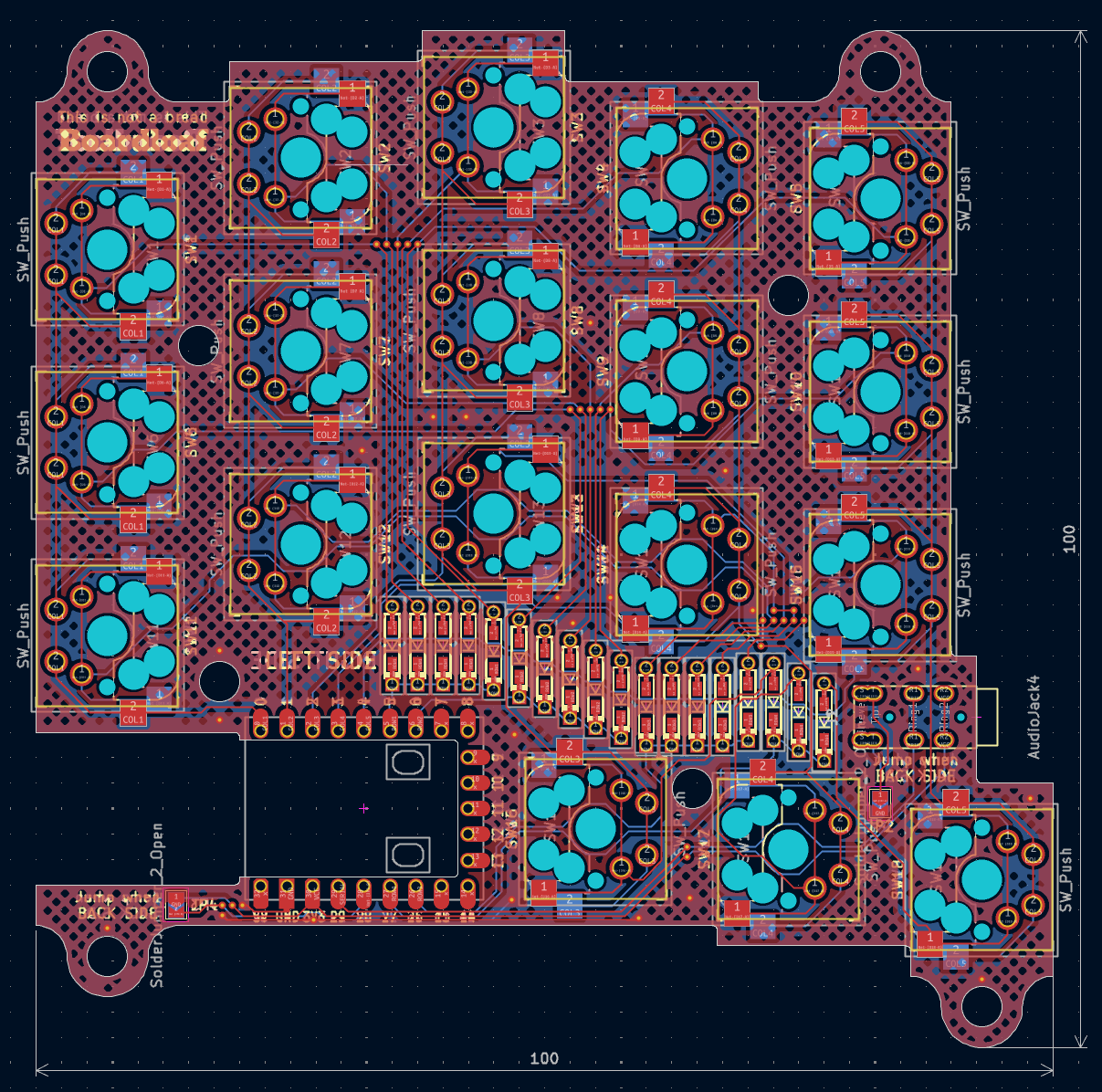
Boardloaf is an open-source printed circuit board by yuburoll, from the yuburoll/Boardloaf repository on GitHub, published under the MIT licence. It is a 2-layer board of 100 × 100 mm with 43 parts on 43 nets, routed with 702 tracks and 44 vias.
It is built around the RP2040-ZERO. Its parts include 18 diodes, 18 switches, 2 connectors and 1 IC. It belongs with the keyboards and input boards and the RP2040 boards of this library.
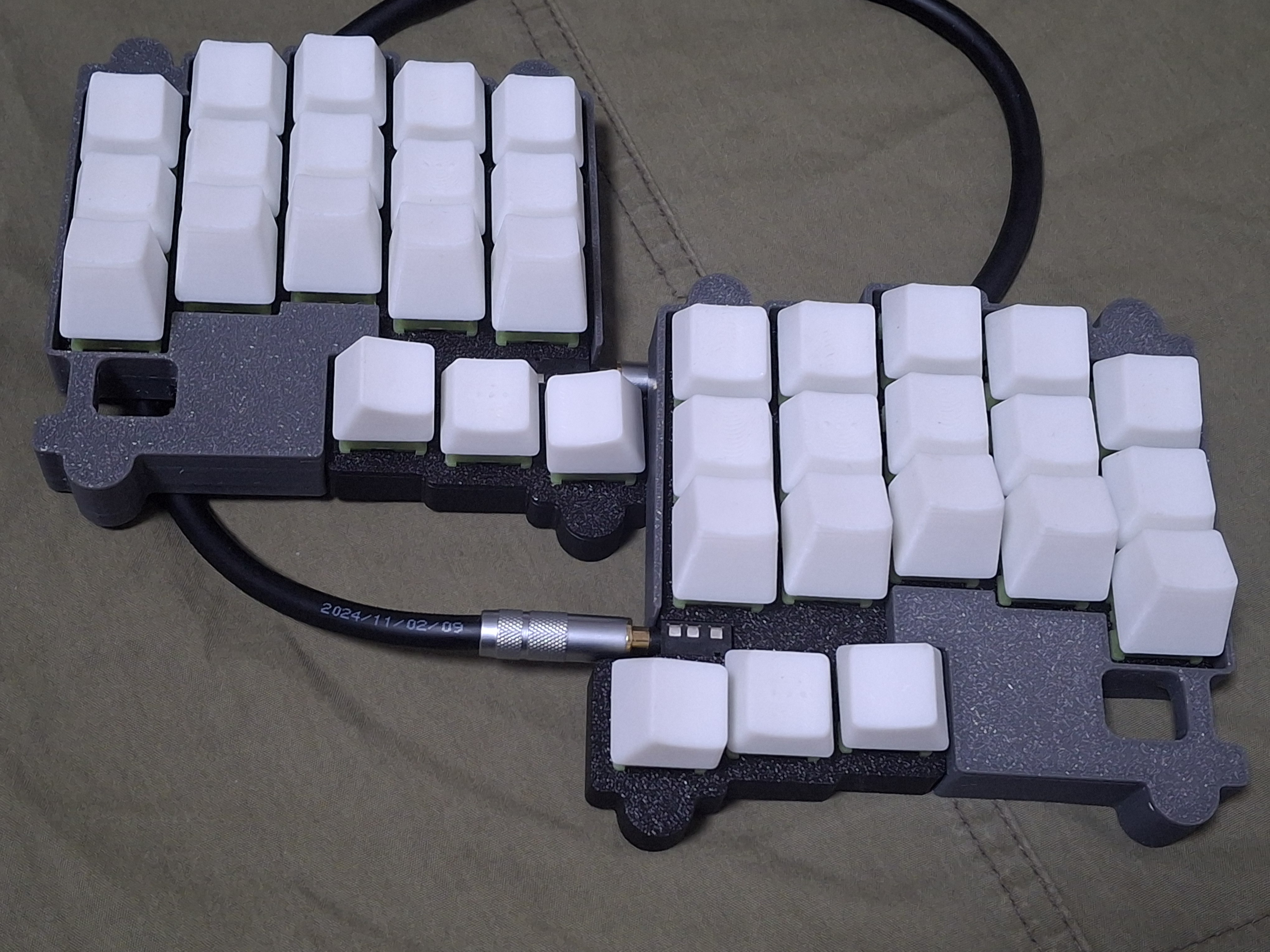
36 key hotswappable split keyboard in 100x100 pcb
2x rp2040 zero (boards formly created by waveshare) (Approx. 4-8$)
2x Boardloaf PCB Boards (5 boards are 2$ on JLC w/o shipping cost)
1x printed case sets, which you want to make it (4$ for sandwitch, Approx. 12$ if you buy printed one)
36x diodes (Approx. 1$)
(for V1) 32x M2x4 bolts, 16x M2x7 spacers (under 4mm radius) (Approx. 2$)
(for V2) 16x M2x7 screws, flathead (can use M2x6 or M2x8) (Approx. 1$)
2x PJ320A 1/8(3.5mm) TRRS connector (Approx. 1$)
1x 1/8(3.5mm) TRRS cable (Approx. 2$, may TRS cable can take the place.)
36x MX Keyswitches & Keycaps & MX Hotswap Sockets (Maybe this cost varies too much. 10$ on average)
Approx. 26$-37$(w/o shipping cost) needed to build one.
work in progress. sorry!
You can see the images in the folder, which uploaded for build guides. Especially you may see how to solder the controller board, because this uses surface mounting by castelated pins.
Images are captured with prototype version PCB, which is different from the current gerber. Current gerber has two "Jump when back side" jumper point on each side, to check which hand is on the position. You may see diode jumper on assembly image for the same role, and you don't need to jump via diodes if you jump jumpers correctly.
This uses qmk to build the firmware. Copy "boardloaf" folder which is in "firmware/qmk" directory to "qmk_firmware\keyboards" folder, and build it via qmk msys.
Or, simply flash uf2 in "uf2Examples" folder by changing rp2040 zero in dfu mode, which can be executed by holding boot button while plugging in usb c. Vial versions are also prepared.
miryoku keymap follows GNU GPL 2.0 license.
all other codes follow MIT license.
all designs and the hardware board follow CC BY-SA 4.0 license.
If you want to make a commercial product, it would be appreciated if you sponsor some bucks for me.
| Qty | Value | Footprint | References |
|---|---|---|---|
| 18 | D | boardloaf-CustomFoot:Diode_TH_SMD_REVERSIBLE | D1, D2, D3, D4, D5, D6, D7, D10, D11, D12, D13, D14, D15, D16, D17, D18 +2 |
| 18 | SW_Push | boardloaf-CustomFoot:Kailh_socket_MX_optional_reversible-MIRROR | SW1, SW2, SW3, SW4, SW5, SW6, SW7, SW10, SW11, SW12, SW13, SW14, SW15, SW16, SW17, SW18 +2 |
| 4 | SolderJumper_2_Open | Jumper:SolderJumper-2_P1.3mm_Open_TrianglePad1.0x1.5mm | JP1, JP2, JP3, JP4 |
| 2 | AudioJack4 | boardloaf-CustomFoot:TRRS-PJ-320A_PIN | J1, J2 |
| 1 | RP2040-Zero | boardloaf-CustomFoot:RP2040-Zero-RESIZED | U1 |


beekeeb/zerosprey42
Zerosprey42 Keyboard is a wired, beginner friendly, choc hotswap, MonoBlockSplit (Unibody), column-staggered, DIY mechanical keyboard.


ravinrabbid/DonCon2040
RP2040 based firmware and hardware for DIY Taiko no Tatsujin Drum Controllers
nmur/RP2040-TestPatternGenerator
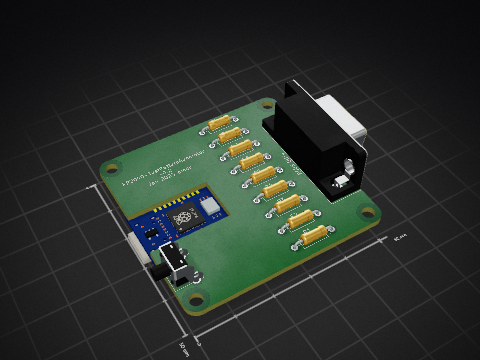
A simple test pattern generator running on the RP2040 microcontroller

ChrisChrisLoLo/bunchiez40
A pocket keyboard that makes use of mouse switches to achieve a miniscule size

It measures 100 × 100 mm and has 2 copper layers, 1.6 mm thick.
43 parts, built around the RP2040-ZERO. The full list of its parts is on this page, with links to each part's symbol and footprint where PCBKit's library has them.
From the yuburoll/Boardloaf repository on GitHub, at the commit this page was made from: the board is kicad/boardloaf.kicad_pcb and its schematic kicad/boardloaf.kicad_sch. PCBKit opens the board in the browser, with nothing to install.
Its repository publishes it under the MIT licence: you may reuse it on that licence's terms (keep the author's notice, and for a copyleft licence share your changes alike).