
2 layers132.3 × 94.9 mm

 GroooveBob/Stress102
Pocket Arcade Fight Pad
Stress is an open-source printed circuit board by GroooveBob, from the GroooveBob/Stress repository on GitHub, published under the MIT licence. It is a 2-layer board of 146.3 × 69.5 mm with 22 parts on 23 nets, routed with 222 tracks and 0 vias.
It is built around the RP2040-ZERO. Its parts include 18 switches and 1 IC. It belongs with the retro computing and games boards and the RP2040 boards of this library.
The pocket arcade fight pad is a compact and portable gaming controller that is designed for fighting game enthusiasts. It is powered by the GP2040 software from Open Stick Community, which provides seamless compatibility with various gaming platforms and ensures smooth and responsive gameplay.
One of the key features of the pocket arcade fight pad is its use of choc switches, which are known for their fast actuation. These switches provide an excellent balance of speed and precision, making them ideal for fighting games that require quick reflexes and precise inputs.
The controller is also equipped with a Waveshare rp2040-zero controller, which is a powerful and efficient microcontroller that offers excellent performance and energy efficiency. This allows the pocket arcade fight pad to provide hours of gameplay on a single charge, making it perfect for gaming on the go.
Despite its small size, the pocket arcade fight pad packs a lot of functionality, including a D-pad, six face buttons, and two shoulder buttons. This allows players to execute complex combos and special moves with ease, and provides a satisfying and immersive gaming experience.

1 x waveshare rp2040-zero
6 x 6x6mm Panel PCB Momentary Tactile Takt Mini Push Button Switch DIP 4pin
12 x Choc Switches (i would recomend light as possible)
12 x Choc Keycaps
12 x Hot Swap Sockets (optional)
To get started with your Waveshare RP2040, download the pre-built firmware from this link. Once downloaded, flash the MCU.
The GP2040 features a web-based configuration application that can be accessed by holding down K1 when plugging your controller into a PC. To begin configuration, simply visit http://192.168.7.1. Under the Data Backup and Restoration section, upload the StressConfig.gp2040 file.
After uploading, you can access the web configuration by clicking the Start button. Your Stress Pad should now be ready to use.
You can buy the Stress Fightpad at www.keeb.supply/
| Qty | Value | Footprint | References |
|---|---|---|---|
| 12 | SW_Push_45deg | Bob:SW_Kailh_socket_PG1350_optional | SW1, SW2, SW3, SW4, SW7, SW8, SW10, SW11, SW13, SW14, SW17, SW18 |
| 6 | SW_Push_45deg | beibob:SW_PUSH_6mm | SW5, SW9, SW12, SW15, SW16, SW19 |
| 3 | LOGO | LOGO | G***, G***, G*** |
| 1 | rp2040-zero | mcu:rp2040-zero-tht | U1 |


beekeeb/zerosprey42
Zerosprey42 Keyboard is a wired, beginner friendly, choc hotswap, MonoBlockSplit (Unibody), column-staggered, DIY mechanical keyboard.

ravinrabbid/DonCon2040
RP2040 based firmware and hardware for DIY Taiko no Tatsujin Drum Controllers
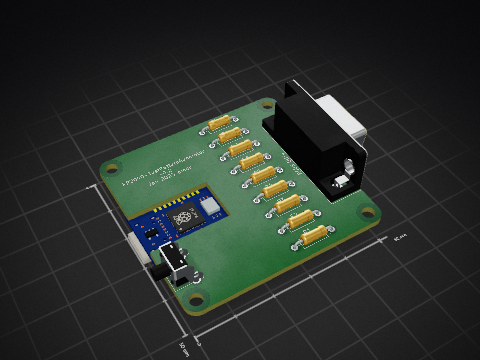
nmur/RP2040-TestPatternGenerator
A simple test pattern generator running on the RP2040 microcontroller

ChrisChrisLoLo/bunchiez40
A pocket keyboard that makes use of mouse switches to achieve a miniscule size


It measures 146.3 × 69.5 mm and has 2 copper layers, 1.6 mm thick.
22 parts, built around the RP2040-ZERO. The full list of its parts is on this page, with links to each part's symbol and footprint where PCBKit's library has them.
From the GroooveBob/Stress repository on GitHub, at the commit this page was made from: the board is Stress.kicad_pcb and its schematic Stress.kicad_sch. PCBKit opens the board in the browser, with nothing to install.
Its repository publishes it under the MIT licence: you may reuse it on that licence's terms (keep the author's notice, and for a copyleft licence share your changes alike).