Skip to the content
2 layers11 × 25 mmTemperature a1, the printed circuit board in 3D

Temperature a1

ruuvi/connector4

Ruuvi Connector is a standardised expansion connector and cable system that takes sensor prototyping to the next level. Compatible connectors will be found on many upcoming Ruuvi products.
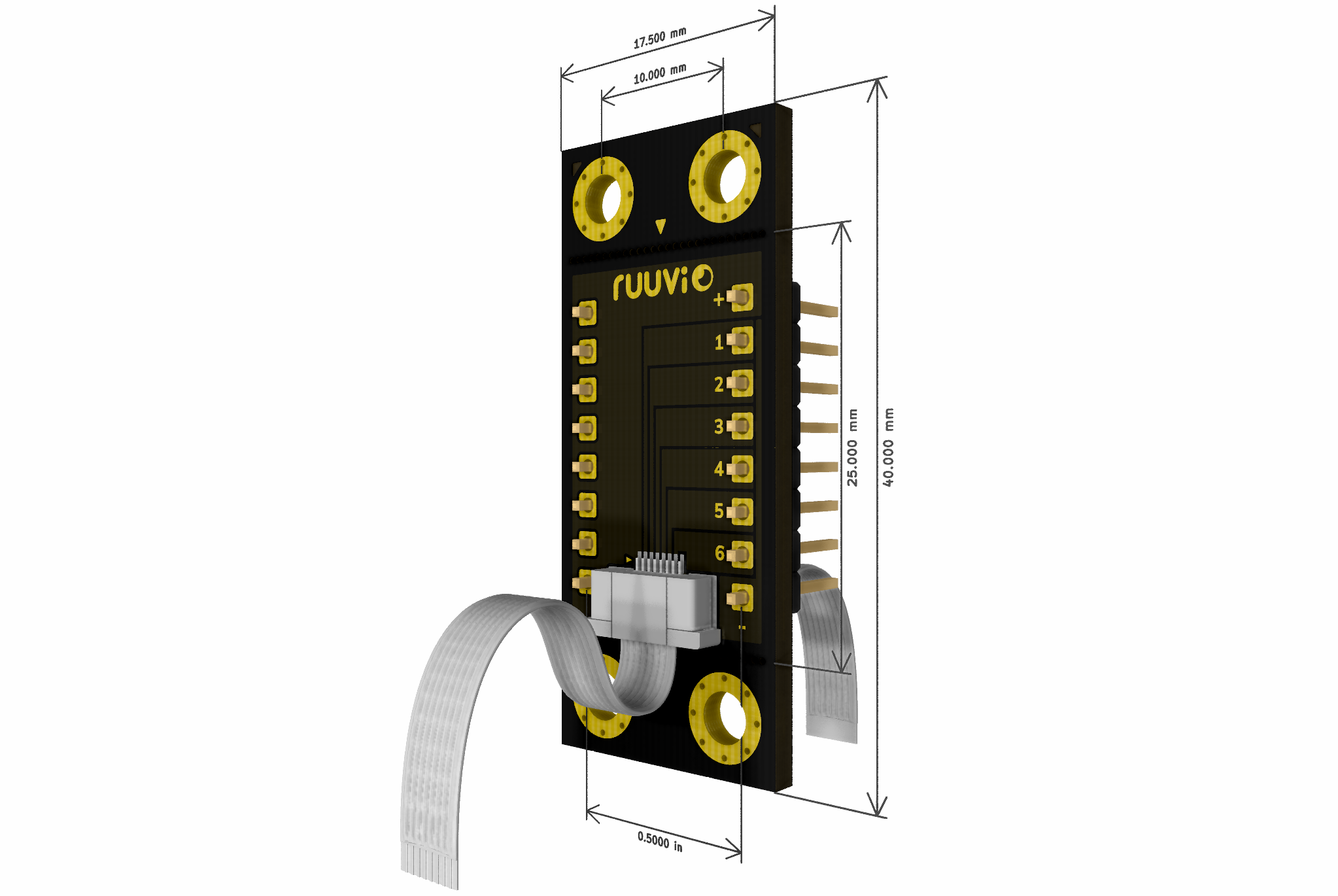
Size
11 × 25 mm
Copper layers
2
Thickness
0.8 mm
Parts
7
Nets
10
Pads
40
Tracks, vias
61, 19
Pours
5
Routed
Yes
KiCad
KiCad 5 (file 20210228)
Created
11 Jul 2019
Updated
23 Jun 2021

Overview

Temperature a1 is an open-source printed circuit board by ruuvi, from the ruuvi/connector repository on GitHub. It is a 2-layer board of 11 × 25 mm with 7 parts on 10 nets, routed with 61 tracks and 19 vias.

It is built around the TMP117AIDRVR and AFC07-S08ECA-00. Its parts include 1 capacitor, 1 IC and 1 connector.

Main components

2

README

README.md

Ruuvi Connector system

Ruuvi Connector is a standardised expansion connector and cable system that takes sensor prototyping to the next level. Compatible connectors will be found on many upcoming Ruuvi products.

Ruuvi Connector Breakout Board

There are many ways on how to use the Ruuvi Connector system:

  1. Connect compatible external boards and sensors to your Ruuvi products
  2. Design your own Ruuvi Connector expansion boards
  3. Feed your battery powered Ruuvi products from external power sources
  4. Add a Ruuvi Connector compatible connector on your own product and make it compatible with all the external Ruuvi / Grove / Qwiic / STEMMA / Gravity sensors
  5. Innovate and create something totally new

Ruuvi Connector is compatible with 4-pin (2 signals + VDD + GND) prototyping systems such as Seeed Studio Grove, Sparkfun Qwiic, Adafruit STEMMA, DFRobot Gravity and more.
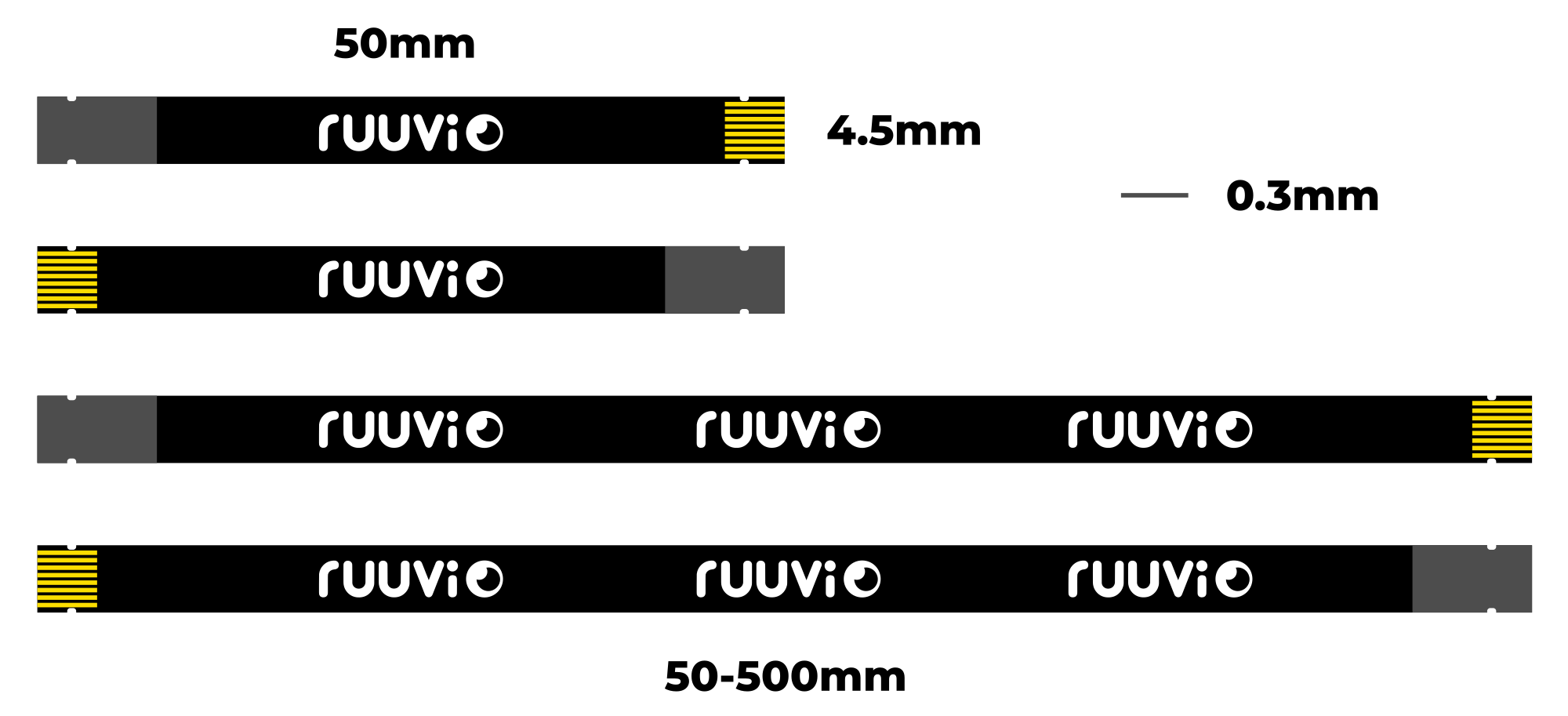
Ruuvi Connector cables

Ruuvi Connector pin-out

Ruuvi Connector cables have 8 pins (6 signals + VDD + GND). This allows using not just simple I2C sensors but also more powerful SPI sensors equipped with interrupt signals.

Note that on RuuviTags that have Ruuvi Connectors available, pins 2 and 3 are shared with internal I2C sensors. Also pin 7 is connected to TMP117 temperature sensor's interrupt signal (if a TMP117 is populated) but because the interrupt pin is an open-drain output and because it's not active in the Ruuvi firmware by default, it doesn't reserve the pin and it can be safely used for other purposes as long as TMP117 isn't configured to pull it down.

  1. VDD (1.8V - 3.6V, default = 3.3V)
  2. I2C_SCL / UART_RXD / ADC / GPIO
  3. I2C_SDA / UART_TXD / ADC / GPIO
  4. SPI_MISO / ADC / GPIO
  5. SPI_MOSI / ADC / GPIO
  6. SPI_SCK / ADC / GPIO
  7. SPI_CS / ADC / GPIO
  8. GND

Default FPC connector is AFC07-S08ECA-00.

Dimensions of expansion boards

  1. 17.5 x 40 mm (17.5 x 25 mm without mounting holes). Used on the breakout board.
  2. 11 x 25 mm. Used on the external temperature sensor board.
  3. TBD

License

All the design files in this repository are licensed using Attribution-ShareAlike 4.0 International (CC BY-SA 4.0). Copyright: Ruuvi Innovations Ltd (Oy). Neither the name of the Ruuvi nor the names of its contributors may be used to endorse or promote products derived from this project without a specific prior written permission. While unofficial products should not have "Ruuvi" in their name, it's okay to describe your product in relation to the Ruuvi projects. More info: license@ruuvi.com.

Parts

7
QtyValueFootprintReferences
2LOGOLOGOG***, G***
11uF 10V 20% X8R 0603ruuvitag:0603_CAPC1
1AFC07-S08ECA-00connector:RUUVI_CONNECTOR_FFCJ1
1Breakout Holesconnector:BreakoutHolesH2
1Mounting Holeruuvitag:MountingHole_3.2mm_M3_Pad_ViaT2
1TMP117AIDRVRruuvitag:WSON6U1

More from ruuvi/connector

1
  • 2 layers17.5 × 40 mmConnector breakout a1, the printed circuit board in 3D

    Connector breakout a1

    ruuvi/connector

    Ruuvi Connector is a standardised expansion connector and cable system that takes sensor prototyping to the next level. Compatible connectors will be found on many upcoming Ruuvi products.

    18 parts4

Similar boards

  • 4 layers39 × 39 mmOneInchEye, the printed circuit board in 3D

    OneInchEye

    will127534/OneInchEye

    A One Inch CMOS sensor (IMX283) camera board designed for Raspberry Pi

    94 parts355MIT
  • 4 layers39 × 39 mmShutterEye, the printed circuit board in 3D

    ShutterEye

    will127534/ShutterEye

    A simple camera board using SC910GS 1" 4K@30fps global shutter sensor

    157 parts26MIT
  • 4 layers60 × 40 mmFtx, the printed circuit board in 3D

    Ftx

    SETIatHCRO/Front-Page

    Documentation related to the Allen Telescope Array at the Hat Creek Radio Observatory Wiki Link Below

    153 parts5
  • 4 layers44.5 × 50.6 mmKompic Mk1b, the printed circuit board in 3D

    Kompic Mk1b

    porupski/kompic-wearable

    Compact Open Multi-sensor Platform & Apparat.

    149 parts3GPL-3.0
  • 2 layers56 × 6.2 mmRing pcb, the printed circuit board in 3D

    Ring pcb

    dezash123/ring-pcb

    60 parts2
  • 2 layers228.9 × 5.5 mmTMP117 section 5cm, the printed circuit board in 3D

    TMP117 section 5cm

    BerkeleyLab/DxP-sensor-probes

    Hardware design for the DxP (Distributed sensor Profiling) sensor probe.

    38 parts1
  • 4 layers62.9 × 42.5 mmPCB Design PFE, the printed circuit board in 3D

    PCB Design PFE

    khawlahhouki/fatigue-detection-edge-ai

    Real-time physical fatigue detection using Edge AI on STM32H7 with FreeRTOS, biosignal acquisition (PPG, EMG, IMU) and TFLite INT8 inference

    64 parts1

Questions

How big is the Temperature a1 PCB?

It measures 11 × 25 mm and has 2 copper layers, 0.8 mm thick.

What parts does the Temperature a1 use?

7 parts, built around the TMP117AIDRVR and AFC07-S08ECA-00. The full list of its parts is on this page, with links to each part's symbol and footprint where PCBKit's library has them.

Where can I download the Temperature a1 KiCad files?

From the ruuvi/connector repository on GitHub, at the commit this page was made from: the board is temperature-a1/temperature-a1.kicad_pcb and its schematic temperature-a1/temperature-a1.kicad_sch. PCBKit opens the board in the browser, with nothing to install.

Can I use the Temperature a1 design in my own project?

Its repository states no licence, so its author keeps all rights: ask ruuvi before reusing the design.