
2 layers91 × 91 mm
Fader Platine
ru320/StudRailMaster
Drive your brick-built trains from your computer or a home-made remote – via Bluetooth, without internet, without an account.
17 partsGPL-3.0
 ru320/StudRailMaster
Drive your brick-built trains from your computer or a home-made remote – via Bluetooth, without internet, without an account.
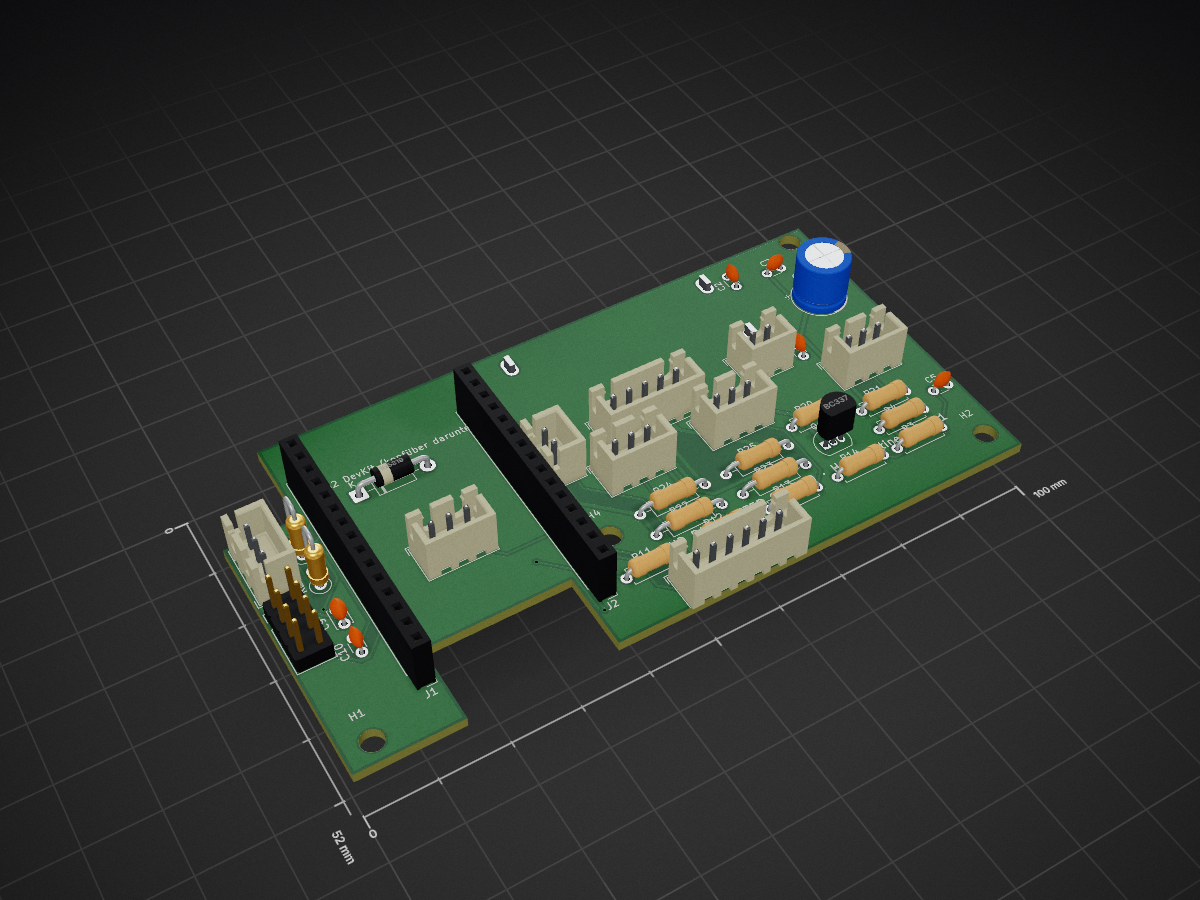
Hauptplatine is an open-source printed circuit board by ru320, from the ru320/StudRailMaster repository on GitHub, published under the GPL-3.0 licence. It is a 2-layer board of 100 × 52 mm with 40 parts on 43 nets, routed with 322 tracks and 8 vias.
It is built around the BC337. Its parts include 14 resistors, 12 connectors, 7 capacitors, 1 IC and 1 diode. It belongs with the ESP32 boards of this library.
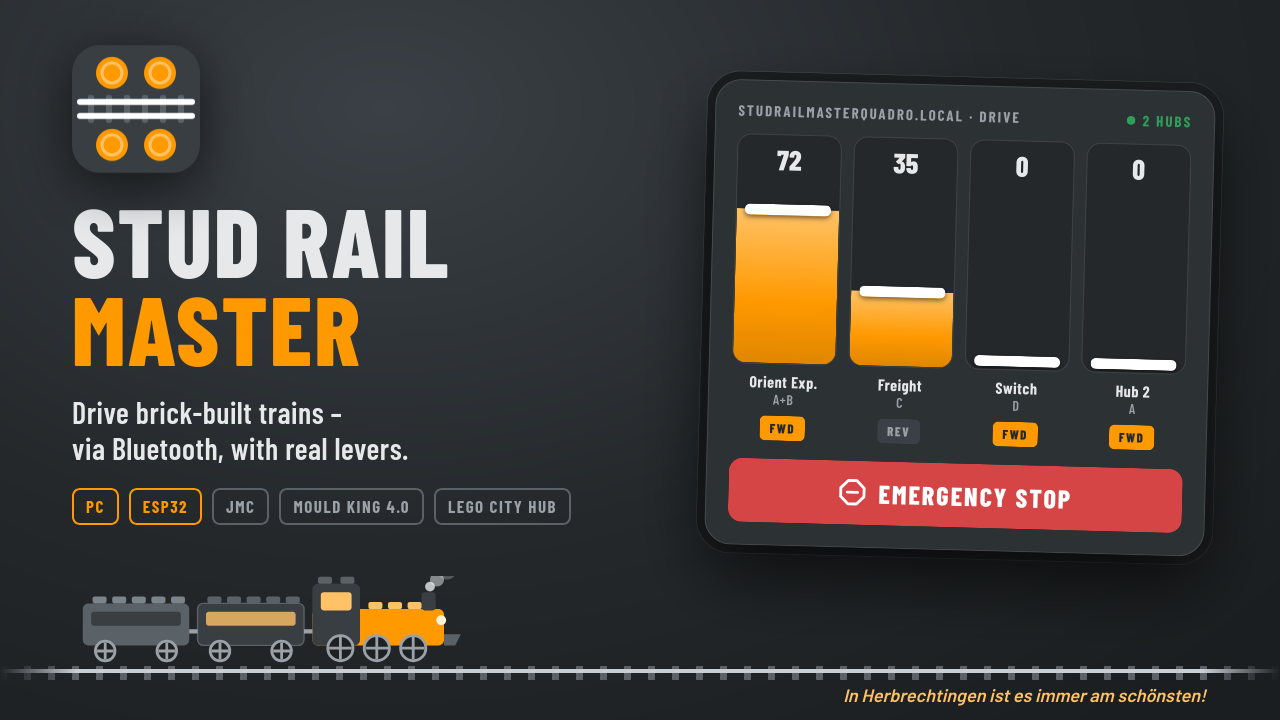
Drive your brick-built trains from your computer or a home-made remote –
via Bluetooth, without internet, without an account.
🇩🇪 Deutsche Fassung · Installation · User guide · Remote
The layout runs trains with motor hubs from three makers: a cheap JMC hub, a Mould King 4.0 from the Orient Express and a LEGO City Hub from the freight train 60337. Every hub wants its own phone app. Every app has different sliders, and driving two trains at once means two phones.
I wanted one control desk for all trains – ideally with real levers you push with your thumb, and a big red button that really stops everything. No account, no ads, no cloud. That turned into two things:
| Stud Rail Master – the PC program | for Windows, macOS and Linux. Find hubs, add photos of your trains, assign levers, drive. Needs no extra hardware. |
| Stud Rail Master Quadro – the remote | an ESP32 with four slide pots, direction switches and an emergency stop. Drives up to four hubs on its own, no PC needed; set up through a web page in your phone's browser. |
Both share the same drivers and take turns: when the PC starts it takes over the radio, when it quits the remote drives again.
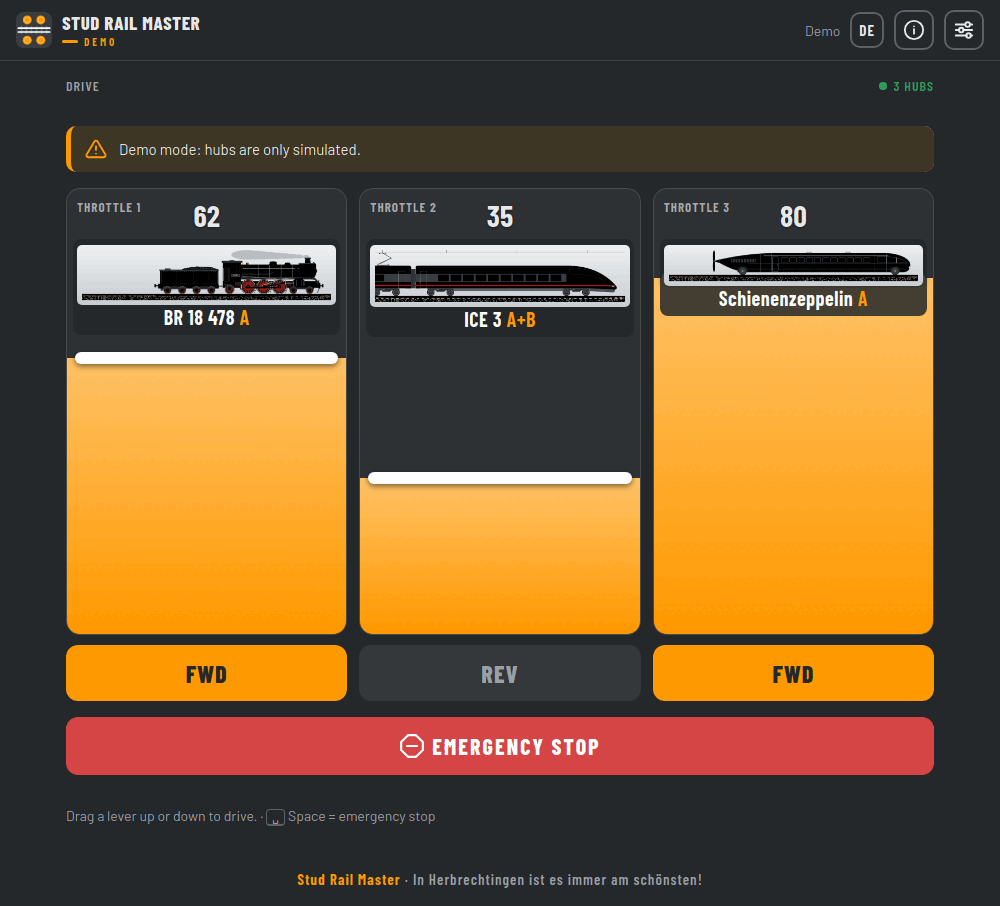
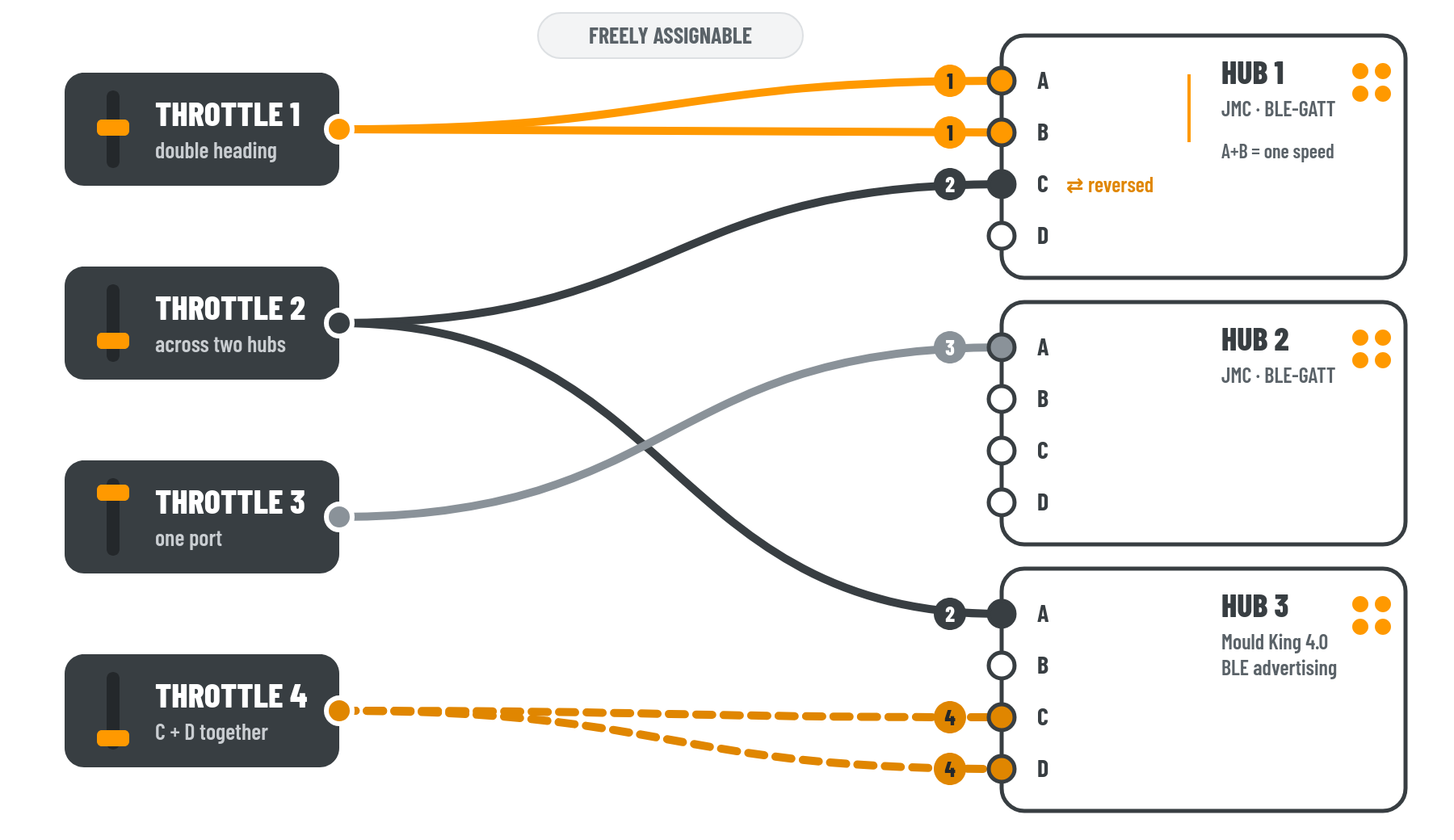
Every socket of every hub gets a throttle – spread any way you like: two motors on one throttle, one throttle across several hubs (even from different makers), single motors inverted. More in the user guide.
| Hub | Windows | macOS | Linux | Remote |
|---|---|---|---|---|
| JMC hub (shows up as “JG_JMC-…”, ports A–D) | ✔ | ✔ | ✔ | ✔ |
| Mould King 4.0 (ports A–D, up to 3 hubs) | ⚠ not yet tested | ✘ → Linux or ESP32 with web page | ✔ one-time unlock | ✔ |
| LEGO Powered Up City Hub (88009, e.g. set 60337, ports A/B) | ✔ | ✔ | ✔ | ✔ |
Planned:
Step by step: Installation · User guide · Set up the remote · Together with the remote
Want to try it without a hub first? Demo mode simulates three trains (see the user guide).
With Python 3.10 or newer: download or clone this repository, then start app/start.sh (Linux), app/start.command (macOS) or app/start.bat (Windows). The first start sets everything up and downloads the required Python packages once; after that it starts right away.
Some hubs simply keep running their last command when they hear nothing more. So everywhere:
No maker has published its protocol (except LEGO). What now fits into a few lines of driver cost quite a few evenings:
The protocol comes from a capture of the original app: 11 bytes, a checksum, done – or so I thought. The hub still ignored every drive command. The reason: a freshly switched-on hub has to receive a stop first, before it moves at all. Then came the second surprise: it has no watchdog. If the connection drops, the motor just keeps running – more than 20 seconds in the test, until it was switched off. Since then every path out of the program actively sends stop. And because ports A+B share one speed byte, two motors stuttered as soon as you tried to drive them separately.
This hub never connects. It is controlled through encrypted Bluetooth advertising packets that the app sends every 100 ms with a changing address. The encryption could be rebuilt thanks to other people's work (see THIRD_PARTY.md) – and still nothing moved. In broadcast mode Linux drops three inconspicuous bytes (the “flags” 02 01 02), and without exactly those three bytes the hub ignores everything. On Linux the commands now go straight to the Bluetooth chip. macOS doesn't allow that at all. By the way: one reference had forward and reverse swapped.
The only hub with open documentation – and still fussy: if nobody connects right away, it switches itself off after a few seconds. So the program no longer searches at leisure but grabs it the moment it shows up.
The first Linux program accidentally bundled the whole GTK toolkit and weighed 301 MB – and still didn't run everywhere, because WebKitGTK can't be packed portably. Now it ships Qt WebEngine (171 MB). The built-in Chromium sandbox failed on locked-down namespaces, an AppImage can't be given special privileges, and the Mould King radio needs exactly such a privilege – so there is now a tiny helper you unlock once with your password. And for a while, the browser opened every time along with the program window.
New findings about hubs go into drivers/*.json as test vectors – so PC and remote check on every build that they still send exactly the same bytes.
An ESP32 DevKit, four 75 mm slide pots, four toggle switches with an LED for the direction, an emergency-stop button and 4× AA batteries in a printed case. The firmware also works on its own without any of that – then the levers are sliders on the web page StudRailMasterQuadro.local.
Preview – not yet printed or tested. The case is fully designed on the computer but nobody has built it yet. If you print it first, feedback is welcome.
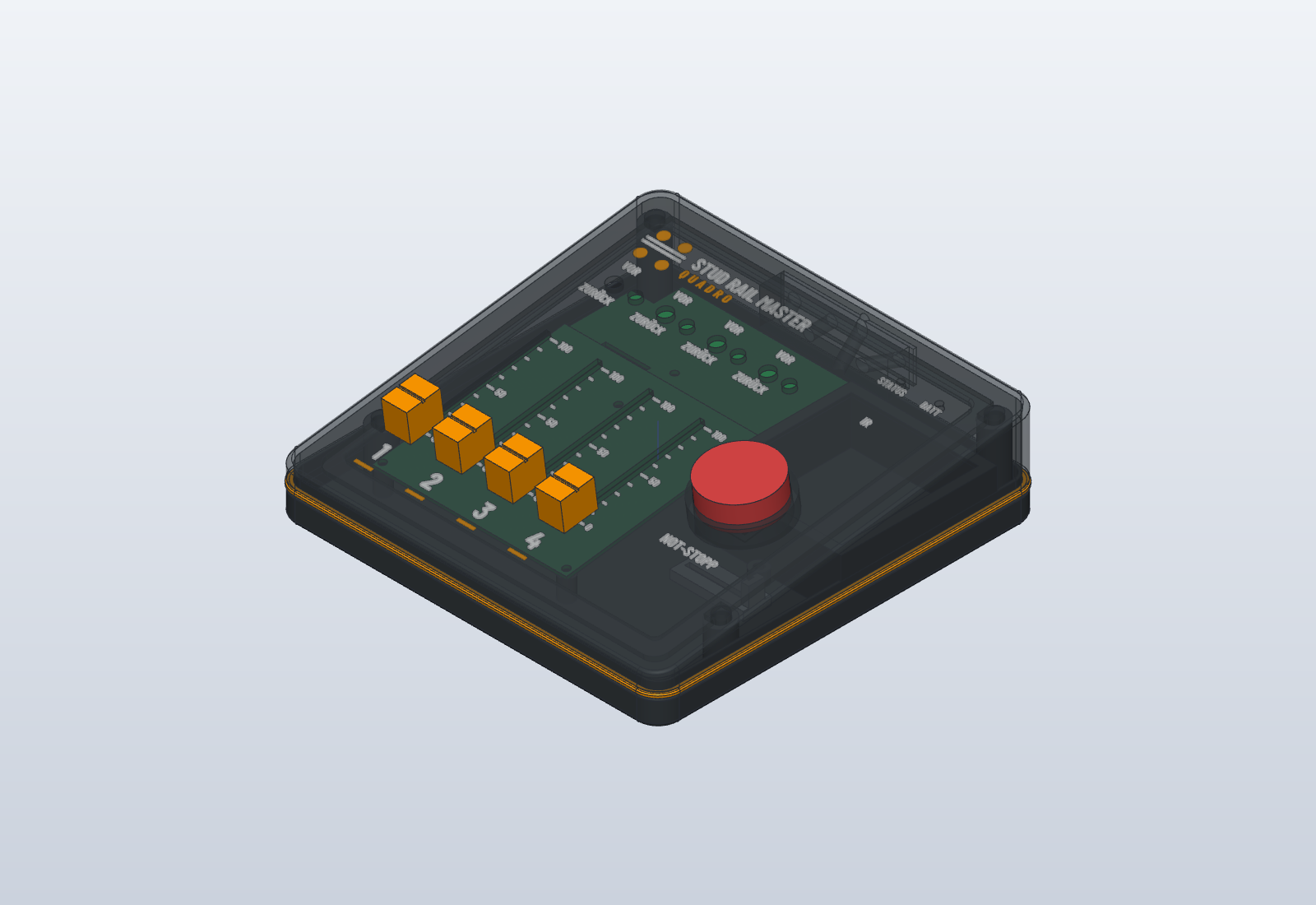
The project consists of the PC program (app/, Python) and the firmware of the ESP32 remote (src/, lib/, PlatformIO). Both share the same hub drivers (drivers/).
Free software and open hardware – if you change it and pass it on, you must share it under the same terms:
| Part | License |
|---|---|
Software (app/, src/, lib/, test/, tools/, drivers/) | GPL-3.0-or-later |
Hardware (hardware/: schematic, PCB, enclosure) | CERN-OHL-S-2.0 |
Docs, images, logo (docs/, README*) | CC BY-SA 4.0 |
Third-party parts (Barlow fonts, prior work on Mould King) and their licenses: THIRD_PARTY.md.
LEGO® is a trademark of the LEGO Group, Mould King a trademark of its manufacturer. This project is not sponsored or endorsed by either; the names only describe which hubs it works with.
In Herbrechtingen ist es immer am schönsten!
| Qty | Value | Footprint | References |
|---|---|---|---|
| 5 | 100n | Capacitor_THT:C_Disc_D3.0mm_W1.6mm_P2.50mm | C2, C5, C7, C8, C10 |
| 5 | 330 | Resistor_THT:R_Axial_DIN0207_L6.3mm_D2.5mm_P7.62mm_Horizontal | R11, R12, R13, R14, R20 |
| 4 | 47 0,6W | Resistor_THT:R_Axial_DIN0207_L6.3mm_D2.5mm_P10.16mm_Horizontal | R22, R23, R24, R25 |
| 4 | M3 | MountingHole:MountingHole_3.2mm_M3 | H1, H2, H3, H4 |
| 2 | 330 | Resistor_THT:R_Axial_DIN0207_L6.3mm_D2.5mm_P2.54mm_Vertical | R30, R31 |
| 1 | 100k | Resistor_THT:R_Axial_DIN0207_L6.3mm_D2.5mm_P7.62mm_Horizontal | R3 |
| 1 | 10k | Resistor_THT:R_Axial_DIN0207_L6.3mm_D2.5mm_P7.62mm_Horizontal | R21 |
| 1 | 10µ | Capacitor_THT:C_Disc_D3.0mm_W2.0mm_P2.50mm | C9 |
| 1 | 1N5819 | Diode_THT:D_DO-41_SOD81_P10.16mm_Horizontal | D1 |
| 1 | 2,4 GHz (nRF24L01+) | Connector_PinHeader_2.54mm:PinHeader_2x04_P2.54mm_Vertical | J12 |
| 1 | 470µ 10V | Capacitor_THT:CP_Radial_D8.0mm_P3.50mm | C1 |
| 1 | 68k | Resistor_THT:R_Axial_DIN0207_L6.3mm_D2.5mm_P7.62mm_Horizontal | R4 |
| 1 | BC337 | Package_TO_SOT_THT:TO-92_Inline | Q1 |
| 1 | Batterie (über Ein/Aus) | Connector_JST:JST_XH_B2B-XH-A_1x02_P2.50mm_Vertical | J3 |
| 1 | ESP32 links (EN … VIN) | Connector_PinHeader_2.54mm:PinHeader_1x15_P2.54mm_Vertical | J1 |
| 1 | ESP32 rechts (GPIO23 … 3V3) | Connector_PinHeader_2.54mm:PinHeader_1x15_P2.54mm_Vertical | J2 |
| 1 | Fader-Platine | Connector_JST:JST_XH_B6B-XH-A_1x06_P2.50mm_Vertical | J4 |
| 1 | IR-LEDs | Connector_JST:JST_XH_B5B-XH-A_1x05_P2.50mm_Vertical | J11 |
| 1 | MT3608-Modul (auf 5,0 V) | ZugFern:MT3608_Modul | U1 |
| 1 | Not-Stopp (Cherry MX) | Connector_JST:JST_XH_B2B-XH-A_1x02_P2.50mm_Vertical | J9 |
| 1 | Schalter + LED 1 | Connector_JST:JST_XH_B3B-XH-A_1x03_P2.50mm_Vertical | J5 |
| 1 | Schalter + LED 2 | Connector_JST:JST_XH_B3B-XH-A_1x03_P2.50mm_Vertical | J6 |
| 1 | Schalter + LED 3 | Connector_JST:JST_XH_B3B-XH-A_1x03_P2.50mm_Vertical | J7 |
| 1 | Schalter + LED 4 | Connector_JST:JST_XH_B3B-XH-A_1x03_P2.50mm_Vertical | J8 |
| 1 | Status-LED + Batterie-LED | Connector_JST:JST_XH_B3B-XH-A_1x03_P2.50mm_Vertical | J10 |
ru320/StudRailMaster
Drive your brick-built trains from your computer or a home-made remote – via Bluetooth, without internet, without an account.

roarfred/AmsToMqttBridge
Minimalistic system to read AMS/HAN data from electrical meter


leomil72/LM80C
A Z80-based homebrew computer withTMS9918, AY-3-8910, Z80 CTC, Z80 PIO, and Z80 SIO

pablozg/freeds
Derivador de energía solar excedente creado por Pablo Zerón, Diseño PCB por Amcalo, Tester original por Aeizoon, Wiki por Zoilo Mora

lampmerchant/tashtwenty
An interface for the DCD protocol used by Apple's Hard Disk 20.

CTXz/Video-Glitch-Array
A collection of glitch art circuits dedicated to VGA signal manipulation

It measures 100 × 52 mm and has 2 copper layers, 1.6 mm thick.
40 parts, built around the BC337. The full list of its parts is on this page, with links to each part's symbol and footprint where PCBKit's library has them.
From the ru320/StudRailMaster repository on GitHub, at the commit this page was made from: the board is hardware/platinen/hauptplatine/Hauptplatine.kicad_pcb and its schematic hardware/platinen/fader/Fader-Platine.kicad_sch. PCBKit opens the board in the browser, with nothing to install.
Its repository publishes it under the GPL-3.0 licence: you may reuse it on that licence's terms (keep the author's notice, and for a copyleft licence share your changes alike).