
2 layers132.3 × 94.9 mm

 poojithas956/Magnum-60
A compact 60% mechanical keyboard designed for minimal desk space.
Magnum-60 is an open-source printed circuit board by poojithas956, from the poojithas956/Magnum-60 repository on GitHub, published under the MIT licence. It is a 2-layer board of 291.8 × 101.4 mm with 144 parts on 87 nets, routed with 429 tracks and 14 vias.
It is built around the RP2040-ZERO. Its parts include 62 diodes, 61 switches, 2 connectors, 1 resistor and 1 IC. It belongs with the keyboards and input boards and the RP2040 boards of this library.
Magnum60 is my custom 60% mechanical keyboard project built around an RP2040-ZERO controller.
I wanted a keyboard that felt clean and simple like a classic 60%, but still let me fully understand how the electronics actually work (matrix, diodes, routing, and firmware pin mapping), not just buy a kit and screw it together.
I use my keyboard for school every day, so I wanted to build one that is actually mine from scratch.
Main goals I set for myself:
This repo includes the complete hardware design files and manufacturing outputs:
Current hardware summary:
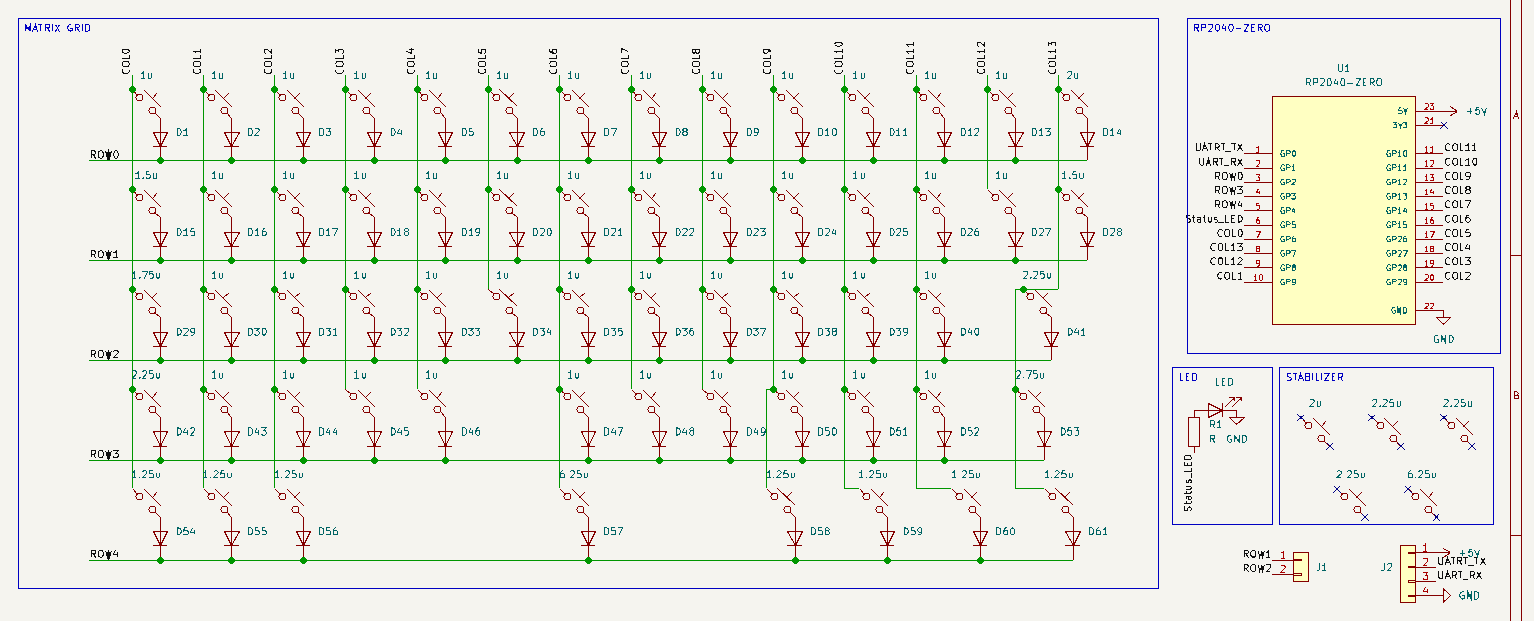
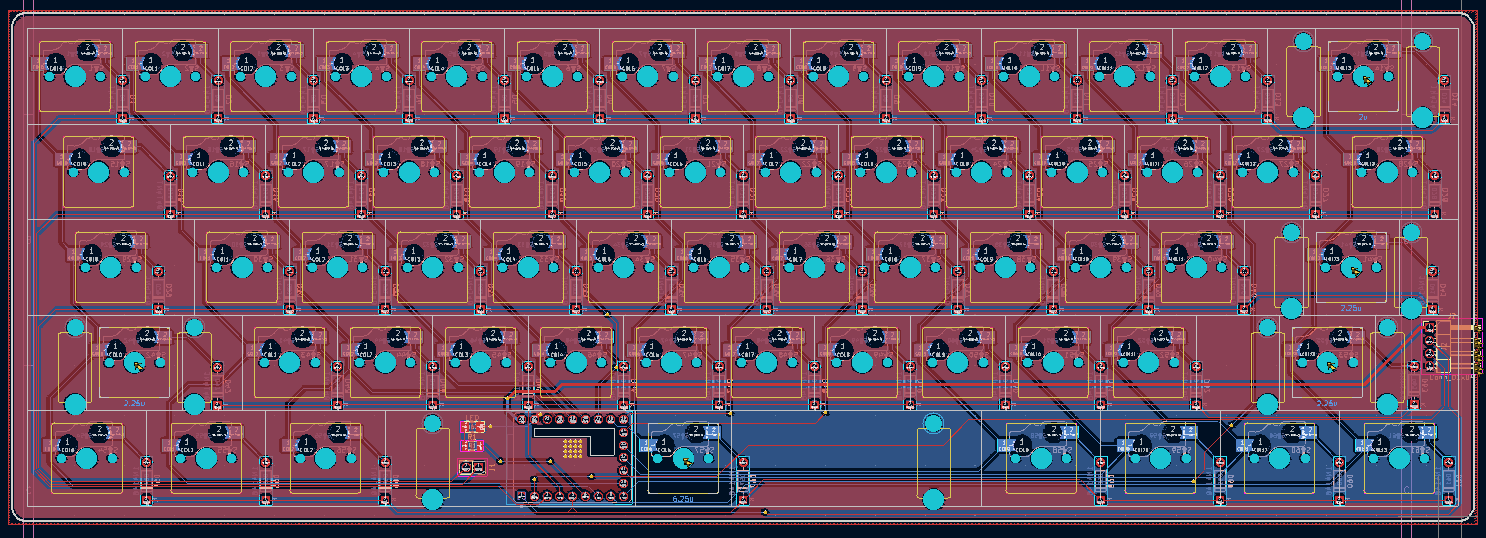
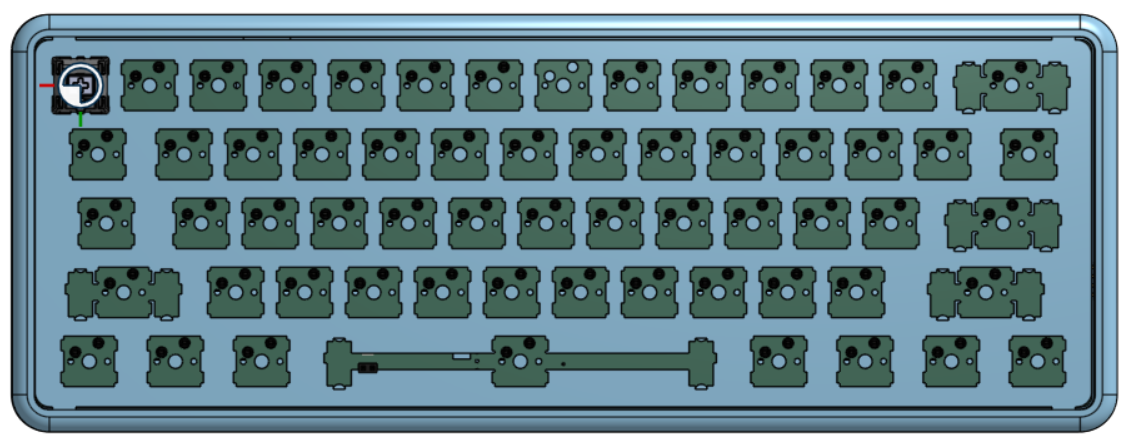
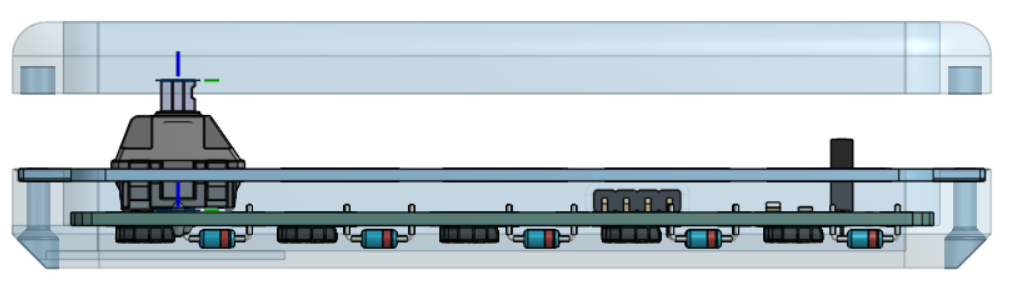
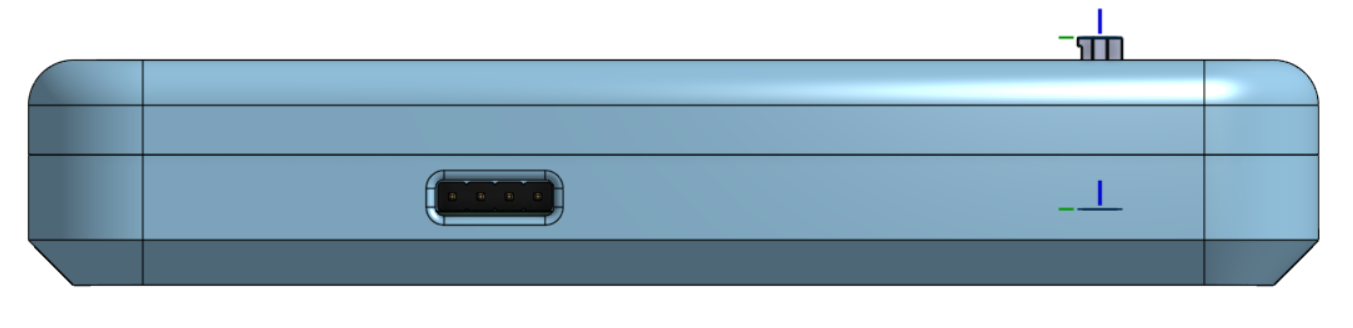
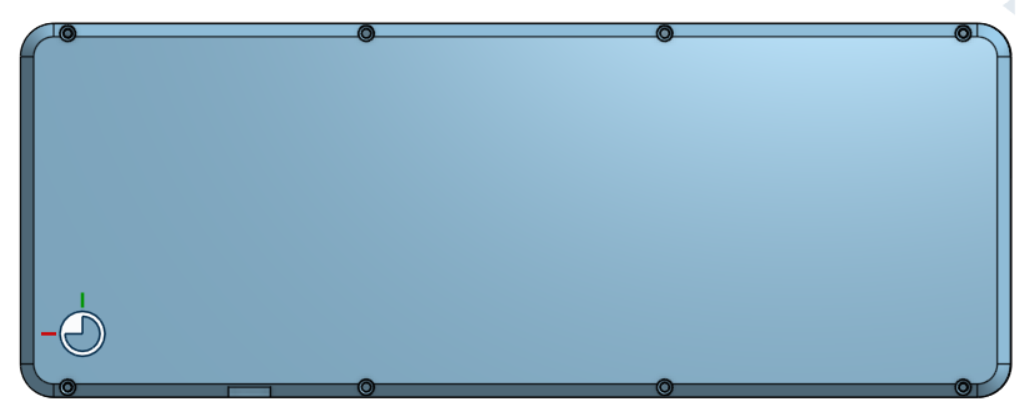
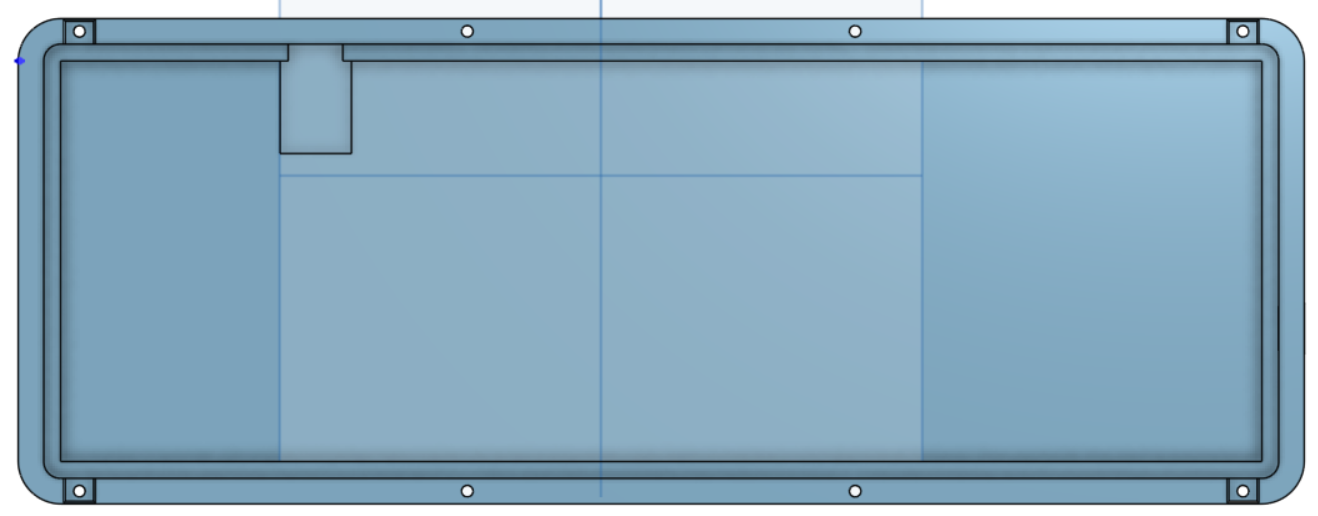

OnShape: link
A KMK starter firmware is included in this repo:
firmware/kmk/main.pyfirmware/kmk/README.mdIt includes the row/column pin mapping from the current netlist and a base ANSI-like 61-key layout.
Current BOM is in bom.csv.
| Name | Purpose | Quantity | Total Cost (USD) | Distributor | Link |
|---|---|---|---|---|---|
| 3D printed Case | 3D printing | 1 | 8.19 | Hack Club | https://printlegion.hackclub.com |
| PCB fabrication | PCB | 1 | 39.20 | Robu.in | https://robu.in/product/online-pcb-manufacturing-service/ |
| RP2040-zero | Microcontroller | 1 | 6.05 | Robu.in | https://robu.in/product/waveshare-rp2040-zero-raspberry-pi-mcu-with-presoldered-header/ |
| Cherry PBT Keycaps | Keycaps | 1 | 17.47 | Curiosity Caps | https://curiositycaps.in/products/counter-strike-printstream-decal-collectio-n-cherry-pbt-keycaps |
| Durock Smokey Screw-In Stabilizers V2 | Stabilizers | 1 | 17.00 | StacksKB | https://stackskb.com/store/durock-smokey-screw-in-stabilizers-v2/ |
| Akko V5 Creamy Blue Pro Switch (Pack of 45) | For typing I guess ? | 1 | 13.14 | StacksKB | https://stackskb.com/store/akko-v5-creamy-blue-pro-switch-pack-of-45/ |
Total BOM cost: 101.05 USD
| Qty | Value | Footprint | References |
|---|---|---|---|
| 61 | 1N4148 | Diode_THT:D_DO-35_SOD27_P7.62mm_Horizontal | D1, D2, D10, D11, D12, D13, D14, D15, D16, D17, D18, D19, D20, D21, D22, D23 +45 |
| 46 | 1u | PCM_marbastlib-xp-mx:SW_MX_HS_KS-2P02B01-01_1u | SW1, SW2, SW10, SW11, SW12, SW13, SW16, SW17, SW18, SW19, SW20, SW21, SW22, SW23, SW24, SW25 +30 |
| 7 | 1.25u | PCM_marbastlib-xp-mx:SW_MX_HS_KS-2P02B01-01_1.25u | SW54, SW55, SW56, SW58, SW59, SW60, SW61 |
| 6 | MountingHole | MountingHole:MountingHole_2.7mm_M2.5 | H1, H2, H3, H4, H5, H6 |
| 2 | 1.5u | PCM_marbastlib-xp-mx:SW_MX_HS_KS-2P02B01-01_1.5u | SW15, SW28 |
| 2 | 2.25u | PCM_marbastlib-mx:STAB_MX_2.25u | STAB2, STAB3 |
| 2 | 2.25u | PCM_marbastlib-xp-mx:SW_MX_HS_KS-2P02B01-01_1u | SW41, SW42 |
| 1 | 1.75u | PCM_marbastlib-xp-mx:SW_MX_HS_KS-2P02B01-01_1.75u | SW29 |
| 1 | 2.25u | PCM_marbastlib-mx:STAB_MX_2.75u | STAB4 |
| 1 | 2.75u | PCM_marbastlib-xp-mx:SW_MX_HS_KS-2P02B01-01_1u | SW53 |
| 1 | 2u | PCM_marbastlib-mx:STAB_MX_2u | STAB1 |
| 1 | 2u | PCM_marbastlib-xp-mx:SW_MX_HS_KS-2P02B01-01_1u | SW14 |
| 1 | 6.25u | PCM_marbastlib-mx:STAB_MX_6.25u | STAB5 |
| 1 | 6.25u | PCM_marbastlib-xp-mx:SW_MX_HS_KS-2P02B01-01_1u | SW57 |
| 1 | Conn_01x02 | Connector_PinSocket_2.54mm:PinSocket_1x02_P2.54mm_Vertical | J1 |
| 1 | Conn_01x04 | Connector_PinHeader_2.54mm:PinHeader_1x04_P2.54mm_Horizontal | J2 |
| 1 | LED | LED_SMD:LED_1206_3216Metric_Pad1.42x1.75mm_HandSolder | D62 |
| 1 | LOGO | logo:HackClub | G*** |
| 1 | R | Resistor_SMD:R_1206_3216Metric | R1 |
| 1 | RP2040-ZERO | RP2040-ZERO:MODULE_RP2040-ZERO | U1 |
The 139 most common of 144 parts.


beekeeb/zerosprey42
Zerosprey42 Keyboard is a wired, beginner friendly, choc hotswap, MonoBlockSplit (Unibody), column-staggered, DIY mechanical keyboard.


ravinrabbid/DonCon2040
RP2040 based firmware and hardware for DIY Taiko no Tatsujin Drum Controllers
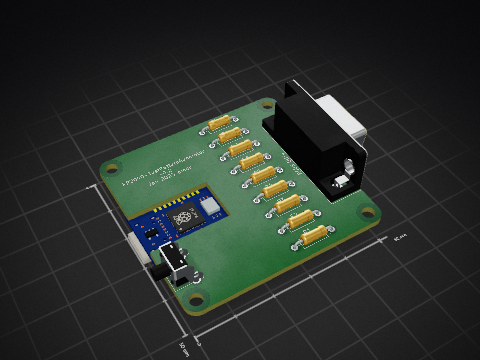
nmur/RP2040-TestPatternGenerator
A simple test pattern generator running on the RP2040 microcontroller

ChrisChrisLoLo/bunchiez40
A pocket keyboard that makes use of mouse switches to achieve a miniscule size

It measures 291.8 × 101.4 mm and has 2 copper layers, 1.6 mm thick.
144 parts, built around the RP2040-ZERO. The full list of its parts is on this page, with links to each part's symbol and footprint where PCBKit's library has them.
From the poojithas956/Magnum-60 repository on GitHub, at the commit this page was made from: the board is PCB/Magnum60.kicad_pcb and its schematic PCB/Magnum60.kicad_sch. PCBKit opens the board in the browser, with nothing to install.
Its repository publishes it under the MIT licence: you may reuse it on that licence's terms (keep the author's notice, and for a copyleft licence share your changes alike).