
2 layers132.3 × 94.9 mm

 mehulrao/Macro-Pad
Custom 10 Key PCB Designed with KiCAD
Macro Pad is an open-source printed circuit board by mehulrao, from the mehulrao/Macro-Pad repository on GitHub. It is a 2-layer board of 57.3 × 102.9 mm with 29 parts on 35 nets, routed with 157 tracks and 20 vias.
It is built around the RP2040-ZERO. Its parts include 12 diodes, 11 switches and 1 IC. It belongs with the keyboards and input boards and the RP2040 boards of this library.
| Qty | Value | Footprint | References |
|---|---|---|---|
| 12 | D | My_Library:MY_D_SOD-123 | D1, D2, D3, D4, D5, D6, D7, D8, D9, D10, D11, D12 |
| 9 | KEYSW | MX_Hotswap:MX-Hotswap-1U | K4, K5, K6, K8, K9, K10, locked, locked, locked |
| 4 | MountingHole | MountingHole:MountingHole_3.2mm_M3_ISO7380 | H1, H2, H3, H4 |
| 2 | RotaryEncoder_Switch | Rotary_Encoder:RotaryEncoder_Alps_EC11E-Switch_Vertical_H20mm | SW1, SW2 |
| 1 | KEYSW | MX_Hotswap:MX-Hotswap-3U | locked |
| 1 | rp2040-zero | mcu:rp2040-zero-tht | U1 |


beekeeb/zerosprey42
Zerosprey42 Keyboard is a wired, beginner friendly, choc hotswap, MonoBlockSplit (Unibody), column-staggered, DIY mechanical keyboard.


ravinrabbid/DonCon2040
RP2040 based firmware and hardware for DIY Taiko no Tatsujin Drum Controllers
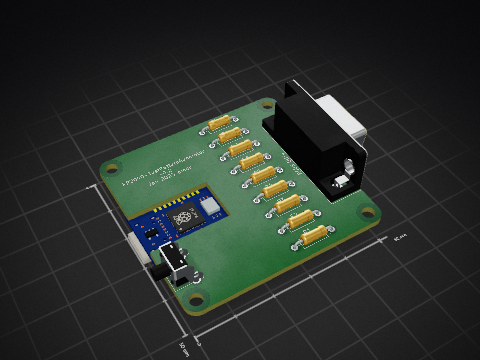
nmur/RP2040-TestPatternGenerator
A simple test pattern generator running on the RP2040 microcontroller

ChrisChrisLoLo/bunchiez40
A pocket keyboard that makes use of mouse switches to achieve a miniscule size

It measures 57.3 × 102.9 mm and has 2 copper layers, 1.6 mm thick.
29 parts, built around the RP2040-ZERO. The full list of its parts is on this page, with links to each part's symbol and footprint where PCBKit's library has them.
From the mehulrao/Macro-Pad repository on GitHub, at the commit this page was made from: the board is Macro Pad.kicad_pcb and its schematic Macro Pad.kicad_sch. PCBKit opens the board in the browser, with nothing to install.
Its repository states no licence, so its author keeps all rights: ask mehulrao before reusing the design.