
2 layers265.4 × 95.3 mm
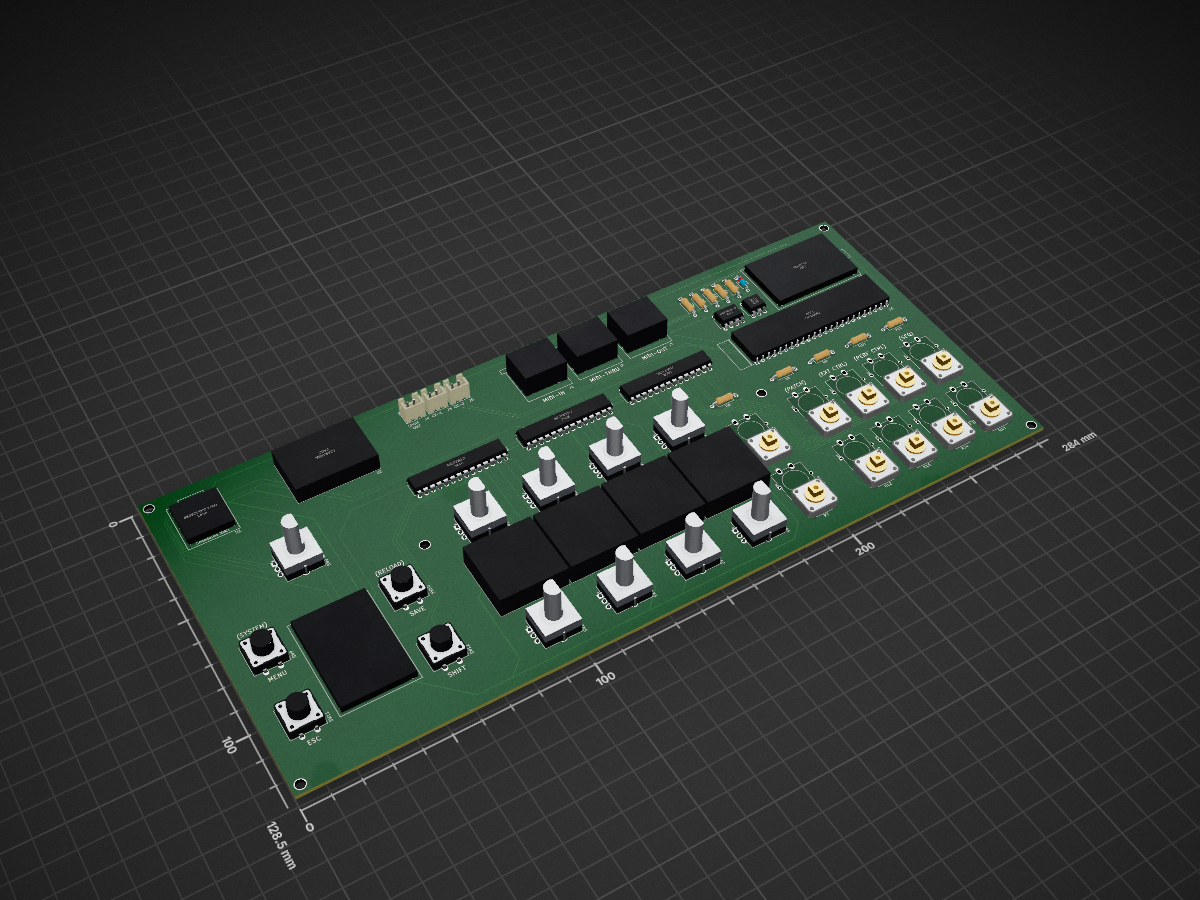
A hardware user interface for the XVA1 virtual analog synthesizer, inspired by the Hydrasynth's layout. The XVA1 (and its FM sibling the XFM2) is built on an Artix-7 FPGA but has no built-in UI — this project adds one.
Xva1-ui is an open-source printed circuit board by MacMannes, from the MacMannes/XVA1-User-Interface repository on GitHub, published under the GPL-3.0 licence. It is a 2-layer board of 284 × 128.5 mm with 65 parts on 172 nets, routed with 622 tracks and 3 vias.
It is built around the CMOD A7-35T, TCA9548APW and MCP23017-E/SS, with the 24LC1025-I/P among its other parts. Its parts include 23 switches, 15 resistors, 9 ICs, 6 connectors and 1 diode.


A hardware user interface for the XVA1 virtual analog synthesizer, inspired by the Hydrasynth's layout. The XVA1 (and its FM sibling the XFM2) is built on an Artix-7 FPGA but has no built-in UI — this project adds one.
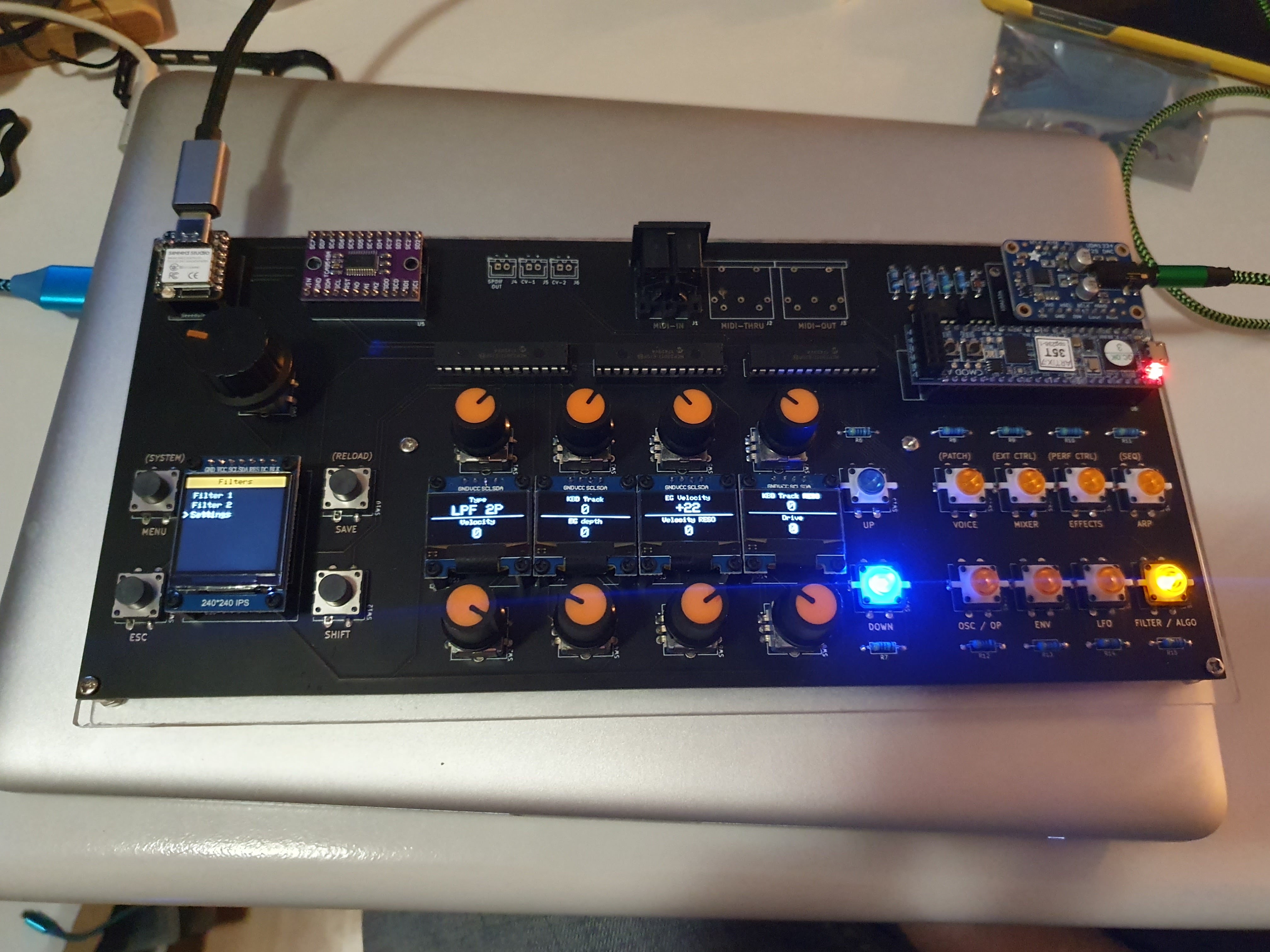
The UI board provides:
The design goal was minimal menu-diving: select a section with one button press, then tweak up to eight parameters directly with the encoders.
KiCad schematics are in the Hardware/ directory.
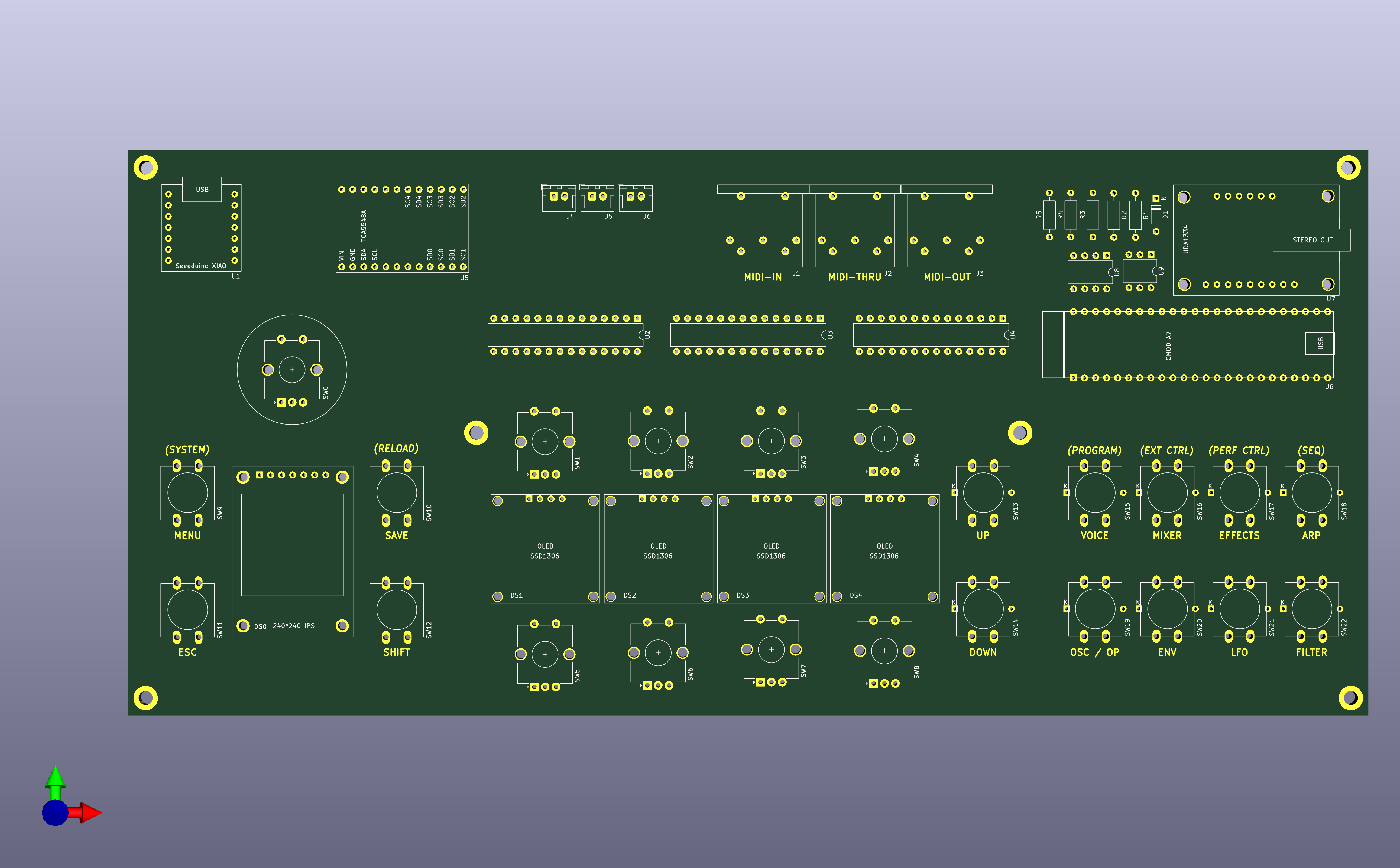
The project started in early 2021 on a breadboard with a Seeeduino XIAO (SAMD21), then moved to an ESP32 devboard when memory became a bottleneck, and eventually settled on the Seeed XIAO ESP32-S3 as a drop-in replacement with the same footprint. The first PCB prototype was ordered from JLCPCB and had a few minor errors (MIDI DIN pin swap, resistor silkscreen mix-up) that were corrected in subsequent revisions.
Firmware source is in Software/XVA1UserInterface/ and built with PlatformIO.
# Run from Software/XVA1UserInterface/
platformio run                  # compile
platformio run -t upload        # compile and flash
platformio run -t monitor       # open serial monitor (115200 baud)
./upload_and_monitor.sh         # flash then monitor
See AGENTS.md for a full architecture breakdown and development notes.
In order to use this project in Neovim, you will have to create the file compile_commands.json
file by running the following command:
pio run -t compiledbTo manage the XVA1 (or XFM/XFM2) synthesizer's own firmware and programs, use xload-macos — a macOS tool for managing flash memory on XFM/XFM2/XVA1 synthesizers.
Hardware/       KiCad schematics and datasheets
Docs/           Photos of front and back of the board
Software/
XVA1UserInterface/ PlatformIO project (all firmware lives here)Working prototype. Most parameters are implemented and editable. Patch saving is not yet implemented. The PCB design has gone through two revisions; the current version uses the XIAO ESP32-S3.
See LICENSE.md.
| Qty | Value | Footprint | References |
|---|---|---|---|
| 11 | 470 | Resistor_THT:R_Axial_DIN0207_L6.3mm_D2.5mm_P10.16mm_Horizontal | R2, R6, R7, R8, R9, R10, R11, R12, R13, R14, R15 |
| 10 | SW_Push_LED | xva1-ui:SW_PUSH_LED-12mm | SW13, SW14, SW15, SW16, SW17, SW18, SW19, SW20, SW21, SW22 |
| 9 | Rotary Encoder | Rotary_Encoder:RotaryEncoder_Alps_EC12E-Switch_Vertical_H20mm_CircularMountingHoles | SW0, SW1, SW2, SW3, SW4, SW5, SW6, SW7, SW8 |
| 4 | SSD1306 | xva1-ui:SSD1306 | DS1, DS2, DS3, DS4 |
| 4 | SW_Push | Button_Switch_THT:SW_PUSH-12mm | SW9, SW10, SW11, SW12 |
| 3 | Conn_01x02 | Connector_JST:JST_XH_B2B-XH-A_1x02_P2.50mm_Vertical | J4, J5, J6 |
| 3 | DIN-5_180degree | xva1-ui:MIDI_CONNECTOR_PCB | J1, J2, J3 |
| 3 | MCP23017 | Package_DIP:DIP-28_W7.62mm | U2, U3, U4 |
| 2 | 33 | Resistor_THT:R_Axial_DIN0207_L6.3mm_D2.5mm_P10.16mm_Horizontal | R3, R4 |
| 1 | 10 | Resistor_THT:R_Axial_DIN0207_L6.3mm_D2.5mm_P10.16mm_Horizontal | R5 |
| 1 | 1N4148 | Diode_THT:D_DO-35_SOD27_P7.62mm_Horizontal | D1 |
| 1 | 220 | Resistor_THT:R_Axial_DIN0207_L6.3mm_D2.5mm_P10.16mm_Horizontal | R1 |
| 1 | 24LC1025-I/P | Package_DIP:DIP-8_W7.62mm | U8 |
| 1 | 4N36 | Package_DIP:DIP-6_W7.62mm | U9 |
| 1 | CMOD-A7 | xva1-ui:CMOD-A7-DIP-48_W15.24mm | U6 |
| 1 | Seeeduino XIAO | xva1-ui:Seeduino_XIAO_Through-Hole | U1 |
| 1 | TCA9548A | xva1-ui:TCA9548A_BREAKOUT | U5 |
| 1 | TFT_ST7789 | xva1-ui:TFT_IPS-240_240 | DS0 |
| 1 | UDA1334 | xva1-ui:UDA1334 | U7 |
The 59 most common of 65 parts.
It measures 284 × 128.5 mm and has 2 copper layers, 1.6 mm thick.
65 parts, built around the CMOD A7-35T, TCA9548APW, MCP23017-E/SS and 24LC1025-I/P. The full list of its parts is on this page, with links to each part's symbol and footprint where PCBKit's library has them.
From the MacMannes/XVA1-User-Interface repository on GitHub, at the commit this page was made from: the board is Hardware/xva1-ui/xva1-ui.kicad_pcb. PCBKit opens the board in the browser, with nothing to install.
Its repository publishes it under the GPL-3.0 licence: you may reuse it on that licence's terms (keep the author's notice, and for a copyleft licence share your changes alike).


IIP-Group/polymap
Repository for the PolyMap Hardware and PolyMap Studio VST Plugin (prototype version).


lnsru/melexisToFcamera4layer
Time of Flight camera using MLX75023 and MLX75123, 4 layers pcb done with KiCad

SR-Madsen/AdvancedProgrammableElectronics
Repository used for storing projects from Vivado for the Advanced Programmable Electronics course on the 3rd semester of the Master in Electronics at the University of Southern Denmark.

Trainmaster2/midi-genie
MIDI Genie ========== The MIDI Genie is an auxiliary APU for the Nintendo Entertainment System. The MIDI Genie is an add-on device that translates the audio output into MIDI.