

2 layers132.3 × 94.9 mm

 cbelcher/PicoPowerMonitor_KiCad
Pico Power Monitor Custom PCB KiCad Project Files
PicoPowerMonitor is an open-source printed circuit board by cbelcher, from the cbelcher/PicoPowerMonitor_KiCad repository on GitHub, published under the MIT licence. It is a 2-layer board of 50 × 50 mm with 21 parts on 28 nets, routed with 107 tracks and 224 vias.
It is built around the RP2040-ZERO and BSC007N04LS6ATMA1. Its parts include 6 connectors, 5 resistors, 4 capacitors, 2 ICs and 1 transistor. It belongs with the RP2040 boards of this library.
This the PCB project files, for the Pico Power Monitor. I've included everything you need to open up this project in KiCad version 10.0.3 or newer. Also included PCWay zip folder that you just need to drop on there site and checkout. KiCad has the complete BOM needed to populate the project.
KiCad Custom PCB Design - This Repo.
PicoPowerMonitor - This is the Windows 11 application, completely optional. The PicoPowerMonitor can and does run without this application.
MicroPhython code to drive the hardware side of things.
FreeCAD 3D Printed Case Design. (Direct link here)
3D Render Shots of PCB from KiCad.
Top with Through-hole Components
This project is licensed under the MIT License - see the LICENSE file for details.
| Qty | Value | Footprint | References |
|---|---|---|---|
| 4 | 100n | Capacitor_SMD:C_0603_1608Metric_Pad1.08x0.95mm_HandSolder | C1, C2, C3, C4 |
| 4 | 1k | Resistor_SMD:R_0603_1608Metric_Pad0.98x0.95mm_HandSolder | R1, R2, R3, R4 |
| 3 | M3 | MountingHole:MountingHole_3.2mm_M3 | MH1, MH2, MH3 |
| 1 | 10k | Resistor_SMD:R_0603_1608Metric_Pad0.98x0.95mm_HandSolder | R5 |
| 1 | BSC007N04LS6ATMA1 | 1_Power_MOSFET:TRANS_BSC007N04LS6ATMA1 | Q1 |
| 1 | GND_IN | 1_Connector_Banana:1_Banana_Jack_4mm_Panel_Cliff | J2 |
| 1 | GND_OUT | 1_Connector_Banana:1_Banana_Jack_4mm_Panel_Cliff | J5 |
| 1 | I2C Display 1x04_P2.54mm | 1_Connector_Dupont:PinHeader_1x04_P2.54mm_Vertical | J3 |
| 1 | INA260 | 1_Package_SO:1_INA260_TSSOP-16_4.4x5mm_P0.65mm | U2 |
| 1 | OCL Reset Header | Connector_PinHeader_2.54mm:PinHeader_1x02_P2.54mm_Vertical | J1 |
| 1 | RP2040-ZERO | 1_Modules_MCU:MODULE_RP2040-ZERO_Castellet_THT_SMD | U1 |
| 1 | VCC_IN | 1_Connector_Banana:1_Banana_Jack_4mm_Panel_Cliff | J4 |
| 1 | VCC_OUT | 1_Connector_Banana:1_Banana_Jack_4mm_Panel_Cliff | J6 |


beekeeb/zerosprey42
Zerosprey42 Keyboard is a wired, beginner friendly, choc hotswap, MonoBlockSplit (Unibody), column-staggered, DIY mechanical keyboard.


ravinrabbid/DonCon2040
RP2040 based firmware and hardware for DIY Taiko no Tatsujin Drum Controllers
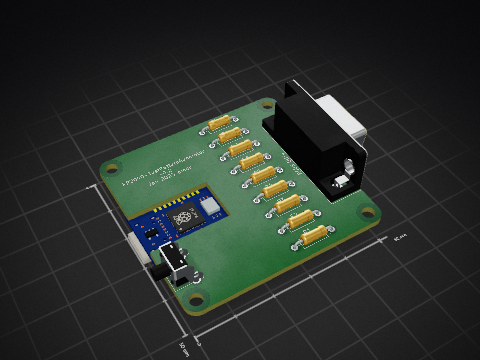
nmur/RP2040-TestPatternGenerator
A simple test pattern generator running on the RP2040 microcontroller

ChrisChrisLoLo/bunchiez40
A pocket keyboard that makes use of mouse switches to achieve a miniscule size

It measures 50 × 50 mm and has 2 copper layers, 1.6 mm thick.
21 parts, built around the RP2040-ZERO and BSC007N04LS6ATMA1. The full list of its parts is on this page, with links to each part's symbol and footprint where PCBKit's library has them.
From the cbelcher/PicoPowerMonitor_KiCad repository on GitHub, at the commit this page was made from: the board is PicoPowerMonitor.kicad_pcb and its schematic PicoPowerMonitor.kicad_sch. PCBKit opens the board in the browser, with nothing to install.
Its repository publishes it under the MIT licence: you may reuse it on that licence's terms (keep the author's notice, and for a copyleft licence share your changes alike).