
2 layers132.3 × 94.9 mm

 Andrew-Arcade/Andrew-Arcade1
Custom game console designed to run my unity games.
Gamepad is an open-source printed circuit board by Andrew-Arcade, from the Andrew-Arcade/Andrew-Arcade repository on GitHub. It is a 2-layer board of 46.6 × 67.8 mm with 14 parts on 23 nets, routed with 86 tracks and 0 vias.
It is built around the RP2040-ZERO. It belongs with the retro computing and games and keyboards and input boards and the RP2040 boards of this library.

Check out my progress in the journal!
Custom game console designed to run my Unity games.
Designed on top of the Raspberry Pi 5 running pios.
We use box64 to run Unity games on the ARM architecture.
Andrew-Arcade-Apps (referred to as "apps repository")
Most up to date information will be in the apps repository eventually.
To create your own app, you'll need to submit all the source code (the full Unity project) to the apps repository. You will also need to modify the driver app to include your app (details will be provided later). Once your app is ready for release, submit a pull request (PR) to the apps repository. After your PR is approved, you can build the app and submit a second PR to this main Andrew Arcade repository.
Go to the software/apps directory and create a new folder. Name the folder after your app using camelCase (no spaces, capitalize the first letter of each new word except for the first one). Then, place your app's build files inside the folder you just created.
Unity projects typically require a large amount of storage, while Raspberry Pi 5 devices often have limited space. As a result, the source code for the apps doesn't need to be stored directly on the device.
For additional details about the apps or games, check out the Andrew Arcade Apps repository.
[!WARNING] I need to update this it is not correct atm.
| Name | URL | Notes |
|---|---|---|
| Raspberry Pi 5 | link | |
| Waveshare RP2040-Zero | link | Purchase with headers pre-soldered for easier assembly. |
| Adafruit HDMI Display | link | - Resolution: 800x480. - Size: 5 inches. |
| Buttons | link | You need at least 11 buttons. You do not want them to be pre-wired. |
| Joysticks | link | Soldering is required for assembly. |
| 90 Degree Headers | link | Used to connect the joysticks to the board. |
| Button Wires | link | You need at least 11. |
| JST Connectors | link | - Size: 2P. - Style: XH. |
| Qty | Value | Footprint | References |
|---|---|---|---|
| 10 | Conn_01x02 | Connector_JST:JST_XH_B2B-XH-A_1x02_P2.50mm_Vertical | cardinal_down1, cardinal_left1, cardinal_right1, cardinal_up1, dPad_down1, dPad_left1, dPad_right1, dPad_up1, operators_minus1, operators_plus1 |
| 2 | Conn_01x05 | Connector_JST:JST_PH_B5B-PH-K_1x05_P2.00mm_Vertical | joystick_left1, joystick_right1 |
| 1 | LOGO | LOGO | G*** |
| 1 | RP2040-ZERO | RP2040-ZERO:MODULE_RP2040-ZERO | U3 |


beekeeb/zerosprey42
Zerosprey42 Keyboard is a wired, beginner friendly, choc hotswap, MonoBlockSplit (Unibody), column-staggered, DIY mechanical keyboard.


ravinrabbid/DonCon2040
RP2040 based firmware and hardware for DIY Taiko no Tatsujin Drum Controllers
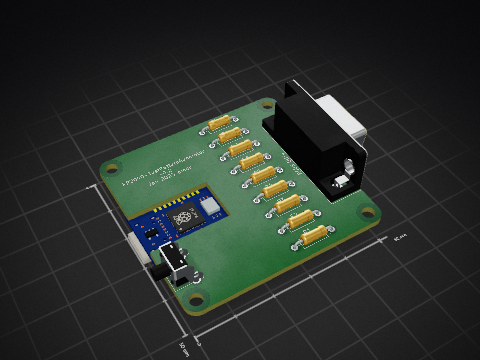
nmur/RP2040-TestPatternGenerator
A simple test pattern generator running on the RP2040 microcontroller

ChrisChrisLoLo/bunchiez40
A pocket keyboard that makes use of mouse switches to achieve a miniscule size

It measures 46.6 × 67.8 mm and has 2 copper layers, 1.6 mm thick.
14 parts, built around the RP2040-ZERO. The full list of its parts is on this page, with links to each part's symbol and footprint where PCBKit's library has them.
From the Andrew-Arcade/Andrew-Arcade repository on GitHub, at the commit this page was made from: the board is gamepad/pcb/gamepad/gamepad.kicad_pcb and its schematic gamepad/pcb/gamepad/gamepad.kicad_sch. PCBKit opens the board in the browser, with nothing to install.
Its repository states no licence, so its author keeps all rights: ask Andrew-Arcade before reusing the design.