
2 layers101 × 64 mm

 ReuvenSwirsky/WSPRAmp
WSPRAmp
WSPRAmp layout is an open-source printed circuit board by ReuvenSwirsky, from the ReuvenSwirsky/WSPRAmp repository on GitHub. It is a 2-layer board of 101 × 64 mm with 22 parts on 32 nets, routed with 66 tracks and 20 vias.
It is built around the RP2040-ZERO. Its parts include 6 capacitors, 3 inductors, 2 resistors, 2 connectors and 1 IC. It belongs with the RP2040 boards of this library.
| Qty | Value | Footprint | References |
|---|---|---|---|
| 4 | MountingHole_2.2mm_M2 | MountingHole:MountingHole_2.2mm_M2 | H1, H2, H3, H4 |
| 2 | .46µH | WSPRAmp:FT37-43_Upright_Inductor_P15.24mm | L2, L3 |
| 2 | 70.26pF | Capacitor_THT:C_Disc_D10.5mm_W5.0mm_P5.00mm | C4, C6 |
| 1 | 100 | Resistor_THT:R_Axial_DIN0309_L9.0mm_D3.2mm_P12.70mm_Horizontal | R3 |
| 1 | 100k | Resistor_THT:R_Axial_DIN0309_L9.0mm_D3.2mm_P12.70mm_Horizontal | R1 |
| 1 | 10nf | Capacitor_THT:C_Disc_D10.5mm_W5.0mm_P5.00mm | C2 |
| 1 | 1µH | Inductor_THT:L_Axial_L11.0mm_D4.5mm_P15.24mm_Horizontal_Fastron_MECC | L1 |
| 1 | 2.5µH | WSPRAmp:FT37-43_Upright_Bifilar_Secondary | LS1 |
| 1 | 2.5µH | WSPRAmp:FT37-43_Upright_Bifilar_Primary | LP1 |
| 1 | 220pf | Capacitor_THT:C_Disc_D10.5mm_W5.0mm_P5.00mm | C1 |
| 1 | 227.36pF | Capacitor_THT:C_Disc_D10.5mm_W5.0mm_P5.00mm | C5 |
| 1 | 32pF | Capacitor_THT:C_Disc_D10.5mm_W5.0mm_P5.00mm | C3 |
| 1 | Conn_01x05 | Connector_PinHeader_2.54mm:PinHeader_1x05_P2.54mm_Vertical | J2 |
| 1 | Conn_Coaxial_Small | WSPRAmp:SMA_Edge_6.3mm | J1 |
| 1 | RP2040-Zero | WSPRAmp:RP2040-Zero_Headers_P2.54mm | RZ1 |
| 1 | R_Potentiometer_US | WSPRAmp:Potentiometer_Trimmer_Horizontal_Triangle_P5.00mm_H5.00mm | RV1 |
| 1 | T2N7002AK_G0_00 | Package_TO_SOT_THT:TO-92 | U3 |


beekeeb/zerosprey42
Zerosprey42 Keyboard is a wired, beginner friendly, choc hotswap, MonoBlockSplit (Unibody), column-staggered, DIY mechanical keyboard.


ravinrabbid/DonCon2040
RP2040 based firmware and hardware for DIY Taiko no Tatsujin Drum Controllers
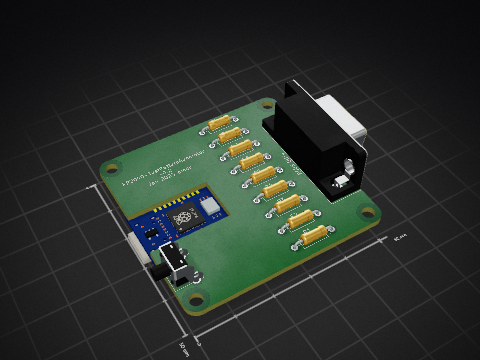
nmur/RP2040-TestPatternGenerator
A simple test pattern generator running on the RP2040 microcontroller

ChrisChrisLoLo/bunchiez40
A pocket keyboard that makes use of mouse switches to achieve a miniscule size

It measures 101 × 64 mm and has 2 copper layers, 1.6 mm thick.
22 parts, built around the RP2040-ZERO. The full list of its parts is on this page, with links to each part's symbol and footprint where PCBKit's library has them.
From the ReuvenSwirsky/WSPRAmp repository on GitHub, at the commit this page was made from: the board is WSPRAmp-layout.kicad_pcb and its schematic WSPRAmp-layout.kicad_sch. PCBKit opens the board in the browser, with nothing to install.
Its repository states no licence, so its author keeps all rights: ask ReuvenSwirsky before reusing the design.