2 layers142.2 × 99.1 mm

 46nori/Z80Atmega1289
Real Z80A system with I/O emulated by AVR(ATmega128)
Z80Atmega128 is an open-source printed circuit board by 46nori, from the 46nori/Z80Atmega128 repository on GitHub, published under the GPL-3.0 licence. It is a 4-layer board of 170 × 130 mm with 109 parts on 163 nets, routed with 2,107 tracks and 846 vias.
It is built around the ATMEGA128-16AU, 74HC125D and 74HC244D, with the 74HCT245, 74HC32D and 74HC08D among its other parts. Its parts include 36 resistors, 24 capacitors, 19 ICs, 7 diodes and 6 connectors. It belongs with the retro computing and games boards and the AVR (ATmega, ATtiny) boards of this library.


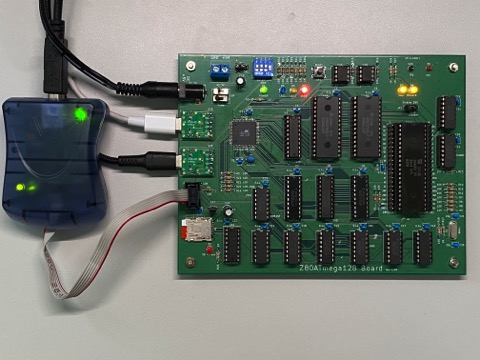
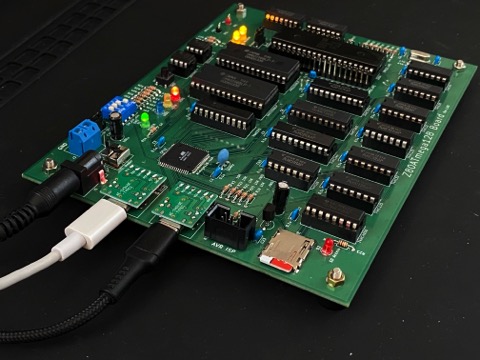
This project aims to build a Z80A system and run CP/M-80 natively on it.
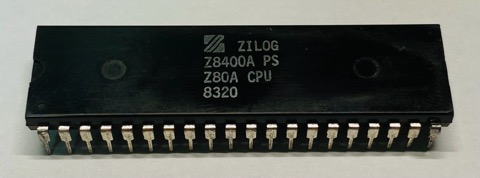
You might be wondering why I chose the Z80 today. Well, it happened to be discovered in my collection of electronic components after being tucked away for 30 years. Moreover, it's an original Zilog Z80A from the NMOS process era, likely manufactured around 1980!
However, rather than simply replicating a single-board microcontroller system from the 1980s, I've decided to take a different approach. Reproducing such a system lacks novelty and excitement, not to mention the difficulty of sourcing the necessary parts.
Hence, I've devised the following design principles:

.
├── avr                      AVR firmware
├── z80                      Z80 software
│   ├── cpm22                CP/M-80 Ver2.2
│   │   ├── bios               BIOS
│   │   ├── sys                CPM.SYS(CCP/BDOS) and cpm.ihx(IPL+CCP/BDOS+BIOS)
│   │   └── image              CP/M 2.2 Disk image
│   └── cpm3                 CP/M 3 (CP/M Plus)
│       └── image              CP/M 3 Disk image
├── doc
│   ├── Hardware/            Hardware documents
│   ├── Software/            Software documents
│   └── README.md            Table of contents
└── schematics
    └── KiCad
        ├── *.kicad_sch      Schematic diagram
        └── *.kicad_pcb      PCB diagram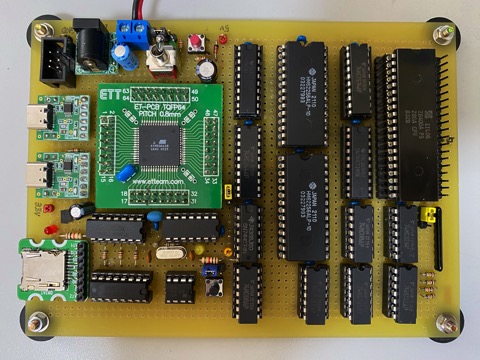
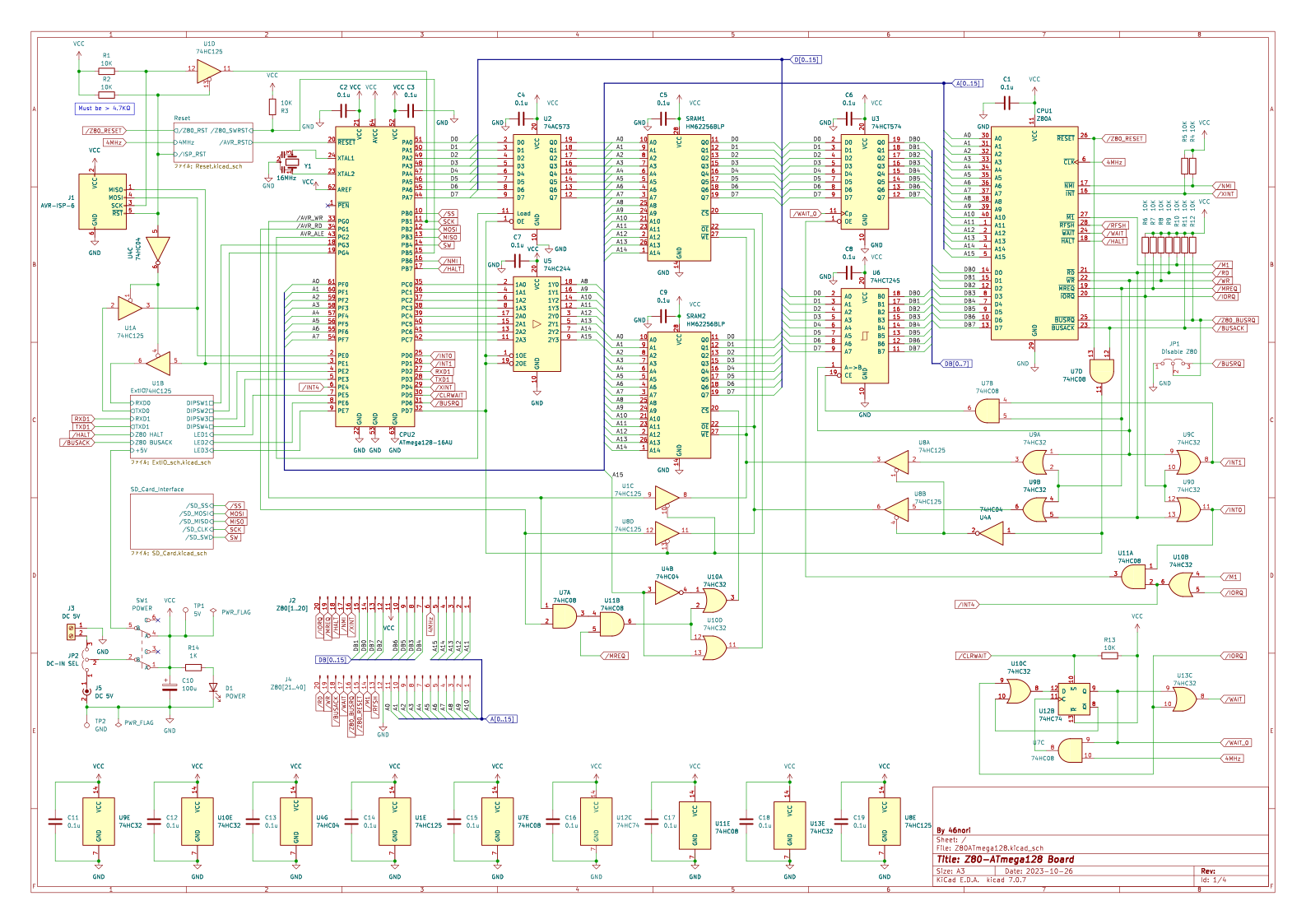
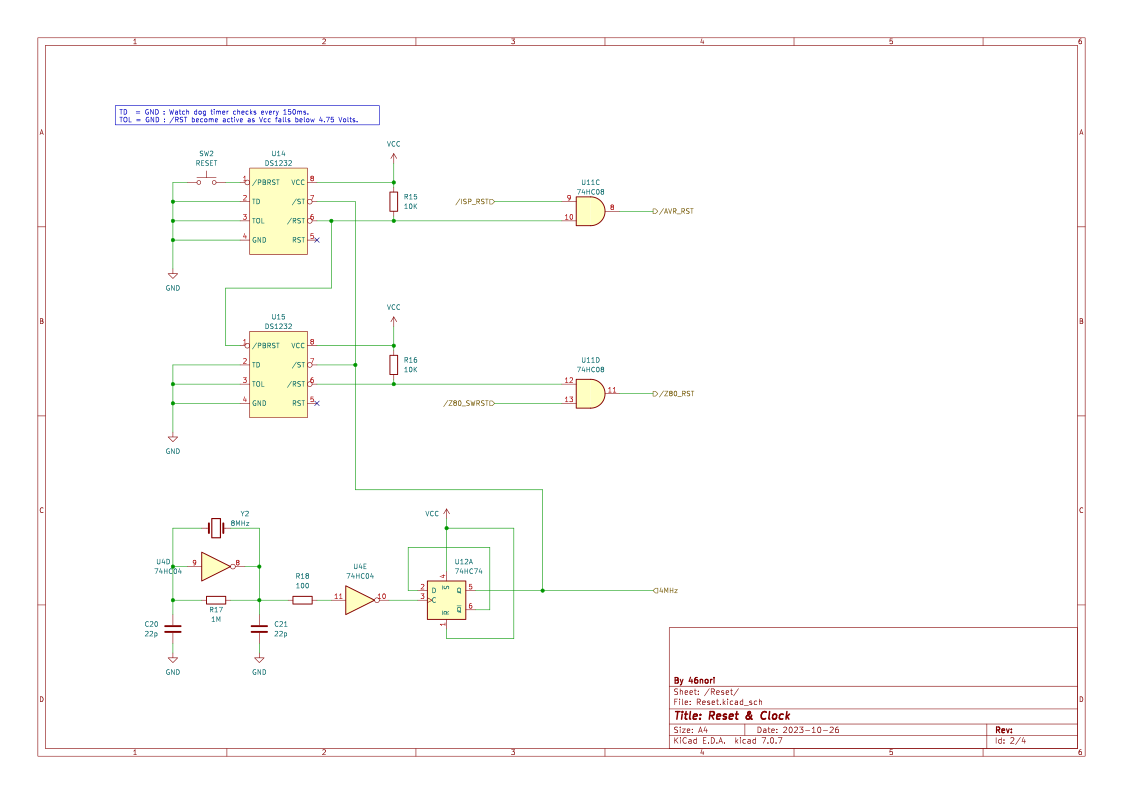
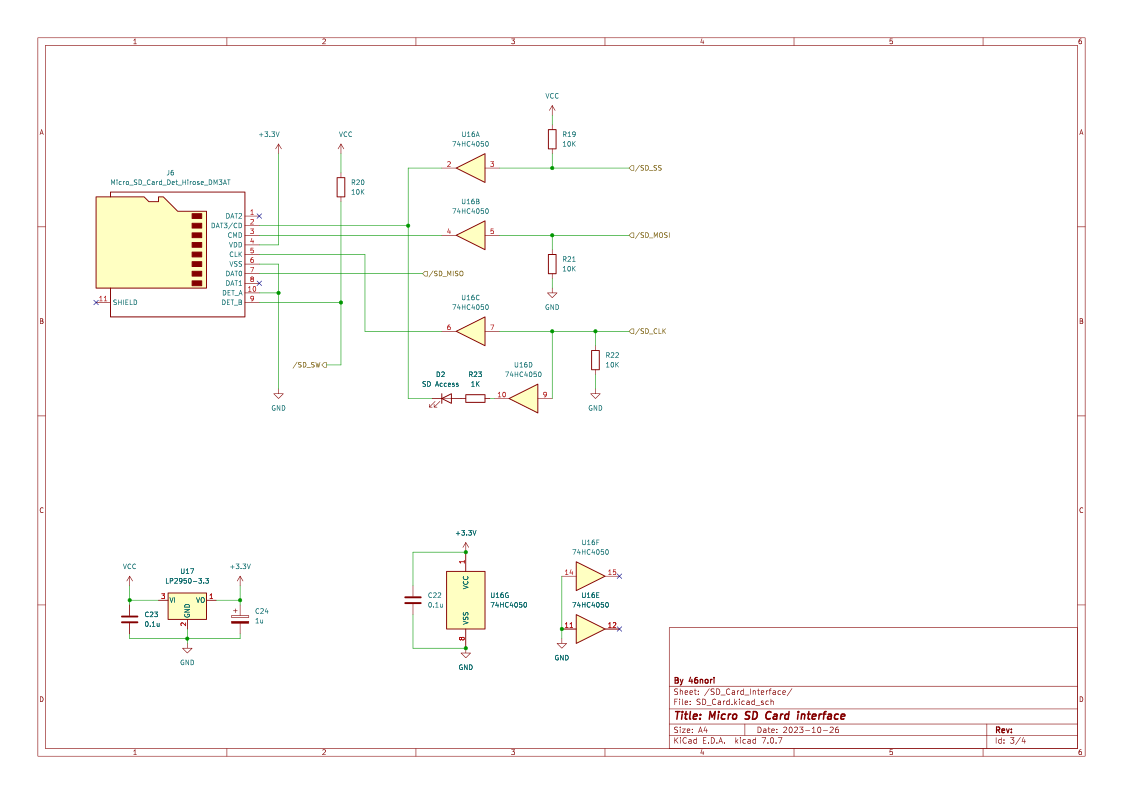
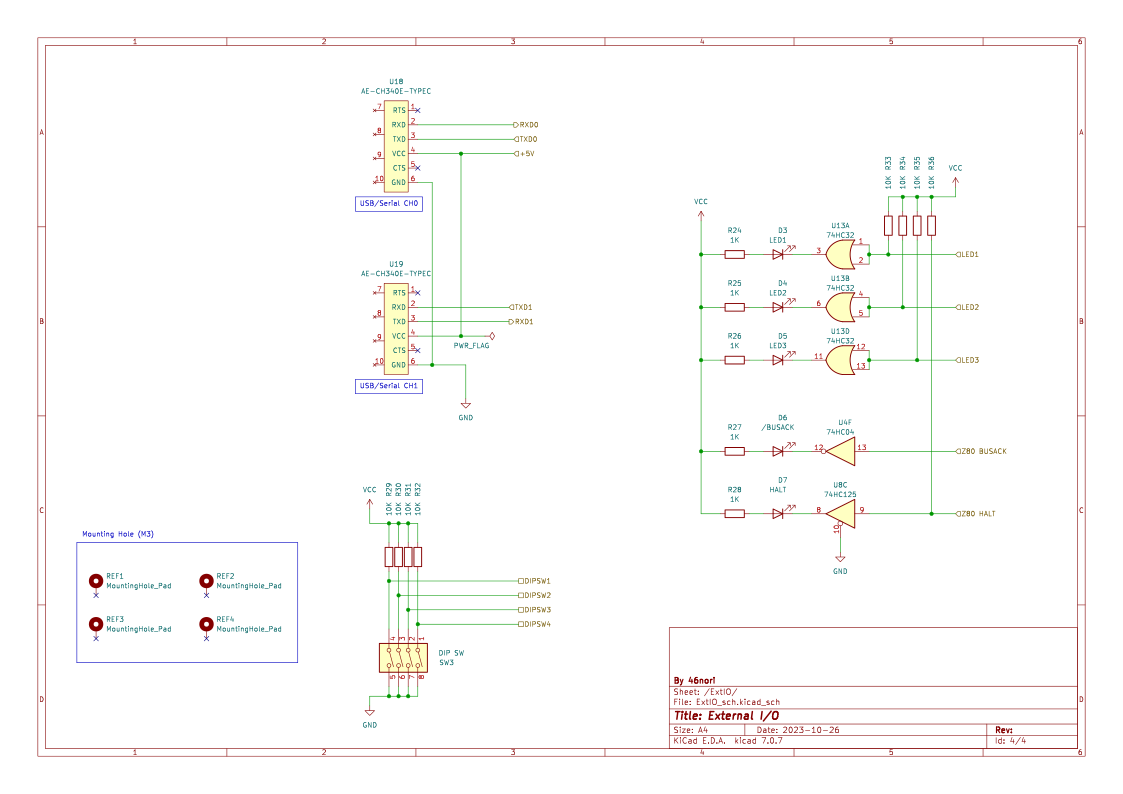
GPLv3
| Qty | Value | Footprint | References |
|---|---|---|---|
| 27 | 10K | Resistor_THT:R_Axial_DIN0204_L3.6mm_D1.6mm_P7.62mm_Horizontal | R1, R2, R3, R10, R11, R12, R13, R15, R16, R19, R20, R21, R22, R29, R30, R31 +11 |
| 20 | 0.1u | Capacitor_THT:C_Disc_D3.8mm_W2.6mm_P2.50mm | C1, C2, C3, C4, C5, C11, C12, C13, C14, C15, C16, C17, C18, C19, C22, C23 +4 |
| 7 | 1K | Resistor_THT:R_Axial_DIN0204_L3.6mm_D1.6mm_P7.62mm_Horizontal | R14, R23, R24, R25, R26, R27, R28 |
| 4 | MountingHole_Pad | MountingHole:MountingHole_3.2mm_M3_ISO7380_Pad | REF1, REF2, REF3, REF4 |
| 3 | 74HC32 | Package_DIP:DIP-14_W7.62mm_Socket | U9, U10, U13 |
| 2 | 22p | Capacitor_THT:C_Disc_D3.8mm_W2.6mm_P2.50mm | C20, C21 |
| 2 | 74HC08 | Package_DIP:DIP-14_W7.62mm_Socket | U7, U11 |
| 2 | 74HC125 | Package_DIP:DIP-14_W7.62mm_Socket | U1, U8 |
| 2 | AE-CH340E-TYPEC | 46nori:AE-CH340E-TYPECH | U18, U19 |
| 2 | DS1232 | Package_DIP:DIP-8_W7.62mm_Socket | U14, U15 |
| 2 | HM62256BLP | Package_DIP:DIP-28_W15.24mm_Socket | SRAM1, SRAM2 |
| 1 | /BUSACK | LED_THT:LED_D3.0mm | D6 |
| 1 | 100 | Resistor_THT:R_Axial_DIN0204_L3.6mm_D1.6mm_P7.62mm_Horizontal | R18 |
| 1 | 100u | Capacitor_THT:CP_Radial_D5.0mm_P2.50mm | C10 |
| 1 | 16MHz | Crystal:Resonator_Murata_CSTLSxxxX-3Pin_W5.5mm_H3.0mm | Y1 |
| 1 | 1M | Resistor_THT:R_Axial_DIN0204_L3.6mm_D1.6mm_P7.62mm_Horizontal | R17 |
| 1 | 1u | Capacitor_THT:CP_Radial_D5.0mm_P2.50mm | C24 |
| 1 | 5V | TestPoint:TestPoint_Loop_D2.50mm_Drill1.0mm | TP1 |
| 1 | 74AC573 | Package_DIP:DIP-20_W7.62mm_Socket | U2 |
| 1 | 74HC04 | Package_DIP:DIP-14_W7.62mm_Socket | U4 |
| 1 | 74HC244 | Package_DIP:DIP-20_W7.62mm_Socket | U5 |
| 1 | 74HC4050 | Package_DIP:DIP-16_W7.62mm_Socket | U16 |
| 1 | 74HC74 | Package_DIP:DIP-14_W7.62mm_Socket | U12 |
| 1 | 74HCT245 | Package_DIP:DIP-20_W7.62mm_Socket | U6 |
| 1 | 74HCT574 | Package_DIP:DIP-20_W7.62mm_Socket | U3 |
| 1 | 8MHz | Crystal:Crystal_HC18-U_Vertical | Y2 |
| 1 | ATmega128-16AU | Package_QFP:TQFP-64_14x14mm_P0.8mm | CPU2 |
| 1 | AVR-ISP-6 | 46nori:BoxHeader_2x03_2.54mm | J1 |
| 1 | DC 5V | Connector_BarrelJack:BarrelJack_Horizontal | J5 |
| 1 | DC 5V | TerminalBlock:TerminalBlock_Altech_AK300-2_P5.00mm | J3 |
| 1 | DC-IN SEL | Connector_PinHeader_2.54mm:PinHeader_1x03_P2.54mm_Vertical | JP2 |
| 1 | DIP SW | Button_Switch_THT:SW_DIP_SPSTx04_Slide_9.78x12.34mm_W7.62mm_P2.54mm | SW3 |
| 1 | Disable Z80 | Connector_PinHeader_2.54mm:PinHeader_1x03_P2.54mm_Vertical | JP1 |
| 1 | GND | TestPoint:TestPoint_Loop_D2.50mm_Drill1.0mm | TP2 |
| 1 | HALT | LED_THT:LED_D3.0mm | D7 |
| 1 | LED1 | LED_THT:LED_D3.0mm | D3 |
| 1 | LED2 | LED_THT:LED_D3.0mm | D4 |
| 1 | LED3 | LED_THT:LED_D3.0mm | D5 |
| 1 | LP2950-3.3 | Package_TO_SOT_THT:TO-92_Inline_Wide | U17 |
| 1 | Micro_SD_Card_Det_Hirose_DM3AT | Connector_Card:microSD_HC_Hirose_DM3AT-SF-PEJM5 | J6 |
| 1 | POWER | 46nori:2MD1-T1-B4-VS2-Q-E | SW1 |
| 1 | POWER | LED_THT:LED_D3.0mm | D1 |
| 1 | RESET | Button_Switch_THT:SW_PUSH_6mm_H7.3mm | SW2 |
| 1 | SD Access | LED_THT:LED_D3.0mm | D2 |
| 1 | Z80A | Package_DIP:DIP-40_W15.24mm_Socket | CPU1 |
| 1 | Z80[1..20] | Connector_PinHeader_2.54mm:PinHeader_1x20_P2.54mm_Vertical | J2 |
| 1 | Z80[21..40] | Connector_PinHeader_2.54mm:PinHeader_1x20_P2.54mm_Vertical | J4 |

ja1umi/MUTIF1613Project
Verious design information related to my home-brewed MN1613 16-bit computer


It measures 170 × 130 mm and has 4 copper layers, 1.6 mm thick.
109 parts, built around the ATMEGA128-16AU, 74HC125D, 74HC244D and 74HCT245. The full list of its parts is on this page, with links to each part's symbol and footprint where PCBKit's library has them.
From the 46nori/Z80Atmega128 repository on GitHub, at the commit this page was made from: the board is schematics/KiCad/Z80ATmega128.kicad_pcb and its schematic schematics/KiCad/ExtIO_sch.kicad_sch. PCBKit opens the board in the browser, with nothing to install.
Its repository publishes it under the GPL-3.0 licence: you may reuse it on that licence's terms (keep the author's notice, and for a copyleft licence share your changes alike).