2 layers61.5 × 87.6 mm

 agkaminski/FellaPC2
DIY 6502 all-in-keyboard personal computer
Fella is an open-source printed circuit board by agkaminski, from the agkaminski/FellaPC repository on GitHub, published under the CC0-1.0 licence. It is a 2-layer board of 284.9 × 96.5 mm with 115 parts on 260 nets, routed with 3,491 tracks and 1,122 vias.
It is built around the 74HC244D, 74HC245D and MAX232N, with the CH340N, 74HC574D and 74HC138 among its other parts. Its parts include 45 capacitors, 32 ICs, 14 resistors, 7 connectors and 2 transistors. It belongs with the keyboards and input and retro computing and games boards and the FPGA and CPLD boards of this library.


All-in-keyboard 6502 based PC with built-in BASIC interpreter.
Features:
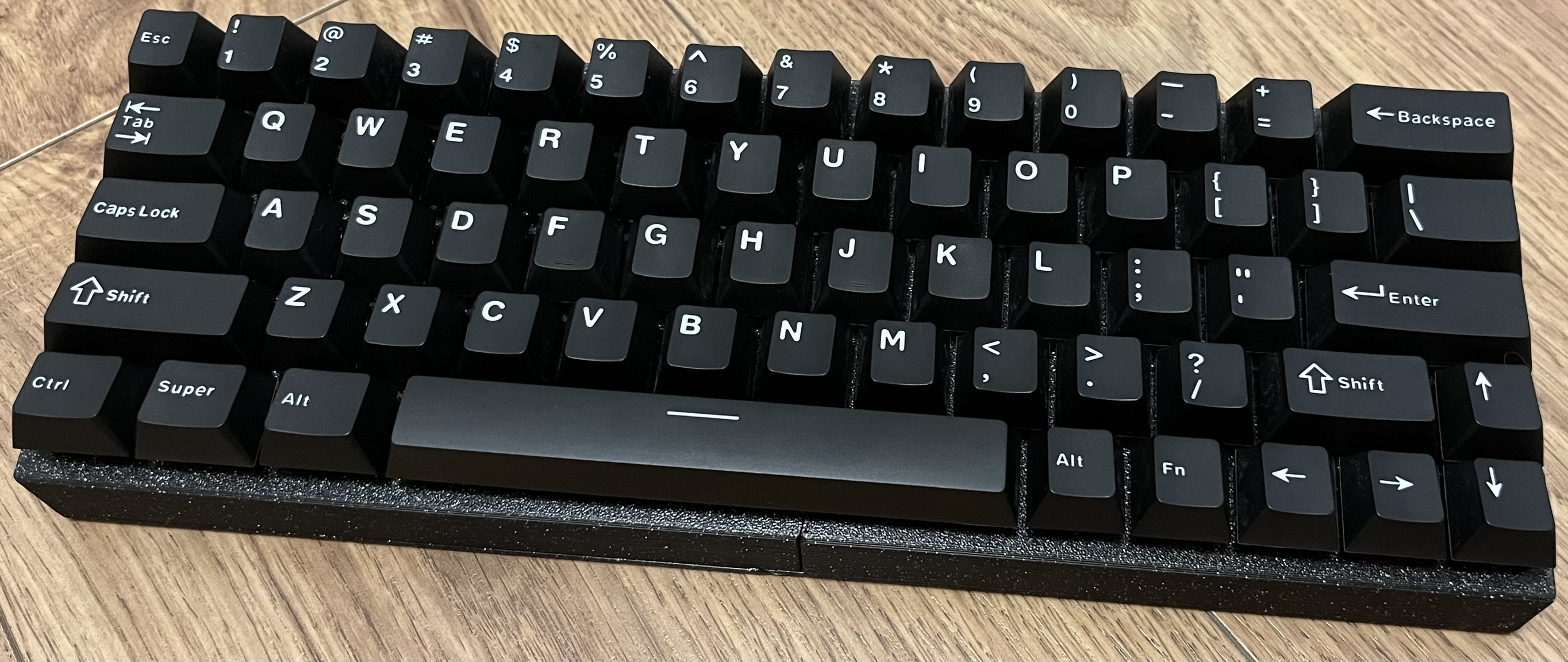
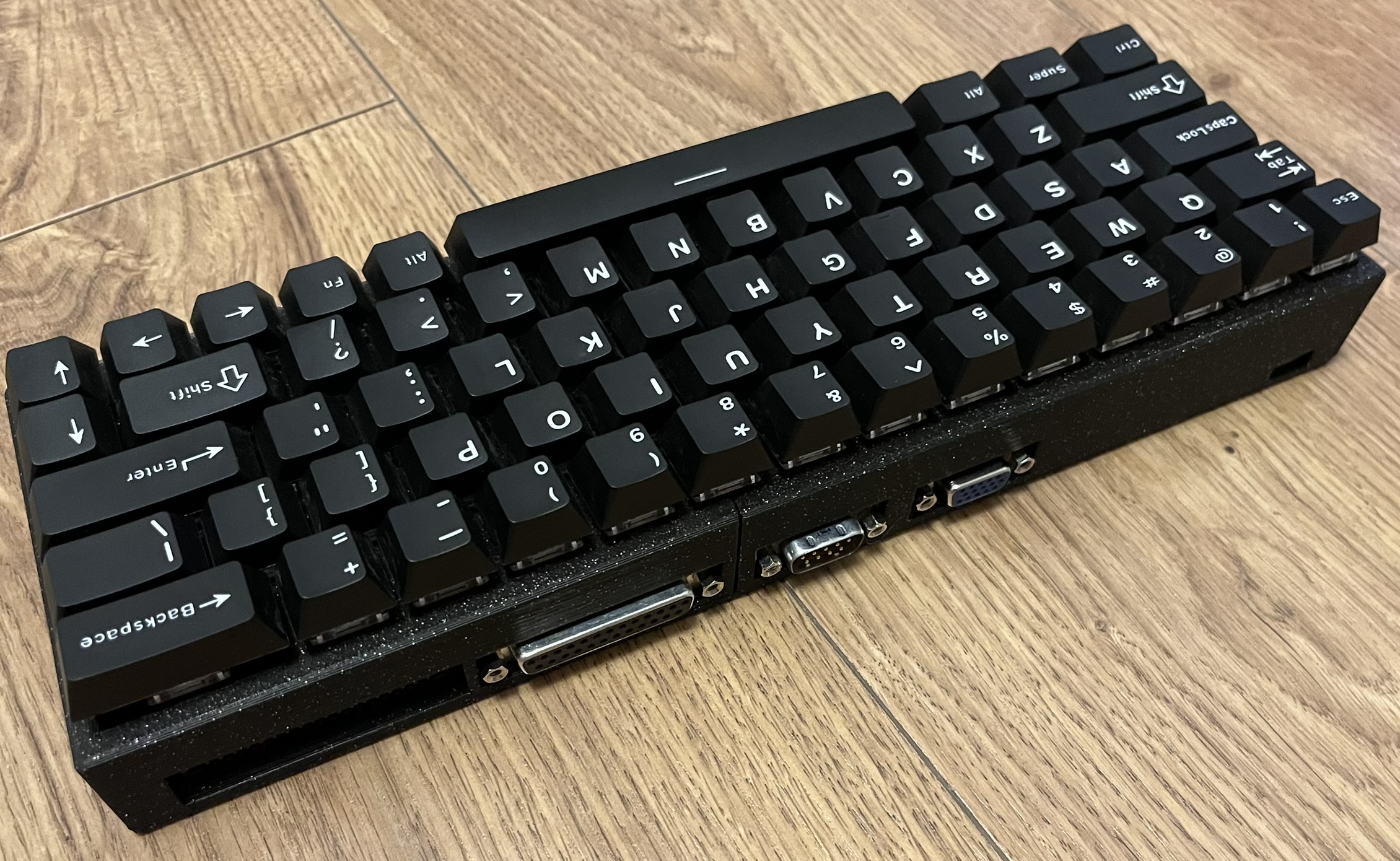
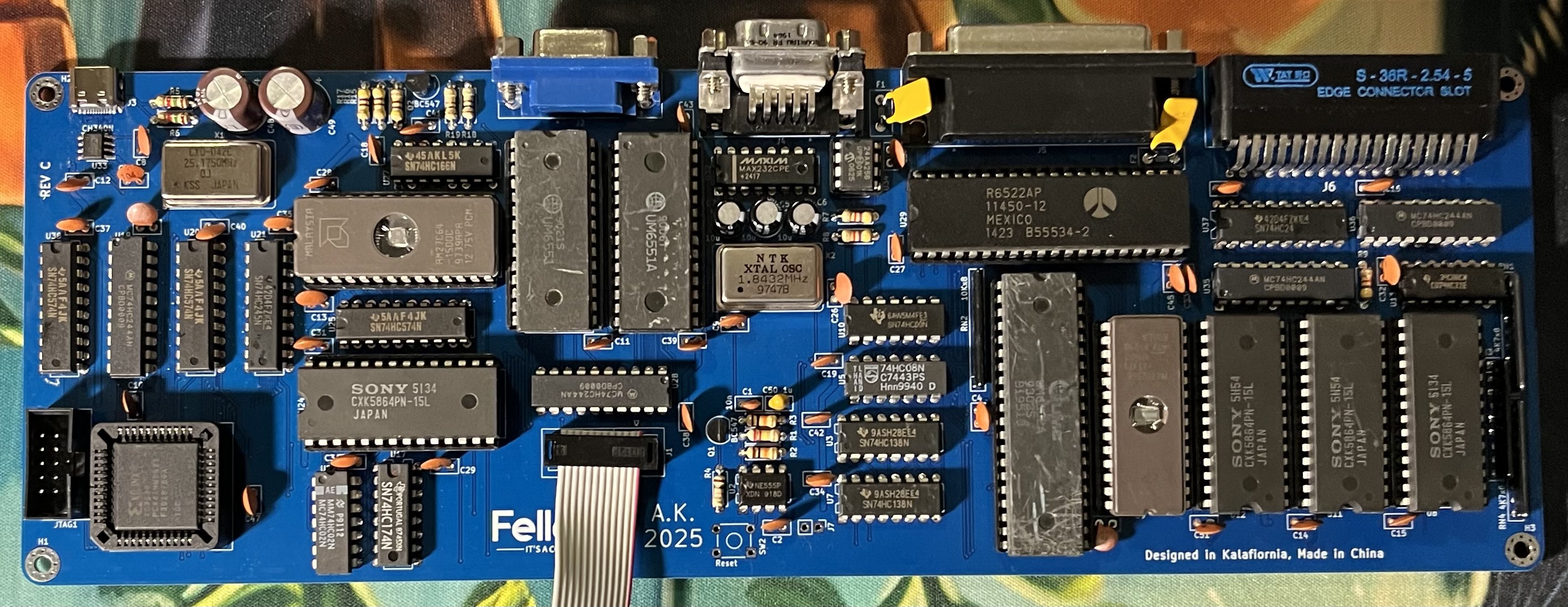
FellaPC provides BASIC language subset (partially inspired by C64 BASIC).
Simple line editor is provided, code is entered line by line. To insert a new line or overwrite existing line type in the line number followed by the code.
Example
10 FOR I = 0 TO 10
20 PRINT I
30 NEXT I
Let's say we want to change line number 20 to print a square of I insted. To do this simply type in a new version of this line:
20 PRINT I*IThe program will be updated:
LIST

10 FOR I = 0 TO 10
20 PRINT I*I
30 NEXT I

ReadyFollowing commands are supported:
Print out to the screen.
Syntax examples:
PRINT "String"
PRINT "String", variable
PRINT "String"; variable
PRINT variable
PRINT var1, var2Prompt user for input, real numbers only.
Syntax examples:
INPUT var
INPUT "Prompt", varUsed for loops. Intelacing and infinite loop nesting are supported.
Syntax example:
10 FOR VAR=0 TO 10 STEP 2
20 PRINT I
30 NEXT I
Above loop will output:
0
2
4
6
8Jump to the line in the code.
Syntax example:
10 GOTO 30
20 PRINT "foo"
30 PRINT "bar"
Above code will output only bar, as foo has been skipped by goto.
Similar to GOTO, but allows returning back from the destination of jump via RETURN.
Return address (line after GOSUB) is placed on the return stack. There is no limit
on the stack depth (apart from the computer memory capacity).
Syntax example:
10 GOSUB 200
20 PRINT "bar"
30 END
200 PRINT "foo"
210 RETURN
Folowing code will output:
foo
barConditional execution.
Syntax example:
var = 5
10 IF var > 10 THEN 100 ELSE 200
100 PRINT "foo"
200 PRINT "bar"
Above code will only output bar, as var is not greater than 10.
Clear the screen and return cursor to the home position.
End program execution, return the interactive mode.
Starts execution of the program. Can be used in the interactive mode only.
Displays program. Can be used in the interactive mode only.
Stores the program on the non-volatile memory. Can be used in the interactive mode only.
Loads the program from the non-volatile memory. Can be used in the interactive mode only.
Return absolute value.
Syntax example:
10 PRINT ABS(-5)
20 PRINT ABS(5)
This program will output:
5
5Pseudo-variable. Return available BASIC memory in bytes.
Returns integer part of the real number.
Syntax example
PRINT INT(3.1412)Will output 3.
Pseudo-variable. Return a random real number in the range of <0, 1).
Functions that allow direct reading and modification of the computer memory.
Syntax examples:
PRINT PEEK(100)Displays value of the memory at address 100.
POKE(100, 42)Stores 42 at the address 100.
Following operators are supported:
( ) * + , - / ; < = > <= >= AND NOT ORVariables are declared on the first use:
a = 5
var = 42Applies to rev A, rev B:
All limitations in the firmware come from the limited size of the ROM space and poor performance of the CC65 C compiler. 16 KB of program memory was thought to be just enought to fit a full BASIC interpreter implementation. Alas, CC65 does not optimize almost at all for the code size. 6502 is also infamous of not playing nice with the C language. There was much struggle at the end of the development with the ROM space running out - so some features were removed or abandoned and some functions has been rewritten in assembled instead (which provides huge savings). It was deciced against writing the BASIC interpreter itself in the assembler, in hope to reuse it in the future project, with its portability in mind. Writing the whole firmware in assembler would also prolong the project and more it difficult to maintain.
Due to above concerns, following hardware features are not handled by the firmware:
Although these features can still be used by PEEK and POKE keywords of BASIC.
Visual glitches are expected on the VGA output when the VRAM is being modified. CPU is too slow and DRAM refresh takes too long to be able to perfom any operation during VBLANK.
FellaPC rev C SBC PCB and keyboard PCB are a 2-layer design.
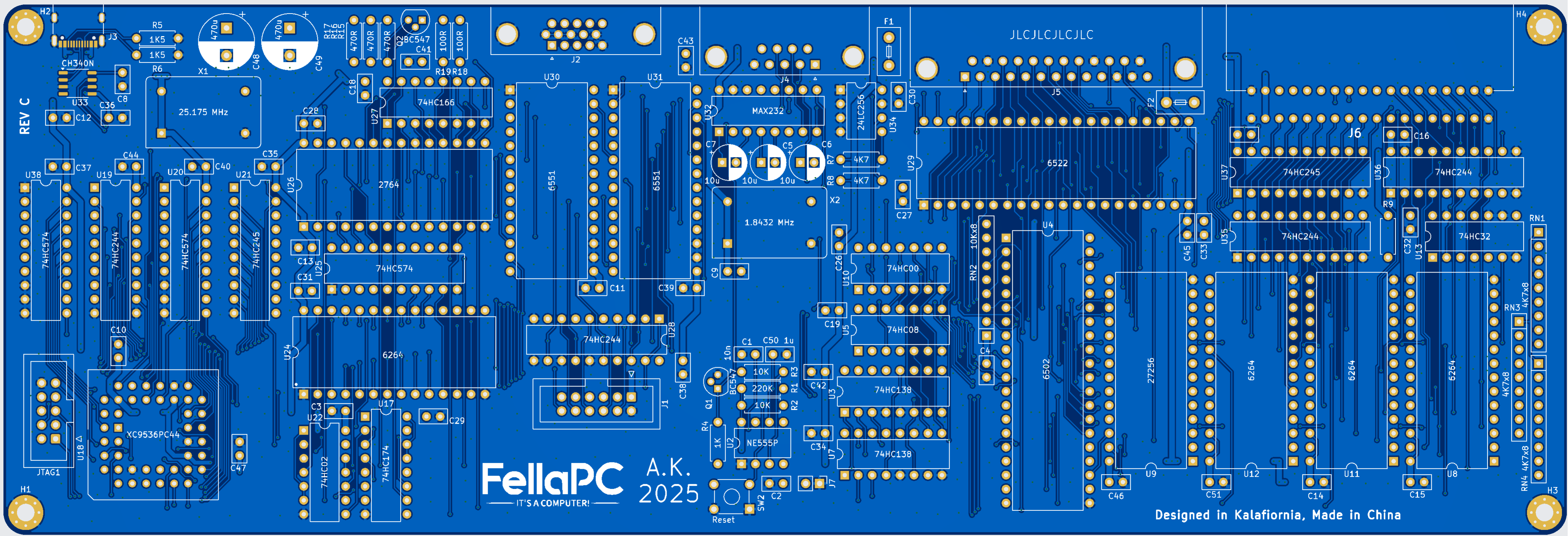
Case is provided as STL files that are designed for the FDM 3D priting. There are three parts:
All parts are too big to be printed in one piece on most 3D printers, so cutting the model during slicing and glueing back together after printing might be needed. Threaded inserts have to be embedded in the plastic.
Hardware needed:
| Qty | Value | Footprint | References |
|---|---|---|---|
| 38 | 100n | Capacitor_THT:C_Disc_D5.0mm_W2.5mm_P2.50mm | C2, C3, C10, C11, C12, C13, C14, C15, C16, C17, C18, C19, C26, C27, C28, C29 +22 |
| 4 | 74HC244 | Package_DIP:DIP-20_W7.62mm | U19, U28, U35, U36 |
| 4 | MountingHole_Pad | MountingHole:MountingHole_3.2mm_M3_Pad_Via | H1, H2, H3, H4 |
| 3 | 10u | Capacitor_THT:CP_Radial_D6.3mm_P2.50mm | C5, C6, C7 |
| 3 | 470R | Resistor_THT:R_Axial_DIN0207_L6.3mm_D2.5mm_P7.62mm_Horizontal | R15, R16, R17 |
| 3 | 4K7 | Resistor_THT:R_Axial_DIN0207_L6.3mm_D2.5mm_P7.62mm_Horizontal | R7, R8, R9 |
| 3 | 4K7x8 | Resistor_THT:R_Array_SIP9 | RN1, RN3, RN4 |
| 3 | 6264 | Package_DIP:DIP-28_W15.24mm | U8, U11, U12 |
| 3 | 74HC574 | Package_DIP:DIP-20_W7.62mm | U20, U25, U38 |
| 2 | 100R | Resistor_THT:R_Axial_DIN0207_L6.3mm_D2.5mm_P7.62mm_Horizontal | R18, R19 |
| 2 | 10K | Resistor_THT:R_Axial_DIN0207_L6.3mm_D2.5mm_P7.62mm_Horizontal | R2, R3 |
| 2 | 1K5 | Resistor_THT:R_Axial_DIN0207_L6.3mm_D2.5mm_P7.62mm_Horizontal | R5, R6 |
| 2 | 470u | Capacitor_THT:CP_Radial_D10.0mm_P5.00mm | C48, C49 |
| 2 | 6551 | Package_DIP:DIP-28_W15.24mm | U30, U31 |
| 2 | 74HC138 | Package_DIP:DIP-16_W7.62mm | U3, U7 |
| 2 | 74HC245 | Package_DIP:DIP-20_W7.62mm | U21, U37 |
| 2 | BC547 | Package_TO_SOT_THT:TO-92 | Q1, Q2 |
| 2 | Fuse | PCM_Fuse_AKL:Fuse_Littelfuse_395Series | F1, F2 |
| 1 | 10Kx8 | Resistor_THT:R_Array_SIP9 | RN2 |
| 1 | 10n | Capacitor_THT:C_Disc_D5.0mm_W2.5mm_P2.50mm | C1 |
| 1 | 1K | Resistor_THT:R_Axial_DIN0207_L6.3mm_D2.5mm_P7.62mm_Horizontal | R4 |
| 1 | 1u | Capacitor_THT:C_Disc_D5.0mm_W2.5mm_P2.50mm | C50 |
| 1 | 220K | Resistor_THT:R_Axial_DIN0207_L6.3mm_D2.5mm_P7.62mm_Horizontal | R1 |
| 1 | 24LC256 | Package_DIP:DIP-8_W7.62mm | U34 |
| 1 | 27256 | Package_DIP:DIP-28_W15.24mm | U9 |
| 1 | 2764 | Package_DIP:DIP-28_W15.24mm | U26 |
| 1 | 6264 | PCM_Package_DIP_AKL:DIP-28_W15.24mm | U24 |
| 1 | 6522 | Package_DIP:DIP-40_W15.24mm | U29 |
| 1 | 74HC00 | Package_DIP:DIP-14_W7.62mm | U10 |
| 1 | 74HC02 | Package_DIP:DIP-14_W7.62mm | U22 |
| 1 | 74HC08 | Package_DIP:DIP-14_W7.62mm | U5 |
| 1 | 74HC166 | Package_DIP:DIP-16_W7.62mm | U27 |
| 1 | 74HC174 | Package_DIP:DIP-16_W7.62mm | U17 |
| 1 | 74HC32 | Package_DIP:DIP-14_W7.62mm | U13 |
| 1 | ACO-1.8432MHz-A | Oscillator:Oscillator_DIP-14 | X2 |
| 1 | ACO-25.175MHz-A | Oscillator:Oscillator_DIP-14 | X1 |
| 1 | CH340N | Package_SO:SOP-8_3.9x4.9mm_P1.27mm | U33 |
| 1 | Conn_01x02 | Connector_PinHeader_2.54mm:PinHeader_1x02_P2.54mm_Vertical | J7 |
| 1 | Conn_02x05_Odd_Even | Connector_IDC:IDC-Header_2x05_P2.54mm_Vertical | JTAG1 |
| 1 | Conn_02x06_Odd_Even | Connector_IDC:IDC-Header_2x06_P2.54mm_Vertical | J1 |
| 1 | Conn_02x18_Top_Bottom | 8bits:EDGE_2x18 | J6 |
| 1 | DB25_Receptacle_MountingHoles | Connector_Dsub:DSUB-25_Socket_Horizontal_P2.77x2.84mm_EdgePinOffset7.70mm_Housed_MountingHolesOffset9.12mm | J5 |
| 1 | DE15_Receptacle_HighDensity_MountingHoles | Connector_Dsub:DSUB-15-HD_Female_Horizontal_P2.29x1.98mm_EdgePinOffset3.03mm_Housed_MountingHolesOffset4.94mm | J2 |
| 1 | DE9_Plug_MountingHoles | Connector_Dsub:DSUB-9_Male_Horizontal_P2.77x2.84mm_EdgePinOffset7.70mm_Housed_MountingHolesOffset9.12mm | J4 |
| 1 | LOGO | logo:logo | G*** |
| 1 | MAX232 | Package_DIP:DIP-16_W7.62mm | U32 |
| 1 | NE555P | Package_DIP:DIP-8_W7.62mm | U2 |
| 1 | Reset | Button_Switch_THT:SW_TH_Tactile_Omron_B3F-10xx | SW2 |
| 1 | USB_C_Receptacle_USB2.0_14P | Connector_USB:USB_C_Receptacle_G-Switch_GT-USB-7010ASV | J3 |
| 1 | W65C02SxP | Package_DIP:DIP-40_W15.24mm | U4 |
| 1 | XC9536PC44 | Package_LCC:PLCC-44_THT-Socket | U18 |


slu4coder/Minimal-64x4-Home-Computer
My DIY TTL home computer with VGA and PS/2 and 4x the processing power of a Commodore C64 or Apple II.

nailed-barnacle/Cisc-8-ttl-processor
A cut-down version of the 8080 processor using HCTTL and including a discrete ALU and instruction decoder

slu4coder/Minimal-64-Home-Computer
Legacy: Full TTL-only home computer with VGA and PS/2 and twice the processing power of a Commodore 64
It measures 284.9 × 96.5 mm and has 2 copper layers, 1.69 mm thick.
115 parts, built around the 74HC244D, 74HC245D, MAX232N and CH340N. The full list of its parts is on this page, with links to each part's symbol and footprint where PCBKit's library has them.
From the agkaminski/FellaPC repository on GitHub, at the commit this page was made from: the board is kicad/fella.kicad_pcb and its schematic expansion/cart/cart.kicad_sch. PCBKit opens the board in the browser, with nothing to install.
Its repository publishes it under the CC0-1.0 licence: you may reuse it on that licence's terms (keep the author's notice, and for a copyleft licence share your changes alike).
