

2 layers55 × 87.5 mm
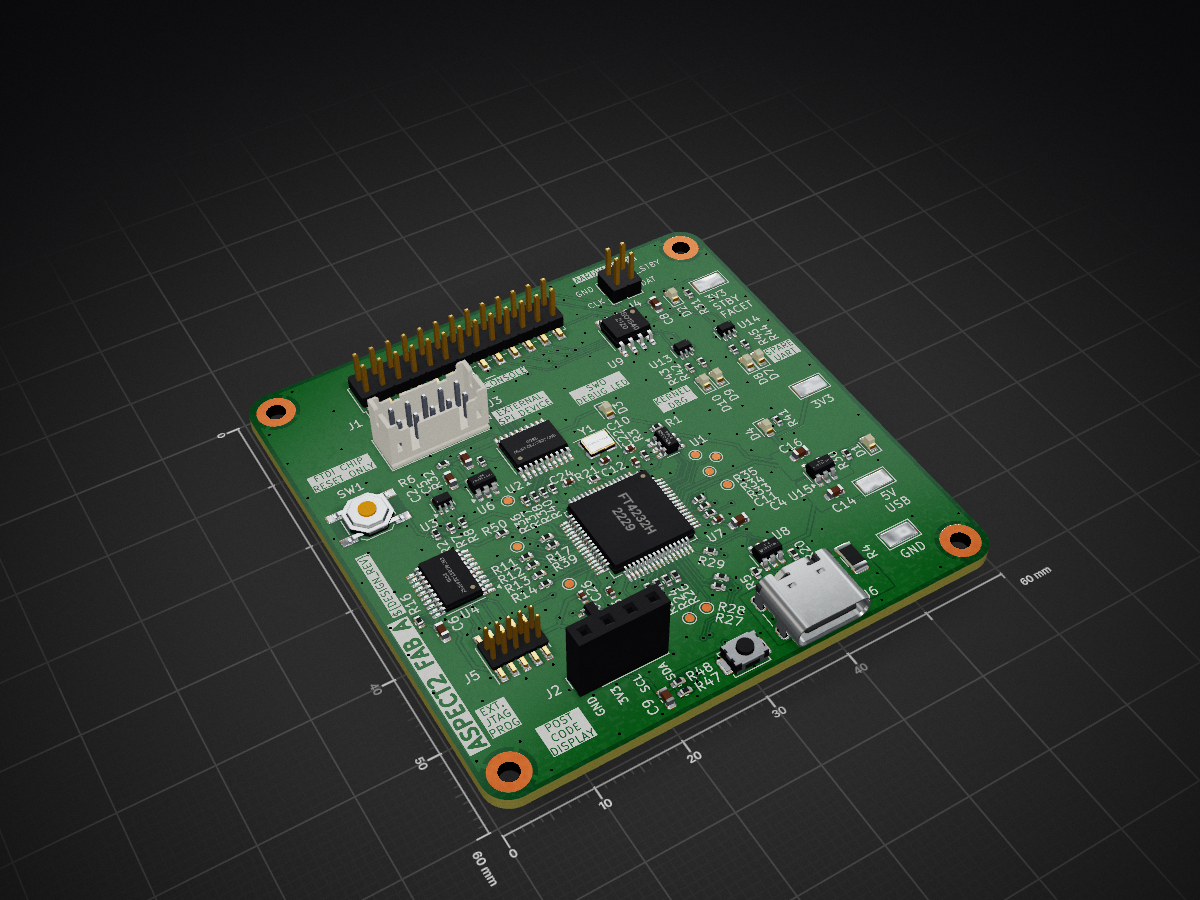
Facet2 FabA PCB Clone
ASPECT2 is an open-source printed circuit board by xboxoneresearch, from the xboxoneresearch/ASPECT2-PCB repository on GitHub. It is a 4-layer board of 60 × 60 mm with 132 parts on 122 nets, routed with 864 tracks and 315 vias.
It is built around the SN74AUP2G07DCKR-TP, SN74LVC2G06DCKR-TP and 93LC56B, with the FT4232HL, ISO1540D and SN74LVC1G06DCKR among its other parts. Its parts include 49 resistors, 31 capacitors, 13 ICs, 8 diodes and 6 connectors. It belongs with the interfaces and adapters boards and the STM32 boards of this library.


Development board for Xbox One / Xbox Series consoles, based mostly on blurry PCB images.
Allows for POST-Code monitoring (via I2C) and reading flash via SPI.
On some development kits, there are more features available.
See Functionality for more infos
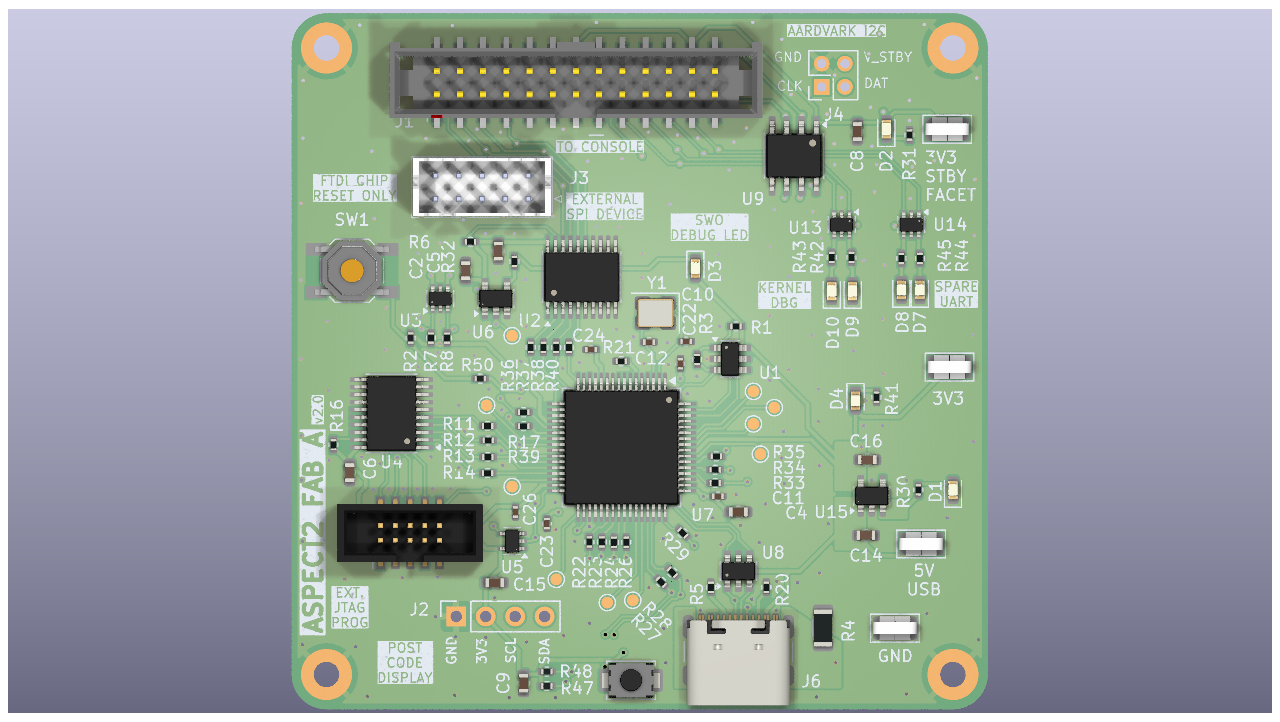
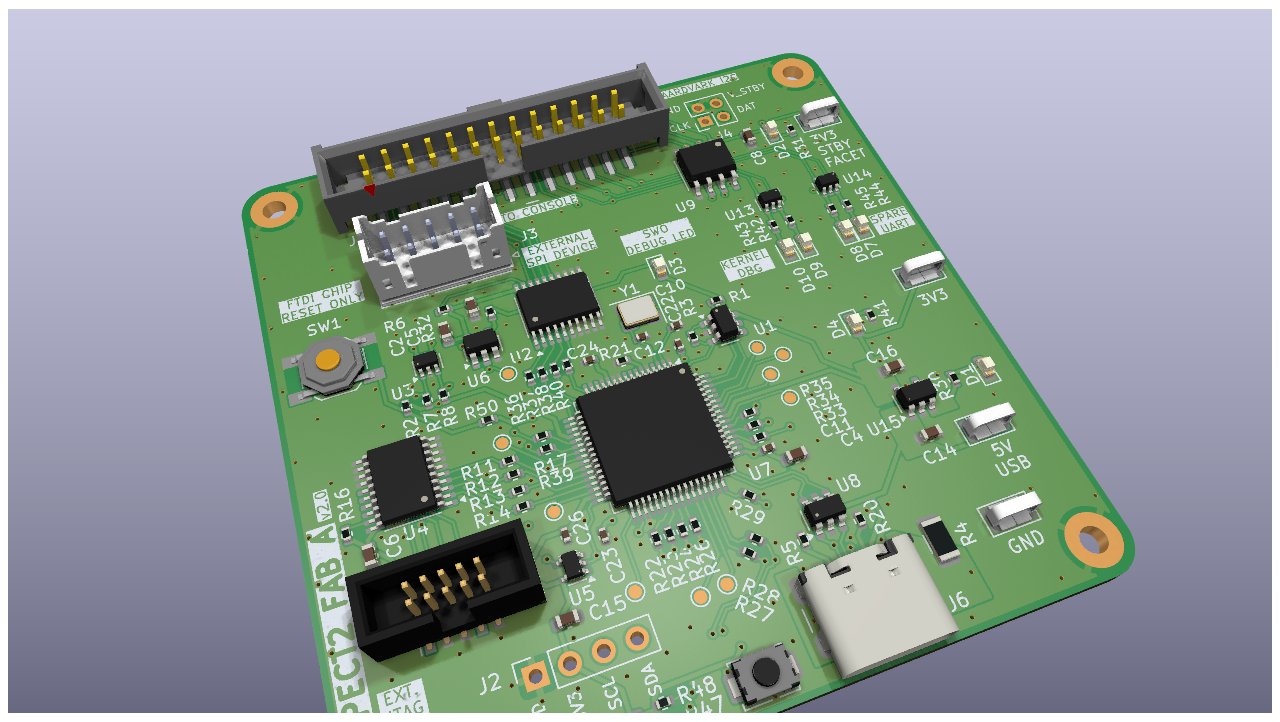
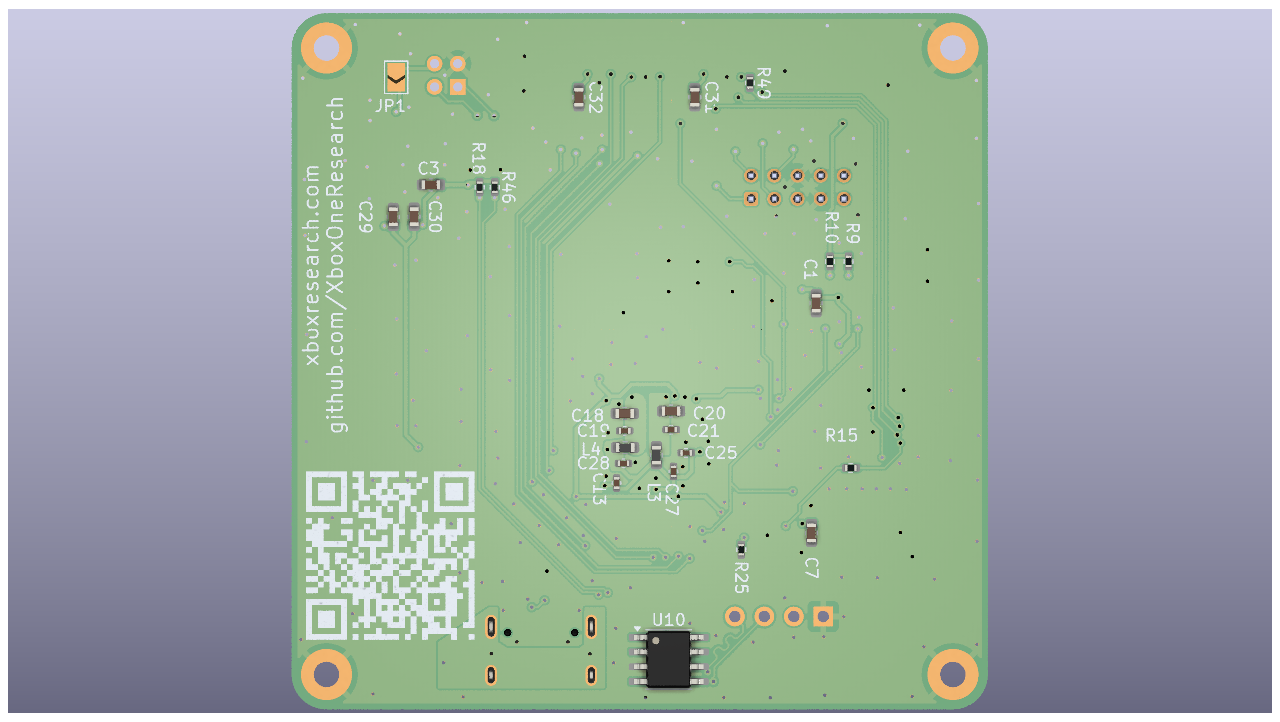
Breakout board:
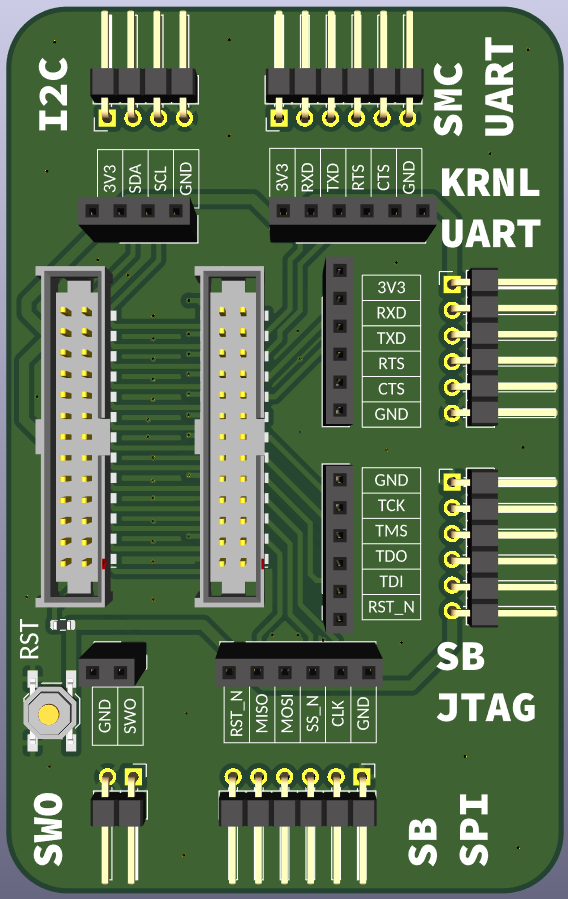
This repo contains:
| Functionality | Description | Tested / Working | Notes |
|---|---|---|---|
| SPI | Reading eMMC flash | ✅ | Could also support reading SPI NOR on series-family |
| POST | POST-Code display | ✅ | STM32 renders codes to OLED display |
| JTAG | Southbridge JTAG | ✅ | Devkit exclusive |
| I2C | SMBus communication | ✅ | As I2C-master via bitbanging (libaspect2, slow) |
| SWO | ARM Single-Wire-Output | ❌ | No success, Devkit exclusive (?) |
| UART (KRNL) | Kernel Debugging | ✅ | Devkit exclusive |
| UART (SMC) | SMC/SB Debugging | ✅ | Requires soldering (see FACET in #references) |
There are two main repos with support software for this board.
|- Main Aspect2 PCB
├── eeprom
│   ├── Greybull_FabD+.xml - FT Prog template (official on-board FACET)
│   └── Facet2_fabA+.xml - FT Prog template (derived from onboard FTDI dump)
├── firmware - STM32 firmware
├── pcb - KiCad project (PCB / schematics)
│ └── lib - additional KiCad symbols / footprintsThis PCB was designed with the target stackup of JLC04161H-3313 (JLCPCB). See JLCPCB - Impedance.
Generally, Github Pages hosts the most up-to-date manufacturing files. These are also available for download on the Releases-page.
Here is a list of the most important ones.
We recommend JLCPCB, due to the specific Layer-Stackup that was used.
JLCPCB MFG files
Manufacturing files are normally built by CI (see badges above), but you can reproduce that build locally with KiBot's Docker image instead of installing KiCad + KiBot yourself.
docker run --rm -v "$(pwd)":/work --entrypoint /work/docker-entrypoint.sh ghcr.io/inti-cmnb/kicad9_auto_full:latestThis mounts the repo into the container, runs KiBot against .kibot.yml / pcb/ASPECT2.kicad_sch, and copies the results back into output_docker/. Works with Podman too (podman run in place of docker run).
Before being able to communicate with the device, programming eeprom or regular usage, drivers need to be installed!
See firmware/ for detailed build & flash instructions.
@emoose @OGXHarcroft @cactusduper @TorusHyperV @ShadowLAG @billy @craftbenmine @DonyPS3 @flynnyfoo @jacksomness @Pheeeenoom and everybody else helping and testing along the way
| Qty | Value | Footprint | References |
|---|---|---|---|
| 12 | 1 uF | Capacitor_SMD:C_0603_1608Metric | C1, C2, C3, C5, C6, C7, C8, C9, C14, C15, C29, C30 |
| 12 | 33 | Resistor_SMD:R_0402_1005Metric | R11, R12, R14, R22, R24, R29, R34, R36, R37, R38, R40, R49 |
| 11 | 0.1 uF | Capacitor_SMD:C_0402_1005Metric | C11, C13, C19, C21, C22, C23, C24, C25, C26, C27, C28 |
| 10 | 0 | Resistor_SMD:R_0402_1005Metric | R13, R15, R17, R23, R26, R27, R28, R33, R35, R39 |
| 10 | TestPoint | TestPoint:TestPoint_Pad_D1.0mm | TP_AD1, TP_BD1, TP_BD2, TP_CD1, TP_CD2, TP_DD1, TP_DD2, TP_DD3, TP_DD4, TP_SWO1 |
| 9 | 100 | Resistor_SMD:R_0402_1005Metric | R9, R10, R31, R32, R41, R42, R43, R44, R45 |
| 5 | 10k | Resistor_SMD:R_0402_1005Metric | R1, R2, R6, R16, R25 |
| 5 | 4.7 uF | Capacitor_SMD:C_0603_1608Metric | C4, C18, C20, C31, C32 |
| 4 | MountingHole | MountingHole:MountingHole_2.2mm_M2_Pad | H1, H2, H3, H4 |
| 4 | TestPoint | TestPoint:TestPoint_Keystone_5019_Miniature | TP1, TP2, TP3, TP4 |
| 4 | blue LED | LED_SMD:LED_0603_1608Metric | D7, D8, D9, D10 |
| 3 | red LED | LED_SMD:LED_0603_1608Metric | D1, D2, D4 |
| 2 | 2K2 | Resistor_SMD:R_0402_1005Metric | R47, R48 |
| 2 | 2k2 | Resistor_SMD:R_0402_1005Metric | R18, R46 |
| 2 | 30 pF | Capacitor_SMD:C_0402_1005Metric | C10, C12 |
| 2 | 4k7 | Resistor_SMD:R_0402_1005Metric | R7, R8 |
| 2 | 5k1 | Resistor_SMD:R_0402_1005Metric | R5, R20 |
| 2 | 600R | Inductor_SMD:L_0603_1608Metric | L3, L4 |
| 2 | SN74CB3T3245PWR | Package_SO:TSSOP-20_4.4x6.5mm_P0.65mm | U2, U4 |
| 2 | SN74LVC2G06DCKR | Package_TO_SOT_SMD:SOT-363_SC-70-6 | U13, U14 |
| 1 | 0 | Resistor_SMD:R_1206_3216Metric | R4 |
| 1 | 0.47 uF | Capacitor_SMD:C_0603_1608Metric | C16 |
| 1 | 12K | Resistor_SMD:R_0402_1005Metric | R21 |
| 1 | 150 | Resistor_SMD:R_0402_1005Metric | R30 |
| 1 | 1k | Resistor_SMD:R_0402_1005Metric | R50 |
| 1 | 2k | Resistor_SMD:R_0402_1005Metric | R3 |
| 1 | 74LVC1G07DBV | Package_TO_SOT_SMD:SOT-23-5 | U6 |
| 1 | 93LC56B | Package_TO_SOT_SMD:SOT-23-6 | U1 |
| 1 | AARDVARK | Connector_PinHeader_2.00mm:PinHeader_2x02_P2.00mm_Vertical | J4 |
| 1 | Conn_01x04_OLED_SSD1306 | Connector_PinSocket_2.54mm:PinSocket_1x04_P2.54mm_Vertical | J2 |
| 1 | Conn_02x13P_SMD | Connector_PinHeader_2.00mm:PinHeader_2x13_P2.00mm_Vertical_SMD | J1 |
| 1 | Conn_ARM_JTAG_SWD_10 | Connector_PinHeader_1.27mm:PinHeader_2x05_P1.27mm_Vertical_SMD | J5 |
| 1 | FT4232H | Package_QFP:LQFP-64_10x10mm_P0.5mm | U7 |
| 1 | ISO1540 | Package_SO:SOIC-8_3.9x4.9mm_P1.27mm | U9 |
| 1 | JST B10B-PHDSS-B | Connector_JST:JST_PHD_B10B-PHDSS_2x05_P2.00mm_Vertical | J3 |
| 1 | RESET | Button_Switch_SMD:SW_SPST_SKQG_WithoutStem | SW1 |
| 1 | SN74AUP2G07DCKR | Package_TO_SOT_SMD:SOT-363_SC-70-6 | U3 |
| 1 | SN74LVC1G06DCKR | Package_TO_SOT_SMD:SOT-353_SC-70-5 | U5 |
| 1 | STM32G031J6Mx | Package_SO:SOIC-8_3.9x4.9mm_P1.27mm | U10 |
| 1 | SW_Push_STM32 | Button_Switch_SMD:SW_SPST_TS-1088-xR020 | SW2 |
| 1 | SolderJumper_2_Open | Jumper:SolderJumper-2_P1.3mm_Open_TrianglePad1.0x1.5mm | JP1 |
| 1 | TLV75533PDBVR | Package_TO_SOT_SMD:SOT-23-5 | U15 |
| 1 | USBLC6-2SC6 | Package_TO_SOT_SMD:SOT-23-6 | U8 |
| 1 | USB_C_Receptacle_USB2.0_16P | Connector_USB:USB_C_Receptacle_GCT_USB4105-xx-A_16P_TopMnt_Horizontal | J6 |
| 1 | XTAL 12Mhz | Crystal:Crystal_SMD_3225-4Pin_3.2x2.5mm | Y1 |
| 1 | green LED | LED_SMD:LED_0603_1608Metric | D3 |
| 1 | ~ | QR_Code:Github_Project_Link | SYM1 |


AxelMcKenna/AFX-1000
RMX-1000-inspired effects processor for macOS, AU and VST3, built on a shared C++20 engine. Standalone Daisy Seed 3 hardware with two main PCBs and a custom housing is in development.

calperxd/tangnano9k-kr260-hat
FPGA HAT for the AMD Kria KR260 based on the Tang Nano 9K (Gowin GW1NR-9, FT2232H, 16-bit parallel link on J21): KiCad 10 schematic, 4-layer PCB and JLCPCB production files


zeodotdev/zeo-boards
ESP32-S3 development board with onboard BME280 (temperature, humidity, pressure) and LSM6DS3 (6-axis IMU) sensors. This repo contains the designs, ESP-IDF firmware, and a Python plotter for visualization.

MichalVarsanyi/VoxLink
VoxLink is a high-speed solution that allows interfacing of up to 100 sensors using a single high-speed host device.
It measures 60 × 60 mm and has 4 copper layers, 1.58 mm thick.
132 parts, built around the SN74AUP2G07DCKR-TP, SN74LVC2G06DCKR-TP, 93LC56B and FT4232HL. The full list of its parts is on this page, with links to each part's symbol and footprint where PCBKit's library has them.
From the xboxoneresearch/ASPECT2-PCB repository on GitHub, at the commit this page was made from: the board is pcb/ASPECT2.kicad_pcb and its schematic breakout_pcb/facet_breakout.kicad_sch. PCBKit opens the board in the browser, with nothing to install.
Its repository states no licence, so its author keeps all rights: ask xboxoneresearch before reusing the design.