4 layers103.5 × 90.6 mm

 vishhvaan/eve-pi15
The EVolutionary biorEactor (EVE)
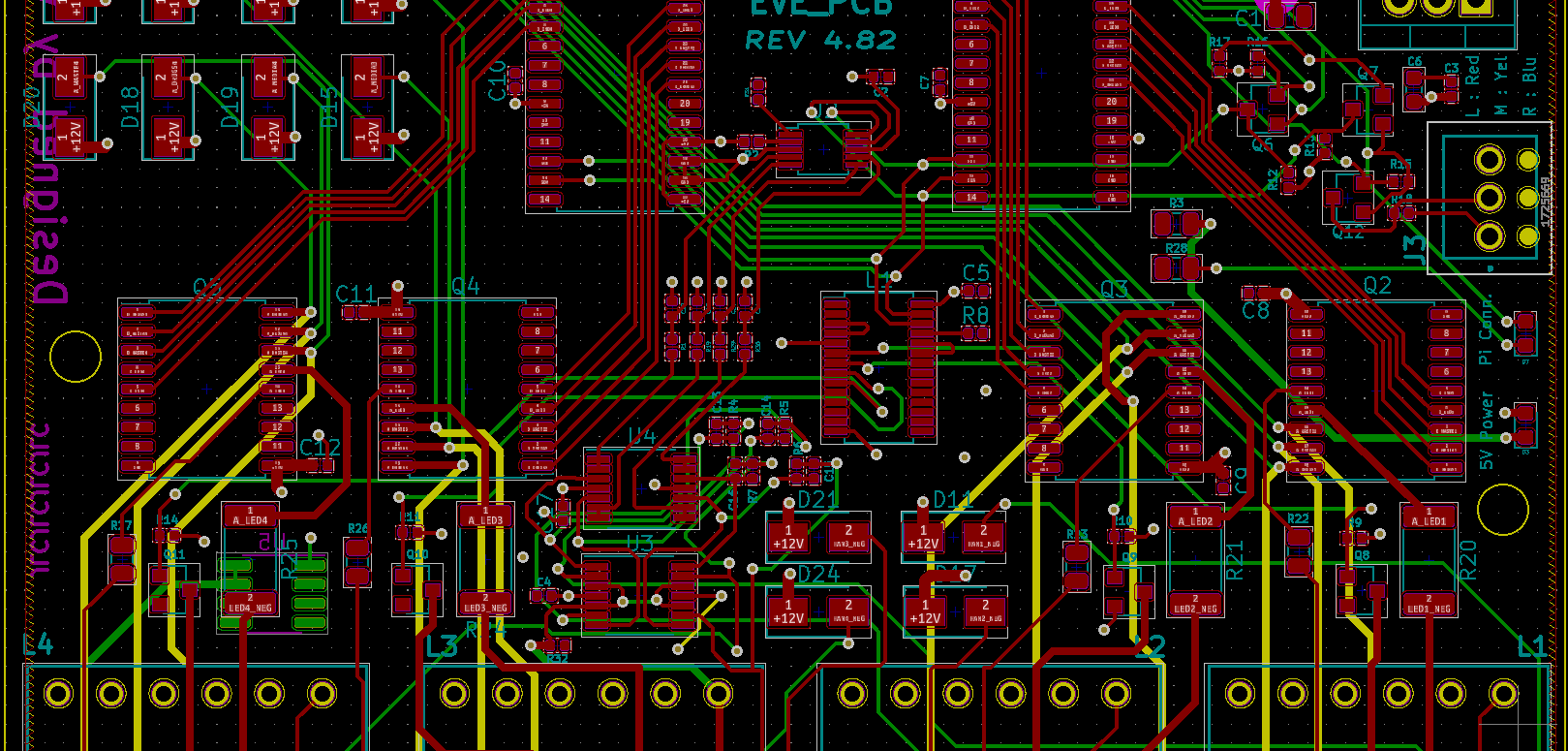
EVE PCB V4 is an open-source printed circuit board by vishhvaan, from the vishhvaan/eve-pi repository on GitHub, published under the MIT licence. It is a 4-layer board of 103.5 × 90.6 mm with 102 parts on 89 nets, routed with 1,086 tracks and 135 vias.
It is built around the ADS1115IDGSR, PCA9685PW and MCP23017-E/SO, with the MCP1501-10E/SN, B160-13-F(MS) and DMN6140LQ-7 among its other parts. Its parts include 32 resistors, 23 diodes, 21 capacitors, 12 transistors and 7 ICs.


The EVE is an open framework for an automated continuous culture system.
This device is meant to be used for the study of population dynamics and evolution.
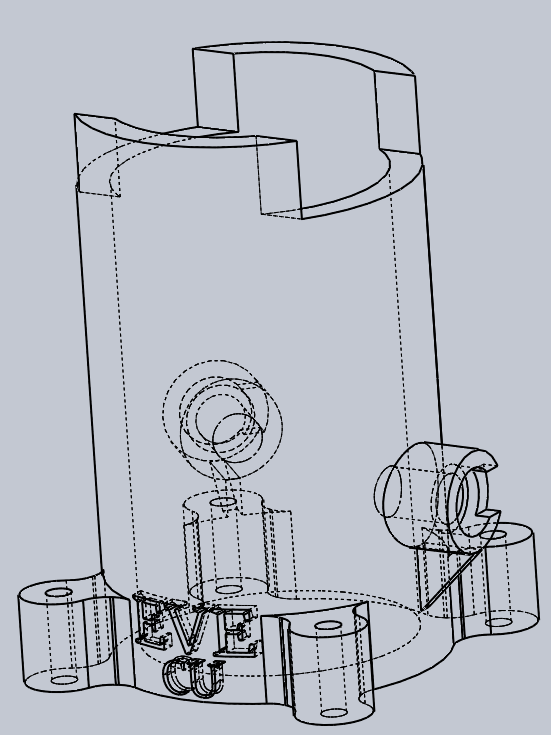
Head over to Start Building folder to find the 3D stls and circuit schematics (along with KiCAD project).
$ ifconfig$ sudo su$ bash <(curl -s https://raw.githubusercontent.com/vishhvaan/eve-pi/master/st_eve.sh)scripts/live/ and copy the sample-conf.in to eve-conf.ini.eve-conf.ini file based on the "Configuration File Parameter Definitions" file in the "Start Building" folder.** If the PCB is used or the breadboard was wired like the schematic, the default values for the hardware address in the sample-conf.ini file will work.
For a headless install:
ssh to the boot partition.$ ssh pi@raspberrypiraspberryPre-built images coming soon to Docker Hub!
Use the Dockerfiles in the repo to build images yourself. Use the images to spin up containers in the Pi with EVE WebUI and all the programs built-in.
$ sudo apt install -y git$ sudo git clone https://github.com/vishhvaan/eve-pi.git /eve$ cd /eve$ docker build -t eve:pi .$ docker create --name = eve1 \
-p 80:80 \
-p 8050:8050 \
-e PUID=1000 \
-e PGID=1000 \
-v /eve/data:/data \
eve:pi$ docker start eve1Emulate the ARM environment with QEMU. Build images with the Dockerfile.arm32v7.
The EVE uses a number of open source projects to work properly:
MIT
| Qty | Value | Footprint | References |
|---|---|---|---|
| 16 | B160-13-F | Diode_SMD:D_SMA | D4, D5, D6, D8, D9, D10, D11, D14, D15, D16, D17, D18, D19, D20, D21, D24 |
| 15 | 0.1μF | Capacitor_SMD:C_0402_1005Metric | C2, C3, C4, C5, C7, C8, C9, C10, C11, C12, C17, C18, C19, C20, C21 |
| 12 | 10KΩ | Resistor_SMD:R_0402_1005Metric | R2, R8, R9, R10, R11, R12, R13, R14, R16, R17, R31, R32 |
| 7 | DMN6140LQ-7 | Package_TO_SOT_SMD:SOT-23 | Q6, Q7, Q8, Q9, Q10, Q11, Q12 |
| 5 | 80Ω | Resistor_SMD:R_0805_2012Metric | R22, R23, R26, R27, R28 |
| 4 | 10pF | Capacitor_SMD:C_0402_1005Metric | C13, C14, C15, C16 |
| 4 | 11-21/BHC-AQ2S1M/2T | LED_SMD:LED_1206_3216Metric | D12, D13, D22, D23 |
| 4 | 33KΩ | Resistor_SMD:R_0402_1005Metric | R1, R19, R29, R30 |
| 4 | 499KΩ | Resistor_SMD:R_0402_1005Metric | R4, R5, R6, R7 |
| 4 | 50Ω | Resistor_SMD:R_2512_6332Metric | R20, R21, R24, R25 |
| 4 | Pheonix 1841539 | SamacSys_Parts:1841539 | L1, L2, L3, L4 |
| 4 | ULN2803ADWR | Package_SO:SOIC-18W_7.5x11.6mm_P1.27mm | Q2, Q3, Q4, Q5 |
| 2 | 4.7KΩ | Resistor_SMD:R_0402_1005Metric | R15, R18 |
| 2 | MCP23017-E/SO | Package_SO:SOIC-28W_7.5x17.9mm_P1.27mm | U7, U8 |
| 2 | TLV4314IPWR | Package_SO:TSSOP-14_4.4x5mm_P0.65mm | U3, U4 |
| 1 | 10μF | Capacitor_SMD:C_0805_2012Metric | C1 |
| 1 | 169Ω | Resistor_SMD:R_0805_2012Metric | R3 |
| 1 | 1725669 | 1725669andothers:1725669 | J3 |
| 1 | 19-213/Y2C-CQ2R2L/3T | LED_SMD:LED_0603_1608Metric | D7 |
| 1 | 19-217/GHC-YR1S2/3T | LED_SMD:LED_0603_1608Metric | D3 |
| 1 | 1μF | Capacitor_SMD:C_0603_1608Metric | C6 |
| 1 | 2x20 Male Header | Connector_PinHeader_2.54mm:PinHeader_2x20_P2.54mm_Vertical | J2 |
| 1 | ADS1115IDGSR | Package_SO:MSOP-10_3x3mm_P0.5mm | U2 |
| 1 | MCP1501-10E/SN | Package_SO:SOIC-8_3.9x4.9mm_P1.27mm | U5 |
| 1 | MUR480ERLG | Diode_THT:D_DO-201AE_P3.81mm_Vertical_AnodeUp | D1 |
| 1 | PCA9685PW | Package_SO:TSSOP-28_4.4x9.7mm_P0.65mm | U1 |
| 1 | PJ-102AH | Connector_BarrelJack:BarrelJack_CUI_PJ-102AH_Horizontal | J1 |
| 1 | UA7805CKCT | Package_TO_SOT_THT:TO-220-3_Vertical | Q1 |


twisted-builds-llc/sloppy_holley_flex-over-can
CAN bus input/output module for Holley Terminator X (also HP/Dominator class ECUs).

kinoshita-lab/MIDI-UART-interface-san
Handy interface PCB for MIDI and microcontrollers.


kinoshita-lab/kino-key
Open source piano-type keyboard MIDI controller project

elagil/net-bmp
An Ethernet-connected SWD/JTAG debug adapter (blackmagic probe)
It measures 103.5 × 90.6 mm and has 4 copper layers, 1.6 mm thick.
102 parts, built around the ADS1115IDGSR, PCA9685PW, MCP23017-E/SO and MCP1501-10E/SN. The full list of its parts is on this page, with links to each part's symbol and footprint where PCBKit's library has them.
From the vishhvaan/eve-pi repository on GitHub, at the commit this page was made from: the board is Start Building/Circuit Board Files/EVE-PCB/v4.8/EVE-PCB-V4.kicad_pcb. PCBKit opens the board in the browser, with nothing to install.
Its repository publishes it under the MIT licence: you may reuse it on that licence's terms (keep the author's notice, and for a copyleft licence share your changes alike).