4 layers34.5 × 39 mm

 ttankbuster/Cyberwatch1
An open source extensible smartwatch.
CyberwatchV1B is an open-source printed circuit board by ttankbuster, from the ttankbuster/Cyberwatch repository on GitHub, published under the MIT licence. It is a 2-layer board of 56.3 × 45.5 mm with 45 parts on 71 nets, routed with 760 tracks and 99 vias.
It is built around the MT6701CT-STD, DS3231MZ/V+ and AO3401A. Its parts include 10 resistors, 7 connectors, 5 ICs, 4 capacitors and 4 switches. It belongs with the wearables boards and the ESP32 boards of this library.



The Cyberwatch is an extensible smartwatch built from scratch, targeting ESP32 hardware. It's current version is V1B. Cyberwatch runs Cyan, a small operating system written in C with an embedded Lua runtime for app handling. Cyan is platform agnostic and can run on the watch and as a native desktop application, so the interface can be developed faster, without hardware in the loop by utilising Clay, a lightweight single header UI layout library. Apps are loaded at runtime from an SD card. Clay produces layout commands that are consumed by either an ST7789V2 display handler on hardware or by SDL on a desktop machine. Cyan exposes hardware through a service architecture - a registry of capabilities that apps and core tabs request as needed and can poll availability of arbitrarily. More info can be found with the Word doc.
use git clone --recurse-submodules https://github.com/ttankbuster/CyberwatchV1B.git for installation, this git-repo uses submodules.
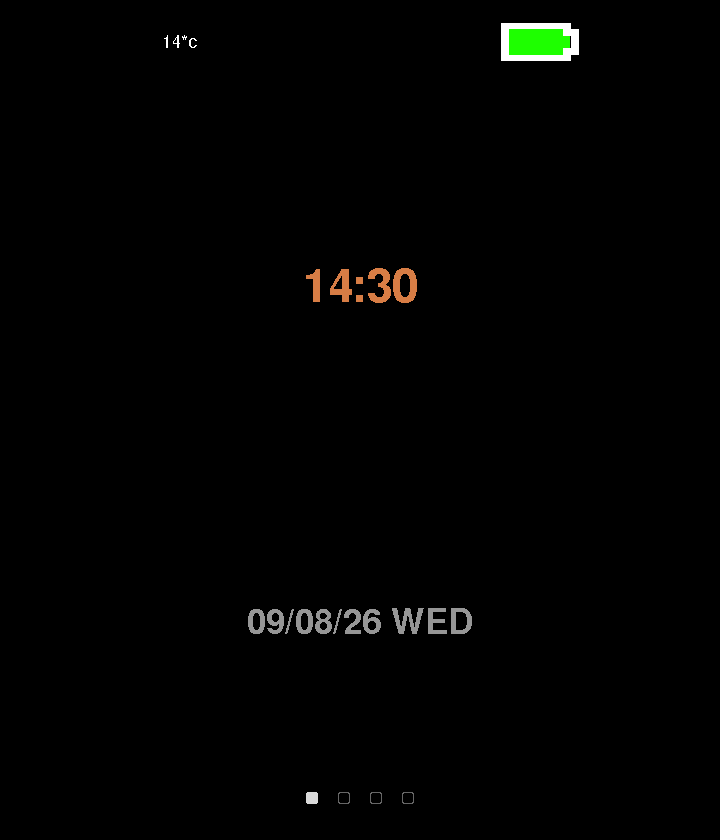 | Watch face - has digital and analogue variants. The analogue hands are drawn as quads on the same surface primitive used by apps. Shows the time, day of the week and date. |
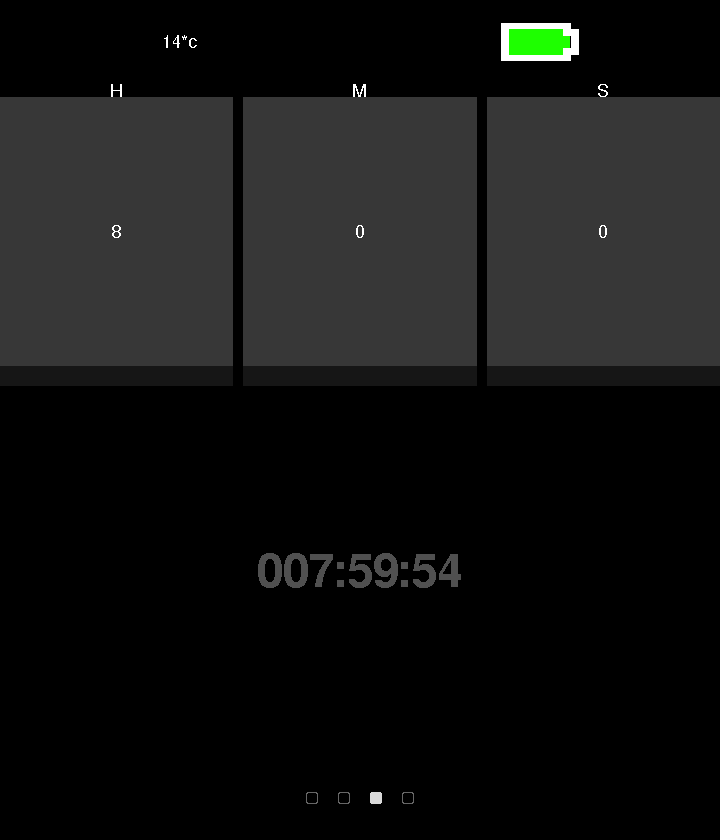 | Timer - three spin boxes for hours, minutes and seconds. Button 2 moves between fields, the crown adjusts the value, pressing the crown starts and pauses the timer. |
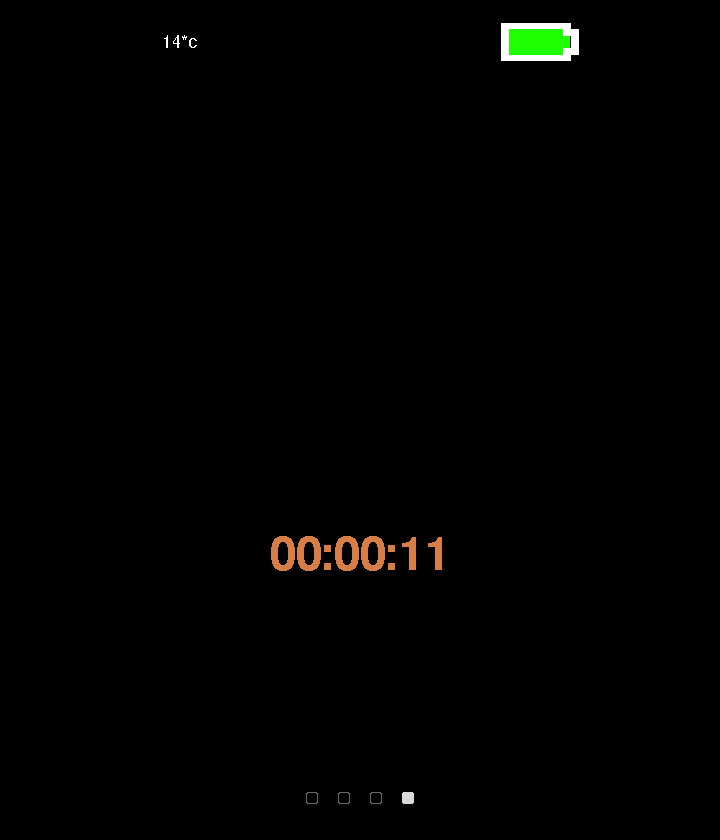 | Stopwatch - same interaction model, counting up rather than down. |
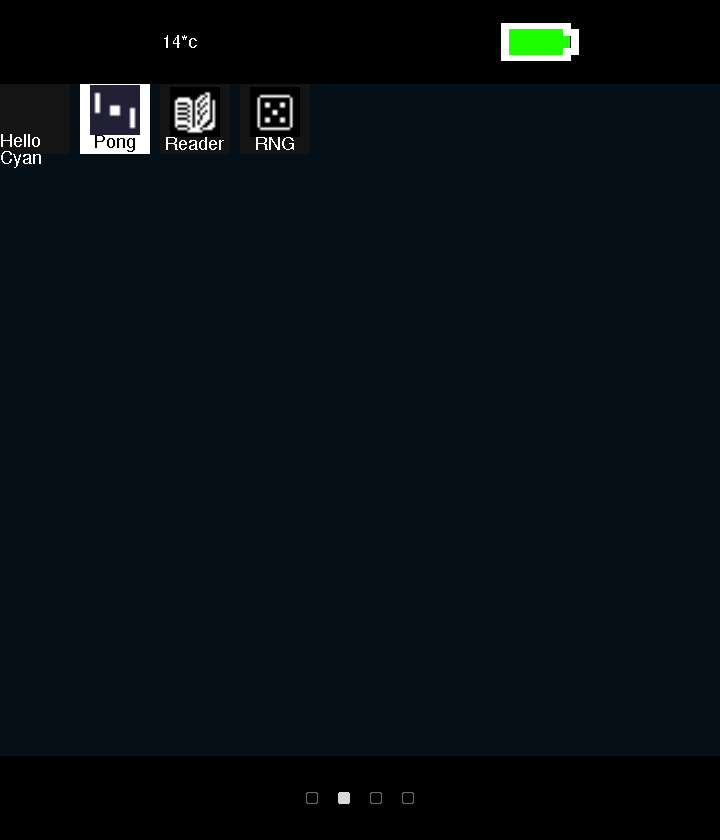 | App catalogue - displays a list of apps found on the SD card in rows and launches them. |
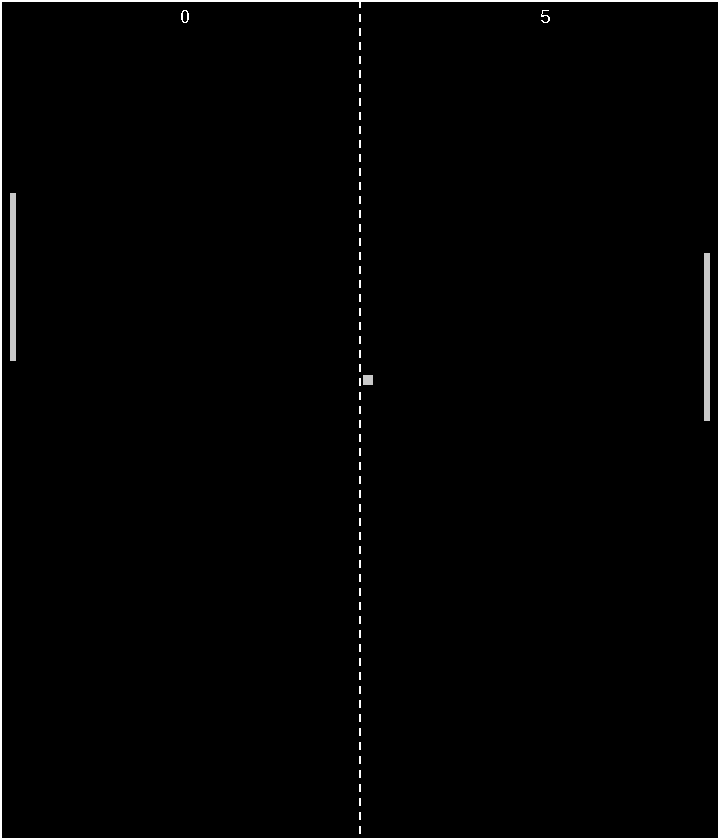 | Pong - a demo app written entirely in Lua, using a bespoke app API. |
| Function | Part | Interface | Notes | |
|---|---|---|---|---|
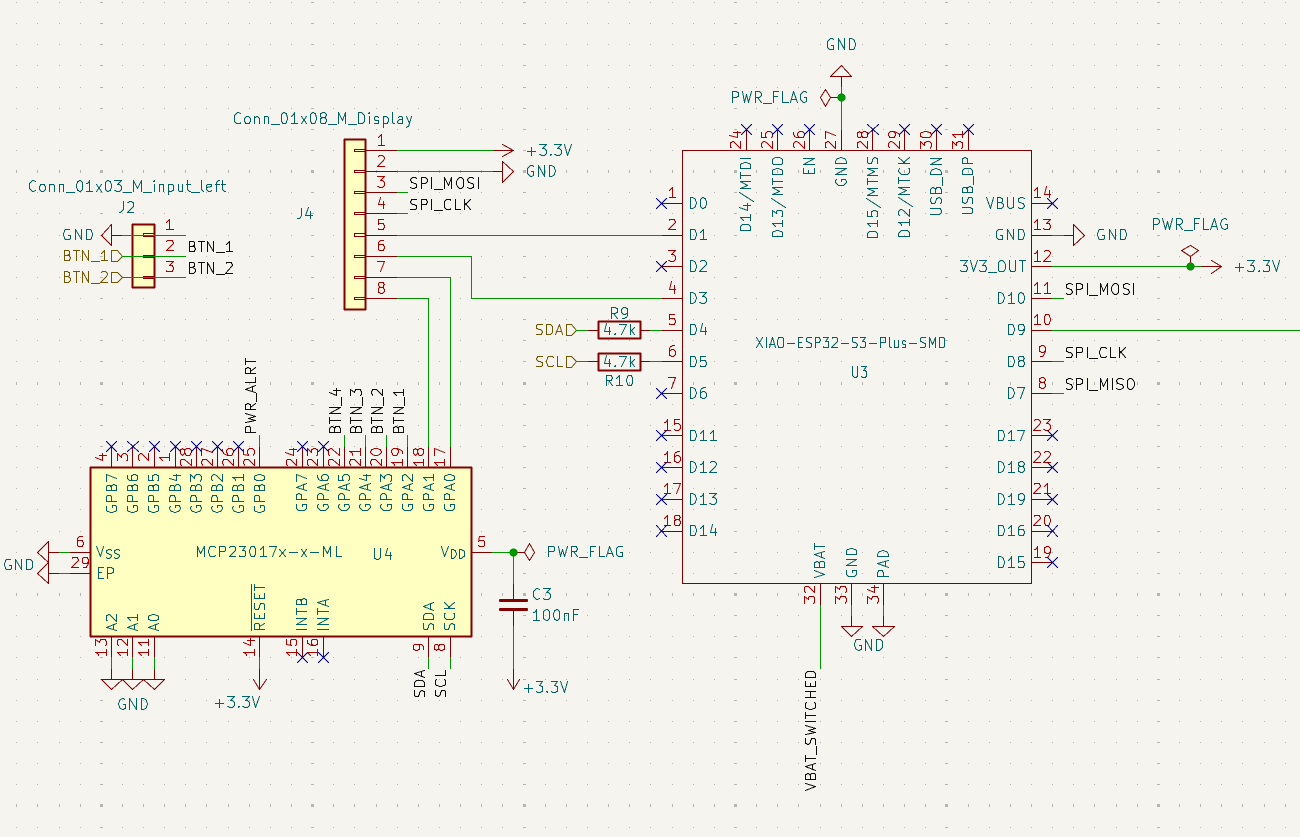 | MCU | Seeed XIAO ESP32-S3 Plus | --- | 240 MHz dual core, 8 MB PSRAM, 16 MB flash, WiFi + BLE 5.0, 14 µA deep sleep, integrated LiPo charging |
| Display | 1.69” LCD, ST7789V2 | SPI | - 240x280 pixel resolution - 39x31.5mm |
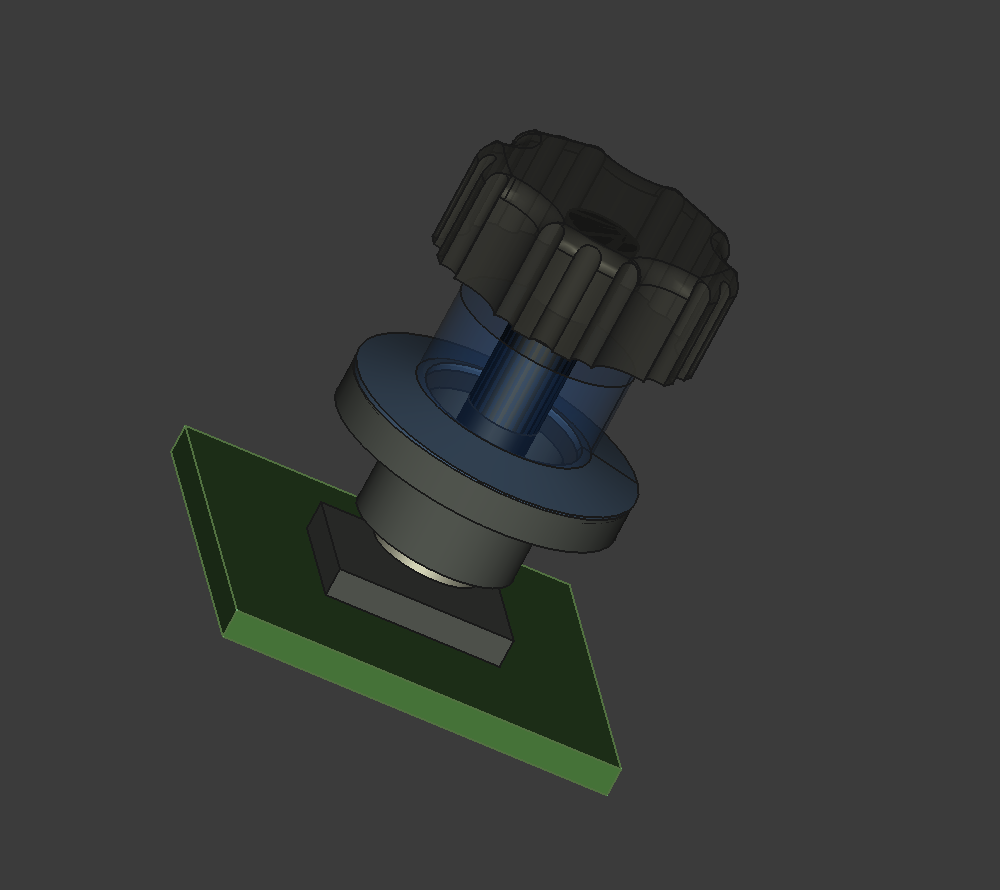 | Crown dial | MT6701 magnetic encoder + dipole magnet. Annular Belleville popper for tactile feedback. | I2C | |
| GPIO expansion | MCP23017 | I2C | Frees ESP32 pins for the crown by moving the display RST and BL lines and the buttons onto the expander. |
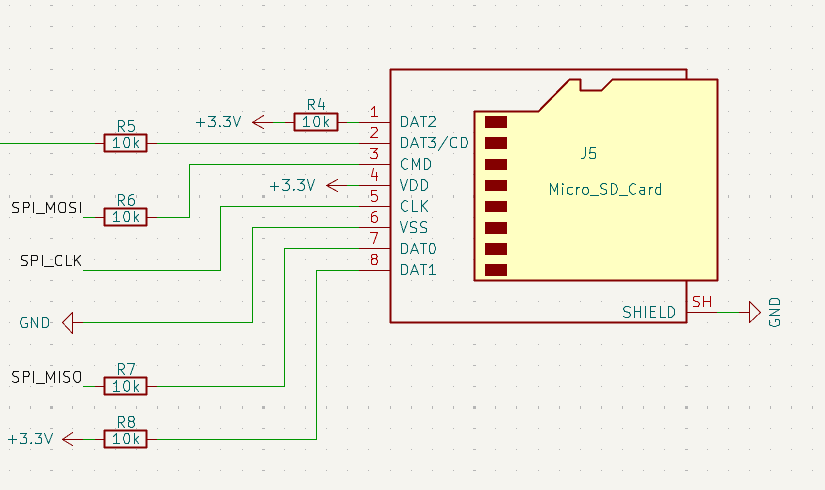 | Storage | MicroSD socket | SPI | 10 kΩ pull-ups on CS, MOSI, DAT1, DAT2 and MISO; 33 Ω series resistor on VCC to avoid the MCU browning out when the card is inserted |
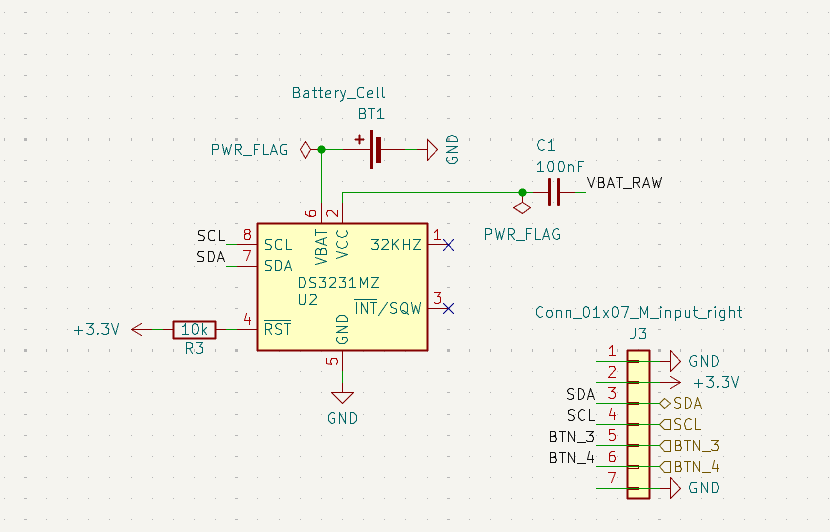 | Real-time clock & Temperature | DS3231MZ | I2C | Keeps time across power loss without a WiFi round trip. Source of ambient temperature |
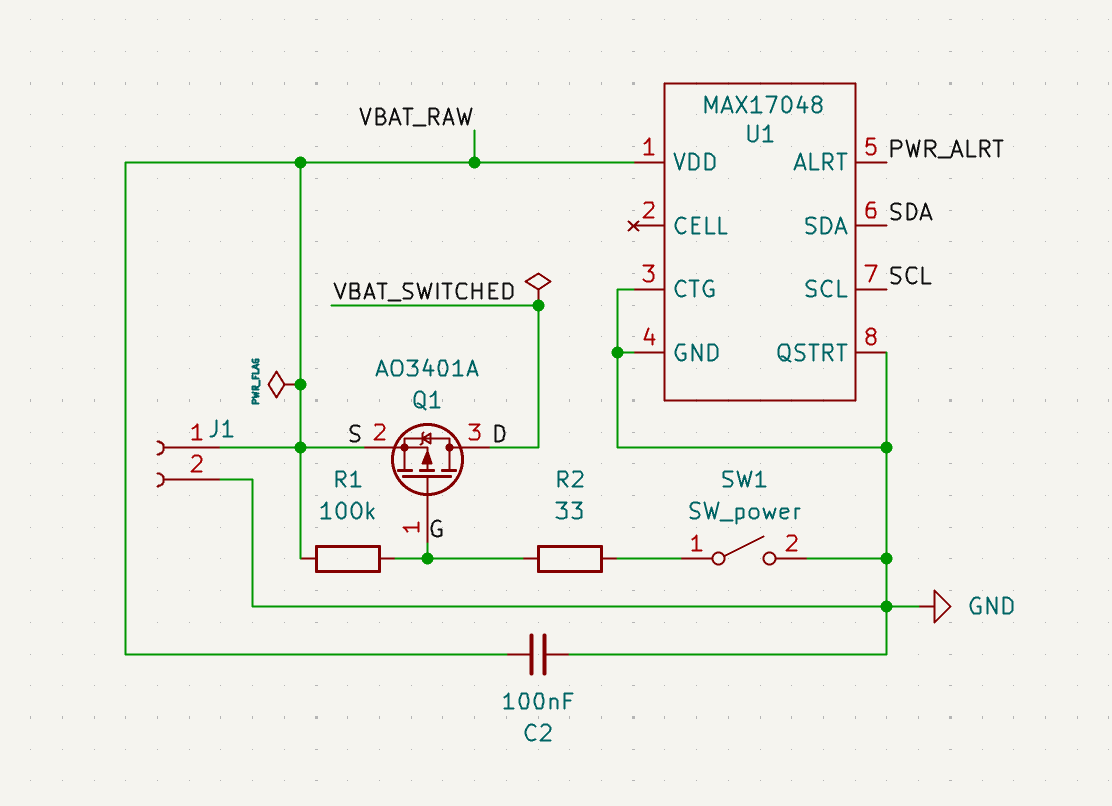 | Battery gauge | MAX17048 | I2C | |
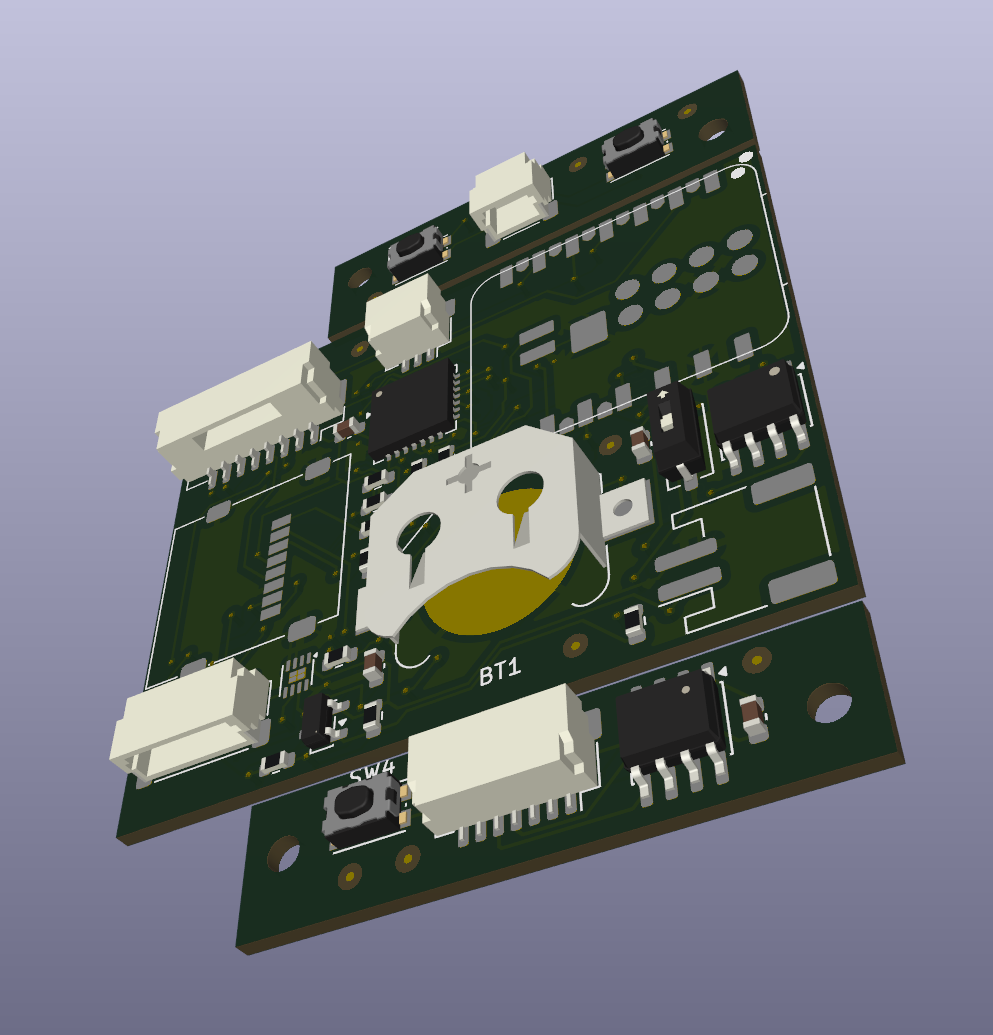 | Battery | 3.7V 500mAh LiPo | --- | JST-PH Connector |
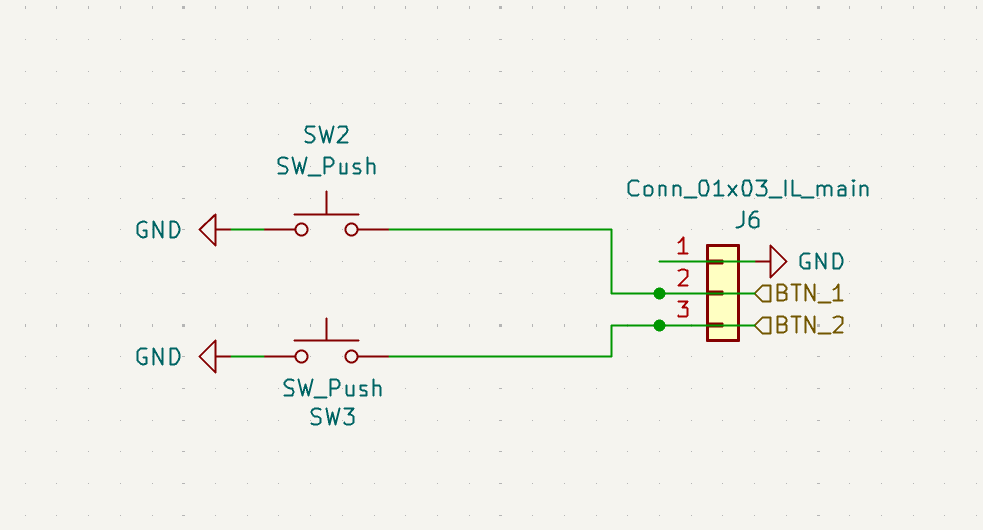 | Buttons | 3x tactile switch | via MCP23017 | Buttons 1 and 2 on the left; button 4 and the crown on the right. |
The software follows a strict naming convention for all source code for the firmware and CyanOS to keep .
| For | Naming Convention |
|---|---|
| types | PascalCase |
| fields | camelCase |
| functions | snake_case |
| constants | SCREAMING_SNAKE_CASE |
design/ holds the KiCad schematic and PCB, a FreeCAD case, component datasheets, and BOM spreadsheets for the hardware.
New public symbols should also take a cyan_* prefix. Styling is defined in .clang-format (stored at root).
Tests live under test/:
test/test_cyan_shell/ - Unity-style unit test for the shell command parser.test/test_cyan_shell_repl/ - a Python-driven interactive REPL test, run via pio test -e shell_repl.PlatformIO Environments
| Environment | Hardware Target | Notes |
|---|---|---|
native | Windows PC | uses SDL3 for window handling and rendering; this environment is used for development and iteration without hardware. |
esp32c3 | Seeed XIAO ESP32-C3 | earlier hardware target, watch-face tab only. |
esp32s3zero | ESP32-S3 DevKitM-1 | full hardware target on a generic S3 dev board. |
xiao_esp32s3_plus | Seeed XIAO ESP32-S3 Plus | full hardware target for the current CyberwatchV1B board. |
shell_repl | Windows PC | dedicated env for interactively testing the shell command parser in isolation, run with pio test -e shell_repl. |
Clone with submodules:
git clone --recurse-submodules https://github.com/ttankbuster/CyberwatchV1B.gitThe repo vendors its dependencies (Clay, Lua, SDL3 + _image/_ttf, and two font families) as git submodules rather than package-manager dependencies, so --recurse-submodules is required - a plain clone leaves external/ and the font folders empty.
To build and run the native simulator:
pio run -e native
build/native/program.exe
The native simulator has currently only been tested on Windows, where it should run out of the box with PlatformIO's toolchain and the SDL3 DLL installer written in python that checks for an instance of the SDL3 DLLs and coppies them into the executable directory if they are not found. This is to speed up starting on another machine. To target real hardware instead, swap native for one of the ESP32 environments above, e.g. pio run -e xiao_esp32s3_plus -t upload. This will flash to the ESP32-S3-Plus if it is connected with a usb-c cable, then start the operating system and serial monitor.
Launching the native build opens two windows: the watch display itself, and a separate console window for the interactive shell.
Native CyanOS controls (platform/pc/data_pc.c)
| Input | Maps to |
|---|---|
Keys 1 / 2 / 3 / 4 | Buttons 1 / 2 / 3 / 4 |
| Mouse middle-click | Button 3 |
| Scroll wheel up/down | Crown dial up / down |
| up/down keys | Crown dial up / down |
Shell commands (cyan/console/cyan_shell.c)
| Command | Does |
|---|---|
help | Lists all commands |
status | Shows current Cyan status |
app list / launch <name> / exit | Manage apps |
app permission add/remove/list <permission> | Manage per-app permissions |
screenshot | Saves a PNG of the current display to screenshots/, named by the active tab or running app plus a timestamp |
settings get/set/list <setting> [value] | Read and write settings |
Each app is a folder under apps/ containing a .cyan_app.lua manifest plus its Lua script(s). Five example apps ship in the repo: pong, reader, RNG, sodoku and hello_cyan.
Manifest fields (.cyan_app.lua)
| Field | Meaning |
|---|---|
name | Display name shown in the app catalogue |
script | Entry-point Lua file, relative to the app's folder |
icon | Icon bitmap shown in the catalogue |
dev | If true, only loaded in debug builds |
Example (apps/pong/.cyan_app.lua):
return {
    name = "Pong",
    script = "pong.lua",
    icon = "icon.bmp",
    dev = false
}
Apps run sandboxed in their own Lua state and only see the API Cyan registers for them:
draw.rect(x, y, w, h, [r, g, b, a]) - filled rectangledraw.text(x, y, text, [fontSize, r, g, b]) - textdraw.width() / draw.height() - the app's drawable surface sizesEvent - a table of input event constants (Event.BUTTON1_DOWN, Event.SCROLL_UP, etc.) for use in an app's event-handling codeprint(...) - routed into Cyan's own log output, tagged with the app's namecyan/data/services.h) - a ServiceRegistry of Service entries (time, display, input, storage, power, apps, network, bluetooth, notifications, ...), each with init/update/shutdown/available functions and a criticality tier. Apps and core tabs can poll services at runtime.cyan/clay_ui.c) - an immediate-mode layout pass every frame, using Clay to produce render commands consumed by a display backend.Surface abstraction (cyan/data/surface.h/.c) - a per-app pixel buffer that Lua apps draw into via the draw API, kept isolated from the OS's own rendering.display_* (rendering) and data_* (input/event) backends: platform/pc/ (SDL3) and platform/esp32/ (ST7789V2 over SPI via Arduino_GFX, MCP23017 I/O expansion).The MCP23017 must finish initializing before the display's RST pulse, and the SD card's SPI setup must run after the display's own SPI init - reversing either hangs the board.
| Qty | Value | Footprint | References |
|---|---|---|---|
| 9 | Fiducial_0.5mm_Mask1.5mm | Fiducial:Fiducial_0.5mm_Mask1.5mm | FID1, FID2, FID3, FID4, FID5, FID6, FID7, FID8, FID9 |
| 6 | 10k | Resistor_SMD:R_0603_1608Metric | R3, R4, R5, R6, R7, R8 |
| 4 | 100nF | Capacitor_SMD:C_0603_1608Metric | C1, C2, C3, C4 |
| 3 | SW_Push | Button_Switch_SMD:SW_Push_1P1T_NO_CK_KMR2 | SW2, SW3, SW4 |
| 2 | 4.7k | Resistor_SMD:R_0603_1608Metric | R9, R10 |
| 1 | 100k | Resistor_SMD:R_0603_1608Metric | R1 |
| 1 | 33 | Resistor_SMD:R_0603_1608Metric | R2 |
| 1 | AO3401A | Package_TO_SOT_SMD:SOT-23 | Q1 |
| 1 | Battery_Cell | Battery:BatteryHolder_Keystone_3000_1x12mm | BT1 |
| 1 | Conn_01x02_M_Battery | Connector_JST:JST_PH_S2B-PH-SM4-TB_1x02-1MP_P2.00mm_Horizontal | J1 |
| 1 | Conn_01x03_IL_main | Connector_JST:JST_SH_SM03B-SRSS-TB_1x03-1MP_P1.00mm_Horizontal | J6 |
| 1 | Conn_01x03_M_input_left | Connector_JST:JST_SH_SM03B-SRSS-TB_1x03-1MP_P1.00mm_Horizontal | J2 |
| 1 | Conn_01x07_IR_main | Connector_JST:JST_SH_SM07B-SRSS-TB_1x07-1MP_P1.00mm_Horizontal | J7 |
| 1 | Conn_01x07_M_input_right | Connector_JST:JST_SH_SM07B-SRSS-TB_1x07-1MP_P1.00mm_Horizontal | J3 |
| 1 | Conn_01x08_M_Display | Connector_JST:JST_GH_SM08B-GHS-TB_1x08-1MP_P1.25mm_Horizontal | J4 |
| 1 | DS3231MZ | Package_SO:SOIC-8_3.9x4.9mm_P1.27mm | U2 |
| 1 | MAX17048 | Package_DFN_QFN:TDFN-8-1EP_2x2mm_P0.5mm_EP0.8x1.2mm | U1 |
| 1 | MCP23017x-x-ML | Package_DFN_QFN:QFN-28-1EP_6x6mm_P0.65mm_EP4.25x4.25mm | U4 |
| 1 | MT6701CT | Package_SO:SO-8_3.9x4.9mm_P1.27mm | U5 |
| 1 | Micro_SD_Card | Connector_Card:microSD_HC_Molex_47219-2001 | J5 |
| 1 | SW_power | Button_Switch_SMD:SW_DIP_SPSTx01_Slide_Copal_CHS-01A_W5.08mm_P1.27mm_JPin | SW1 |
| 1 | XIAO-ESP32-S3-Plus-SMD | Seeed_Studio_XIAO_Series:XIAO-ESP32-S3-Plus-SMD | U3 |
The 41 most common of 45 parts.

Anvarys/lightclock
Light Clock A custom PCB-based Clock/Alarm with a runrise alarm, a circle of capacitive touch controls to easily choose the time and a 2.42" OLED display

arcticlula/Netscore
Device that keeps track of a volleyball's game score (points and sets). Ideally it should be mounted on the net, since it has a display on the front and back and buttons on the sides.


Qeteshpony/Badge-Scanner
Raspberry Pi Pico W powered device to scan NFC-Badges and show a status on display


rh1tech/frank-lab
FRANK Board Laboratory (work-in-progress board prototopyes)

It measures 56.3 × 45.5 mm and has 2 copper layers, 1.09 mm thick.
45 parts, built around the MT6701CT-STD, DS3231MZ/V+ and AO3401A. The full list of its parts is on this page, with links to each part's symbol and footprint where PCBKit's library has them.
From the ttankbuster/Cyberwatch repository on GitHub, at the commit this page was made from: the board is design/electronics/CyberwatchV1B/CyberwatchV1B.kicad_pcb and its schematic design/electronics/CyberwatchV1B/CyberwatchV1B.kicad_sch. PCBKit opens the board in the browser, with nothing to install.
Its repository publishes it under the MIT licence: you may reuse it on that licence's terms (keep the author's notice, and for a copyleft licence share your changes alike).