
2 layers103.8 × 50 mm
Galagino pcb set
harbaum/galagino
A Galaga, Pac-Man and Donkey Kong arcade emulator for the ESP32
26 parts558

 Tho85/ws2mqtt28
Connect WiSafe2 devices to Home Assistant
Ws2mqtt is an open-source printed circuit board by Tho85, from the Tho85/ws2mqtt repository on GitHub, published under the BSD-3-Clause licence. It is a 2-layer board of 62.2 × 57.1 mm with 8 parts on 65 nets, routed with 112 tracks and 0 vias.
It is built around the ESP32-DEVKITC-VE. Its parts include 3 connectors and 2 ICs. It belongs with the home automation and IoT boards and the ESP32 boards of this library.
ws2mqtt is an inofficial gateway to connect WiSafe2 smoke, heat and CO detectors to your smart home.
The gateway consists of an ESP32 module that handles Wifi and MQTT communication and integrates with Home Assistant through MQTT auto discovery. It is connected to an Arduino that acts as an SPI/UART converter. The Arduino talks to an official WiSafe2 module that is connected to your smoke detector network.
This project is not related to or endorsed by the manufacturer of WiSafe2 devices. It is an unofficial hobby project.
:warning: DO NOT USE THIS PROJECT FOR SAFETY-CRITICAL PURPOSES! :warning:
This is a hobby project after all, so do not rely on it for your personal safety or the saftey of others. Always assume that it will not work in a case of emergency, and plan your emergency procedures accordingly. As the license states in more detail, I won't be liable for any damages incurred by this project.
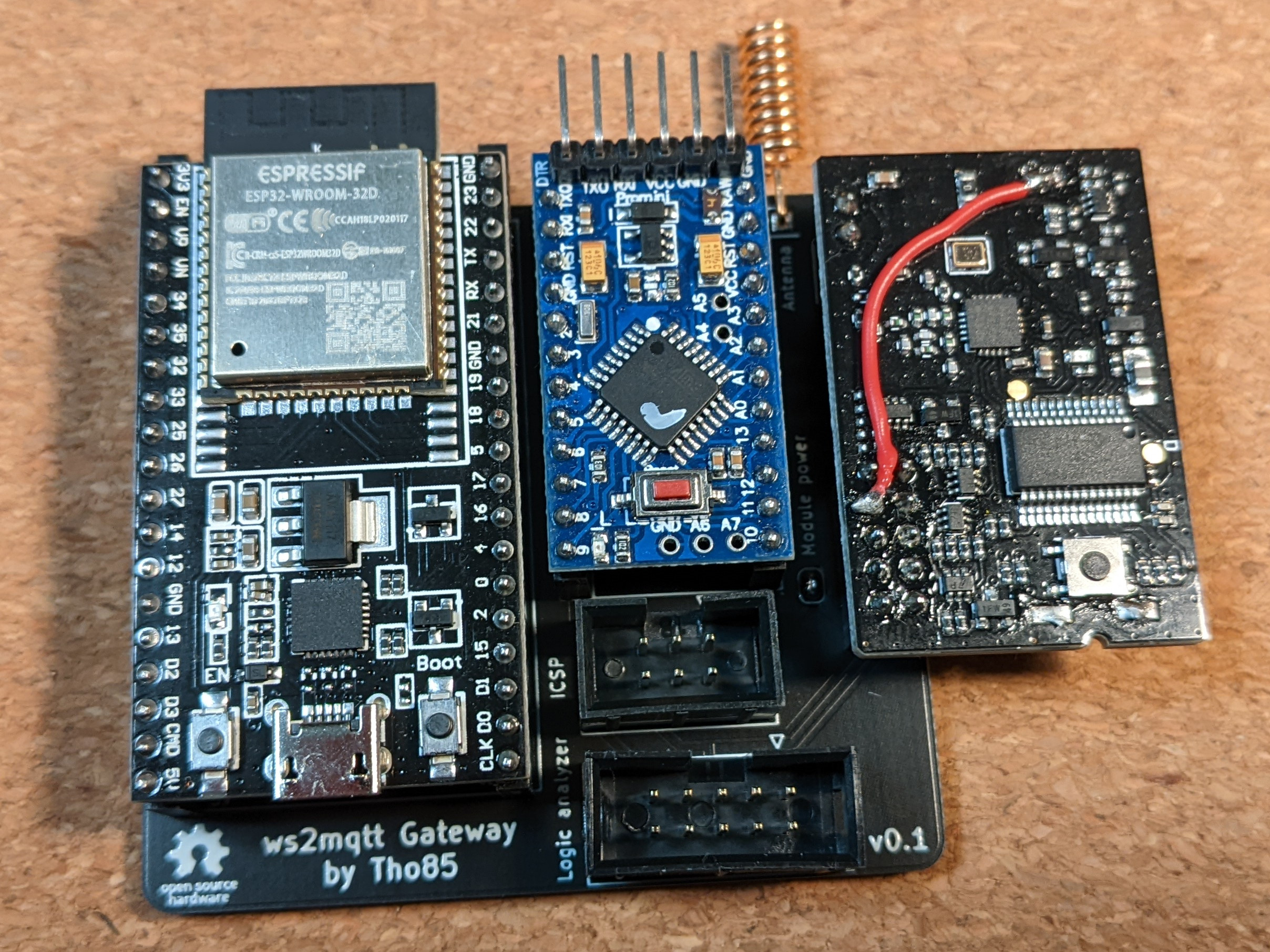
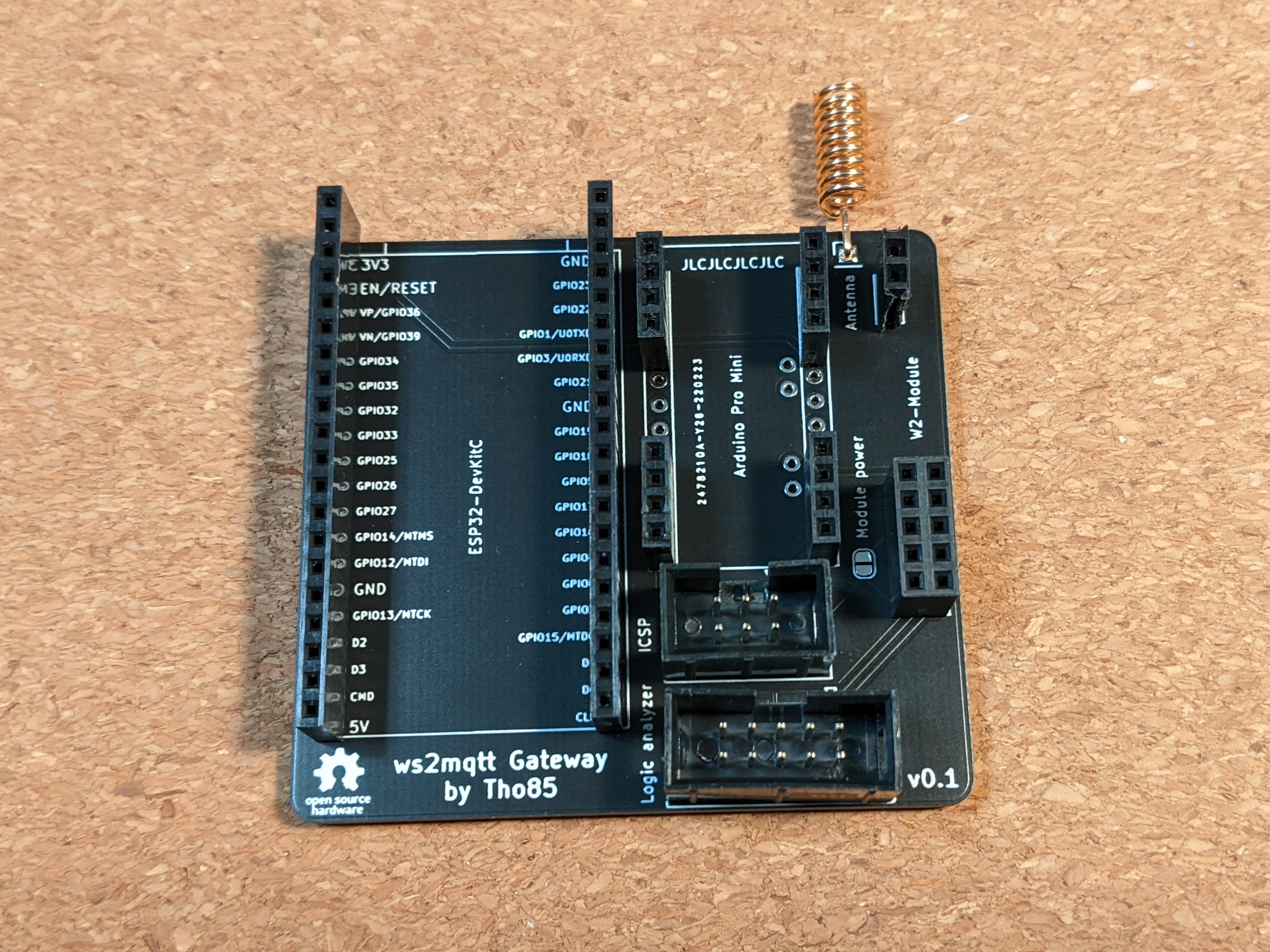
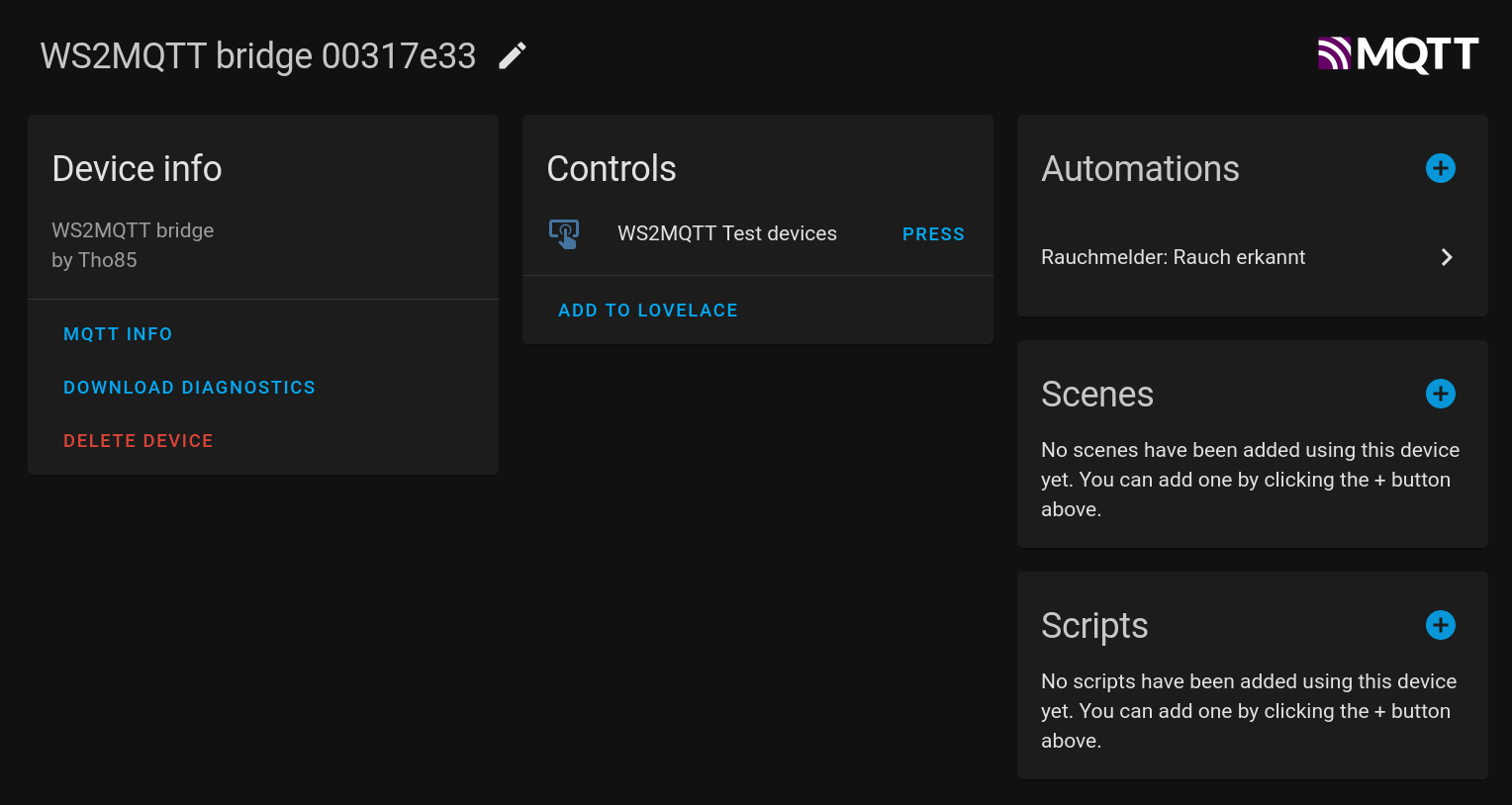
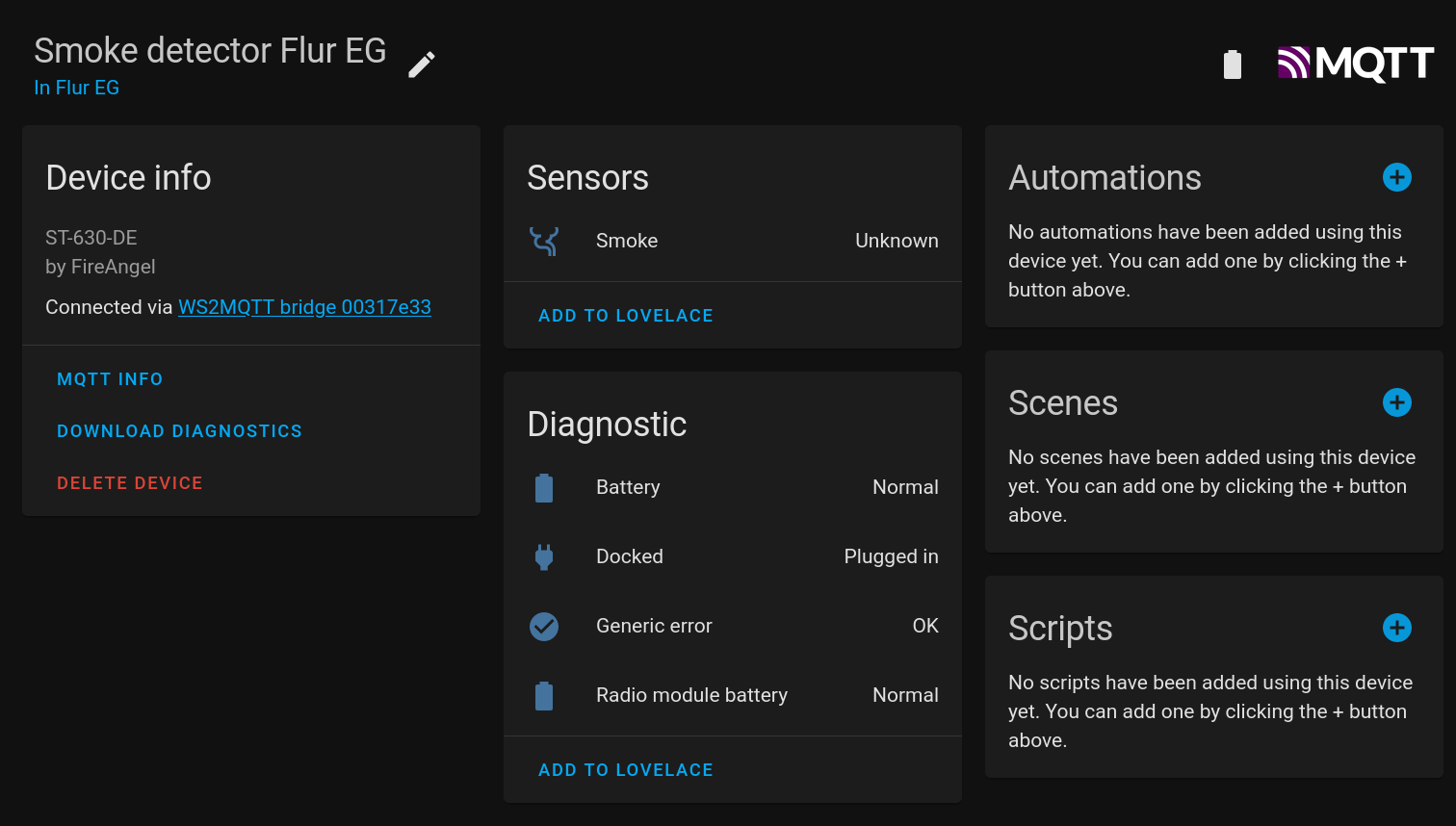
Tested:
Not tested, but should be working:
TODO:
PCB folder). Alternatively, lots of breadboard wires (see schematic)Firmware-Atmega folder) via programmerFirmware-ESP/include/credentials.h (see example)Firmware-ESP folder) via USBalarm event emitted by the gateway, see belowThe recommended way to react to smoke detection and test events in Home Assistant is to listen to the alarm event emitted by the ws2mqtt Bridge device. This event is fired when any of the connected detectors detects smoke, or when any of the detectors' test buttons is pressed. This way you can test your emergency scenes and automations by pressing a detector's test button.
The "smoke detected" sensor shows an unknown state
This is actually a deficiency of the WiSafe2 protocol. As far as I know, there is no way to query a device for the current smoke / heat detector state. Additionally, a "smoke detected" message is only sent once to other detectors, and not repeated later. So if you start the gateway while a "smoke detected" event is ongoing, there is no way for the gateway to know about that event. I decided to err on the side of caution and show the state of devices as "unknown".
The "battery" sensor, "docked" sensor etc. show an unknown state
To conserve battery power, the gateway does not actively query the state of these diagnostic sensors. The sensor state is only updated on change. The easiest way to force an update is to remove a detector from its base, wait a bit, and re-mount the device. This should update not only the "docked" sensor, but also the battery ones.
What is the programming language you used, and why is it not perfect C?
C is not my mother tongue, so it's nearly certain that there are race conditions, buffer overflows or bad C programming practices in the code. Feel free to file an issue to point things out, or even better file a pull request.
See LICENSE.
Shout out to C19HOP and his WiSafe2-to-HomeAssistant-Bridge, for helping in reversing the protocol, and for giving me the motivation to finish this project I've been working on for the last months.
| Qty | Value | Footprint | References |
|---|---|---|---|
| 1 | Antenna | Connector_PinHeader_2.54mm:PinHeader_1x01_P2.54mm_Vertical | AE1 |
| 1 | Arduino Pro Mini | Arduino:Arduino_Pro_Mini | U2 |
| 1 | ESP32-DevKitC | Espressif:ESP32-DevKitC | U1 |
| 1 | ICSP | Connector_IDC:IDC-Header_2x03_P2.54mm_Vertical | J1 |
| 1 | Logic analyzer | Connector_IDC:IDC-Header_2x05_P2.54mm_Vertical | J2 |
| 1 | Logo_Open_Hardware_Small | Symbol:OSHW-Logo_5.7x6mm_SilkScreen | LOGO1 |
| 1 | Module power | Jumper:SolderJumper-2_P1.3mm_Open_RoundedPad1.0x1.5mm | JP1 |
| 1 | W2-Module | Tho85:W2-MM | J3 |
It measures 62.2 × 57.1 mm and has 2 copper layers, 1.6 mm thick.
8 parts, built around the ESP32-DEVKITC-VE. The full list of its parts is on this page, with links to each part's symbol and footprint where PCBKit's library has them.
From the Tho85/ws2mqtt repository on GitHub, at the commit this page was made from: the board is PCB/PCB.kicad_pcb. PCBKit opens the board in the browser, with nothing to install.
Its repository publishes it under the BSD-3-Clause licence: you may reuse it on that licence's terms (keep the author's notice, and for a copyleft licence share your changes alike).
harbaum/galagino
A Galaga, Pac-Man and Donkey Kong arcade emulator for the ESP32

RParkerE/OpenSilicon
OpenSilicon enables DIY semiconductor fabrication with open-source guides for building IC equipment at home. The project includes BOMs, 3D files, firmware, and PDKs, supporting makers and researchers in chip fabrication.

cole8888/SRNE-Solar-Charge-Controller-Monitor
Read data from SRNE solar charge controllers.


ste2425/PSP-Bluetooth-AVConnector
An AV-Out Breakout library for the PSP. Providing Kicad symbols and footprints to interface with the PSP 2/3K AVOut socket (also known as the TVOut socket)

