2 layers75 × 75 mm
Volumer v1.0
ThePurpleOne/volumer
Hardware module to easily control Individual Windows app volumes, just like the volume Mixer.
41 parts5MIT
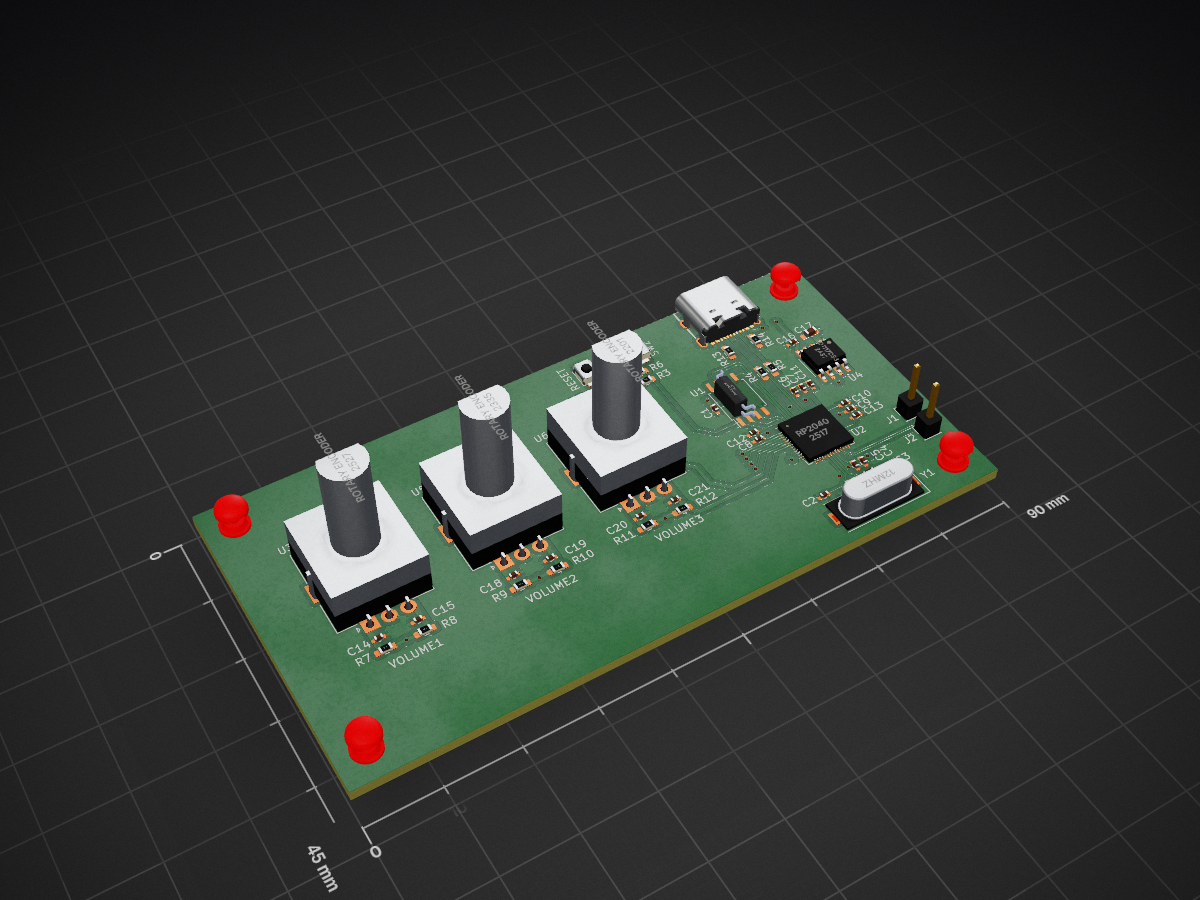
 ThePurpleOne/volumer5
Hardware module to easily control Individual Windows app volumes, just like the volume Mixer.
Volumer is an open-source printed circuit board by ThePurpleOne, from the ThePurpleOne/volumer repository on GitHub, published under the MIT licence. It is a 4-layer board of 90 × 45 mm with 51 parts on 55 nets, routed with 254 tracks and 33 vias.
It is built around the RP2040, LD1117D33 and W25Q128JVSIQ, with the TS-3025-B-C-B among its other parts. Its parts include 21 capacitors, 14 resistors, 6 ICs, 2 connectors and 2 switches. It belongs with the RP2040 boards of this library.


Hardware module to easily control Individual Windows app just like the volume Mixer.
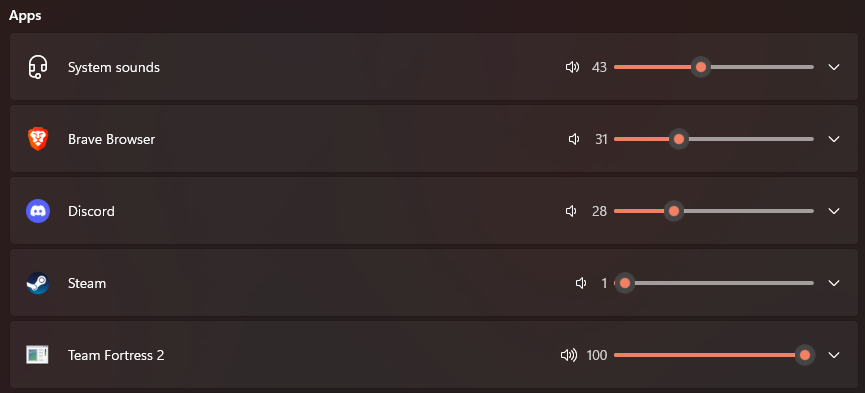
Accessing this window is a pain, especially if you're in game and you need to quickly lower that annoying SCREAMING discord friend in order to hear some terrorist footsteps.
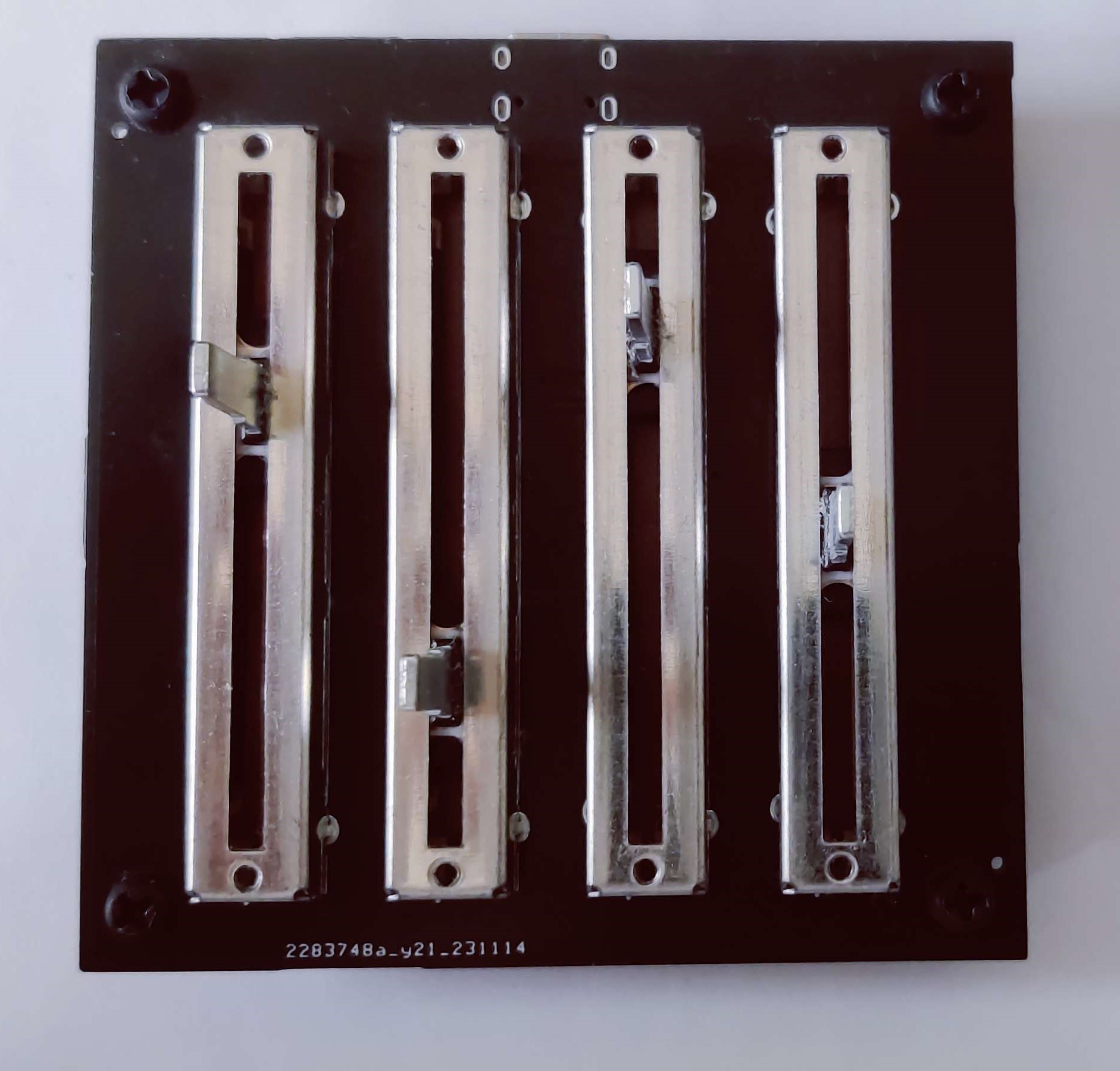
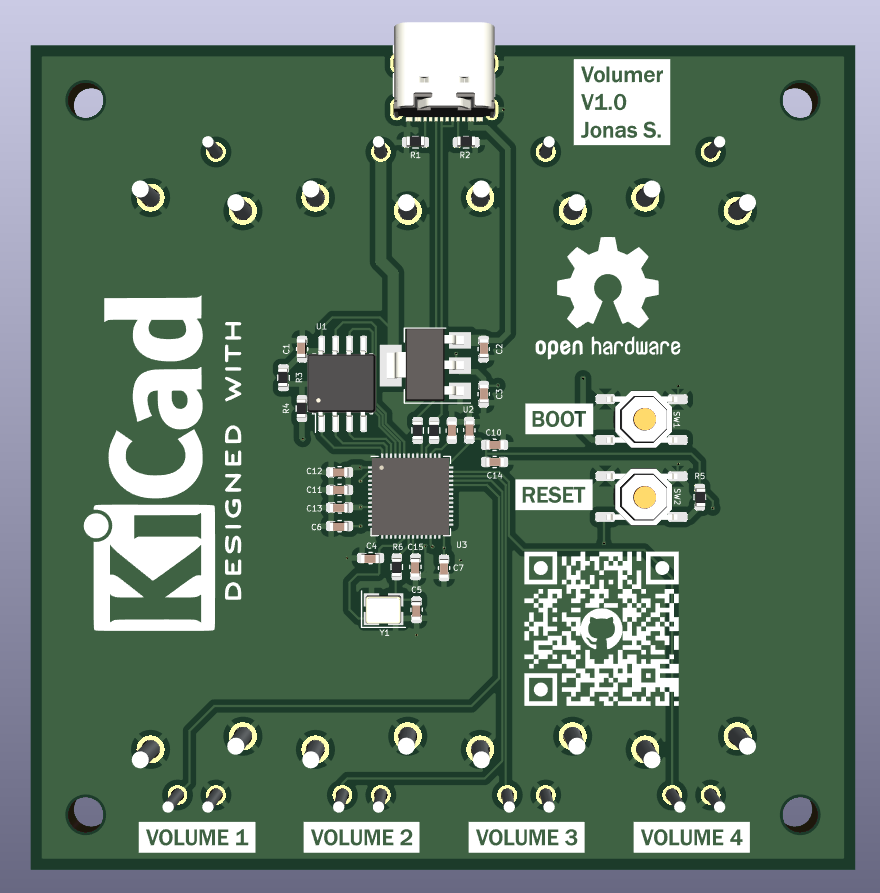
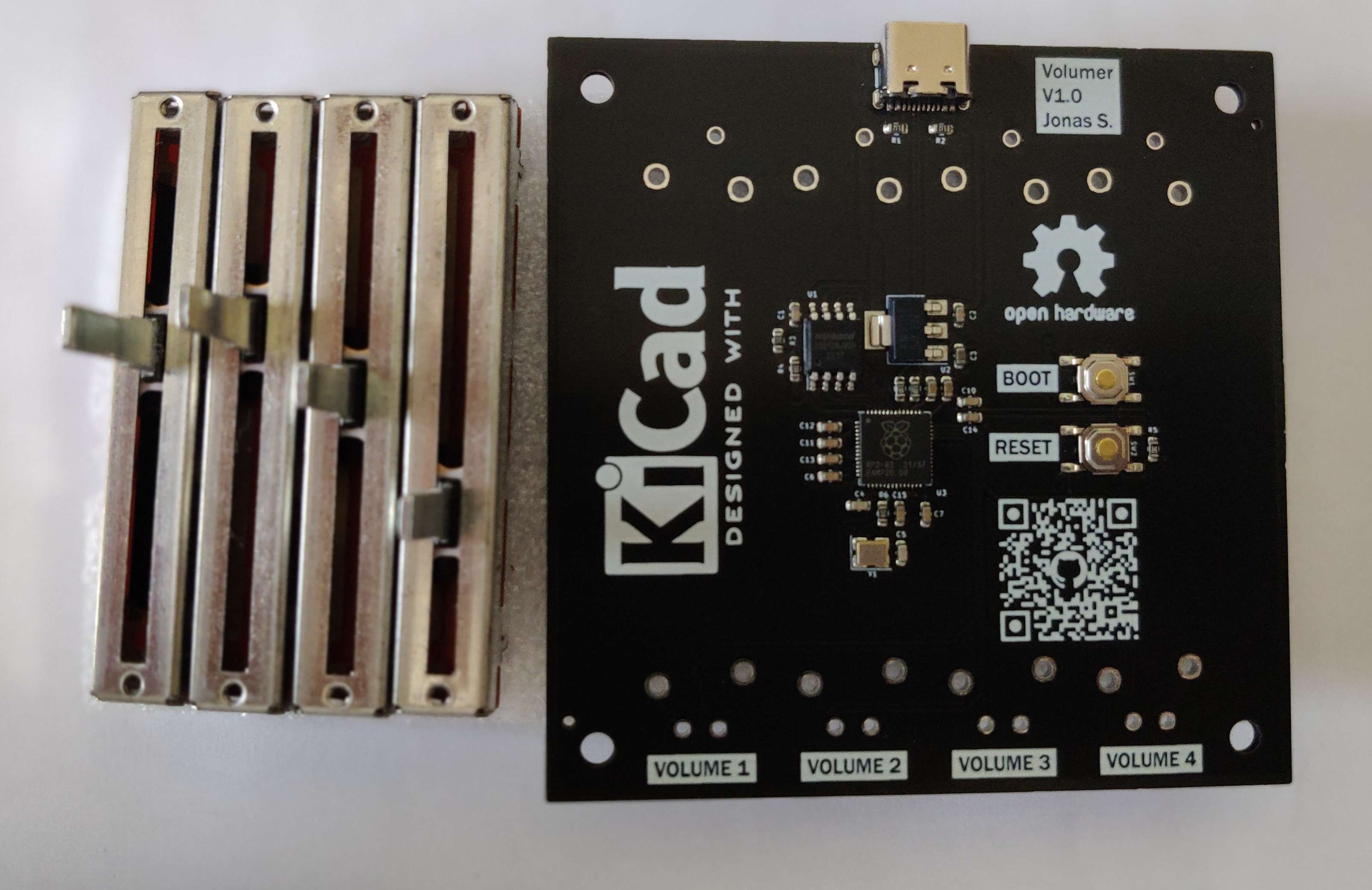
The PCB parts have been chosen for cheapest PCB Assembly with only 2 JLC PCB extended parts
First you have to order your PCB and mount the potentiometers:
Then you can install the software on the PC and flash the firmware on the Board:
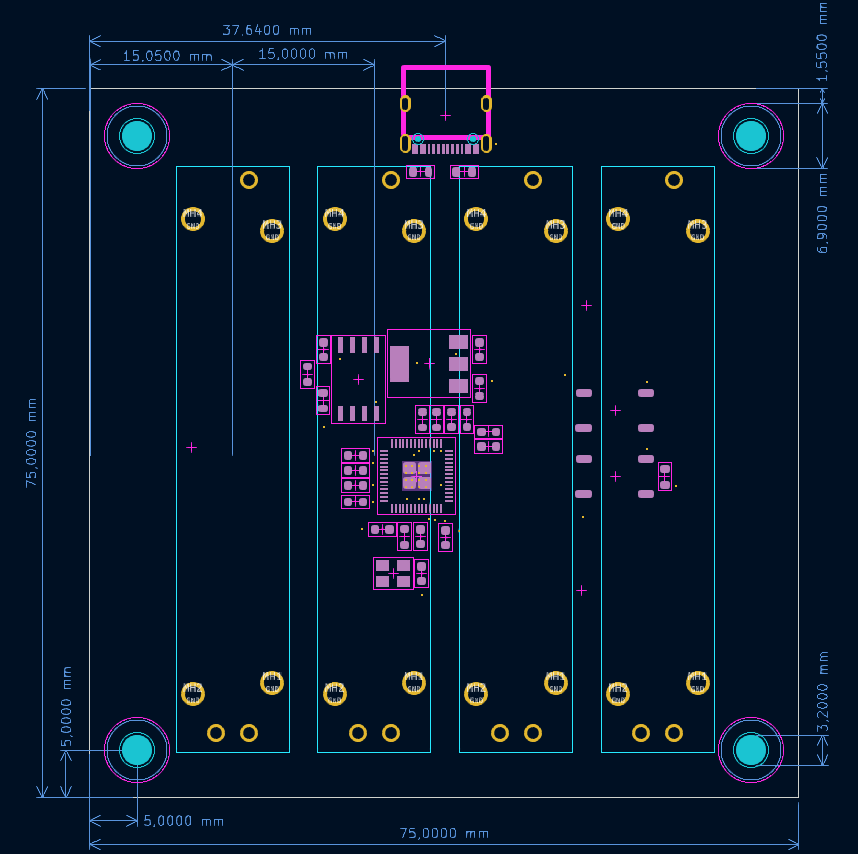
There is no case for now, don't hesitate to contribute ! Here is the dimensions
https://github.com/omriharel/deej

For simplicity and not to reinvent the wheel, I'm using an opensource project called DEEJ, which actually does exactly what I want to do.
You only need to put the executable in the same folder as the config file and make a shortcut to the executable in the startup folder to have it start with windows.
config : ./src/pc/config.yaml
In the config, You can set which potentiometer controls which application and set the COM port of the board (The COM port is not automatically detected).
You Circuit python or a UF2 compiled C program are available in the release page.
There is an already compiled UF2 file in the releases.
You can also compile the code yourself (need the RPI PICO SDK) and flash it to the board (Drag'n'drop in BOOTSEL mode).
Compile with:
cd src/board/c
mkdir build
cd build
cmake ..
make
You can then flash the board with the generated UF2 file in the bin folder.
You can also use Circuitpython, which for a firmware that simple, i would not recommend it since it's just less reliable and efficient.
You'll first need to install Circuitpython firmware in the board and then push the program into it (Firmware and program available in release).
To install the circuitpython firmware, you can simply drag and drop the UF2 file on the board after a boot with the BOOTSEL button pressed.
When Circuitpython is running, you can drag and drop the code.py file into the board Circuitpython mass storage (Not the one when bootsel is pressed).
Since there are submodules, you need to clone with the --recurse-submodules flag:
git clone --recurse-submodulesIf you cloned without submodules
git submodule update --init| Qty | Value | Footprint | References |
|---|---|---|---|
| 10 | 100n | Capacitor_SMD:C_0402_1005Metric_Pad0.74x0.62mm_HandSolder | C1, C4, C5, C8, C9, C10, C11, C12, C13, C16 |
| 8 | 10k | Resistor_SMD:R_0603_1608Metric_Pad0.98x0.95mm_HandSolder | R1, R3, R7, R8, R9, R10, R11, R12 |
| 8 | 1u | Capacitor_SMD:C_0402_1005Metric_Pad0.74x0.62mm_HandSolder | C6, C7, C14, C15, C18, C19, C20, C21 |
| 3 | Rotary encoder | Rotary_Encoder:RotaryEncoder_Alps_EC12E_Vertical_H20mm | U3, U5, U6 |
| 2 | 1k | Resistor_SMD:R_0603_1608Metric_Pad0.98x0.95mm_HandSolder | R2, R6 |
| 2 | 27 | Resistor_SMD:R_0603_1608Metric_Pad0.98x0.95mm_HandSolder | R4, R5 |
| 2 | 27p | Capacitor_SMD:C_0402_1005Metric_Pad0.74x0.62mm_HandSolder | C2, C3 |
| 2 | 5k1 | Resistor_SMD:R_0603_1608Metric_Pad0.98x0.95mm_HandSolder | R13, R14 |
| 2 | Conn_01x01_Pin | Connector_PinHeader_2.54mm:PinHeader_1x01_P2.54mm_Vertical | J1, J2 |
| 2 | TS-3025-B-C-B | push_button:lcsc_TS-3025-A-A-B_push_button | SW1, SW2 |
| 1 | 10u | Capacitor_SMD:C_0603_1608Metric_Pad1.08x0.95mm_HandSolder | C17 |
| 1 | 12Mhz | Crystal:Crystal_SMD_HC49-SD | Y1 |
| 1 | LD1117D33 | Package_SO:SOIC-8_3.9x4.9mm_P1.27mm | U4 |
| 1 | RP2040 | Package_DFN_QFN:QFN-56-1EP_7x7mm_P0.4mm_EP3.2x3.2mm | U2 |
| 1 | W25Q128JVS | Package_SO:SOIC-8_5.23x5.23mm_P1.27mm | U1 |
| 1 | ~ | USBC:USBC_16P | USB1 |
The 47 most common of 51 parts.
ThePurpleOne/volumer
Hardware module to easily control Individual Windows app volumes, just like the volume Mixer.

ThePurpleOne/volumer
Hardware module to easily control Individual Windows app volumes, just like the volume Mixer.

Bouni/BSH-Board
A board that interfaces the DBUS of several home appliances and brings them into Home-Assitant via ESPHome

UBC-Thunderbots/Electrical
All things electrical, from radio communication to BLDC motors. Zappity zap!


shanteacontrols/OpenDeck
A platform for building interactive control and sensing devices using MIDI and OSC built with Zephyr RTOS.


polpo/picogus
Emulation of ISA sound cards and CD-ROM on Raspberry Pi Pico (GUS, SB/Adlib, MPU-401, Tandy, CMS, Panasonic CD-ROM) with USB mouse/joystick support

Bastardkb/Dilemma
The Dilemma is a vertical stagger low-profile keyboard with mods.

Staacks/gbinterceptor
Capture or stream Game Boy gameplay footage via USB without modifying the Game Boy.
It measures 90 × 45 mm and has 4 copper layers, 1.6 mm thick.
51 parts, built around the RP2040, LD1117D33, W25Q128JVSIQ and TS-3025-B-C-B. The full list of its parts is on this page, with links to each part's symbol and footprint where PCBKit's library has them.
From the ThePurpleOne/volumer repository on GitHub, at the commit this page was made from: the board is pcb/volumer_v0.1/volumer.kicad_pcb and its schematic pcb/volumer_v0.1/rp2040.kicad_sch. PCBKit opens the board in the browser, with nothing to install.
Its repository publishes it under the MIT licence: you may reuse it on that licence's terms (keep the author's notice, and for a copyleft licence share your changes alike).