

2 layers56.4 × 78.4 mm

 stiangglanda/SmartBeehive
Open-source ESP32-S3 IoT beehive monitoring system with MQTT, Node-RED, InfluxDB and Docker for real-time hive health monitoring.
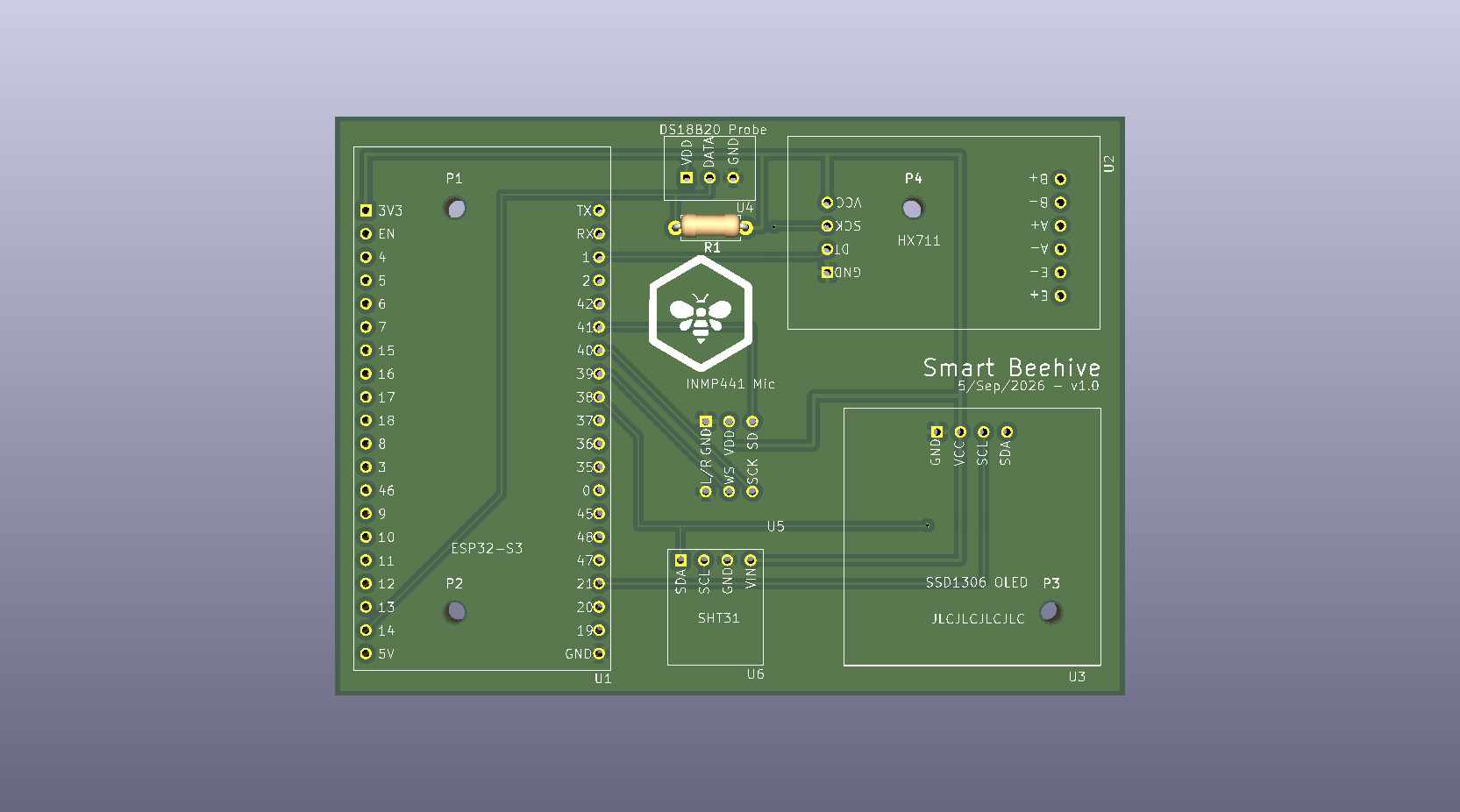
SmartBeehive is an open-source printed circuit board by stiangglanda, from the stiangglanda/SmartBeehive repository on GitHub. It is a 4-layer board of 86 × 63 mm with 12 parts on 46 nets, routed with 57 tracks and 2 vias.
It is built around the DS18B20 and INMP441. Its parts include 6 ICs, 4 connectors and 1 resistor. It belongs with the home automation and IoT and sensors and measurement boards and the ESP32 boards of this library.
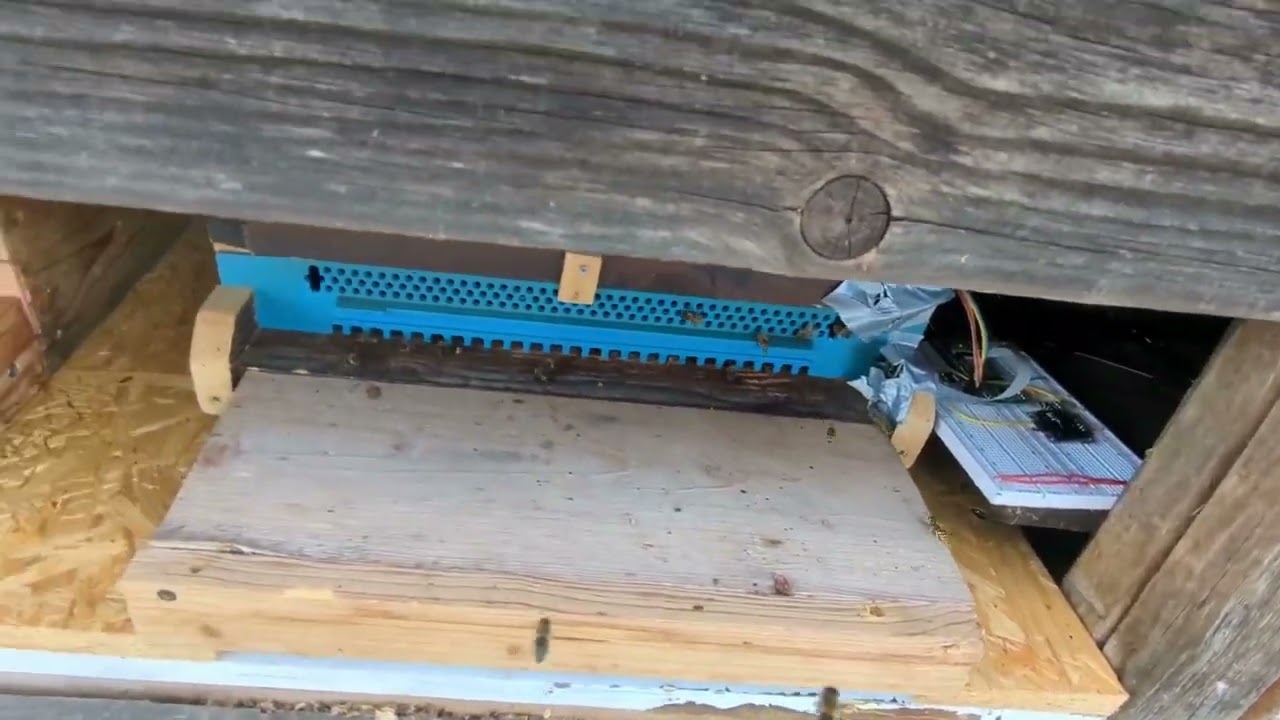
This project is an IoT-based beehive monitoring system. An ESP32-S3 collects real-time beehive data (weight, temperature, audio, and images) and sends it over Wi-Fi to a central STM32MP215F-DK Linux server running Docker.
This project is divided into two main components:
graph TD
    subgraph ESP32-S3 [ESP32-S3 Beehive Node]
        S_Scale[HX711 Load Cell] --> ESP[ESP32-S3]
        S_Temp[SHT31 Sensor] --> ESP
        S_Probe[DS18B20 Probe] --> ESP
        S_Mic[INMP441 Mic] --> ESP
        S_Cam[OV2640 Cam] --> ESP
        ESP --> Disp[SSD1306 OLED]
    end

    subgraph Server [Any Linux Server - Docker]
        Broker[Mosquitto MQTT]
        NodeRED[Node-RED]
        Influx[InfluxDB v2]
        Nginx[Nginx Web Server]
        Storage[(Shared File Storage)]
    end

    ESP -->|1. MQTT Telemetry| Broker
    Broker -->|2. Forward Data| NodeRED
    NodeRED -->|3. Write Metrics| Influx

    ESP -->|4. HTTP POST Images/Audio| NodeRED
NodeRED -->|5. Save Files| Storage| Component / Signal | ESP32-S3 Pin |
|---|---|
| HX711 DOUT | GPIO 1 |
| HX711 SCK | GPIO 2 |
| I2C SDA (SHT31 & OLED) | GPIO 21 |
| I2C SCL (SHT31 & OLED) | GPIO 38 |
| DS18B20 Data | GPIO 14 |
| INMP441 I2S WS | GPIO 39 |
| INMP441 I2S SCK | GPIO 40 |
| INMP441 I2S SD | GPIO 41 |
| OV2640 Camera | Standard DVP pinout |
To deploy the entire server stack (Mosquitto, Node-RED, InfluxDB, Nginx) on your Linux host using the provided server/docker-compose.yml:
# Start the stack in background (detached mode)
docker-compose up -d

# Verify that all 4 containers are successfully running
docker psUpdate the configuration section at the top of the main source file:
#define WIFI_SSID           "Your_SSID"
#define WIFI_PASS           "Your_Password"
#define SERVER_IP "Your_Server_IP"Execute the following commands in your ESP-IDF terminal environment:
idf.py set-target esp32s3

idf.py build

idf.py flash| Qty | Value | Footprint | References |
|---|---|---|---|
| 4 | MountingHole_2.2mm_M2 | MountingHole:MountingHole_2.2mm_M2 | P1, P2, P3, P4 |
| 1 | 4.7K | Resistor_THT:R_Axial_DIN0207_L6.3mm_D2.5mm_P7.62mm_Horizontal | R1 |
| 1 | DS18B20 | SmartBeehiveLib:DS18B20 | U4 |
| 1 | HX711_Module | SmartBeehiveLib:HX711_V2 | U2 |
| 1 | INMP441 | SmartBeehiveLib:INMP441 | U5 |
| 1 | LOGO | LOGO | G*** |
| 1 | SHT31 | SmartBeehiveLib:SHT31 | U6 |
| 1 | SSD1306 | SmartBeehiveLib:SSD1306 | U3 |
| 1 | ~ | SmartBeehiveLib:Freenove_ESP32_S3 | U1 |

iollama/Voice-Assistant-5
ESP32-S3 push-to-talk voice assistant using OpenAI Realtime API

galopago/iot-badge-legacy
Electronic conference badge for programming conventions, hacking events, etc.

Thecactusman0/Nebula-openwatch
Nebula is a ESP32 based smartwatch that features a rotating bezel encoder

JadenS180/spectrum-analyzer
ESP32-based real-time audio spectrum analyzer with custom PCB design. Features INMP441 I2S microphone, SSD1306 OLED display, FFT processing, and real-time WiFi streaming to a browser-based visualizer via WebSockets.


AskAlice/home-automation-pcbs
Daily Kimi-generated home automation PCB designs with KiCad sources, 3D models, and rendered documentation
It measures 86 × 63 mm and has 4 copper layers, 1.6 mm thick.
12 parts, built around the DS18B20 and INMP441. The full list of its parts is on this page, with links to each part's symbol and footprint where PCBKit's library has them.
From the stiangglanda/SmartBeehive repository on GitHub, at the commit this page was made from: the board is hardware/SmartBeehive.kicad_pcb and its schematic hardware/SmartBeehive.kicad_sch. PCBKit opens the board in the browser, with nothing to install.
Its repository states no licence, so its author keeps all rights: ask stiangglanda before reusing the design.