2 layers142.7 × 194.5 mm
Soft Power Switch panelized
sparkfun/SparkFun_Soft_Power_Switch_Mk2
Documentation, example code, and hardware for the SparkFun Soft Power Switch - JST 2mm.
2,177 parts2
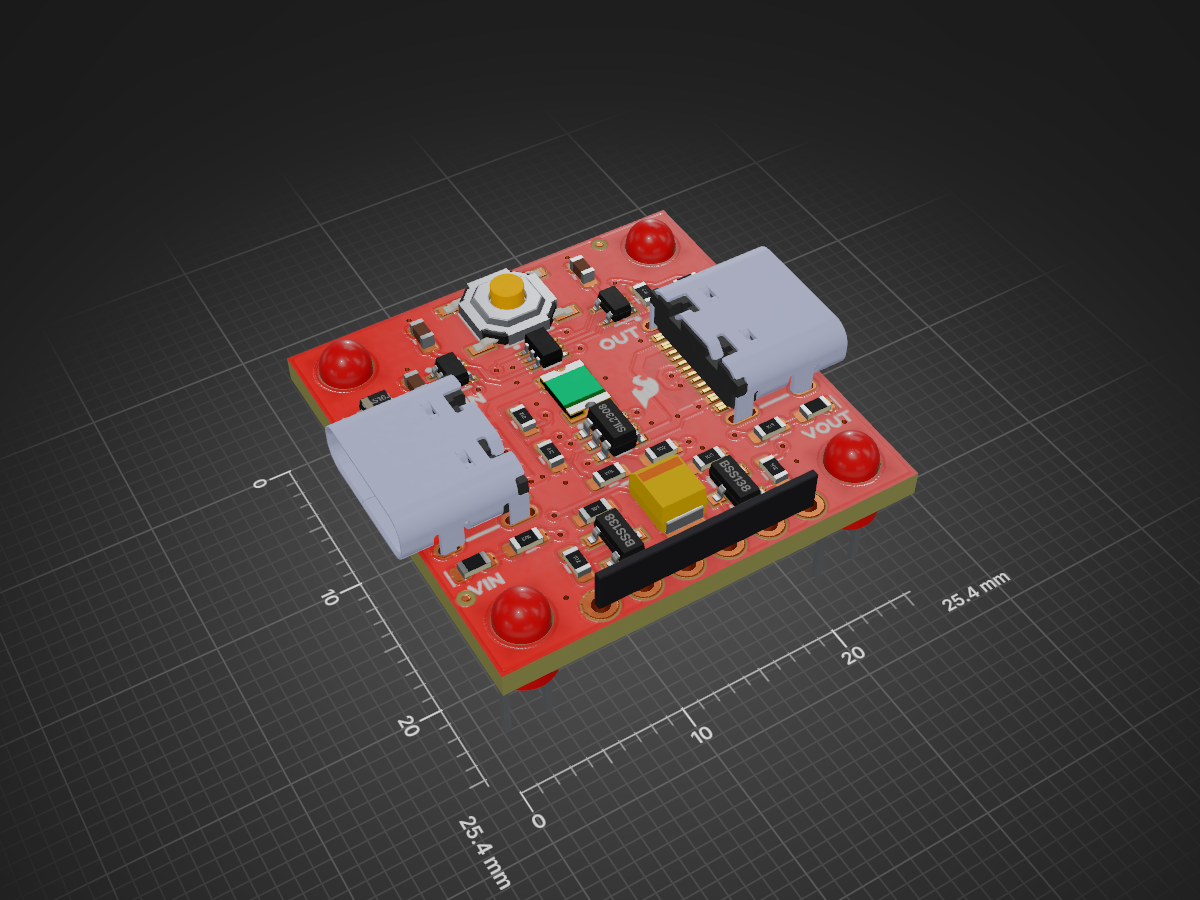
 sparkfun/SparkFun_Soft_Power_Switch_USB-C2
Documentation, example code, and hardware for the SparkFun Soft Power Switch - USB-C.
Soft Power Switch USB C is an open-source printed circuit board by sparkfun, from the sparkfun/SparkFun_Soft_Power_Switch_USB-C repository on GitHub. It is a 2-layer board of 25.4 × 25.4 mm with 61 parts on 36 nets, routed with 284 tracks and 55 vias.
It is built around the SN74LVC1G17DCK, SN74LVC1G14DCK and SN74LVC1G175DCK, with the BSS138, BAS16J and SIL2308-TP among its other parts. Its parts include 12 resistors, 4 capacitors, 3 ICs, 3 diodes and 3 transistors.


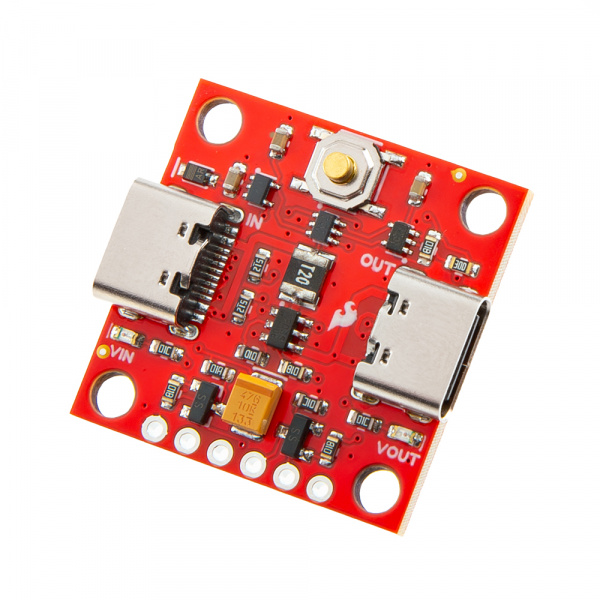
SparkFun Soft Power Switch - USB-C (PRT-27081)
The Soft Power Switch is a passive, hard on/off switch with software feedback and control. In other words, it's like the on/off switch on a laptop. A simple press will turn the system on. Another press can (with MCU intervention) turn off the system. And if things go really wrong, pressing and holding the button for ~7 seconds will force a power-down. If you're building something with an enclosed Thing Plus board and need a good power button, this is the board you need.
The Mk1 Soft Power Switch is great, but we do see occasional issues caused by component tolerances or the operating temperature. Mk2 is based on an application note by Texas Instruments, and is a completely digital design. It is based around a 74LVC1G175 D-type flip-flop - remember those?! - and is insensitive to temperature and component variation. It also includes improvements like: an over-current self-resetting 2A fuse; input and output LEDs. This version has USB-C connectors, but we also have a version with JST 2mm battery connectors.
The PUSH pin can act as an output to a microcontroller indicating the state of the power button (high = not pressed, low = user is pressing power button). This can be used as an input to your firmware to begin to shut down before power is lost. PUSH is an open-drain output and requires a pull-up. Alternatively, the OFF pin can be driven high by the system forcing fast power off via software. (For Mk1, the Fast Off pin was driven low.)
The most common use case is something like this:
Later...
The wake-up and power-down times can be tweaked for your own user experience but we found 500ms for power up and 2s for power down work really well.
If needed, pads are provided for a larger, external button.
The Soft Power Switch supports battery charging. If the target device has onboard LiPo charging, current can be passed back through the switch circuit and charge the battery.
Heads up! The Soft Power Switch - USB-C works up to 5.5V only. (Mk1 is good up to 12V.)
Pros:
Cons:
This product is open source!
Please review the LICENSE.md file for license information.
If you have any questions or concerns on licensing, please contact technical support on our SparkFun forums.
Distributed as-is; no warranty is given.
| Qty | Value | Footprint | References |
|---|---|---|---|
| 4 | 1k | SparkFun-Resistor:R_0603_1608Metric | R1, R6, R8, R9 |
| 4 | Fiducial_0.5mm | SparkFun-Aesthetic:Fiducial_0.5mm_Mask1mm | FID1, FID2, FID3, FID4 |
| 4 | Standoff | SparkFun-Hardware:Standoff | ST1, ST2, ST3, ST4 |
| 3 | 10k | SparkFun-Resistor:R_0603_1608Metric | R3, R4, R7 |
| 2 | 1.0uF | SparkFun-Capacitor:C_0603_1608Metric | C1, C3 |
| 2 | 5.1k | SparkFun-Resistor:R_0603_1608Metric | R11, R12 |
| 2 | BSS138 | SparkFun-Semiconductor-Standard:SOT23-3 | Q1, Q2 |
| 2 | G*** | kibuzzard-65F19FA6 | kibuzzard-65F19FA6, kibuzzard-65F19FA6 |
| 2 | Red | SparkFun-LED:LED_0603_1608Metric_Red | D2, D3 |
| 2 | USB_C_Receptacle | SparkFun-Connector:USB-C_16 | J1, J2 |
| 2 | ~ | SparkFun-Jumper:Jumper_2_NC_Trace | JP1, JP2 |
| 1 | 0.1uF | SparkFun-Capacitor:C_0603_1608Metric | C4 |
| 1 | 100 | SparkFun-Resistor:R_0603_1608Metric | R5 |
| 1 | 100k | SparkFun-Resistor:R_0603_1608Metric | R10 |
| 1 | 200k | SparkFun-Resistor:R_0603_1608Metric | R2 |
| 1 | 47uF | SparkFun-Capacitor:EIA-3528 | C2 |
| 1 | 6V/2.0A/4.0A | SparkFun-Fuse:1210 | F1 |
| 1 | BAS16J | SparkFun-Semiconductor-Standard:SOD-323 | D1 |
| 1 | Conn_01x06 | SparkFun-Connector:1x06 | J3 |
| 1 | Flame | SparkFun-Aesthetic:SparkFun_Flame_2.5mm | G*** |
| 1 | G*** | kibuzzard-65F1758C | kibuzzard-65F1758C |
| 1 | G*** | kibuzzard-65F05416 | kibuzzard-65F05416 |
| 1 | G*** | kibuzzard-65F05604 | kibuzzard-65F05604 |
| 1 | G*** | kibuzzard-65F05495 | kibuzzard-65F05495 |
| 1 | G*** | kibuzzard-65F056B4 | kibuzzard-65F056B4 |
| 1 | G*** | kibuzzard-65F05644 | kibuzzard-65F05644 |
| 1 | G*** | kibuzzard-65F056D8 | kibuzzard-65F056D8 |
| 1 | G*** | kibuzzard-65F0543A | kibuzzard-65F0543A |
| 1 | G*** | kibuzzard-65F053F1 | kibuzzard-65F053F1 |
| 1 | G*** | kibuzzard-65F0636B | kibuzzard-65F0636B |
| 1 | G*** | kibuzzard-65F056F7 | kibuzzard-65F056F7 |
| 1 | G*** | kibuzzard-65F05628 | kibuzzard-65F05628 |
| 1 | G*** | kibuzzard-65F0634B | kibuzzard-65F0634B |
| 1 | G*** | kibuzzard-65F174FD | kibuzzard-65F174FD |
| 1 | G*** | kibuzzard-65F05472 | kibuzzard-65F05472 |
| 1 | LOGO | SparkFun-Aesthetic:SparkFun_Logo_10mm | G*** |
| 1 | OSHW_Logo | SparkFun-Aesthetic:Creative_Commons_License | G3 |
| 1 | SIL2308 | SparkFun-Semiconductor-Standard:SOT23-6-Tight | Q3 |
| 1 | SMD_5.2x5.2mm_h2.5mm | SparkFun-Switch:Push_SMD_5.2x5.2mm_h2.5mm | SW1 |
| 1 | SN74LVC1G14DCK | SparkFun-Semiconductor-Standard:SOT-353 | U2 |
| 1 | SN74LVC1G175DCK | SparkFun-Semiconductor-Standard:SOT-323 | U4 |
| 1 | SN74LVC1G17DCK | SparkFun-Semiconductor-Standard:SOT-353 | U3 |
| 1 | Val** | SparkFun-Aesthetic:OSHW_Logo_2.5mm | Ref** |
sparkfun/SparkFun_Soft_Power_Switch_Mk2
Documentation, example code, and hardware for the SparkFun Soft Power Switch - JST 2mm.

schilkp/PmodADC
A fully discrete 14bit, 41kHz, FPGA-controlled Successive-Approximation Audio ADC and R2R Audio DAC.

ardiloot/dif-pressure-meter
ESP32 based differential pressure (and air flow) meter. Handheld, battery powered DIY device for measuring small pressure differences (Sensirion SDP810-500Pa).


sparkfun/SparkFun_RTK_Facet_mosaic
The hardware repository for the designs of the PCBs in the SparkPNT RTK Facet mosaic. This repo also includes the design files for the display and connector boards utilized in our next-generation of Facet GNSS products.

BerkeleyLab/DxP-sensor-probes
Hardware design for the DxP (Distributed sensor Profiling) sensor probe.

BerkeleyLab/DxP-data-logger
Hardware design for the DxP (Distributed sensor Profiling) data logger that connects to a DxP sensor probe.

Meo98/picostack
Stackable, contract-driven module system for the Raspberry Pi Pico — open hardware, built by code
It measures 25.4 × 25.4 mm and has 2 copper layers, 1.6 mm thick.
61 parts, built around the SN74LVC1G17DCK, SN74LVC1G14DCK, SN74LVC1G175DCK and BSS138. The full list of its parts is on this page, with links to each part's symbol and footprint where PCBKit's library has them.
From the sparkfun/SparkFun_Soft_Power_Switch_USB-C repository on GitHub, at the commit this page was made from: the board is Hardware/Soft_Power_Switch_USB-C.kicad_pcb and its schematic Hardware/Soft_Power_Switch_USB-C.kicad_sch. PCBKit opens the board in the browser, with nothing to install.
Its repository states no licence, so its author keeps all rights: ask sparkfun before reusing the design.