
2 layers132.3 × 94.9 mm

 rzssh/pinboard6
24 key unibody keyboard created for chorded input with the Pinchord layout
Pinboard is an open-source printed circuit board by rzssh, from the rzssh/pinboard repository on GitHub. It is a 2-layer board of 263.2 × 109.3 mm with 27 parts on 32 nets, routed with 268 tracks and 0 vias.
It is built around the RP2040-ZERO. Its parts include 24 switches and 1 IC. It belongs with the keyboards and input boards and the RP2040 boards of this library.
A 24-key unibody keyboard built for chorded typing with the Pinchord layout.
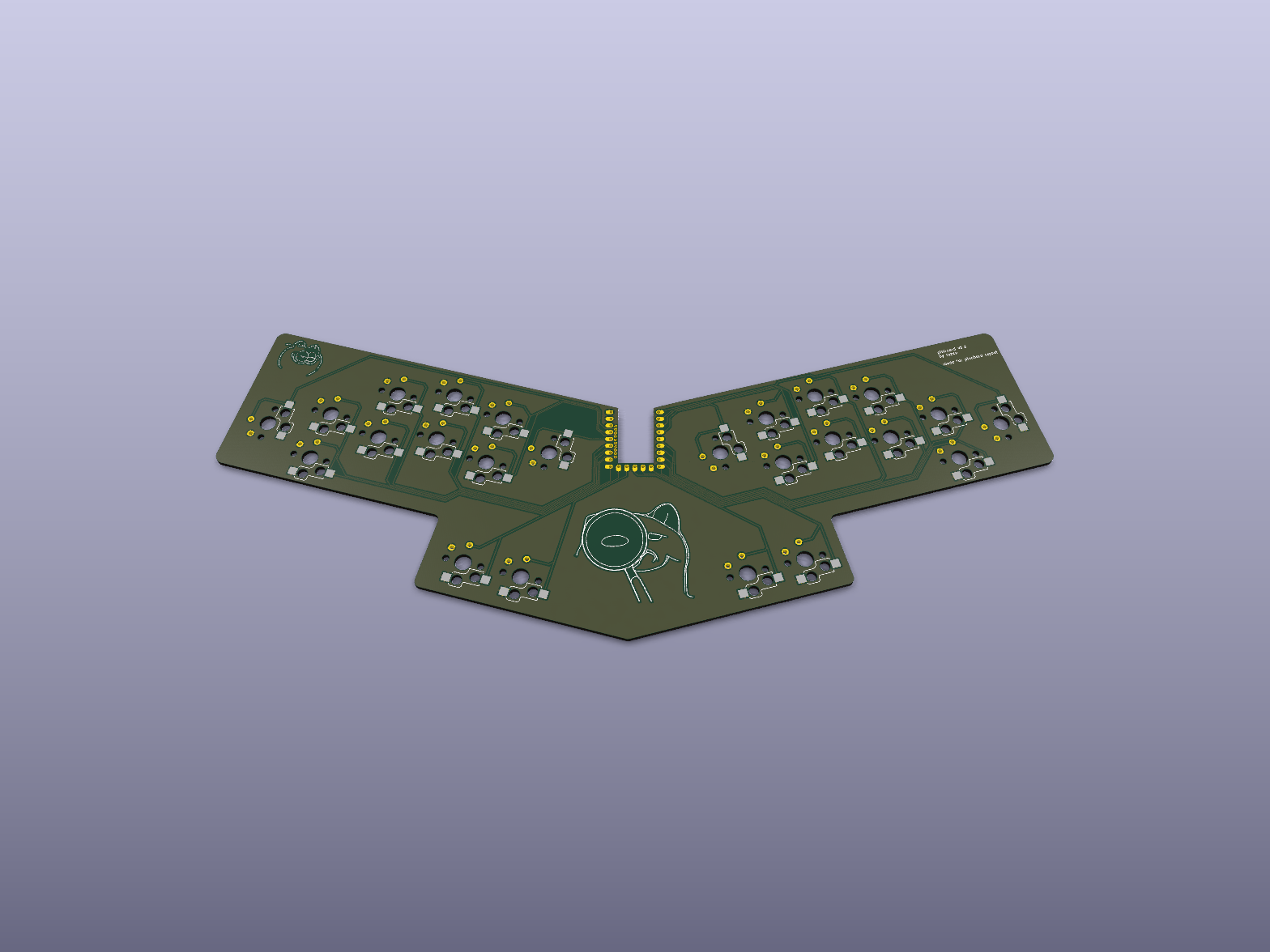
Pinchord is a chording system where you press a few keys at the same time to spell whole words instead of tapping them out letter by letter. The keys are split into three groups: the left fingers handle the start of a word, the thumbs and right index do the vowels, and the right fingers finish it off.
Send the gerbers (see the releases page) off to your fab of choice. Once the boards are there, solder on the RP2040-Zero and optionally the hotswap sockets, then snap in your switches and keycaps.
| Qty | Value | Footprint | References |
|---|---|---|---|
| 24 | SW_Choc_1u | rznkbd-switches:SW_Choc_v1v2_1u_Solder_Hotswap | SW1, SW2, SW10, SW11, SW12, SW13, SW14, SW15, SW16, SW17, SW18, SW19, SW20, SW21, SW22, SW23 +8 |
| 1 | LOGO | logo:garf | G*** |
| 1 | RP2040-Zero | rznkbd-mcu:RP2040-Zero_THT_Pads | U1 |
| 1 | doft | logo:doft | G*** |
It measures 263.2 × 109.3 mm and has 2 copper layers, 1.6 mm thick.
27 parts, built around the RP2040-ZERO. The full list of its parts is on this page, with links to each part's symbol and footprint where PCBKit's library has them.
From the rzssh/pinboard repository on GitHub, at the commit this page was made from: the board is pinboard.kicad_pcb and its schematic pinboard.kicad_sch. PCBKit opens the board in the browser, with nothing to install.
Its repository states no licence, so its author keeps all rights: ask rzssh before reusing the design.


beekeeb/zerosprey42
Zerosprey42 Keyboard is a wired, beginner friendly, choc hotswap, MonoBlockSplit (Unibody), column-staggered, DIY mechanical keyboard.


ravinrabbid/DonCon2040
RP2040 based firmware and hardware for DIY Taiko no Tatsujin Drum Controllers

nmur/RP2040-TestPatternGenerator
A simple test pattern generator running on the RP2040 microcontroller

ChrisChrisLoLo/bunchiez40
A pocket keyboard that makes use of mouse switches to achieve a miniscule size
