
2 layers85.3 × 35.3 mm
 michpro/Arduino_Pro_Mini_XL
ATmega1284P uC module in Arduino Pro Mini format
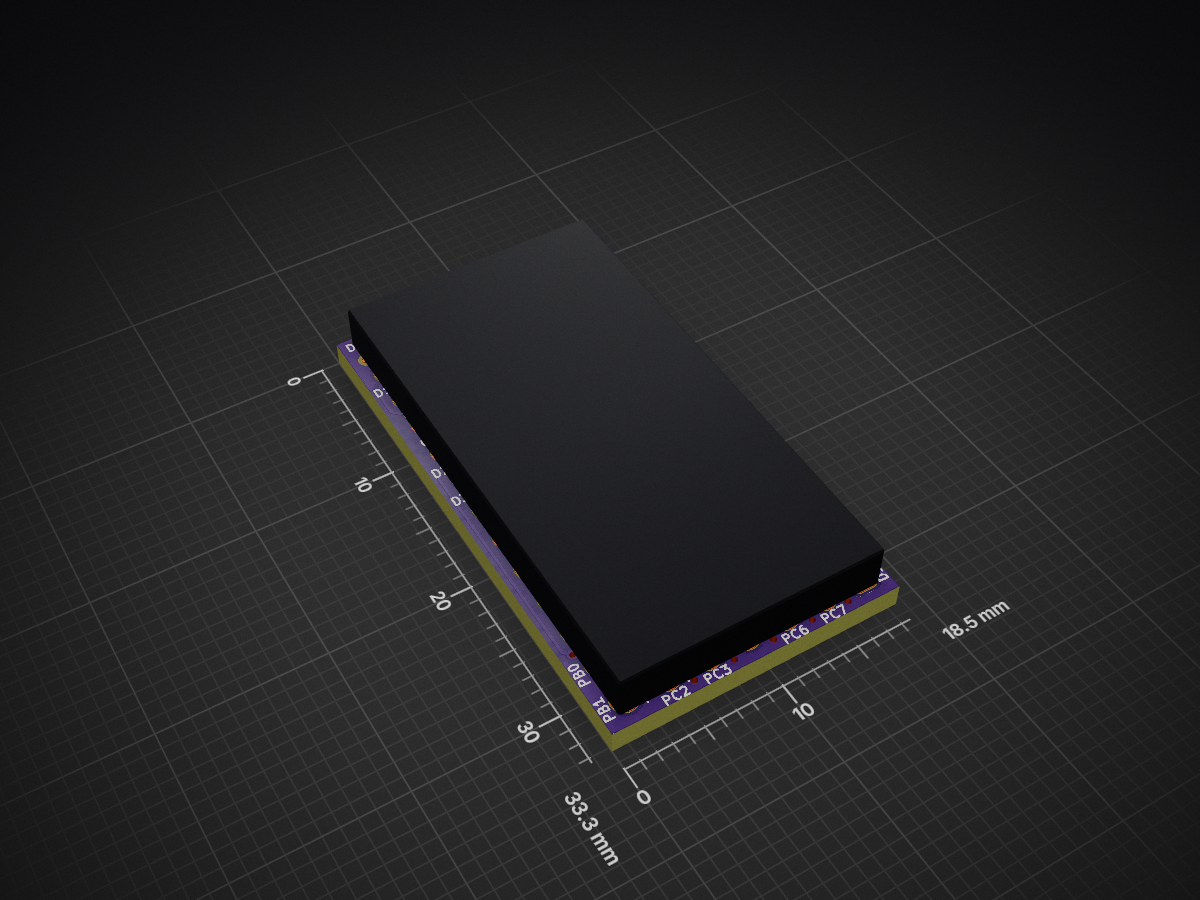
Arduino Pro Mini XL is an open-source printed circuit board by michpro, from the michpro/Arduino_Pro_Mini_XL repository on GitHub, published under the CERN-OHL-P-2.0 licence. It is a 2-layer board of 18.5 × 33.3 mm with 21 parts on 43 nets, routed with 409 tracks and 59 vias.
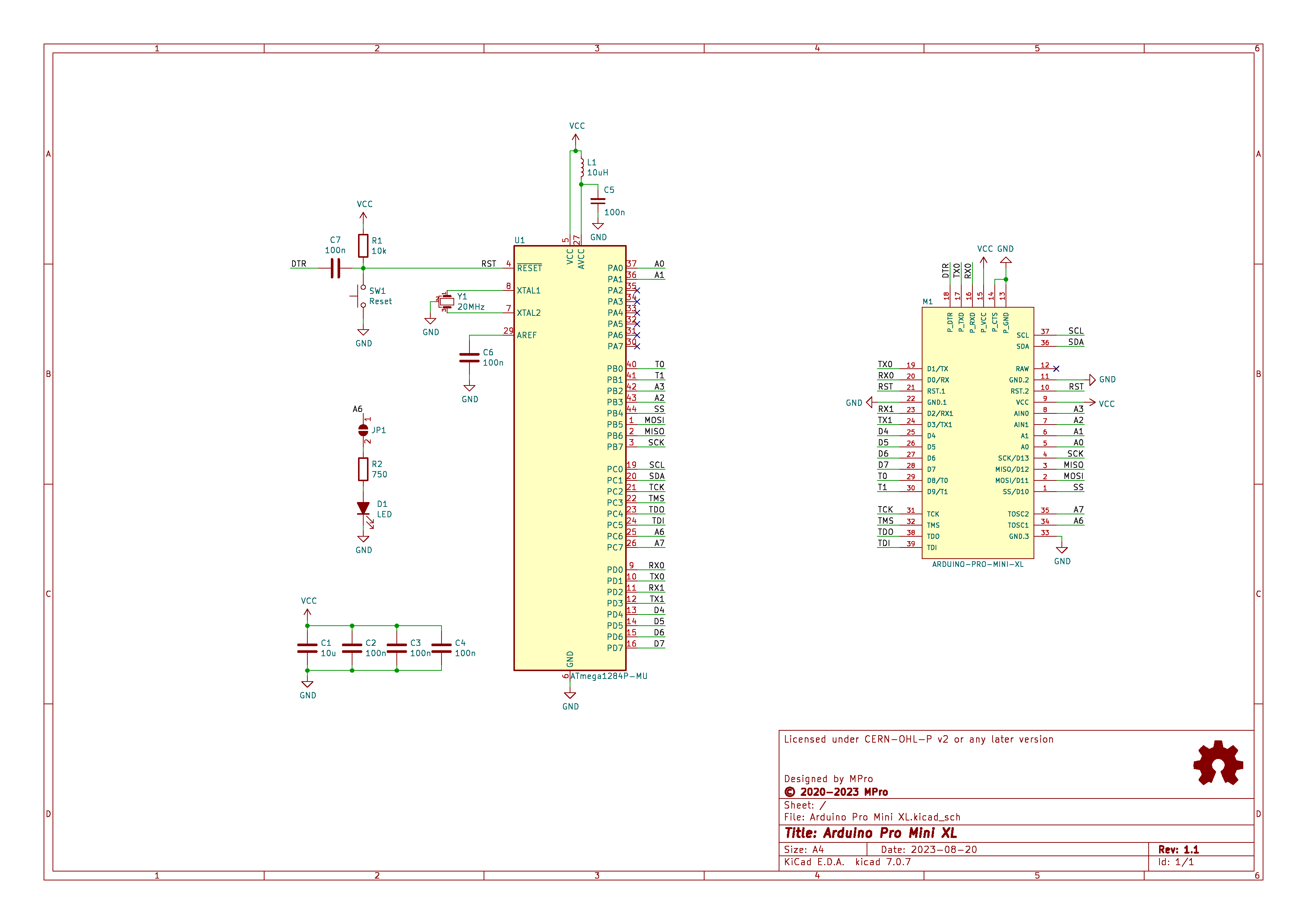
It is built around the ATMEGA1284P-MU. Its parts include 7 capacitors, 2 resistors, 1 IC, 1 diode and 1 switch. It belongs with the AVR (ATmega, ATtiny) boards of this library.
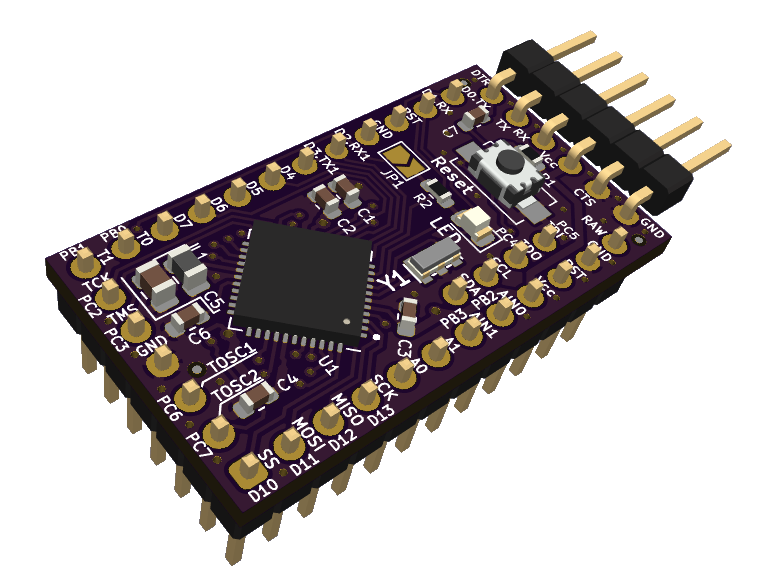
The Arduino Pro Mini XL is a compact microcontroller board based on the ATmega1284P, designed to extend the capabilities of the standard Arduino Pro Mini while retaining its familiar form factor. With increased memory, additional I/O pins, and enhanced features, this board is well-suited for embedded applications requiring greater processing power and connectivity than the ATmega328P-based Arduino Pro Mini can provide. It integrates seamlessly with the Arduino ecosystem, making it accessible to hobbyists, engineers, and developers alike.
(click on the image to see the 3D model)
Production files can be found here.
The Arduino Pro Mini XL is supported by the Arduino IDE through the MightyCore board package, which provides board definitions for the ATmega1284P.
To configure the Arduino IDE:
File > Preferences.Additional Boards Manager URLs field:
https://mcudude.github.io/MightyCore/package_MCUdude_MightyCore_index.jsonOK.Tools > Board > Boards Manager.After installation, select "ATmega1284P" under Tools > Board, and configure the variant and clock settings as needed.
void setup()
{
   pinMode(PIN_PC6, OUTPUT); // Onboard LED
                             // Don't forget to close JP1.
}

void loop()
{
   digitalWrite(PIN_PC6, HIGH);
   delay(1000);
   digitalWrite(PIN_PC6, LOW);
   delay(1000);
}To burn the bootloader using an ISP programmer:
Tools > Burn Bootloader.Consult the MightyCore documentation for correct fuse settings.
Thanks to the Arduino community and the MightyCore developers for enabling support for the ATmega1284P.
Copyright © 2020-2025 Michal Protasowicki
This project is released under CERN Open Hardware Licence Version 2 - Permissive.

If You find my projects interesting and You wanted to support my work, You can give me a cup of coffee or a keg of beer :)
| Qty | Value | Footprint | References |
|---|---|---|---|
| 5 | 100n | footprints:C_0603_1608Metric | C2, C3, C4, C6, C7 |
| 3 | Fiducial_0.5mm_Mask1mm | footprints:Fiducial_0.5mm_Mask1mm | REF1, REF2, REF3 |
| 1 | 100n | footprints:C_0805_2012Metric | C5 |
| 1 | 10k | footprints:R_0603_1608Metric | R1 |
| 1 | 10u | footprints:C_0603_1608Metric | C1 |
| 1 | 10uH | footprints:L_0805_2012Metric | L1 |
| 1 | 1k5 | footprints:R_0603_1608Metric | R2 |
| 1 | 20MHz | footprints:muRata-resonator_SMD_CSTCExxM00G55-R0 | Y1 |
| 1 | ARDUINO-PRO-MINI-XL | footprints:diy-modules-ARDUINO-PRO-MINI-XL-BRD | M1 |
| 1 | ATmega1284P-MU | footprints:QFN-44-1EP_7x7mm_P0.5mm_EP5.2x5.2mm | U1 |
| 1 | LED | footprints:LED_0805_2012Metric | D1 |
| 1 | LOGO | footprints:Logo_FREQ_20_16_8MHz | REF5 |
| 1 | OSHW-Logo2_7.3x6mm_SilkScreen | footprints:OSHW-Logo2_7.3x6mm_SilkScreen | REF4 |
| 1 | Reset | footprints:SW_SPST_EVQPE1 | SW1 |
| 1 | SolderJumper_2_Open | footprints:SolderJumper-2_P1.3mm_Open_TrianglePad1.0x1.5mm | JP1 |


vul-os/sirboard
Open hardware: 107 KiCad PCB designs — SMD-to-THT breakout adapters, ATTiny/ATMega/ESP development boards, and a 39-part sensor line on a common JST-SH connector.

mirdej/vmix
Multichannel modular analog PAL video mixer based on the SYNKIE project

palouse-robosub/pcbs-2018
This repository contains all of the custom PCB designs for the Palouse Robosub Electrical Engineering Team.

gusmanb/logicanalyzer
24 channel, 100Msps logic analyzer hardware and software

mntmn/amiga2000-gfxcard
MNT VA2000, an Open Source Amiga 2/3/4000 Graphics Card (Zorro II/III), written in Verilog

It measures 18.5 × 33.3 mm and has 2 copper layers, 1.6 mm thick.
21 parts, built around the ATMEGA1284P-MU. The full list of its parts is on this page, with links to each part's symbol and footprint where PCBKit's library has them.
From the michpro/Arduino_Pro_Mini_XL repository on GitHub, at the commit this page was made from: the board is Arduino_Pro_Mini_XL.kicad_pcb and its schematic Arduino_Pro_Mini_XL.kicad_sch. PCBKit opens the board in the browser, with nothing to install.
Its repository publishes it under the CERN-OHL-P-2.0 licence: you may reuse it on that licence's terms (keep the author's notice, and for a copyleft licence share your changes alike).