

4 layers234 × 84 mm
Main panel
google/mozc-devices
Circuit diagrams and firmware source code for Gboard DIY keyboards
234 parts3kApache-2.0

 lixtheyt/mediapad1
Mediapad is a HackPad project made by Hack Club. Mediapad was created because of the Stardance project as a HackPad mission.
Hackpad is an open-source printed circuit board by lixtheyt, from the lixtheyt/mediapad repository on GitHub, published under the MIT licence. It is a 2-layer board of 100 × 100 mm with 42 parts on 43 nets, routed with 392 tracks and 42 vias.
It is built around the SK6812MINI-E. Its parts include 29 diodes, 9 switches, 1 IC and 1 connector.
Mediapad is an 9 key hackpad with a rotary encoder, an OLED Display. It also has 20/16 SK6812 MINI-E LEDs, and uses QMK firmware.
Watch it here if the player above does not load.
Everything fits together using 6 M3 Bolts and heatset inserts. 4 for the case and 2 for the PCB.
It has 8 separate printed pieces. 3 are parts of the case, 1 is a spacer for the glow and 1 is for the OLED display as a support.
<img src=CAD/assets/image.png alt="Schematic" width="500"/>
I made my PCB inside KiCad. Libraries I used were originally from the Hackpad website but I also used some that I had found on grabcad
<img src=PCB/assets/schematic.png alt="Schematic" width="600"/>
<img src=PCB/assets/pcb.png alt="PCB" width="500"/>
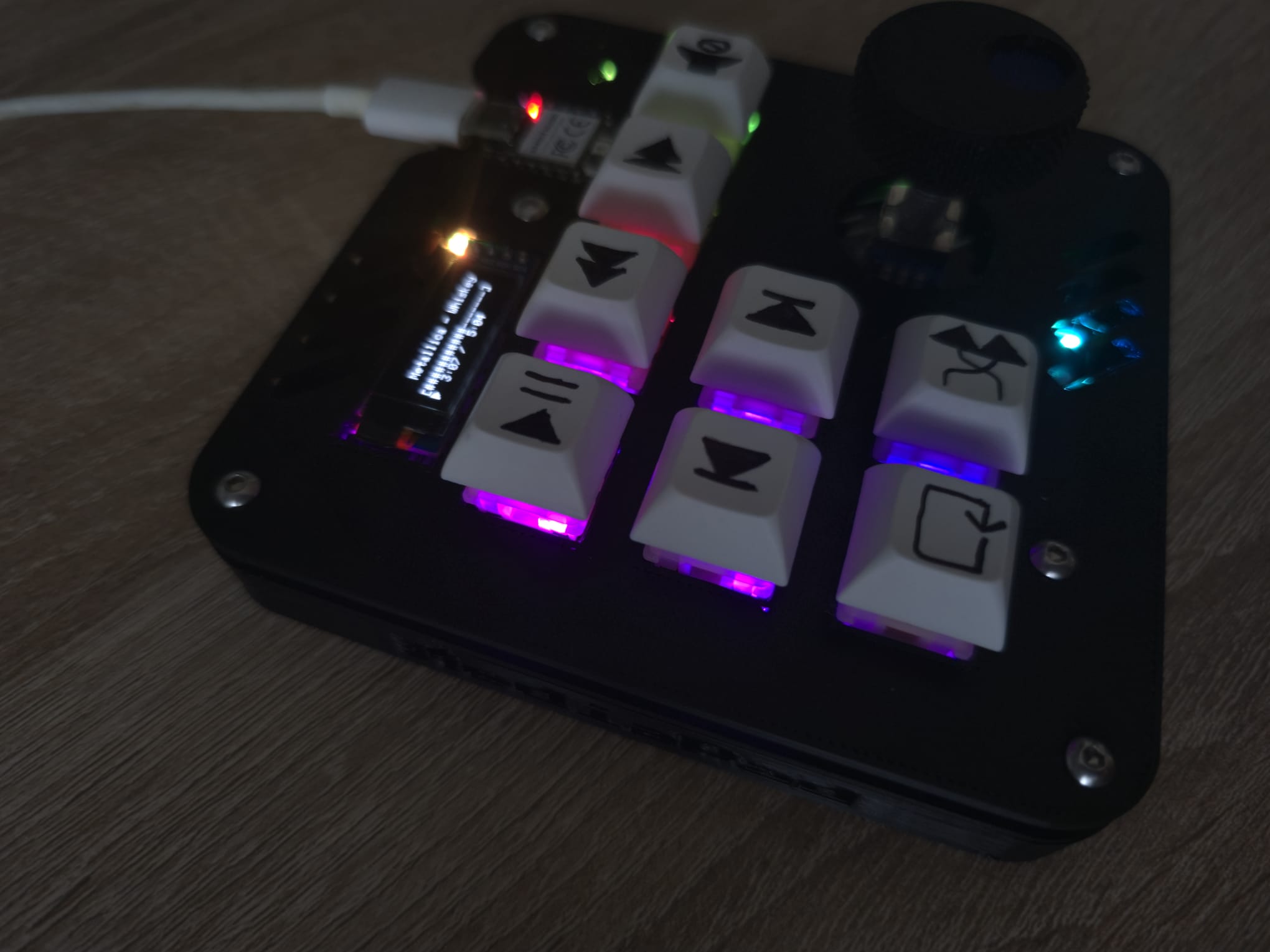
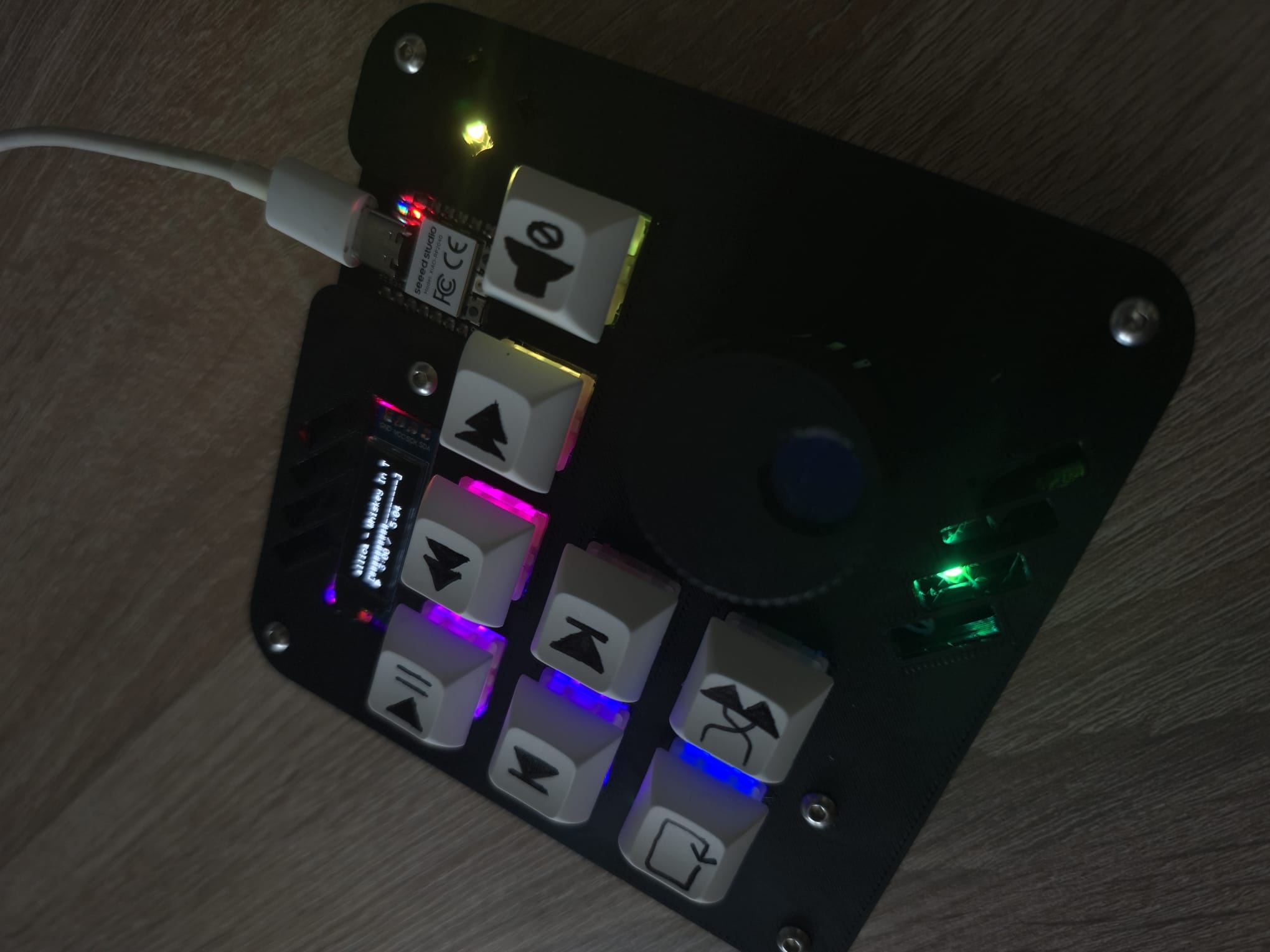
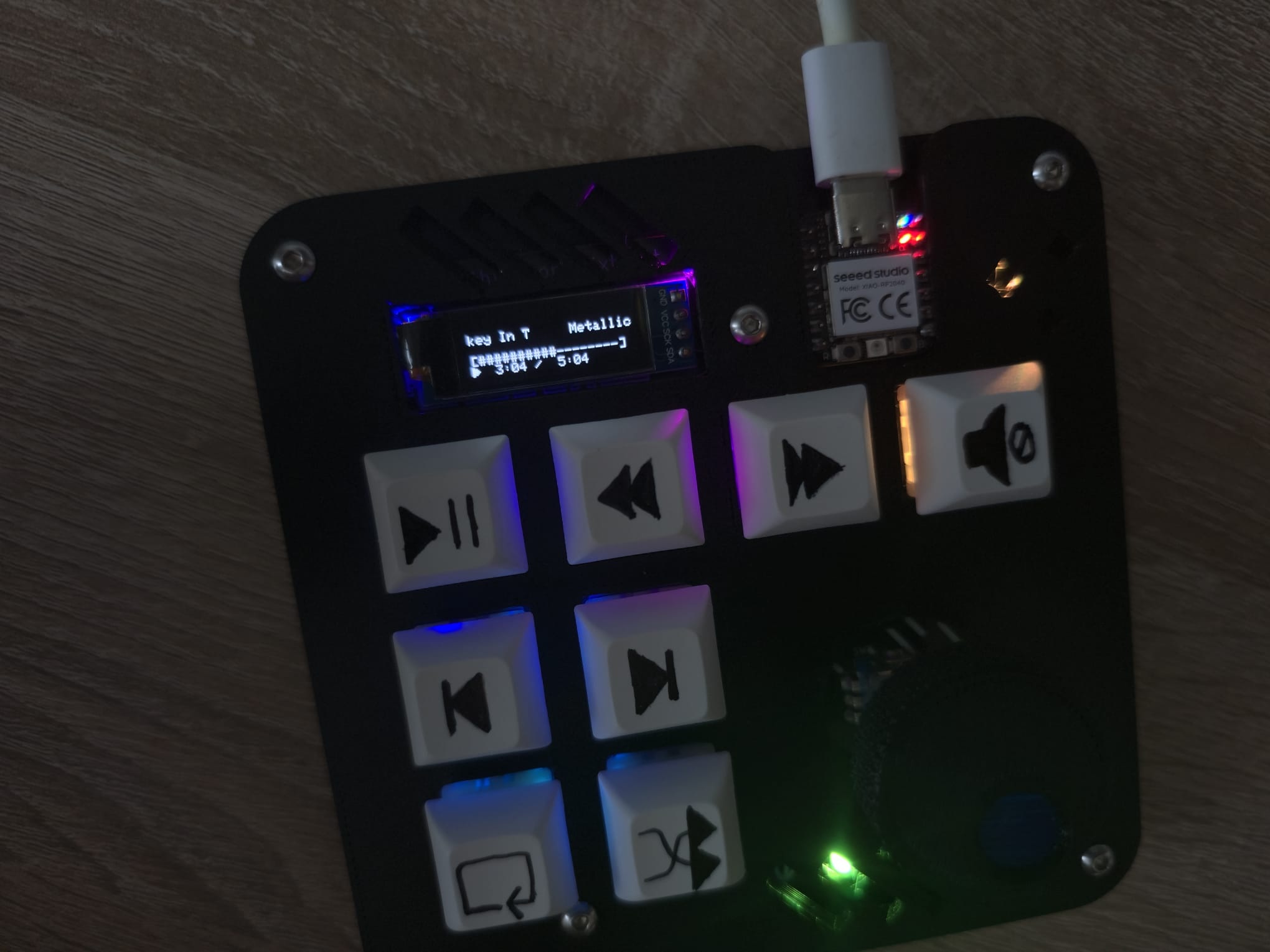
This hackpad uses QMK firmware for everything.
The board exists in two LED populations, so the firmware ships as two revisions. They differ only in the LED map keys, encoder and OLED are shared.
| Revision | LEDs | Board |
|---|---|---|
rev20 | D1-D20 | fully populated |
rev16 | D1-D16 | built without the four LEDs ringing the encoder |
The four LEDs rev16 leaves out are last in the WS2812 chain, so the remaining
sixteen still light normally. The idle screen prints the count
(mediapad 16 LED) so you can tell which build is on the board.
make mediapad/rev20:lixtheytAll eight switches are media keys, on every mode except RGB. Only what the encoder does changes from mode to mode.
SW1 play/pause   SW2 rewind       SW3 fast forward   SW6 mute
SW4 prev track   SW5 next track
SW7 repeat SW8 shuffle SW9 = the encoderClicking the encoder opens a mode picker that previews rather than switches:
RGB contains 16 effects. The first six run their own colours (Pinwheel, Vortex, Rainbow wave, Chevron, Splash, Raindrops), the other ten come out in whatever you mix, and several of those react to keypresses and spread outward from the key you hit.
The keys aim the dial, and the dial does the changing:
SW1 red SW2 green SW3 blue SW6 brightness SW4 effect listPress play/pause + rewind together if you forget what a key does. Turn the encoder to walk the list, click it for the answer, press anything to back out. The list follows whichever mode you opened it from.
The LEDs either side of that key light up with the key itself as the dark gap between them, and the display spells the position out in words. The words are the part that always works the LED grid sits about half a key pitch off the switch grid, so no single LED can point at a key without also looking like it points at its neighbour.
While something is playing, a scrolling title and artist, a progress bar, and a bottom row carrying play/pause on the left, the clock, and shuffle / repeat symbols on the right. The clock runs locally rather than echoing the host, because Windows only refreshes its playback position every few seconds.
Otherwise: the board name and LED count, the current mode, and either
waiting for app (nothing arriving) or nothing playing (the app is connected,
but Windows has no media session).
Armed on the media modes only on the RGB mode those same switches are colour controls.
| Hold | For | Does |
|---|---|---|
| rewind + fast forward + mute | 5 s | bootloader |
| repeat + shuffle + mute | 5 s | clear EEPROM |
| rewind + fast forward | 2 s | reboot |
| repeat + shuffle | 2 s | toggle debug |
You can also reach the bootloader by holding the top left key while plugging in, or by double-tapping the reset button on the XIAO.
I want to note out that the firmware was mostly done by AI due to my limited C knowledge and the difficulty to create a firmware that does such advanced things.
Companion/mediapad_tray.exe is a portable application made in Python that feeds Mediapad with the latest
information about current played media on your computer. Without it the OLED shows the board name and
waiting for app, everything except the now-playing screen still works.
As I have mentioned... it is a portable application. That means you don't have to install anything. Just open, mess with it in the tray (where background applications are located) and make sure to enable the setting that allows it to open on start up of your computer, so you don't have to turn it on manually every time you turn on your computer. If you've got no idea where the tray with the background applications is located then please, google it.
| Qty | Value | Footprint | References |
|---|---|---|---|
| 20 | SK6812MINI-E | footprints:SK6812MINI-E_fixed | D1, D2, D3, D4, D5, D10, D11, D12, D13, D14, D15, D16, D17, D18, D19, D20 +4 |
| 9 | 1N4148 | Diode_THT:D_DO-35_SOD27_P7.62mm_Horizontal | D21, D22, D23, D24, D25, D26, D27, D28, D29 |
| 8 | SW_Push | Button_Switch_Keyboard:SW_Cherry_MX_1.00u_PCB | SW1, SW2, SW3, SW4, SW5, SW6, SW7, SW8 |
| 2 | MountingHole_3.2mm_M3 | MountingHole:MountingHole_3.2mm_M3 | REF98, REF99 |
| 1 | Conn_01x04 | oled:SSD1306-0.91-OLED-4pin-128x32 | J1 |
| 1 | MOUDLE-SEEEDUINO-XIAO | footprints:XIAO-Generic-Hybrid-14P-2.54-21X17.8MM | U1 |
| 1 | RotaryEncoder_Switch | Rotary_Encoder:RotaryEncoder_Alps_EC11E-Switch_Vertical_H20mm | SW9 |
It measures 100 × 100 mm and has 2 copper layers, 1.6 mm thick.
42 parts, built around the SK6812MINI-E. The full list of its parts is on this page, with links to each part's symbol and footprint where PCBKit's library has them.
From the lixtheyt/mediapad repository on GitHub, at the commit this page was made from: the board is PCB/Hackpad.kicad_pcb and its schematic PCB/Hackpad.kicad_sch. PCBKit opens the board in the browser, with nothing to install.
Its repository publishes it under the MIT licence: you may reuse it on that licence's terms (keep the author's notice, and for a copyleft licence share your changes alike).
google/mozc-devices
Circuit diagrams and firmware source code for Gboard DIY keyboards

Bastardkb/Dilemma
The Dilemma is a vertical stagger low-profile keyboard with mods.

Pwnsat/FlatSat
Flatsat v1.0 is a hardware based platform for aerospace cybersecurity research

adamws/kicad-kbplacer
KiCad plugin for automatic keyboard's key placement and routing

imchipwood/dumbpad
Simple 4x4 numpad with rotary encoder. Powered by QMK via ATmega32u4 Pro Micro

makerforgetech/modular-biped
An open source framework for creating a bipedal modular companion robot.

