
4 layers85 × 56 mm

 jackshisd/Dining-Buddy2
An ultra-compact ESP32-C3 keychain device that displays UCLA dining menus and weather on an OLED screen with single-button control and nightly auto-updates.
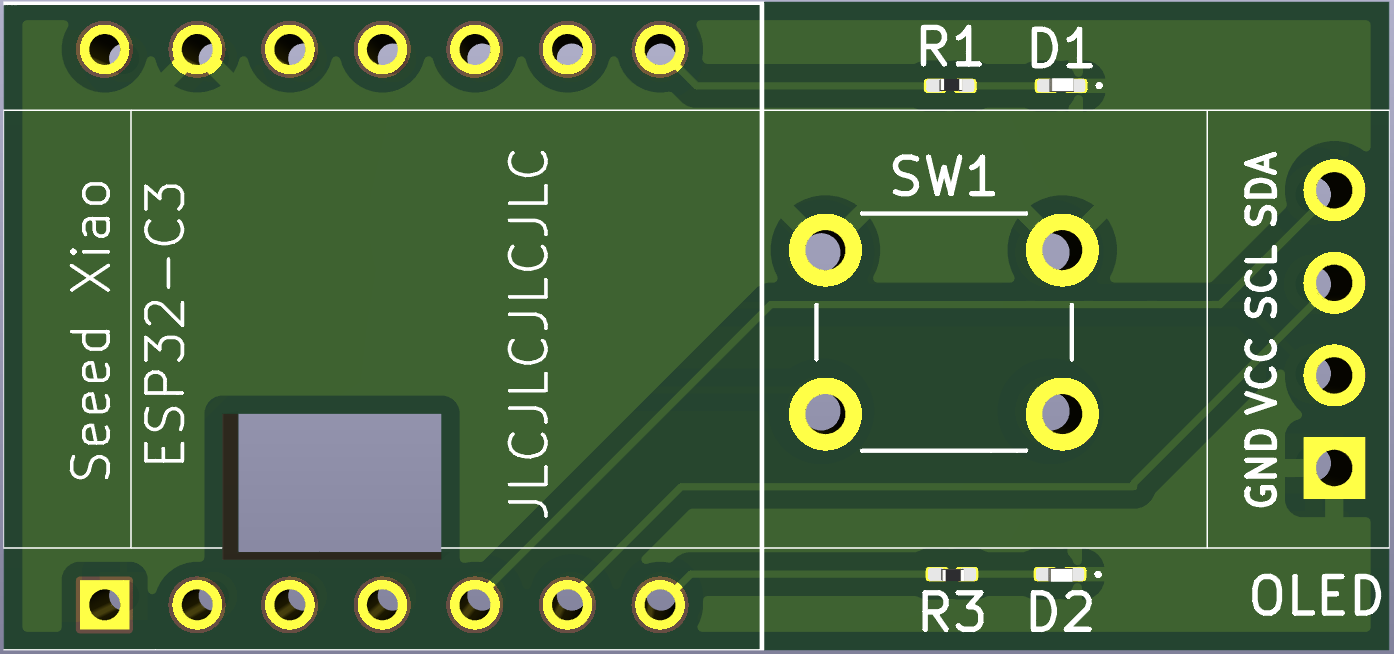
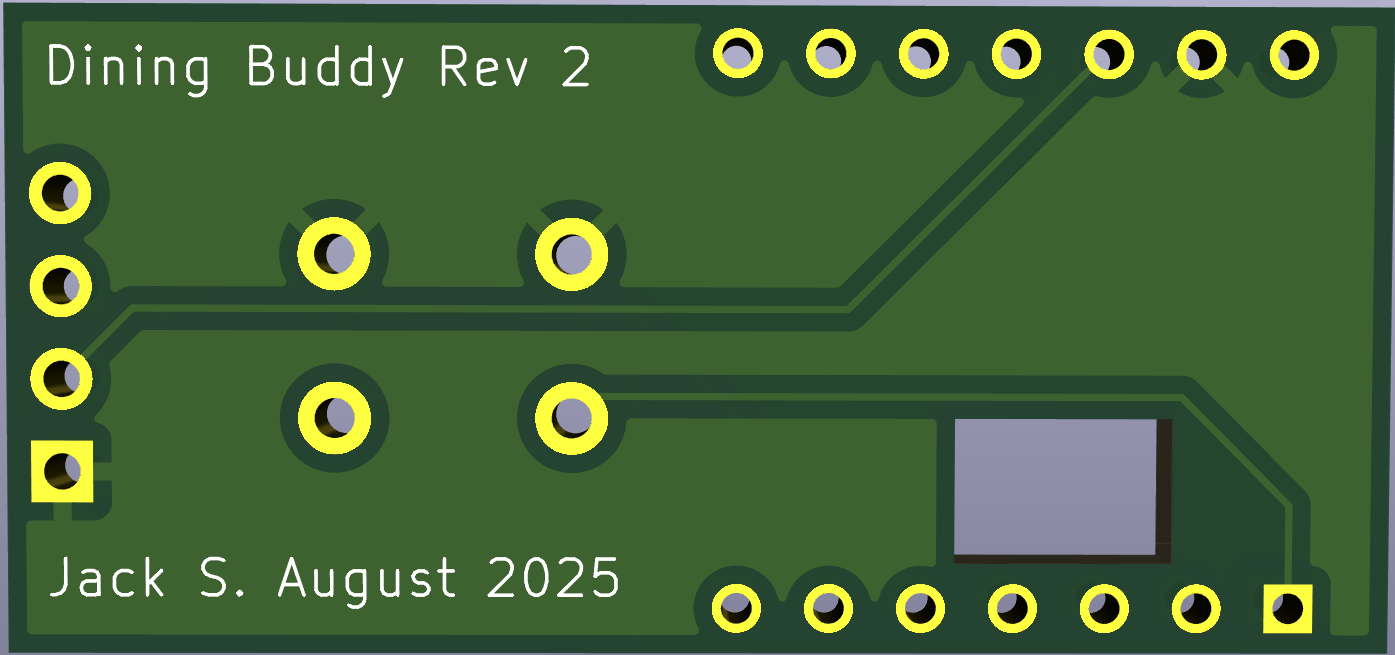
Keychain project is an open-source printed circuit board by jackshisd, from the jackshisd/Dining-Buddy repository on GitHub. It is a 2-layer board of 38 × 17.8 mm with 7 parts on 15 nets, routed with 22 tracks and 0 vias.
It is built around the ESP32-C3. Its parts include 2 resistors, 2 ICs, 2 diodes and 1 switch. It belongs with the lEDs and displays boards and the ESP32 and RISC-V boards of this library.
ESP32-C3 OLED Keychain for UCLA Dining Menus + Weather Display
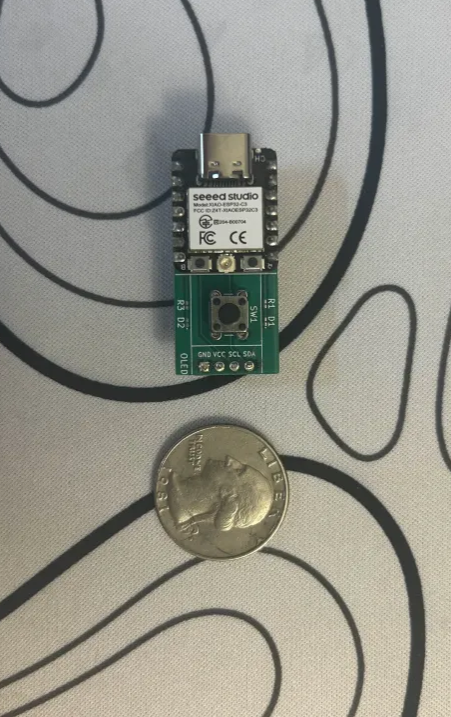
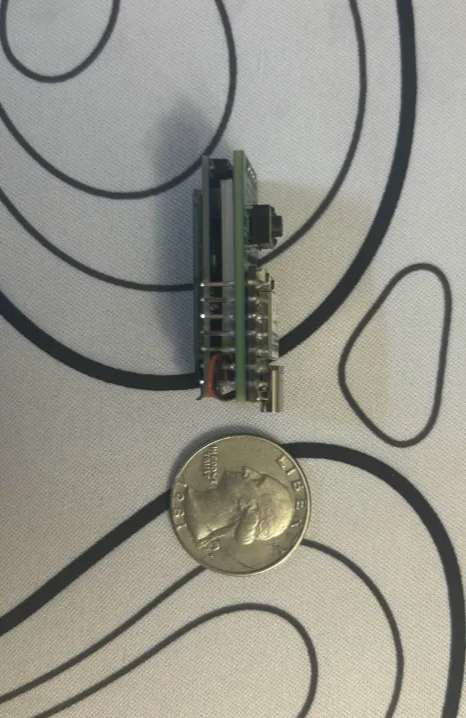
Dining Buddy is an ultra-compact ESP32-C3-based keychain device that displays UCLA dining hall menus and real-time weather, with full offline functionality, minimal power use, and intuitive controls—all on a tiny OLED screen.
Menus are downloaded once daily and displayed with smooth auto-scrolling. The device also includes a date selection mode, hall switching, and a live weather page. It deep sleeps after 30 seconds of inactivity and wakes automatically every night at 2:30 AM to rotate cached menu files and download new ones.
All interaction is handled with a single button, and menu data is stored in SPIFFS. The PCB was custom-designed in KiCad for a minimal, keychain-friendly form factor.
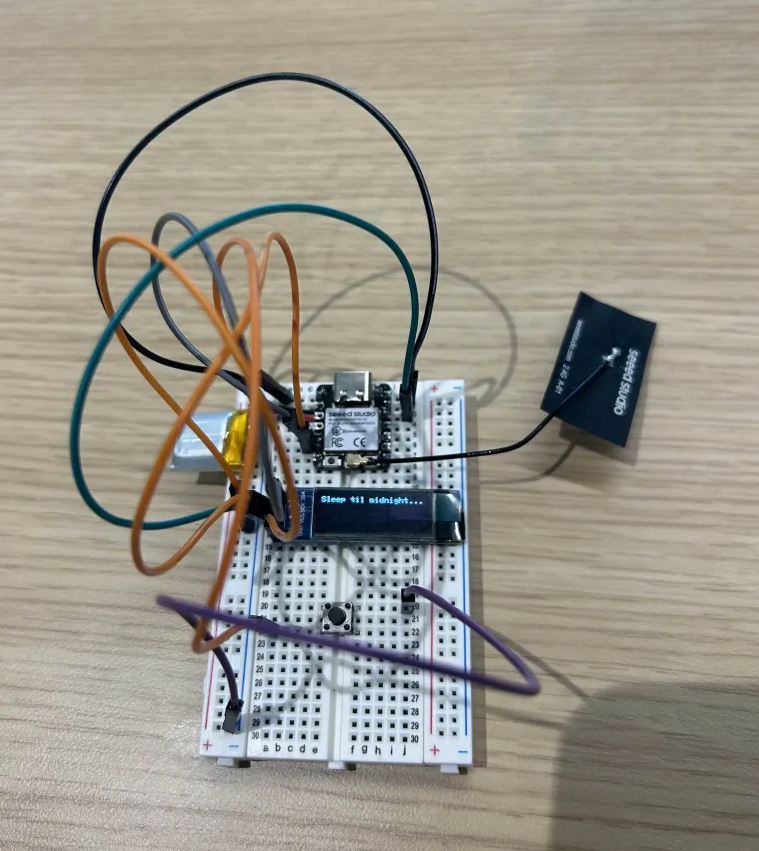
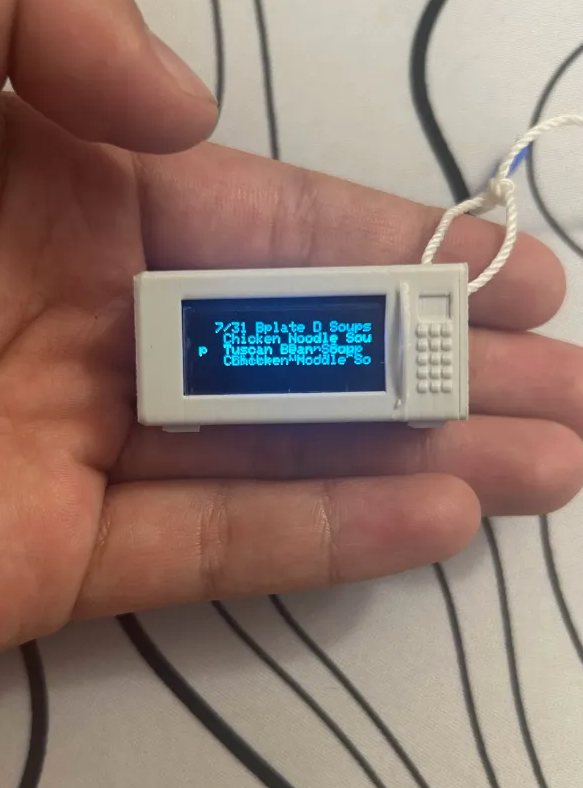
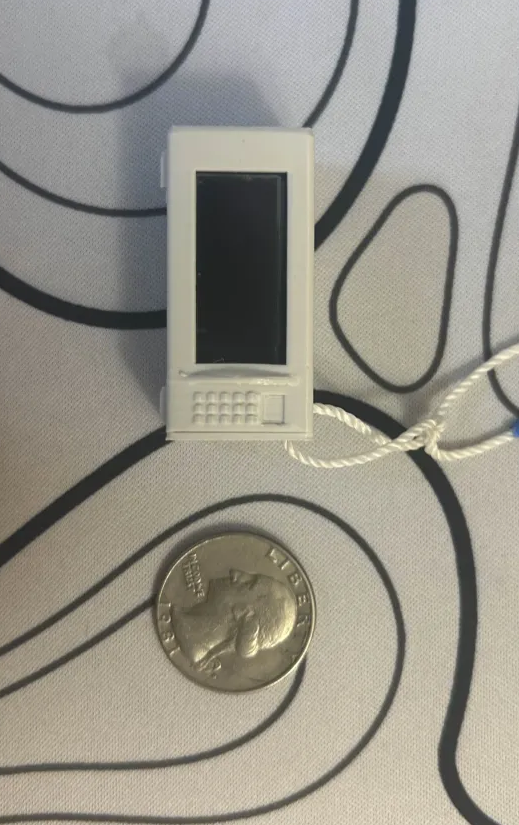
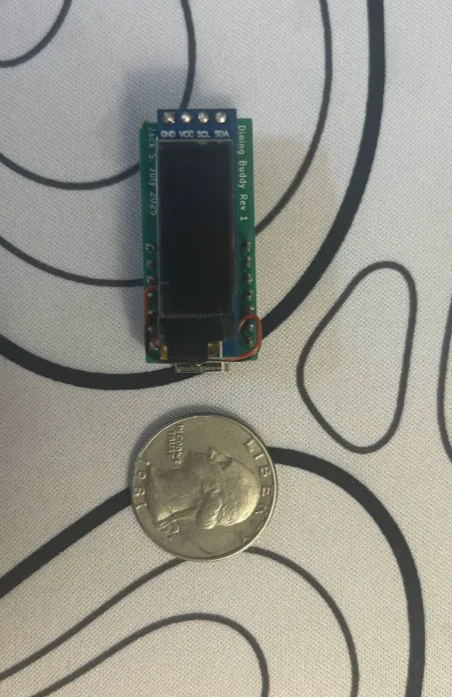
.menu files| Component | Description |
|---|---|
| ESP32-C3 | Seeed Studio ESP32-C3 dev board |
| OLED Display | 0.91" I2C SSD1306 (128×32) |
| Push Button | 6mm tactile push button |
| Custom PCB | Designed in KiCad for compact layout |
| 0603 Resistor (optional) | 220Ω for LED indicator |
| 0603 LED (optional) | Miscellaneous LED feedback |
Navigation is controlled by one button:
| Press Type | Action |
|---|---|
| Short Press | Next menu section |
| Long Press | Switch to next dining hall |
| Double Press | Enter/exit date select mode |
| Long in Date Mode | Show weather |
| Short in Date Mode | Scroll day forward |
| Double in Date Mode | Confirm date + return to menu |
| Inactivity (30s) | Enter deep sleep |
Modes:
DiningBuddy sketch using Arduino IDE.LOCAL_SSID, LOCAL_PASS, and EAP_* fields.Jack Shi
📧 jackmshi@ucla.edu
🔬 UCLA Electrical Engineering
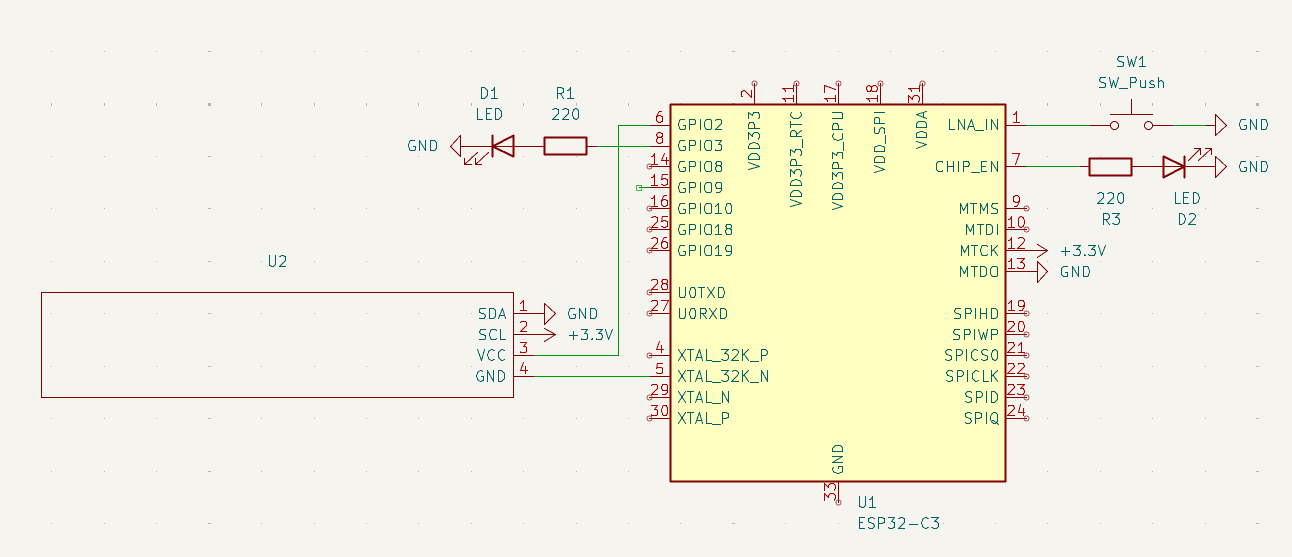
| Qty | Value | Footprint | References |
|---|---|---|---|
| 2 | 220 | Resistor_SMD:R_0201_0603Metric_Pad0.64x0.40mm_HandSolder | R1, R3 |
| 2 | LED | LED_SMD:LED_0201_0603Metric_Pad0.64x0.40mm_HandSolder | D1, D2 |
| 1 | ESP32-C3 | personalmodules:MODULE_113991054 | U1 |
| 1 | SW_Push | Button_Switch_THT:SW_PUSH_6mm | SW1 |
| 1 | ~ | personalmodules:SSD1306-0.91-OLED-4pin-128x32 (REVERSED) | U2 |

G-Pereira/greenmobi-bms
A VESC compatible battery management system

OpenDrone-hw/OpenAIO
Open-source AIO for 2-6S toothpick quads: flight controller, 4-in-1 AM32 ESC and ExpressLRS receiver, 25.5x25.5 mm.


It measures 38 × 17.8 mm and has 2 copper layers, 1.6 mm thick.
7 parts, built around the ESP32-C3. The full list of its parts is on this page, with links to each part's symbol and footprint where PCBKit's library has them.
From the jackshisd/Dining-Buddy repository on GitHub, at the commit this page was made from: the board is Keychain_project/Keychain_project.kicad_pcb and its schematic Keychain_project/Keychain_project.kicad_sch. PCBKit opens the board in the browser, with nothing to install.
Its repository states no licence, so its author keeps all rights: ask jackshisd before reusing the design.