4 layers50.8 × 114.3 mm

 gkiefer/home2l21
The Home2Ls - Smart Tools for a Private Home
Roothubs is an open-source printed circuit board by gkiefer, from the gkiefer/home2l repository on GitHub. It is a 2-layer board of 242 × 60 mm with 178 parts on 148 nets, routed with 1,056 tracks and 89 vias.
It is built around the ATTINY85-20PU and IRF5305PBF. Its parts include 66 resistors, 44 diodes, 24 connectors, 11 capacitors and 11 ICs. It belongs with the home automation and IoT and sensors and measurement boards and the AVR (ATmega, ATtiny) boards of this library.


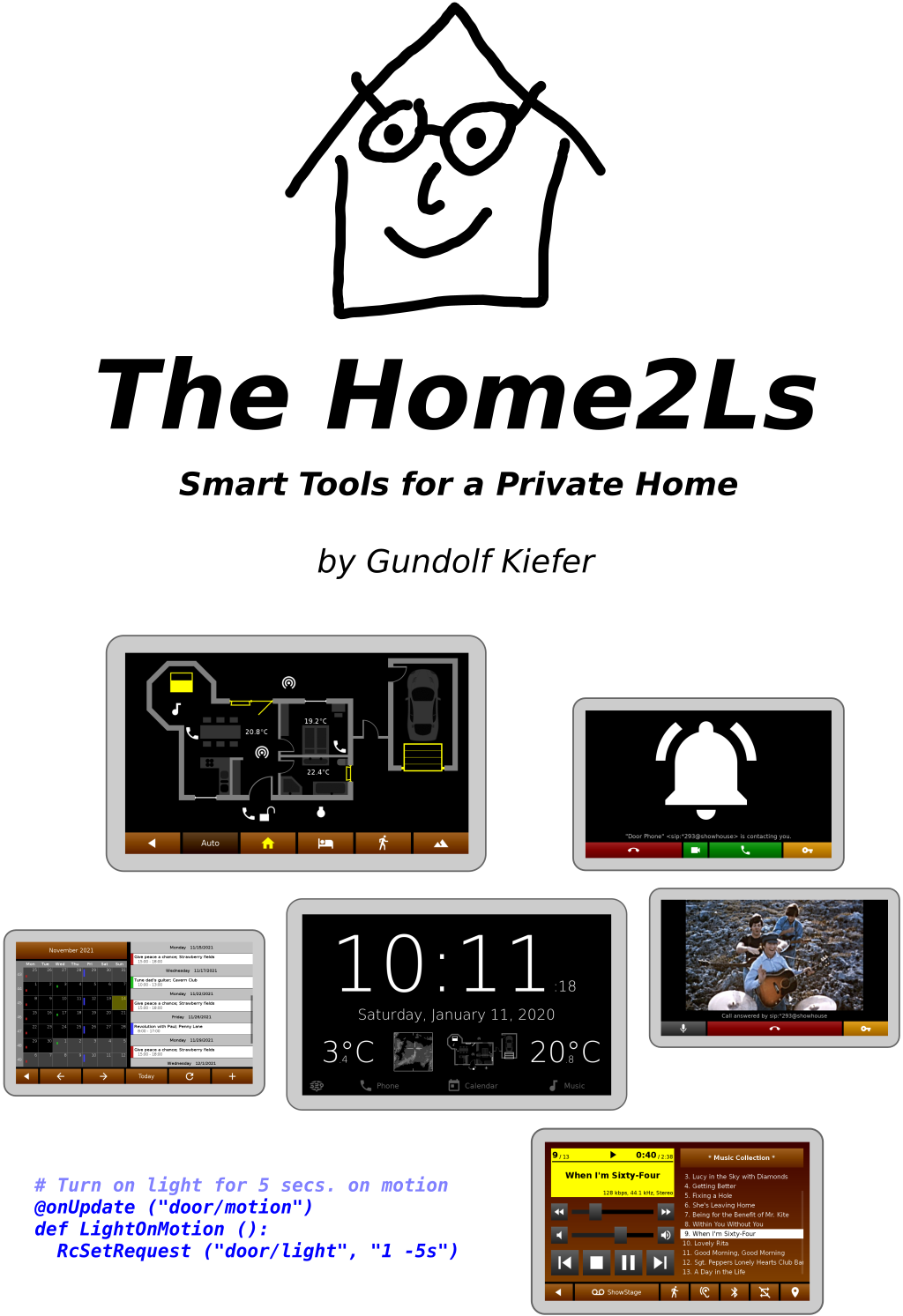
The Home2L [houmtu:l] suite is a collection of tools and libraries for automation in private homes. Its main features are:
Home2L Resources: Novel concept to integrate and manage sensors, actors or services of any kind efficiently and precisely.
Automation rules written in Python - but not limited to that.
Easy integration of services and new devices - via MQTT, in C/C++, Python or by a shell script.
Home2L Brownies: Simple and efficient automation bus to interconnect cheap 8-bit microcontrollers for do-it-yourself sensor or actor hardware.
Home2L WallClock: Lightweight, concise, and responsive information display, suitable to be installed on cheap tablets or minicomputers and mounted in all rooms - just like a wall clock.
Interactive floor plan for all kinds of gadgets (windows, shades, lights, phones, computers, services, ...).
Video door phone and inter-room communication (SIP-based).
Playing music anywhere at home (MPD-based).
Family calendar (in WallClock).
Docker image and improved tutorial for getting started quickly.
WallClock: Power meter for votovoltaic systems
WallClock: User-configurable floorplan icons
WallClock: Improved and more self-contained Android app
MQTT bridge: Support for JSON payloads
New drivers: Fingerprint, Fronius
Many small improvements and some bug fixes
The main place of documentation is the Home2L Book. The APIs for developing rules and drivers or to extend the Home2Ls are documented with Doxygen: C/C++ API, Python API.
The suite comes with a Docker Demo Image allowing to test the suite easily. The Home2L Book contains a a step-by-step tutorial demonstrating the key features of the Home2L suite.
For the brave and the impatient:
$ xhost +local:  # allow X11 applications to open windows
$ docker run -ti --rm \
  --name home2l-showcase --hostname home2l-showcase \
  -e DISPLAY=$DISPLAY -v /tmp/.X11-unix:/tmp/.X11-unix \
  --ipc=host --device /dev/snd \
gkiefer/home2lThe central component of the Home2L suite is the Resources library. It connects physical sensors and actors, software services, computers and more. Everything that can act or sense in the widest sense, can be modelled as a resource in the Home2L suite.
All resources are arranged in a common namespace, but driven and accessed in a completely distribited way from any computer. They can be manipulated or read out using the library, which provides full network transparency and supports arbitrary concurrent accesses from any process on any machine anytime.
Resources are manipulated by means of independent requests with individual attributes like priorities and time intervals. The user pushes a button to open the window blinds. One second later, a timer-triggered automatic rule tells the blinds to close. What should happen now? The request model allows to clearly specify priorities (e.g. user interaction in favor of automation rules) and to handle concurrency properly.
The Home2L Shell is a powerful administration tool and allows to access resources and submit requests on the command line or by shell scripts.
Both automation rules and resource drivers can also be part of a larger program. Any software linking against the Resources library can access resources or publish own run-time information as resources.
All core components are written in C/C++, with a very minimum set of external dependencies beyond libc - ideally suited for small embedded devices and microcontrollers. There is no need for a Java runtime environment or a heavy web framework. Starting up a server and a command shell and shutting both down again takes less than a second altogether - on an ARM-based minicomputer running at 144 MHz!
The Home2L WallClock is written in native code (C++) and only uses SDL2 for its UI toolkit. This makes it very portable and lightweight. Low-cost, low-performance minicomputers or Android tablets can be used as end-user devices, there is no need to install and regularly update a full-featured web browser on them.
Central servers are single points of failure. Home2L follows a completely distributed concept. Any (mini-)computer can act as part of the network. If resources, such as sensors or actors, are connected to them, they can be exported to any other host in the Home2L network. A failure of a host only causes its own resources to be unavailable - everything else keeps on working.
There is no new language or tool to learn to formulate automation rules. Home2L rules written in Python profit from the simplicity and power of the Python language. There can be multiple rules scripts, they can run on any machine, and they may be combined with other software routines or be part of larger applications.
Other ways to interact with Home2L resources is via the C/C++ API from any application or by shell scripts using the Home2L Shell.
MQTT-enabled devices can be imported directly using the MQTT gateway driver.
An API for resource drivers allows to easily add support for new hardware or services. A driver can be implemented
For all three cases, documented examples are available in the source tree.
Home2L Brownies are programmed low-cost microcontrollers (AVR ATtiny 84/85/861) connected to a Linux host over 4-wire cables (e.g. KNX/EIB cables). The bus protocol is based on i2c, robust and allows to build very simple, self-made hardware nodes. Just an ATtiny device and two resistors are enough to build a sensor node! Additional circuitry such as crystal clock generators, transceivers or voltage regulators are not necessary.
Home2L Brownies can drive, for example, window/door/light sensors (GPIOs), temperature sensors, or window shades/actuators.
The Home2L suite includes a software stack for the Linux (host) and for the microcontroller (device) side. The protocol includes various mechanisms for error correction/avoidance, host notification, as well as a variety of maintenance tools for remote configuration, diagnosis, collection of statistics, remote software updates, and device resurrection for the case that a software update failed and the device is difficult to reach physically.
The Home2Ls do not need an Internet connection and do not try to communicate with hosts other than they are configured to. By design, the Home2Ls communicate with each other over a (trusted) LAN, which can easily be set up and secured using standard Linux/UNIX techniques. The open source licensing ensures transparency for what the software does inside the user's private home.
The core part, the Resources library, is kept small and portable with APIs for application programs and drivers in C/C++ and Python. All other components are optional and can be used or replaced by alternatives as desired by the user.
The code has been published with the hope that is useful to the community. To let the project grow further and make available to a broader audience, volunteers and partners are welcome.
Great contributions are:
Report and help fixing bugs.
Make sample installations, document them and share your experiences.
Packaging: Create packages for major Linux distributions.
Documentation: Write good documentation, particularly for end users.
For any questions on how to participate, do not hesitate to contact us directly.
Feel free to contact: Gundolf Kiefer <gundolf.kiefer@web.de>
| Qty | Value | Footprint | References |
|---|---|---|---|
| 33 | ZD6.8 | D_DO-41_SOD81_P7.62mm_Horizontal | D201, D202, D203, D301, D302, D303, D401, D1001, D1002, D1003, D1101, D1102, D1103, D1201, D1202, D1203 +17 |
| 22 | 100 | R_Axial_DIN0207_L6.3mm_D2.5mm_P7.62mm_Horizontal | R202, R204, R302, R304, R402, R404, R502, R504, R602, R604, R1002, R1004, R1102, R1104, R1202, R1204 +6 |
| 22 | 1k | R_Axial_DIN0207_L6.3mm_D2.5mm_P7.62mm_Horizontal | R203, R205, R303, R305, R403, R405, R503, R505, R603, R605, R1003, R1005, R1103, R1105, R1203, R1205 +6 |
| 12 | Conn_01x04_Male | PinHeader_1x04_P2.54mm_Vertical | J2, J202, J302, J402, J502, J602, J702, J802, J902, J1002, J1102, J1202 |
| 11 | 0.5/1.0A Polyfuse | Polyfuse_Schurter_PFRA | F201, F301, F401, F501, F601, F701, F801, F901, F1001, F1101, F1201 |
| 11 | 100n | C_Disc_D4.3mm_W1.9mm_P5.00mm | C201, C301, C401, C501, C601, C701, C801, C901, C1001, C1101, C1201 |
| 11 | 180 | R_Axial_DIN0207_L6.3mm_D2.5mm_P7.62mm_Horizontal | R206, R306, R406, R506, R606, R706, R806, R906, R1006, R1106, R1206 |
| 11 | 47k | R_Axial_DIN0207_L6.3mm_D2.5mm_P7.62mm_Horizontal | R201, R301, R401, R501, R601, R701, R801, R901, R1001, R1101, R1201 |
| 11 | ATtiny85-20P | DIP-8_W7.62mm | U201, U301, U401, U501, U601, U701, U801, U901, U1001, U1101, U1201 |
| 11 | Conn_02x04_Odd_Even | PinSocket_2x04_P2.54mm_Vertical | J201, J301, J401, J501, J601, J701, J801, J901, J1001, J1101, J1201 |
| 11 | IRF5305 | TO-220-3_Vertical | Q201, Q301, Q401, Q501, Q601, Q701, Q801, Q901, Q1001, Q1101, Q1201 |
| 11 | LED | LED_D3.0mm | D204, D304, D404, D504, D604, D704, D804, D904, D1004, D1104, D1204 |
| 1 | Screw_Terminal_01x02 | TerminalBlock_bornier-2_P5.08mm | J1 |


edgranzella/Placa-de-Corte-TX
Circuito Impreso de la plaquetita de Corte TX que va apilada sobre el Arduino Nano de la placa Controladora de Fuentes y Carga.

Jonny999999/throttle-tune
onversion of an old gasoline lawn tractor to an electric vehicle


nmahadevan12/MIS
Raspberry Pi multifunction instrumentation — digipot SAR ADC, ±12 V rail, function gens, KiCad Pi HAT (ECSE 2920).

phaenovum/RaspiCar
A model car equipped with a Raspberry Pi, intended for experimenting with tools and algorithms for autonomous navigation

practable/iso-power-pcb
Remote power control board for ISO experiment containers, used for remote labs projects
It measures 242 × 60 mm and has 2 copper layers, 1.6 mm thick.
178 parts, built around the ATTINY85-20PU and IRF5305PBF. The full list of its parts is on this page, with links to each part's symbol and footprint where PCBKit's library has them.
From the gkiefer/home2l repository on GitHub, at the commit this page was made from: the board is brownies/circuits/contrib/roothubs/roothubs.kicad_pcb and its schematic brownies/circuits/contrib/led_carrier/led_carrier.kicad_sch. PCBKit opens the board in the browser, with nothing to install.
Its repository states no licence, so its author keeps all rights: ask gkiefer before reusing the design.