2 layers275 × 230 mm

 deionizedoatmeal/diplomaPCB
RP2040 powered diplomacy smart board game!
Stencil is an open-source printed circuit board by deionizedoatmeal, from the deionizedoatmeal/diplomaPCB repository on GitHub. It is a 2-layer board of 285 × 185 mm with 185 parts on 42 nets.
It is built around the RP2040, SN74AHCT125QDRG4Q1 and PCF8591T/2, with the W25Q128JVSIQ, AP2112K-3.3 and SK6805-EC20 among its other parts. Its parts include 59 capacitors, 51 resistors, 18 ICs, 11 diodes and 5 switches. It belongs with the RP2040 boards of this library.


Parts for the board:
| Part | Quantity | Package | Value | Link |
|---|---|---|---|---|
| Microprocessor | 1 | QFN-56 | RP2040 | |
| 8MB SPI Flash | 1 | SOIC-8 | ||
| NeoPixel LED | 37 | 1515 LED | SK6805-E-J | Adafruit |
| 7 Segement LED | 4 | LTS6760 | Common Cathode | |
| Button Switch | 5 | KMR2 | Momentary | |
| Schottky Diode | 4 | SOD-123 | MBR0540 | |
| Transistor | 14 | SOT-23 | ||
| Crystal | 1 | 2.5mm X 2.0mm | 12.000 MHz | |
| I2C Quad ADC | 8 | SOIC-16 | PCF8591 | |
| Quad Logic Shifter | 1 | SOIC-16 | 74AHCT125 | |
| Voltage Regulator | 4 | SOT-23-5 | AP2112K-3.3 | |
| USB-C Receptacle | 5 | SMD | ||
| USB-C Plug | 4 | SMD Edge Launch | Adafruit Digikey | |
| Resistor | 23 | 0603/1608 Metric | 300 Ω | |
| Resistor | 10 | 0603/1608 Metric | 1 kΩ | |
| Resistor | 2 | 0603/1608 Metric | 5.11 kΩ | |
| Resistor | 60 | 0603/1608 Metric | 10 kΩ | |
| Resistor | 9 | 0603/1608 Metric | 1 MΩ | |
| Resistor | 2 | 0402/1005 Metric | 27 Ω | |
| Capacitor | 45 | 0805/2012 Metric | 0.1 µF | |
| Capacitor | 20 | 0085/2012 Metric | 10 µF | |
| Capacitor | 2 | 0402/1005 Metric | 27 pF | |
| Capacitor | 10 | 0402/1005 Metric | 100 nF | |
| Capacitor | 2 | 0402/1005 Metric | 1 µF | |
| Magnets | 112 | 3mm diameter x 1mm | Neodymium |
Parts for the game pieces (assuming 20 pieces for each nationality):
| Part | Quantity | Package | Value | Link |
|---|---|---|---|---|
| Resistor | 20 | Through Hole | 60 kΩ | |
| Resistor | 20 | Through Hole | 25 kΩ | |
| Resistor | 20 | Through Hole | 13.4 kΩ | |
| Resistor | 20 | Through Hole | 7.5 kΩ | |
| Resistor | 20 | Through Hole | 4 kΩ | |
| Resistor | 20 | Through Hole | 1.7 kΩ | |
| Resistor | 20 | Through Hole | 0 Ω | |
| Magnets | 140 | 3mm diameter x 1mm | Neodymium | |
| Pogo Pins | 140 | anything that makes good contact with 2mm diameter pads and fits inside the piece | Digikey |
RPI-RP2 device shows up, copy Adafruit's CircuitPython library to the volume.CURCUITPY, then copy all the libraries into the lib directory on the RP2040.code.py into the CURCUITPY volume.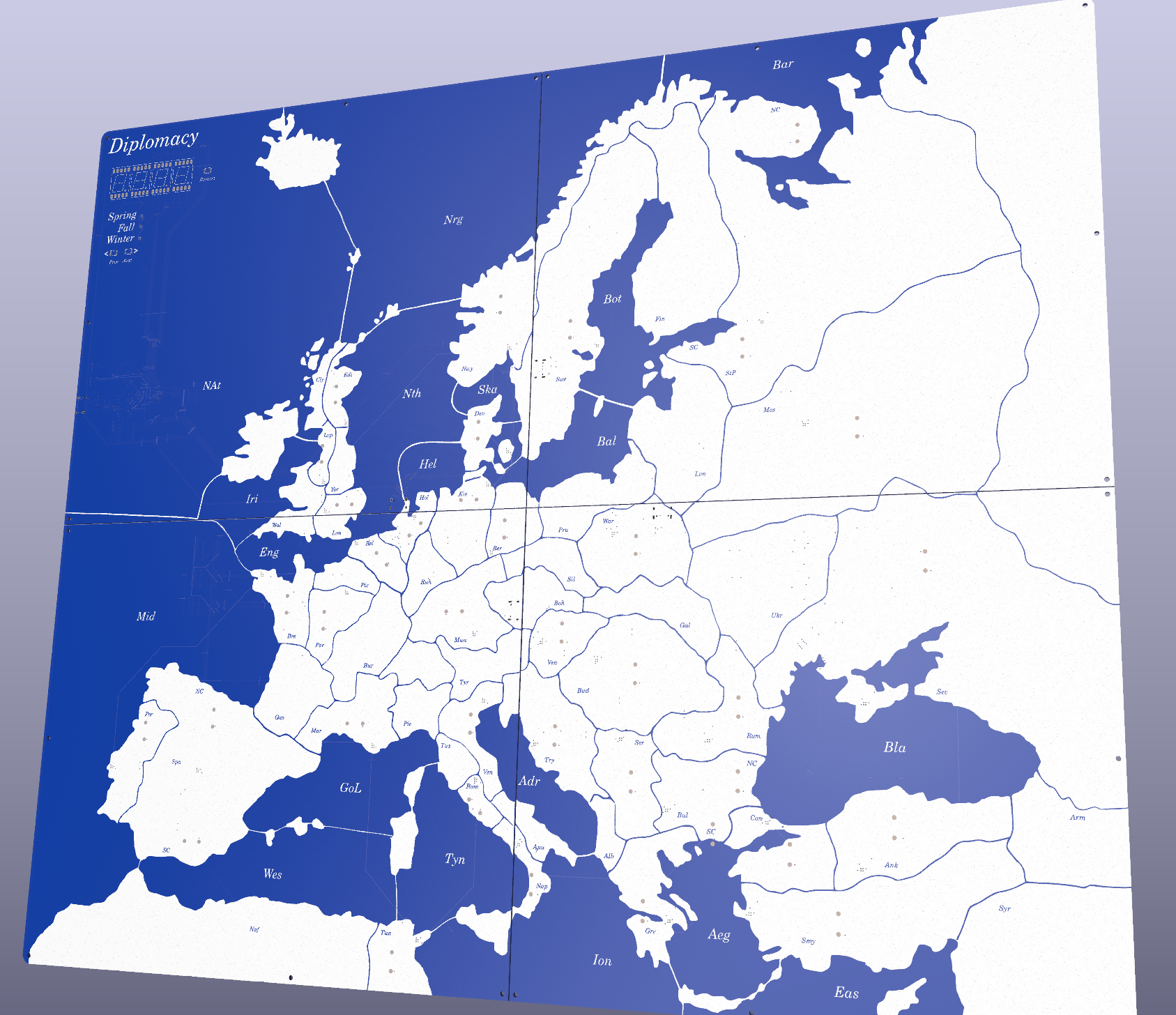
| Qty | Value | Footprint | References |
|---|---|---|---|
| 35 | MountingHole_Pad | dip:PinHeader_1x01_P1.00mm_Vertical | 0, 1, 2, 10, 11, 12, 13, 14, 15, 16, 17, 18, 19, 20, 21, 22 +19 |
| 29 | 10k | Resistor_SMD:R_0603_1608Metric | R1, R1, R2, R2, R2, R2, R14, R15, R18, R19, R19, R19, R20, R22, R23, R23 +13 |
| 20 | 100n | Capacitor_SMD:C_0402_1005Metric | C1, C1, C2, C2, C3, C3, C4, C4, C5, C5, C6, C6, C7, C7, C15, C18 +4 |
| 12 | 10µ | Capacitor_SMD:C_0805_2012Metric | C4, C5, C5, C6, C6, C7, C10, C11, C12, C13, C14, C15 |
| 12 | 1k | Resistor_SMD:R_0603_1608Metric | R1, R5, R9, R10, R10, R17, R18, R20, R21, R22, R28, R41 |
| 11 | 10u | Capacitor_SMD:C_0805_2012Metric | C2, C4, C8, C9, C10, C11, C12, C17, C19, C21, C22 |
| 8 | 0.1u | Capacitor_SMD:C_0805_2012Metric | C1, C3, C7, C8, C16, C18, C20, C21 |
| 8 | PCF8591 | Package_SO:SOIC-16W_7.5x10.3mm_P1.27mm | U1, U2, U2, U2, U3, U4, U4, U9 |
| 6 | SK6805-EC | dip:SK6805-EC | D2, D3, D3, D3, D3, D4 |
| 5 | AP2112K-3.3 | Package_TO_SOT_SMD:SOT-23-5 | U1, U1, U1, U1, U3 |
| 5 | MBR0540 | Diode_SMD:D_SOD-123 | D1, D1, D1, D4, D13 |
| 4 | 27 | Resistor_SMD:R_0402_1005Metric | R3, R4, R6, R7 |
| 4 | 27p | Capacitor_SMD:C_0402_1005Metric | C16, C17, C19, C20 |
| 4 | 5.11k | Resistor_SMD:R_0603_1608Metric | R3, R4, R5, R6 |
| 2 | 1M | Resistor_SMD:R_0603_1608Metric | R7, R8 |
| 2 | 1u | Capacitor_SMD:C_0402_1005Metric | C13, C14 |
| 2 | 1µ | Capacitor_SMD:C_0402_1005Metric | C16, C17 |
| 2 | RP2040 | RP2040_minimal:RP2040-QFN-56 | U2, U3 |
| 2 | USB_C_Receptacle_USB2.0 | dip:USB_C_Receptacle_HRO_TYPE-C-31-M-12_PASTE | J1, J1 |
| 2 | W25Q128JVS | Package_SO:SOIC-8_5.23x5.23mm_P1.27mm | U2, U3 |
| 1 | ABLS-12.000MHZ-B4-T | Crystal:Crystal_SMD_3225-4Pin_3.2x2.5mm | Y1 |
| 1 | Crystal_GND24 | Crystal:Crystal_SMD_3225-4Pin_3.2x2.5mm | Y1 |
| 1 | Next | Button_Switch_SMD:SW_Push_1P1T_NO_CK_KMR2 | SW2 |
| 1 | Previous | Button_Switch_SMD:SW_Push_1P1T_NO_CK_KMR2 | SW3 |
| 1 | Reset | Button_Switch_SMD:SW_Push_1P1T_NO_CK_KMR2 | SW1 |
| 1 | SN74AHCT125QDRG4Q1 | dip:SN74AHCT125QDRG4Q1 | U8 |
| 1 | USB_C_Plug | dip:USB_C_Plug_edge_launch | P1 |
| 1 | USB_C_Receptacle_USB2.0 | dip:USB_C_Receptacle_HRO_TYPE-C-31-M-12 | J1 |
| 1 | boot | Button_Switch_SMD:SW_Push_1P1T_NO_CK_KMR2 | SW4 |
| 1 | run | Button_Switch_SMD:SW_Push_1P1T_NO_CK_KMR2 | SW5 |


atricreations/Electronic-Dice-Roller
Repo containing all the neccessary files for the Electronic Dice Roller by Atricreations.


iMike78/nest-mini-drop-in-pcb
Drop-in PCB replacement for the Google Nest Mini v2 with ESP32-S3, ESP32-P4 and optional ESP32-C6. Inspired by Onju Voice and Home Assistant Voice PE.

JanClyde05/Road-Accident-Monitoring-System
This directory contains the planning, specification, and initial KiCad project for RAMS Wearable PCB Revision C. Do not fabricate from this directory yet -- manual schematic wiring and DRC verification are still needed.

radutolontan/BASM_Pocket_Museum
The Pocket Lab is the next-generation approach to science education. Designed by the Bucharest Applied STEAM Museum, it brings scientific exploration into anyone's hands.


polpo/picogus
Emulation of ISA sound cards and CD-ROM on Raspberry Pi Pico (GUS, SB/Adlib, MPU-401, Tandy, CMS, Panasonic CD-ROM) with USB mouse/joystick support

It measures 285 × 185 mm and has 2 copper layers, 1.6 mm thick.
185 parts, built around the RP2040, SN74AHCT125QDRG4Q1, PCF8591T/2 and W25Q128JVSIQ. The full list of its parts is on this page, with links to each part's symbol and footprint where PCBKit's library has them.
From the deionizedoatmeal/diplomaPCB repository on GitHub, at the commit this page was made from: the board is board_stencil/stencil.kicad_pcb and its schematic board_bot_L/bot_L.kicad_sch. PCBKit opens the board in the browser, with nothing to install.
Its repository states no licence, so its author keeps all rights: ask deionizedoatmeal before reusing the design.