4 layers82.6 × 82.5 mm

 lxschwalb/tone_ale19
rp2040 based guitar pedal
Tone ale is an open-source printed circuit board by lxschwalb, from the lxschwalb/tone_ale repository on GitHub. It is a 2-layer board of 99.1 × 72.9 mm with 57 parts on 65 nets, routed with 726 tracks and 78 vias.
It is built around the RP2040, W25Q128JVSIQ and PCM5102PW, with the ABLS-12.000MHZ-B4-T among its other parts. Its parts include 31 capacitors, 9 connectors, 7 resistors, 6 ICs and 1 diode. It belongs with the audio and music boards and the RP2040 boards of this library.


Reprogrammable rp2040 based guitar pedal with capacitive touch sensing. Some effects are toggled on and off by tapping on the pedal surface, others act as expression pedals by increasing and decreasing the pressure/surface area you apply to the pedal.
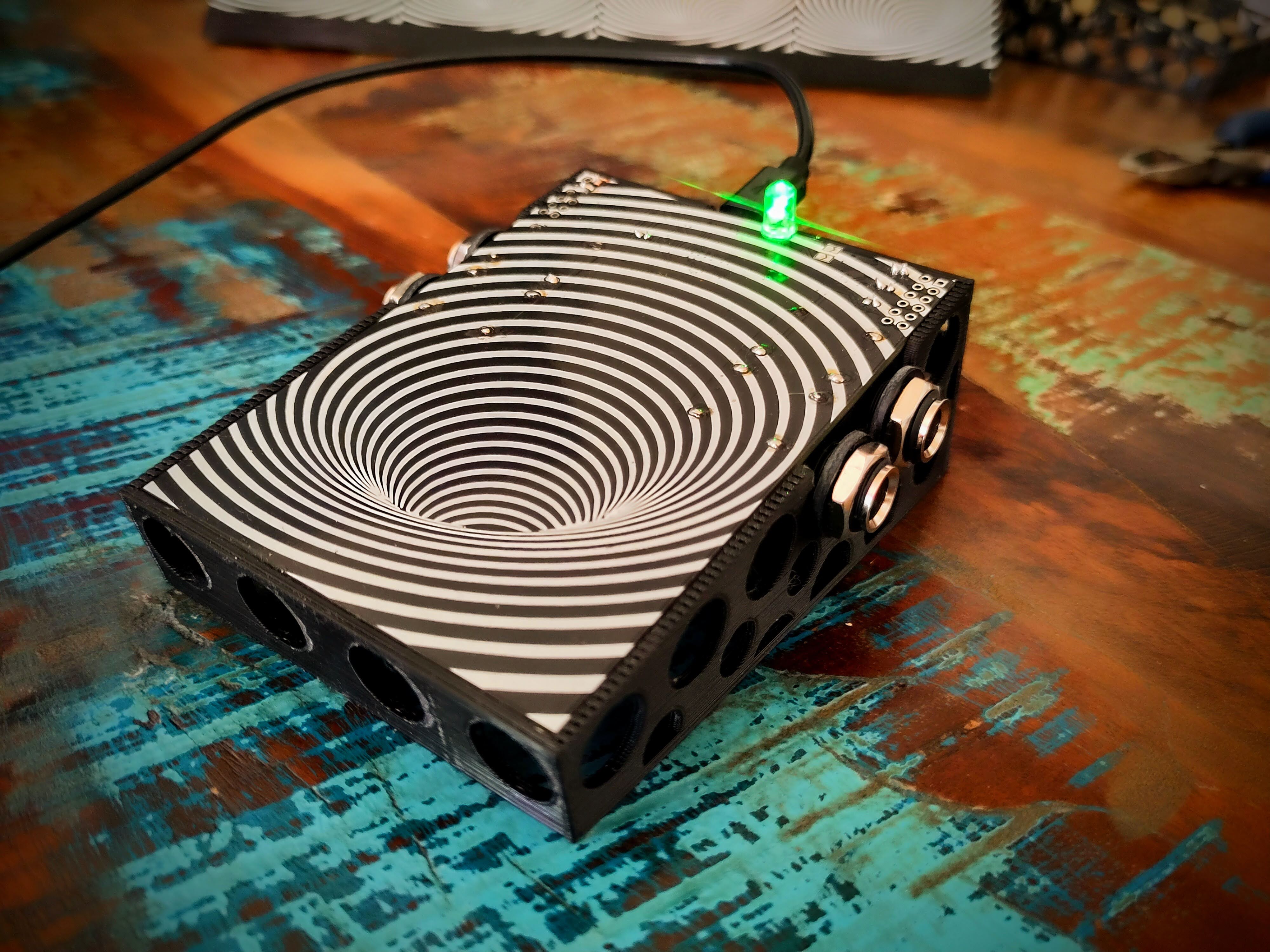

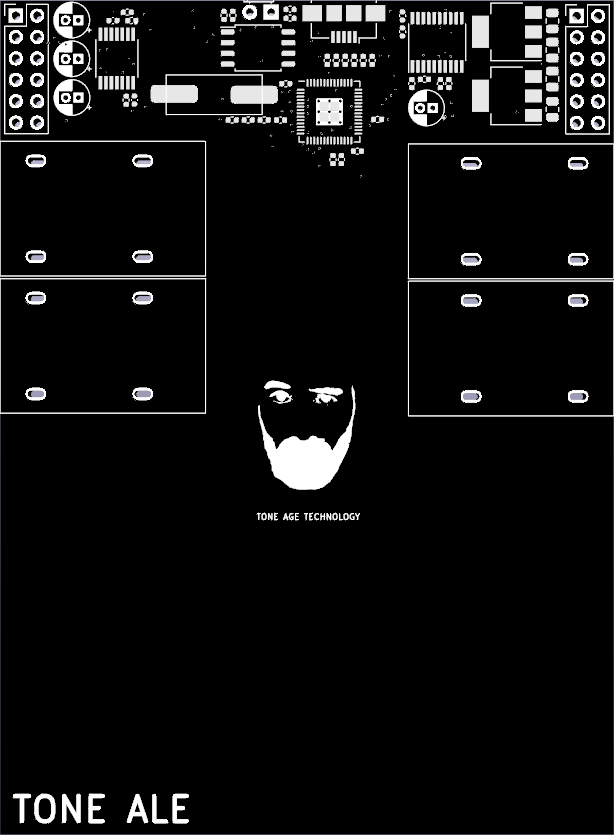
Everything necesary to build your own Tone Ale is available on this repository, but if you want to buy a fully assembled Pedal send an email to toneagetechnology@gmail.com. Profits are donated to effective charities.
Pedals will be sold for CHF125. In spirit of full transparency, I will share that my production cost per pedal is between CHF20 and CHF30 depending on a few varying factors. It would likely cost you more. It's cheaper for me since I'm producing it in bulk and already have a lot of the tools required. I will assume it's a fixed CHF25 and donate CHF100 for every pedal sold. This production cost does not include my time/labour, because that is done pro bono.
For questions about my charity selection process, motivation for doing this, or if you have a prefered charity you want payment for your pedal donated to, you can also email toneagetechnology@gmail.com.
You don't need to be able to develop or install special software to upload new effects. All you need is a usb port, cable, and something conductive (a piece of tin foil will to).
To upload new effects, connect the pedal to a computer with a usb cable, touch the part of the pcb shown in the image below with a piece of tin foil and drag it to the side as shown. Now the pedal shows up as a mass storage device. Just drag and drop the uf2 file(found in /compiled_effects) of the corresponding effect and you're all set to go.
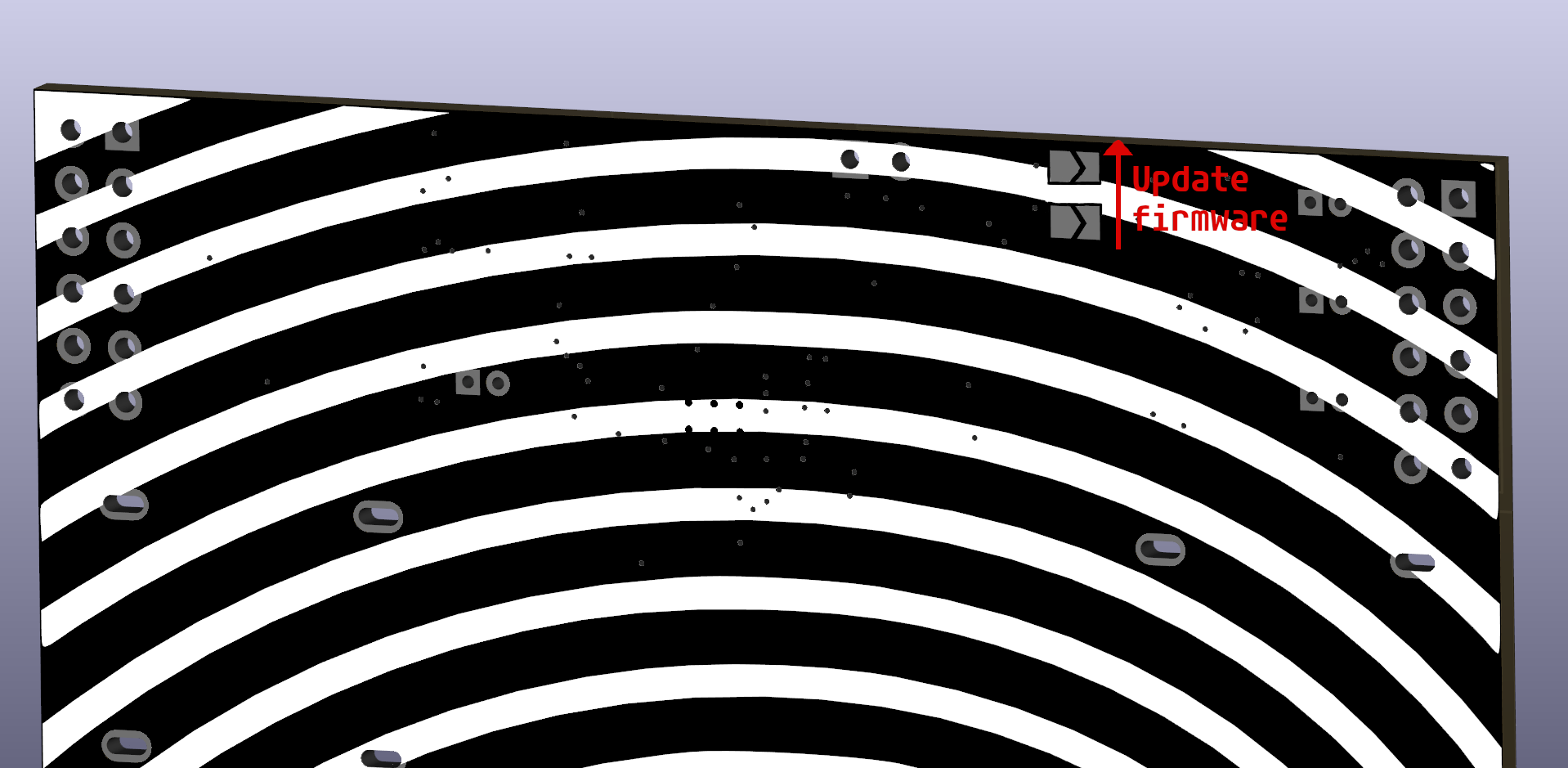
Perhaps you want to alter some effects before uploading it onto the pedal. For example you might want to increase the gain of the fuzz. This would require recompiling the effect after the changes to the code have been made. Follow the steps below to recompile:
First set up the Pi Pico SDK according to this guide
Open terminal in the main project folder (called tone_ale) and run the following commands:
cp <pico_sdk_path>/external/pico_sdk_import.cmake . (replace <pico_sdk_path> with wherever you set up the SDK)
cd /build
cmake ..
make
This will compile each effect and place it in "/build/<effect_name>/<effect_name>.uf2". This uf2 file can then directly be uploaded onto the pedal using the method descibed above
TODO explain this
The pinout is shown below.
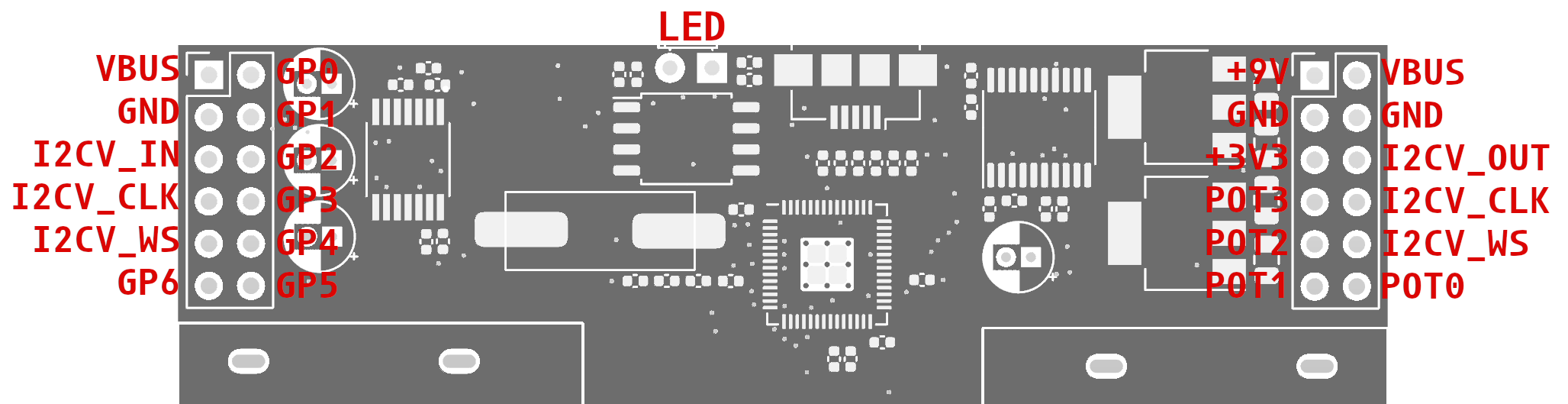
| Qty | Value | Footprint | References |
|---|---|---|---|
| 17 | 100n | Capacitor_SMD:C_0402_1005Metric | C4, C6, C7, C11, C12, C13, C14, C17, C18, C19, C21, C23, C24, C25, C26, C27 +1 |
| 4 | 10u | Capacitor_SMD:C_0805_2012Metric | C3, C5, C29, C30 |
| 4 | 10u | Capacitor_THT:CP_Radial_D4.0mm_P1.50mm | C28, C31, C32, C33 |
| 4 | Conn_01x02 | mylib:acjm_mhdr | J6, J7, J8, J9 |
| 3 | 1k | Capacitor_SMD:C_0402_1005Metric | R1, R5, R7 |
| 2 | 1u | Capacitor_SMD:C_0402_1005Metric | C8, C10 |
| 2 | 2.2u | Capacitor_SMD:C_0402_1005Metric | C20, C22 |
| 2 | 27 | Capacitor_SMD:C_0402_1005Metric | R3, R4 |
| 2 | 27p | Capacitor_SMD:C_0402_1005Metric | C1, C2 |
| 2 | Conn_01x02 | Jumper:SolderJumper-2_P1.3mm_Open_TrianglePad1.0x1.5mm | J1, J3 |
| 2 | Conn_02x06_Odd_Even | Connector_PinHeader_2.54mm:PinHeader_2x06_P2.54mm_Vertical | J4, J5 |
| 1 | 4k7 | Capacitor_SMD:C_0402_1005Metric | R6 |
| 1 | ABLS-12.000MHZ-B4-T | Shared:ABLS_crystal_12.7x04.7 | Y1 |
| 1 | DNF | Capacitor_SMD:C_0402_1005Metric | R2 |
| 1 | LED | LED_THT:LED_D3.0mm_Horizontal_O1.27mm_Z2.0mm | D1 |
| 1 | LOGO | mylib:LOGOS | G*** |
| 1 | LOGO | kicadlibs:opil | G*** |
| 1 | NCP1117-3.3_SOT223 | Package_TO_SOT_SMD:SOT-223-3_TabPin2 | U1 |
| 1 | NCP1117-5.0_SOT223 | Package_TO_SOT_SMD:SOT-223-3_TabPin2 | U6 |
| 1 | PCM1808PWR | pcm1808pwr:SOP65P640X120-14N | U5 |
| 1 | PCM5102 | Package_SO:TSSOP-20_4.4x6.5mm_P0.65mm | U4 |
| 1 | RP2040 | Shared:RP2040-QFN-56 | U3 |
| 1 | USB_B_Micro | mylib:USB_Micro-B_Amphenol_10104110_Horizontal | J2 |
| 1 | W25Q128JVS | Package_SO:SOIC-8_5.23x5.23mm_P1.27mm | U2 |

polpo/picogus
Emulation of ISA sound cards and CD-ROM on Raspberry Pi Pico (GUS, SB/Adlib, MPU-401, Tandy, CMS, Panasonic CD-ROM) with USB mouse/joystick support

skogaby/skogaslider
Firmware, CAD, and PCB files for the skogaslider, an RP2040-based controller to simulate Chunithm's gameplay experience

Hugoyhu/Pico2040ZeroW
Raspberry Pi Form Factor, RP2040, Wireless support with ESP-01

michaelswitzer/granola-trailmix
The TrailMix is a low-cost professional grade button box style arcade controller.

kartik2406/rp2040-ble
A PCB that uses RP2040 MCU and HM-BT4502 BLE passthrough module. This enables the RP2040 to communicated with other devices using Bluetooth. The bluetooth module is connected via UART(0)

bikeNomad/fluke_884x_continuity_buzzer
Add-in continuity buzzer for the Fluke 8840A and 8842A multimeters using an RP2040 microcontroller

AstroMeters/AMFOC01
Open-source USB-C precize motorized telescope focuser with PC and manual control support.
It measures 99.1 × 72.9 mm and has 2 copper layers, 1.6 mm thick.
57 parts, built around the RP2040, W25Q128JVSIQ, PCM5102PW and ABLS-12.000MHZ-B4-T. The full list of its parts is on this page, with links to each part's symbol and footprint where PCBKit's library has them.
From the lxschwalb/tone_ale repository on GitHub, at the commit this page was made from: the board is hw/tone_ale.kicad_pcb and its schematic hw/tone_ale.kicad_sch. PCBKit opens the board in the browser, with nothing to install.
Its repository states no licence, so its author keeps all rights: ask lxschwalb before reusing the design.