
2 layers27.9 × 16.5 mm

 alexzilligmm/windy5
This folder contains all you need to build our air quality device!
Air PCB is an open-source printed circuit board by alexzilligmm, from the alexzilligmm/windy repository on GitHub, published under the MIT licence. It is a 2-layer board of 60 × 60 mm with 18 parts on 26 nets, routed with 111 tracks and 5 vias.
Its parts include 7 resistors, 4 diodes, 1 IC and 1 switch. It belongs with the sensors and measurement boards and the ESP32 boards of this library.


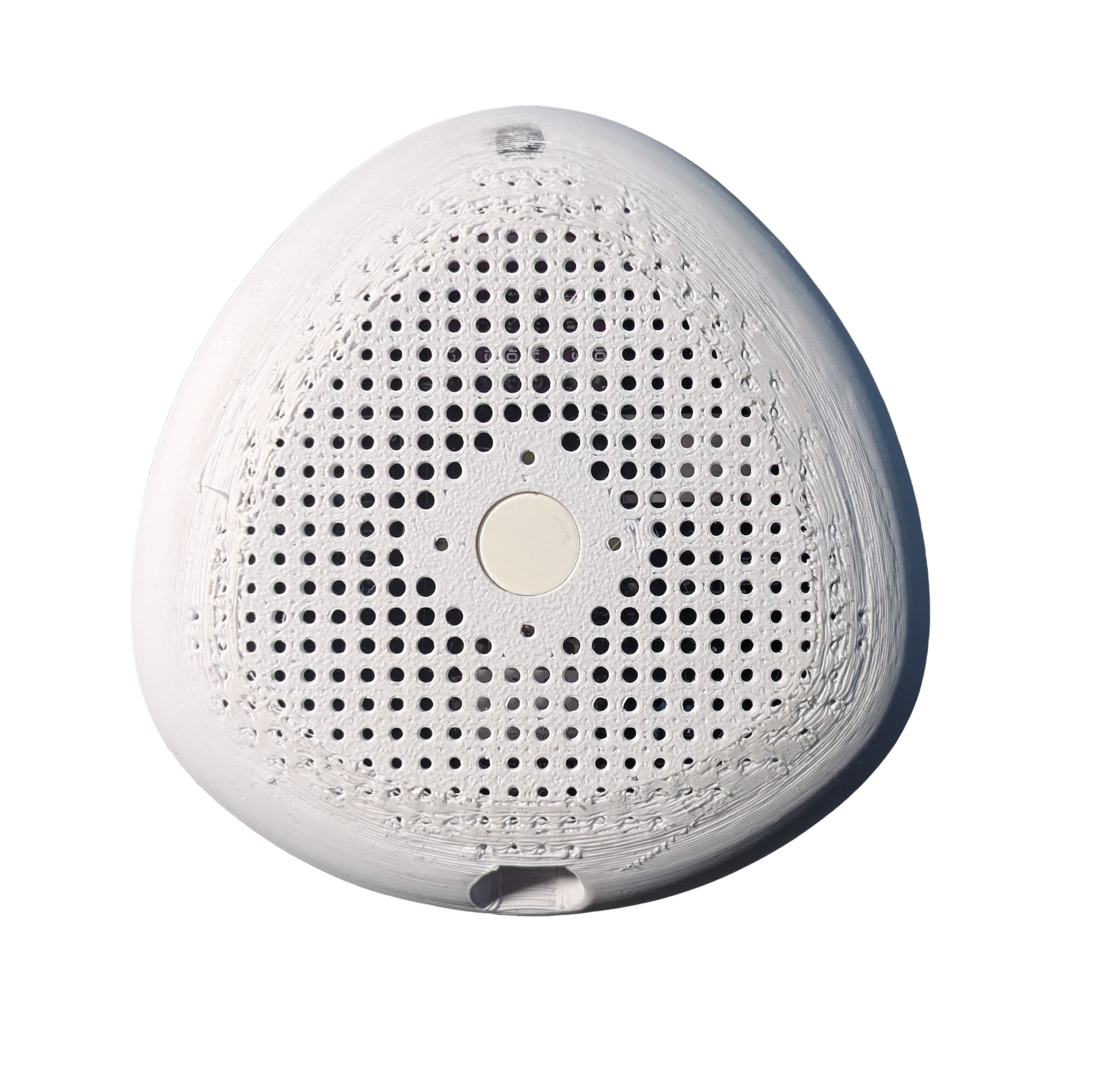
This folder contains everything you need to produce your own Windy, our smart air quality monitor.
The project includes:
📱 A cross-platform companion app
⚙️ The physical device with PCB and case
📚 Full technical documentation doc pdf
Windy
├── firmware
├── media
├── PCB
├── src
└── doc 📐 Measures CO2 and TVOC levels passively when connected to the phone
📊 Measures CO2 and TVOC on demand via the app or the device itself
📉 Provides a detailed history and trend of past measures
💡 Provides tips to improve air quality based on your situation
Unfortunately, not all features we intended to implement function correctly. We list here all known issues:
We plan to insert a new card in the home describing the device status and 3D model, for those install the app without knowing about it.
Clone the repository
https://github.com/alexzilligmm/windy.gitGo to the project folder and then to the application folder
cd srcFinally, execute:
flutter runMake sure to have flutter installed as well as suitable platform for testing. Use the official page in case you need it flutter.
To build the prototype, we welded some commercial components onto a custom PCB board that we designed to enhance ease of assembly and overall elegance. The PCB project files are included in the PCB folder. To design the board, we used KiCad. A custom 3D-printed shell protects the system, providing durability and aesthetic appeal. We publish the STL file in the media folder.
We provide links to the components we bought for our prototypes.
A detailed schema of assembly is provided in the report, including resistors details.
The case has been designed by Daniel Maroni, a talented designer from Rome.
To build the physical enclosure for Windy, you can 3D print the case using the provided STL files.
📽️ Watch the 3D printing process
You can find the STL files in the media folder:
case.stlcase_3d_print.mp4 (video demonstration)A special thanks to Alessandro Vitali for his help and for printing the case.
Once the app is installed and the device ready, switch the device on using the switch on the side. Hold the main button to put the device on pairing mode.
🛜 You should see it on the app now. Click to pair.
📏 It is now measuring the air quality! You can tune the frequency of the measurements in the settings.
📸 If you need a snapshot of the current air quality, press the main button again!
Barreto Diego, Palmieri Simone, Piarulli Lorenzo, Marincione Davide, Zirilli Alessandro
👨🏻🎨 designed by Daniel Maroni
Special thanks to Prof. Emanuele Panizzi for his helpful advice.
| Qty | Value | Footprint | References |
|---|---|---|---|
| 7 | R | Resistor_THT:R_Axial_DIN0204_L3.6mm_D1.6mm_P5.08mm_Horizontal | R1, R2, R3, R4, R5, R6, R7 |
| 4 | LED | LED_THT:LED_D1.8mm_W3.3mm_H2.4mm | D1, D2, D3, D4 |
| 2 | Conn_01x01_Pin | TestPoint:TestPoint_Pad_D1.5mm | -1, +1 |
| 1 | Conn_01x02_Socket | Connector_JST:JST_XH_S2B-XH-A_1x02_P2.50mm_Horizontal | BATTERY |
| 1 | Conn_01x03_Socket | Connector_JST:JST_XH_S3B-XH-A_1x03_P2.50mm_Horizontal | SWITCH |
| 1 | SW_Push_Open_Dual | Button_Switch_THT:SW_PUSH-12mm_Wuerth-430476085716 | SW1 |
| 1 | XIAO Connector/DNP | Seeed Studio XIAO Series Library:XIAO-Generic-Thruhole-14P-2.54-21X17.8MM | M1 |
| 1 | module_CJMCUCCS811 | usini_sensors:module_adxl345 | U1 |

VoronDesign/Voron-Hardware
Cool Hardware designed by the Voron Design group


hackclub/OnBoard
💡 Join 1,000 teenagers and make your first PCB with a $100 grant!

VoronDesign/Voron-Tap
Tap is a nozzle-based z-probe for the V2 and Trident printer designs. The entire toolhead moves to trigger an optical switch. Tap offers many advantages:

Luos-io/luos_engine
Open-source and real-time orchestrator for cyber-physical-systems, to easily design, test and deploy embedded applications and digital twins.


Twotoz/C5VRX
Ultra-minimal, zero-CPU 5.8 GHz analog FPV video receiver using ESP32-C5 Wi-Fi 6 PHY MODEM_DIAG, BitScrambler WBFM demodulation & resistor DAC CVBS
It measures 60 × 60 mm and has 2 copper layers, 1.6 mm thick.
18 parts. The full list of its parts is on this page, with links to each part's symbol and footprint where PCBKit's library has them.
From the alexzilligmm/windy repository on GitHub, at the commit this page was made from: the board is PCB/v2.0/Air_PCB/Air_PCB.kicad_pcb and its schematic PCB/v2.0/Air_PCB/Air_PCB.kicad_sch. PCBKit opens the board in the browser, with nothing to install.
Its repository publishes it under the MIT licence: you may reuse it on that licence's terms (keep the author's notice, and for a copyleft licence share your changes alike).