
4 layers99 × 53.3 mm
PSLab
fossasia/pslab-hardware
PSLab Hardware Design and Schematics https://pslab.io
199 parts1.7kApache-2.0

 Yash-Takhtani/TapPad
TapPad speeds up annoying tasks. You can use the keys to assign custom macros on your device or use the rotary switch to control media. It also has a customizable 0.91 inch OLED display and a LED indicator.
TapPad is an open-source printed circuit board by Yash-Takhtani, from the Yash-Takhtani/TapPad repository on GitHub. It is a 2-layer board of 98.5 × 41.5 mm with 9 parts on 15 nets, routed with 82 tracks and 1 via.
It is built around the WS2812B. Its parts include 6 switches, 2 ICs and 1 diode. It belongs with the lEDs and displays boards and the ESP32 and RISC-V boards of this library.
TapPad speeds up annoying tasks. You can use the keys to assign custom macros on your device or use the rotary switch to control media. It has a customizable 0.91 inch OLED status display and a LED indicator.
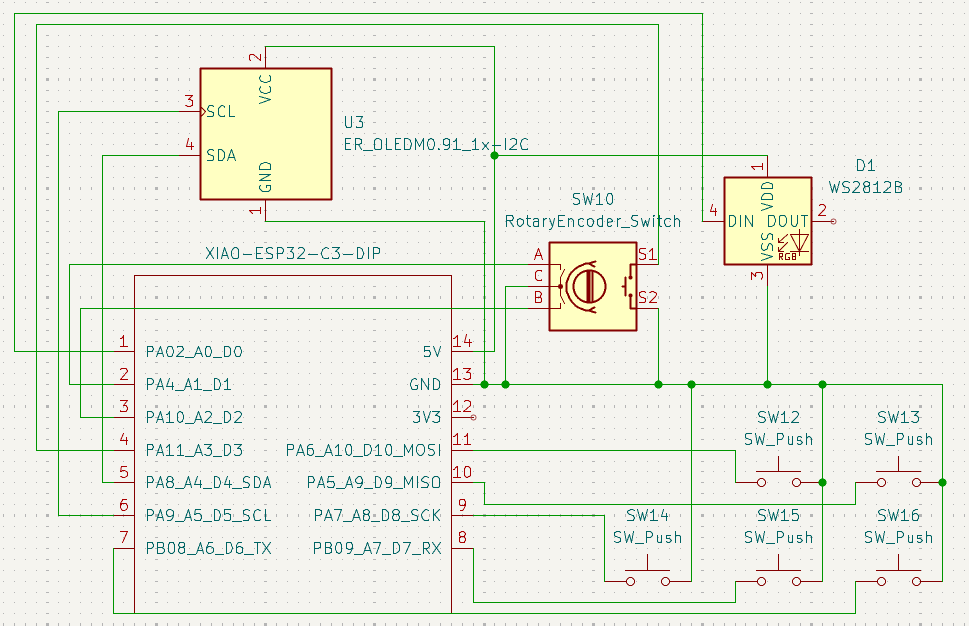
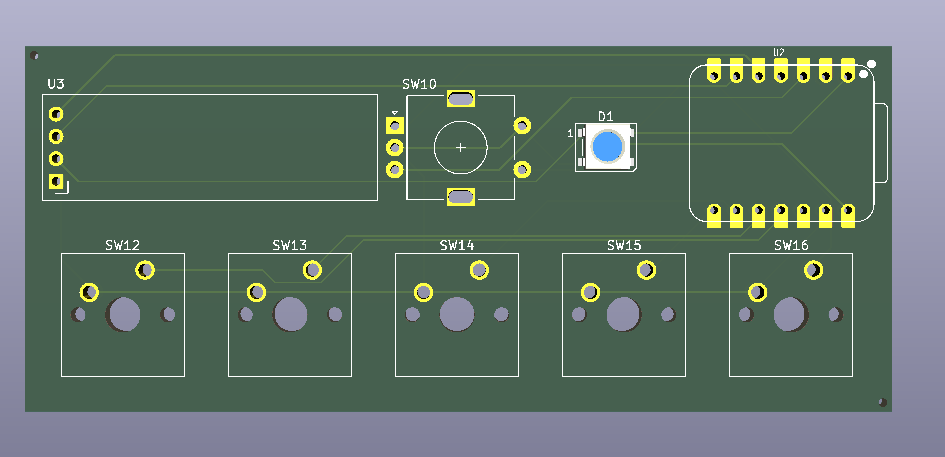
The PCB was made on Kicad. It connects all 5 switches, rotory encoder switch, LED and the OLED display, to the Seeduino board.
Schematic and PCB layout is as follows -
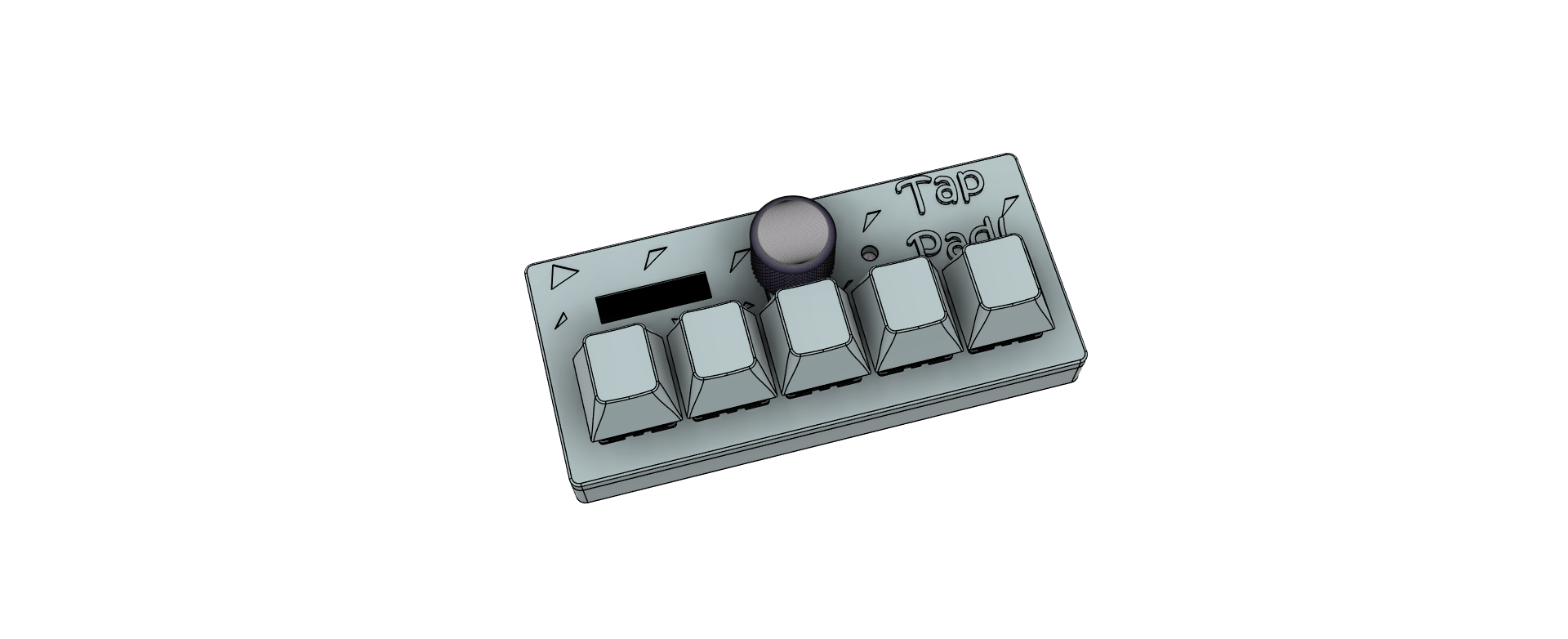
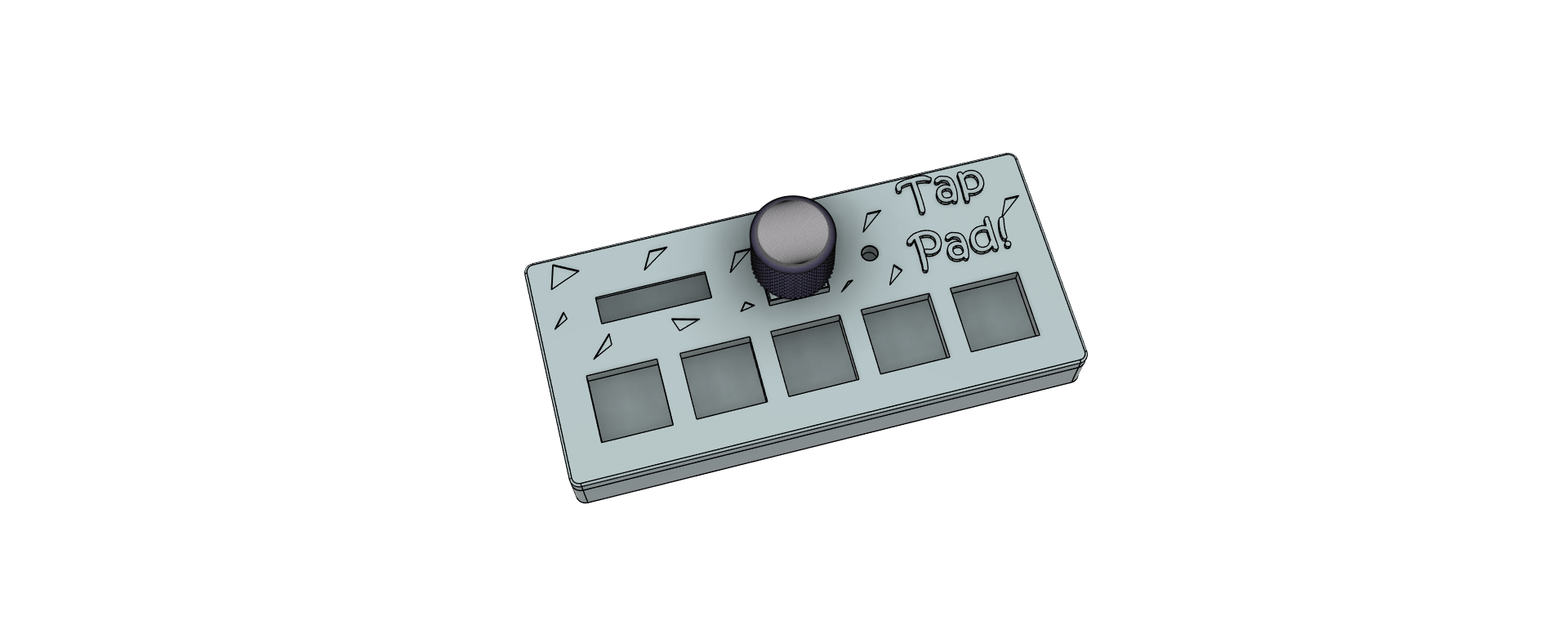
Case designed on fusion for the pcb having 5 switches, one rotary encoder, an OLED display and the LED indicator with a USB-C port on the right side. It assembles via 4 magnets flushed inside the corners of the base and lid.
It has grooves and extruded covers to fit the OLED display, rotary encoder and seeeduino USB-C.
Triangular designs have been engraved along with a extruding "Tap Pad!" text to give it a unique design.
Hackpad kit -
To be purchased with the grant -
I completed the build!
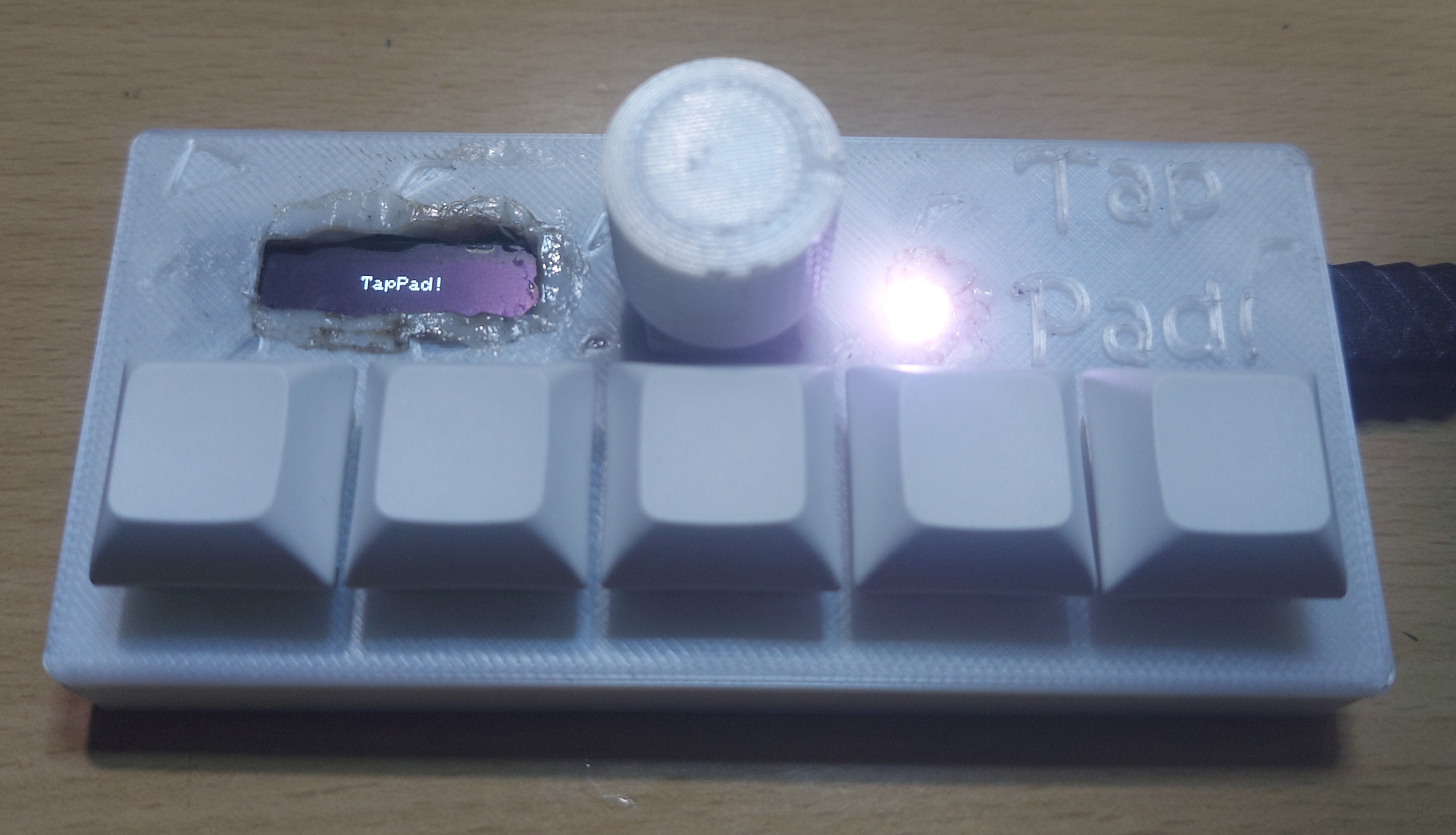
During the build I slightly misplaced the oled display due to which i had to modify the display cutout with my soldering iron. It kinda left burnt marks. I have added extra clearances to the CAD.
Configurable OLED python script
| Qty | Value | Footprint | References |
|---|---|---|---|
| 5 | SW_Push | Button_Switch_Keyboard:SW_Cherry_MX_1.00u_PCB | SW12, SW13, SW14, SW15, SW16 |
| 1 | ER_OLEDM0.91_1x-I2C | Display:ER_OLEDM0.91_1x-I2C | U3 |
| 1 | RotaryEncoder_Switch | Rotary_Encoder:RotaryEncoder_Alps_EC11E-Switch_Vertical_H20mm | SW10 |
| 1 | WS2812B | LED_SMD:LED_WS2812B_PLCC4_5.0x5.0mm_P3.2mm | D1 |
| 1 | XIAO-ESP32-C3-DIP | Seeed_Studio_XIAO_Series:XIAO-ESP32-C3-DIP | U2 |
fossasia/pslab-hardware
PSLab Hardware Design and Schematics https://pslab.io
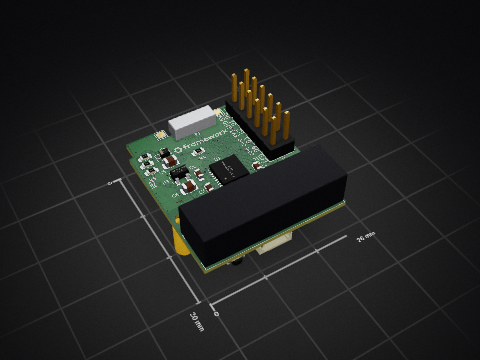
FrameworkComputer/ExpansionCards
Reference designs and documentation to create Expansion Cards for the Framework Laptop


PrintersForAnts/Micron
If you want to purchase full kits there are 3 available (Kits are slowly updating to R1 hardware just make sure to double check the included hardware in your kit and if you have any questions reach out in the discord)


It measures 98.5 × 41.5 mm and has 2 copper layers, 1.6 mm thick.
9 parts, built around the WS2812B. The full list of its parts is on this page, with links to each part's symbol and footprint where PCBKit's library has them.
From the Yash-Takhtani/TapPad repository on GitHub, at the commit this page was made from: the board is PCB/tap pad.kicad_pcb and its schematic PCB/tap pad.kicad_sch. PCBKit opens the board in the browser, with nothing to install.
Its repository states no licence, so its author keeps all rights: ask Yash-Takhtani before reusing the design.