
2 layers90 × 25 mm

 XboxBedrock/simwheel1
Custom FFB Simracing Wheel
Topstrip is an open-source printed circuit board by XboxBedrock, from the XboxBedrock/simwheel repository on GitHub. It is a 2-layer board of 124 × 12.1 mm with 35 parts on 19 nets, routed with 101 tracks and 15 vias.
It is built around the WS2812B. Its parts include 15 capacitors, 15 diodes, 2 connectors and 1 resistor.
Hi! This is a custom-made Force Feedback Simracing steering wheel, made to somewhat resemble the 2019 Mercedes AMG F1 steering wheel, although not a direct replica. It is made using a hoverboard motor to save costs, and has a screen on the controller for the true F1 experience. For those who may not know what Force Feedback is, it's the usage of a motor to resist the motion of the player, to more closely mimic racecar steering, as the steering column in a racecar offers significant resistance to the driver. Generally this results in higher steering accuracy as humans are very good at gauging pressure accurately compared to distance, so resistance from a wheel helps with that. The wheel itself has a lot of buttons, as does every F1 steering wheel, to allow the driver to enable functions like pit lane steering limiter, etc. I am using keyswitches for a nice shifter experience, and a rotary encoder clutch pedal.
The premade setups you can get at this pricepoint do not offer the same selection of button and screen, and are lacking in torque (Often 2-3 Nm), so that made me want to make a much more capable wheel. There is significant complexity as the hub, wheel, and quickconnect all have to be designed. Overall I am a simracing fan and have always wanted to have a setup like this, but have been outpriced by the $700+ market rates, and figured this could be a great way to use my cad and pcb experience.
I intend to use a mix of the OpenFFBoard project's software (https://github.com/Ultrawipf/OpenFFBoard) and a small custom serial interface for the buttons and clutch pedal. As such this means you will plug in two USB cables to the computer, one for the wheel control and one for the buttons and clutch and display controller.
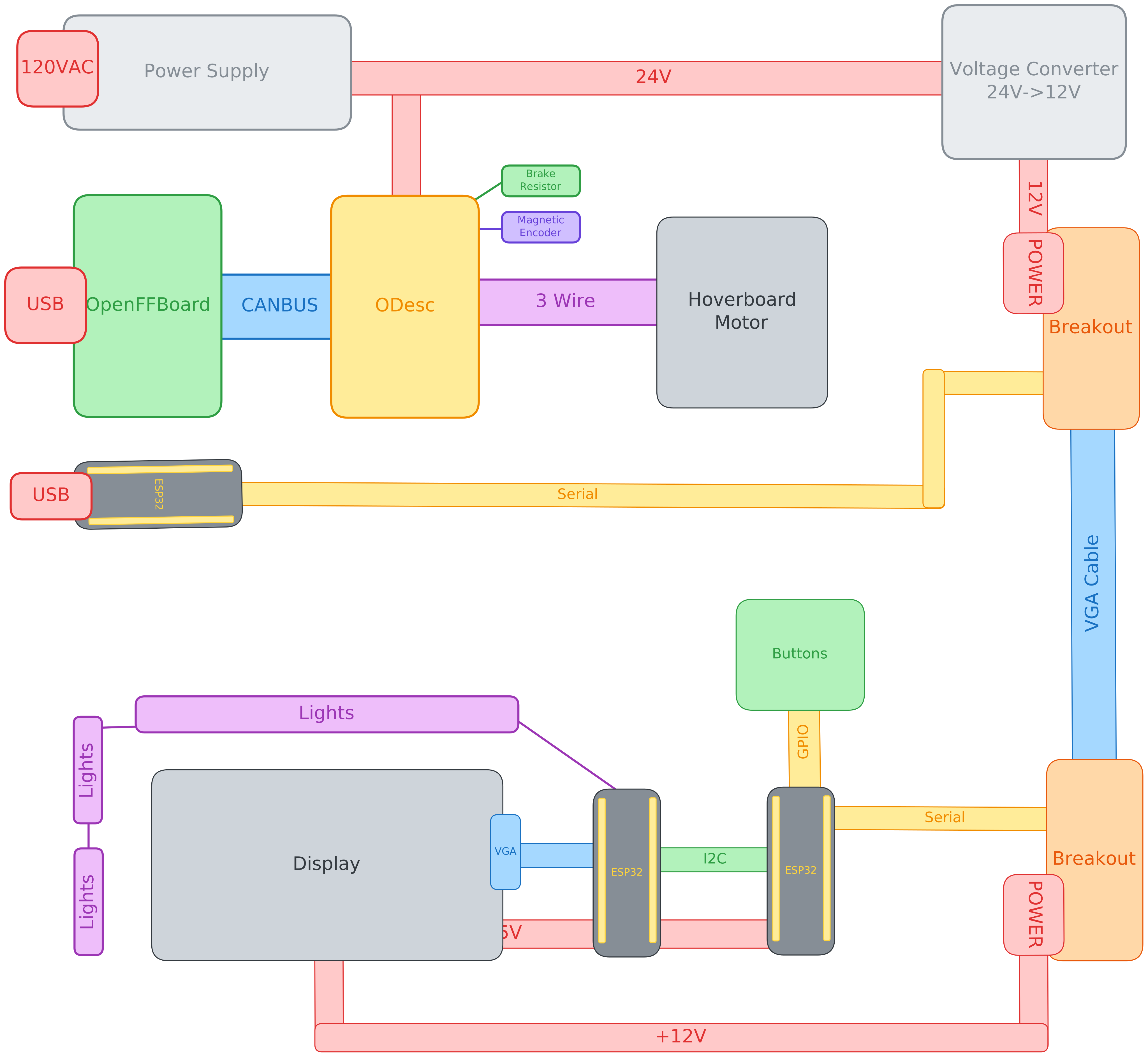
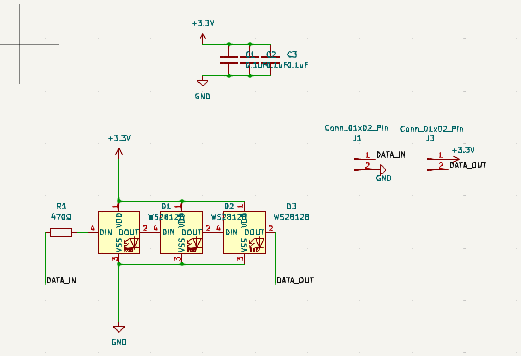
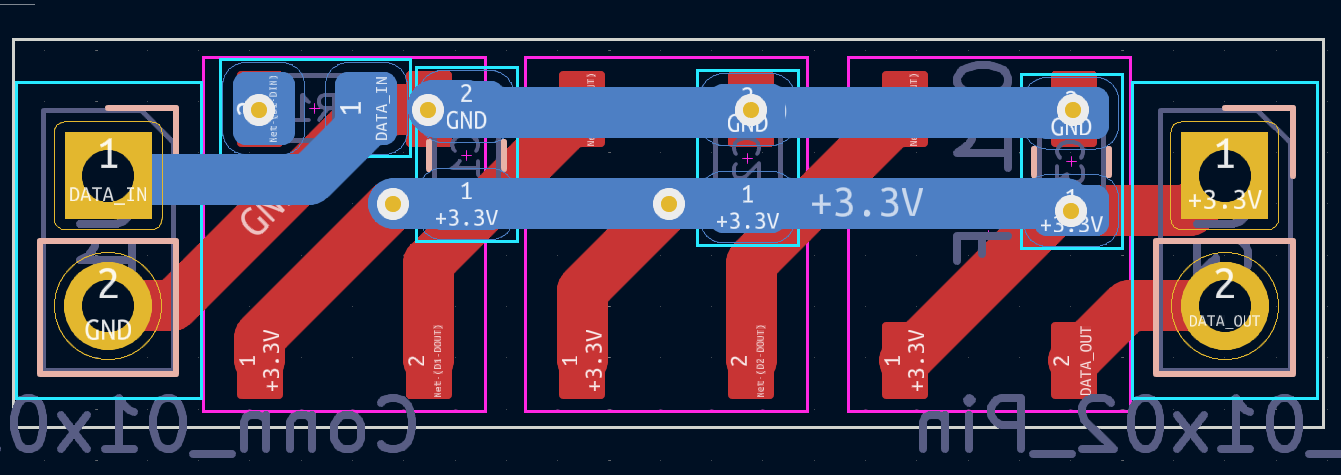
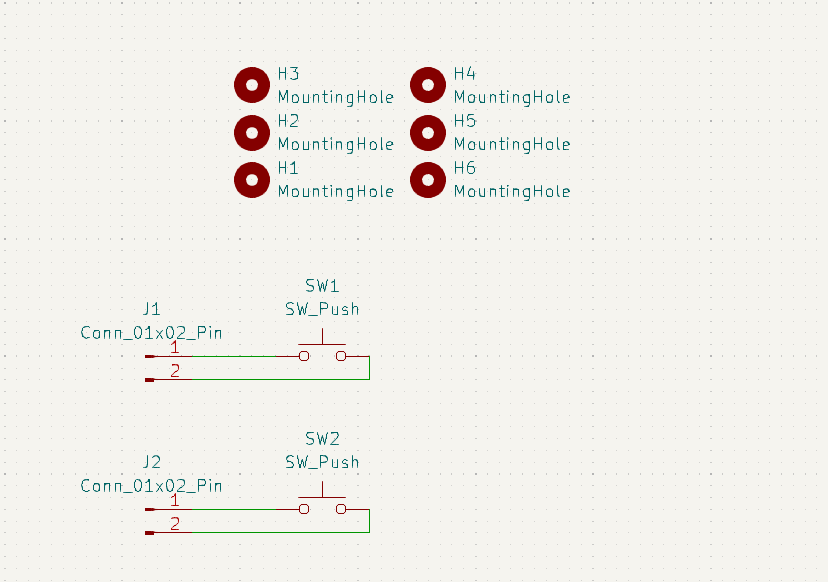
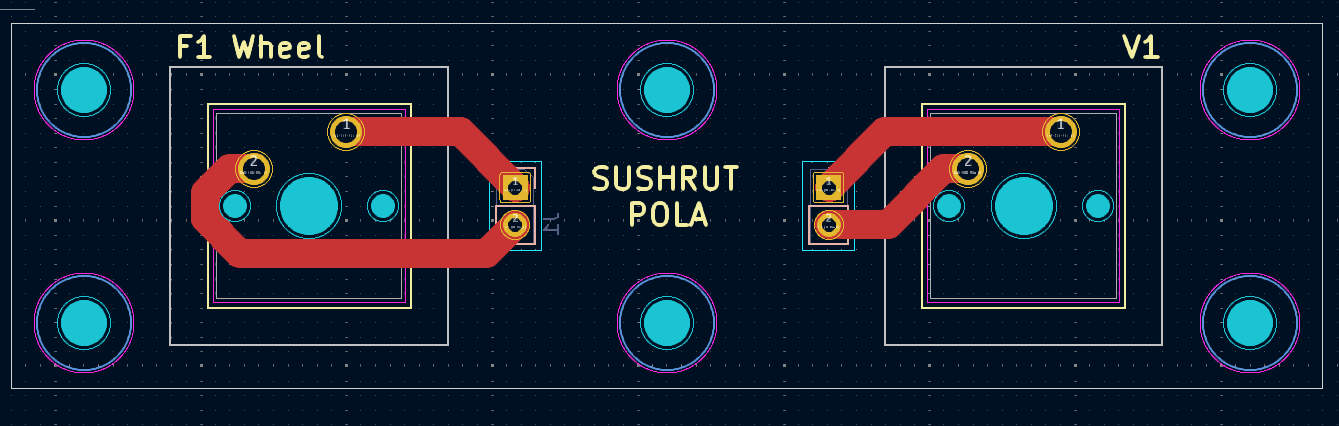
This is the full wiring diagram, the display unit will have 2 PCBs hooked up to it for the RPM status lights, and one to hold the shifter keyswitches (which is apart of buttons), as visible in the cad. All of the PCB design files can be found in the kicad_project folder. Here are the schematics and routing as images for sake of convinience however.
As to not spam this upper section with images, please check the pcb images section
All of the CAD was done in fusion 360, and while I could export my whole workspace, for the sake of sanity I uploaded the full assembly and just the wheel as two seperate files, the full assembly containing the wheel. Credit to GrabCAD for providing the models for some standard COTS parts (EG. ESP32, Power Supply, Magnetic Encoder Board, etc.).
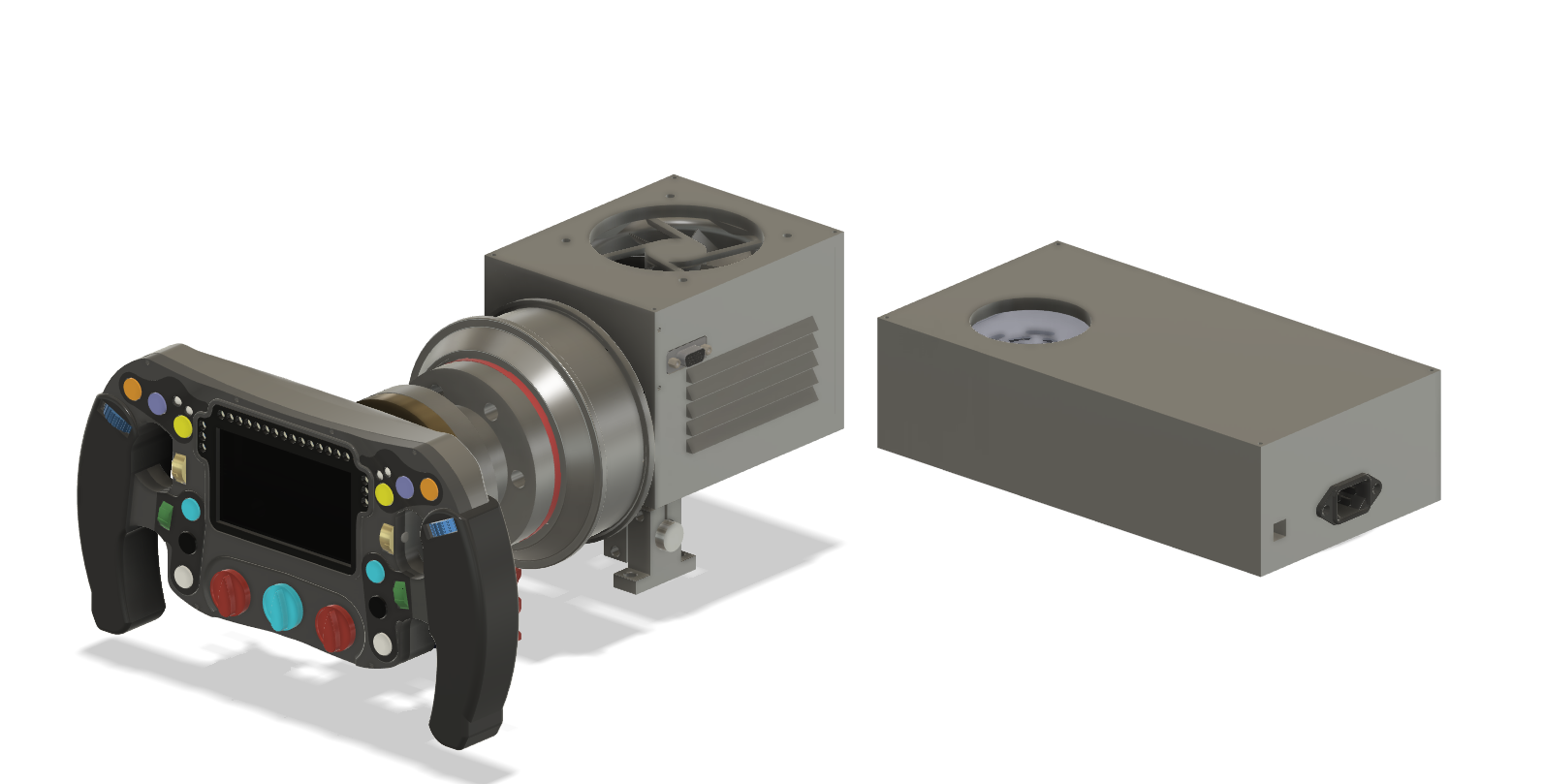
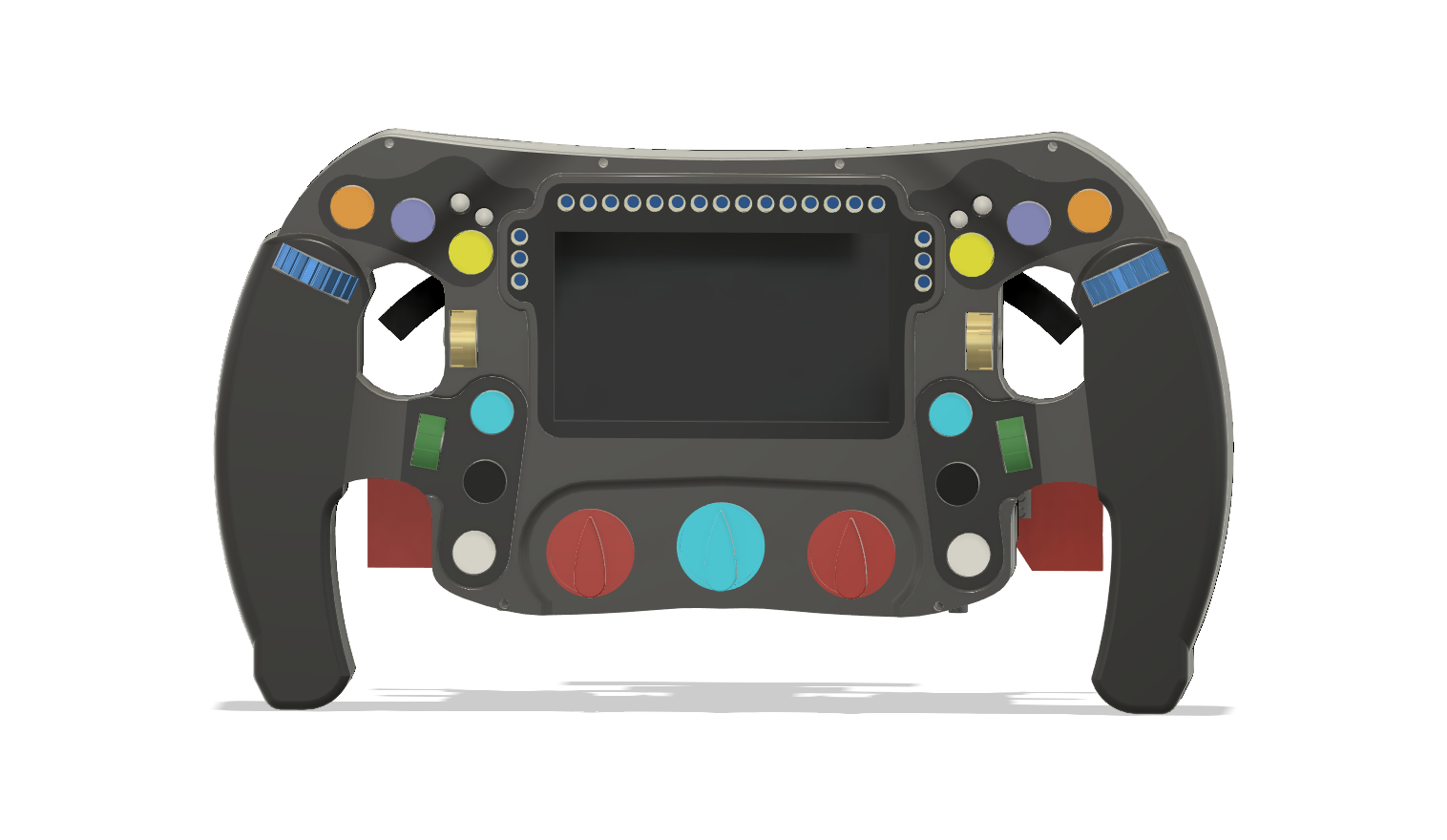
Top Lights PCB
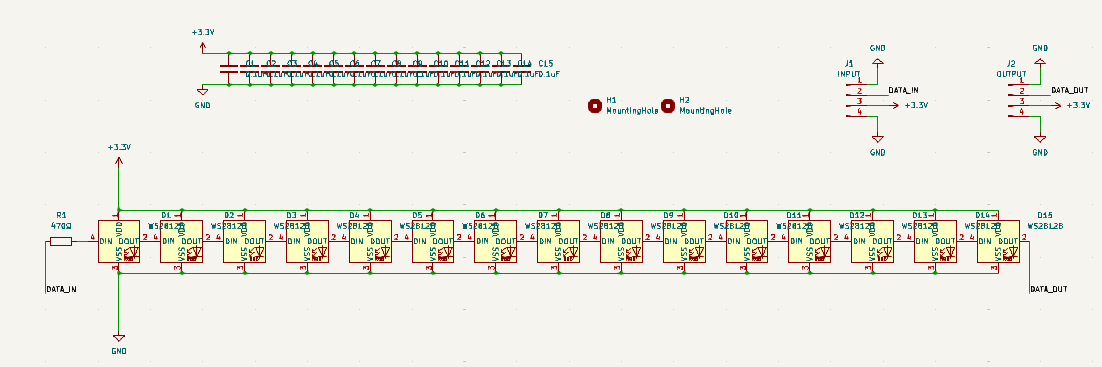

Safety Lights PCB
Shifter PCB
| Qty | Value | Footprint | References |
|---|---|---|---|
| 15 | 0.1uF | Capacitor_SMD:C_0805_2012Metric | C1, C2, C3, C4, C5, C6, C7, C8, C9, C10, C11, C12, C13, C14, C15 |
| 15 | WS2812B | LED_SMD:LED_WS2812B_PLCC4_5.0x5.0mm_P3.2mm | D1, D2, D3, D4, D5, D6, D7, D8, D9, D10, D11, D12, D13, D14, D15 |
| 2 | MountingHole | MountingHole:MountingHole_3.2mm_M3_DIN965 | H1, H2 |
| 1 | 470Ω | Resistor_SMD:R_0805_2012Metric_Pad1.20x1.40mm_HandSolder | R1 |
| 1 | INPUT | Connector_PinHeader_2.54mm:PinHeader_1x04_P2.54mm_Vertical | J1 |
| 1 | OUTPUT | Connector_PinHeader_2.54mm:PinHeader_1x04_P2.54mm_Vertical | J2 |


fossasia/pslab-hardware
PSLab Hardware Design and Schematics https://pslab.io

FrameworkComputer/ExpansionCards
Reference designs and documentation to create Expansion Cards for the Framework Laptop


PrintersForAnts/Micron
If you want to purchase full kits there are 3 available (Kits are slowly updating to R1 hardware just make sure to double check the included hardware in your kit and if you have any questions reach out in the discord)


It measures 124 × 12.1 mm and has 2 copper layers, 1.6 mm thick.
35 parts, built around the WS2812B. The full list of its parts is on this page, with links to each part's symbol and footprint where PCBKit's library has them.
From the XboxBedrock/simwheel repository on GitHub, at the commit this page was made from: the board is kicad_project/topstrip/topstrip.kicad_pcb and its schematic kicad_project/safety_light/safety_light/safety_light.kicad_sch. PCBKit opens the board in the browser, with nothing to install.
Its repository states no licence, so its author keeps all rights: ask XboxBedrock before reusing the design.