2 layers120 × 86 mm
MonkiiPad20
Simbashrek276/MonkiiBoard_Keyboards
All of our open-source keyboards, projects, and files for you to tune and make one your own.
47 parts2
 Simbashrek276/MonkiiBoard_Keyboards2
All of our open-source keyboards, projects, and files for you to tune and make one your own.
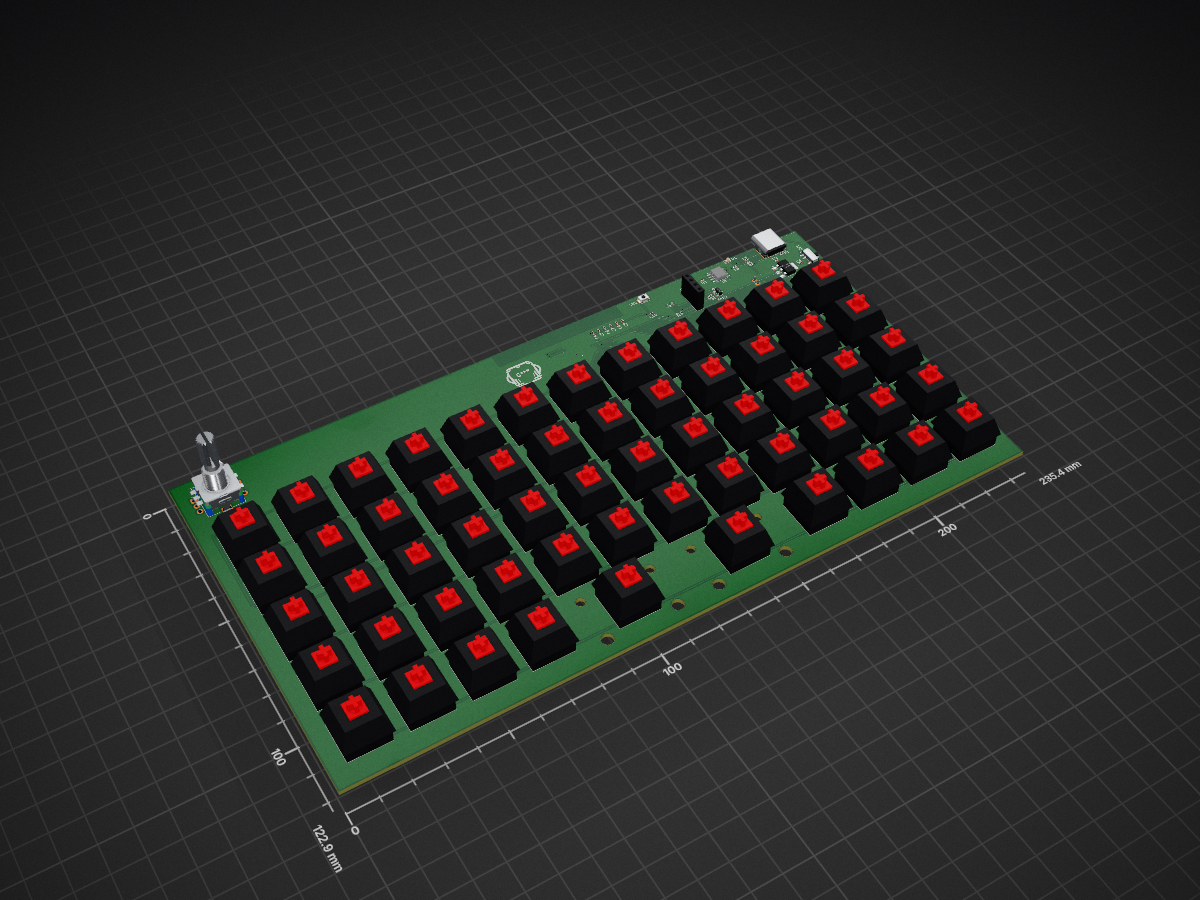
MonkiiBoard58 is an open-source printed circuit board by Simbashrek276, from the Simbashrek276/MonkiiBoard_Keyboards repository on GitHub. It is a 2-layer board of 235.4 × 122.9 mm with 148 parts on 122 nets, routed with 727 tracks and 58 vias.
It is built around the ESP32-S3-WROOM-1-N8, AMS1117-3.3 and TP4056-42-ESOP8, with the AO3401A among its other parts. Its parts include 60 switches, 59 diodes, 10 capacitors, 10 resistors and 3 ICs. It belongs with the keyboards and input boards and the ESP32 boards of this library.


Hi! This is the home for the MonkiiBoard keyboards, an open little family of boards you can build, flash and print yourself. There are five of them so far, and each one lives in its own folder with the Arduino code, a 3D printable case and a readme that walks you through it. Remember, for every build (aside from MonkiiPad16 and MonkiiBoard58), there will be 2 build pathways you can take, which are either handwiring or PCB-based builds. For starters, I would recommend choosing the handwiring option for certain keyboard builds, as it would make it much more easier to debug and fix using a multimeter and other tools as well!
MonkiiBoard58 is the newest and the most ambitious build here! This board packed fifty eight keys in a five by twelve ortholinear grid with a rotary encoder on the left, a ESP23 S3 WROOM U1 (Surface mounted component, not through hole) and no cable to the host at all since it runs wireless off a LiPo battery over Bluetooth (well of course we still have to charge the battery by pluggin the USB_C Receptacle in).
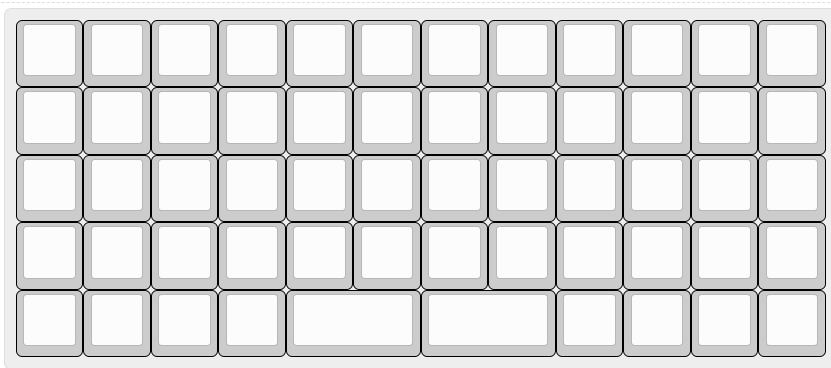
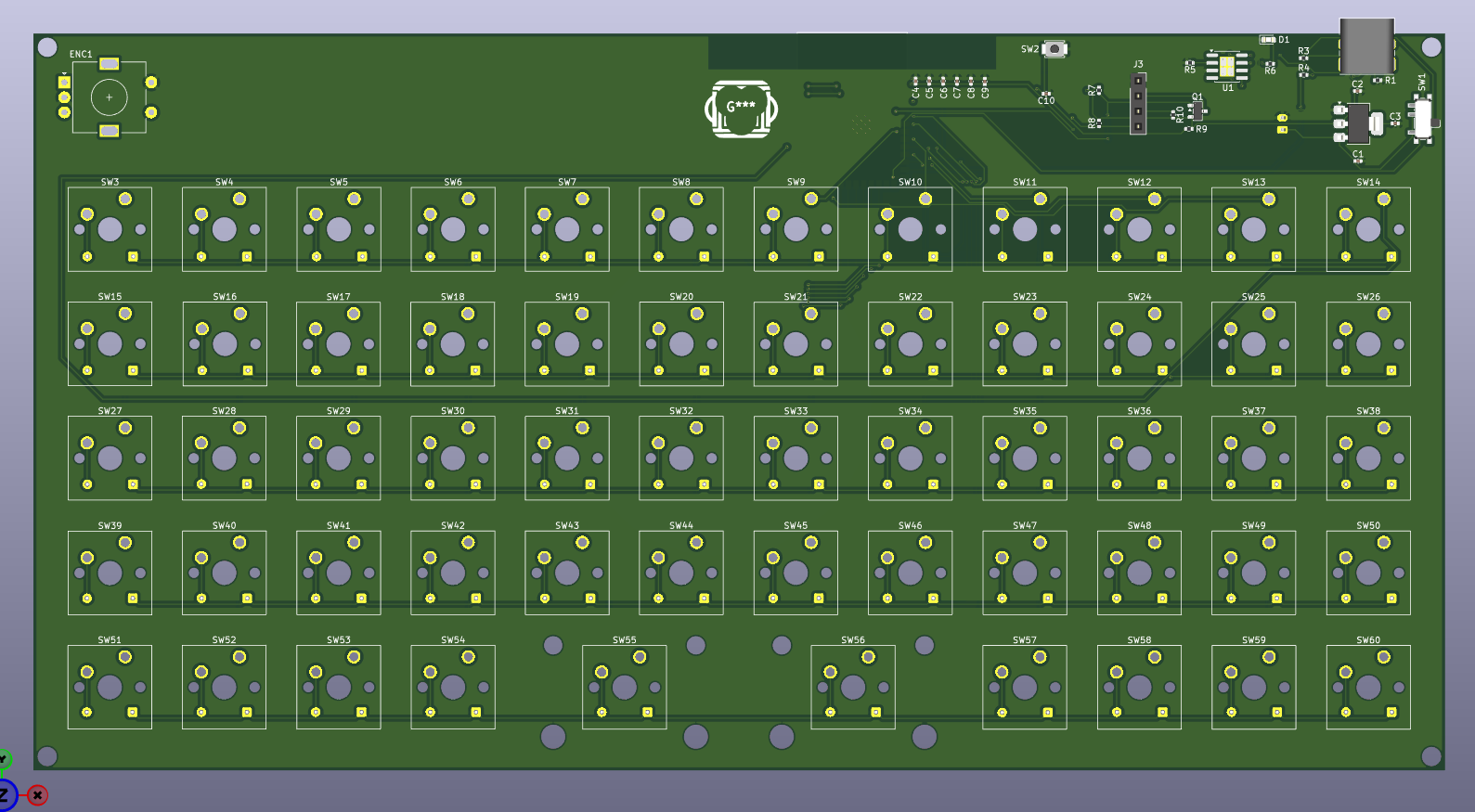
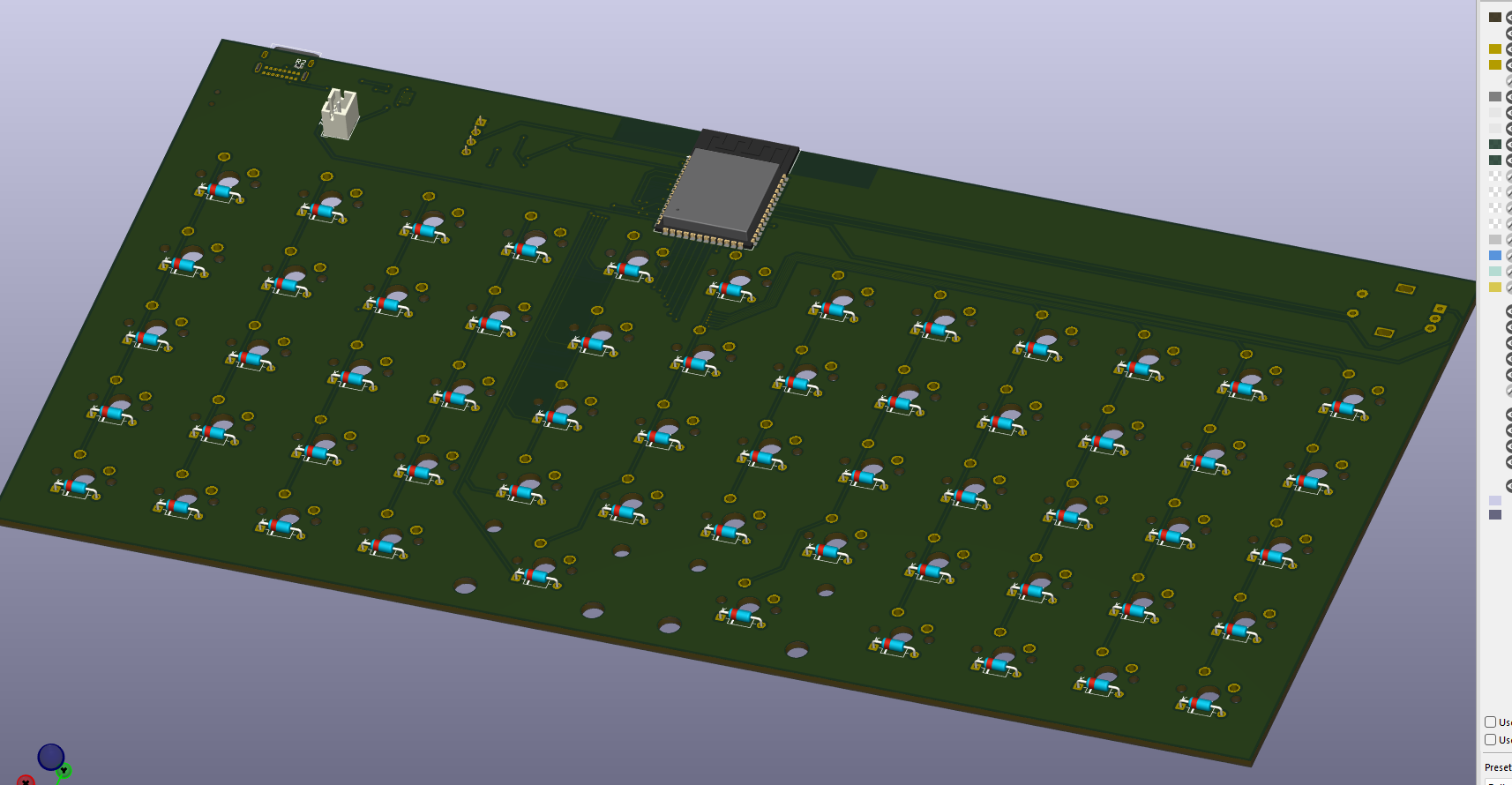
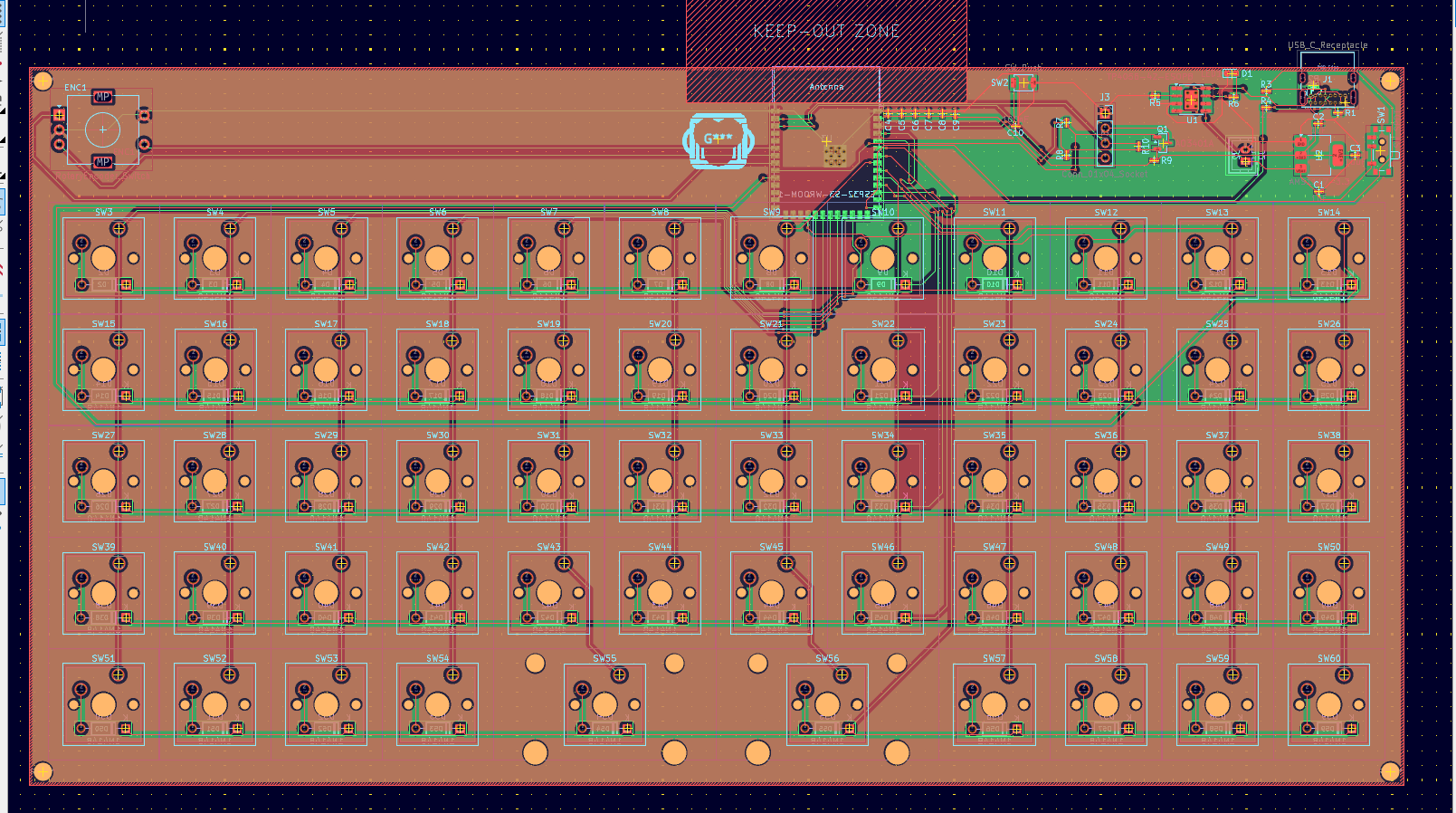
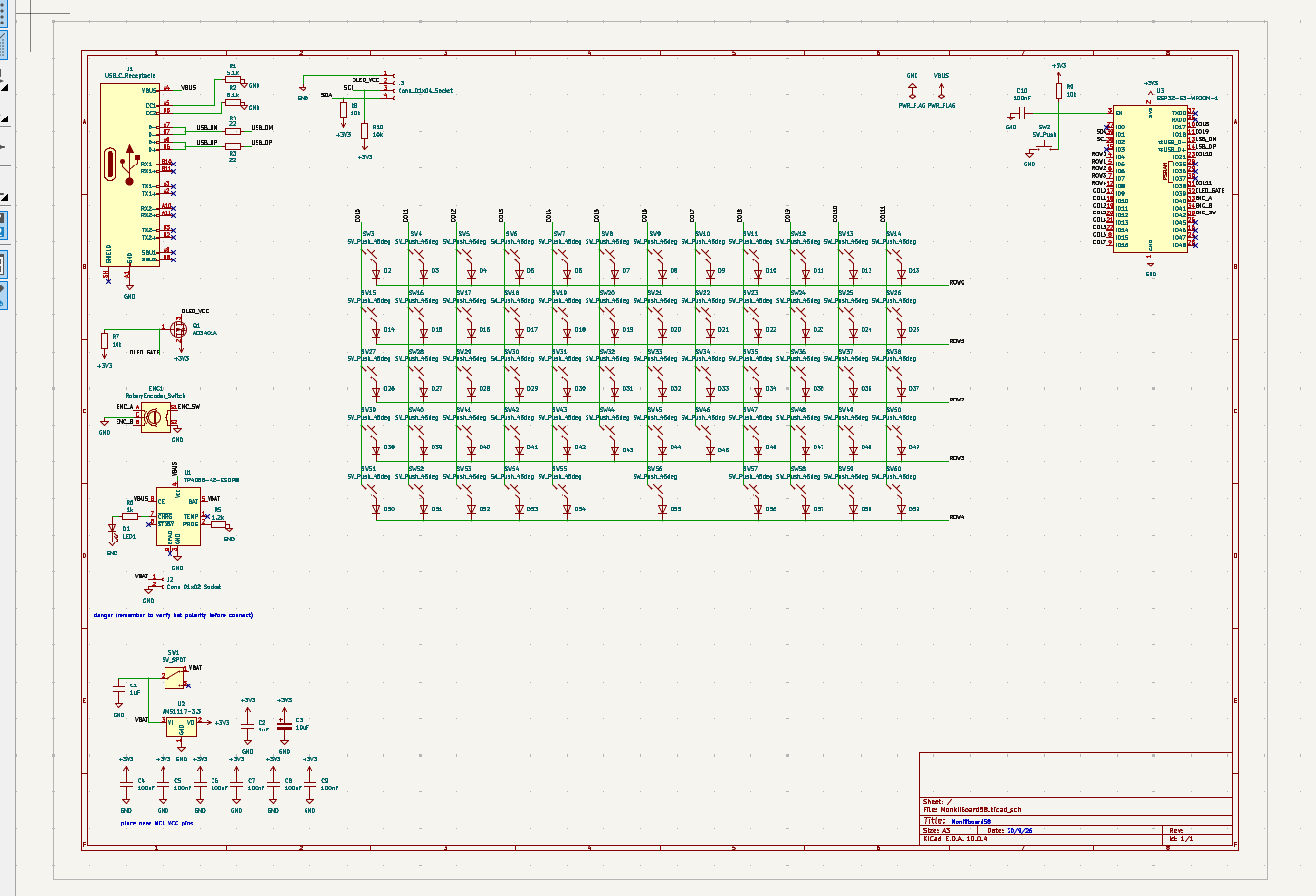
Up to this point, this board only exists as a PCB, no hand wired version, since it carries its own LiPo charger, voltage regulator and a MOSFET power gate for the OLED right alongside the switch matrix. The schematic and layout are finished and the gerbers are ready, but the boards have not gone off to a manufacturer yet, so this is the one board here that has not actually been built in real life.
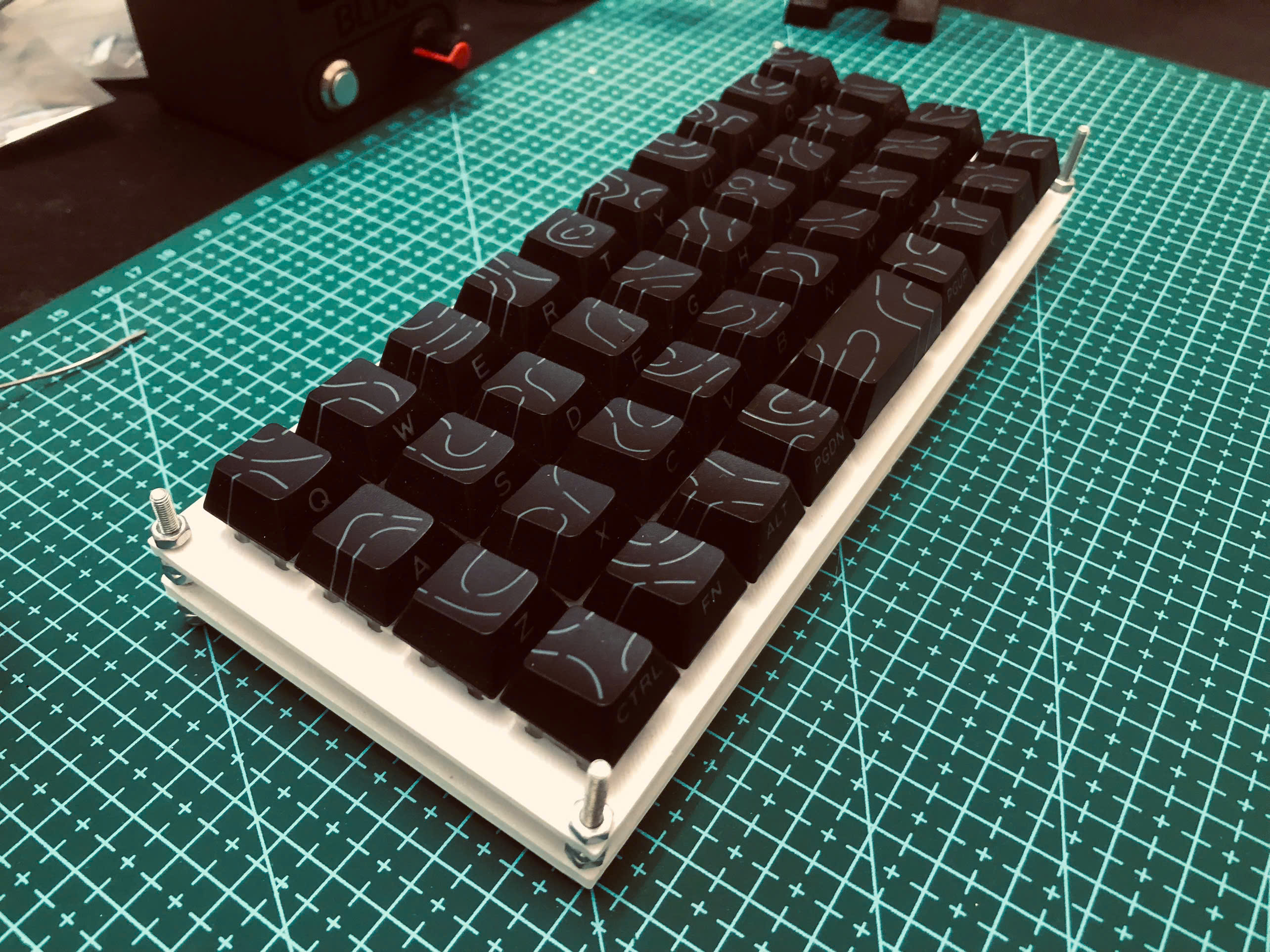
MonkiiBoard39 is MonkiiBoard's second build. THis keyboard has thirty nine keys in a tidy ortholinear 40 percent layout, with sticky modifiers on the bottom row and a Windows key that pops the start menu on a double tap.
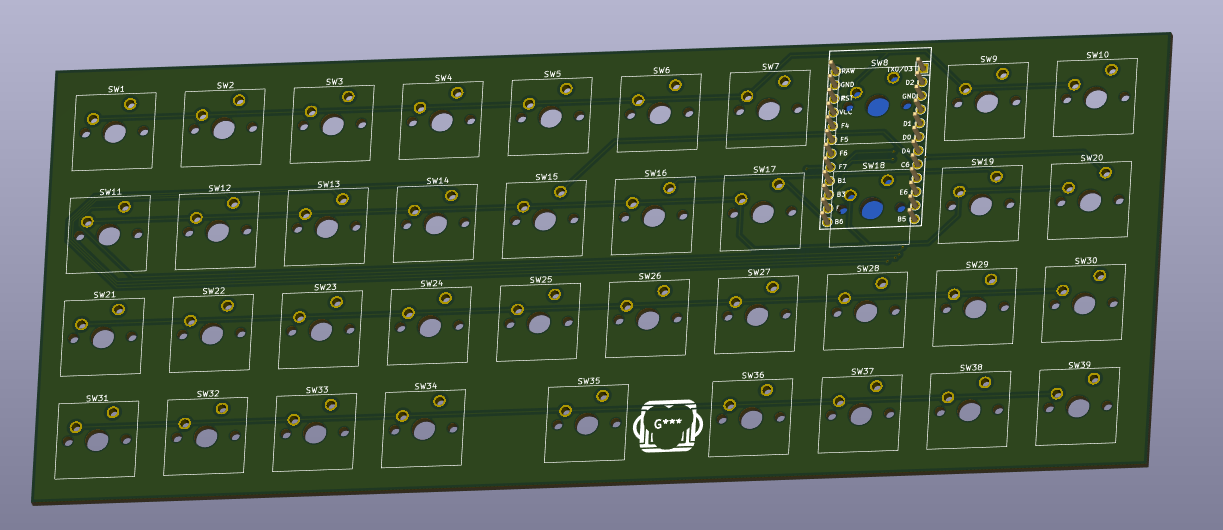
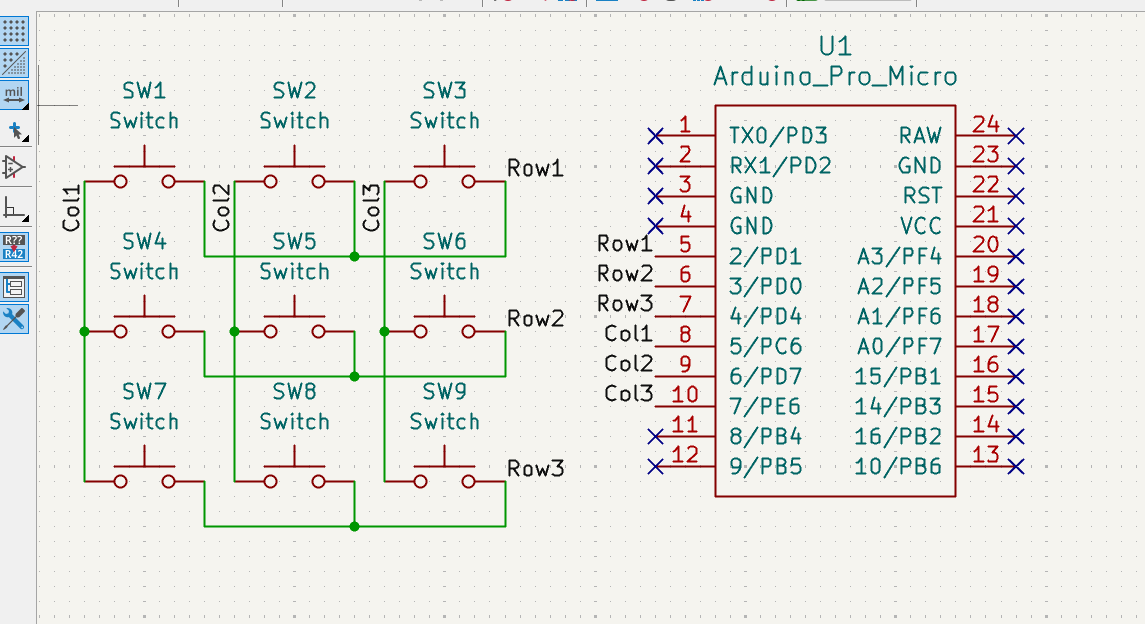
MonkiiBoard39 has a PCB now too, no diodes on this one since the sticky modifiers never need more than one key held down at a time. The schematic below shows all thirty nine switches wired straight into the matrix, with the Pro Micro footprint sitting right in the middle of the board.
MonkiiPad20 is our first keyboard with a OLED screen implemented. This macropad is a a twenty key macropad with an OLED screen, two switchable layers and a set of animated robot eyes that appear when you stop using it for a while (approximately 6 - 8 seconds). It is also the only board here that uses diodes (so far).
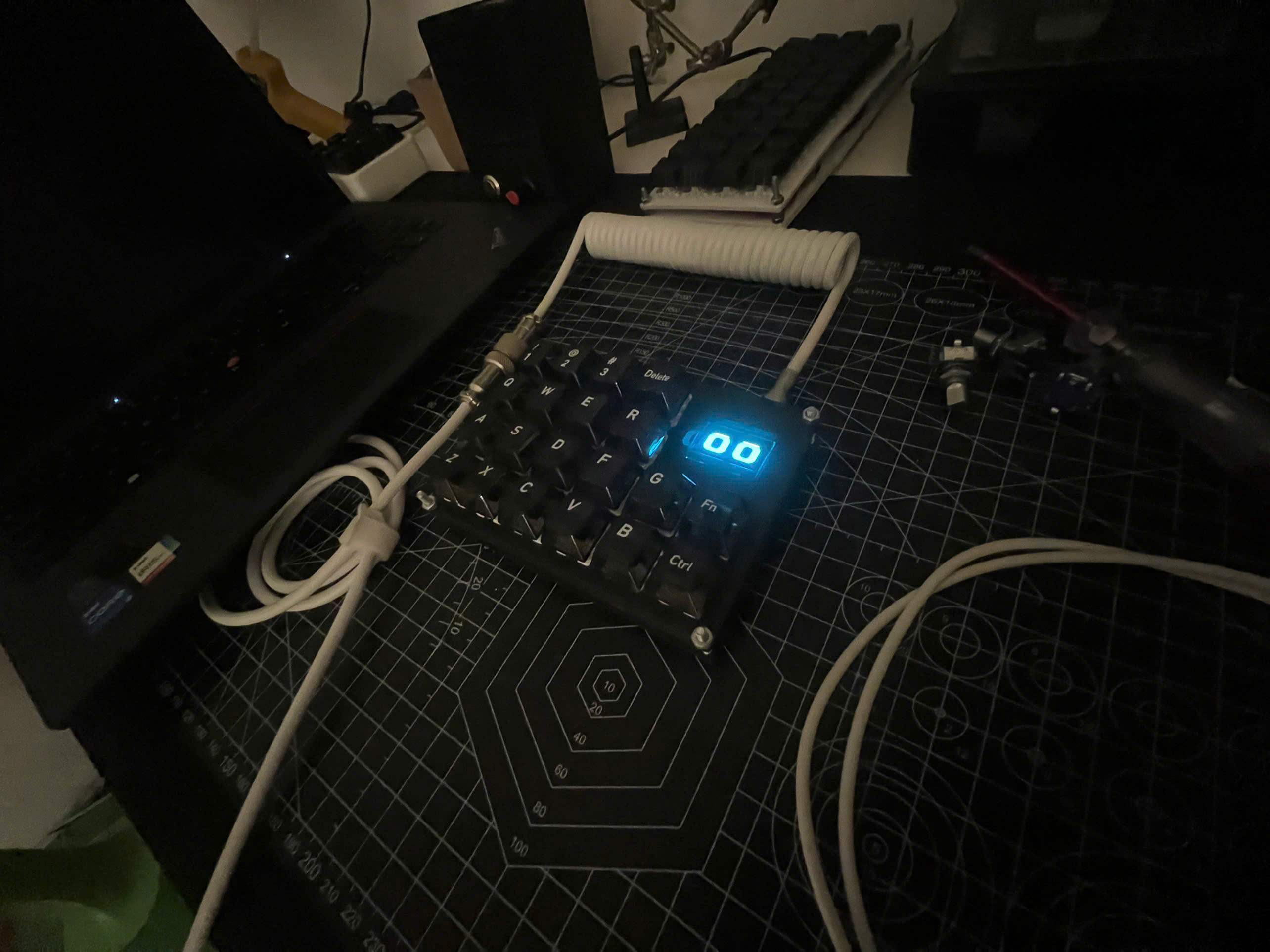
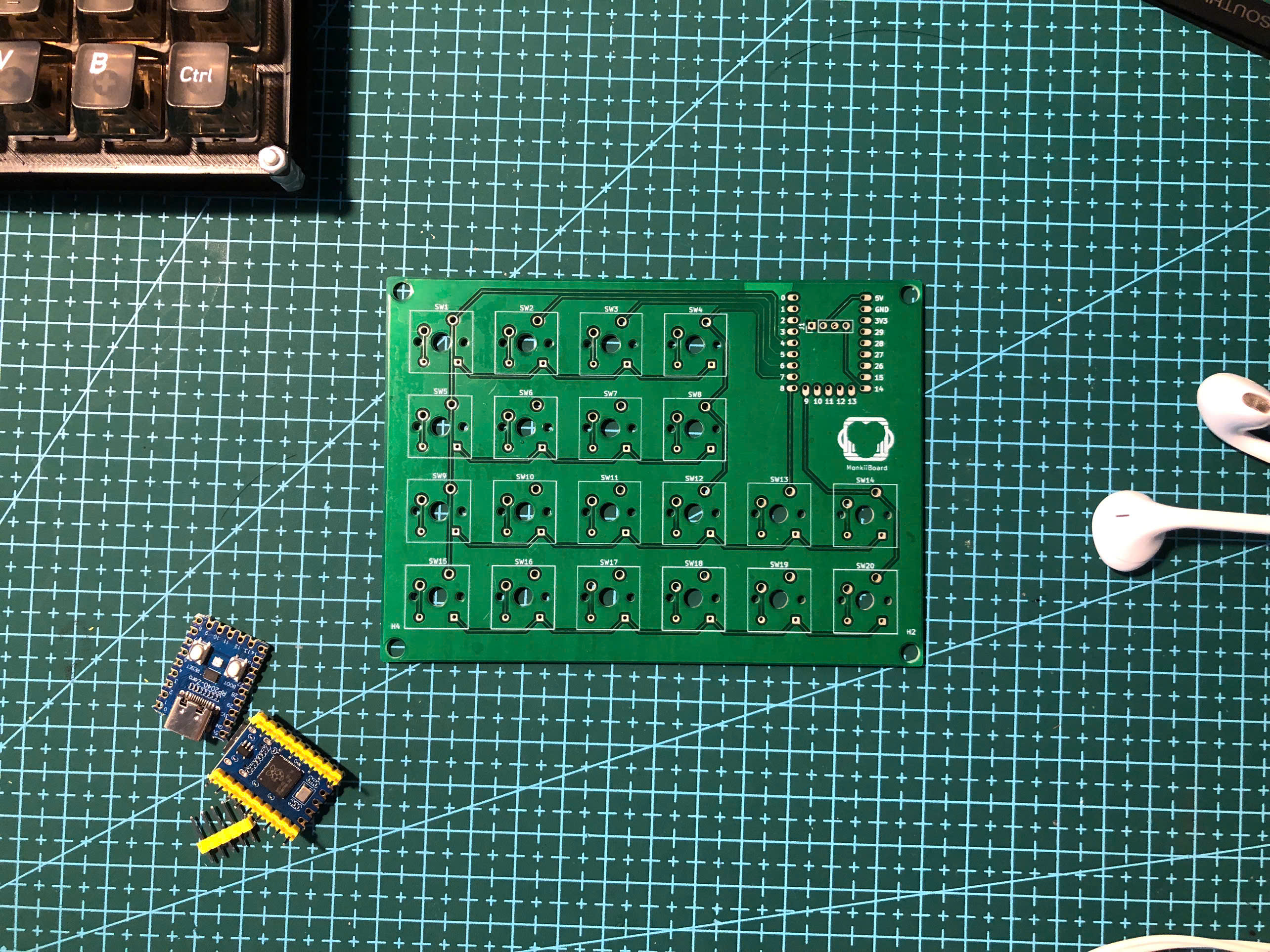
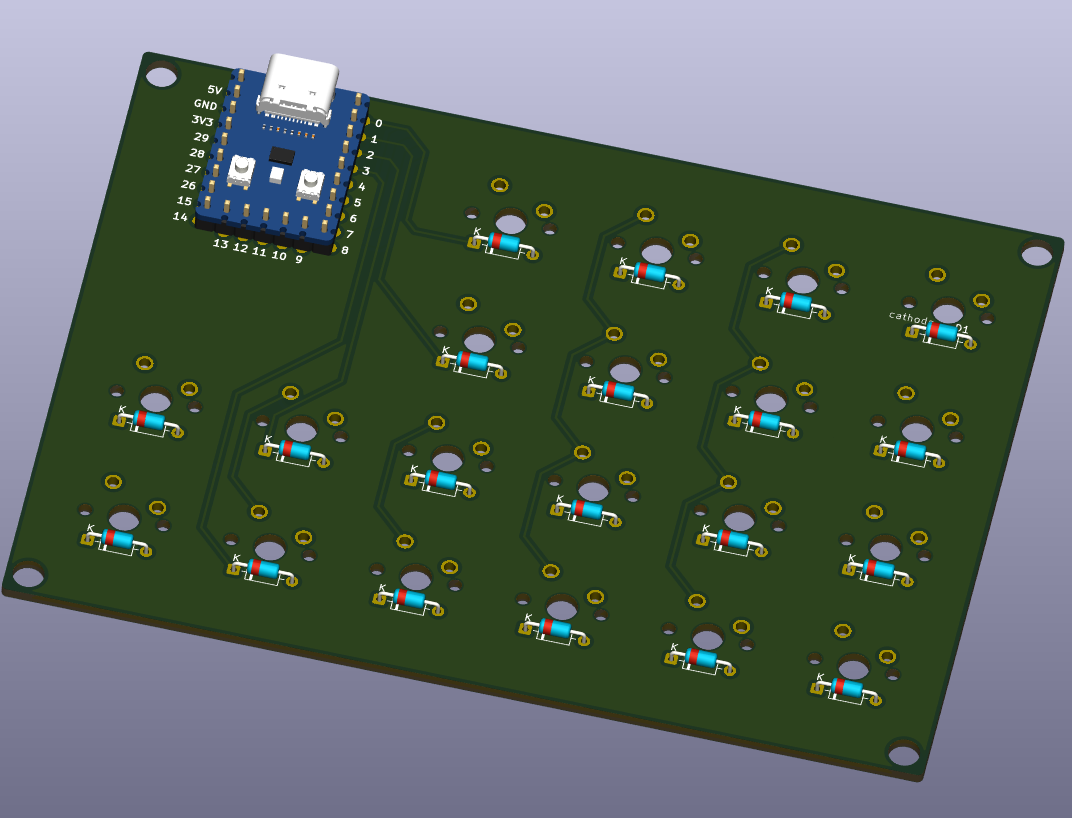
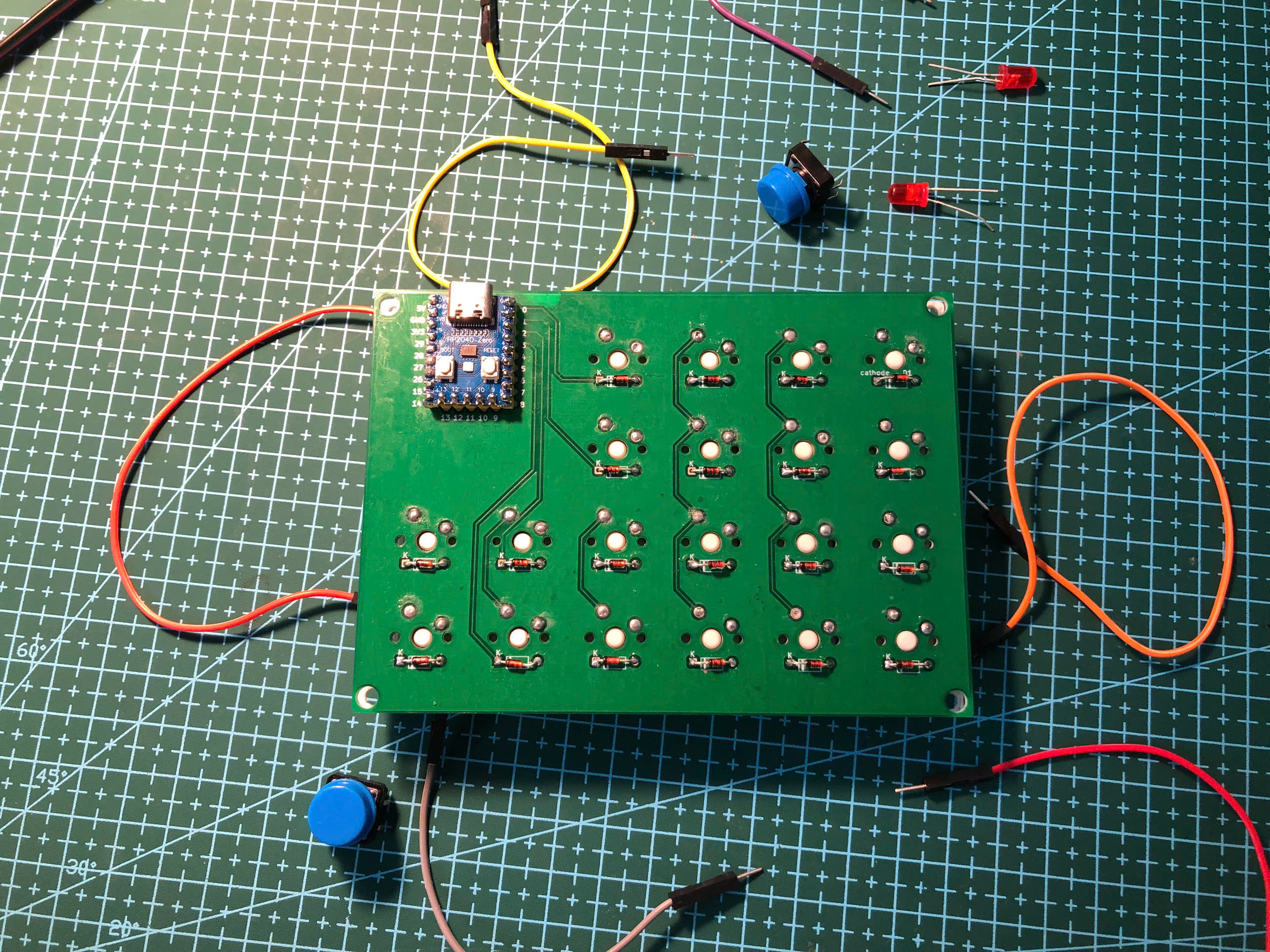
For the MonkiiPad20, we've also made our earliest PCB version 1 for this very macropad (if you choose to go the PCB path instead of the handwiring path)! The image below taken is the PCB, where you can see a silkscreen of our logo, MonkiiBoard, on the front layer.
MonkiiPad3x3 is the first keyboard that we made!! It's a nine key pad that works as a plain number pad until you hold one key (the key "1") to flip it into a macro mode full of arrows and editing shortcuts.
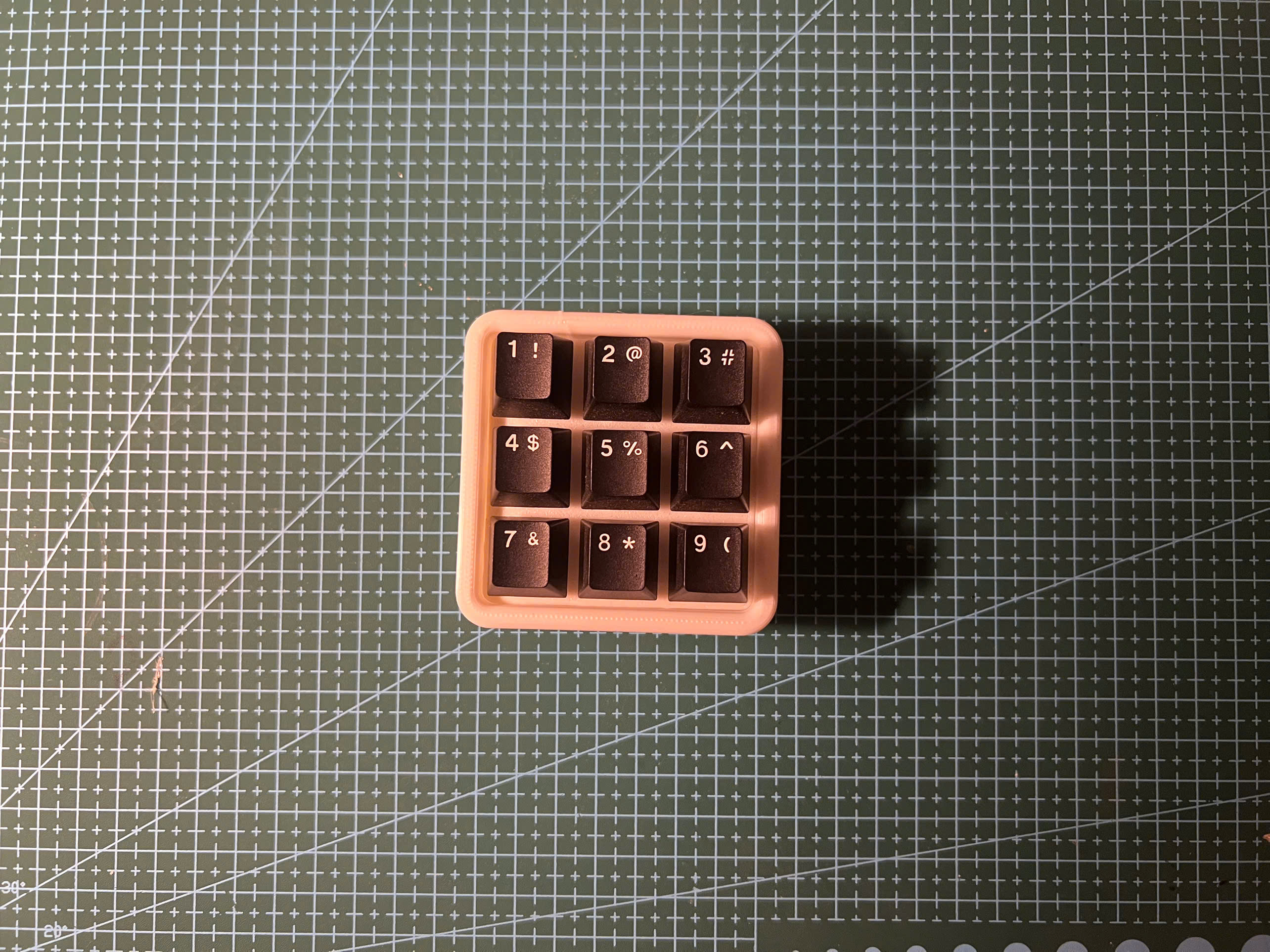
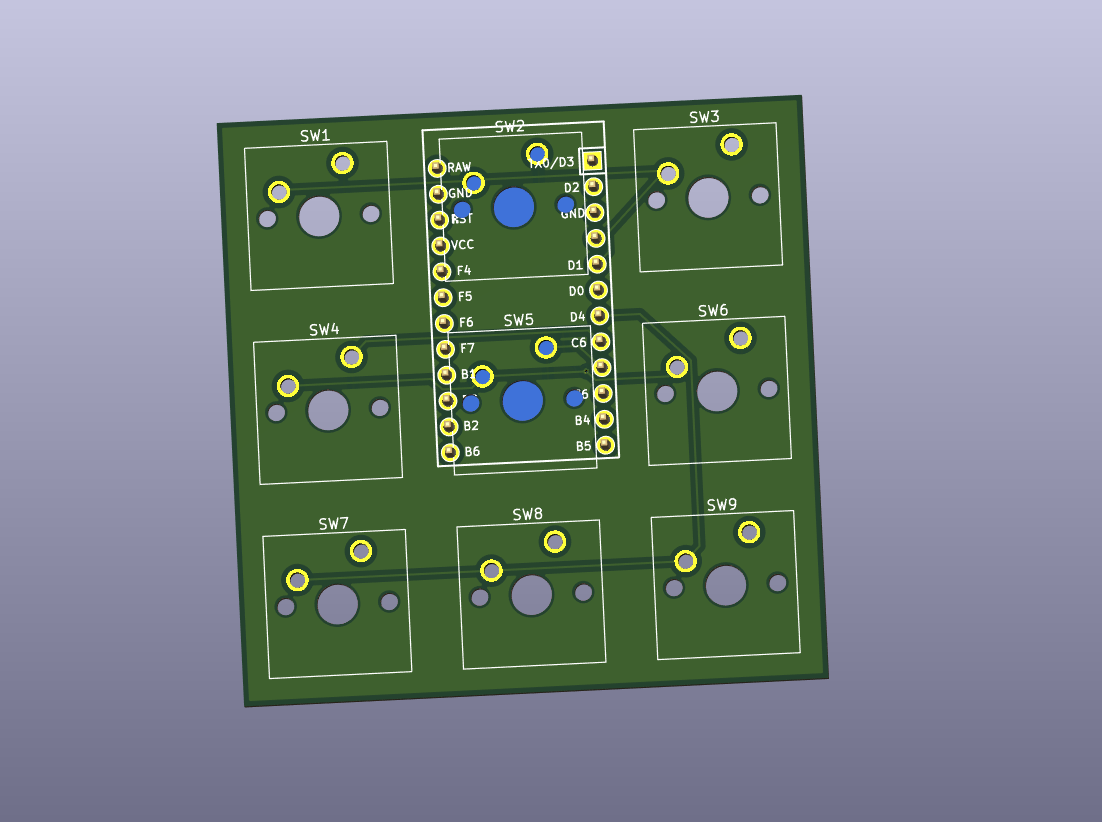
MonkiiPad3x3 got the same treatment, a little PCB with all nine switches and the Pro Micro packed onto one small board, diode free just like MonkiiBoard39.
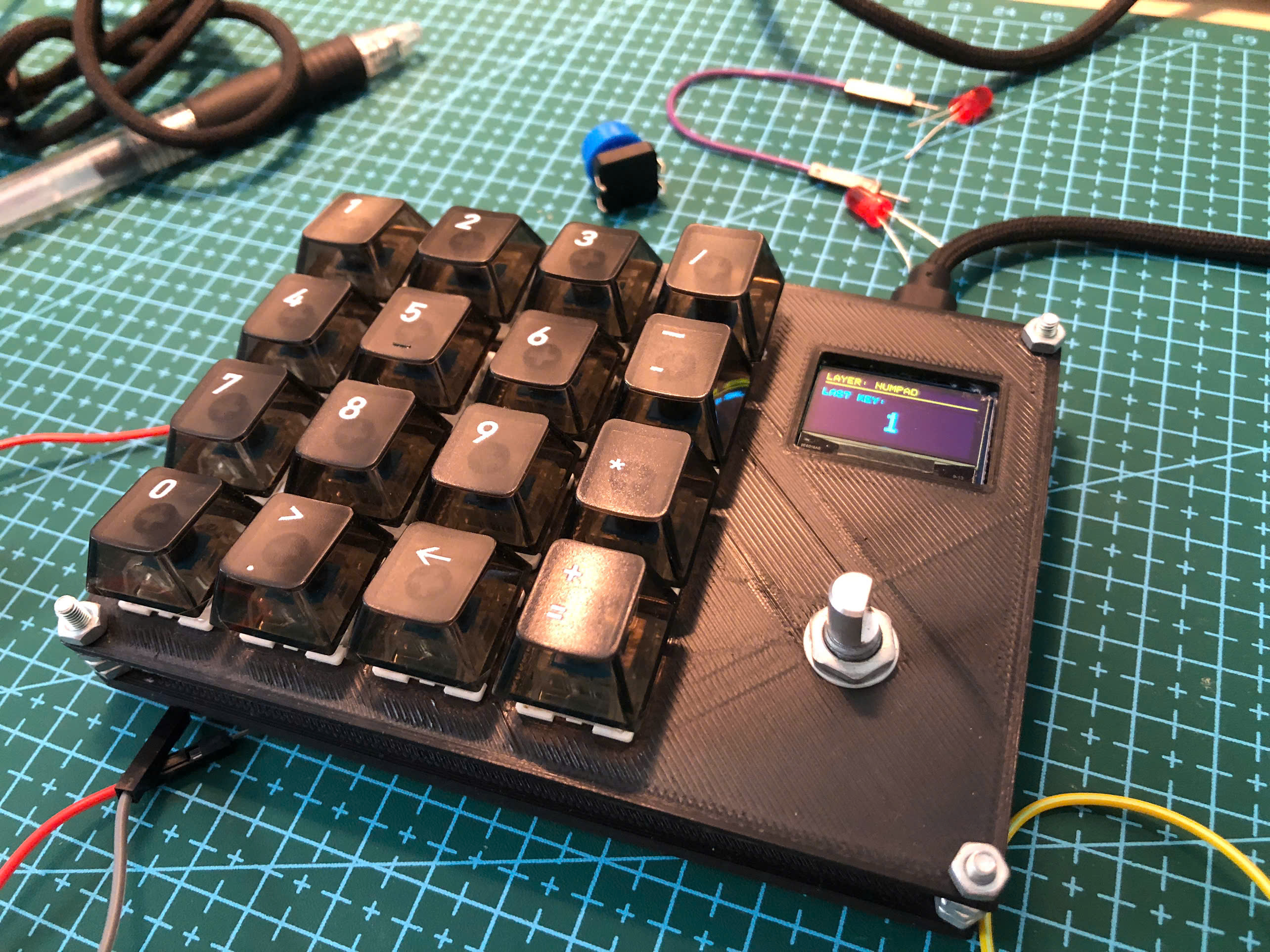
MonkiiPad16 is our upgraded macropad, with a knob! This macropad has 16 keys and a rotary encoder, so instead of a second board or a held down FN key you just SPIN the knob to pick a layer, a numpad by default and a page of editing shortcuts one turn away.
Every folder is laid out the same way. There is a firmware folder with the Arduino sketch you flash onto the board, a case folder with the print ready STL plates you can drop straight into a slicer, and a readme that covers the wiring, the layout and whatever that particular board likes to do. MonkiiBoard58 is the exception for now, since it has not been built yet its folder only holds the PCB.
We designed every board here except MonkiiPad16 and MonkiiBoard58 to be built either hand wired or on its PCB, same firmware and the same layout either way. Hand wiring asks a bit more of you on the materials side, thin gauge wire to run the rows and columns, insulating tape to keep the joints from touching each other, and a steadier hand while you solder everything point to point. The PCB skips all of that since the rows and columns are already routed for you, so it comes down to seating the parts and soldering them to the footprint.
| Needed for | Hand wired | PCB |
|---|---|---|
| Soldering station | Yes | Yes |
| Multimeter | Yes | Yes |
| Solder | Yes | Yes |
| Switches | Yes | Yes |
| Controller board | Yes | Yes |
| Thin wire | Yes | No |
| Insulating tape | Yes | No |
| The PCB itself | No | Yes |
MonkiiPad20 and MonkiiBoard58 are the only boards that need diodes, both 1N4148s, one for every switch. MonkiiBoard39 and MonkiiPad3x3 skip them completely on both their hand wired and PCB builds, and we code the MCUs to enable toggling keys for combinations like Ctrl+C and Ctrl+V instead of holding Ctrl and then press the other button.
MonkiiPad20 and MonkiiBoard58 both have a diode sitting under each switch, which is what gives them a clean matrix and proper rollover. The other two boards skip the diodes to keep the build simple and cheap, so they are at their happiest when you press one or two keys at a time. Worth knowing before you start soldering, or before you order parts if MonkiiBoard58 is the one you are building.
Four of the five boards now have a PCB option, all designed in KiCad as two layer boards. Here is how they compare.
| Board | Keys | Matrix | Diodes | Controller | Board size |
|---|---|---|---|---|---|
| MonkiiBoard39 | 39 | 4 by 10 | No | Pro Micro (ATmega32U4) | 195 by 80 mm |
| MonkiiPad20 | 20 | 4 by 6 | Yes | RP2040-Zero | 120 by 86 mm |
| MonkiiPad3x3 | 9 | 3 by 3 | No | Pro Micro (ATmega32U4) | 57 by 57 mm |
| MonkiiBoard58 | 58 | 5 by 12 | Yes | ESP32-S3-WROOM-1 N16R8 | 235.45 by 122.95 mm |
MonkiiBoard58 is also the only one of the four running wireless, with its own LiPo charging and voltage regulation on board, and the only one still waiting to actually be manufactured.
Each PCB folder has the full design story, the schematic, the gerbers to get one made, and the raw KiCad project if you want to tune or reroute your own version.
Pick the board you want, open its folder and read through its readme. Wire the matrix to match the pins listed there, flash the sketch from the Arduino IDE, print the plates from the case folder, and you have yourself a keyboard.
| Qty | Value | Footprint | References |
|---|---|---|---|
| 58 | 1N4148 | Diode_THT:D_DO-35_SOD27_P7.62mm_Horizontal | D2, D10, D11, D12, D13, D14, D15, D16, D17, D18, D19, D20, D21, D22, D23, D24 +42 |
| 56 | SW_Push_45deg | Button_Switch_Keyboard:SW_Cherry_MX_1.00u_PCB | SW10, SW11, SW12, SW13, SW14, SW15, SW16, SW17, SW18, SW19, SW20, SW21, SW22, SW23, SW24, SW25 +40 |
| 7 | 100nF | Capacitor_SMD:C_0402_1005Metric | C4, C5, C6, C7, C8, C9, C10 |
| 4 | 10k | Resistor_SMD:R_0402_1005Metric | R7, R8, R9, R10 |
| 2 | 1uF | Capacitor_SMD:C_0402_1005Metric | C1, C2 |
| 2 | 22 | Resistor_SMD:R_0402_1005Metric | R3, R4 |
| 2 | 5.1k | Resistor_SMD:R_0402_1005Metric | R1, R2 |
| 2 | SW_Push_45deg | Button_Switch_Keyboard:SW_Cherry_MX_2.00u_PCB | SW55, SW56 |
| 1 | 1.2k | Resistor_SMD:R_0402_1005Metric | R5 |
| 1 | 10uF | Capacitor_SMD:C_0402_1005Metric | C3 |
| 1 | 1k | Resistor_SMD:R_0402_1005Metric | R6 |
| 1 | AMS1117-3.3 | Package_TO_SOT_SMD:SOT-223-3_TabPin2 | U2 |
| 1 | AO3401A | Package_TO_SOT_SMD:SOT-23 | Q1 |
| 1 | Conn_01x02_Socket | Connector_JST:JST_PH_B2B-PH-K_1x02_P2.00mm_Vertical | J2 |
| 1 | Conn_01x04_Socket | Connector_PinSocket_2.54mm:PinSocket_1x04_P2.54mm_Vertical | J3 |
| 1 | ESP32-S3-WROOM-1 | RF_Module:ESP32-S3-WROOM-1 | U3 |
| 1 | LED1 | LED_SMD:LED_0603_1608Metric | D1 |
| 1 | LOGO | logo:monkiiboard_logo_kicad | G*** |
| 1 | RotaryEncoder_Switch | Rotary_Encoder:RotaryEncoder_Alps_EC11E-Switch_Vertical_H20mm | ENC1 |
| 1 | SW_Push | Button_Switch_SMD:SW_SPST_B3U-1000P | SW2 |
| 1 | SW_SPDT | Button_Switch_SMD:SW_SPDT_PCM12 | SW1 |
| 1 | TP4056-42-ESOP8 | Package_SO:SOIC-8-1EP_3.9x4.9mm_P1.27mm_EP2.41x3.3mm_ThermalVias | U1 |
| 1 | USB_C_Receptacle | Connector_USB:USB_C_Receptacle_GCT_USB4085 | J1 |
Simbashrek276/MonkiiBoard_Keyboards
All of our open-source keyboards, projects, and files for you to tune and make one your own.

Simbashrek276/MonkiiBoard_Keyboards
All of our open-source keyboards, projects, and files for you to tune and make one your own.

Simbashrek276/MonkiiBoard_Keyboards
All of our open-source keyboards, projects, and files for you to tune and make one your own.

DevX-Dragon/Next-Gen-MacroPad
This is a integrated macropad with all an programmable SoC


paul356/ninja-keyboard-pcb
This pcb use some symbols and footprints that are not in the default KiCad library. I think the fp cache feature should cache these symbols and footprints. But in case you need them. 1. Keyswitch Kicad Library 2.

Turboblider55/Project_OpenGauge
Modular Vehicle Telemetry and Infotainment Companion via OBD-II

wngxp/aqi-monitor
A custom indoor air-quality monitor with particulate, carbon-dioxide, temperature, humidity, and pressure sensing; a round color display; a nine-pixel status gauge; and an optional connected backend and mobile app.

EmmetGameDev/NevoltaNexusConsole
Repository for design files and code for the Nexus console.

mornepousse/Niphargus
Niphargus — a slim, indestructible wireless split keyboard. ESP32 + nRF24, wired fallback, and an emergency kit hidden behind the USB port. The successor to the Rouge-Gorge.
It measures 235.4 × 122.9 mm and has 2 copper layers, 1.6 mm thick.
148 parts, built around the ESP32-S3-WROOM-1-N8, AMS1117-3.3, TP4056-42-ESOP8 and AO3401A. The full list of its parts is on this page, with links to each part's symbol and footprint where PCBKit's library has them.
From the Simbashrek276/MonkiiBoard_Keyboards repository on GitHub, at the commit this page was made from: the board is PCB/MonkiiBoard58 PCB/KiCad_files/MonkiiBoard58.kicad_pcb and its schematic MonkiiBoard39/PCB/KiCad_files/MonkiiBoard39.kicad_sch. PCBKit opens the board in the browser, with nothing to install.
Its repository states no licence, so its author keeps all rights: ask Simbashrek276 before reusing the design.