4 layers67.9 × 52 mm
 GoTouchGra55/GRAVITAS1
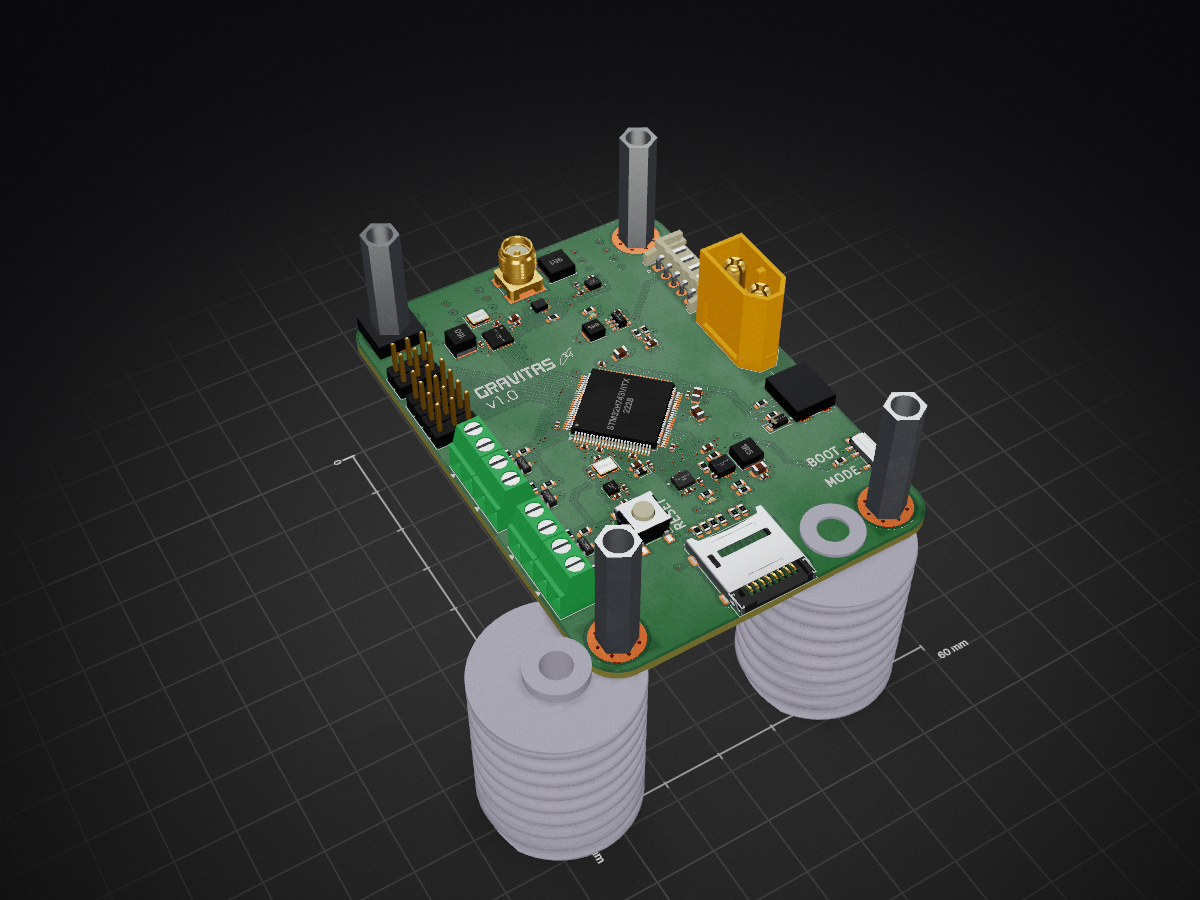
It's a rocket flight computer!
GRAVITAS is an open-source printed circuit board by GoTouchGra55, from the GoTouchGra55/GRAVITAS repository on GitHub, published under the MIT licence. It is a 4-layer board of 60 × 84.3 mm with 120 parts on 140 nets, routed with 950 tracks and 197 vias.
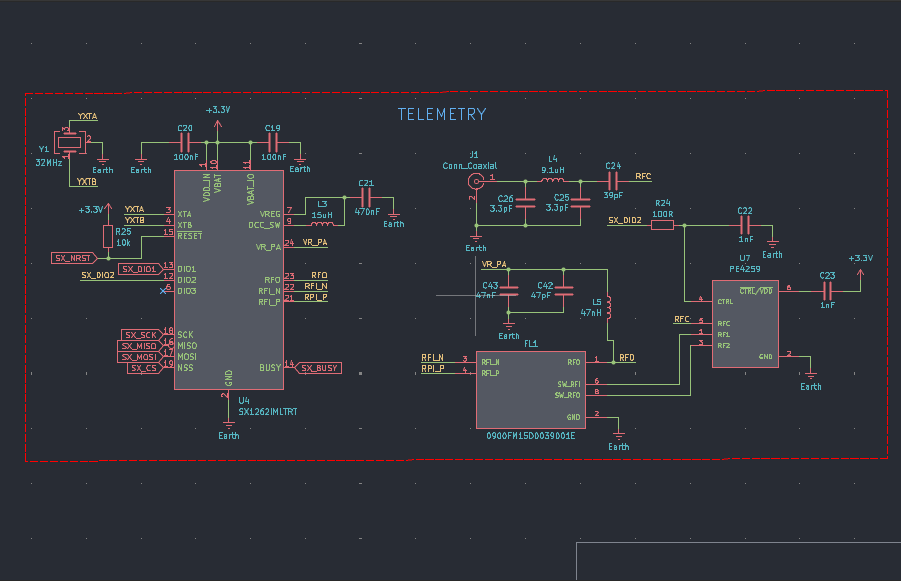
It is built around the PE4259-63, SX1262IMLTRT and BMP580, with the TPS63070RNMR, ICM-45686 and 0900FM15D0039001E among its other parts. Its parts include 43 capacitors, 28 resistors, 11 connectors, 7 ICs and 5 inductors. It belongs with the STM32 boards of this library.



I had a lot of fun designing this project, though there may still be a few mistakes here and there, so forgive me for that
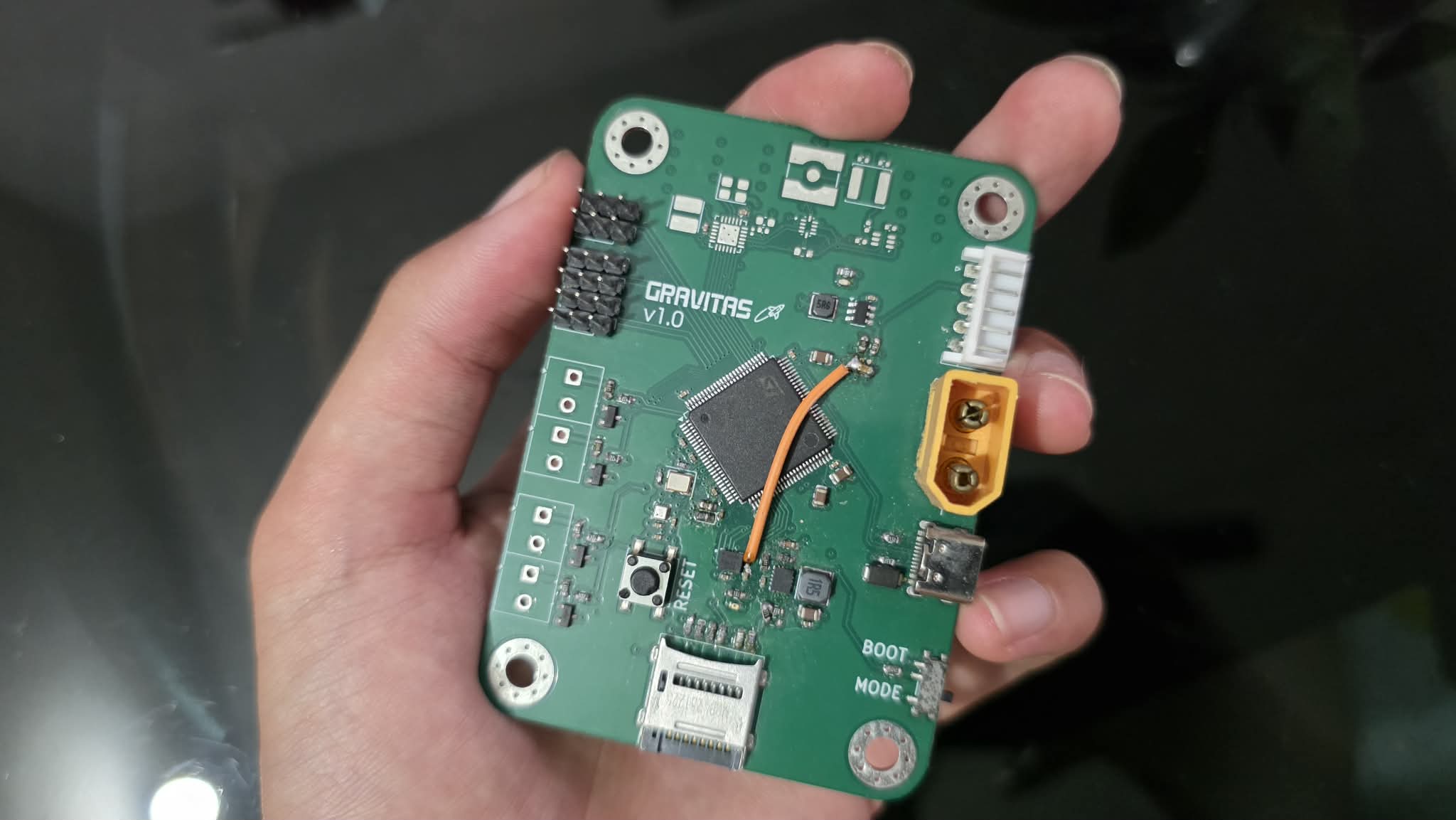
Feel free to suggest improvements, modify the design, or contribute your own ideas to the project as well!
Demo: Click me!
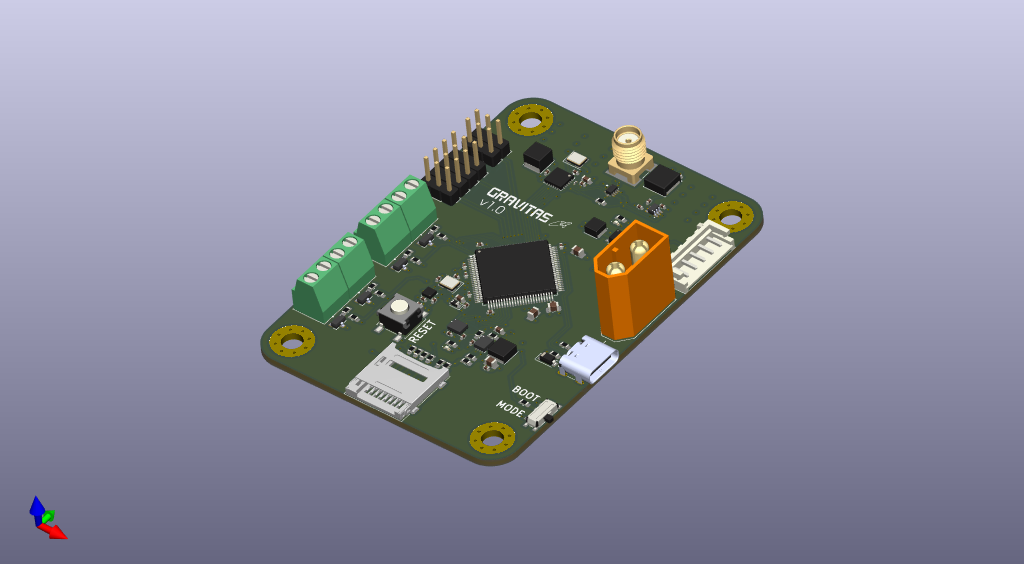
Yes, its 4 layers ;3
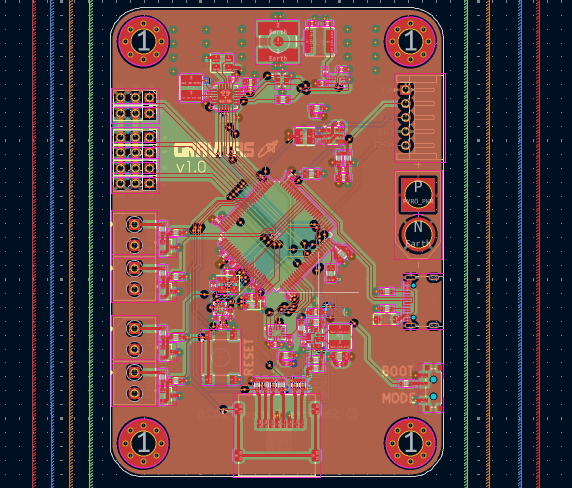
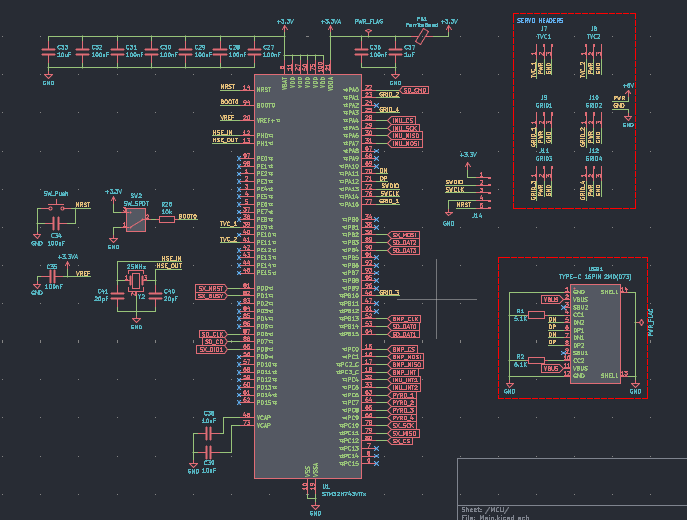
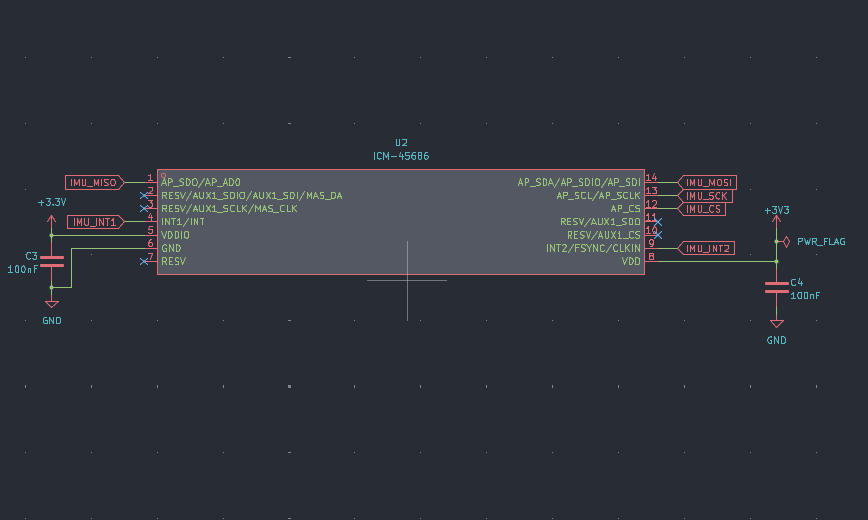
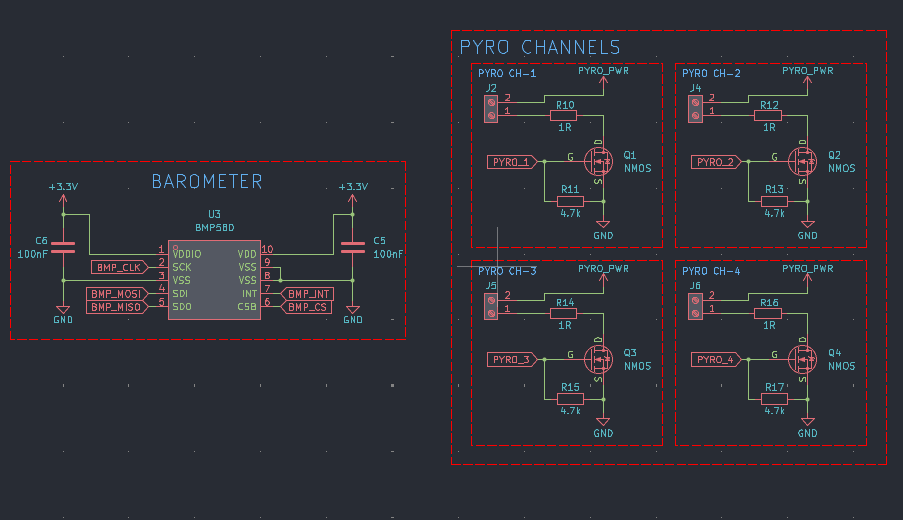
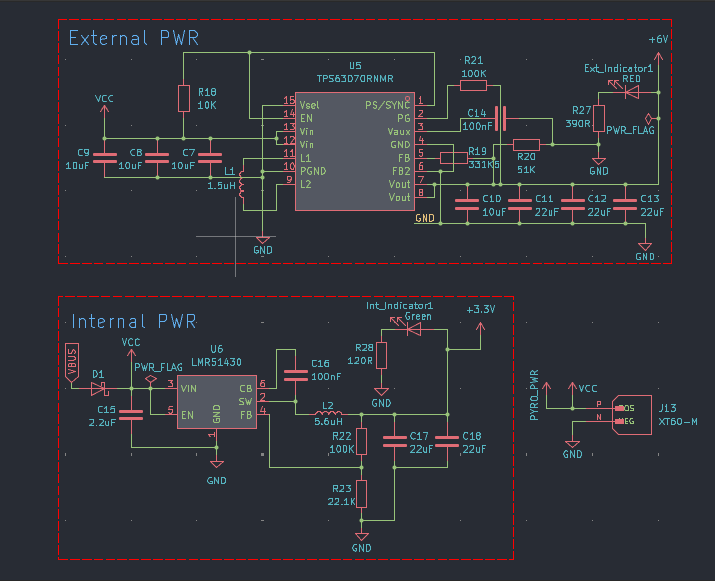
Use a 2s LiPo battery if you decide to use this board in your project. Discard the battery if it smells "funny".
Check for any damage on the pcb as it can be the reason for a catastrophic failure.
USE A 915MHz SMA ANTENNA ONLY! Others will work fine but you'll spend a while wondering about the poor range.
git clone git@github.com:GoTouchGra55/GRAVITAS.gitNavigate into the firmware directory. For VS Code users:
cd GRAVITAS
code .You have all the freedom to implement your own new features. Infact, I encourage you to do so.
Just be sure to add your drivers to the CMakeLists.txt file or you'll be stuck with a nasty build error and wonder why your code won't work.
(Speaking from experience)
cmake --preset Debug
cmake --build --preset DebugConnect the pins according to the silkscreen and the debugger labels.
Note: You can skip the 3.3V if your board is powered by an external power source.
With the ST-Link connected, press the Debug button in VS Code.
Cortex-Debug will launch the debugger and program the generated .elf file into the STM32's internal flash.
Once the firmware has been flashed, you can stop the debugging session.
You can now disconnect the ST-Link from the GRAVITAS board before testing standalone operation.
The ST-Link is connected to the STM32's debug and reset circuitry. Leaving it connected can affect the NRST line and prevent the board from operating correctly when powered independently.
I faced this error during the final phases of development and thought that it was a hardware error from my part, but really, it's the debugger. So, always remove before testing standalone operation.
Disconnect USB and power GRAVITAS from a suitable power source.
The STM32 should now boot directly from its internal flash and execute the newly flashed firmware.
Contact: shauryatamang.dev@gmail.com
| Qty | Value | Footprint | References |
|---|---|---|---|
| 18 | 100nF | Capacitor_SMD:C_0402_1005Metric | C1, C3, C4, C14, C16, C19, C20, C27, C28, C29, C30, C31, C32, C34, C35, C36 +2 |
| 8 | 10k | Resistor_SMD:R_0603_1608Metric | R3, R4, R5, R6, R7, R8, R25, R26 |
| 8 | 10uF | Capacitor_SMD:C_0805_2012Metric | C2, C7, C8, C9, C10, C33, C38, C39 |
| 4 | 1R | Resistor_SMD:R_0603_1608Metric | R10, R12, R14, R16 |
| 4 | 4.7k | Resistor_SMD:R_0603_1608Metric | R11, R13, R15, R17 |
| 4 | NMOS | IRLML6344:TRANS_IRLML6344TRPBF | Q1, Q2, Q3, Q4 |
| 4 | Screw_Terminal_01x02 | TerminalBlock_Phoenix:TerminalBlock_Phoenix_MKDS-1-2-3.81_1x02_P3.81mm_Horizontal | J2, J4, J5, J6 |
| 3 | , , | ||
| 3 | 22uF | Capacitor_SMD:C_1206_3216Metric | C11, C12, C13 |
| 2 | 100K | Resistor_SMD:R_0603_1608Metric | R21, R22 |
| 2 | 1nF | Capacitor_SMD:C_0402_1005Metric | C22, C23 |
| 2 | 20pF | Capacitor_SMD:C_0402_1005Metric | C40, C41 |
| 2 | 3.3pF | Capacitor_SMD:C_0402_1005Metric | C25, C26 |
| 2 | 5.1K | Resistor_SMD:R_0603_1608Metric | R1, R2 |
| 1 | 0900FM15D0039001E | balun:FIL_0900FM15D0039001E | FL1 |
| 1 | 1.5uH | Inductor_SMD:L_Cenker_CKCS4018 | L1 |
| 1 | 100R | Resistor_SMD:R_0603_1608Metric | R24 |
| 1 | 10K | Resistor_SMD:R_0603_1608Metric | R18 |
| 1 | 120R | Resistor_SMD:R_0603_1608Metric | R28 |
| 1 | 15uH | Inductor_SMD:L_Cenker_CKCS4030 | L3 |
| 1 | 1uF | Capacitor_SMD:C_0603_1608Metric | C37 |
| 1 | 2.2uF | Capacitor_SMD:C_0603_1608Metric | C15 |
| 1 | 22.1K | Resistor_SMD:R_0603_1608Metric | R23 |
| 1 | 22uF | Capacitor_SMD:C_0603_1608Metric | C17 |
| 1 | 22uF | Capacitor_SMD:C_0402_1005Metric | C18 |
| 1 | 25MHz | Crystal:Crystal_SMD_3225-4Pin_3.2x2.5mm | Y2 |
| 1 | 32MHz | Crystal:Crystal_SMD_3225-4Pin_3.2x2.5mm | Y1 |
| 1 | 331K5 | Resistor_SMD:R_0603_1608Metric | R19 |
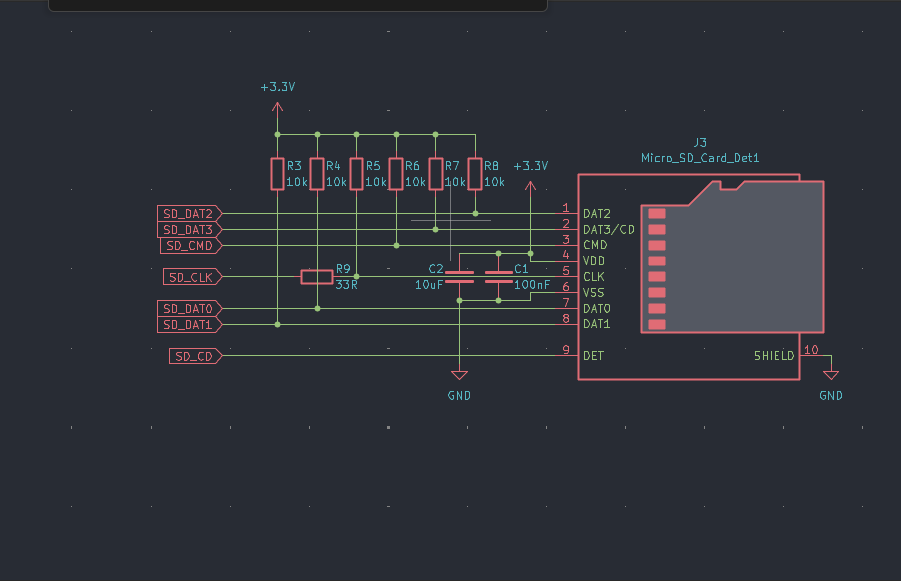
| 1 | 33R | Resistor_SMD:R_0603_1608Metric | R9 |
| 1 | 390R | Resistor_SMD:R_0603_1608Metric | R27 |
| 1 | 39pF | Capacitor_SMD:C_0402_1005Metric | C24 |
| 1 | 470nF | Capacitor_SMD:C_0603_1608Metric | C21 |
| 1 | 47nF | Capacitor_SMD:C_0603_1608Metric | C43 |
| 1 | 47nH | Inductor_SMD:L_0201_0603Metric | L5 |
| 1 | 47pF | Capacitor_SMD:C_0402_1005Metric | C42 |
| 1 | 5.6uH | Inductor_SMD:L_Cenker_CKCS3015 | L2 |
| 1 | 51K | Resistor_SMD:R_0603_1608Metric | R20 |
| 1 | 9.1uH | Inductor_SMD:L_Changjiang_FNR5020S | L4 |
| 1 | BMP580 | Package_LGA:ST_HLGA-10_2x2mm_P0.5mm_LayoutBorder3x2y | U3 |
| 1 | Conn_01x05_Pin | Connector_JST:JST_EH_S5B-EH_1x05_P2.50mm_Horizontal | J14 |
| 1 | Conn_Coaxial | Connector_Coaxial:SMA_Amphenol_132134-10_Vertical | J1 |
| 1 | D_Schottky | Diode_SMD:D_SOD-123 | D1 |
| 1 | FerriteBead | Diode_SMD:D_0603_1608Metric | FB1 |
| 1 | GRID1 | Connector_PinHeader_2.54mm:PinHeader_1x03_P2.54mm_Vertical | G1 |
| 1 | GRID2 | Connector_PinHeader_2.54mm:PinHeader_1x03_P2.54mm_Vertical | J10 |
| 1 | GRID3 | Connector_PinHeader_2.54mm:PinHeader_1x03_P2.54mm_Vertical | J11 |
| 1 | GRID4 | Connector_PinHeader_2.54mm:PinHeader_1x03_P2.54mm_Vertical | J12 |
| 1 | Green | LED_SMD:LED_0402_1005Metric | Int_Indicator1 |
| 1 | ICM-45686 | ICM45686:IC_ICM-45686 | U2 |
| 1 | LMR51430 | Package_TO_SOT_SMD:SOT-23-6 | U6 |
| 1 | LOGO | Graphic:Graphic | G*** |
| 1 | LOGO | QR:QR | G*** |
| 1 | Micro_SD_Card_Det1 | SDSocket:microSD_HC_Molex_47219 | J3 |
| 1 | PE4259 | PE4259_footprint:SOT65P215X110-6N | U7 |
| 1 | RED | LED_SMD:LED_0402_1005Metric | Ext_Indicator1 |
| 1 | STM32H743VITx | Package_QFP:LQFP-100_14x14mm_P0.5mm | U1 |
| 1 | SW_Push | Button_Switch_SMD:SW_SPST_B3S-1000 | SW1 |
| 1 | SW_SPDT | Button_Switch_SMD:SW_SPDT_PCM12 | SW2 |
| 1 | SX1262IMLTRT | Package_DFN_QFN:QFN-24-1EP_4x4mm_P0.5mm_EP2.6x2.6mm | U4 |
| 1 | TPS63070RNMR | TPS63070:VREG_TPS63070RNMR | U5 |
| 1 | TVC1 | Connector_PinHeader_2.54mm:PinHeader_1x03_P2.54mm_Vertical | T1 |
| 1 | TVC2 | Connector_PinHeader_2.54mm:PinHeader_1x03_P2.54mm_Vertical | T2 |
| 1 | TYPE-C 16PIN 2MD(073) | USBC:HRO_TYPE-C-31-M-12 | USB1 |
| 1 | XT60-M | footprint:AMASS_XT60-M | J13 |
The 116 most common of 120 parts.

nsreeni07/Polaris
A custom-built TVC rocket with a self-designed STM32F722 flight computer (Madgwick AHRS, dual-axis PID, active gimbal correction) for stable, actively-corrected flight.

Sai-Santosh09/Flight-Controller
Flight Controller is a compact STM32F722-based flight controller designed for drones and other unmanned aerial systems.

Acidicts/FlightController
PCB BOM UNSELECTED - Most due to not being in stock or I couldn't find them on lcsc


sahilchess/The-Flying-Charizard
A Simple STM32-based flight controller PCB with Charizard-themed artwork etched into the board layers.

It measures 60 × 84.3 mm and has 4 copper layers, 1.6 mm thick.
120 parts, built around the PE4259-63, SX1262IMLTRT, BMP580 and TPS63070RNMR. The full list of its parts is on this page, with links to each part's symbol and footprint where PCBKit's library has them.
From the GoTouchGra55/GRAVITAS repository on GitHub, at the commit this page was made from: the board is KiCAD_files/GRAVITAS.kicad_pcb and its schematic KiCAD_files/Barometer.kicad_sch. PCBKit opens the board in the browser, with nothing to install.
Its repository publishes it under the MIT licence: you may reuse it on that licence's terms (keep the author's notice, and for a copyleft licence share your changes alike).