
2 layers168 × 110 mm
 Exprezz0/F-18C_Simulator14
Based on OpenHornet design - Modified for Personal Use.
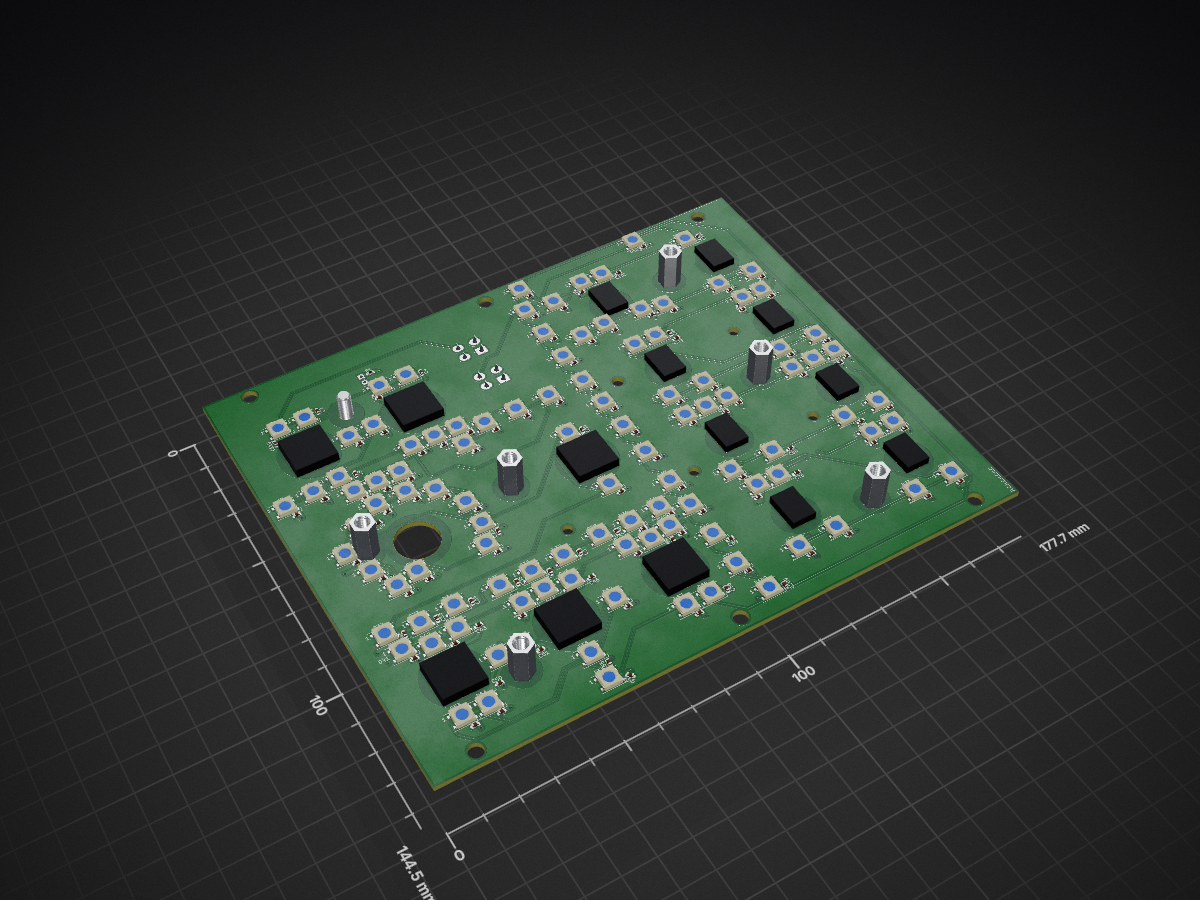
COMM PANEL is an open-source printed circuit board by Exprezz0, from the Exprezz0/F-18C_Simulator repository on GitHub. It is a 2-layer board of 177.7 × 144.5 mm with 262 parts on 113 nets, routed with 1,037 tracks and 126 vias.
It is built around the WS2812B. Its parts include 110 diodes, 109 capacitors, 2 connectors and 1 resistor.
Based on OpenHornet design (https://www.OpenHornet.com) - Modified for Personal Use.
The files located within this repository have been created from scratch or modified from existing OpenHornet files and were adapated to suit my personal needs based on available resources. There may or may not be easier or more efficient ways to produce some of the systems/designs here, but for the purpose of learning and gaining knowledge and experience designing, engineering, manufacturing, resourcing, etc., I've decided to take the more difficult path.
1: Any modification, usage, sharing, distribution, etc falls under the same licenses and legal definitions that apply to OpenHornet.
2: It is not 100% complete. I will add to it as I continue to progress my own pit.
3: Use at your own risk. The files within the repo may or may not be up to date with the current OH design. I've already cut, printed, and engraved most of the project and have modified various files to fit my own personal needs and resources.
4: I've done my best to keep it organized. If you see something out of place (meaning: incorrect directory, not missing. See #2), please PM me and I'll fix it.
5: Most importantly, while the files are 94.271% OpenHornet, there are modifications in there. Please do not reference any files taken from my repository in the OpenHornet Discord. It's not the developers, contributors, or testers responsibility to answer questions or fix issues associated with 3rd party files. I'll be more than happy to answer questions offline, and if it relates directly to OpenHornet, we can bring up the issue here.
This repository has been organized in the following manner:
The MCAD folder contains all .STL, .SVG, .DXF files types for all mechanical manufacturing. Within the MCAD folder are the 5 Major Assesmbly Groups:
* MCAD
     * ASSY, UPPER INSTRUMENT PANEL
     * ASSY, LOWER INSTRUMENT PANEL
     * ASSY, CENTER TUB
     * ASSY, LEFT CONSOLE
     * ASSY, RIGHT CONSOLE
Sub-assemblies for each major group will be broken down into their own individual folders. Files organic to that sub-assembly will be located in one of several child folders based on the material they are comprised of. (Resin, PETG, MDF, Acrylic).
Additionally, each major assembly will also have:
"ALL PANEL PLATES" folder; includes the Backlight Plate, Light Plate, and Legend Plate folders associated with that major assembly
"ALL KNOBS" folder; includes all knobs associated with that major assembly.
"RANDOM COTS PARTS" folder; includes any COTS that could be resin printed or manufactured without having to order or purchase. Examples include gears, bearings, spacers....
"OBSOLETE" folder; contains files that are outdated or no longer belong to the OH project.
* ASSY, RIGHT CONSOLE * ALL PANEL PLATES
* ALL KNOBS
* OBSOLETE
* RANDOM COTS PARTS
* OH5A2A2-1 - ASSY, WING FOLD HANDLE
* OH5A2A1-1 - ASSY, HOOK LEVER & INDICATOR
* OH5A1A1-1 - ASSY, RIGHT CONSOLE STRUCTURE
* ACRYLIC
* MDF
* PETG
Lastly, each material folder will be broken down into size for reference. If a part/object is suppose to be printed in PETG or ABS, and you can't find it, try looking in another material folder. Sometimes I prefered resin printing or using acrylic to the defaulted PETG.
The ECAD folder is set up similar to the MCAD directory (in this repository, and almost as identical to the official OpenHornet repository) and navigating it should be just as easy.
As of right now, all of the backlit panels have been transitioned to KiCad 6, the libraries associated with the files are consolidated and reorganized, and new manufacturing files that includes TOP and BOTTOM Bill of Materials (BOM) have been created to facilitate easier ordering from JLCPCB.com.
| Qty | Value | Footprint | References |
|---|---|---|---|
| 109 | WS2812B | OH_Footprints:LED_WS2812B_PLCC4_5.0x5.0mm_P3.2mm | D1, D10, D11, D12, D13, D14, D100, D101, D102, D103, D104, D105, D106, D107, D108, D109 +93 |
| 108 | C | OH_Footprints:C_0603_1608Metric | C10, C11, C12, C13, C14, C100, C101, C102, C103, C104, C105, C106, C107, C108, C109, C110 +92 |
| 8 | BR10K_Pot_11mm_x_11mm | OH_Backlighting:BR10K_Pot_11mm_x_11mm | 8, 9, 10, 11, 12, 13, 14, 16 |
| 8 | LOGO | Kicad Footprint Files:BR10KPot | G8, G9, G10, G11, G12, G13, G14, G15 |
| 7 | OH_Panel_Fastner_Keepout | OH_Backlighting:OH_Panel_6-32_PHS | 17, 19, 20, 21, 22, 23, 24 |
| 7 | SxAL_Toggle_13x13mm | OH_Backlighting:SxAL_Toggle_13x13mm | 1, 2, 4, 5, 6, 7, G3 |
| 4 | LOGO | Kicad Footprint Files:S3ALToggle | G1, G2, G5, G6 |
| 2 | , | ||
| 2 | Conn_01x04_Female | OH_Footprints:Molex_Mini-Fit_Jr_5566-04A_2x02_P4.20mm_Vertical | J1, J2 |
| 2 | LOGO | Kicad Footprint Files:S2ALToggle | G4, G7 |
| 1 | C_Polarized | OH_Footprints:CP_Elec_8x10 | C1 |
| 1 | LED | OH_Footprints:LED_D3.0mm | D110 |
| 1 | LOGO | OH_General:OH_LOGO_75.4mm_11.9mm | G*** |
| 1 | LOGO | OH_Backlighting:CC-NC-SA 34mm | G*** |
| 1 | R | OH_Footprints:R_0603_1608Metric | R1 |

Exprezz0/F-18C_Simulator
Based on OpenHornet design - Modified for Personal Use.

Exprezz0/F-18C_Simulator
Based on OpenHornet design - Modified for Personal Use.

Exprezz0/F-18C_Simulator
Based on OpenHornet design - Modified for Personal Use.

Exprezz0/F-18C_Simulator
Based on OpenHornet design - Modified for Personal Use.

Exprezz0/F-18C_Simulator
Based on OpenHornet design - Modified for Personal Use.

Exprezz0/F-18C_Simulator
Based on OpenHornet design - Modified for Personal Use.

Exprezz0/F-18C_Simulator
Based on OpenHornet design - Modified for Personal Use.


Exprezz0/F-18C_Simulator
Based on OpenHornet design - Modified for Personal Use.


fossasia/pslab-hardware
PSLab Hardware Design and Schematics https://pslab.io

FrameworkComputer/ExpansionCards
Reference designs and documentation to create Expansion Cards for the Framework Laptop


PrintersForAnts/Micron
If you want to purchase full kits there are 3 available (Kits are slowly updating to R1 hardware just make sure to double check the included hardware in your kit and if you have any questions reach out in the discord)


It measures 177.7 × 144.5 mm and has 2 copper layers, 1.6 mm thick.
262 parts, built around the WS2812B. The full list of its parts is on this page, with links to each part's symbol and footprint where PCBKit's library has them.
From the Exprezz0/F-18C_Simulator repository on GitHub, at the commit this page was made from: the board is ECAD/PCBs/Backlight PCBs/Backlighting_Type A/COMM PANEL/COMM PANEL.kicad_pcb. PCBKit opens the board in the browser, with nothing to install.
Its repository states no licence, so its author keeps all rights: ask Exprezz0 before reusing the design.