2 layers45 × 45 mm
Aeroq Hardware v3
EnriqueNeyra/Aeroq
An Indoor Air Quality Monitor Powered by ESP32, SCD40, and SEN54
56 parts130

 EnriqueNeyra/aether129
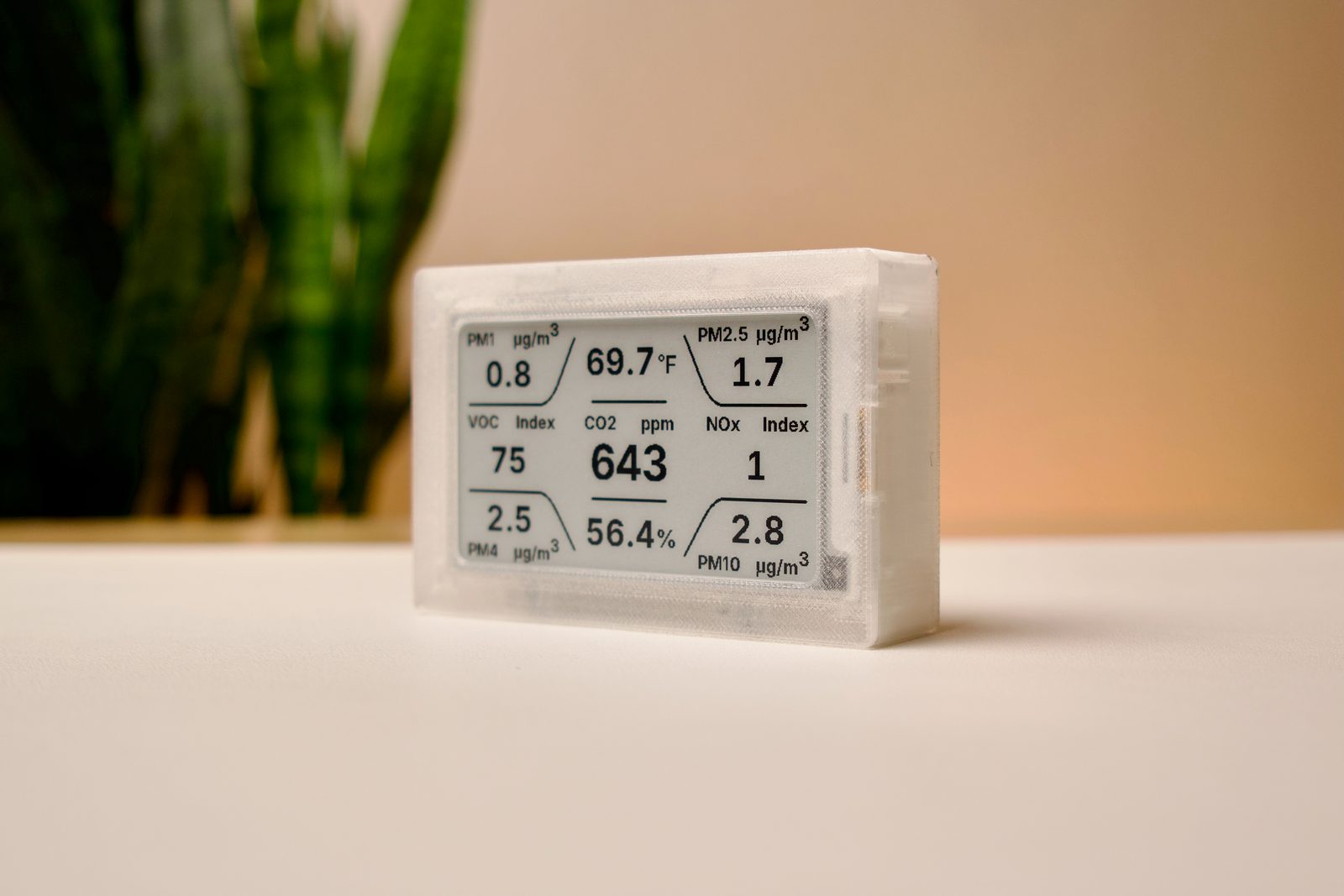
All-in-one home air quality monitor measuring Temp, Humidity, CO2, VOCs, Particulate Matter, and NOx. Powered by ESP32-C3 running esphome, and built with Home Assistant integration
Aether is an open-source printed circuit board by EnriqueNeyra, from the EnriqueNeyra/aether repository on GitHub. It is a 2-layer board of 35 × 45 mm with 57 parts on 59 nets, routed with 361 tracks and 55 vias.
It is built around the ESP32-C3-MINI-1-N4, TLV62569DBVR-TP and 0.1UF 50V 5*11, with the MBR0530, 1N5819WS and FPC-05FB-24PH20 among its other parts. Its parts include 21 capacitors, 13 resistors, 7 diodes, 3 ICs and 2 switches. It belongs with the home automation and IoT and sensors and measurement boards and the ESP32 and RISC-V boards of this library.


| Path | Contents |
|---|---|
firmware/ | ESPHome configuration, custom components, web UI sources, and display code |
hardware/pcb/ | KiCad PCB project |
hardware/manufacturing/ | PCB manufacturing outputs, BOM, and centroid files |
hardware/datasheets/ | Reference datasheets used during hardware design |
enclosure/ | SolidWorks enclosure and assembly files |
manifests/ | Firmware manifests for OTA and WebUSB |
www/ | The combined WebUSB flasher and Quick Start Guide site |
To build one Aether unit, the following core parts are needed:
| Part | Link |
|---|---|
| Aether PCB | Syntropy Labs Store (PCB files available in hardware/ folder) |
| 3.7" e-paper display module | Good Display / Elecrow |
| Sensirion SEN66 air quality sensor | Sensirion |
| Reverse 6-pin JST-GH cable | Adafruit / AliExpress |
| 3D-printed enclosure parts | enclosure/ |
| 2x M3 x 6 mm countersunk screws + nuts | Screws / Nuts |
As an Amazon Associate I earn from qualifying purchases.
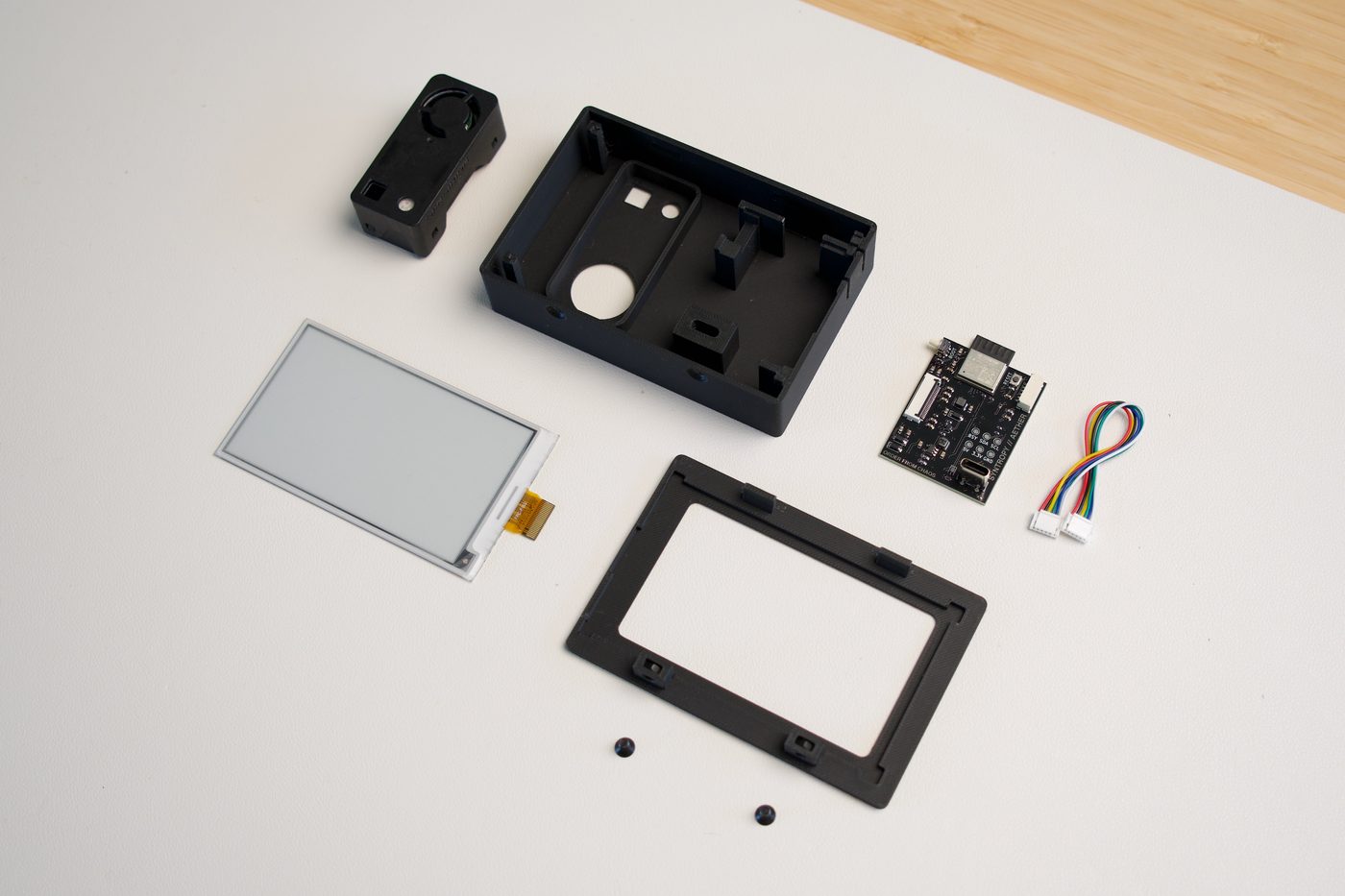
The Aether PCB implements the standard 24-pin FPC e-paper interface. While designed for the 3.7" GDEY037T03, it is hardware-compatible with many other common e-paper panels (e.g., those using SSD1680, UC8151D, and IL0373 driver ICs). Please note that these alternative displays have not yet been tested or confirmed to work with this device.
If you choose to use an alternative display, you will need to:
GxEPD2 display driver class.For specific supported ICs and detailed firmware instructions, see display-compatibility.md.
High-level assembly flow:
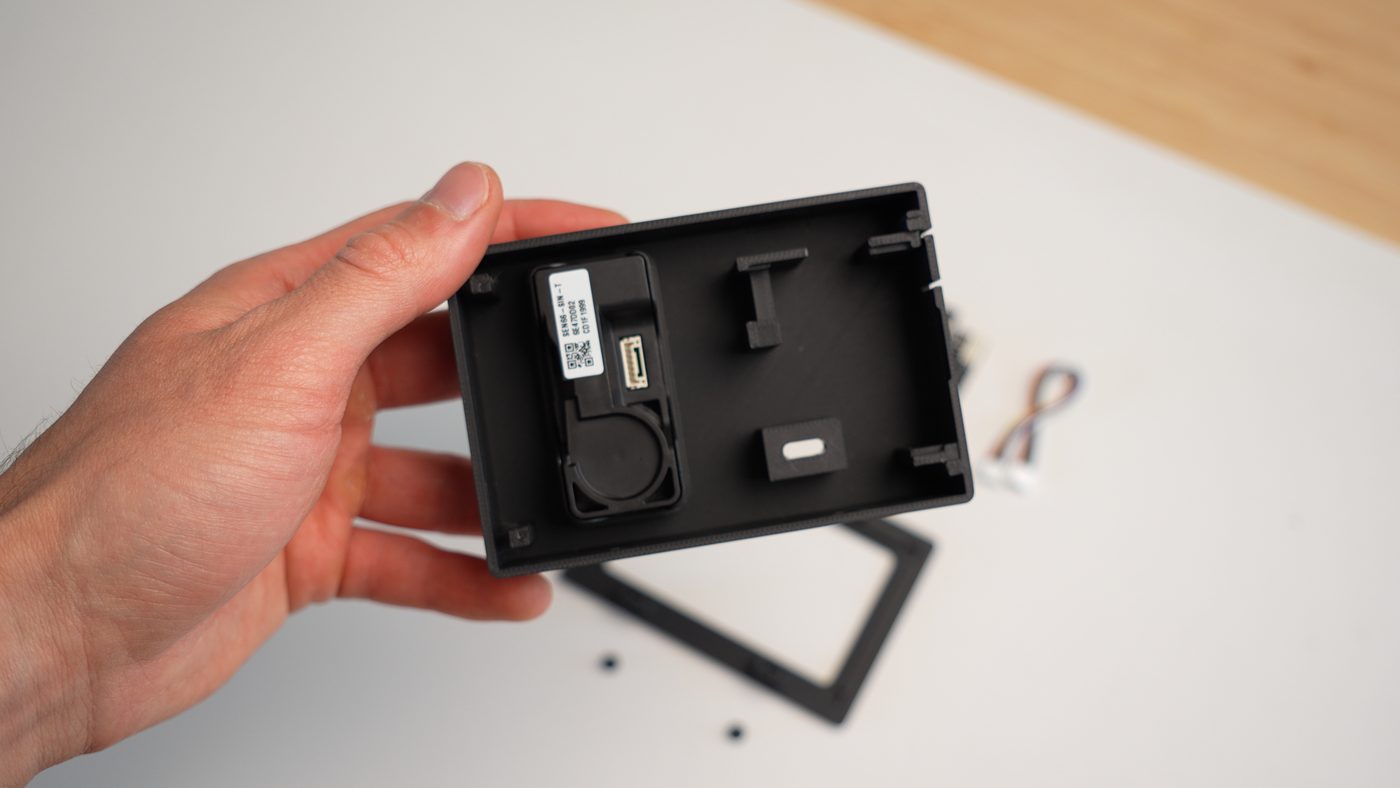
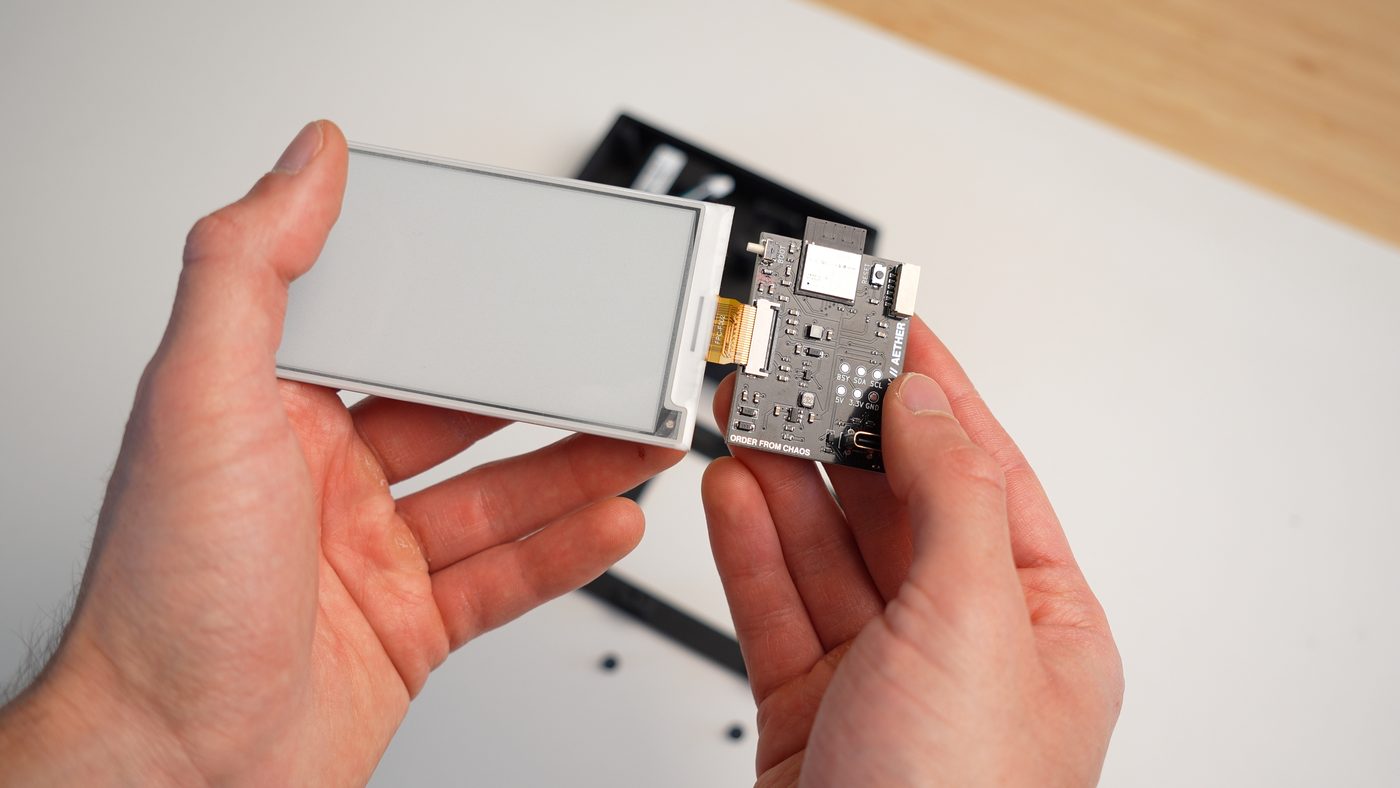
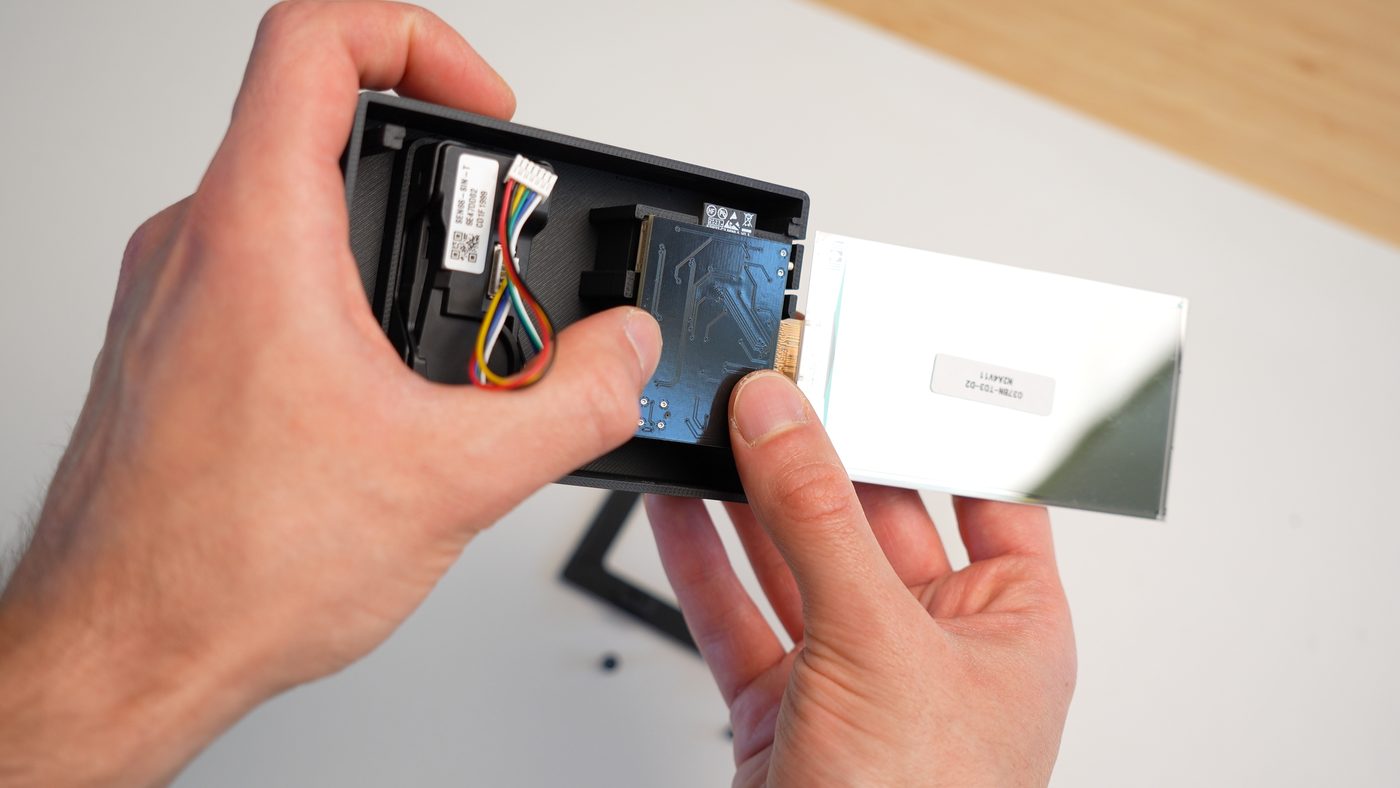
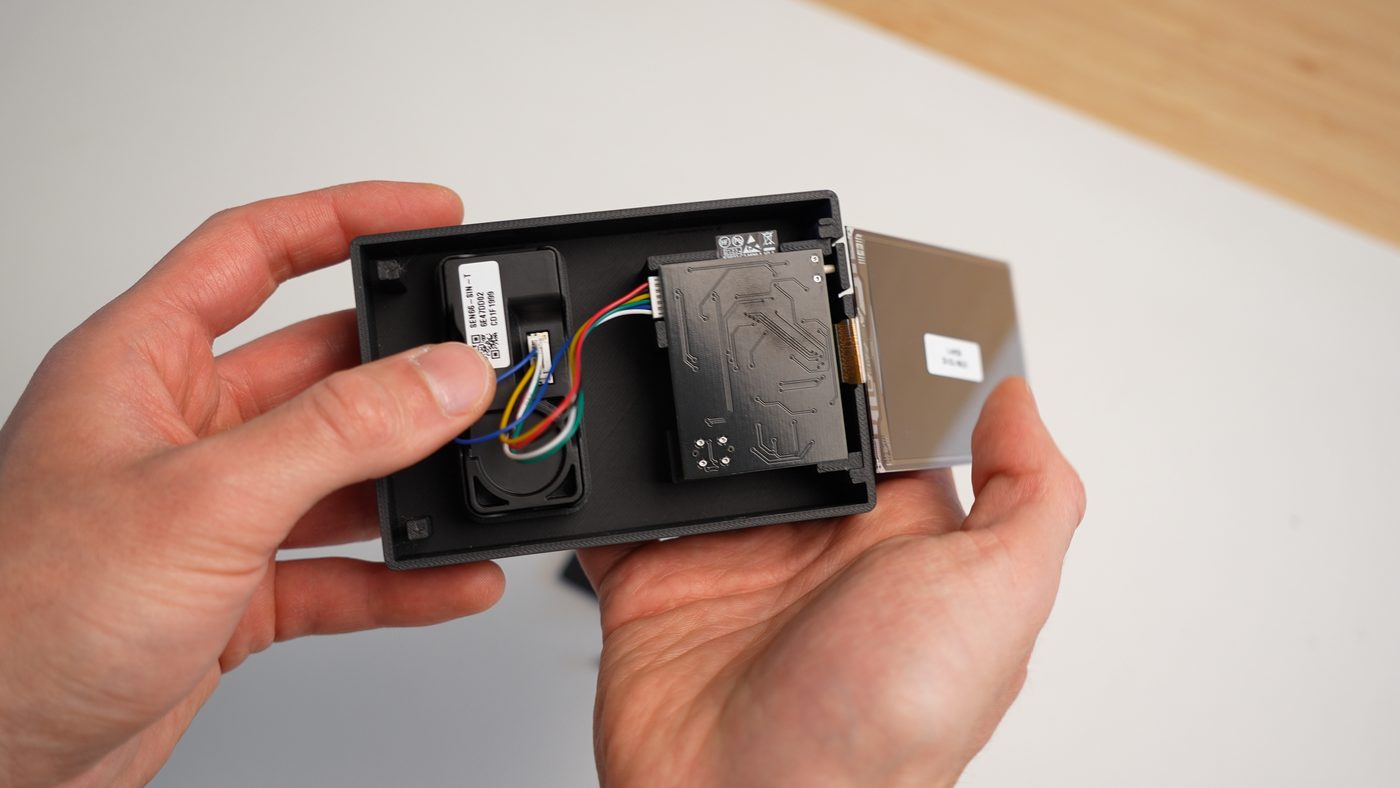
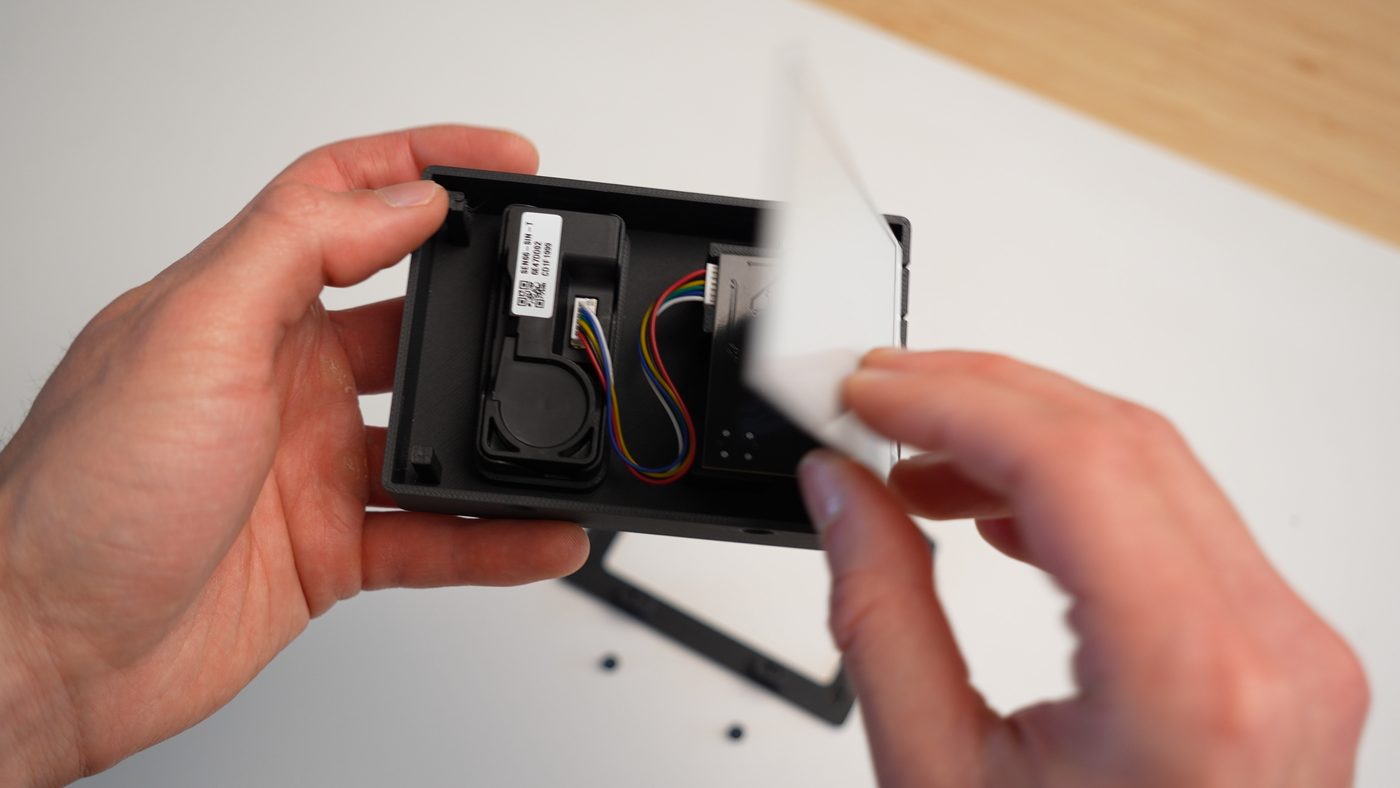
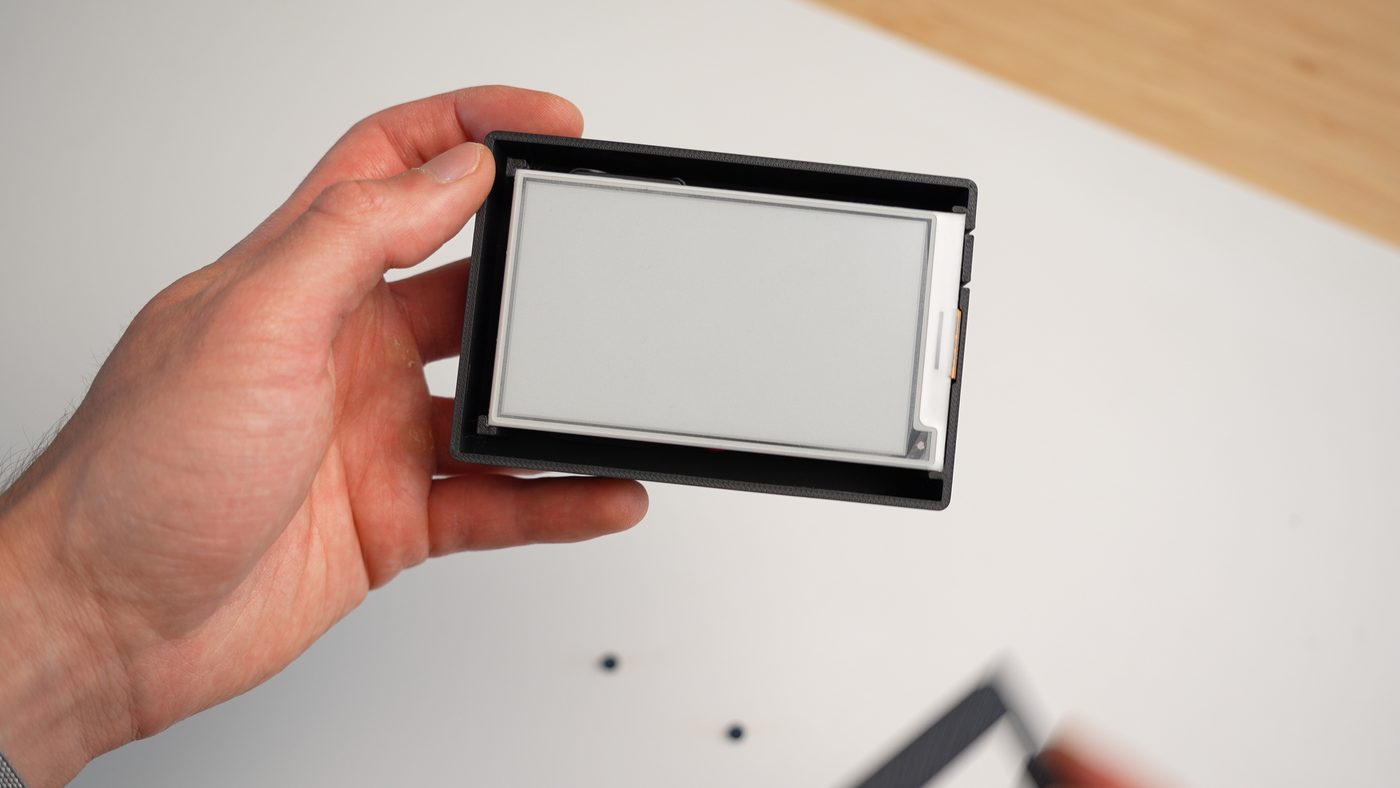
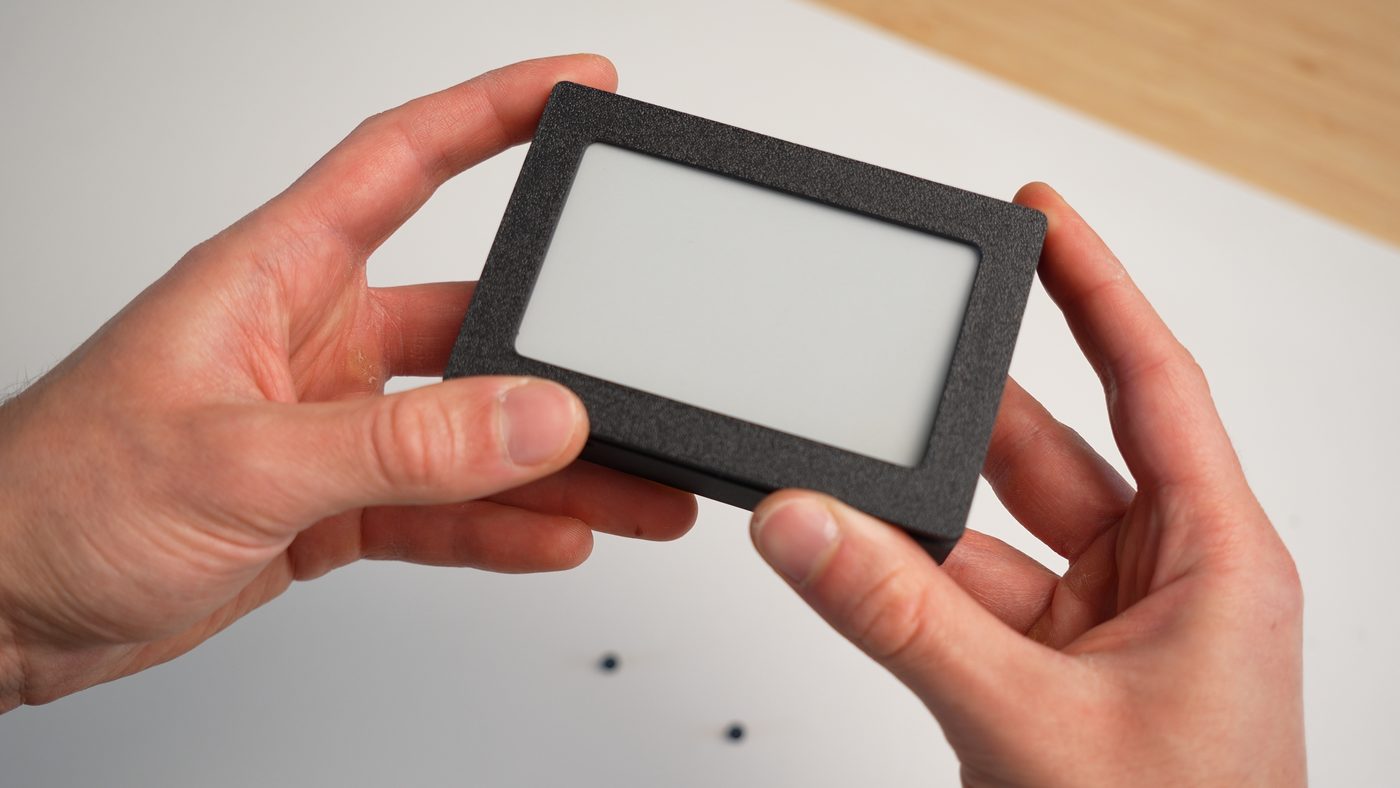
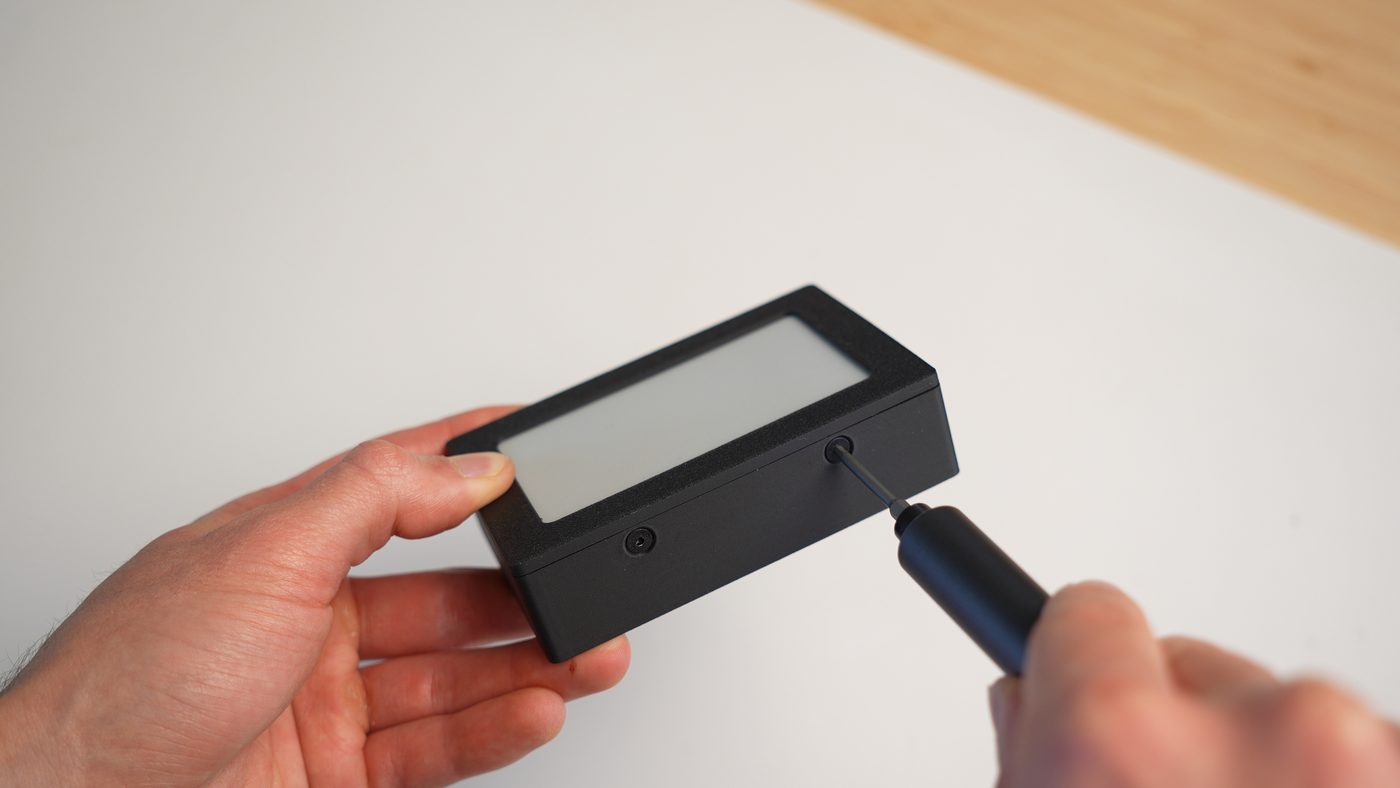
Any Aether devices purchased through Syntropy Labs are pre-flashed with device firmware and fully tested
Note: The flashing page in www/ is built around ESP Web Tools / Web Serial and requires desktop Chrome or Edge.
If you are working on the ESPHome firmware, use the latest ESPHome release. Releases are built with it, and CI checks every PR against it. The default PlatformIO toolchain needs Python 3.12–3.14:
pip install --upgrade esphome
git clone https://github.com/EnriqueNeyra/aether.git
cd aether/firmwareesphome config aether.yaml
esphome compile aether.yaml
esphome run aether.yamlRelease firmware can't be flashed over Wi-Fi. To iterate over Wi-Fi, flash aether-dev.yaml over USB once, then use esphome run aether-dev.yaml --device <device-ip>.
To try ESPHome's native ESP-IDF toolchain (the default once toolchain: platformio is removed in ESPHome 2027.2.0), pass -s toolchain esp-idf, e.g. esphome -s toolchain esp-idf compile aether.yaml.
Once powered, Aether reads the SEN66 and refreshes both the on-device display and the local web dashboard. Temperature can be shown in either Fahrenheit or Celsius.
On boot, Aether will expose a temporary setup access point so you can connect it to Wi-Fi through the captive portal flow. The network will appear as aether-XXXXXX.

Once connected to the access point, you will automatically be redirected to the captive portal. Select your network and enter the password to connect. Once connected to Wi-Fi, the device also hosts its local web UI at aether-XXXXXX.local or the device's local IP.
The side / boot button supports multiple actions:
When Aether is on your network, it serves a local browser-based dashboard directly from the device. That UI includes:
Because Aether runs ESPHome, it features a native API over Wi-Fi. This allows for:

GET /api/state - Returns a JSON object with all current sensor metrics and device status.POST /api/temp_unit?unit=C|F - Changes the preferred temperature unit.POST /api/check_update - Asks the device to re-check for a firmware update now.POST /api/perform_update - Triggers the device to immediately begin downloading and installing the latest firmware update over HTTPS (if one is available).Aether supports more than one update path:
www/)Use the USB flashing page for first-time setup and recovery. Use the local web UI for routine updates on devices that are already deployed.
Aether is licensed per directory:
firmware/): GNU General Public License v3. The firmware is built on GPLv3 code (ESPHome's C++ runtime and the GxEPD2 display driver), so it and the firmware binaries built from it are distributed under GPLv3.Third-party components keep their own licenses, including the fonts in firmware/components/aether_epaper/fonts/ and the libraries the firmware is built with.

| Qty | Value | Footprint | References |
|---|---|---|---|
| 9 | 4.7uf/25V | Capacitor_SMD:C_0603_1608Metric | C8, C10, C11, C12, C13, C14, C16, C19, C20 |
| 7 | 10k | Resistor_SMD:R_0402_1005Metric | R1, R2, R3, R6, R9, R10, R12 |
| 6 | TestPoint | TestPoint:TestPoint_Pad_D1.5mm | TP1, TP2, TP3, TP4, TP5, TP6 |
| 5 | 1uf/50V | Capacitor_SMD:C_0603_1608Metric | C4, C15, C17, C18, C21 |
| 4 | 0.1uf/50V | Capacitor_SMD:C_0603_1608Metric | C2, C3, C5, C9 |
| 3 | LESD5D5.0CT1G_C5274290 | aether:SOD-523_L1.2-W0.8-LS1.6-BI | D2, D3, D4 |
| 3 | MBR0530 | Diode_SMD:D_SOD-123 | D5, D6, D7 |
| 2 | 22uf/10V | Capacitor_SMD:C_0603_1608Metric | C6, C7 |
| 2 | 5.1k | Resistor_SMD:R_0402_1005Metric | R4, R5 |
| 1 | 0.47 | Resistor_SMD:R_0402_1005Metric | R13 |
| 1 | 100k | Resistor_SMD:R_0603_1608Metric | R8 |
| 1 | 10uH/1A | Inductor_SMD:L_1210_3225Metric | L2 |
| 1 | 10uf/25V | Capacitor_SMD:C_0603_1608Metric | C1 |
| 1 | 1N5819WS | Diode_SMD:D_SOD-323 | D1 |
| 1 | 3 | Resistor_SMD:R_0402_1005Metric | R11 |
| 1 | 453k | Resistor_SMD:R_0603_1608Metric | R7 |
| 1 | ESP32-C3-MINI-1-N4 | aether:XCVR_ESP32-C3-MINI-1-N4 | U2 |
| 1 | FPC-05FB-24PH20 | aether:FPC-SMD_24P-P0.50_FPC-05FB-24PH20 | FPC1 |
| 1 | NR3015S2R2MT | aether:IND-SMD_L3.0-W3.0_NR3010 | L1 |
| 1 | SH-GH1.25-6PWB | aether:SW-SMD_SH-GH1.25-6PWB | CN1 |
| 1 | Si1308EDL | Package_TO_SOT_SMD:SOT-323_SC-70 | Q1 |
| 1 | TLV62569DBVR | aether:SOT-23-5_L3.0-W1.7-P0.95-LS2.8-BR | U3 |
| 1 | TS-1088-AR02016 | aether:SW-SMD_L3.9-W3.0-P4.45 | SW2 |
| 1 | TS36XL-6.0 180GF 072 | aether:SW-TH_SHOU-HAN_TS36XL-6.0 | SW1 |
| 1 | TYPE-C 16PLT-H10.0 | aether:TYPE-C-SMD_USB4120-03-C | U1 |
EnriqueNeyra/Aeroq
An Indoor Air Quality Monitor Powered by ESP32, SCD40, and SEN54


wisdom-km/chroma-badge
Open-source color e-ink name badge — hardware, firmware, and companion software.

martinberlin/bistable-smart-switch
An epaper switch project with 2 PCBs, controller+touch, and 220AC to 3DC with Relay (Latch or solid-state)


Rikeroo/habit-reminder
Low energy physical habit reminder, using RGB LEDs, a small task screen and tactile switches to build useful habits and get tasks done

It measures 35 × 45 mm and has 2 copper layers, 1.6 mm thick.
57 parts, built around the ESP32-C3-MINI-1-N4, TLV62569DBVR-TP, 0.1UF 50V 5*11 and MBR0530. The full list of its parts is on this page, with links to each part's symbol and footprint where PCBKit's library has them.
From the EnriqueNeyra/aether repository on GitHub, at the commit this page was made from: the board is hardware/pcb/Aether.kicad_pcb and its schematic hardware/pcb/Aether.kicad_sch. PCBKit opens the board in the browser, with nothing to install.
Its repository states no licence, so its author keeps all rights: ask EnriqueNeyra before reusing the design.