
2 layers316 × 119 mm
Teensy Grovebox
jerry20091103/Teensy_Grovebox
A portable synth and music multi-tool made with Teensy 4.1
142 parts150MIT

 zli117/Pico-Keyboard104
Hardware design for a mechanical keyboard based on RP2040
Pico keyboard v1 is an open-source printed circuit board by zli117, from the zli117/Pico-Keyboard repository on GitHub, published under the CC-BY-SA-4.0 licence. It is a 2-layer board of 321.8 × 129.3 mm with 160 parts on 106 nets, routed with 559 tracks and 113 vias.
It is built around the RKJXV122400R. Its parts include 68 diodes, 67 switches, 5 resistors, 3 connectors and 2 capacitors. It belongs with the keyboards and input boards and the RP2040 boards of this library.
A hot-swappable mechanical keyboard built from scratch with Pi Pico board, and 3D printed case, with a very configurable firmware. The firmware is in a separate repo: https://github.com/zli117/PicoMK and can be reused for other RP2040 keyboards.
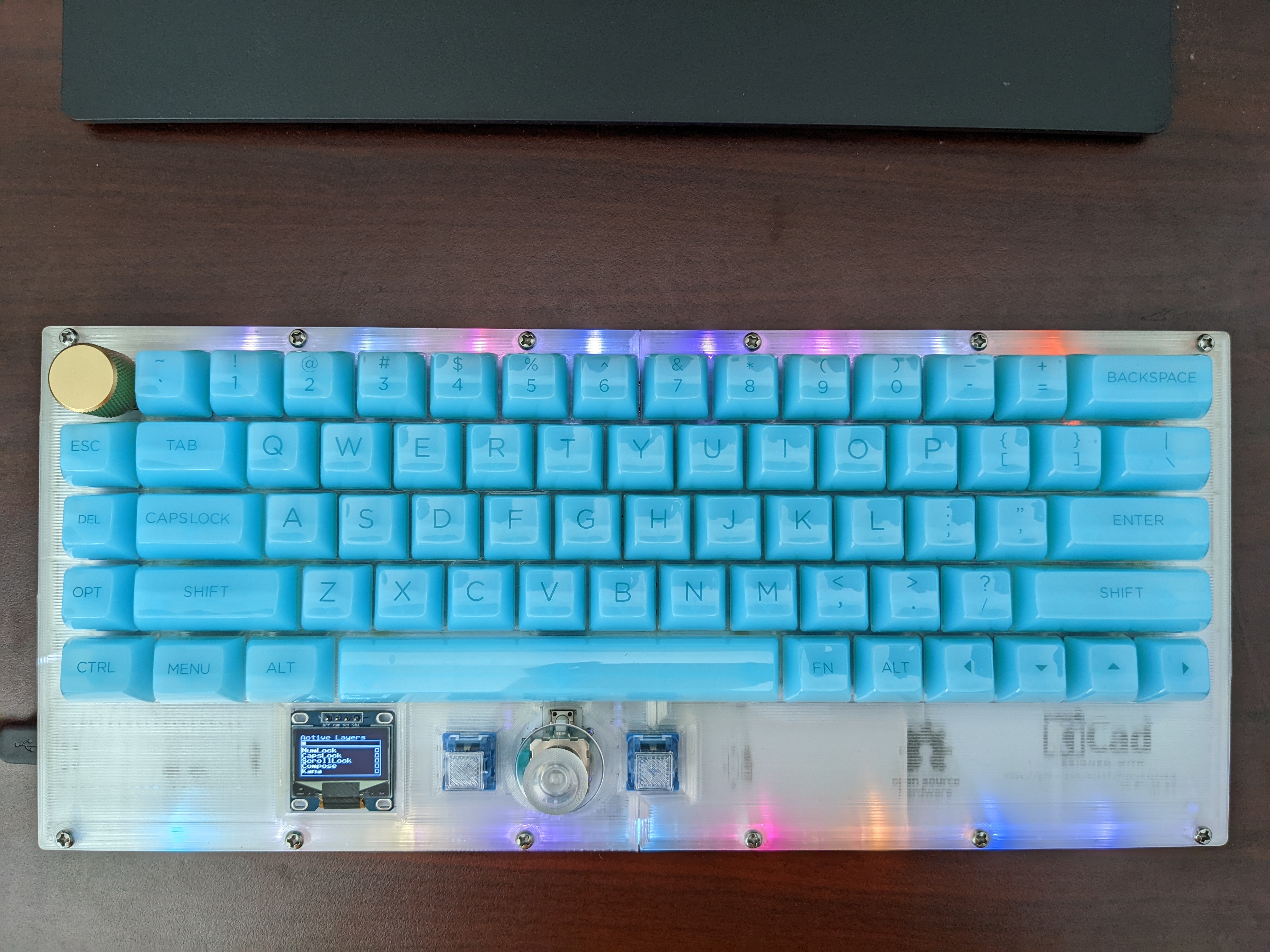
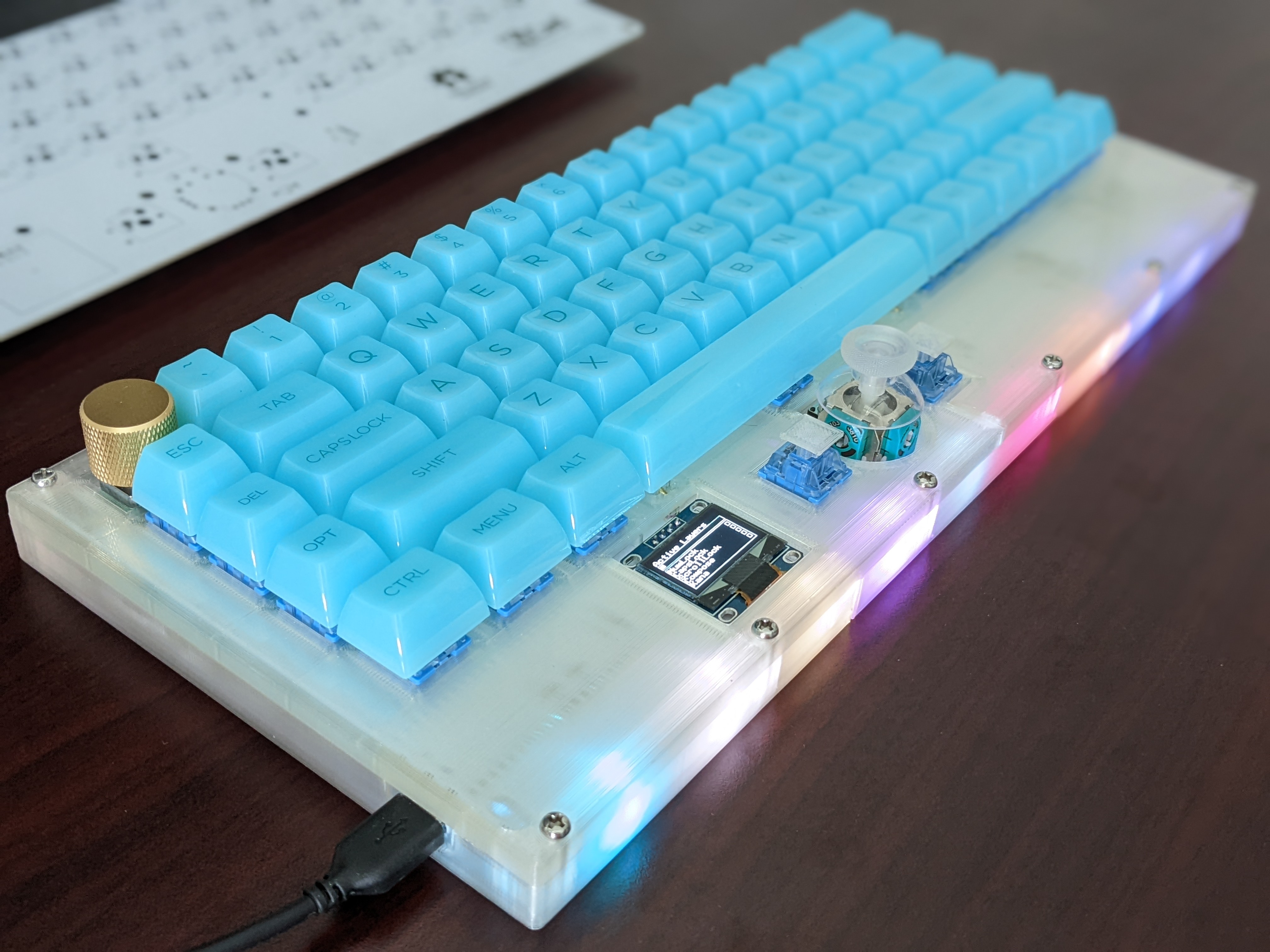
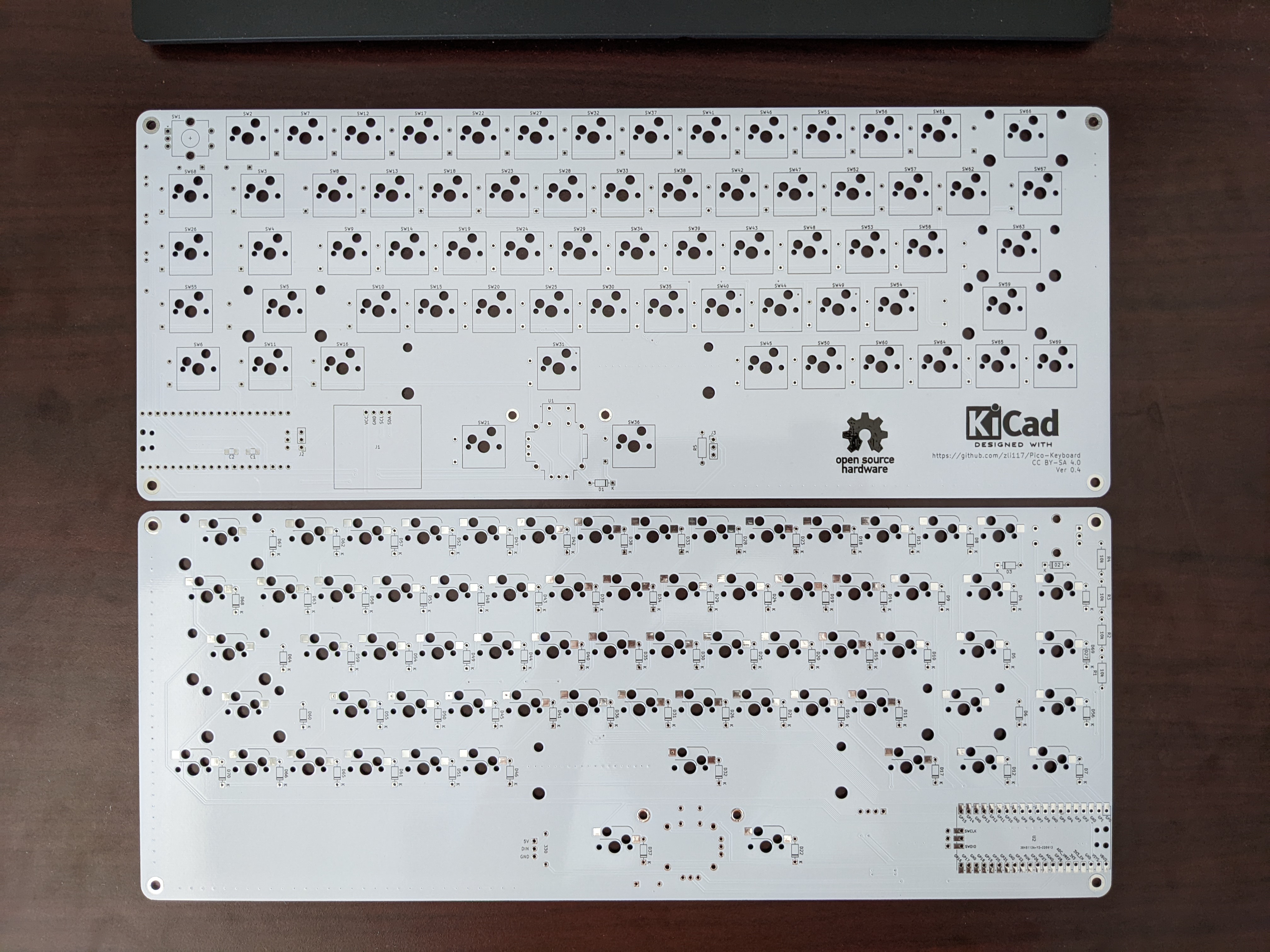
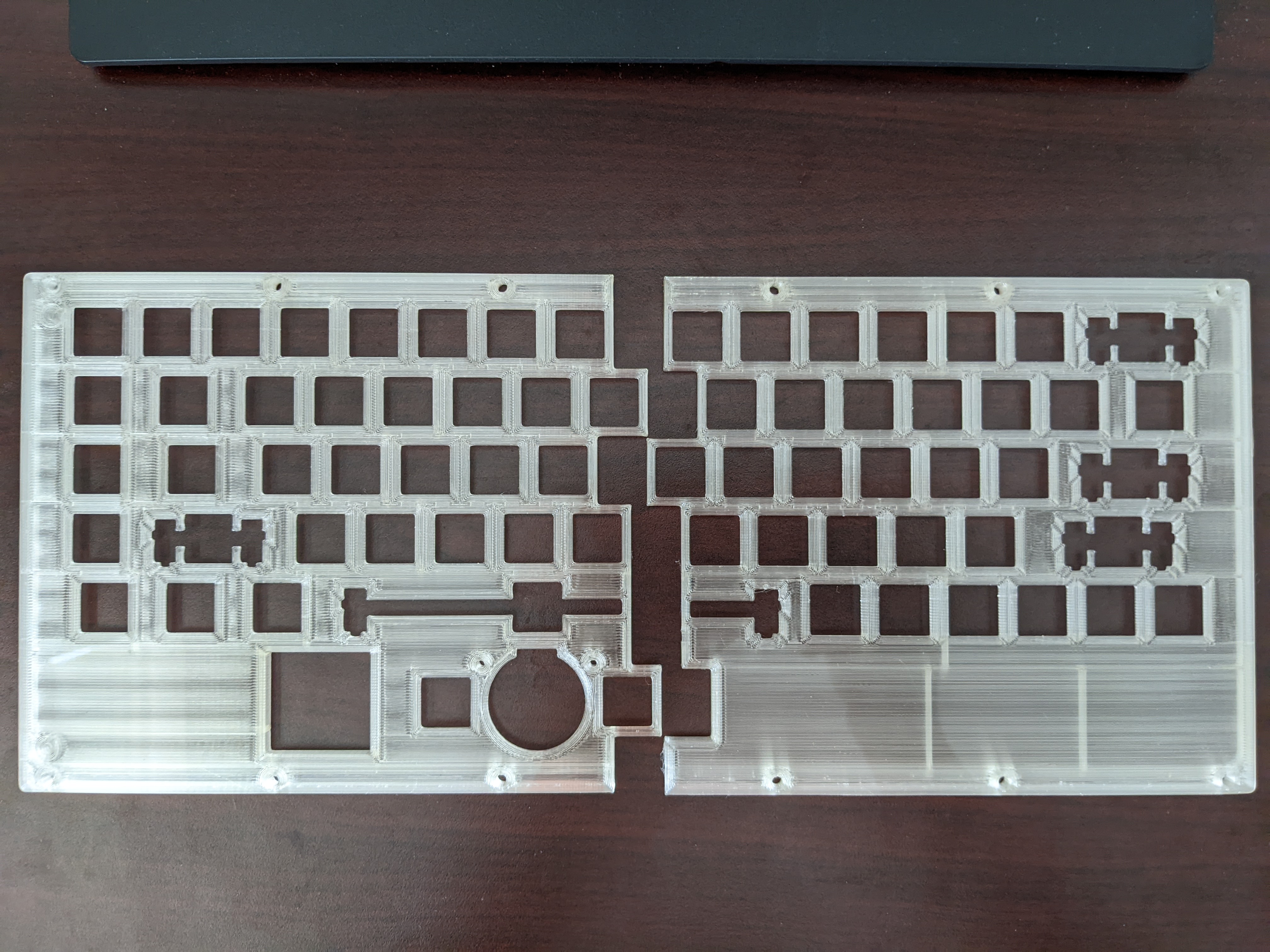
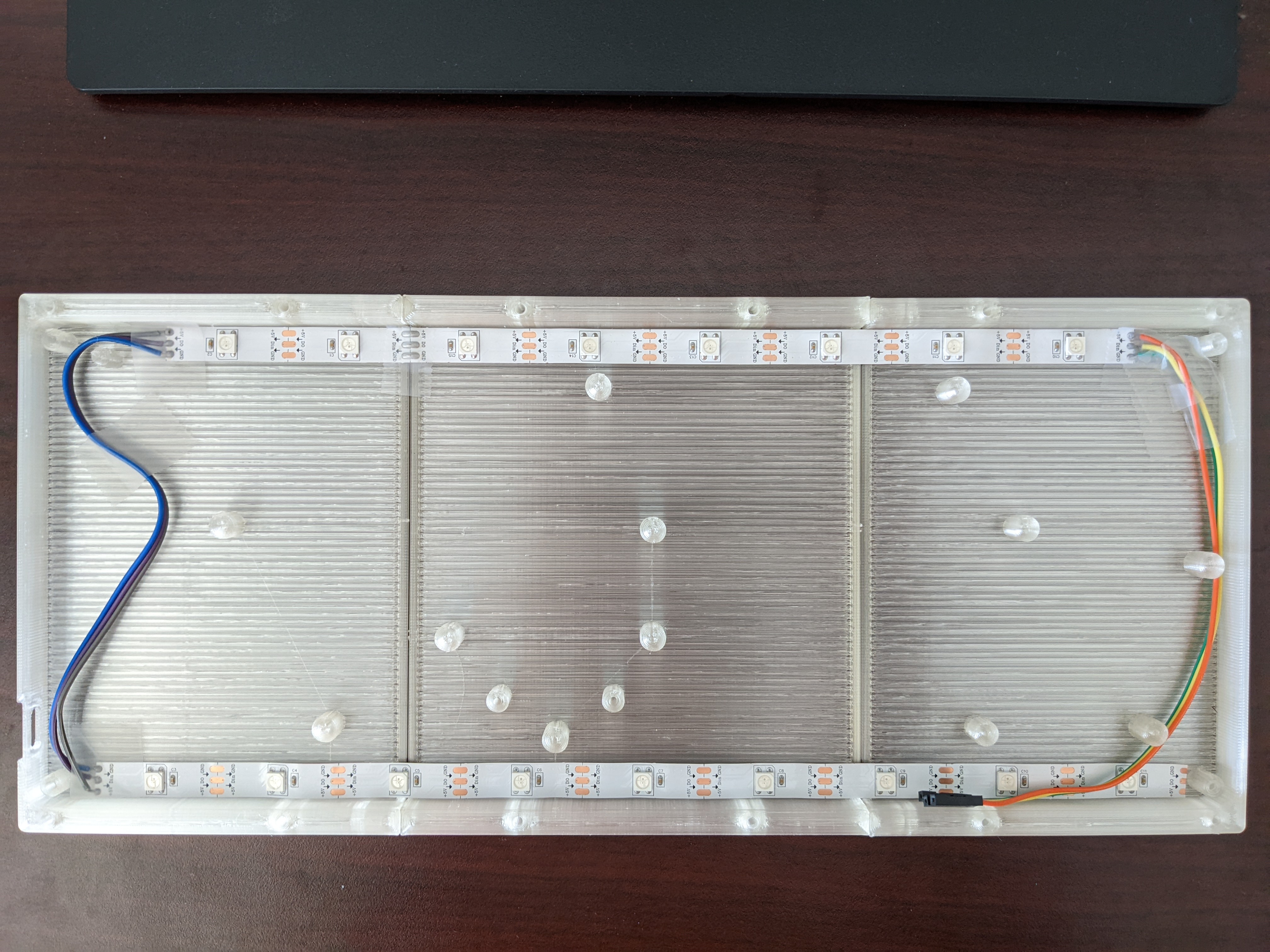
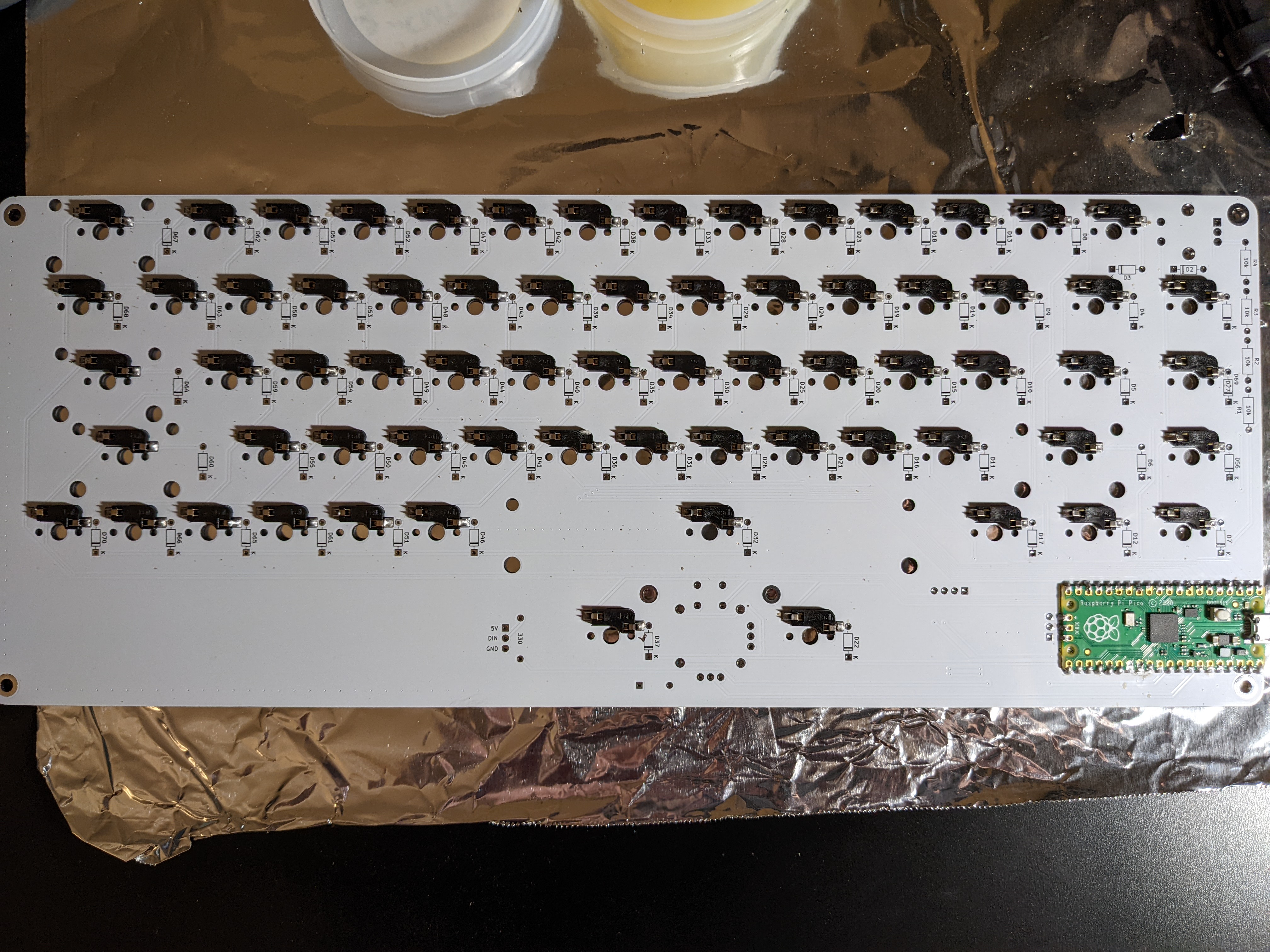
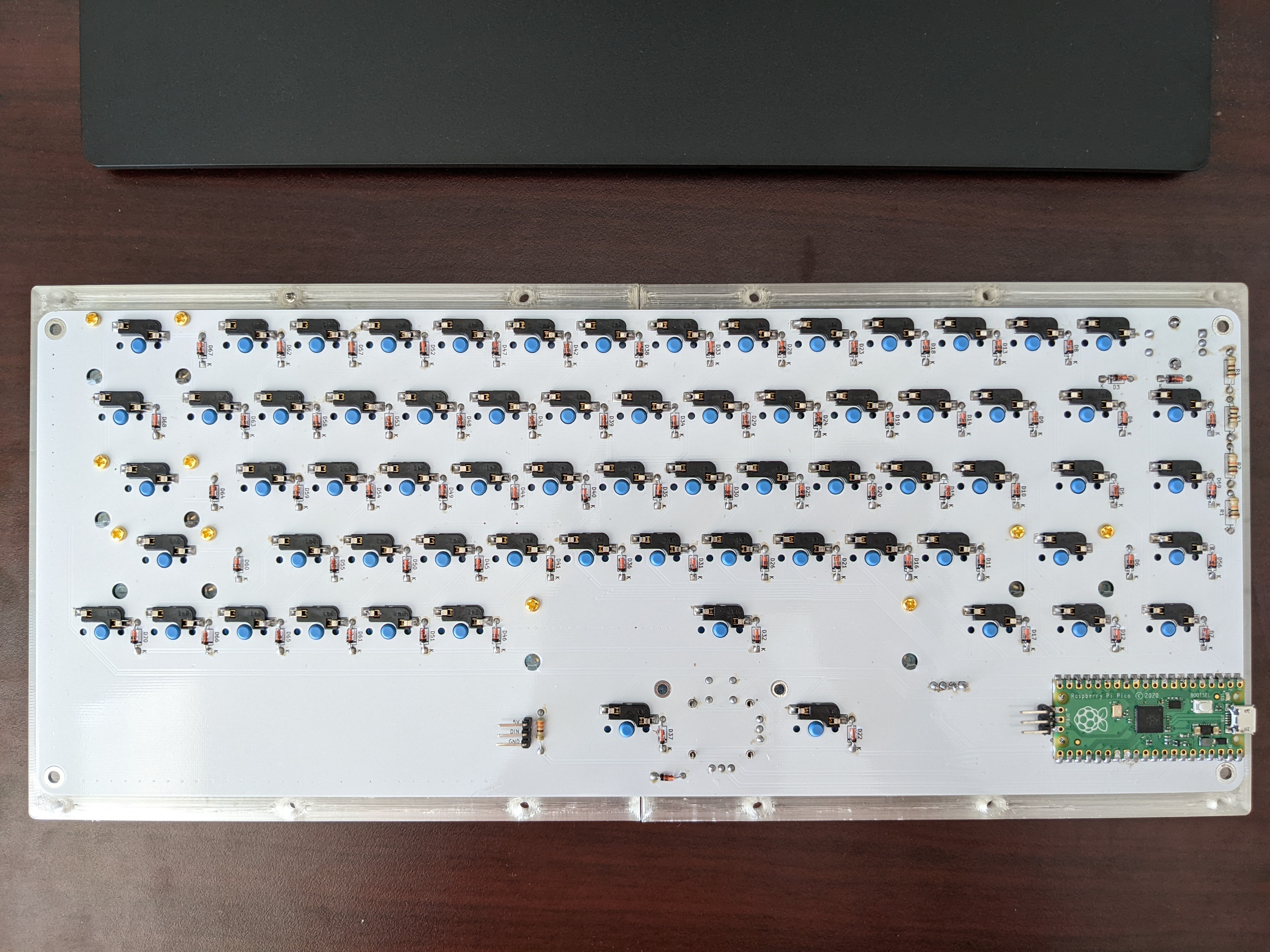
In total per keyboard material cost is roughly $129.57
PCB is designed with KiCAD 6, and everything is under the PCB folder. Pre-plotted files that can be uploaded to board factory are in
Gerber.zip file. However, different factory may have different plotting settings, so it's recommended to replot with KiCad following factory's instruction. The provided one is for JLCPCB.
Case is designed with Fusion 360. The file ends in .f3z contains the original Fusion 360 source. My build used SUNLU Clear PLA and is sliced with Cura. I put screw holes on the bottom to secure the PCB, but in practice it's not necessary to screw down the PCB once you've installed switches. So those are optional. The screws between plate and bottom are not optional however.
Firmware is in a separate repo: PicoMK. Please see the instruction on how to configure and build the firmware there.
This work is licensed under a Creative Commons Attribution-ShareAlike 4.0 International License.

| Qty | Value | Footprint | References |
|---|---|---|---|
| 68 | D | Diode_THT:D_DO-35_SOD27_P7.62mm_Horizontal | D1, D2, D10, D11, D12, D13, D14, D15, D16, D17, D18, D19, D20, D21, D22, D23 +52 |
| 4 | 10k | Resistor_THT:R_Axial_DIN0207_L6.3mm_D2.5mm_P10.16mm_Horizontal | R2, R3, R4, R5 |
| 2 | 0.01 μF | Capacitor_SMD:C_1206_3216Metric_Pad1.33x1.80mm_HandSolder | C1, C2 |
| 2 | Conn_01x03_Female | Connector_PinHeader_2.54mm:PinHeader_1x03_P2.54mm_Vertical | J2, J3 |
| 1 | 330 | Resistor_THT:R_Axial_DIN0207_L6.3mm_D2.5mm_P10.16mm_Horizontal | R1 |
| 1 | Conn_01x04_12864 | JMD0.96C:JMD0.96C | J1 |
| 1 | Pico | MCU_RaspberryPi_and_Boards:RPi_Pico_SMD_TH | U2 |
| 1 | RKJXV1224 | RKJXV1224:RKJXV122400R_COM09032 | U1 |
| 1 | RotaryEncoder_Switch | RotaryEncoder:RotaryEncoder_Alps_EC11E-Switch_Vertical_H20mm_CircularMountingHoles | SW1 |
| 1 | SW_' | Switch_Keyboard_Hotswap_Kailh:SW_Hotswap_Kailh_MX_1.00u | SW62 |
| 1 | SW_+ | Switch_Keyboard_Hotswap_Kailh:SW_Hotswap_Kailh_MX_1.00u | SW65 |
| 1 | SW_, | Switch_Keyboard_Hotswap_Kailh:SW_Hotswap_Kailh_MX_1.00u | SW48 |
| 1 | SW_- | Switch_Keyboard_Hotswap_Kailh:SW_Hotswap_Kailh_MX_1.00u | SW60 |
| 1 | SW_. | Switch_Keyboard_Hotswap_Kailh:SW_Hotswap_Kailh_MX_1.00u | SW53 |
| 1 | SW_/ | Switch_Keyboard_Hotswap_Kailh:SW_Hotswap_Kailh_MX_1.00u | SW58 |
| 1 | SW_0 | Switch_Keyboard_Hotswap_Kailh:SW_Hotswap_Kailh_MX_1.00u | SW55 |
| 1 | SW_1 | Switch_Keyboard_Hotswap_Kailh:SW_Hotswap_Kailh_MX_1.00u | SW11 |
| 1 | SW_2 | Switch_Keyboard_Hotswap_Kailh:SW_Hotswap_Kailh_MX_1.00u | SW16 |
| 1 | SW_3 | Switch_Keyboard_Hotswap_Kailh:SW_Hotswap_Kailh_MX_1.00u | SW21 |
| 1 | SW_4 | Switch_Keyboard_Hotswap_Kailh:SW_Hotswap_Kailh_MX_1.00u | SW26 |
| 1 | SW_5 | Switch_Keyboard_Hotswap_Kailh:SW_Hotswap_Kailh_MX_1.00u | SW30 |
| 1 | SW_6 | Switch_Keyboard_Hotswap_Kailh:SW_Hotswap_Kailh_MX_1.00u | SW35 |
| 1 | SW_7 | Switch_Keyboard_Hotswap_Kailh:SW_Hotswap_Kailh_MX_1.00u | SW40 |
| 1 | SW_8 | Switch_Keyboard_Hotswap_Kailh:SW_Hotswap_Kailh_MX_1.00u | SW45 |
| 1 | SW_9 | Switch_Keyboard_Hotswap_Kailh:SW_Hotswap_Kailh_MX_1.00u | SW50 |
| 1 | SW_; | Switch_Keyboard_Hotswap_Kailh:SW_Hotswap_Kailh_MX_1.00u | SW57 |
| 1 | SW_[ | Switch_Keyboard_Hotswap_Kailh:SW_Hotswap_Kailh_MX_1.00u | SW61 |
| 1 | SW_\ | Switch_Keyboard_Hotswap_Kailh:SW_Hotswap_Kailh_MX_1.50u | SW68 |
| 1 | SW_] | Switch_Keyboard_Hotswap_Kailh:SW_Hotswap_Kailh_MX_1.00u | SW67 |
| 1 | SW_` | Switch_Keyboard_Hotswap_Kailh:SW_Hotswap_Kailh_MX_1.00u | SW6 |
| 1 | SW_a | Switch_Keyboard_Hotswap_Kailh:SW_Hotswap_Kailh_MX_1.00u | SW13 |
| 1 | SW_alt | Switch_Keyboard_Hotswap_Kailh:SW_Hotswap_Kailh_MX_1.25u | SW20 |
| 1 | SW_b | Switch_Keyboard_Hotswap_Kailh:SW_Hotswap_Kailh_MX_1.00u | SW33 |
| 1 | SW_back | Switch_Keyboard_Hotswap_Kailh:SW_Hotswap_Kailh_MX_2.00u | SW66 |
| 1 | SW_c | Switch_Keyboard_Hotswap_Kailh:SW_Hotswap_Kailh_MX_1.00u | SW24 |
| 1 | SW_caps | Switch_Keyboard_Hotswap_Kailh:SW_Hotswap_Kailh_MX_1.75u | SW8 |
| 1 | SW_ctrl | Switch_Keyboard_Hotswap_Kailh:SW_Hotswap_Kailh_MX_1.25u | SW10 |
| 1 | SW_d | Switch_Keyboard_Hotswap_Kailh:SW_Hotswap_Kailh_MX_1.00u | SW23 |
| 1 | SW_del | Switch_Keyboard_Hotswap_Kailh:SW_Hotswap_Kailh_MX_1.00u | SW3 |
| 1 | SW_down | Switch_Keyboard_Hotswap_Kailh:SW_Hotswap_Kailh_MX_1.00u | SW54 |
| 1 | SW_e | Switch_Keyboard_Hotswap_Kailh:SW_Hotswap_Kailh_MX_1.00u | SW22 |
| 1 | SW_enter | Switch_Keyboard_Hotswap_Kailh:SW_Hotswap_Kailh_MX_2.25u | SW69 |
| 1 | SW_esc | Switch_Keyboard_Hotswap_Kailh:SW_Hotswap_Kailh_MX_1.00u | SW2 |
| 1 | SW_f | Switch_Keyboard_Hotswap_Kailh:SW_Hotswap_Kailh_MX_1.00u | SW28 |
| 1 | SW_fn1 | Switch_Keyboard_Hotswap_Kailh:SW_Hotswap_Kailh_MX_1.00u | SW5 |
| 1 | SW_fn2 | Switch_Keyboard_Hotswap_Kailh:SW_Hotswap_Kailh_MX_1.00u | SW44 |
| 1 | SW_g | Switch_Keyboard_Hotswap_Kailh:SW_Hotswap_Kailh_MX_1.00u | SW32 |
| 1 | SW_h | Switch_Keyboard_Hotswap_Kailh:SW_Hotswap_Kailh_MX_1.00u | SW37 |
| 1 | SW_i | Switch_Keyboard_Hotswap_Kailh:SW_Hotswap_Kailh_MX_1.00u | SW46 |
| 1 | SW_ins | Switch_Keyboard_Hotswap_Kailh:SW_Hotswap_Kailh_MX_1.00u | SW4 |
| 1 | SW_j | Switch_Keyboard_Hotswap_Kailh:SW_Hotswap_Kailh_MX_1.00u | SW42 |
| 1 | SW_k | Switch_Keyboard_Hotswap_Kailh:SW_Hotswap_Kailh_MX_1.00u | SW47 |
| 1 | SW_l | Switch_Keyboard_Hotswap_Kailh:SW_Hotswap_Kailh_MX_1.00u | SW52 |
| 1 | SW_left | Switch_Keyboard_Hotswap_Kailh:SW_Hotswap_Kailh_MX_1.00u | SW49 |
| 1 | SW_m | Switch_Keyboard_Hotswap_Kailh:SW_Hotswap_Kailh_MX_1.00u | SW43 |
| 1 | SW_n | Switch_Keyboard_Hotswap_Kailh:SW_Hotswap_Kailh_MX_1.00u | SW38 |
| 1 | SW_o | Switch_Keyboard_Hotswap_Kailh:SW_Hotswap_Kailh_MX_1.00u | SW51 |
| 1 | SW_p | Switch_Keyboard_Hotswap_Kailh:SW_Hotswap_Kailh_MX_1.00u | SW56 |
| 1 | SW_q | Switch_Keyboard_Hotswap_Kailh:SW_Hotswap_Kailh_MX_1.00u | SW12 |
| 1 | SW_r | Switch_Keyboard_Hotswap_Kailh:SW_Hotswap_Kailh_MX_1.00u | SW27 |
| 1 | SW_r_shift | Switch_Keyboard_Hotswap_Kailh:SW_Hotswap_Kailh_MX_2.75u | SW63 |
| 1 | SW_right | Switch_Keyboard_Hotswap_Kailh:SW_Hotswap_Kailh_MX_1.00u | SW64 |
| 1 | SW_s | Switch_Keyboard_Hotswap_Kailh:SW_Hotswap_Kailh_MX_1.00u | SW18 |
| 1 | SW_shift | Switch_Keyboard_Hotswap_Kailh:SW_Hotswap_Kailh_MX_2.25u | SW9 |
| 1 | SW_space | Switch_Keyboard_Hotswap_Kailh:SW_Hotswap_Kailh_MX_6.25u | SW34 |
| 1 | SW_super | Switch_Keyboard_Hotswap_Kailh:SW_Hotswap_Kailh_MX_1.25u | SW15 |
| 1 | SW_t | Switch_Keyboard_Hotswap_Kailh:SW_Hotswap_Kailh_MX_1.00u | SW31 |
| 1 | SW_tab | Switch_Keyboard_Hotswap_Kailh:SW_Hotswap_Kailh_MX_1.50u | SW7 |
| 1 | SW_u | Switch_Keyboard_Hotswap_Kailh:SW_Hotswap_Kailh_MX_1.00u | SW41 |
| 1 | SW_up | Switch_Keyboard_Hotswap_Kailh:SW_Hotswap_Kailh_MX_1.00u | SW59 |
| 1 | SW_v | Switch_Keyboard_Hotswap_Kailh:SW_Hotswap_Kailh_MX_1.00u | SW29 |
| 1 | SW_w | Switch_Keyboard_Hotswap_Kailh:SW_Hotswap_Kailh_MX_1.00u | SW17 |
| 1 | SW_x | Switch_Keyboard_Hotswap_Kailh:SW_Hotswap_Kailh_MX_1.00u | SW19 |
| 1 | SW_y | Switch_Keyboard_Hotswap_Kailh:SW_Hotswap_Kailh_MX_1.00u | SW36 |
| 1 | SW_z | Switch_Keyboard_Hotswap_Kailh:SW_Hotswap_Kailh_MX_1.00u | SW14 |
The 147 most common of 160 parts.
jerry20091103/Teensy_Grovebox
A portable synth and music multi-tool made with Teensy 4.1

sago35/keyboards
This repository was created to manage the circuitry and firmware for the keyboards I designed. The firmware is created using sago35/tinygo-keyboard.

ServError/Thrustmaster_Warthog_Throttle_Alps_Slew_Mod
An open source replacement for the terrible TM Warthog Throttle slew stick

StudioKAT/Joystick
この作品は Creative Commons 表示 - 継承 4.0 国際 (CC BY-SA 4.0) の下でライセンスされています。 This work is licensed under the Creative Commons Attribution-ShareAlike 4.0 International License.

tinygo-keeb/tinygo-conf-2026-badge
TinyGo Conference 2026 向け開発ボード (devkit) の KiCad プロジェクトです。 ESP32-S3-DevKit を中心に、ディスプレイ・オーディオ・入力デバイスなどを 1 枚の基板にまとめています。

radioation/ZRaiderStick
Z Raider - Analog Joystick for Atari 800/XL/XE Computers

Alan-GIRAUDON/VGAutumn
VGAutumn is a RP2040 VGA joystick PCB. This board allows to play different game using its VGA output and its inputs (joystick, buttons).

arghya-v/hackxpansion-joystick
The joystick module for hackxpansion! The module uses a two-axis potentiometer joystick to provide X and Y analog readings, allowing projects to interpret directional movement and user input.
It measures 321.8 × 129.3 mm and has 2 copper layers, 1.6 mm thick.
160 parts, built around the RKJXV122400R. The full list of its parts is on this page, with links to each part's symbol and footprint where PCBKit's library has them.
From the zli117/Pico-Keyboard repository on GitHub, at the commit this page was made from: the board is PCB/pico_keyboard_v1.kicad_pcb and its schematic PCB/pico_keyboard_v1.kicad_sch. PCBKit opens the board in the browser, with nothing to install.
Its repository publishes it under the CC-BY-SA-4.0 licence: you may reuse it on that licence's terms (keep the author's notice, and for a copyleft licence share your changes alike).