2 layers40 × 30 mm
Esphome xiao base
0rax/esphome-xiao-base
XIAO base board PCB & configuration for ESPHome based sensors.
10 parts5CERN-OHL-S-2.0
 xLuki09/streamdeck
A small Streamdeck with a self designed pcb
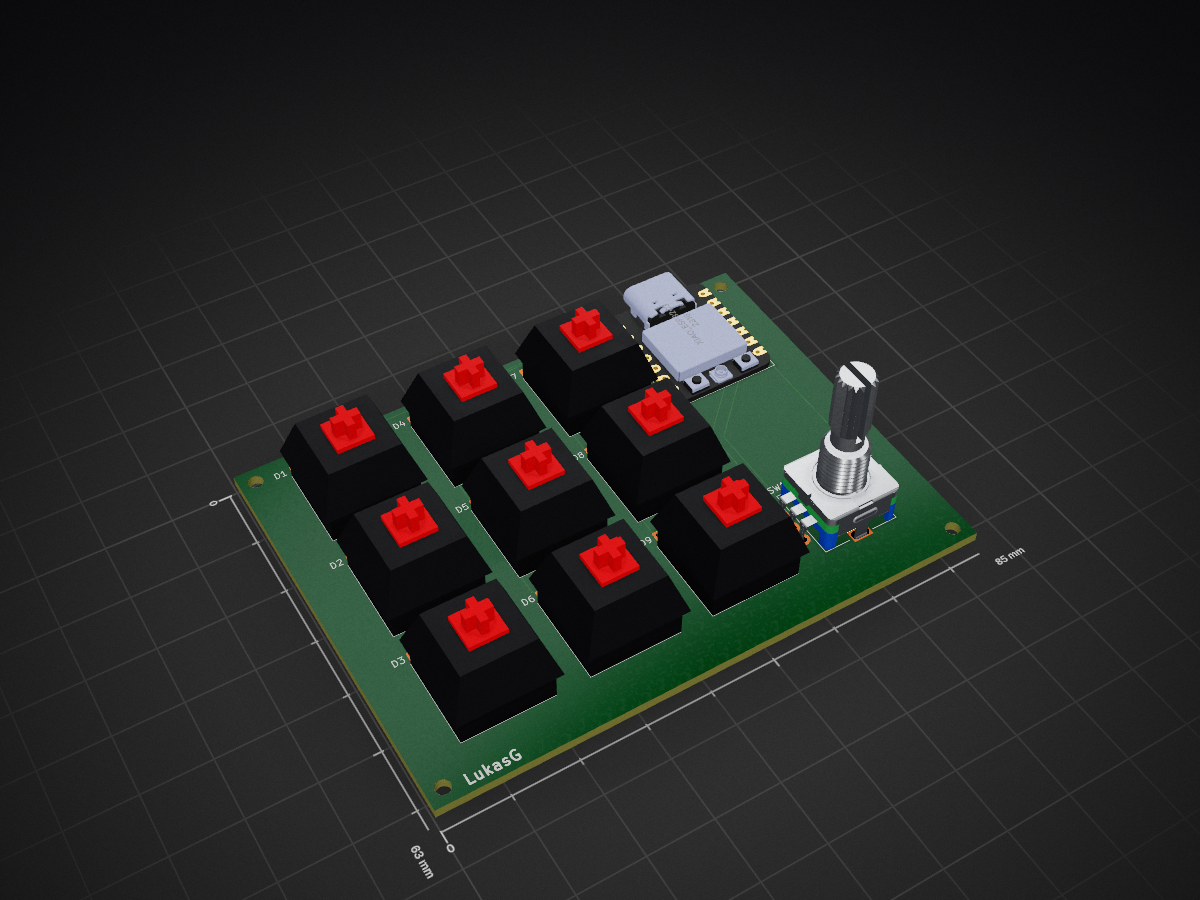
MacroBoard is an open-source printed circuit board by xLuki09, from the xLuki09/streamdeck repository on GitHub. It is a 2-layer board of 85 × 63 mm with 24 parts on 23 nets, routed with 94 tracks and 0 vias.
It is built around the XIAO ESP32C3. Its parts include 10 switches, 9 diodes and 1 IC. It belongs with the ESP32 and RISC-V boards of this library.
A custom, USB-C macro pad built around a Seeed Studio XIAO ESP32-C3. The current design has nine push buttons and a rotary encoder with a push-button function, all mounted on a custom PCB.
The goal is to make a compact, customizable input device for shortcuts such as launching apps or controlling common actions. This repository contains the KiCad design files, a Gerber and drill-file archive, board images, and the current parts list. The board has not been manufactured yet, and firmware is not included at this stage.
I started with a larger idea: twelve keys and a small OLED screen. I found that the extra controls made the wiring and PCB design too complicated for this first version, so I reduced the scope to nine keys and a rotary encoder. That gave me a more manageable design while keeping the controls I wanted for a useful macro pad.
I designed the schematic and PCB in KiCad. I later changed the controller to the smaller XIAO ESP32-C3, which provides a USB-C connector, and added labels to the PCB. The latest design check reported zero errors. A friend is going to review the board before I treat it as ready to manufacture.
PCB/MacroBoardv3gerber.zip for anyone who wants to inspect or reproduce the board. Please review the design and manufacturing files before ordering.The design is still awaiting a second review, so the current files should be considered a pre-manufacturing version rather than a tested, finished device.
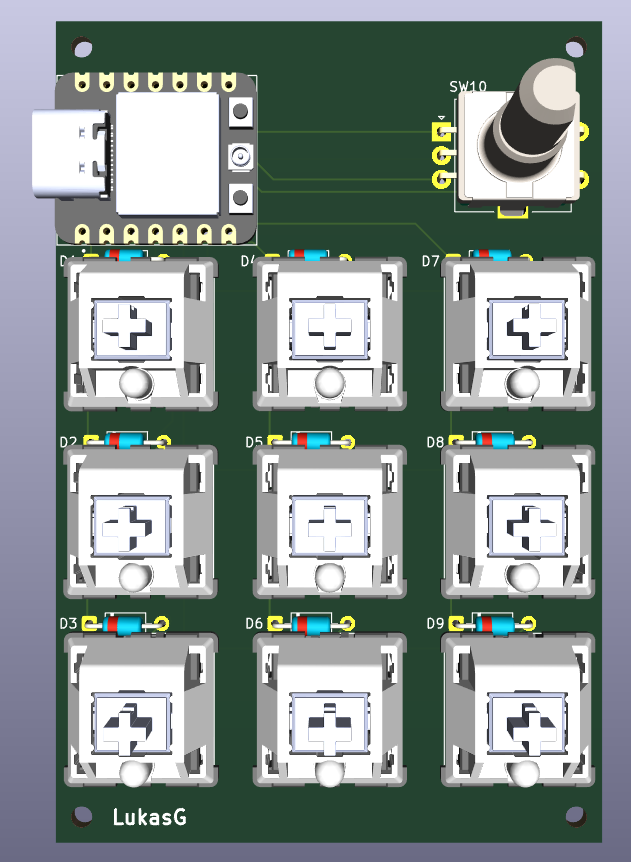
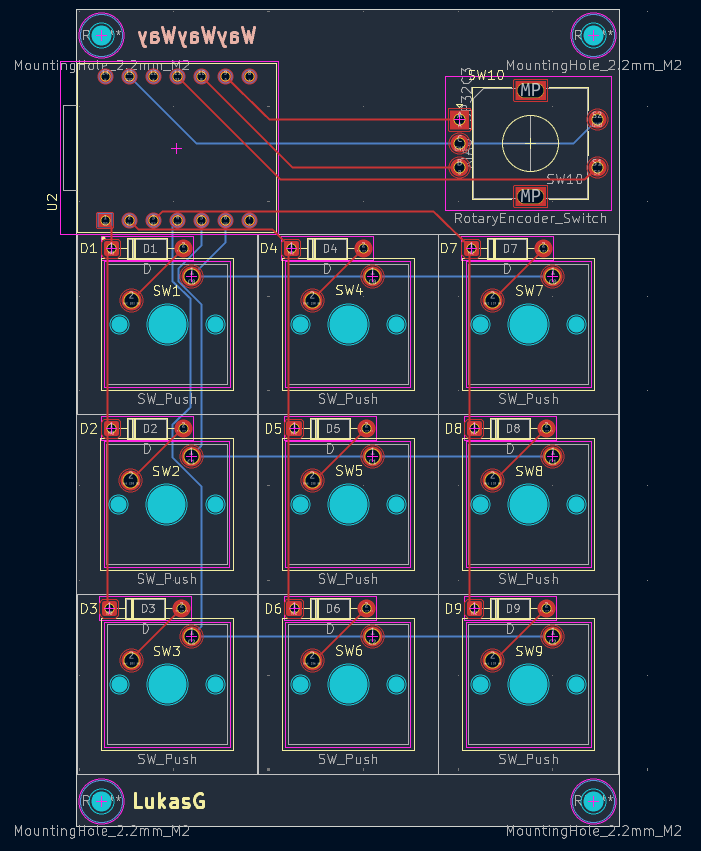
The current estimated parts list is available as BOM.csv and BOM.md. The prices in the list are estimates and may change with supplier, shipping, and taxes. Check component footprints and quantities against the KiCad files before ordering.
PCB/MacroBoard.kicad_sch or PCB/MacroBoard.kicad_pcb in KiCad, then inspect the schematic and board layout.PCB/MacroBoardv3gerber.zip to review or order the PCB.This project has not been assembled or tested as a working device yet. The Gerber archive is provided for reuse, but anyone reproducing the board should verify the files and design first.
Learning KiCad and turning the idea into a routed PCB took time. I learned how the schematic, footprints, PCB layout, and manufacturing files fit together. I also learned to reduce the feature set when the wiring and layout became too complicated: dropping the OLED and three keys made the first version more achievable.
One problem I ran into was that the 3D model did not link to its footprint correctly. That made me realize that a footprint and its 3D model need to be configured and checked together. I am still working through the enclosure design, and the board is waiting for another review before I order parts.
PCB/MacroBoard.kicad_sch - schematicPCB/MacroBoard.kicad_pcb - PCB layoutPCB/MacroBoardv3gerber.zip - Gerber and drill filesBOM.csv - spreadsheet-friendly parts listBOM.md - formatted parts listJOURNAL.md - project development journal| Qty | Value | Footprint | References |
|---|---|---|---|
| 9 | D | Diode_THT:D_DO-35_SOD27_P7.62mm_Horizontal | D1, D2, D3, D4, D5, D6, D7, D8, D9 |
| 9 | SW_Push | Button_Switch_Keyboard:SW_Cherry_MX_1.00u_PCB | SW1, SW2, SW3, SW4, SW5, SW6, SW7, SW8, SW9 |
| 1 | RotaryEncoder_Switch | Rotary_Encoder:RotaryEncoder_Alps_EC11E-Switch_Vertical_H20mm | SW10 |
| 1 | XIAO_ESP32C3 | XIAO_ESP32C3:MODULE_XIAO_ESP32C3 | U2 |
The 20 most common of 24 parts.
It measures 85 × 63 mm and has 2 copper layers, 1.6 mm thick.
24 parts, built around the XIAO ESP32C3. The full list of its parts is on this page, with links to each part's symbol and footprint where PCBKit's library has them.
From the xLuki09/streamdeck repository on GitHub, at the commit this page was made from: the board is PCB/MacroBoard.kicad_pcb and its schematic PCB/MacroBoard.kicad_sch. PCBKit opens the board in the browser, with nothing to install.
Its repository states no licence, so its author keeps all rights: ask xLuki09 before reusing the design.
0rax/esphome-xiao-base
XIAO base board PCB & configuration for ESPHome based sensors.


aayu0-0/SEEED-RS485-Extension-Board-reverse-engineering-project
SEEED RS485 Extension Board reverse-engineering project

AID-IOT/IOT-Memento-Design
A keepsake PCB built at the AICTE IDEA Lab, Poornima College of Engineering. It is a working board as well as a memento: a Seeed XIAO ESP32C3 drives four WS2812B LEDs and reads a BMP280 pressure/temperature sensor, and…
