
4 layers130 × 110 mm

 WillACosta/wlfkbd19
The WLF is a 40-key split keyboard (20 keys per half) with a column-staggered matrix and a splayed thumb cluster.
Wlfkbd is an open-source printed circuit board by WillACosta, from the WillACosta/wlfkbd repository on GitHub, published under the MIT licence. It is a 2-layer board of 289.7 × 109.1 mm with 214 parts on 142 nets, routed with 2,004 tracks and 343 vias.
It is built around the 1N4148W, SK6812MINI-E and AO3400A, with the AO3407A among its other parts. Its parts include 88 diodes, 50 resistors, 40 switches, 8 capacitors and 4 transistors. It belongs with the keyboards and input and lEDs and displays boards and the nRF52 and nRF5x boards of this library.


3×6 (+2 outer-pinky) Split Keyboard · 3 Thumb Keys · All 1U · MX Compatible
The WᛝLF Keyboard, or wlfkbd, is a 40-key keyboard featuring only 2 outer-pinky keys to improve ergonomics, white backlight and RGB status LEDs.
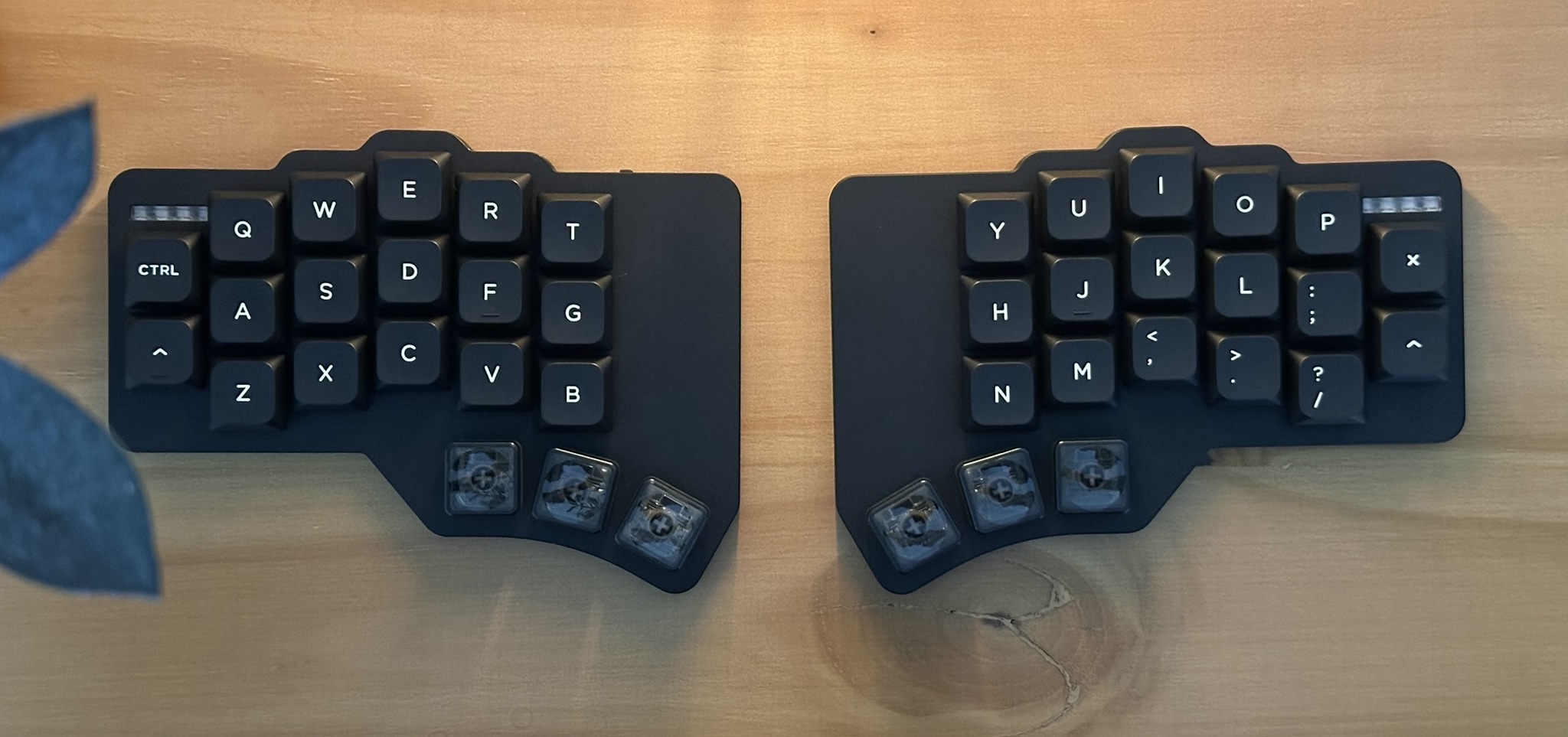
Thanks to JLCCNC for sponsoring the production of the aluminum case. New customers can receive a total of $70 in coupons, so if you haven't used them yet, please check them out.
The firmware for The Wolf is powered by ZMK and is maintained in its dedicated repository: zmk-config-wlf
This repository links the firmware as a Git submodule under firmware/. To clone both the hardware designs and firmware together:
git clone --recurse-submodules https://github.com/WillACosta/wlfkbd.git| Zone | Columns | Rows | Keys/half | Notes |
|---|---|---|---|---|
| Matrix | 6 (outer → inner) | 3 (bottom, home, top) | 17 | Outer column skips bottom row (2 keys only) |
| Thumb | 3 (inner, home, outer) | 1 | 3 | Splayed arc, anchored below index |
| Total | 20 | 40 keys full board |
         outer  pinky  ring   middle  index  inner
stagger:   —    +u/2   +u/4   +u/4   −u/4   −u/4
mm:        0    +9.525 +4.763 +4.763 −4.763 −4.763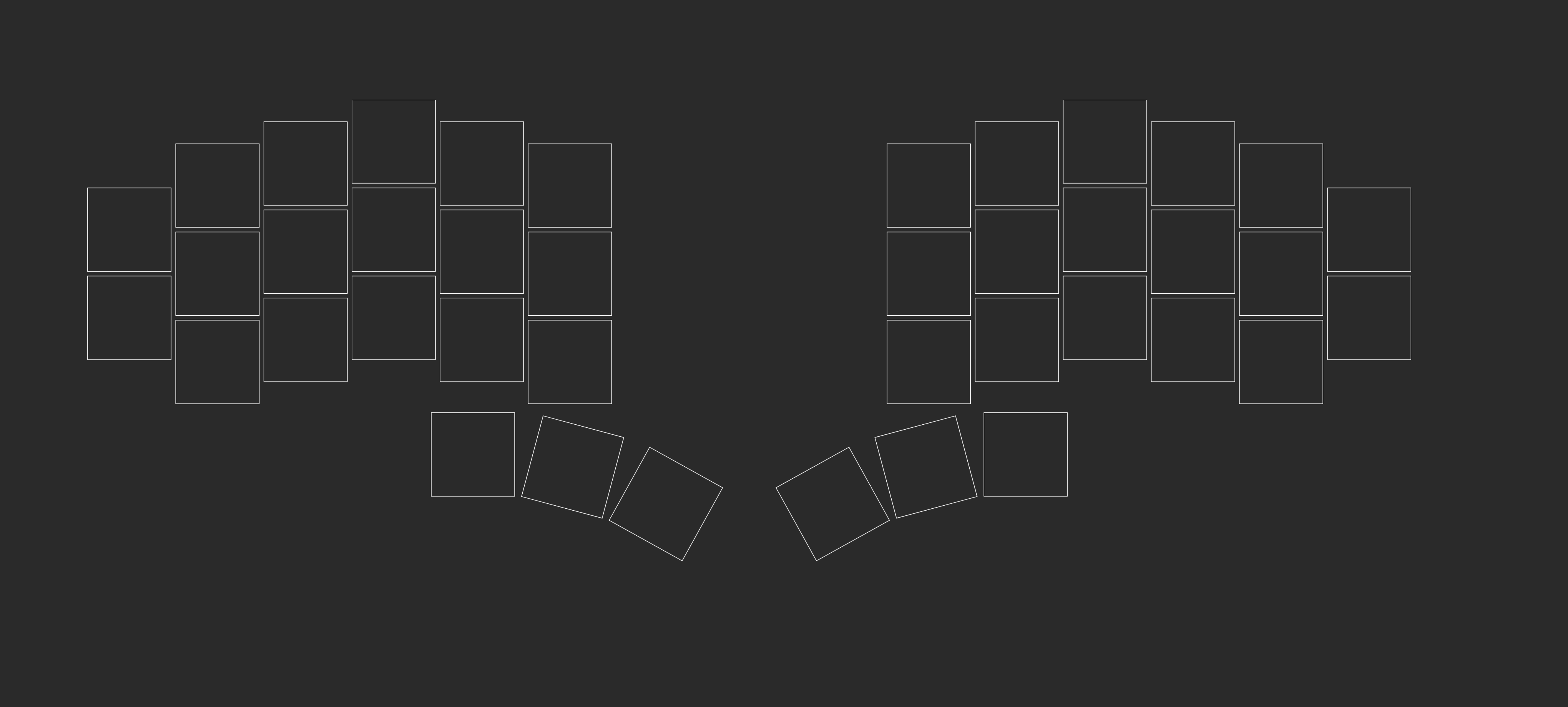
Thumb Cluster Geometry
| Key | Splay | Spread | Stagger | Effective rotation |
|---|---|---|---|---|
| thumb_inner | 0° | u (19.05mm) | 0mm | 0° |
| thumb_home | −15° | u+2.5 (21.55mm) | −2.7mm | −15° |
| thumb_outer | −14° | u+2.5 (21.55mm) | −2.5mm | −29° |
The thumb cluster anchors at matrix_index_bottom with a [-0.1u, -1.30u] offset, placing it slightly left and well below the index column — a natural resting position for the thumb.
See the Ergogen config file here (used only for the layout diagram)
After stepping into the rabbit hole of "Custom Split Keyboards", I found myself fascinated by this new world of different keyboard layouts, techniques, and a lot of fun!
I have used and own some beloved models created by incredible people, including:
The Corne is my favorite keyboard out there (you may notice some similarities between the wlfkbd and crkbd).
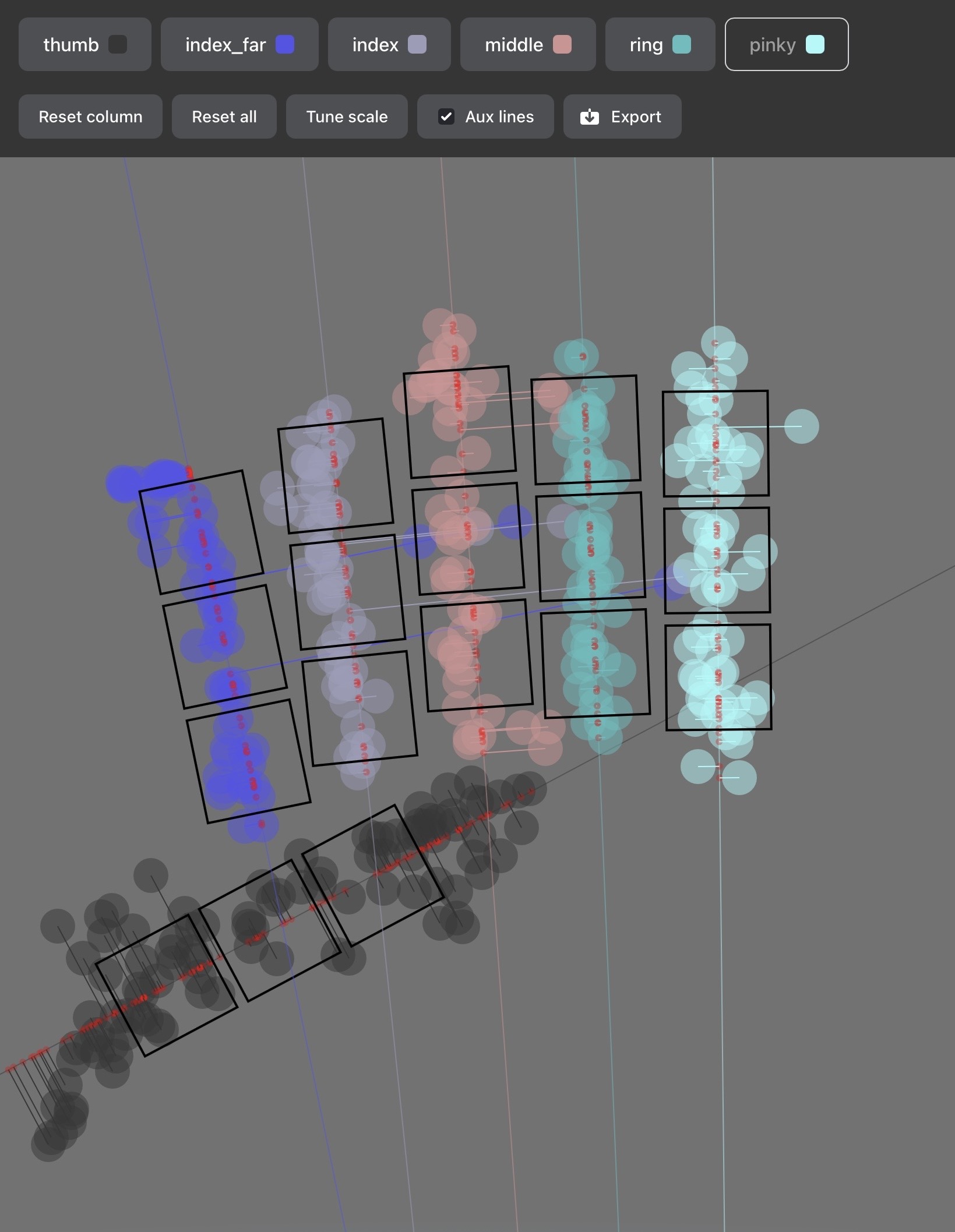
Still, I was missing something—that little thing that would improve my experience with the keyboard. Then I started testing different layouts on paper and came up with the layout shown earlier. I even used Ergo Pad to find the most comfortable way of typing for my long fingers.
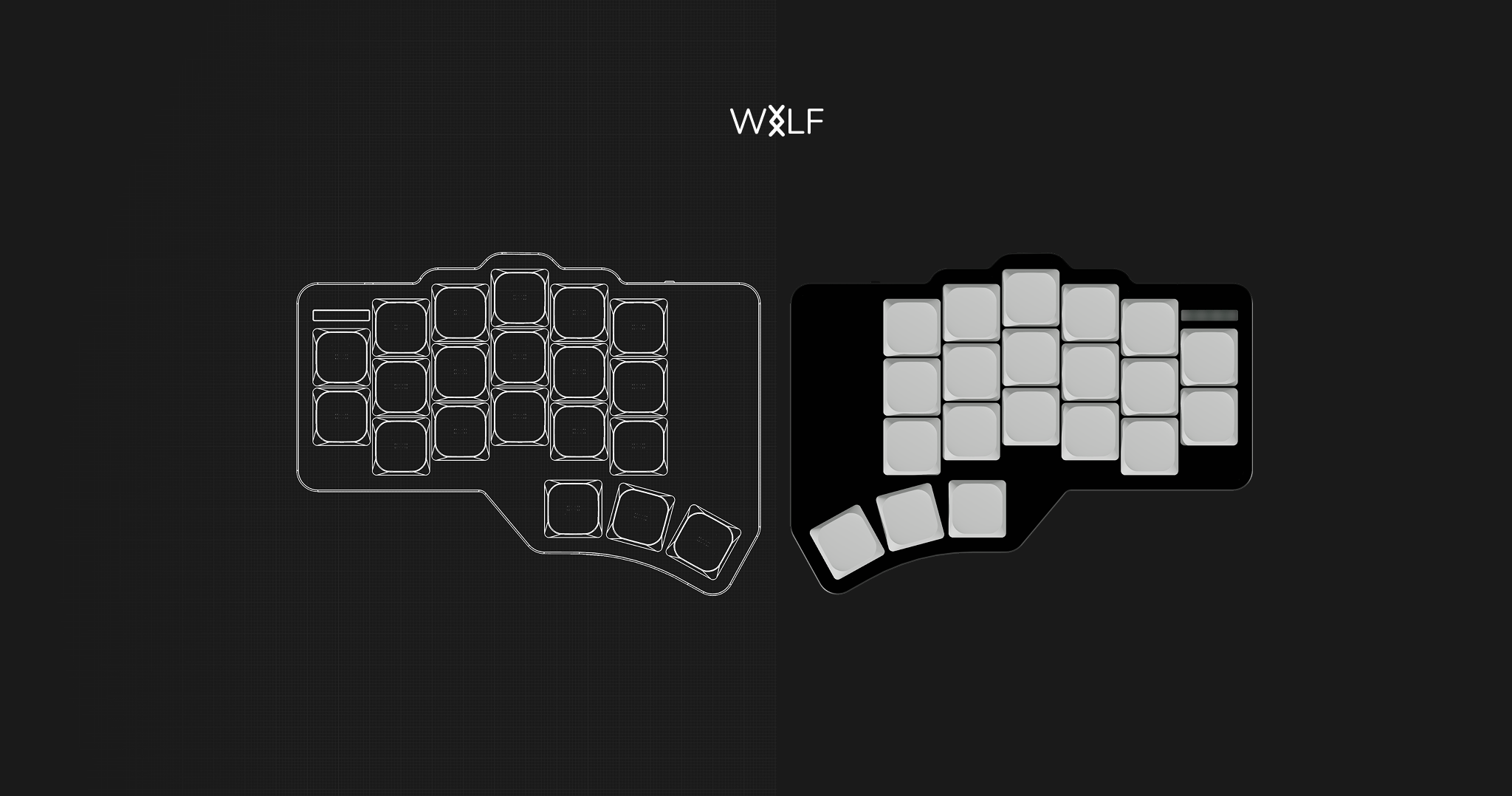
I'm very fond of good, minimal design, so I've taken inspiration from Apple products, especially the Magic Keyboard and Magic Trackpad.
I really enjoy the white backlight of the built-in Mac keyboard, so I wanted to implement this in the first revision. Even though I only use the backlight occasionally, it's a nice-to-have for me.
The major feature I present here is the status LED on top of the outer-pinky column. It's something that I really wanted to have in previous keyboards but hadn't.
For more pictures head to the gallery
I really enjoy the symbolism of Wolves, it reminds me of the raw aspect of being human and a strong connection with nature and solitude. Regarding the Norse rune, the "Inguz", it represents "transitions", "new beginnings", "a force of will", etc. I have it tattooed on my right arm, so it's also a personal reference.
The PCB was built to be ordered already assembled. This means that all components are SMD, so while you may be able to solder them by hand, it requires solid soldering experience.
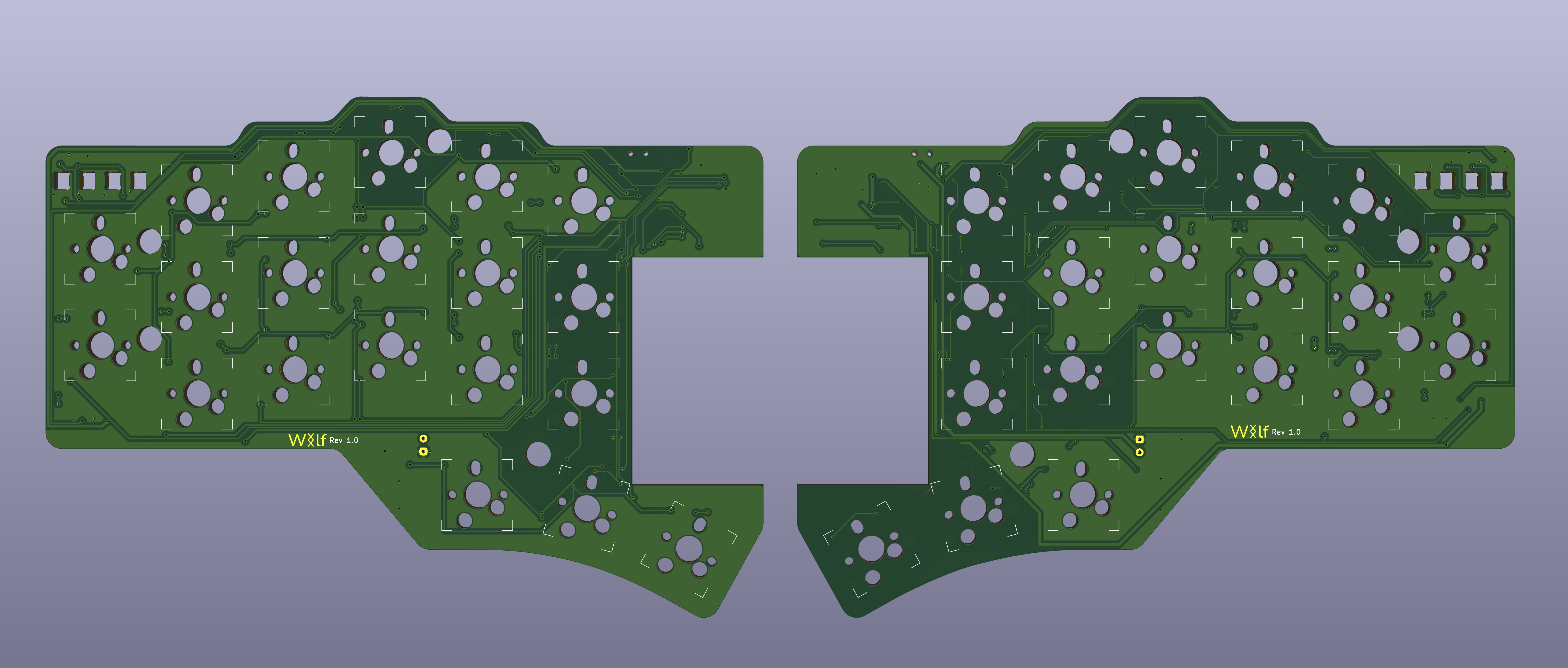
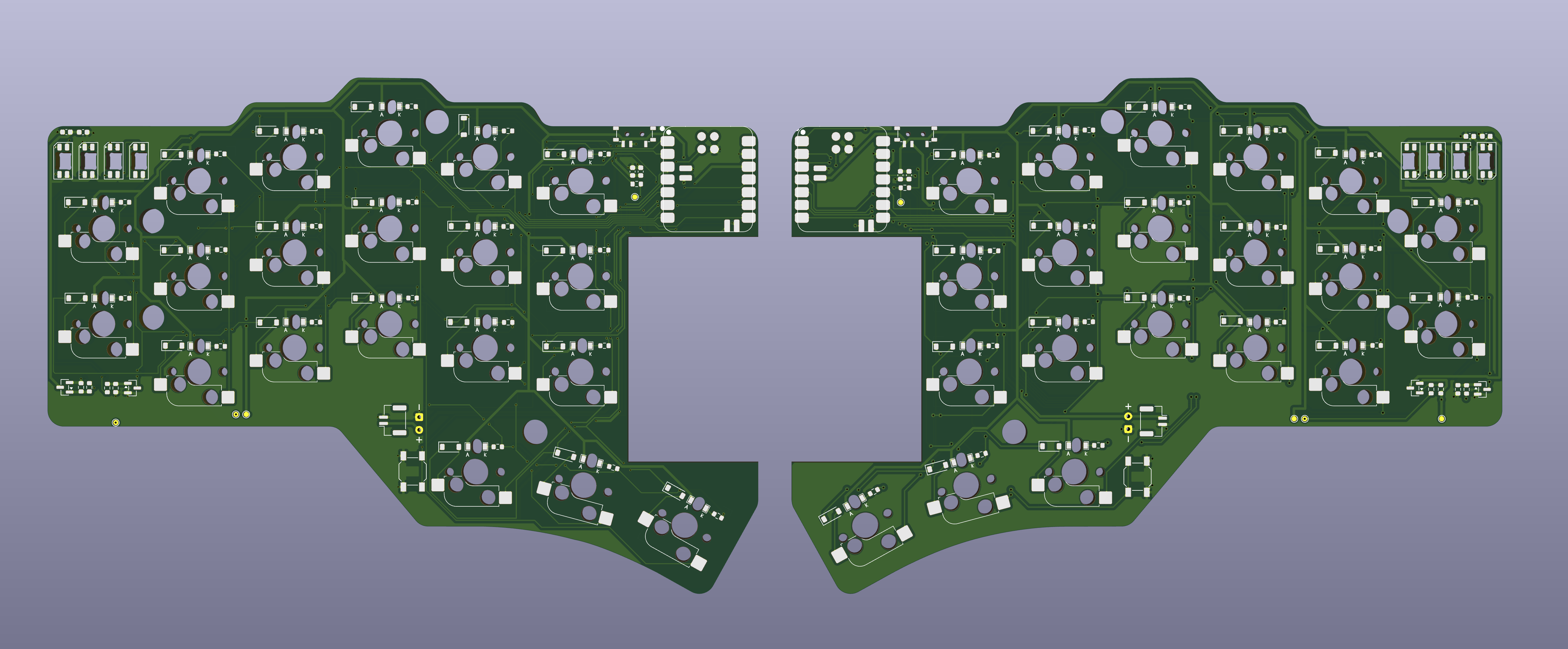
| Qty | Value | Footprint | References |
|---|---|---|---|
| 40 | 1K | Resistor_SMD:R_0603_1608Metric | R1, R2, R10, R11, R12, R13, R14, R15, R16, R17, R18, R19, R20, R21, R22, R25_R1 +24 |
| 40 | 1N4148W | Diode_SMD:D_SOD-123 | D1, D2, D3, D4, D5, D10, D11, D12, D13, D14, D15, D16, D17, D18, D19, D20 +24 |
| 40 | LED | willkeebs_components:LED_MHT151WDT | D25, D26, D29, D30, D31, D32, D33, D34, D35, D36, D37, D38, D39, D40, D41, D42 +24 |
| 40 | SW_Push | willkeebs_keyboard:KS-33B Hotswap 1u | SW1, SW2, SW10, SW11, SW12, SW13, SW14, SW15, SW16, SW17, SW18, SW19, SW20, SW21, SW22, SW23 +24 |
| 8 | SK6812MINI-E | LED_SMD:LED_SK6812MINI-E_3.2x2.8mm_P1.5mm_ReverseMount | D21, D22, D23, D24, D47_R1, D48_R1, D50_R1, D52_R1 |
| 4 | 100R | Resistor_SMD:R_0603_1608Metric | R706, R708_R1, R710, R713_R1 |
| 4 | 100nF | Capacitor_SMD:C_0603_1608Metric | C2, C4, C6_R1, C8_R1 |
| 4 | 10uF | Capacitor_SMD:C_0603_1608Metric | C1, C3, C5_R1, C7_R1 |
| 2 | 100k | Resistor_SMD:R_0603_1608Metric | R711, R714_R1 |
| 2 | 10k | Resistor_SMD:R_0603_1608Metric | R707, R709_R1 |
| 2 | 330R | Resistor_SMD:R_0603_1608Metric | R712, R715_R1 |
| 2 | AO3400A | Package_TO_SOT_SMD:SOT-23 | Q1, Q4_R1 |
| 2 | AO3407A | Package_TO_SOT_SMD:SOT-23 | Q2, Q3_R1 |
| 2 | Conn_01x02_Pin | Connector_JST:JST_GH_SM02B-GHS-TB_1x02-1MP_P1.25mm_Horizontal | JST1, JST2_R1 |
| 2 | Pads | willkeebs_power:Battery_Pad | BT1, BT2_R1 |
| 2 | RSW1 | Button_Switch_SMD:SW_SPST_SKQG_WithStem | RSW1, RSW2_R1 |
| 2 | SW_SPDT | PCM_marbastlib-various:SW_MSK12C02-HB | PSW1, PSW2_R1 |
| 2 | XIAO-nRF52840-SMD | Seeed_Studio_XIAO_Series:XIAO-nRF52840-SMD | U1, U3 |
| 2 | ~ | wlf:Wolf Logo | LOGO_R1, LOGO1 |
| 1 | 3V3 | TestPoint:TestPoint_Pad_D1.0mm | TP6 |
| 1 | 3V3_R | TestPoint:TestPoint_Pad_D1.0mm | TP5 |
| 1 | STS_LED_DATA | TestPoint:TestPoint_Pad_D1.0mm | TP2 |
| 1 | STS_LED_DATA_R | TestPoint:TestPoint_Pad_D1.0mm | TP4 |
| 1 | STS_LED_EN | TestPoint:TestPoint_Pad_D1.0mm | TP3 |
| 1 | STS_LED_EN_R | TestPoint:TestPoint_Pad_D1.0mm | TP6_R1 |
| 1 | VBAT | TestPoint:TestPoint_Pad_D1.0mm | TP1 |
| 1 | VBAT_R | TestPoint:TestPoint_Pad_D1.0mm | TP4_R1 |
The 210 most common of 214 parts.
It measures 289.7 × 109.1 mm and has 2 copper layers, 1.3 mm thick.
214 parts, built around the 1N4148W, SK6812MINI-E, AO3400A and AO3407A. The full list of its parts is on this page, with links to each part's symbol and footprint where PCBKit's library has them.
From the WillACosta/wlfkbd repository on GitHub, at the commit this page was made from: the board is keyboard/kicad/revisions/wolf_keyboard/wlfkbd.kicad_pcb and its schematic keyboard/kicad/revisions/wolf_keyboard/wlfkbd.kicad_sch. PCBKit opens the board in the browser, with nothing to install.
Its repository publishes it under the MIT licence: you may reuse it on that licence's terms (keep the author's notice, and for a copyleft licence share your changes alike).

DEV-ajthedj/Keyboard
A custom RGB keyboard that features three 1D capacitive touch sliders, two joysticks, an OLED screen, a fingerprint sensor, and plenty of macro keys!

h3ll5ur7er/TokenBoard
You wouldn't vibe code a keyboard.. or would you? uses konnect to interact with KiCad and CADence to model the case

TheRealBluesun/keeb4x4
4x4 macropad: STM32G431, per-key RGB, ScreenKey display keycaps, encoder. KiCad + Rust/Embassy firmware, USB bootloader, host CLI, printable base.


oyeniyihakeem08-blip/Night-light-PCB-prototype
A smart, motion-sensing LED night light that runs straight from the mains, keeps working through power cuts on its own battery, and is controlled by a paired wireless remote.