

4 layers65 × 30 mm
Pca9685-rpi hat
C-ake/pca9685-rpi-hat
KiCAD schematics and pcb for a raspberry pi enabling control of 16 PWM channels using a PCA9685.
52 parts1GPL-3.0

 Will946/SirGrab1
3D-printed robotic arm controlled live in the browser via 3D sliders, driven by an Arduino Uno R3 and a PCA9685 PWM servo board. Like a claw machine, minus the part where you never actually win.
PCA9685 is an open-source printed circuit board by Will946, from the Will946/SirGrab repository on GitHub, published under the MIT licence. It is a 2-layer board of 71.1 × 28 mm with 51 parts on 46 nets, routed with 458 tracks and 25 vias.
It is built around the PCA9685PW and IRLML6401. Its parts include 26 resistors, 2 capacitors, 1 IC, 1 diode and 1 transistor. It belongs with the robots and motor control boards of this library.
A 3D-printed robotic arm, driven by an Arduino Uno R3 and a PCA9685 PWM servo board, controlled through a live 3D interface in the browser.
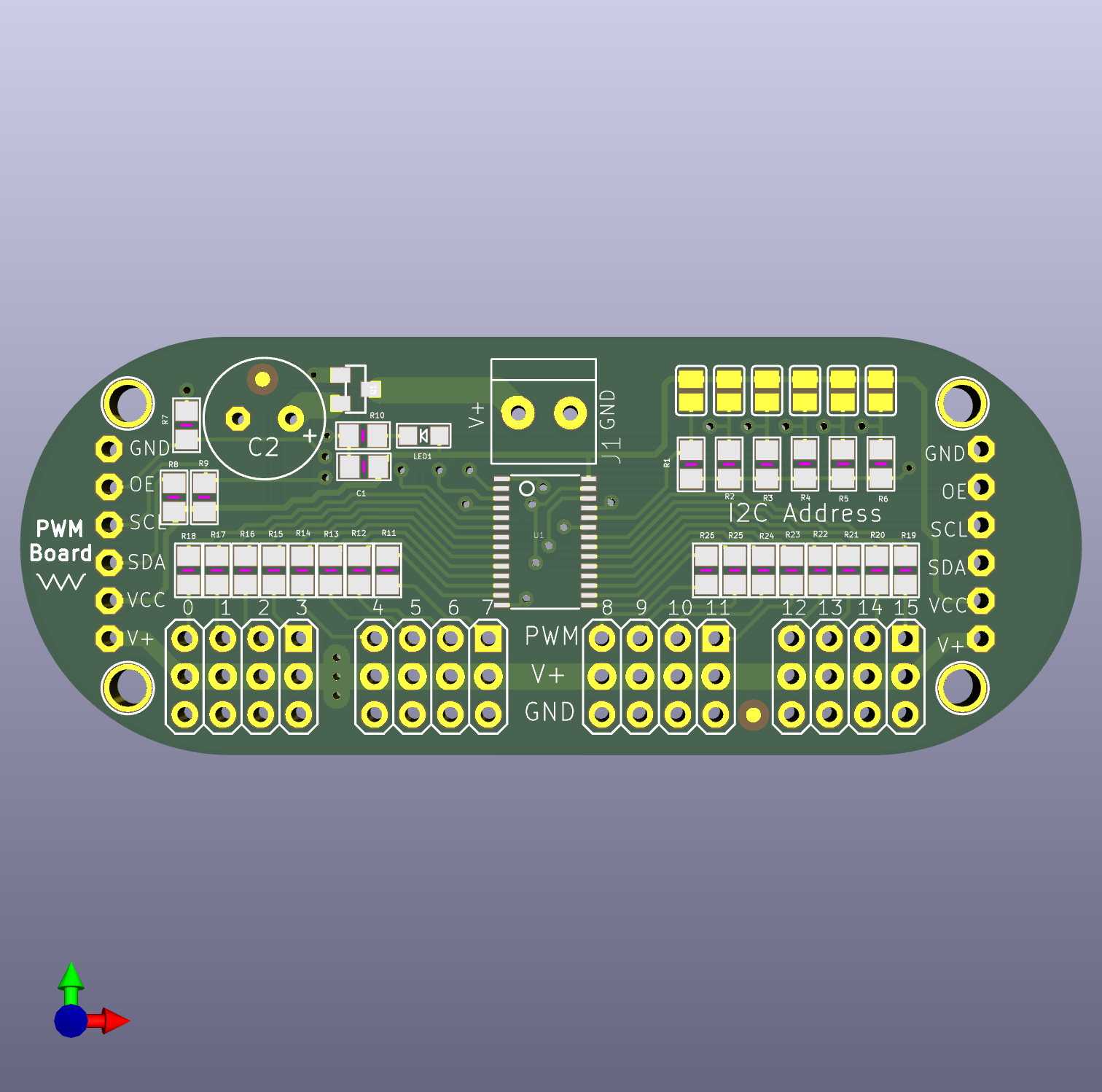
The PCA9685 is a 16-channel PWM driver board built around Adafruit's Arduino-based PWM servo driver design, controlled here by an Arduino Uno R3. The Arduino doesn't drive the servos directly. It talks to the PCA9685 over I2C, and the board generates all 16 PWM signals on its own. This is what lets a single Arduino control far more servos than its own pins could handle directly, without fighting timer conflicts.
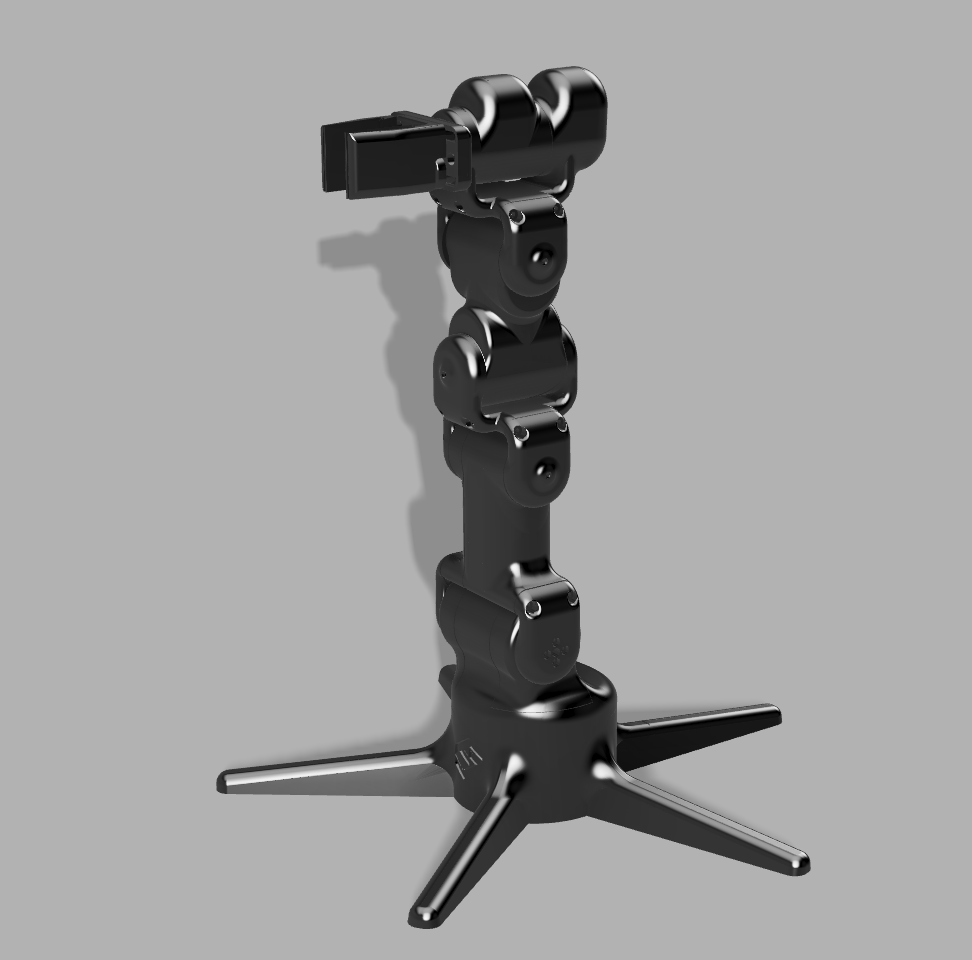
The arm itself is 3D printed in PETG, using roughly 900g of filament for the full model.
| Ch | Joint | Motion | Calibration center |
|---|---|---|---|
| 0 | Base | Rotates parallel to the ground | 90, no fixed reference direction |
| 3 / 8 | Bottom hinge | Up/down, mirrored pair | 75 / 105 |
| 12 | 3rd hinge | Up/down | 90 |
| 7 | 2nd hinge | Bends left/right, perpendicular plane to the other hinges | 105 |
| 4 | Topmost hinge | Up/down | 90 |
| 15 | Grip rotation | Twists around the claw's own pointing axis | 60 |
| 11 | Grip | Open/close | 90, no fixed reference direction |
Ch3 and ch8 are mechanically mirrored, since they physically face each other. Their raw angles always sum to 180. Both the Arduino sketch and the control script derive one from the other so they can never drift apart from rounding.
arm_final_control.ino listens over serial for channel:angle commands
and applies each one immediately, with no internal ramping. Early on, the
sketch did ramp motion on its own, stepping one degree at a time with a
delay between steps. That caused a real bug: with the control side also
trying to smooth motion, the Arduino would be mid-delay and stop reading
incoming serial data, the buffer backed up, and the arm would freeze or
desync. Moving all smoothing to the control side and keeping the Arduino
a simple instant-write listener fixed it. The control side owns pacing,
the Arduino just executes, and that split is the architecture everything
downstream is built on.
The control side is a two-part local setup. A small Python bridge script opens the actual serial connection to the Arduino and a local WebSocket server. A browser page renders the arm in 3D using three.js and exposes a slider per joint. Each joint rotates on its real physical axis. Up/down hinges bend in one plane, the 2nd hinge bends in the perpendicular plane, and the grip rotation twists around the claw's own pointing direction, like a screwdriver bit, rather than around the arm's main axis.
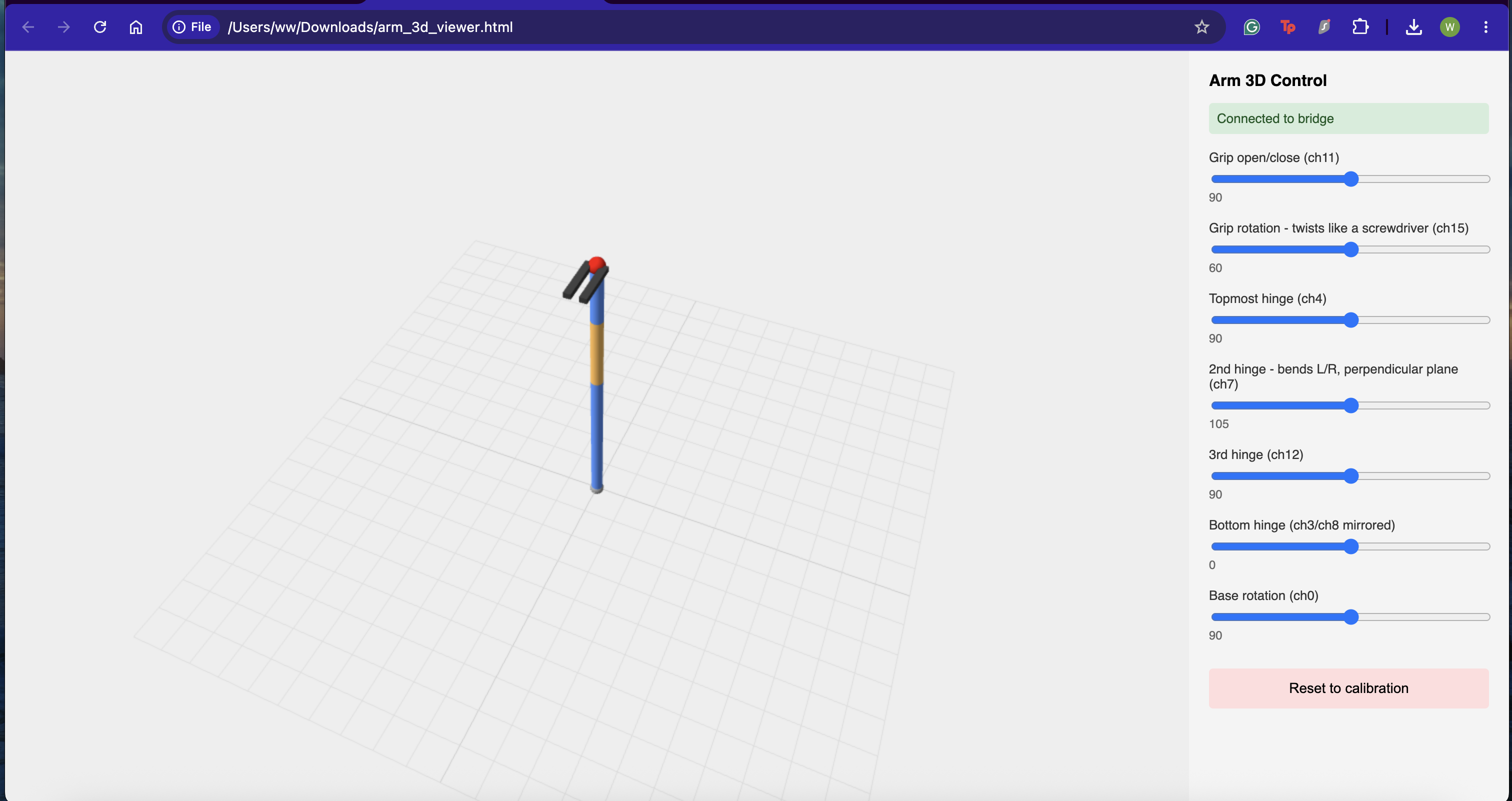
Dragging a slider doesn't jump the arm straight to the new position. Every joint has a target, wherever the slider currently is, and a current value, what's actually been sent so far. A smoothing loop nudges the current value a small step closer to the target roughly 50 times a second. That's what keeps motion gradual, both from the browser interaction and from any script that talks to the bridge.
Each slider's range is centered on that joint's own calibration value instead of just running 0 to 180 for everything, and is capped to a safety window. That means it's not possible to drag a joint into a position closer to its mechanical limit than intended.
There's a second control page, arm_gamepad_control.html, that connects
to the same bridge and drives the arm with a PS5 DualSense controller
instead of sliders. The left stick handles base rotation and the bottom
hinge, the right stick handles the 2nd and 3rd hinge, the triggers handle
the topmost hinge, the bumpers handle grip rotation, and the face buttons
open and close the grip. This is velocity control, not position control.
Holding a stick or trigger moves the joint at a constant rate for as long
as it's held, rather than mapping stick position directly to arm
position. Every joint still respects the same calibrated safety range as
the sliders, so holding an input at the edge of its range just holds the
joint there instead of continuing to push against the limit.
Exploring computer-vision-based control so the arm can mirror real arm movement directly, rather than being posed joint by joint through sliders. Two directions being evaluated: Google's MediaPipe pose and hand tracking, and a marker-based tracking approach using printed fiducial tags on the arm itself. Either would replace manual slider control with live tracking of an actual human arm's position.
Both approaches run into the same core issue: a single camera struggles to reliably measure rotation around certain axes. Bending a joint up and down, toward or away from the camera, is easy to see. Twisting a joint, like forearm rotation or wrist twist, is much harder, since a monocular camera has no real depth information and the visual cue for "this segment just rotated along its own length" is subtle. Certain angles are genuinely difficult to achieve reliably this way, particularly when a tracked segment is edge-on to the camera or briefly occluded by another part of the arm or hand. Marker-based tracking helps with the flexion and extension angles, but rotation still needs either a better camera angle, multiple markers per segment to catch whichever one is currently facing the camera, or a fallback like an IMU for the axes vision alone can't resolve well.
This was built and run on macOS. Every Python script here expects to run inside a virtual environment rather than the system Python, both to keep dependencies isolated and because macOS's built-in Python has caused real problems in this project, including a broken Tk installation that crashed the GUI outright until a separate Python install was used instead. Setup looks like this:
python3 -m venv arm_env
source arm_env/bin/activate
pip install pyserial opencv-contrib-python numpy websockets
The virtual environment needs to be activated in any new terminal window before running a script. Only one program can hold the Arduino's serial port open at a time, so the Arduino IDE's Serial Monitor has to be closed before running anything here.
| Qty | Value | Footprint | References |
|---|---|---|---|
| 17 | 220 | 0805 | R10, R11, R12, R13, R14, R15, R16, R17, R18, R19, R20, R21, R22, R23, R24, R25 +1 |
| 9 | 10K | 0805 | R1, R2, R3, R4, R5, R6, R7, R8, R9 |
| 6 | SOLDERJUMPER_REFLOW_NOPASTE | SJ_A0, SJ_A1, SJ_A2, SJ_A3, SJ_A4, SJ_A5 | |
| 4 | 3X04 | JP1, JP2, JP5, JP6 | |
| 4 | MOUNTINGHOLE2.5 | MOUNTINGHOLE_2.5_PLATED | U$47, U$48, U$49, U$50 |
| 2 | 1X06-CLEANBIG | JP3, JP4 | |
| 2 | FIDUCIAL"" | FIDUCIAL_1MM | FID1, FID2 |
| 1 | E3,5-8 | C2 | |
| 1 | 10uF | 0805 | C1 |
| 1 | IRLML6401 | SOT23-WIDE | Q1 |
| 1 | LOGO | LOGO | G*** |
| 1 | PCA9685 | TSSOP28 | U1 |
| 1 | TERMBLOCK_1X2-3.5MM | 1X2-3.5MM | J1 |
| 1 | VCC | CHIPLED_0805 | LED1 |
It measures 71.1 × 28 mm and has 2 copper layers, 1.6 mm thick.
51 parts, built around the PCA9685PW and IRLML6401. The full list of its parts is on this page, with links to each part's symbol and footprint where PCBKit's library has them.
From the Will946/SirGrab repository on GitHub, at the commit this page was made from: the board is PCA9685/PCA9685.kicad_pcb and its schematic PCA9685/PCA9685.kicad_sch. PCBKit opens the board in the browser, with nothing to install.
Its repository publishes it under the MIT licence: you may reuse it on that licence's terms (keep the author's notice, and for a copyleft licence share your changes alike).
C-ake/pca9685-rpi-hat
KiCAD schematics and pcb for a raspberry pi enabling control of 16 PWM channels using a PCA9685.

Rifath-1729/11-DOF-Low_Cost-Bionic-Hand
Hi! This is the build log for a low-cost 11-DOF bionic hand.

oomlout/oomlout_oomp_project_bot_v_2


ZeroPhone/ZeroPhone-PCBs
PCB files for ZeroPhone - for gerbers and schematics, go to "Releases" tab!


hasenbanck/remram
32bit STM32F7 based 3D printing controller using TMC2130 stepper driver