2 layers75.1 × 29.6 mm
A1200KB Encoder
steveed/a1200kb-external-case
Some ideas for using an external Amiga keyboard with an A1200 in a desktop or tower case.
18 parts1

 steveed/a1200kb-external-case1
Some ideas for using an external Amiga keyboard with an A1200 in a desktop or tower case.
A1200KB DB37 is an open-source printed circuit board by steveed, from the steveed/a1200kb-external-case repository on GitHub. It is a 2-layer board of 75 × 29.5 mm with 41 parts on 38 nets, routed with 175 tracks and 38 vias.
It is built around the PESD5V0S1BA,115-MS, DS1037-37FNAKT74-0CC and NSMD010. Its parts include 34 diodes, 3 connectors and 1 fuse. It belongs with the keyboards and input boards of this library.


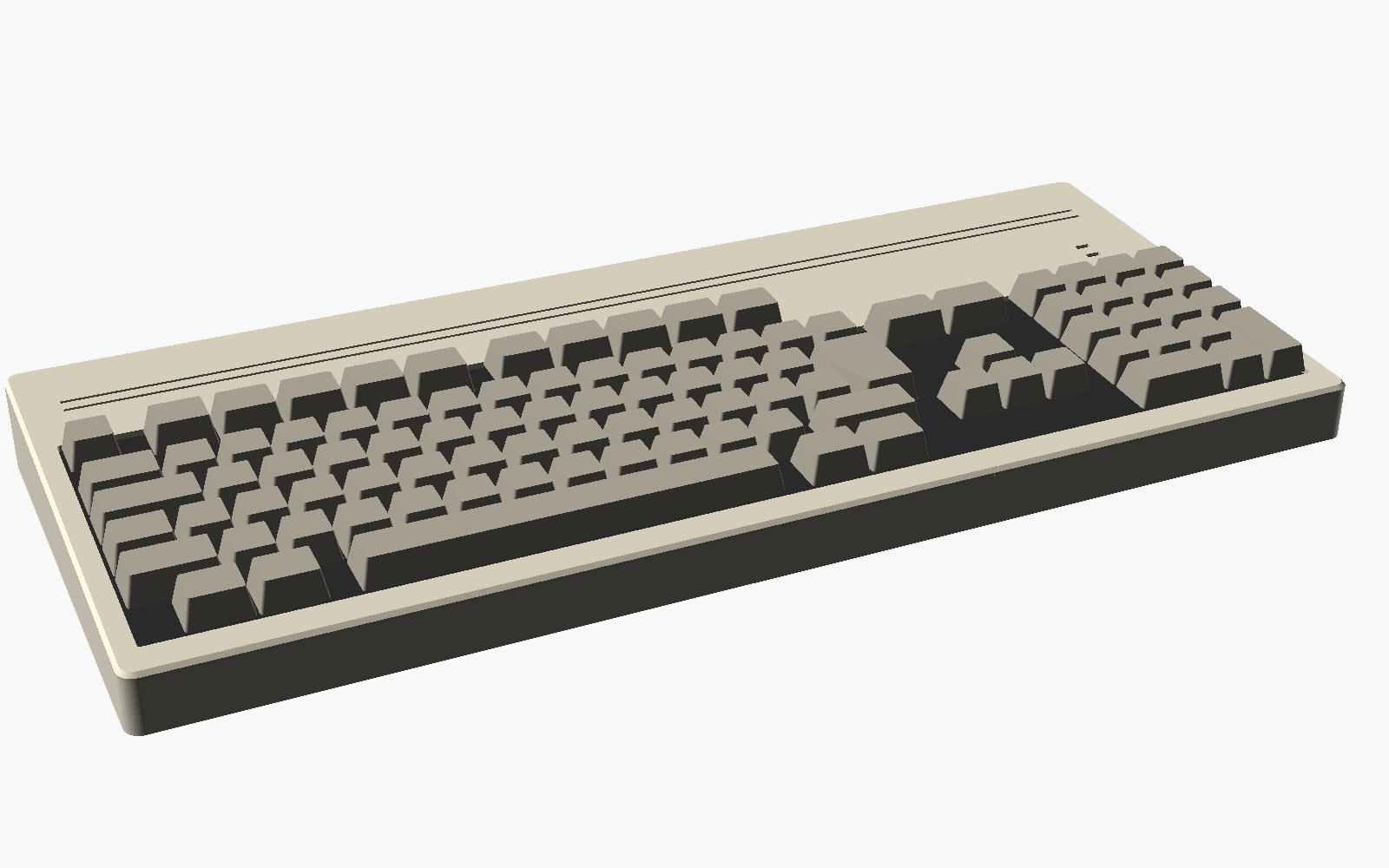
Run an A1200KBv2 mechanical keyboard in its own external case, connected by cable to an A1200 motherboard in a case with no built-in keyboard, such as the Checkmate 1500 Plus.
Normally an external case means a PS/2 or USB keyboard and an adapter. This project keeps the real A1200 keyboard instead.
Setting one up, or stuck? The setup guide shows each way of connecting, what (if anything) has to change on the A1200, the cable wiring, and a troubleshooting table.
The A1200 keyboard has no controller of its own. It is a bare switch matrix scanned by the keyboard controller on the motherboard, so every one of the 31 lines on the keyboard ribbon (FFC) has to reach the motherboard. DB25 has too few pins, so this uses DB37:
A1200 motherboard ── FFC ── [adapter] ══ DB37 cable ══ [adapter] ── FFC ── A1200KBv2 keyboard
     LED header ──────────── J2                         J2 ──────────────── keyboard LED header
Both ends use the same adapter board. See adapter/Readme.md for the pinout, build options and parts.
On A1200 boards with the CN17 "KB TEST" header, the keyboard controller's serial lines are available directly:
A1200KBv2 ── [encoder] ══ DIN 5 cable ══ [din5 board] ── A1200 CN17din5/ gives the A1200 a standard 5-pin DIN keyboard socket. An A2000/A3000 keyboard (or an A4000 one through a PS/2-to-AT adapter) plugs straight in. No firmware.encoder/ turns the A1200KBv2 into a standard Amiga keyboard with that same DIN 5, so it also works on an A2000/A3000. It has the same outline as the DB37 adapter, so either fits the case. The activity LEDs don't come across; the power LED does.adapter/ — KiCad 10 project for the FFC ⇄ DB37 adapter board, with Gerbers in adapter/fab/encoder/ — KiCad 10 project for the A1200KBv2 to Amiga keyboard (DIN 5) encoder, with Gerbers in encoder/fab/din5/ — KiCad 10 project for the A1200 standard keyboard socket (CN17 to DIN 5), with Gerbers in din5/fab/lib/A1200KB.pretty — footprints shared by those boards (DIN 5)case/ — OpenSCAD model of the keyboard case (see case/Readme.md)docs/ — setup guide, wiring diagrams and renders (docs/render.sh regenerates the images)Rev 1 of the adapter is designed but not built or tested. The encoder and din5 boards are designed and routed; the encoder has no firmware yet. Before ordering adapter boards:
CC-BY-NC-SA 4.0, the same as A1200KBv2, whose FFC footprint this reuses. See LICENSE.
| Qty | Value | Footprint | References |
|---|---|---|---|
| 34 | PESD5V0S1BA | Diode_SMD:D_SOD-323 | D1, D2, D10, D11, D12, D13, D14, D15, D16, D17, D18, D19, D20, D21, D22, D23 +18 |
| 2 | M3 | MountingHole:MountingHole_3.2mm_M3 | H1, H2 |
| 1 | DB37 female RA | Connector_Dsub:DSUB-37_Socket_Horizontal_P2.77x2.84mm_EdgePinOffset7.70mm_Housed_MountingHolesOffset9.12mm | J3 |
| 1 | LED HDR (symmetric) | Connector_PinHeader_2.54mm:PinHeader_1x05_P2.54mm_Horizontal | J2 |
| 1 | Molex 52044-3245 | Amiga_FFC:FFC-1.25mm-RA-5204403245 | J1 |
| 1 | PTC 100mA hold | Fuse:Fuse_1206_3216Metric | F1 |
| 1 | SHIELD-GND | Jumper:SolderJumper-2_P1.3mm_Open_RoundedPad1.0x1.5mm | JP1 |
steveed/a1200kb-external-case
Some ideas for using an external Amiga keyboard with an A1200 in a desktop or tower case.

steveed/a1200kb-external-case
Some ideas for using an external Amiga keyboard with an A1200 in a desktop or tower case.

WestianPKl/pcb-docs
A collection of custom PCB designs created in KiCAD, centered around the Raspberry Pi Pico (RP2040) platform. Each board is a standalone module that connects to the Main Board and extends its functionality via I2C, SPI…

Twisted-Fields/acorn-robot-electronics
PCB hardware designs in KICAD for Acorn, the precision farming rover from Twisted Fields.

gcormier/megadesk_companion
companion board for megadesk to add smarthome functionality


jrseti/roboclaw-cm4-dc-dish-controller
Satellite dish controller using a ROBOCLAW-2X15A-OEM controlled by a Raspberry Pi CM4 module. Powered by DC battery.

leedanie2/curve-tracer
Programmable semiconductor curve tracer: STM32 firmware, two-layer KiCad PCB, SPICE Monte Carlo analysis, and a host-side SPICE-parameter extraction pipeline. Hardware in bring-up.


It measures 75 × 29.5 mm and has 2 copper layers, 1.6 mm thick.
41 parts, built around the PESD5V0S1BA,115-MS, DS1037-37FNAKT74-0CC and NSMD010. The full list of its parts is on this page, with links to each part's symbol and footprint where PCBKit's library has them.
From the steveed/a1200kb-external-case repository on GitHub, at the commit this page was made from: the board is adapter/A1200KB-DB37.kicad_pcb and its schematic adapter/A1200KB-DB37.kicad_sch. PCBKit opens the board in the browser, with nothing to install.
Its repository states no licence, so its author keeps all rights: ask steveed before reusing the design.