Skip to the content
PCBKitNew board
2 layers21.3 × 30.3 mmUsb ext, the printed circuit board in 3D

Split-style Pro Leverless Controller

Size
21.3 × 30.3 mm
Copper layers
2
Thickness
1.6 mm
Parts
4
Nets
4
Pads
17
Tracks, vias
13, 7
Pours
1
Routed
Yes
KiCad
KiCad 8.0 (file 20240108)
Created
17 Jan 2025
Updated
3 Jul 2026

Overview

Usb ext is an open-source printed circuit board by speedypotato, from the speedypotato/SplitFox-Pro repository on GitHub. It is a 2-layer board of 21.3 × 30.3 mm with 4 parts on 4 nets, routed with 13 tracks and 7 vias.

README

README.md

SplitFox-Pro

Split-style Pro Leverless Controller

This work is licensed under a Creative Commons Attribution-NonCommercial-ShareAlike 4.0 International License.

Prototype Run For Sale @ https://www.speedylabs.us/product/splitfox-pro-split-fighting-box-pro/

What's the SplitFox Pro?

Speedy Labs introduces the SplitFox Pro - Split Fighting Box (Pro)! This is a split layout leverless controller with 18 action buttons, 6 aux buttons, and a tournament lockout switch running on GP2040-CE.

Design

When designing this, I had a few main goals in mind:

  1. Split Layout
  2. Embeddable PS Auth Dongle (non-protruding)
  3. Standard or Mixbox support
  4. USB C Daughterboard

Technically this would have been the LightFox Pro, but since I'm using choc v2 here due to the rumored discontinuation of Keychron LP Opticals it would feel wrong to call it that. Hence SplitFox Pro. The layout begins with the standard 12 button leverless layout. I then took the 4 movement buttons and shifted them out one button space, creating the basic split layout. I then added a button to each side of each thumb, as typical of many 16 button leverless layouts (except these only have one center thumb button, where SplitFox Pro has two). Similarly, I added an extra button above the punch row as it's very typical to see one here in addition to a left hand pinky button because I believe that all fingers should be able to press a button at a moment's notice.

Some smaller goals, many carried over from the LightFox:

  • Maintain acrylic top for artwork
  • Aux buttons on both sides of controller for ease of use/preference
  • OLED Display
  • Mid-frame construction

BOM

  • PCBs
    • 1x SplitFox
    • 1x wasd or wasd-m
    • 1x usb-breakout
    • 1x usb-ext (optional)
  • 1x OLED ZJY096-2864KSWEG41X
  • Acrylics (2.5mm thickness)
    • 1x splitfox-bottom
    • 1x splitfox-top or splitfox-top-m
  • CNC Aluminum (or 3D print if going for a cheaper build)
    • 1x splitfox-body
    • 1x splitfox-wasd-1_2mm or splitfox-wasd-m-1_2mm (both 1.2mm thick)
  • 2x EVA Foam Feet splitfox-foot-2mm (or silicone, but it was too expensive for a small run for me)
  • 23x m3x6 ultra low profile screws
  • 2x m3 nut
  • 18x shadow hunting switches (or any choc v2 switch)
  • Keycaps
    • 4x 28.5mm
    • 14x 22.5 or 10x 22.5 + WASD (must be low profile mx stem compatible!!)
  • Double sided mounting tape (Scotch 314H-MED is a good thickness for the oled in my tests)
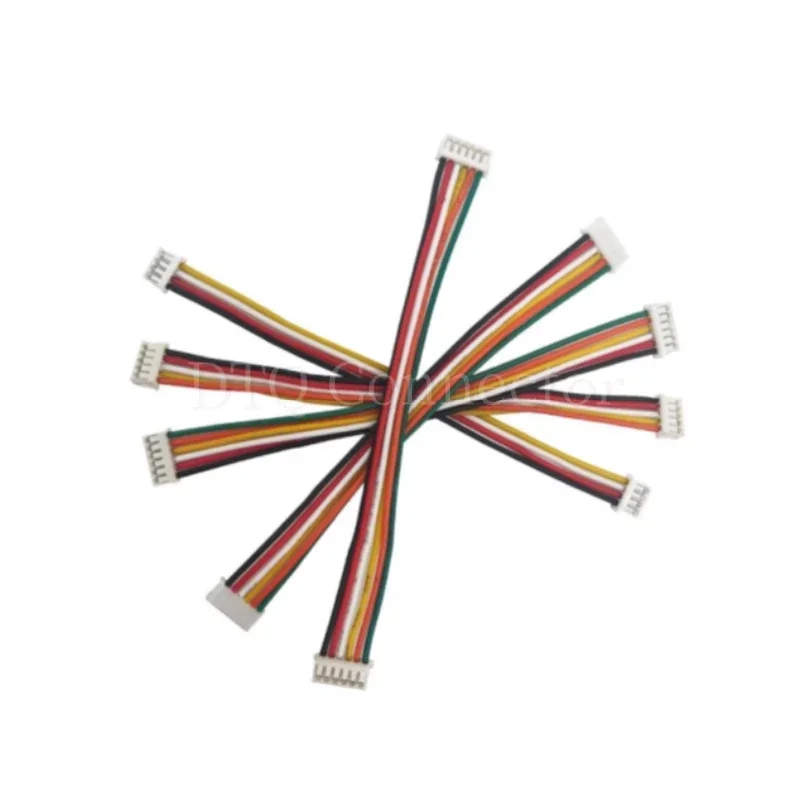
  • 2x ZH 7 Pin 10cm double headed wire (make sure you don't get the twisted cable version!! correct version e.g. https://ae01.alicdn.com/kf/S88d212727fc34138a45582e0e0a23c315.jpg)
  • 3D prints
    • 1x usb-ext-bot
    • 1x usb-ext-top
    • 1x 93657A501_Nylon Unthreaded Spacer

Optionals, but things I would include normally:

  • 1x 2mm hex wrench
  • 1x 2m usb c cable
  • 1x velcro cable tie
  • 1x zipper case
  • 1x shipping box
  • 1x honson F5

Basic Assembly Instructions

  1. Flash SplitFox pcb
  2. Plug in OLED and adhere with double sided mounting tape.
  3. Plug both ZH cable into SplitFox pcb
  4. Screw in SplitFox pcb into splitfox-body
  5. Plug WASD ZH cable into wasd pcb
  6. Screw wasd pcb into splitfox-body
  7. Put splitfox-wasd-1_2mm into topside of splitfox-body, using 93657A501_Nylon Unthreaded Spacer, 1x m3x6, and 1x m3 nut to secure and sandwich together.
  8. Insert shadow hunting switches. Support sockets from backside when inserting to avoid damage.
  9. Plug USB ZH cable into usb-breakout pcb
  10. Screw in usb-breakout pcb into splitfox-body
  11. Apply 2x splitfox-foot-2mm to splitfox-bottom
  12. Screw in splitfox-bottom to splitfox-body
  13. Add artwork cutout if desired
  14. Screw in splitfox-top to splitfox-body

Video Guides

SplitFox Pro Assembly & Mixbox Setup: https://youtu.be/-rr3WSn5i6s
SplitFox Pro LED Setup (Beta): https://youtu.be/0wB09UQQ0kg

Done! Be sure to post your builds on Discord @ https://discord.gg/MmuKd73XbY or Twitter/X and tag me @SpeedyPotato_

Known Issues

v1.1 SplitFox fixes below issue by changing back to the crystal setup I used to use. Could also be just a bad batch from v1 as I used a different PCBa for v1.1 too.

With v1, testing has gone fairly smoothly aside from one weird issue, where plugging in an auth dongle causes the controller to freeze/reboot. If you leave the dongle plugged in all the time, this isn't an issue, but I hope to root cause it someday. It might be the RP2040 crystal setup or the XC6206 being too weak, but both are also fairly tested in other controllers that don't have issues. RP2040 crystal setup is new to me but is recommended in RP2040's hardware design guide. XC6206 is used in production LightFox controllers and those have no issues hotplugging auth devices.

Parts

4
QtyValueFootprintReferences
1AM 180°CBeasyeda:USB-SMD_AM180CBUSB1
1MountingHolepocket-sdvx-pico-local:logo_smallLOGO1
1MountingHoleMountingHole:MountingHole_3mmH1
1USB-AF-90-10X15.7-H5.72-CBeasyeda:USB-A-SMD_C41014USB2

Questions

How big is the Usb ext PCB?

It measures 21.3 × 30.3 mm and has 2 copper layers, 1.6 mm thick.

What parts does the Usb ext use?

4 parts. The full list of its parts is on this page, with links to each part's symbol and footprint where PCBKit's library has them.

Where can I download the Usb ext KiCad files?

From the speedypotato/SplitFox-Pro repository on GitHub, at the commit this page was made from: the board is pcb/usb-ext/usb-ext.kicad_pcb and its schematic pcb/splitfox/splitfox.kicad_sch. PCBKit opens the board in the browser, with nothing to install.

Can I use the Usb ext design in my own project?

Its repository states no licence, so its author keeps all rights: ask speedypotato before reusing the design.

More from speedypotato/SplitFox-Pro

4
  • 2 layers255.8 × 122.5 mmSplitfox, the printed circuit board in 3D

    Splitfox

    speedypotato/SplitFox-Pro

    Split-style Pro Leverless Controller

    143 parts6
  • 2 layers80.6 × 68 mmWasd, the printed circuit board in 3D

    Wasd

    speedypotato/SplitFox-Pro

    Split-style Pro Leverless Controller

    26 parts6
  • 2 layers80.6 × 68 mmWasd m, the printed circuit board in 3D

    Wasd m

    speedypotato/SplitFox-Pro

    Split-style Pro Leverless Controller

    18 parts6
  • 2 layers20 × 20 mmUsb breakout, the printed circuit board in 3D

    Usb breakout

    speedypotato/SplitFox-Pro

    Split-style Pro Leverless Controller

    7 parts6

Similar boards

  • 2 layers18.5 × 26 mm24g2usb rp2350zero, the printed circuit board in 3D

    24g2usb rp2350zero

    joypad-ai/joypad-os

    Universal controller firmware for building adapters, dongles, and custom controllers.

    4 parts1.7kApache-2.0
  • 2 layers116 × 33 mm966595-1 and 963356-1, the printed circuit board in 3D

    966595-1 and 963356-1

    rusefi/rusefi

    rusefi - GPL internal combustion engine control unit

    4 parts1.2k
  • 2 layers19 × 18 mmDaughter board, the printed circuit board in 3D

    Daughter board

    hackclub/OnBoard

    💡 Join 1,000 teenagers and make your first PCB with a $100 grant!

    4 parts915
  • 2 layers24.8 × 24.8 mmNrf24 breakout, the printed circuit board in 3D

    Nrf24 breakout

    tardate/LittleArduinoProjects

    a collection of "Little Electronic & Arduino Projects", most involving electronics or an Arduino in one way or another!

    4 parts803MIT
  • 2 layers26 × 20 mmCap chain, the printed circuit board in 3D

    Cap chain

    drandyhaas/KiCadRoutingTools

    A set of Python/Rust tools to aid routing in KiCad

    4 parts744MIT
  • 2 layers34.7 × 20 mmXG Station Power MSI, the printed circuit board in 3D

    XG Station Power MSI

    osy/XG_Mobile_Station

    Open source eGPU dock for ROG Ally and ROG Flow

    4 parts712CC-BY-4.0
  • 2 layers20.3 × 24.5 mmJack power input, the printed circuit board in 3D

    Jack power input

    Luos-io/luos_engine

    Open-source and real-time orchestrator for cyber-physical-systems, to easily design, test and deploy embedded applications and digital twins.

    4 parts546MIT