
4 layers234 × 84 mm
Main panel
google/mozc-devices
Circuit diagrams and firmware source code for Gboard DIY keyboards
234 parts3kApache-2.0

 SharKingStudios/SplashPad8
My submission to the hackclub Hackpad project!
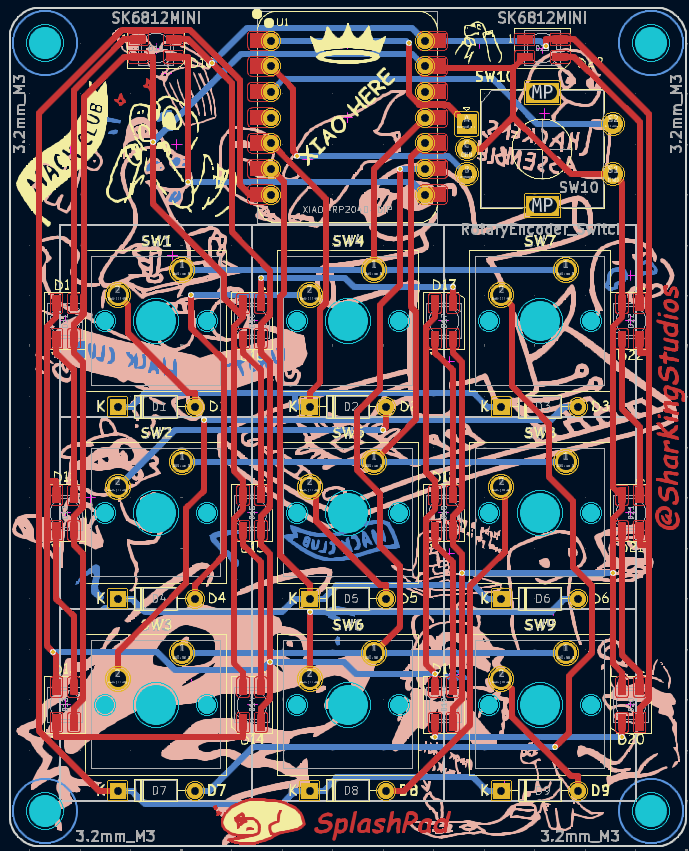
SplashPad is an open-source printed circuit board by SharKingStudios, from the SharKingStudios/SplashPad repository on GitHub, published under the MIT licence. It is a 2-layer board of 67 × 83 mm with 58 parts on 37 nets, routed with 343 tracks and 21 vias.
It is built around the SK6812MINI-E. Its parts include 23 diodes, 10 switches and 1 IC. It belongs with the RP2040 boards of this library.

(Or just a cool way to press "Play" on your music.)
Visuals because everyone loves eye candy.
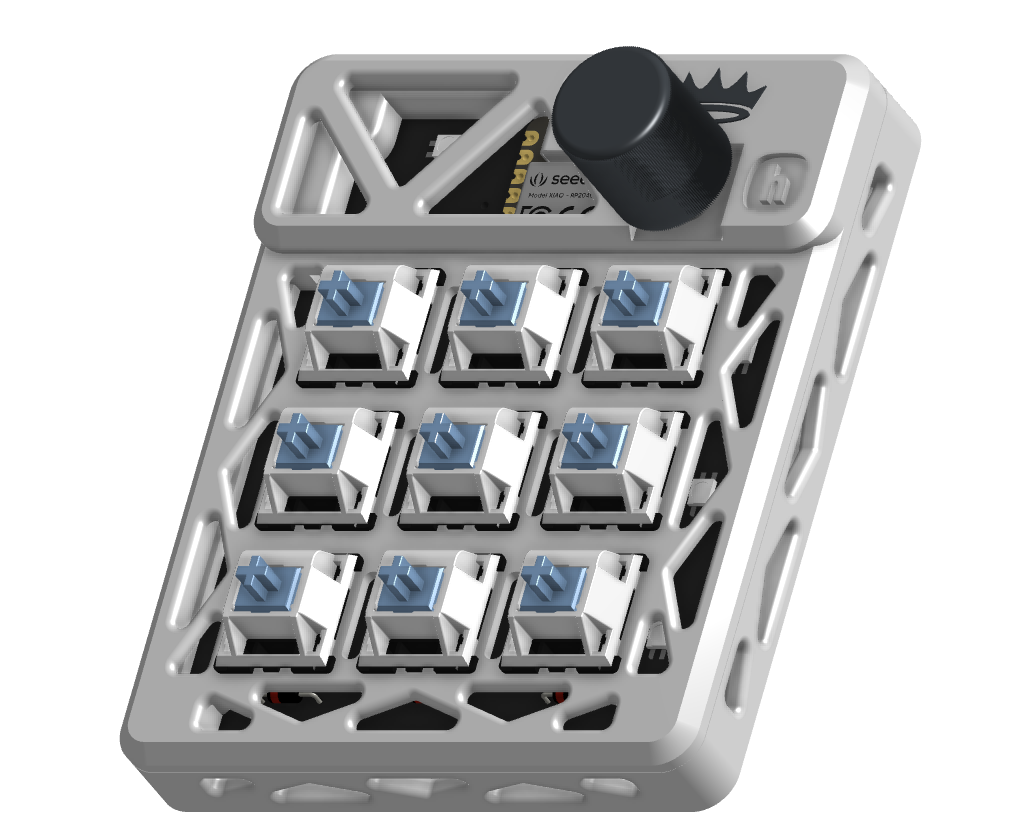
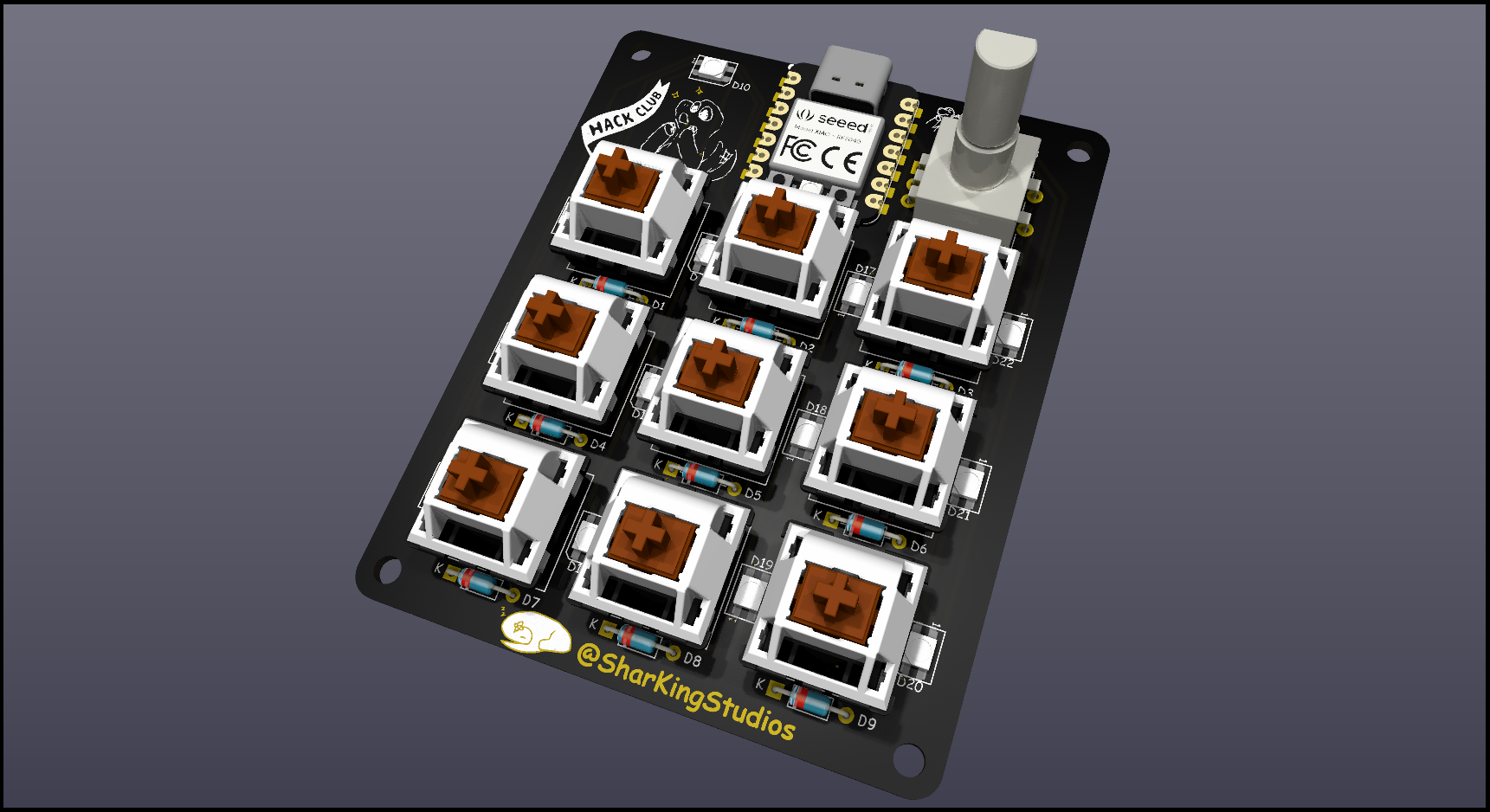
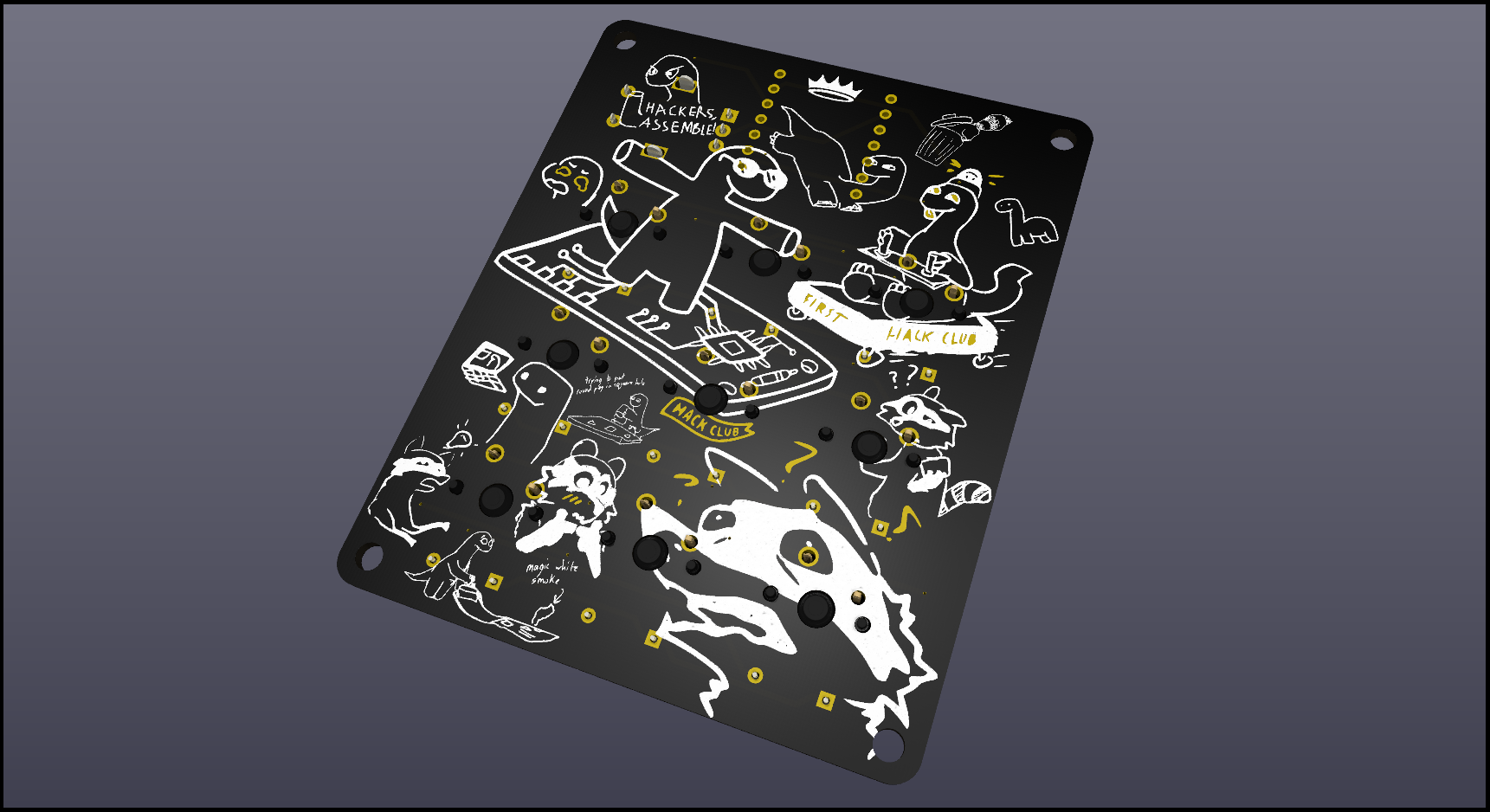
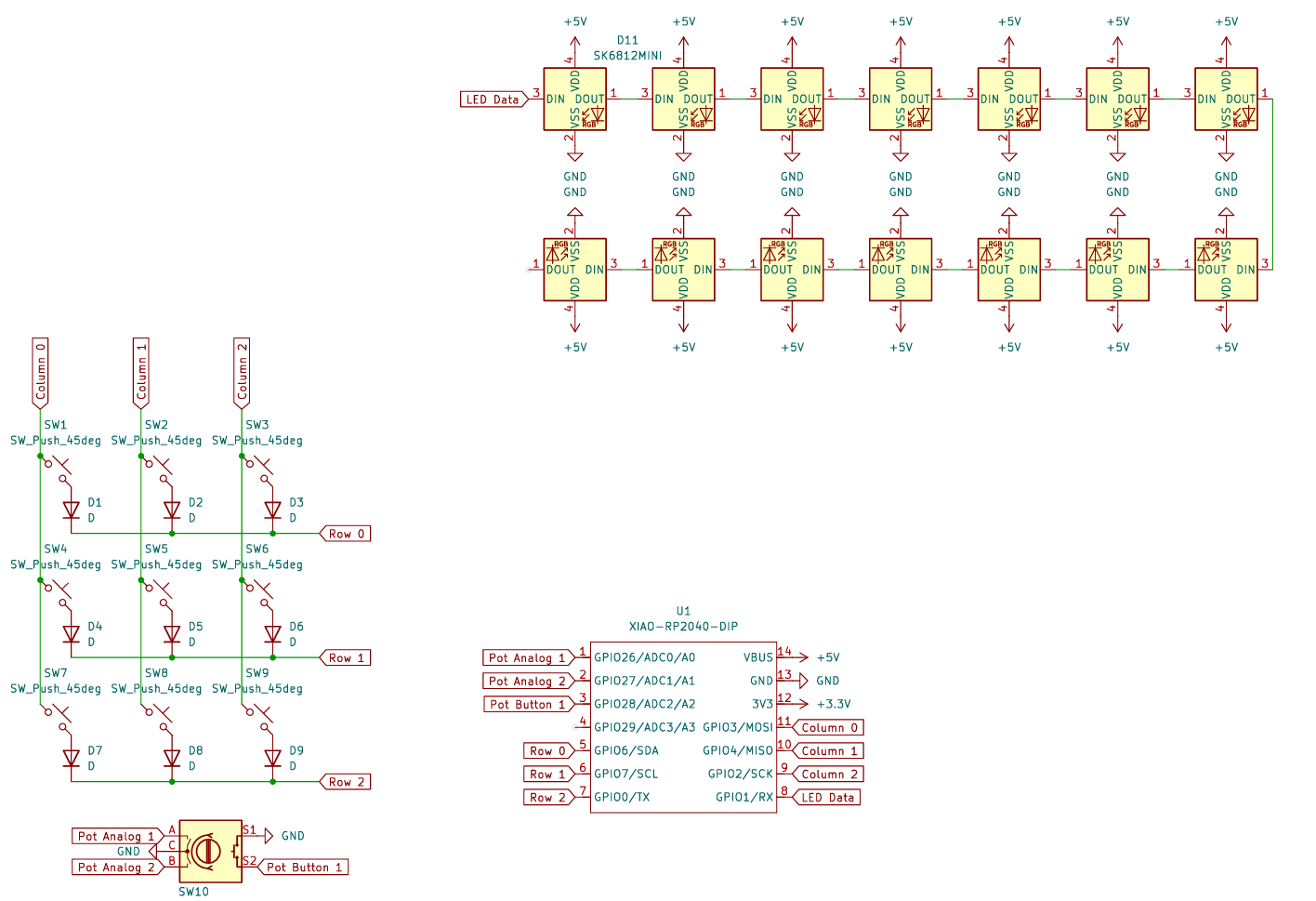
All the bits and pieces needed can be found here.
It’s a custom macropad built with the Seeed Studio XIAO RP2040, KMK firmware, and way too many LEDs. Whether you’re gaming, editing, coding, or just pressing random buttons for fun, this thing’s got you covered.
This macropad runs KMK, which means you get:
(Change it if you want, I'm not your boss.)
| Row | Key 1 | Key 2 | Key 3 |
|---|---|---|---|
| 1 | Rewind | Play/Pause | Fast Forward |
| 2 | Media | Calculator | Cmd+R (Refresh) |
| 3 | Left | Right | Cmd+L (Lock) |
kb.py and main.py onto your board.Because a macropad without RGB is just a fancy calculator.
(Press the encoder button to switch between them.)
I built this macropad for Hackpad—an awesome Hack Club YSWS project run by Alex Ren. With a the (hopeful) funding provided by the project, I wanted to create something that’s as practical as it is playful. Whether you're coding, gaming, or just jamming to your favorite tunes, this macropad is my way of saying:
I wanted to use nice thick wires for my PCB (0.6mm) and routing all of these took quite a bit of effort. I think the time spent was definitely worth it, as the routing looks awesome.
Want to make it better? Open a PR, suggest a feature, or just yell at me on GitHub.
This project is 100% free, open-source, and powered by vibes. If it breaks, explodes, or opens a black hole, that’s on you.
| Qty | Value | Footprint | References |
|---|---|---|---|
| 19 | LOGO | LOGO | G***, G***, G***, G***, G***, G***, G***, G***, G***, G***, G***, G***, G***, G***, G***, G*** +3 |
| 14 | SK6812MINI | LED_SMD:LED_SK6812MINI_PLCC4_3.5x3.5mm_P1.75mm | D10, D11, D12, D13, D14, D15, D16, D17, D18, D19, D20, D21, D22, D23 |
| 9 | D | Diode_THT:D_DO-35_SOD27_P7.62mm_Horizontal | D1, D2, D3, D4, D5, D6, D7, D8, D9 |
| 9 | SW_Push_45deg | Button_Switch_Keyboard:SW_Cherry_MX_1.00u_PCB | SW1, SW2, SW3, SW4, SW5, SW6, SW7, SW8, SW9 |
| 4 | 3.2mm_M3 | MountingHole:MountingHole_3.2mm_M3 | HOLE1, HOLE2, HOLE3, HOLE4 |
| 1 | OrpheusHackClubIcon | SKS:OrpheusHackClubIcon | G*** |
| 1 | RotaryEncoder_Switch | Rotary_Encoder:RotaryEncoder_Alps_EC11E-Switch_Vertical_H20mm | SW10 |
| 1 | XIAO-RP2040-DIP | Seeed Studio XIAO Series Library:XIAO-RP2040-DIP | U1 |
It measures 67 × 83 mm and has 2 copper layers, 1.6 mm thick.
58 parts, built around the SK6812MINI-E. The full list of its parts is on this page, with links to each part's symbol and footprint where PCBKit's library has them.
From the SharKingStudios/SplashPad repository on GitHub, at the commit this page was made from: the board is PCB/SplashPad.kicad_pcb and its schematic PCB/SplashPad.kicad_sch. PCBKit opens the board in the browser, with nothing to install.
Its repository publishes it under the MIT licence: you may reuse it on that licence's terms (keep the author's notice, and for a copyleft licence share your changes alike).
google/mozc-devices
Circuit diagrams and firmware source code for Gboard DIY keyboards

Bastardkb/Dilemma
The Dilemma is a vertical stagger low-profile keyboard with mods.

Pwnsat/FlatSat
Flatsat v1.0 is a hardware based platform for aerospace cybersecurity research

adamws/kicad-kbplacer
KiCad plugin for automatic keyboard's key placement and routing

imchipwood/dumbpad
Simple 4x4 numpad with rotary encoder. Powered by QMK via ATmega32u4 Pro Micro

makerforgetech/modular-biped
An open source framework for creating a bipedal modular companion robot.

