
2 layers139.2 × 98 mm
Karn left
robcmills/karn-keyboard
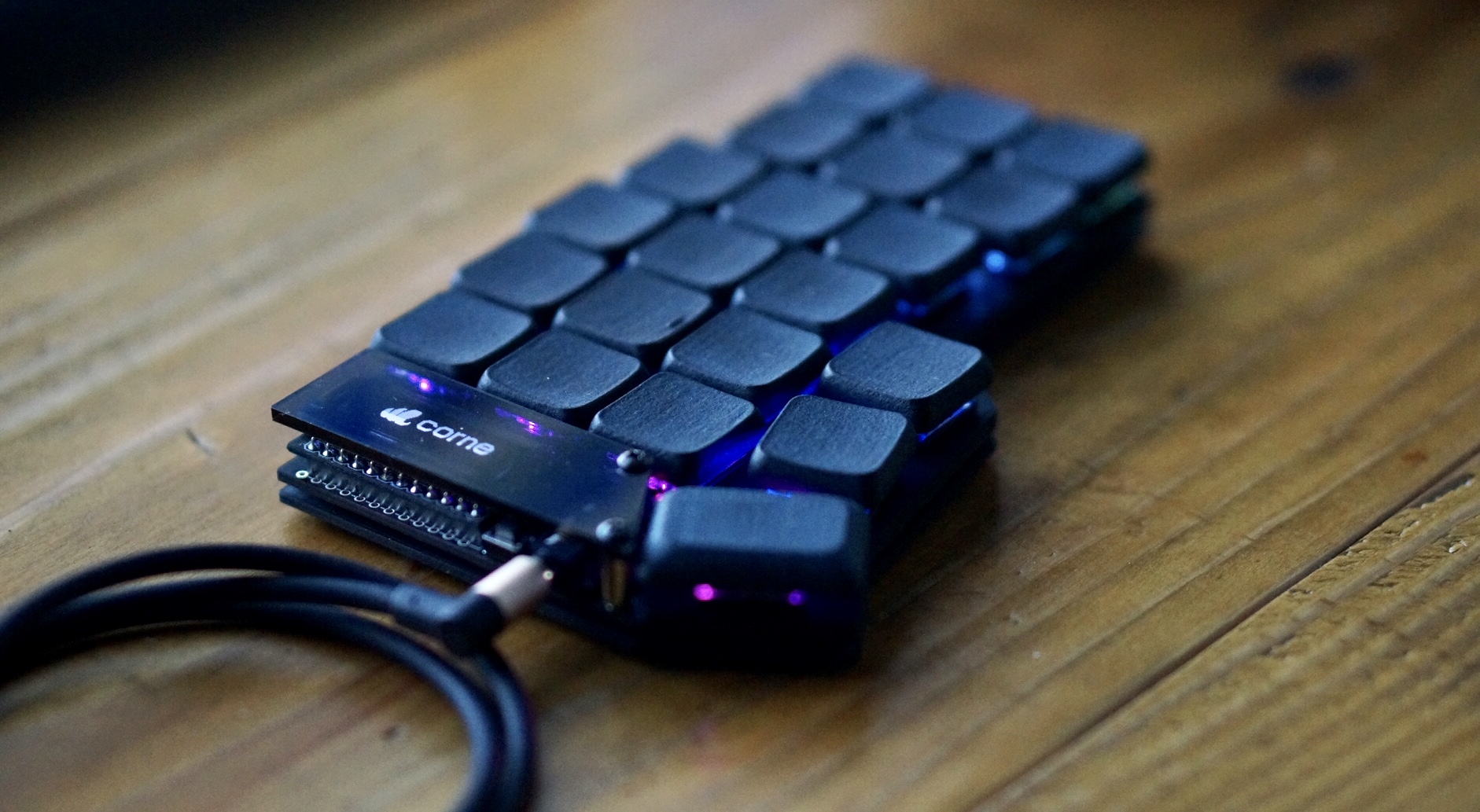
Custom, low profile, split, ortholinear, wireless, 38 key keyboard
42 parts9

 robcmills/karn-keyboard9
Custom, low profile, split, ortholinear, wireless, 38 key keyboard
Karn right is an open-source printed circuit board by robcmills, from the robcmills/karn-keyboard repository on GitHub. It is a 2-layer board of 139.3 × 98 mm with 45 parts on 50 nets, routed with 306 tracks and 7 vias.
It is built around the SK6812MINI-E. Its parts include 19 diodes, 19 switches, 3 inductors, 1 IC and 1 connector. It belongs with the keyboards and input boards and the nRF52 and nRF5x boards of this library.
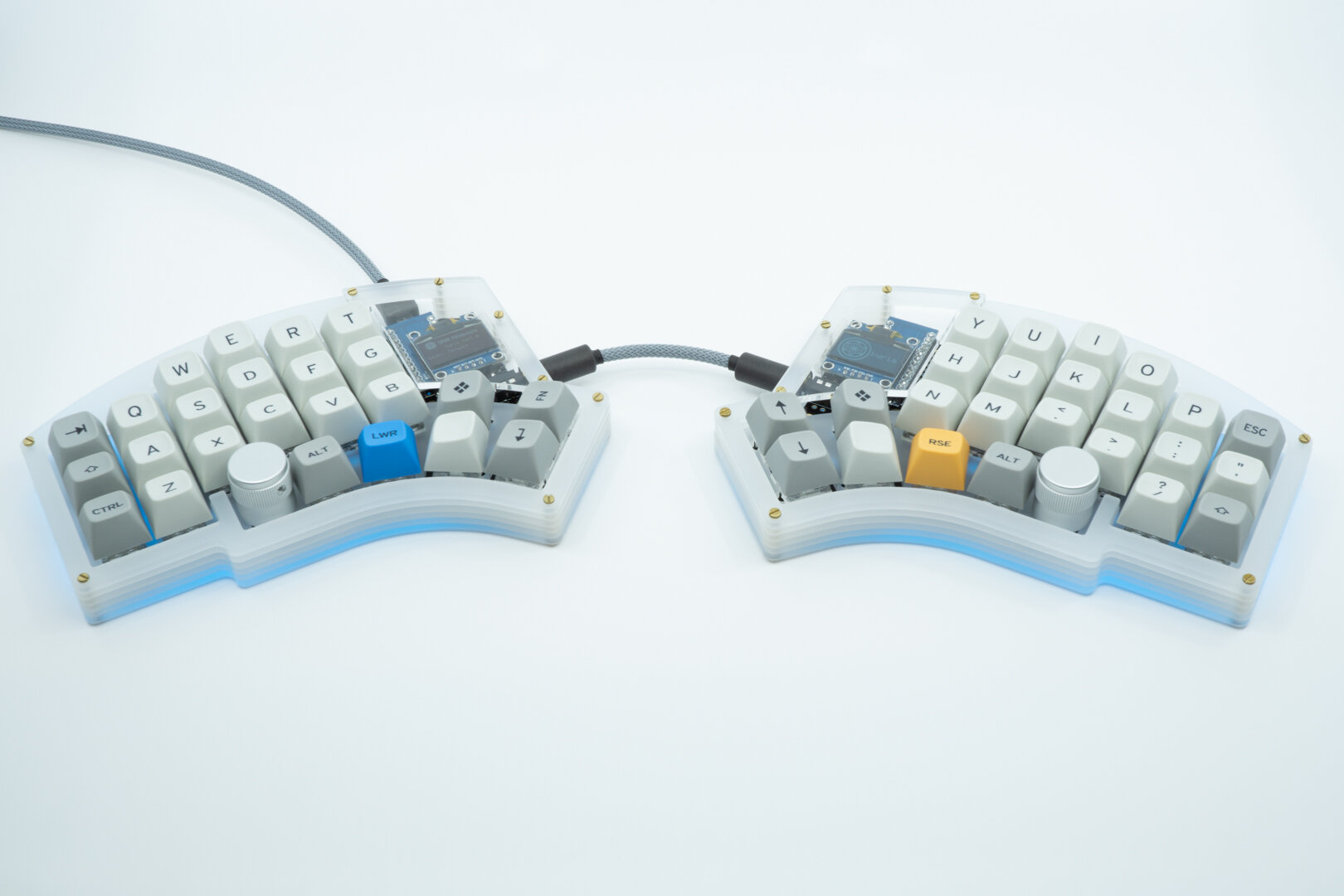
Split, ortholinear, non-staggered, 38 key keyboard.
What makes the Karn unique are the 1.5u thumb arc and pinky reach keys.
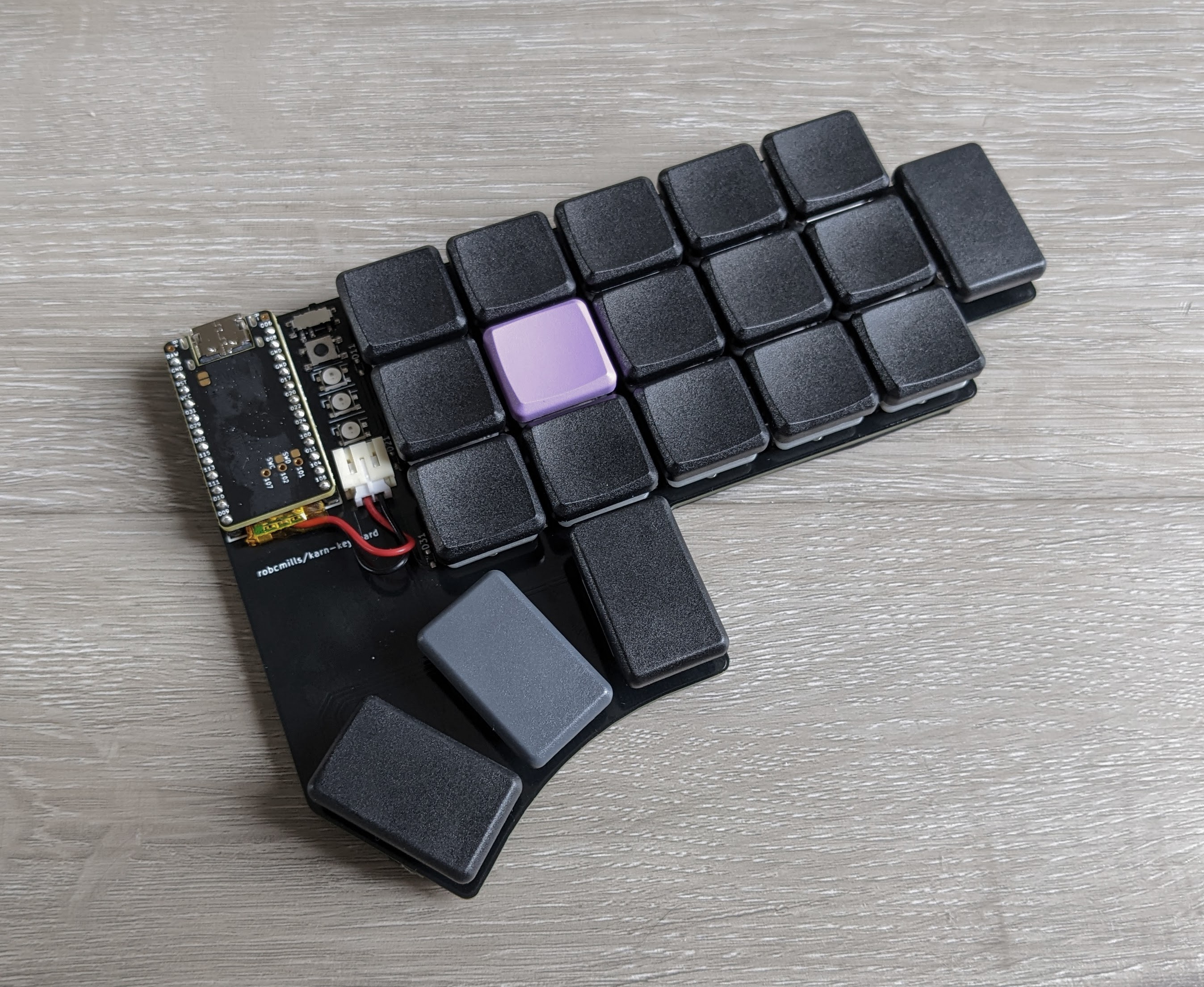
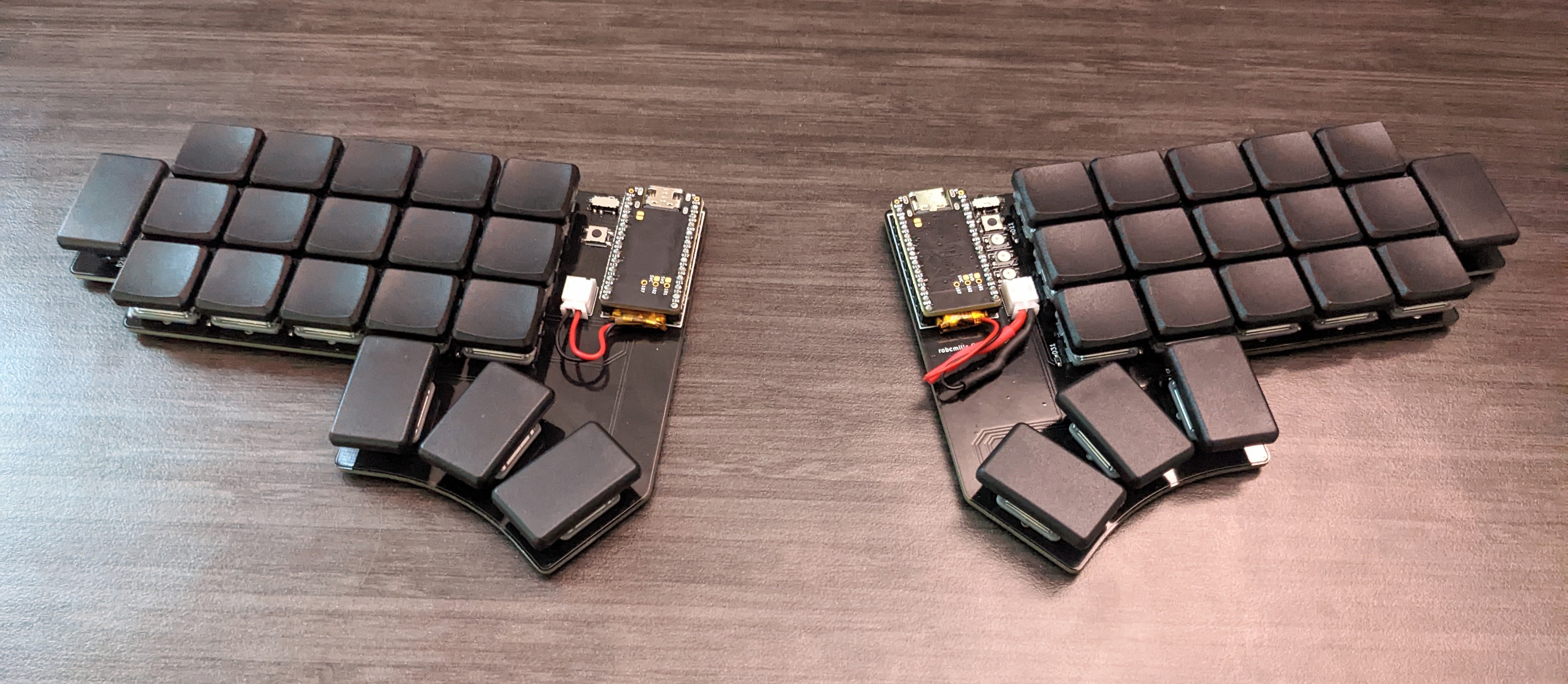
I didn't like "tucking" my thumb under my palm, and most other keyboards I found in this "Ferris" family of split, minimal keyboards have thumb keys located "inside" of the homing fj keys' column.
The Karn aligns the inner thumb key with the homing column. This feels comfortable to me, and provides a sense of "homing" to my thumbs as well. With the additional thumb keys splaying out inwards from there, in a more aggresive downward arc than the Ferris. This arc follows the natural arc of my thumb. I took photos and did measurements.
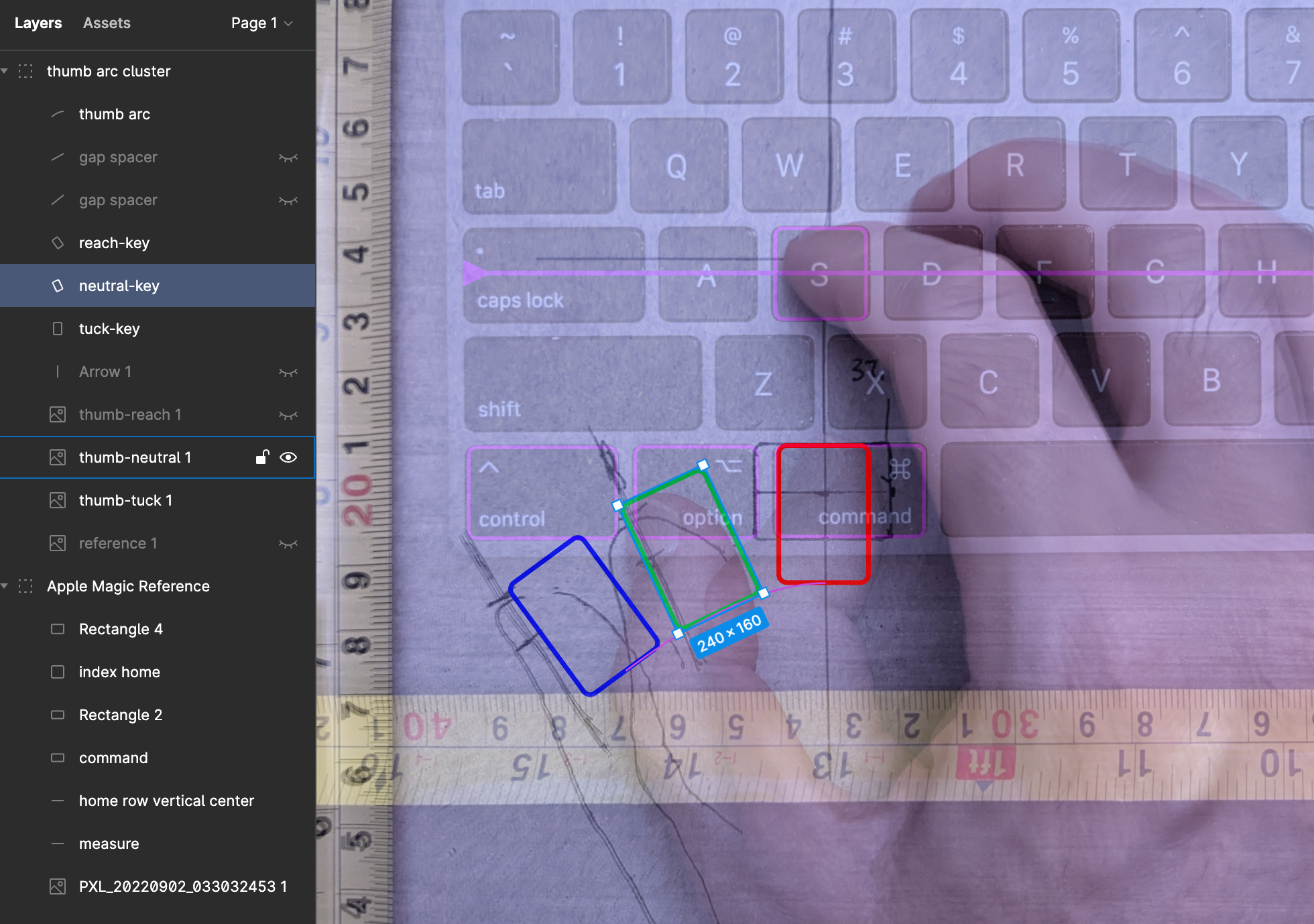
Also, the thumb keys are designed for vertical 1.5u keycaps. This is because I found 1u keycaps uncomfortable for my thumbs, as I typically make contact with the side of my thumb, which has more surface area making contact, and the sharp edge of 1u keycaps would dig into the center of the area of skin making contact.
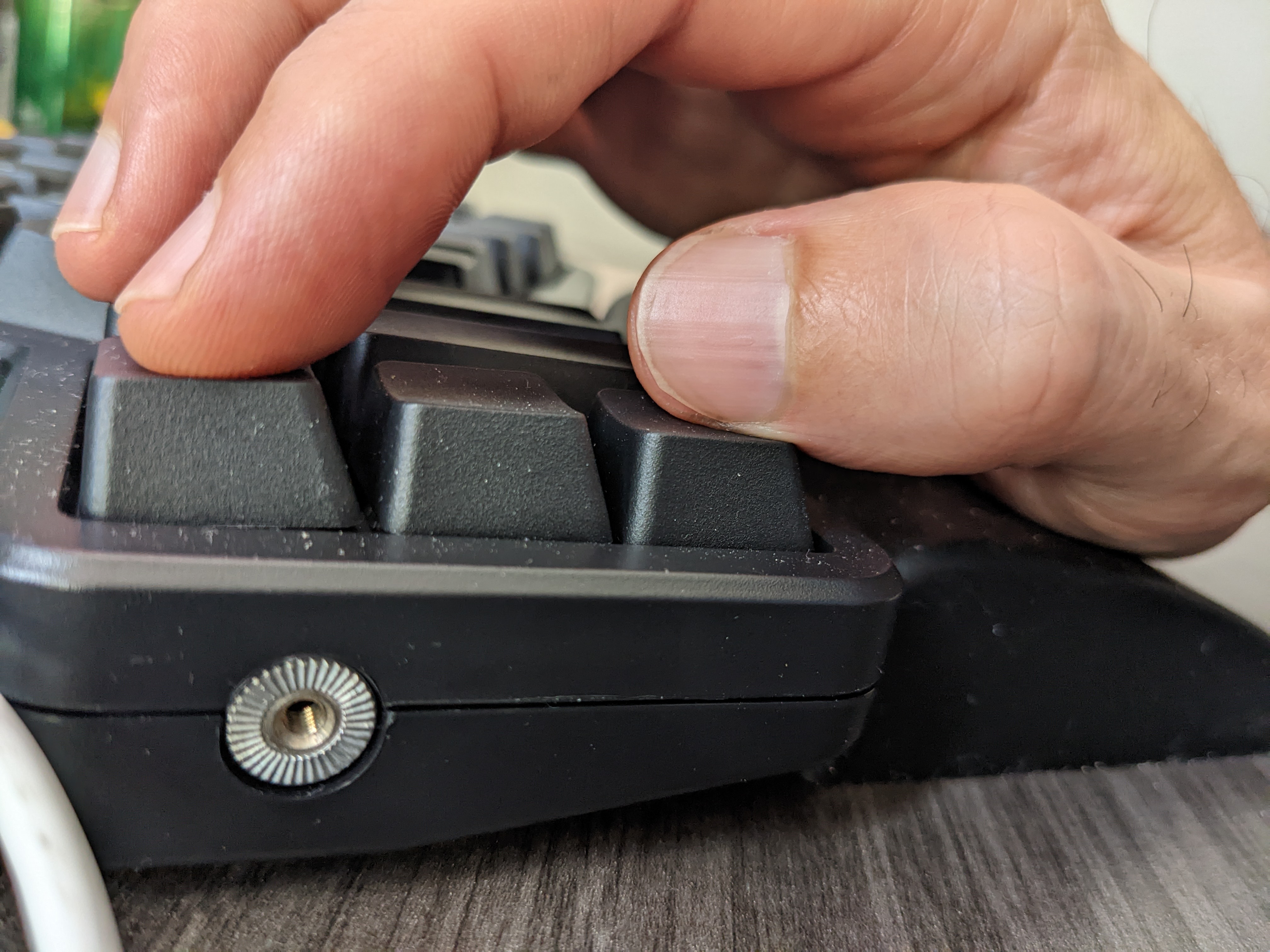
Other keyboards are designed with maybe one or two larger thumb keys, but they are typically 2u, which means the added complexity of stabilizers, in addition to just feeling too big.
"Pinky reach" meaning the keys in the colmn "outside" of the pinky column. On a traditional keyboard this would correspond to the Escape, Tab, Caps-lock, and Shift keys on the left hand for example. The other keyboard designs I saw either had no pinky reach keys, or a full set of three or four. The Karn is designed very much in the "all keys within one key distance of home" style, as is common in the less than 40% category. However, although the pinky diagonal reaches technically still count as "one key distance", that reach felt too difficult to me. And so they are omitted, but having zero pinky reach keys, I found it difficult to fit Tab and Enter elsewhere. There were just too few keys at that point, and so I wanted to retain a single horizontal pinky reach key on each side. I use these for Tab (left), Enter (right), and hold for Hyper.
There are actually two versions in this repo:
The original version is designed to be wireless. It is built around a standard 24 pin microcontroller with bluetooth support. I used the Nice-Nano-v2. With only 24 pins and 38 keys, this necessitated a matrix key layout, with diodes. Additionally, it adds an on/off switch, reset switch, and battery connector. This makes assembly much more complicated. Especially the diodes, which are super tiny, and very difficult to hot-air solder onto the tiny pads. This is not for beginners.
Also, the original karn pcb is split across two different designs, one for the left and another for the right. This doubles manufactoring costs, since you have to order the pcbs for both sides. I was learning.
The karn-2 seeks to improve on the original with a host of simplifications. It is built around a 40 pin microcontroller so that there is no need for a key matrix, and hence no diodes. Furthermore, the microcontroller I found has a reset switch built onto the board, so no extra parts and hot-air soldering required. The microcontroller does not support Bluetooth, but this means no battery connector and no on/off switch. This greatly simplifies the design and assembly, and reduces the number of parts required and thus the cost.
And lastly, the karn-2 PCB is designed to be reversible, so you only need to order it once, and you can use it for both left and right.
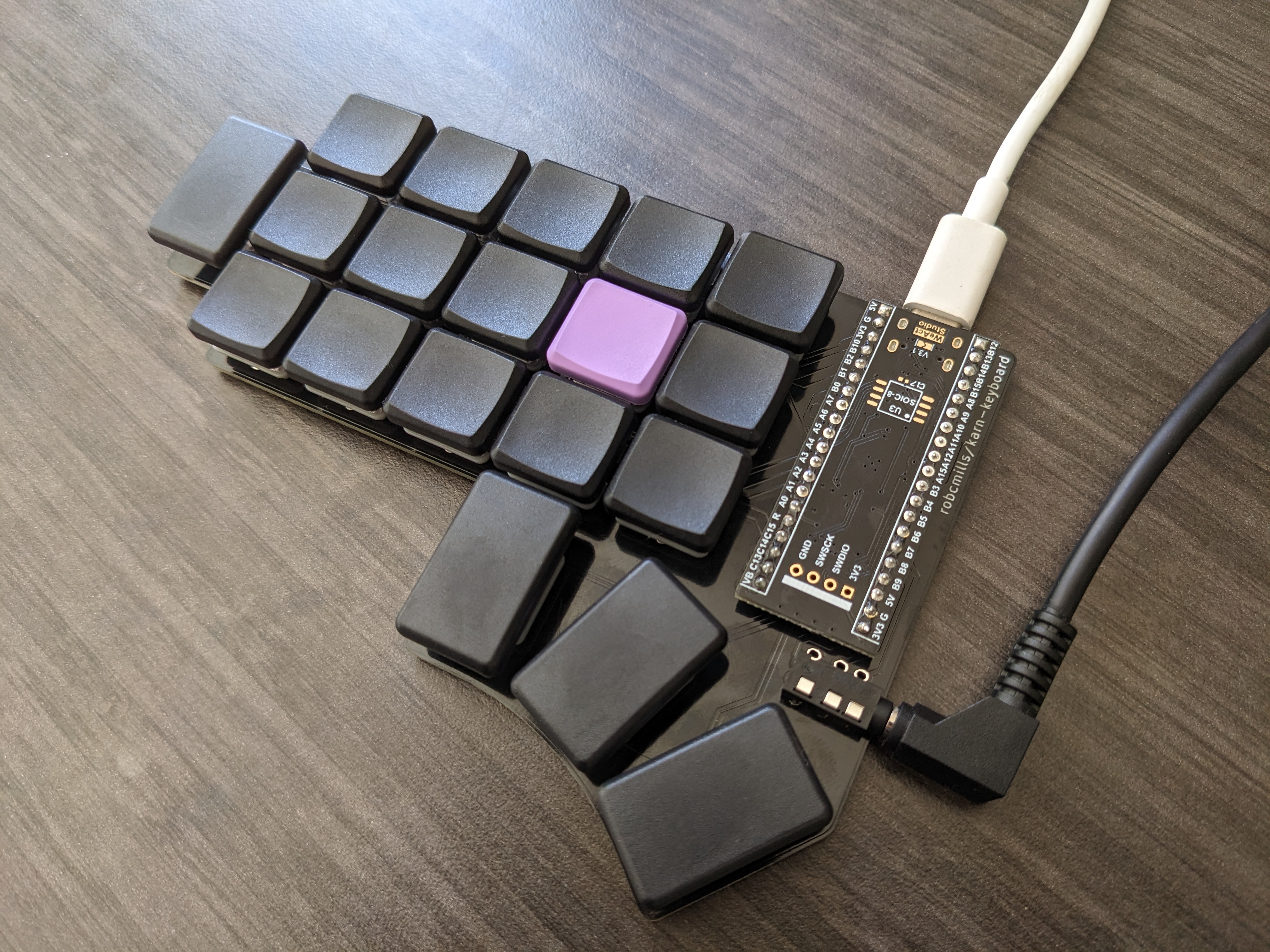
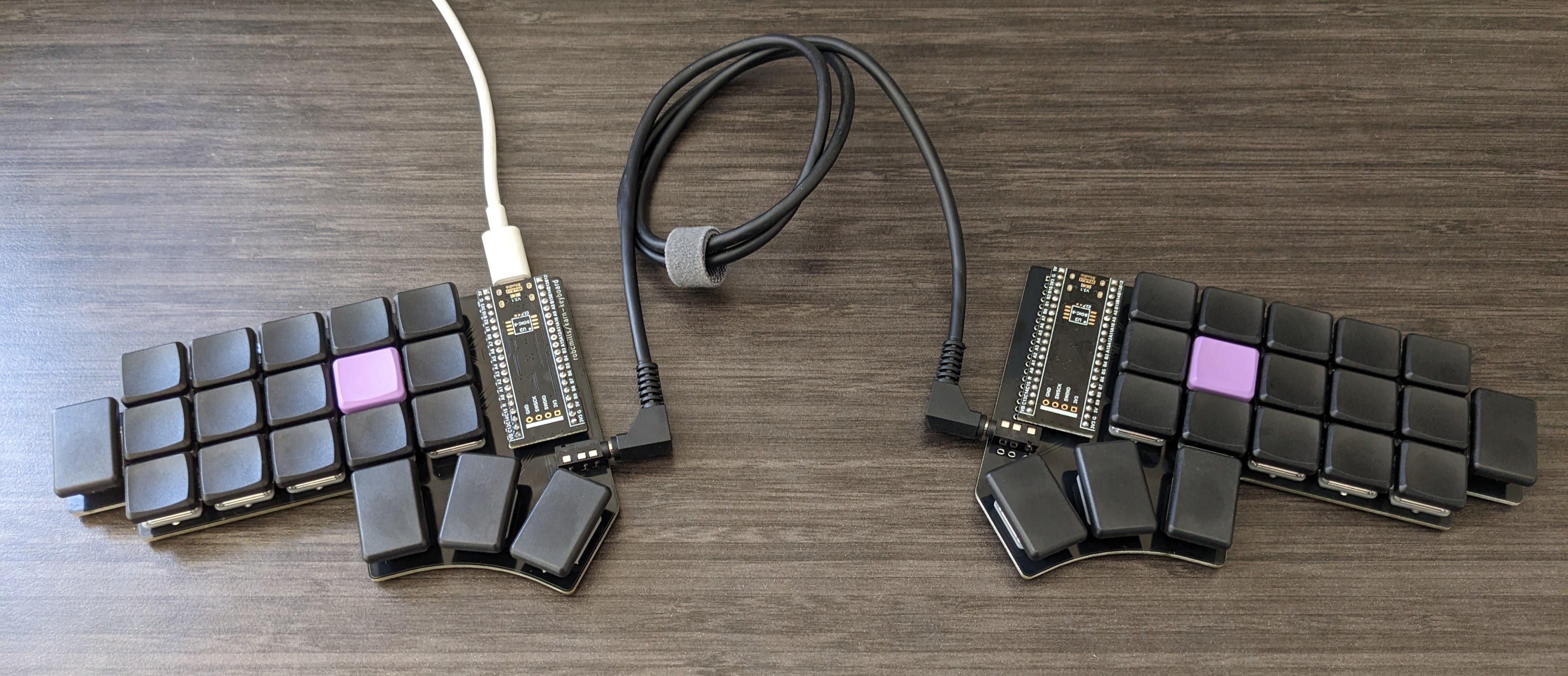
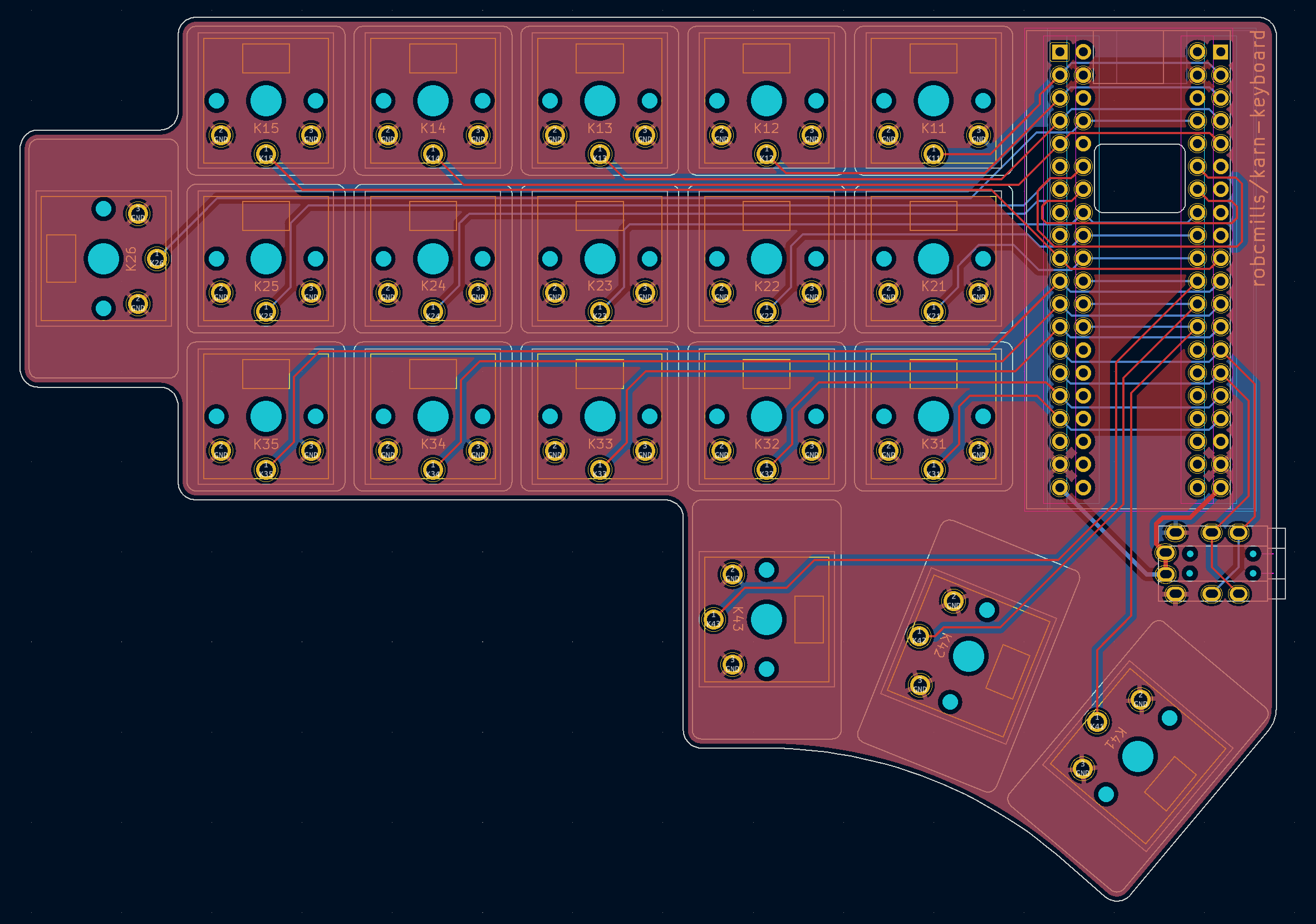
key switches https://mkultra.click/choc-switches Kailh Low Profile Choc v1
microcontroller (karn-1) https://mkultra.click/nice-nano-v2/ (includes 301230 110mAh Battery with JST Connector)
microcontroller (karn-2) https://www.digikey.com/en/products/detail/dfrobot/DFR0864/14824968 DFRobot Blackpill development board
microcontroller sockets and pins (karn-1) https://mkultra.click/mill-max-micro-controller-sockets-and-pins/
microcontroller sockets and pins (karn-2) https://www.digikey.com/en/products/detail/mill-max-manufacturing-corp/315-43-120-41-003000/4455248 Mill-max 315-43-120-41-003000 sockets https://www.digikey.com/en/products/detail/mill-max-manufacturing-corp/3320-1-00-15-00-00-03-0/4147393 Mill-max 3320-1-00-15-00-00-03-0 pins
power switches (karn-1) https://mkultra.click/alps-ssss811101/ https://tech.alpsalpine.com/e/products/detail/SSSS811101/
diodes (karn-1) https://www.digikey.com/en/products/detail/micro-commercial-co/1N4148X-TP/789328 PART: 1N4148XTPMSCT-ND MFG : MICRO COMMERCIAL CO (VA) / 1N4148X-TP DESC: DIODE GEN PURP 75V 150MA SOD523 UNIT PRICE: $0.173
leds (karn-1) https://www.digikey.com/en/products/detail/adafruit-industries-llc/2686/5804107 PART: 1528-1541-ND MFG : ADAFRUIT INDUSTRIES LLC / 2686 DESC: ADDRESS LED DISC SERIAL RGB 10PK UNIT PRICE: $4.95 (for quantity 10)
battery connectors (karn-1) https://www.digikey.com/en/products/detail/jst-sales-america-inc/S2B-PH-K-S-LF-SN/926626 PART: 455-1719-ND MFG : JST SALES AMERICA INC / S2B-PH-K-S(LF)(SN) DESC: CONN HEADER R/A 2POS 2MM UNIT PRICE: $0.134
reset switches (karn-1) https://www.digikey.com/en/products/detail/e-switch/TL3313AF250QG/4029401 PART: EG6065CT-ND MFG : E-SWITCH (VA) / TL3313AF250QG DESC: SWITCH TACTILE SPST-NO 0.05A 12V UNIT PRICE: $0.431
feet Self-Adhesive Clear Rubber Feet Tiny Bumpons (6x2mm) https://www.amazon.com/dp/B06XCNM69B
https://github.com/robcmills/karn-keyboard-firmware
| Qty | Value | Footprint | References |
|---|---|---|---|
| 19 | D | karn-kicad:diode-smd-1N4148X-TP | D11, D12, D13, D14, D15, D21, D22, D23, D24, D25, D26, D31, D32, D33, D34, D35 +3 |
| 15 | SW_Push | Button_Switch_Keyboard:MBK choc 1u | SW11, SW12, SW13, SW14, SW15, SW21, SW22, SW23, SW24, SW25, SW31, SW32, SW33, SW34, SW35 |
| 4 | SW_Push | Button_Switch_Keyboard:MBK choc 1.5u | SW26, SW41, SW42, SW43 |
| 3 | SK6812MINI | LED_SMD:LED_SK6812MINI_PLCC4_3.5x3.5mm_P1.75mm | L1, L2, L3 |
| 1 | S2B-PH-K-SLFSN | kbd:S2B-PH-K-SLFSN | J1 |
| 1 | SW_Push | karn-kicad:reset-switch-TL3313AF250QG | RSW1 |
| 1 | SW_SPDT | Button_Switch_SMD:SW_SPDT_PCM12 | SW_POWER1 |
| 1 | nice!nano v2 | nice-nano-kicad-master:nice_nano | U1 |

google/mozc-devices
Circuit diagrams and firmware source code for Gboard DIY keyboards

Bastardkb/Dilemma
The Dilemma is a vertical stagger low-profile keyboard with mods.

Pwnsat/FlatSat
Flatsat v1.0 is a hardware based platform for aerospace cybersecurity research

adamws/kicad-kbplacer
KiCad plugin for automatic keyboard's key placement and routing

imchipwood/dumbpad
Simple 4x4 numpad with rotary encoder. Powered by QMK via ATmega32u4 Pro Micro

makerforgetech/modular-biped
An open source framework for creating a bipedal modular companion robot.


It measures 139.3 × 98 mm and has 2 copper layers, 1.6 mm thick.
45 parts, built around the SK6812MINI-E. The full list of its parts is on this page, with links to each part's symbol and footprint where PCBKit's library has them.
From the robcmills/karn-keyboard repository on GitHub, at the commit this page was made from: the board is pcbs/karn-right/karn-right.kicad_pcb and its schematic pcbs/karn-2/karn-2.kicad_sch. PCBKit opens the board in the browser, with nothing to install.
Its repository states no licence, so its author keeps all rights: ask robcmills before reusing the design.
