2 layers
Huzzah cc112x shield
rfquack/RFQuack
RFQuack: the versatile RF-analysis tool that quacks!
6 parts348GPL-2.0
 rfquack/RFQuack348
RFQuack: the versatile RF-analysis tool that quacks!
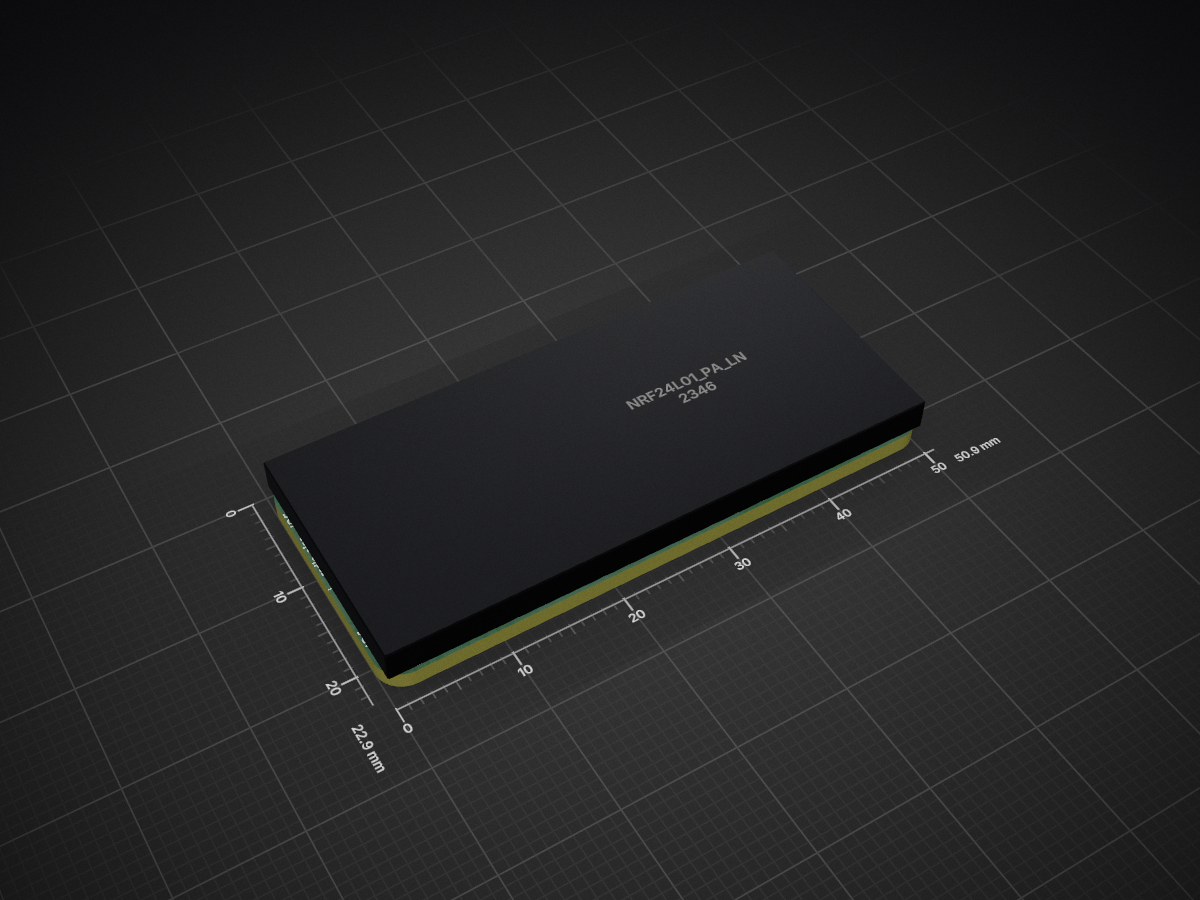
FeatherWing nRF24L01 Adapter is an open-source printed circuit board by rfquack, from the rfquack/RFQuack repository on GitHub, published under the GPL-2.0 licence. It is a 2-layer board of 50.9 × 22.9 mm with 14 parts on 32 nets, routed with 282 tracks and 54 vias.
Its parts include 1 capacitor, 1 IC and 1 switch. It belongs with the radio and wireless and interfaces and adapters boards and the NXP (LPC, Kinetis, i.MX RT) boards of this library.
[blocked]



The only RF-analysis tool that quacks!
Documentation
|
Research Paper
View Demo
·
Report Bug
·
Request Feature
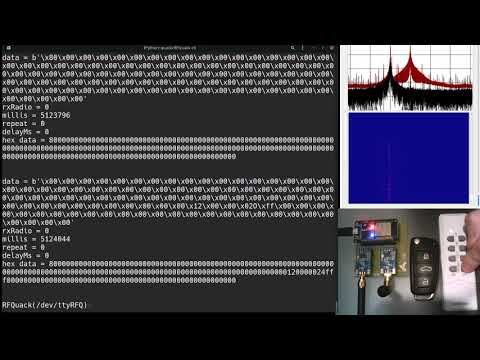
RFQuack is a versatile RF-analysis tool that allows you to sniff, analyze, and transmit data over the air.
Similarly to RFCat RFQuack has a Python-based scriptable shell that allows you to set parameters, receive, transmit, and so on.
We porting from (and contribute back to) RadioLib. So far, we support:
In principle, RFQuack can run on any board and platform supported by PlatformIO. So far, we tested the following boards:
This is an example of how you may give instructions on setting up RFQuack.
You'll need the Protbuf Compiler, a sane Python 3.10, and PlatformIO (which itself requires some dependencies):
For more details, please refer to the Documentation.
An easy way to quick start is to have an ESP32 board and a CC1101 and/or RF69 (easier to find) radio module.
git clone --recursive https://github.com/rfquack/RFQuack
cd RFQuack
pip install -r requirements.pip
vim build.env  # set your parameters and :wq
make clean build flash
For more details, please refer to the Documentation.
An easy way to quick start is to connect the dongle via USB and use the CLI.
$ rfq tty -P /dev/ttyUSB0
2019-04-10 18:04:31 local RFQuack[20877] INFO Transport initialized
2019-04-10 18:04:31 local RFQuack[20877] INFO Transport initialized (QoS = 2): mid = 2

...

RFQuack(/dev/ttyUSB0, 115200,8,N,1)> q.radioA.set_modem_config(modulation="OOK", carrierFreq=434.437)

result = 0
message = 2 changes applied and 0 failed.

RFQuack(/dev/ttyUSB0, 115200,8,N,1)> q.radioA.rx()

result = 0
message =
...
For more details, please refer to the Documentation.
See the open issues for a full list of proposed features (and known issues).
Contributions are what make the open source community such an amazing place to learn, inspire, and create. Any contributions you make are greatly appreciated.
If you have a suggestion that would make this better, please fork the repo and create a pull request. You can also simply open an issue with the proper template.
Don't forget to give the project a star! Thanks again!
git checkout -b feature/AmazingFeature)git commit -m 'Add some AmazingFeature')make clean build)git push origin feature/AmazingFeature)Distributed under the GPL 2 License. See LICENSE for more information.
RFQuack wouldn't exist without the inspiration, feedback, and help received from related tools and awesome humans:
| Qty | Value | Footprint | References |
|---|---|---|---|
| 2 | FIDUCIAL"" | FeatherWing nRF24L01 Adapter:FIDUCIAL_1MM | FID1, FID2 |
| 2 | HEADER-1X376MIL | FeatherWing nRF24L01 Adapter:1X03_ROUND_76 | JP4, JP5 |
| 2 | MOUNTINGHOLE2.5 | FeatherWing nRF24L01 Adapter:MOUNTINGHOLE_2.5_PLATED | U$7, U$8 |
| 1 | 47µF | FeatherWing nRF24L01 Adapter:0805-NO | C2 |
| 1 | FEATHERWING_NOHOLES | FeatherWing nRF24L01 Adapter:FEATHERWING_NOHOLES | MS1 |
| 1 | HEADER-1X2ROUND | FeatherWing nRF24L01 Adapter:1X02_ROUND | JP6 |
| 1 | HEADER-1X570MIL | FeatherWing nRF24L01 Adapter:1X02_ROUND | JP2 |
| 1 | HEADER-1X576MIL | FeatherWing nRF24L01 Adapter:1X05_ROUND_76 | JP7 |
| 1 | HEADER-1X970MIL | FeatherWing nRF24L01 Adapter:1X09_ROUND_70 | JP1 |
| 1 | SWITCH_TACT_SMT4.6X2.8 | FeatherWing nRF24L01 Adapter:BTN_KMR2_4.6X2.8 | SW1 |
| 1 | nRF24L01_PA_LNA_E01_ML01SP2 | FeatherWing nRF24L01 Adapter:E01-ML01SP2 | U1 |
rfquack/RFQuack
RFQuack: the versatile RF-analysis tool that quacks!

google/mozc-devices
Circuit diagrams and firmware source code for Gboard DIY keyboards


hackclub/OnBoard
💡 Join 1,000 teenagers and make your first PCB with a $100 grant!


Twotoz/C5VRX
Ultra-minimal, zero-CPU 5.8 GHz analog FPV video receiver using ESP32-C5 Wi-Fi 6 PHY MODEM_DIAG, BitScrambler WBFM demodulation & resistor DAC CVBS


It measures 50.9 × 22.9 mm and has 2 copper layers, 1.6 mm thick.
14 parts. The full list of its parts is on this page, with links to each part's symbol and footprint where PCBKit's library has them.
From the rfquack/RFQuack repository on GitHub, at the commit this page was made from: the board is shields/FeatherWing nRF24L01 Adapter/FeatherWing nRF24L01 Adapter.kicad_pcb. PCBKit opens the board in the browser, with nothing to install.
Its repository publishes it under the GPL-2.0 licence: you may reuse it on that licence's terms (keep the author's notice, and for a copyleft licence share your changes alike).