2 layers362 × 114.3 mm
Rivasmario 96% Hotswap Rp2040
RivasMario/SKYWAY-96
Mechanical Keyboard PCB and Plate powered by QMK for a 96% board
299 parts

 ph-design/PH60-SC132
A printable low-profile 60% wireless mechanical keyboard kit powered by ZMK firmware.
PH60Slim Choc is an open-source printed circuit board by ph-design, from the ph-design/PH60-SC repository on GitHub. It is a 2-layer board of 285 × 94.6 mm with 219 parts on 178 nets, routed with 1,814 tracks and 280 vias.
It is built around the RP2040, W25Q128JVSIQ and WS2812B, with the PRTR5V0U2X among its other parts. Its parts include 62 diodes, 61 switches, 16 capacitors, 6 resistors and 3 ICs. It belongs with the keyboards and input boards and the RP2040 boards of this library.


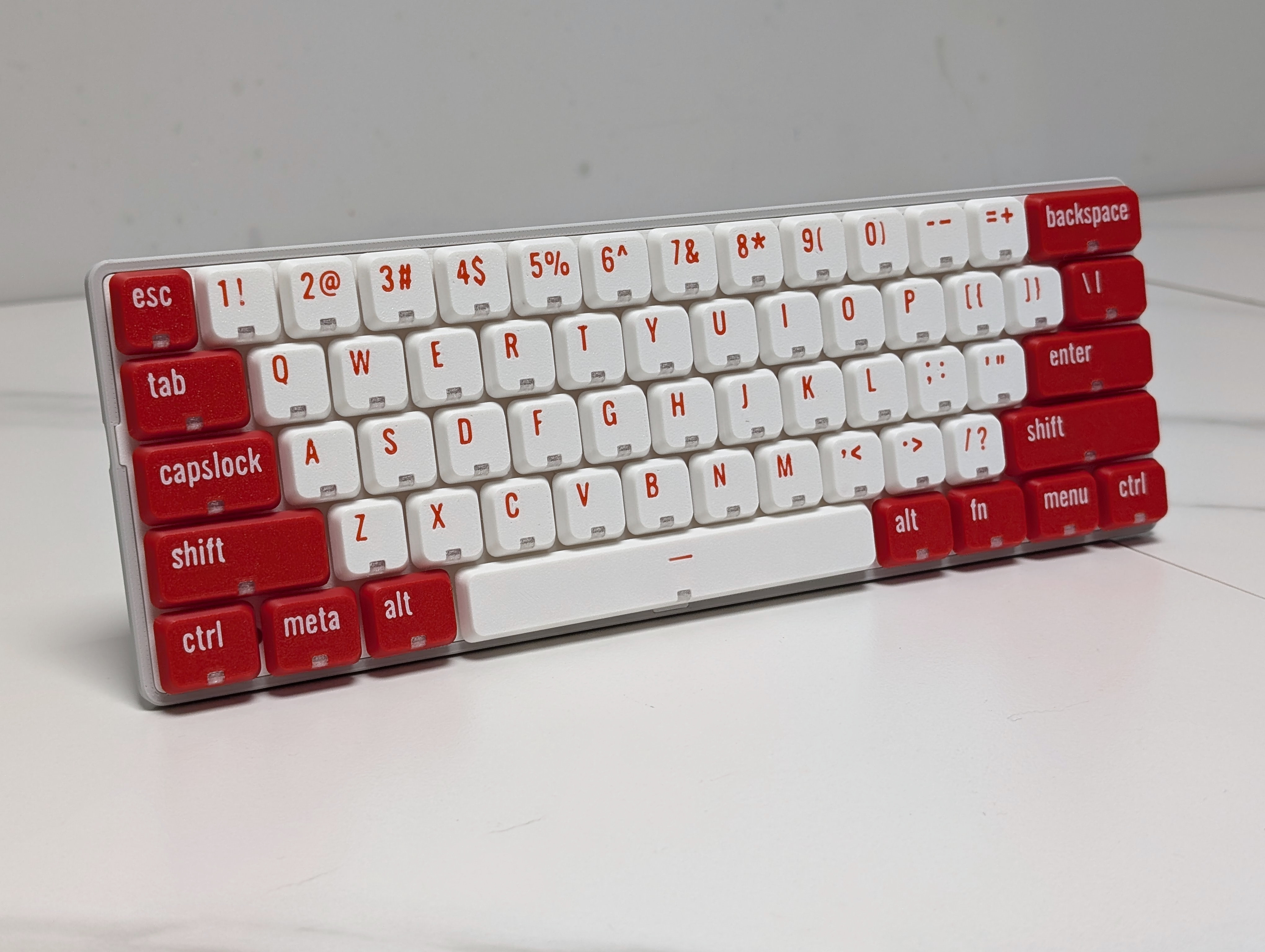
PH60 Slim-Choc is a 60% ANSI layout low-profile mechanical keyboard designed for portability and customization.
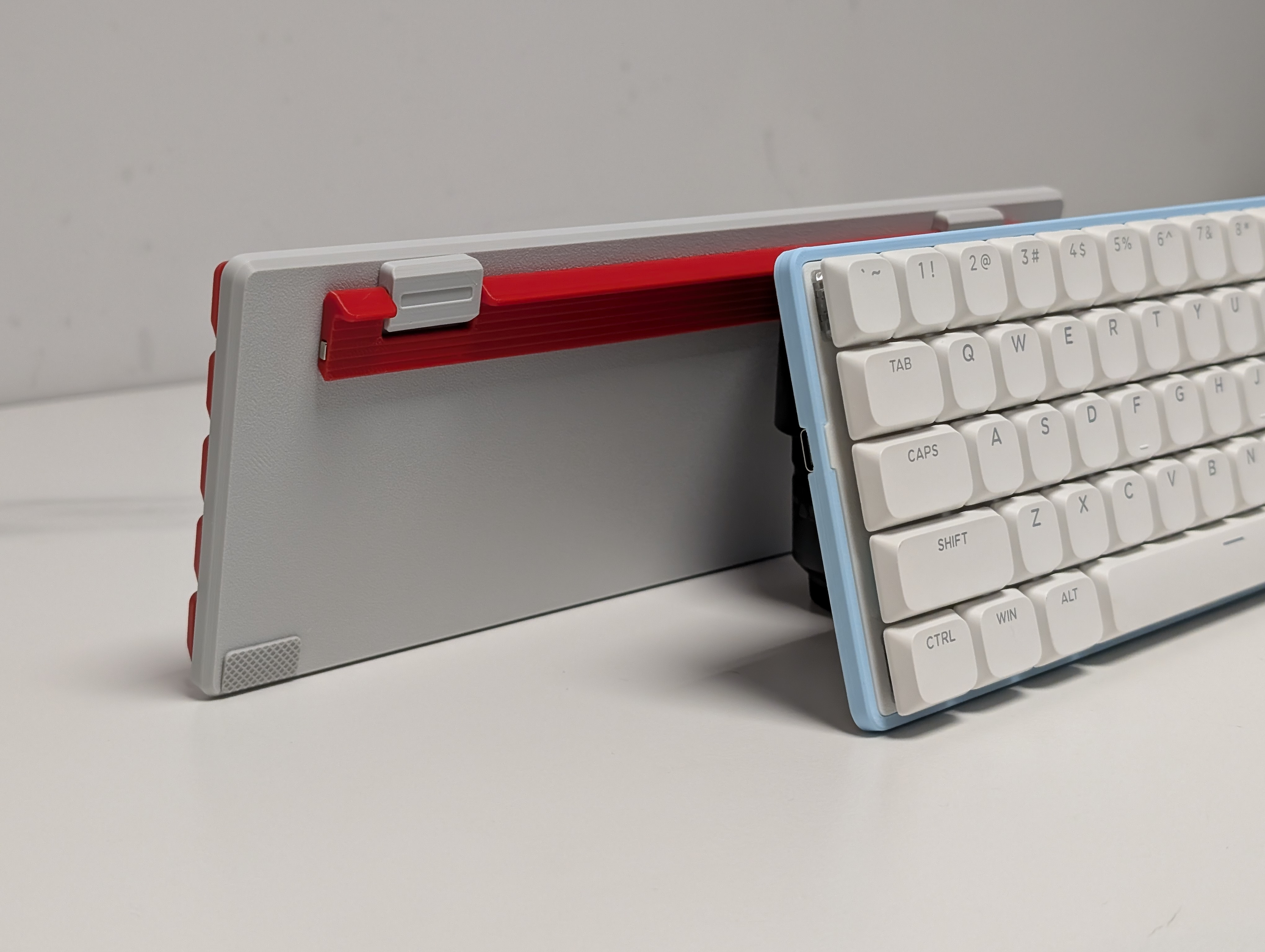
| Part Name | Amount | Remark |
|---|---|---|
| PH60Slim-Choc PCB | 1 | Purchase in our Taobao Store (optional) |
| M2×2×3 Heat-Set Inserts | 10 | For securing case components |
| M2×3 Flat Head Screws | 4 | Footstand mounting |
| M2×5 Flat Head Screws | 6 | Case assembly |
| 20×10×0.5mm Ferrous Plate | 1 | Magnet alignment |
| 10×4×2mm N52 Magnet | 1 | Footstand retention |
| Low-Profile Stabilizers | 5 | 4×2u + 1×6.25u |
| Kailh Choc Switches | 61 | Compatible with Choc V1/V2 |
| Case Components | 1 set | Includes bottom case, footstand, plate |
| Keycaps | 61 | DSA height recommended |
Slim-Choc components are optimized for Bambu Lab printers. However, they can also be printed with other printers by adjusting some of the parameters as follow:
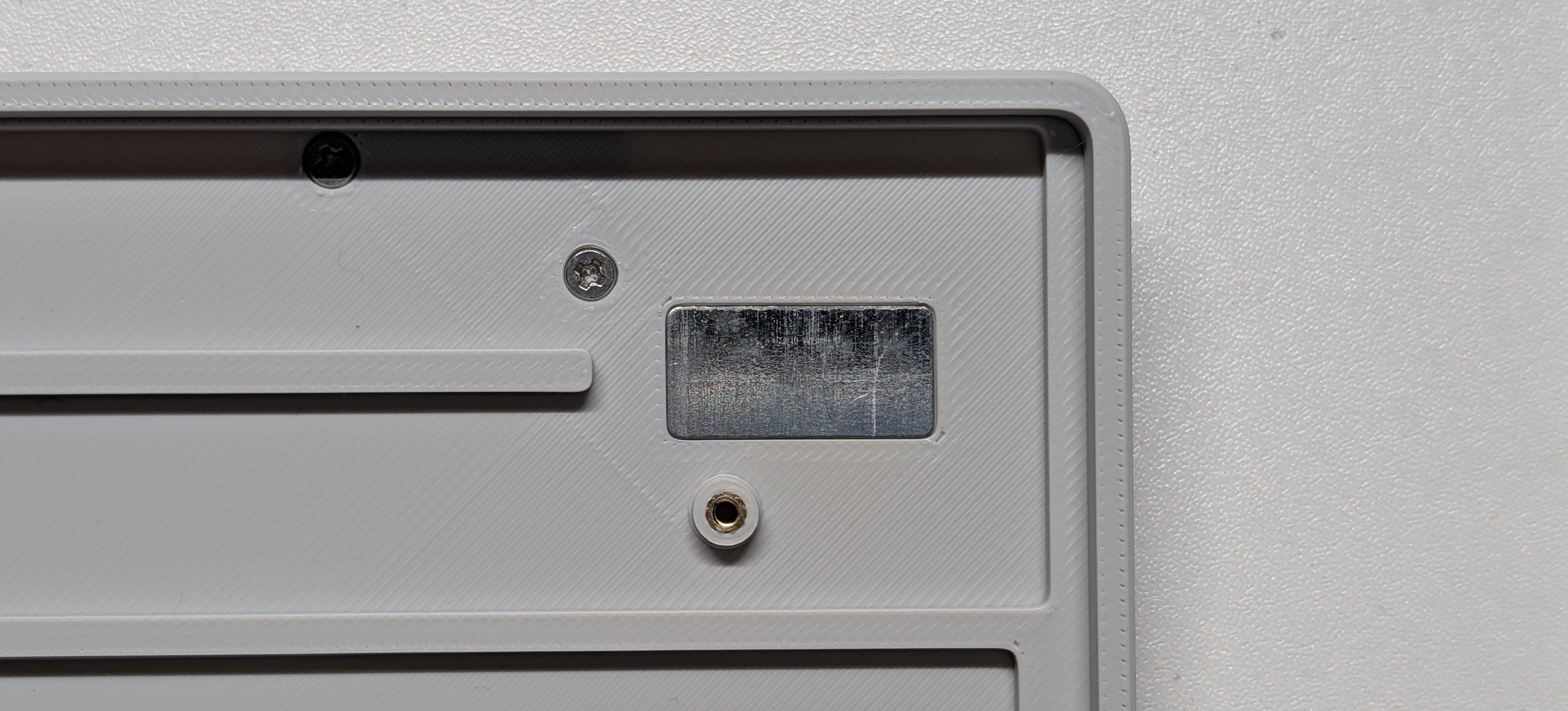
Heat-Set Inserts
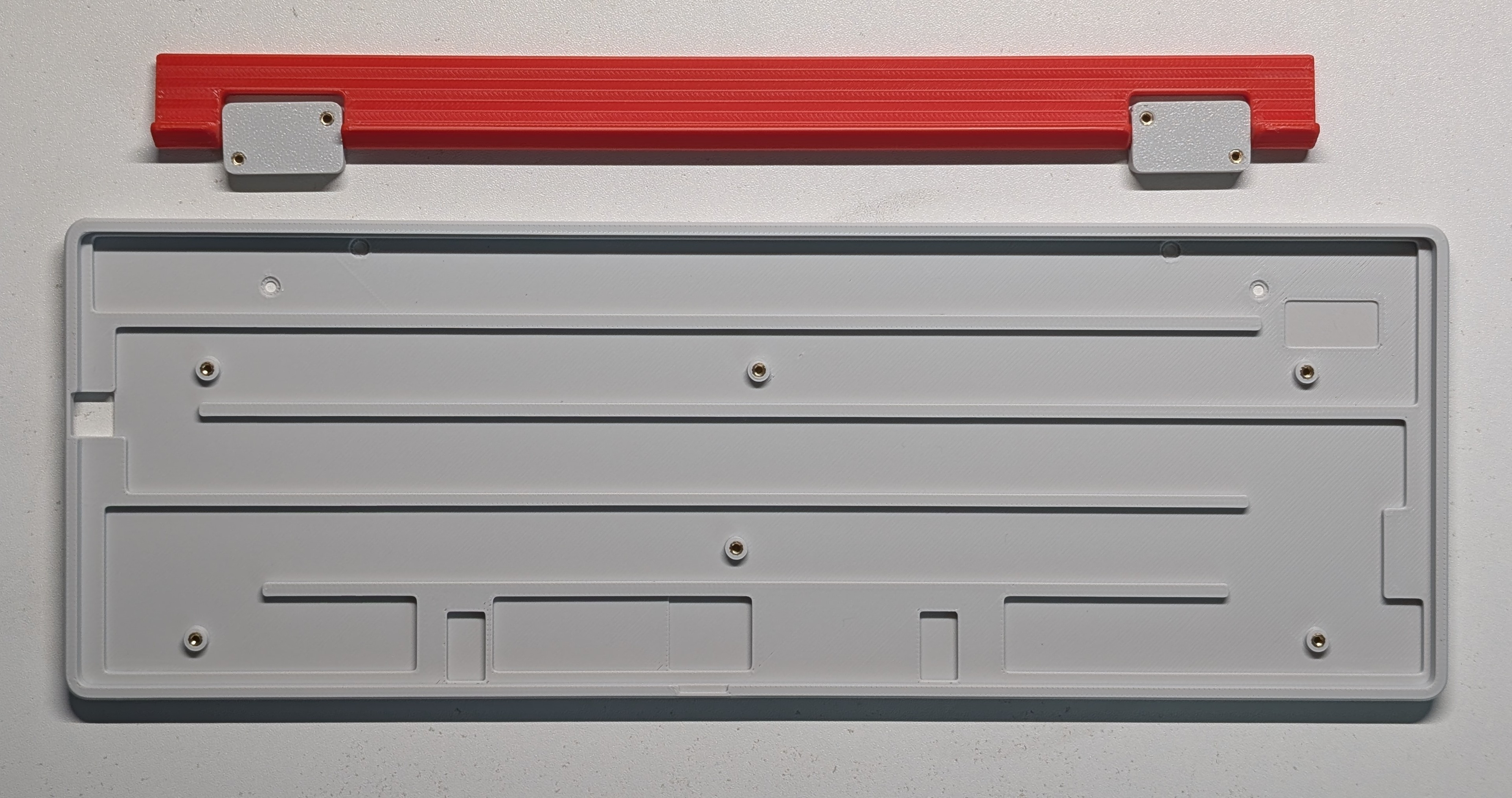
Magnet Installation
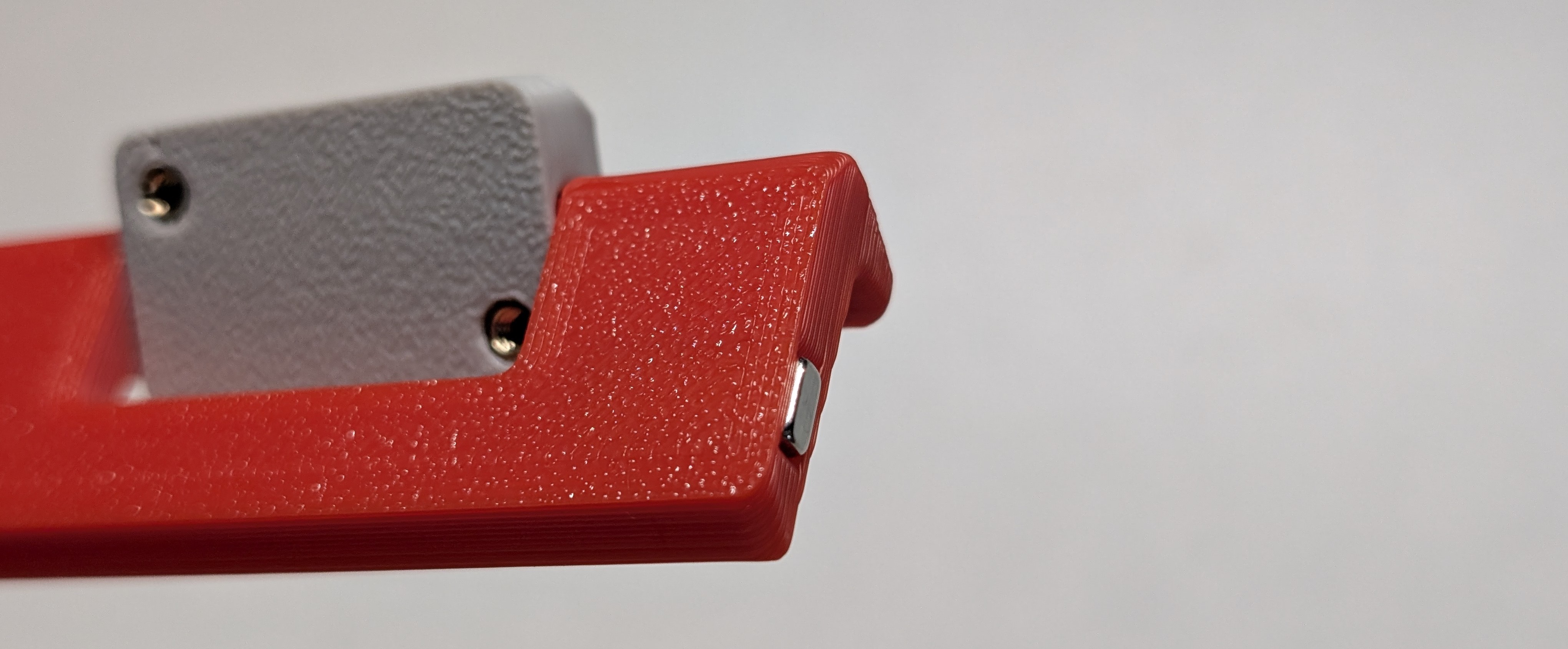
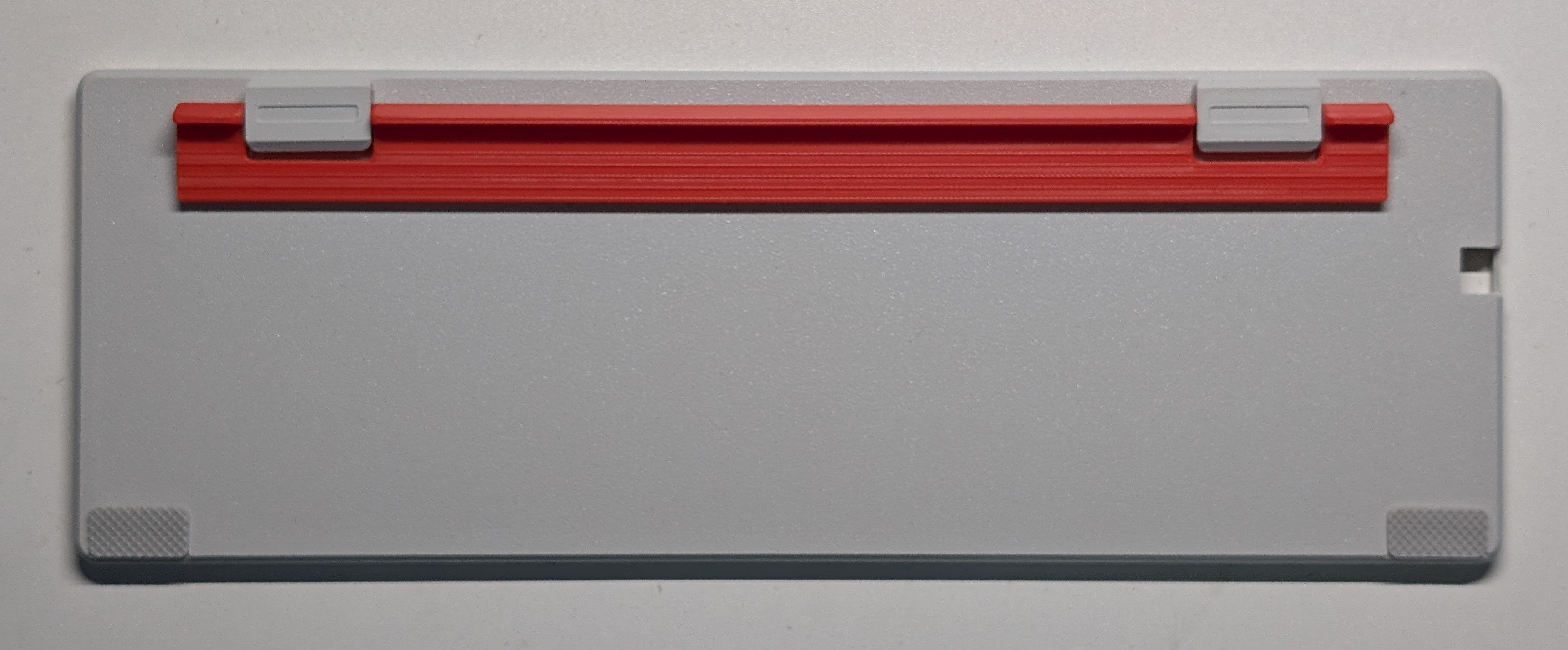
Footstand Assembly
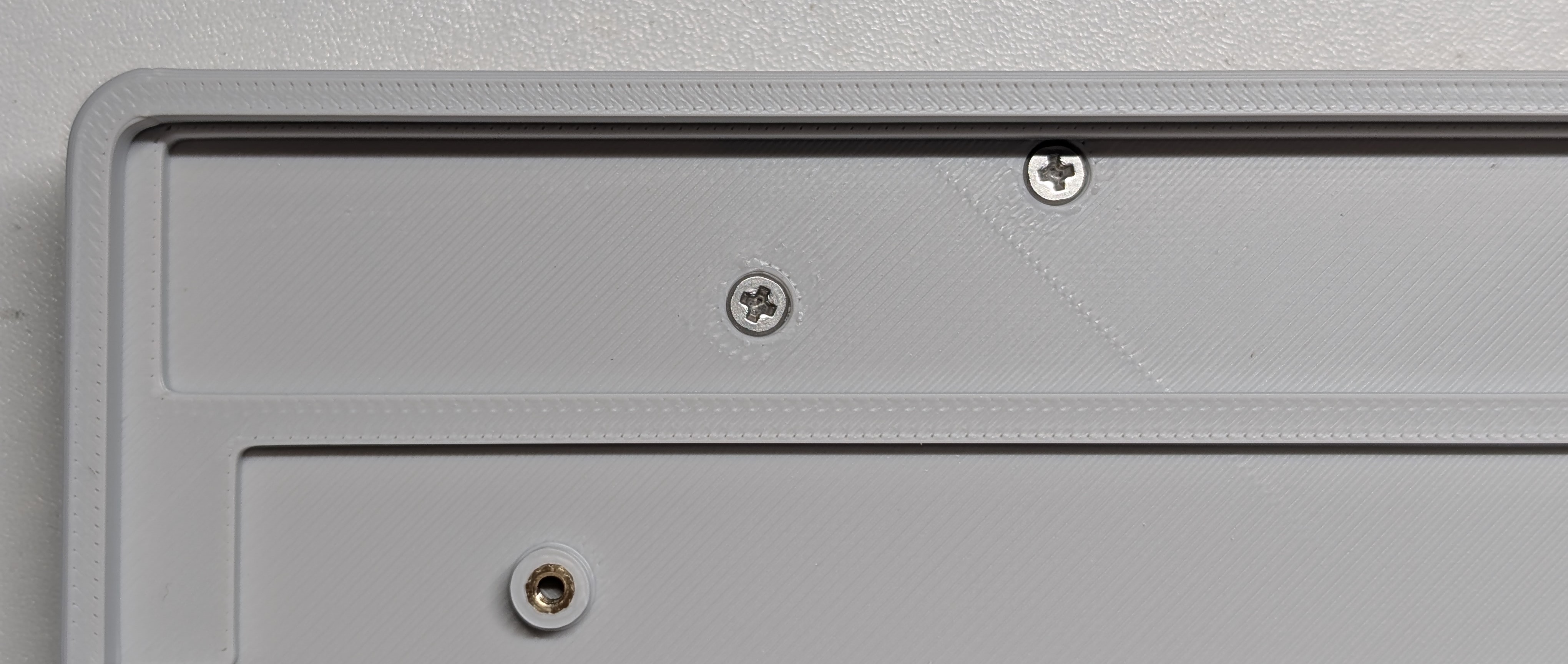
Ferrous Plate Attachment
Anti-Slip Pads
PCB & Plate Integration
Final Assembly
Compile from Source:
qmk compile -kb phdesign/ph60slim_choc -km viaFlashing:
Shorten the boot perforations around the space with a metal object, plug in the USB cable, and drag the firmware into the USB drive that appears.
Keymap Editor:
Configure directly via VIA Web
We welcome contributions! Please:
Guidelines:
Q: What switches can I use?
A: ONLY Kailh Choc switch, not Gateron or Cherry.
Q: Where can I get the special stabilizer?
A: It can be found on Taobao, or modify the mounting plate to use Kailh official stabilizer (Not verified).
Q: USB-C port not detected?
A: Ensure proper alignment of side-out connector with case cutout.
Q: Recommended keycap?
A: Special low-profile keycaps are required. You can try our 3D-printed keycaps alternatively.
This project is licensed under the CC BY-NC-SA 4.0 license.
*Project maintained by ph.design Released: 2025.05

| Qty | Value | Footprint | References |
|---|---|---|---|
| 61 | DIODE | Diode_SMD:D_SOD-123 | D1, D2, D10, D11, D12, D13, D14, D15, D16, D17, D18, D19, D20, D21, D22, D23 +45 |
| 61 | WS2812B | RGB:ws2812B_6028_FIX | RGB1, RGB2, RGB10, RGB11, RGB12, RGB13, RGB14, RGB15, RGB16, RGB17, RGB18, RGB19, RGB20, RGB21, RGB22, RGB23 +45 |
| 46 | Choc_V1V2 | PCM_Switch_Keyboard_Hotswap_Kailh:SW_Hotswap_Kailh_Choc_V1V2_Plated_1.00u | S1, S2, S10, S11, S12, S13, S16, S17, S18, S19, S20, S21, S22, S23, S24, S25 +30 |
| 10 | 100n | Capacitor_SMD:C_0402_1005Metric | C5, C6, C7, C9, C11, C12, C13, C14, C15, C16 |
| 7 | Choc_V1V2 | PCM_Switch_Keyboard_Hotswap_Kailh:SW_Hotswap_Kailh_Choc_V1V2_Plated_1.25u | S57, S58, S59, S61, S62, S63, S64 |
| 6 | MountingHole | MountingHole:MountingHole_2.2mm_M2 | H1, H2, H3, H4, H5, H6 |
| 4 | 1u | Capacitor_SMD:C_0402_1005Metric | C1, C4, C8, C10 |
| 2 | 1R | Resistor_SMD:R_0402_1005Metric | R3, R4 |
| 2 | 1k | Resistor_SMD:R_0402_1005Metric | R1, R5 |
| 2 | 20p | Capacitor_SMD:C_0402_1005Metric | C2, C3 |
| 2 | 5K1 | Resistor_SMD:R_0402_1005Metric | R6, R7 |
| 2 | Choc_V1V2 | PCM_Switch_Keyboard_Hotswap_Kailh:SW_Hotswap_Kailh_Choc_V1V2_Plated_1.50u | S15, S28-2 |
| 2 | Choc_V1V2 | PCM_Switch_Keyboard_Hotswap_Kailh:SW_Hotswap_Kailh_Choc_V1V2_Plated_2.25u | S41-2, S43-2 |
| 1 | 750ma | Fuse:Fuse_0805_2012Metric_Pad1.15x1.40mm_HandSolder | F1 |
| 1 | Choc_V1V2 | PCM_Switch_Keyboard_Hotswap_Kailh:SW_Hotswap_Kailh_Choc_V1V2_Plated_2.00u | S14 |
| 1 | Choc_V1V2 | PCM_Switch_Keyboard_Hotswap_Kailh:SW_Hotswap_Kailh_Choc_V1V2_Plated_2.75u | S55-2 |
| 1 | Choc_V1V2 | PCM_Switch_Keyboard_Hotswap_Kailh:SW_Hotswap_Kailh_Choc_V1V2_Plated_6.25u | S60 |
| 1 | Choc_V1V2 | PCM_Switch_Keyboard_Hotswap_Kailh:SW_Hotswap_Kailh_Choc_V1V2_Plated_1.75u | S29 |
| 1 | Conn_01x02 | Connector_PinHeader_1.27mm:PinHeader_1x02_P1.27mm_Vertical | J2 |
| 1 | Crystal_GND24 | Crystal:Crystal_SMD_3225-4Pin_3.2x2.5mm | Y1 |
| 1 | PRTR5V0U2X | Package_TO_SOT_SMD:SOT-143 | D65 |
| 1 | RP2040 | Package_DFN_QFN:QFN-56-1EP_7x7mm_P0.4mm_EP3.2x3.2mm | U3 |
| 1 | USB_C_Receptacle_USB2.0_16P | Connector_USB:USB_C_Receptacle_GCT_USB4105-xx-A_16P_TopMnt_Horizontal | J1 |
| 1 | W25Q128JVS | Package_SON:Winbond_USON-8-1EP_3x2mm_P0.5mm_EP0.2x1.6mm | U2 |
| 1 | XC6206PxxxMR | Package_TO_SOT_SMD:SOT-23-3 | U4 |
It measures 285 × 94.6 mm and has 2 copper layers, 1.6 mm thick.
219 parts, built around the RP2040, W25Q128JVSIQ, WS2812B and PRTR5V0U2X. The full list of its parts is on this page, with links to each part's symbol and footprint where PCBKit's library has them.
From the ph-design/PH60-SC repository on GitHub, at the commit this page was made from: the board is PCB/Rev1/PH60Slim-Choc.kicad_pcb and its schematic PCB/Rev1/PH60Slim-Choc.kicad_sch. PCBKit opens the board in the browser, with nothing to install.
Its repository states no licence, so its author keeps all rights: ask ph-design before reusing the design.
RivasMario/SKYWAY-96
Mechanical Keyboard PCB and Plate powered by QMK for a 96% board

shanteacontrols/OpenDeck
A platform for building interactive control and sensing devices using MIDI and OSC built with Zephyr RTOS.

dededecline/Serendipity
Serendipity keyboard designed by @ojthetiny and me.

dededecline/Gridiron
Gridiron keyboard designed by me. All files for production are inside this repository.


arviceblot/boethia60
A low profile, hotswap keyboard inspired by the HHBK layout.


rishikesh2715/RP2040_Motion_Logger
An RP2040 based microcontroller with an ICM-42688 IMU, 1S Battery Charger, SD Card Connector, RGB Led, and USB Type-C connector