2 layers42 × 67 mm

 petercpark/The_Uni73
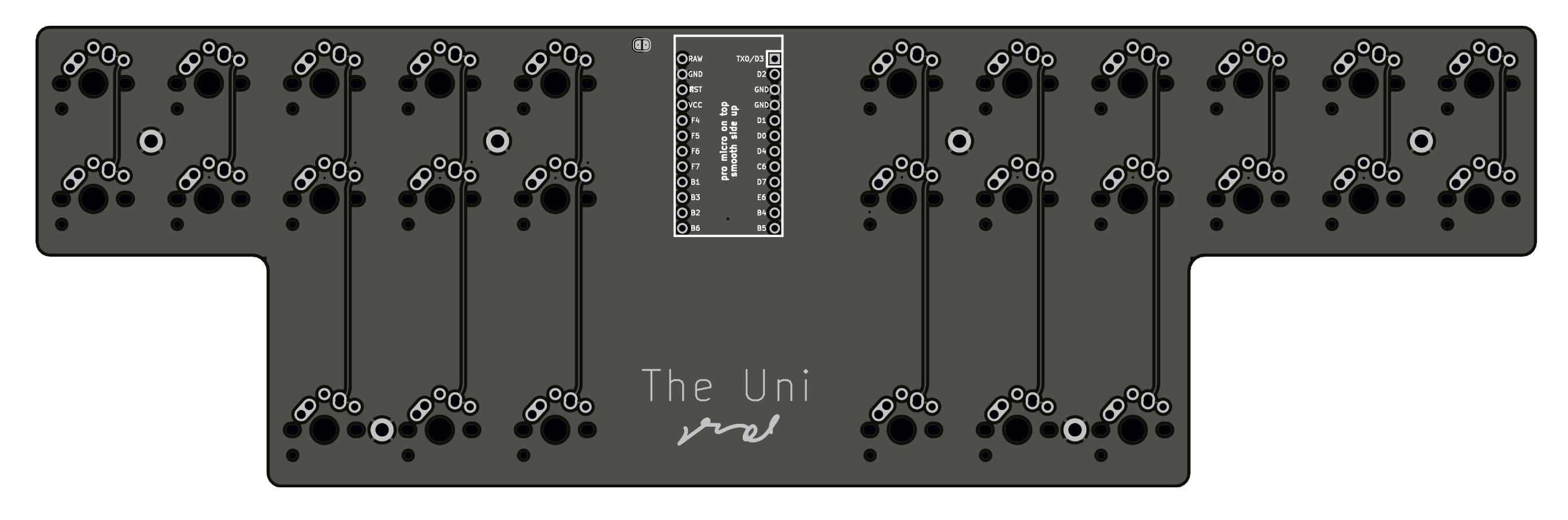
A uni-board split ortholinear made for stenography. Uses QMK Firmware's Gemini Protocol. This is the pro micro version (aka Uni v2)
Unisplit orthosteno is an open-source printed circuit board by petercpark, from the petercpark/The_Uni repository on GitHub. It is a 2-layer board of 247.6 × 76.2 mm with 65 parts on 50 nets, routed with 395 tracks and 14 vias.
Its parts include 28 diodes, 1 IC and 1 switch. It belongs with the keyboards and input boards and the AVR (ATmega, ATtiny) boards of this library.
The uni-body split ortholinear keyboard for stenography, or the Uni for short. By Peter C Park. This is the pro micro version. I used KiCad Nightly Release so the kicad files are not compatible with older version.
Buy it now at StenoKeyboards.com.

If you are going DIY with this, here are the materials you need:
If you want me to assemble here are the materials you need:
The arduino you should use is the Pro Micro. You can also use other microcontrollers with same footprints such as the Elite C.
Nearly any switch is compatible with the v2. The board has a footprint that accomodates for mx, alps, and choc v1 style switches.
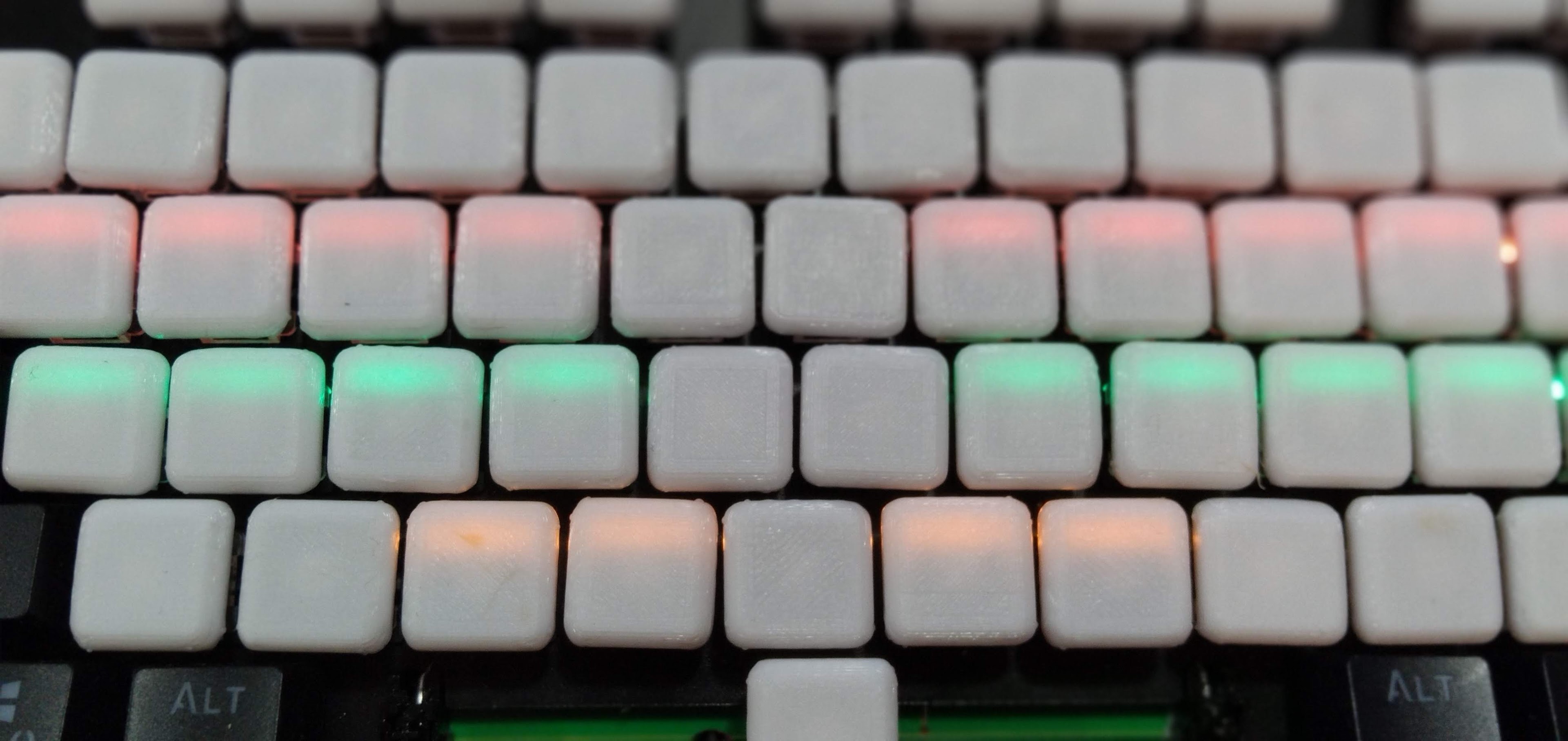
The best keycaps to use are the OEM R3 keycaps with one of the rows inverted to reduce the gap in the middle.
I used to recommend 3d printing your caps but OEM R3 caps are better. There are other flat keycaps for mx style switches at pimpmykeyboard.com called f10 keycaps. There is also a slightly less flatter version called the G20 keycaps on their store and people have used them for steno.
All you have to solder are the switches and pro micro if you get the pcb with the diodes assembled. If not you'll have to solder the smd diodes yourself. Check the BOM file for the necessary materials.
| Qty | Value | Footprint | References |
|---|---|---|---|
| 28 | MX-NoLED | Keebio-Parts:MX-Alps-Choc-1U-NoLED | MX1, MX2, MX10, MX11, MX12, MX13, MX14, MX15, MX16, MX17, MX18, MX19, MX20, MX21, MX22, MX23 +12 |
| 28 | SOD-123 | Keebio-Parts:D_SOD123 | D1, D2, D10, D11, D12, D13, D14, D15, D16, D17, D18, D19, D20, D21, D22, D23 +12 |
| 1 | ProMicro | Keebio-Parts:ArduinoProMicro | U1 |
| 1 | SW_SPST | Button_Switch_SMD:SW_SPST_TL3342 | SW1 |
The 58 most common of 65 parts.
It measures 247.6 × 76.2 mm and has 2 copper layers, 1.6 mm thick.
65 parts. The full list of its parts is on this page, with links to each part's symbol and footprint where PCBKit's library has them.
From the petercpark/The_Uni repository on GitHub, at the commit this page was made from: the board is unisplit_orthosteno.kicad_pcb and its schematic unisplit_orthosteno.kicad_sch. PCBKit opens the board in the browser, with nothing to install.
Its repository states no licence, so its author keeps all rights: ask petercpark before reusing the design.

drandyhaas/KiCadRoutingTools
A set of Python/Rust tools to aid routing in KiCad


PiTracLM/PiTrac
Launch monitor using low-cost raspberry pi and camera hardware to determine ball launch speed, angles and spin. See https://discord.gg/vGuyAAxXJH (permalink)


0x23/nmWave-Interferometer
An Open Source Interferometer for Accurate Distance Measurements

kiu/lofence
LoFence is a LoRaWAN capable IoT electric fence monitoring system running on the The Things Network.